1
EN
Power On
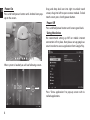
Press and hold power button until Android icon popup on the screen.
Drag and drop lock icon into right to unlock touch
screen, drag into left to open camera module. To lock
touch screen press shortly power button.
Power Off
Press and hold power button until screen goes blank.
Using the device
We recommend setting up WiFi or mobile internet
connection in first place. Next please set up google account in order to access application from Google Play.
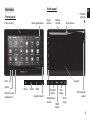
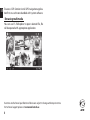
When system is loaded you will see following screen.
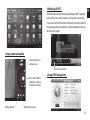
Press “Show applications” to pop-up screen with installed applications.
4