1
Disclaimer
This product is not designed for security purposes. When properly
installed and maintained, this product may in some cases reduce
the risk of burglary, fire, robbery or other events occurring without
providing an alarm. VTech is not responsible for losses, injury, or
damage resulting from the use of this product.
If your package includes a
open/closed sensor, please
read the following section.
Open/closed
sensor installation
3 Check and locate
Check the open/closed sensor
before use
4 Mount
Test the sensor signal strength
We recommend you to mount the magnet unit on
a door, window, or medicine cabinet, and mount
the sensor unit on its respective frame.
Refer to Alerts section below for the alerts.
Sensor unit
Use your handset to enter the Sensor setup menu, and then
select the Check signal menu. Follow the steps to test the
sensor’s signal strength, and then exit the sensor setup mode.
Make sure you receive alerts when you open the door as usual.
Magnet unit
NOTES
Spacer for
sensor unit
Spacers for
magnet unit
Double-sided
mounting tapes
Screw x 2
• Make sure the mounting surface is clean. A textured
surface or any imperfections to a smooth surface can
keep the mounting tape from making a strong bond.
• Make sure you align the magnet unit with sensor unit
when mounting.
• The distance between the sensor unit and magnet
unit must be less than 1 cm (0.4 inch).
• The door images in this installation guide are for
conceptual reference only.
• If No signal or Weak signal message is displayed in sensor setup
mode, or if you do not receive an alert when you open the door,
move the base closer to the mounting location or move the sensor
closer to the base.
• Use adhesive tape to hold the sensor temporarily in place.
• Mount the sensor to a higher position to avoid obstacles or
blockages. Depending on surroundings and obstructing factors, like
walls or cabinets, the sensor may not transmit to the base properly.
Small
screwx 2
1 set for VC7151-109
Alerts
Without spacer
With spacer
NOTES
1 Parts checklist
This product is covered by U.S. Patent #8,825,043. Other patents
may be pending.
Mount the magnet unit
> 1 cm
(0.4 inch)
1 cm
(0.4 inch)
c
Go to
www.vtechphones.com
to register your product
for enhanced warranty
support and the latest
VTech product news.
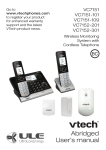
VC7151
VC7151-101
VC7151-109
VC7152-201
VC7152-301
Wireless Monitoring
System with
Cordless Telephone
Mount the sensor unit
Without spacer
BB
With spacer
AA
“Open/Closed X*
is open.”
> 1 cm
(0.4 inch)
2 Power on
NOTES
• The batteries are pre-installed in your
open/closed sensor.
• The open/closed sensor is already
pre-registered to the telephone base.
• The batteries operate properly under
the temperature between 0°F (-18°C)
and 130°F (55°C).
Missed alert icon
and open icon
will be displayed.
Missed alert icon
will be displayed.
and open icon
TIPS
REM
BEFOOVE
US RE
E
Specifications are subject to change without notice.
© 2015 for VTech Communications, Inc.
All rights reserved. 09/15. VC715X_IG_V2.0
Document order number: 96-010248-020-000
> 1 cm
(0.4 inch)
* Open/Closed X refers to the sensor’s name.
X refers to the system-assigned number of
the sensor.
• If there is a difference in level between the door,
window, or medicine cabinet and its respective
frame, or the frame is too narrow or has some
decorative molding, you can choose to mount the
open/closed sensor with spacer. You can also mount
the magnet unit on the frame, and the sensor unit on
the door, window, or medicine cabinet instead.
Installation guide