1
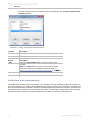
USER MANUAL
version 17.0.1
No Magic, Inc.
2011
All material contained herein is considered proprietary information owned by No Magic, Inc. and is not to be
shared, copied, or reproduced by any means. All information copyright 1998-2011 by No Magic, Inc. All Rights
Reserved.
0
CONTENTS
1 INTRODUCING MAGICDRAW
15
About MagicDraw and UML 15
MagicDraw Editions and Features 16
MagicDraw Editions 16
Other MagicDraw Features and Add-ons 17
MagicDraw Welcome Screen 23
MagicDraw News Reader 28
MagicDraw Documentation and Support
29
New and Noteworthy 30
Manuals and User Guides 30
Help 30
Hints Associated to User’s Actions 30
Productivity Tips Displayed in Progress Window
Tutorials 31
Other Documentation 33
Support 33
2 GETTING STARTED
31
38
System Requirements 38
Java Virtual Machine (JVM) 38
Installation Procedure
39
Using the installer 40
Using no-install package 40
Licensing Information 41
Removing Unused Licenses 42
MagicDraw Configuration 43
MagicDraw configuration files location 43
Importing Configuration 43
Unlocking MagicDraw 45
Activating the commercial license after the purchase (v16.9 or later) 46
Commercial license activation process 47
Commercial license types 50
Host ID 50
Identification 51
Registration 53
Deactivation 53
User Registration 55
Registration Workflow 56
Bug Report 59
Troubleshooting 60
Updating
61
Auto-Check for Updates dialog box 61
3
Copyright © 1998-2011 No Magic, Inc.
CONTENTS
3 USING MAGICDRAW
62
Customizing and Selecting Perspective
62
Customizing MagicDraw Perspectives 63
MagicDraw Startup dialog 64
Select Perspective dialog 65
Customize Perspectives dialog 66
Understanding MagicDraw User Interface (UI) 68
Menus 69
Toolbars 69
Using the Model Browser
72
Customizing Environment Options
89
Using Environment Options dialog 90
Common elements in Environment Options dialog
Performance Improvements
Memory Monitor
91
Look and Feel: Controlling the Interface
Assigning Shortcut Keys 95
4 WORKING WITH PROJECTS
Creating a Project
90
91
93
96
96
Creating a new project 96
Working with multiple projects 98
Creating a new project from the existing source code 99
Creating a new project from a previously created template 100
Creating a new Use Case project 101
Saving a Project
Autosave
102
103
Opening a Project 104
Importing a Project 104
Exporting Projects 105
Exporting Projects as Templates 105
Exporting Project as Eclipse UML2 (v1.x / v2.x / v3.x) XMI File 105
Setting Project Options 106
Using Project Options dialog 107
Common elements in Project Options dialog
Searching
108
108
Java Regular Expressions
Replacing 114
Project Partitioning
112
115
Partitioning the model 115
Exporting the module of a project 116
Sharing the module of a project 117
Managing Modules 118
Analyzing Dependencies Among Elements 120
Using the module of a project 120
Reloading the module of a project 124
Importing the module of a project 124
Working with partially loaded projects 124
Advanced Concepts 126
Missing elements for the proxies (orphaned proxies)
4
127
Copyright © 1998-2011 No Magic, Inc..
CONTENTS
MOF Support
130
Exporting projects to MOF files 131
Importing projects from MOF files 132
Ecore Support
132
Creating projects for Ecore modeling 133
Ecore modeling 136
Exporting projects to Ecore files 144
Importing projects from Ecore files 148
Working with Standard Profiles
148
Standard Profiles as System Resources 148
Standard Profiles in Teamwork Server 149
5 DIAGRAMMING
150
Working with Diagrams
150
Diagram Basics 150
Diagrams Dialog 153
Diagram Properties 154
Diagram Name and its Context Name Synchronization
Diagram Frame 156
Drawing Diagram Shapes 158
Overviewing Other Diagrams 161
Table with Diagram Information 176
Changing the Diagram Type 177
156
Working with Shapes of Model Elements 178
Working with Paths and Relationships 181
Inserting a Shape on the Path 183
Creating Relations from the Model 184
Smart Manipulation 185
Selection and Multiple Selections 187
Copying/Pasting Text or Images to Diagrams 189
Nesting Image Shapes 190
Dragging, Copying, Cutting, and Pasting 190
Dragging Objects 190
Dragging Files 191
Dragging Images 192
Dragging Elements in the Specification Window
Other Dragging Actions 195
Copying and Cutting Objects 196
193
Zooming 197
Using the Grid 198
Layout 199
Orthogonal Layout Tool 200
Hierarchic Layout Tool 200
Tree Layout Tool 201
Organic Layout Tool 203
Circular Layout Tool 204
Orthogonal Path Router 205
Organic Path Router 205
Class Diagram Layout Tool 206
Activity Diagram Layout Tool 206
5
Copyright © 1998-2011 No Magic, Inc..
CONTENTS
Business Process Diagram Layout tool 208
Quick Diagram Layout Tool 209
Label layout in the diagram 209
Showing Diagrams in Full Screen 211
Floating Diagram Window 212
Saving as an Image 213
Setting image saving options
Printing
214
215
6 WORKING WITH MODEL ELEMENTS
Specification Window
220
220
Functions of Specification Window 222
Specification Window Toolbar 223
Quick filter 224
Specification window tabs 226
Default Property Values 236
Editing Property Values 238
Editing textual properties 239
Editing logical values 245
Selecting values 246
Cases of advanced editing 253
Formatting Symbols
259
Displaying icon or image
Style Engine
260
261
Symbol Property Styles Tree 262
Working with Properties Styles 267
Properties extension by diagram 268
Properties Inheritance 270
General Style Properties 270
Shape, Path and Diagram Properties 270
Stereotype properties 271
Defining Hyperlinks Between Elements
273
Adding a hyperlink to the model element
Edit Hyperlink dialog 276
Owner of the Model Element
273
278
Owner display mode 278
Qualified name starting from model library 279
Relations Changes Ownership when Client or Supplier is Moved to Other Owner 280
Selecting an Element
281
Element selection views 282
Element search criteria and modes
Element creation mode 283
Elements multiple selection 284
282
Refactoring 284
Converting an Element 284
Replacing an Element 285
NEW! Generic Numbering Mechanism
286
Working with Generic Numbering Mechanism
Element Numbering dialog 291
HTML Editor
6
287
294
Copyright © 1998-2011 No Magic, Inc..
CONTENTS
Advanced HTML Editor dialog
300
Copying/Opening Element URLs
302
7 TOOLS
303
Model Merge
304
Definitions 304
Introduction to Merging 304
Model Merge demonstration 306
Merging concepts in details 326
Analyzing Merging Results 330
Controlling Merge memory usage 352
Pattern Wizard 353
Creating Setters / Getters 359
Implementing or Overriding Operations
Model Transformation Wizard 362
360
Available Transformations 362
Working with Model Transformation Wizard 363
Transformation Type Mapping 368
Controlling Type Mapping Rule Behavior 370
Transformation Traces and Update 373
Profile Migration Transformation 374
Resource Manager 379
Spelling Checker 381
Spell checking as you type 382
Spell checking for the whole project or the selected scope 384
Setting the spell checking options 388
Defining properties of the customized element to be spell checked
Import Data to MagicDraw
390
391
Import data from Rational Software Architect/Modeler using MagicDraw RSXConverter
Import data from Rational Rose using MagicDraw RConverter 391
Import data from other tools 391
8 MODEL ANALYSIS
391
393
Displaying Related Elements 394
Analyzing Usages and Dependencies
395
Understanding Used By 395
Understanding Depends On 395
Searching for Usages / Dependent Elements
396
Traceability 399
Creating Traceability Relations 400
Traceability Relations Representation 401
Navigating between Different Levels of Abstraction 407
Analyzing Traceability Relations 408
Predefined Traceability Rules 410
Relation Map
411
Creating the Relation Map 412
Defining Relation Map filters, layout, and depth
Manipulation of Relation Map 419
Symbol Usage in Diagrams
7
412
421
Copyright © 1998-2011 No Magic, Inc..
CONTENTS
Projects Comparison
422
Comparing Projects 423
Diagrams Comparison 426
Metrics
428
Metric Suites 429
Displaying Metrics 429
Starting Metrics 430
Exporting Metrics 432
Comparing metrics 434
Metrics Options 434
Metrics Properties 437
Dependency Matrix 438
Creating Dependency Matrix 439
Using Dependency Matrixes 439
Working with a Dependency Matrix Template 446
Dialogs in Dependency Matrix functionality 447
Analyzing Package Dependencies
450
Analyzing Dependencies Among Elements
Unresolved dependencies 458
Validation
455
459
Introduction 459
Constraint Types 459
Predefined Validation Suites 460
Validating 461
Validation Results Window 463
Model Validation Example 463
Validation Rules 465
Validation Suites 469
Advanced Topics 473
Active Validation
477
Detecting errors in the model 478
Handling incorrect model 481
Changing the Active Validation Options 481
The Active Validation Suites 482
Customizing the Active Validation 486
Validate element that has no representation in diagram
Model Visualizer
486
488
Class Diagram Wizard 488
Package Dependency Diagram Wizard 491
Package Overview Diagram Wizard 496
Hierarchy Diagram Wizard 500
Realization Diagram Wizard 503
Activity Decomposition Hierarchy Wizard 506
Content Diagram Wizard 509
Sequence Diagram from Java Source Wizard 512
9 UML DIAGRAMS
519
Architectural Views
520
Use Case View 520
Structural View 520
8
Copyright © 1998-2011 No Magic, Inc..
CONTENTS
Behavioral View 520
Implementation View 521
Environment View 521
Class Diagram
521
Class Diagram Elements
NEW! Object Diagram
522
525
Object Diagram Elements
526
Use Case Diagram 526
Use Case diagram elements
527
Communication Diagram 529
Communication Diagram elements
Sequence Diagram
529
531
Sequence diagram elements
532
State Machine Diagram 538
State Machine Diagram elements
539
Protocol State Machine Diagram 542
Protocol State Machine Diagram elements 542
Activity Diagram
545
Activity Diagram elements 547
Smart Activity Diagram layout 553
NEW! Component Diagram
554
Component Diagram elements
NEW! Deployment Diagram
555
558
Deployment Diagram elements
NEW! Package Diagram
562
Package Diagram elements
NEW! Profile Diagram
559
563
564
Profile Diagram elements
565
Composite Structure Diagram
567
Composite Structure Diagram elements 568
Displaying existing Parts on the Composite Structure diagram creation 569
Interaction Overview Diagram
10 EXTENSION DIAGRAMS
570
572
Common Elements 573
User Interface Modeling Diagram
574
Working with User Interface Modeling Diagrams
User Interface Modeling 576
Case Studies for User Interface Modeling 588
Content Diagram
575
596
Content Diagram Elements
598
Robustness Diagram 602
Robustness Diagram Elements
Web Diagram
603
603
Web Diagram Elements
605
CORBA IDL Diagram 607
CORBA IDL Diagram Elements
608
WSDL Diagram 609
WSDL Diagram Elements
Time Diagram
9
610
611
Copyright © 1998-2011 No Magic, Inc..
CONTENTS
Time Diagram Elements
Struts Diagram
611
611
Struts Diagram Elements
Networking Diagram
612
613
Networking Diagram Elements
614
Free Form Diagram 616
Relation Map Diagram 616
Dependency Matrix 616
Generic Table 616
Creating Generic Tables 617
Using Generic Tables 622
Generic Table Environment 627
11 MODEL ELEMENTS
632
Common Model Elements in the Diagrams 632
Note, Comment 633
Anchor 634
Constraint Path 634
Image Shape 634
Separator 634
Documentation 635
UML Extension Elements
635
Stereotype 636
Tag 641
Constraint 643
Profile 647
Action
649
Action Properties 649
Accept Event Action 649
Call Behavior Action 652
Call Operation Action 653
Opaque Action 654
Send Signal Action 655
Working with Actions 658
Actor
660
Actor Properties
Association
660
661
Working with Associations 661
Association End 663
Association in Use Case Diagrams
667
Attribute 667
Class 669
Working with classes 670
Creating A Structured Class 671
Design Patterns 672
Class presentation options 672
Collaboration 674
Combined Fragment
Component 676
Connector 677
10
675
Copyright © 1998-2011 No Magic, Inc..
CONTENTS
Containment 678
Data type 678
Enumeration 679
Primitive 679
Decision Node 679
Dependency 680
Template Binding dependency
Abstraction 681
Usage 681
Package Merge 681
Package Import 681
Element Import 681
Access 682
Deployment 682
680
Deployment Specification 682
Events 683
Event types 683
Usability 684
Exception Handler 684
Extend 684
Flow Final Node 684
Fragment 685
Alternative Fragment 685
Combined Fragment 686
Function Behavior 687
Gate 687
Generalization 690
Generalizable elements 691
Generalization sets 691
Include 694
Information Flow 694
Information Item 695
Instance 696
Instance Specification 698
Interaction Use 699
Interface 700
Provided and Required Interfaces 700
Provided and Required Interfaces in the Composite Structure diagram
Provided/required interfaces in the Component diagram 702
701
Internal transition 703
Lifeline 703
Lifeline in the Sequence Diagram 705
Link 705
Manifestations 706
Message 706
Common Actions with Messages 707
Messages in Sequence and Time Diagrams 711
Messages in Communication Diagrams 714
Activators and predecessors 715
Model 717
11
Copyright © 1998-2011 No Magic, Inc..
CONTENTS
Node
718
Structured activity node 719
Activity parameter node 719
Expansion Region and Expansion Nodes 720
If, Loop and Sequence Conditional Nodes 720
Object 721
Object Flow 721
Object Node 721
Opaque Behavior 722
Operation 722
Package 725
Working with packages
Parameter
725
728
Parameters synchronization with Arguments
Port 742
Pseudo State
728
744
Initial 744
Final state 744
Terminate 744
Entry Point 744
Exit Point 744
Deep History 744
Shallow History 745
Junction 745
Choice 745
Fork and Join 745
Realization 745
Reception 747
Send Signal Action
State 749
748
Changing State to Composite/submachine/orthogonal State
Composite State 750
Submachine 751
Adding connection point reference 751
Defining State Invariant 752
Assigning behavior to state 752
Subsystem 752
Swimlane 753
Template / Parameterized class
Transition 756
Use Case 758
Use Case Extension 759
Value Specification 759
750
756
12 WORKING WITH SERVER PROJECTS
Logging on to Server 763
Logging off from Server 764
NEW! Working with Cameo Team Server
762
764
Cameo Team Server Concepts 765
Customizing Server Properties 767
12
Copyright © 1998-2011 No Magic, Inc..
CONTENTS
Working with Cameo Team Server Projects 767
Cameo Team Server User Interface 792
Working with MagicDraw Teamwork Server
815
Teamwork Concepts 816
Working with Teamwork Projects 817
Managing Teamwork Server 839
Code Engineering in Teamwork Projects 844
Teamwork Dialogs 845
Data Partitioning on Teamwork Server 861
Project Branching in Teamwork 864
Editing Server Project
875
Locking Model Elements and Diagrams 876
Unlocking Model Elements and Diagrams 878
Data Partitioning on Server 879
13 APPENDIX I: MENUS, BUTTONS, AND ICONS
Menu System
880
881
File menu 881
Edit menu 883
View menu 886
Layout menu 887
Diagrams menu 890
Options menu 890
Tools menu 892
Analyze menu 895
Collaborate menu 896
Window menu 896
Help menu 897
Main Toolbars
897
File Toolbar 899
Diagrams Toolbar 900
Other Diagrams Toolbar 902
Analysis Diagrams Toolbar 902
Diagrams Navigation Toolbar 903
Opened Projects Toolbar 903
Perspectives Toolbar 904
Validation Toolbar 904
Diagram Toolbars 904
Browser Window 906
Floating, Auto-hide and Close Buttons 907
Buttons from the Containment Tree 907
Buttons from the Inheritance Tree 908
Buttons from the Diagrams Tree 909
Buttons from the Model Extensions Tree 909
Buttons from the Search Results Tree 909
Icons of general elements 910
Icons of relationships 919
Icons from Modules and Profile mechanism
13
922
Copyright © 1998-2011 No Magic, Inc..
CONTENTS
14 NEW! APPENDIX II: UML 2.4.1 SUPPORT
924
Introduction 924
Metamodel Changes 924
Notation Changes 927
Opening Older Models 928
Index 929
14
Copyright © 1998-2011 No Magic, Inc..
1
INTRODUCING MAGICDRAW
In the “Introducing MagicDraw” chapter, you will find the introductory information about MagicDraw.
• “About MagicDraw and UML” on page 15
• “MagicDraw Editions and Features” on page 16
• “MagicDraw Welcome Screen” on page 23
• “MagicDraw News Reader” on page 28
• “MagicDraw Documentation and Support” on page 29
About MagicDraw and UML
Today’s graphical software can be extremely complex in its structure and architecture, but that does not mean
it must be difficult to use. We have learned much from the hardware industry, where everything you see is
scattered pieces. This approach also works well in the software world – objects at a higher abstraction level are
treated like “software pieces”. To simplify the process further, we may use pictures instead of textual
descriptions to show the relationships between objects in a complex system. Though pictures work better than
textual descriptions alone, experience has proven that communicating complex ideas effectively requires more
than simple flowcharts.
Early methodologies, such as Booch notation, OMT, and others served the same purpose: to graphically
express the software’s architecture information. However, these methodologies accomplished this in slightly
different ways and with different levels of thoroughness. In 1994, Grady Booch, Jim Raumbaugh, and Ivar
Jacobson came together to unify their varied methods and experience. The UML (Unified Modeling Language)
was the fruit of their joint effort. UML was crafted with two objectives: To reflect the best practices of the
industry and to demystify the process of software system modeling.
In short, UML provides standardized pictures of your software applications and allows your development team
to quickly grasp the functionality contained within the application. UML is a language and a process with
neutral notation. This means that you can use it to design your entire OO system in any programming language
and any software development process.
The development of a model for an industrial-strength software system, prior to its construction or renovation,
is as essential as having a blueprint for a large building. Good models are vital for effective communication
among project teams.
In the early 1990s, the tools for OO software modeling emerged, followed by the development of the visual
modeling approach. Visual modeling means that you first design your system by drawing diagrams (blueprints)
and then employ tools to convert those diagrams into code. The value of such an approach is that the often
tedious framework coding is done automatically, freeing the programmer to focus on design issues. The
transition from the design to the implementation phase is smoother and more straightforward. Moreover, using
the features of reverse engineering and code generation, the developer can move back and forth between the
code and the design that is being expressed in the diagrams.
Today, visual modeling tools provide many features that replace some of the more tedious tasks for the
designer, programmer, and documentation writer. Some of the leading tools provide so-called round-trip code
engineering capabilities – the structure of reverse engineered code is changed in the modeling tool and is
generated back without the implementation of specific information (e.g. method bodies, comments) being lost.
MagicDraw is a visual UML modeling and CASE tool with teamwork support. Designed for Business Analysts,
Software Analysts, Programmers, QA Engineers, and Documentation Writers, this dynamic and versatile
15
Copyright © 1998-2011 No Magic, Inc.
1
INTRODUCING MAGICDRAW
MagicDraw Editions and Features
development tool facilitates analysis and design of Object Oriented (OO) systems and databases. It provides
the industry's best code engineering mechanism (with full round-trip support for Java, C#, C++, WSDL, XML
Schema, and CORBA IDL programming languages), as well as database schema modeling, DDL generation
and reverse engineering facilities.
As of the version 17.0.1, MagicDraw supports UML v2.4. For the detailed information about supported changes
of UML specification from version 2.3 to 2.4, see "NEW! Appendix II: UML 2.4.1 Support" on page 924.
MagicDraw Editions and Features
A detailed list of MagicDraw features can be found at:
http://www.magicdraw.com/files/brochures/a4/MagicDrawDataSheet.pdf
MagicDraw Editions
MagicDraw Personal Edition
MagicDraw Personal Edition contains powerful UML diagramming capabilities, including full UML 2 support and
extensibility features, basic reporting functionality, and image export. Exported files are stored in XMI format.
NEW! Sine of the version 17.0.1 MagicDraw supports XMI 2.4 format.
All model elements can be accessed via the MagicDraw Open API.
In this edition, you will find everything you need to draw, edit, and publish your UML models.
Personal Edition is available only in a standalone version and is not designed for use with MagicDraw
Teamwork Server.
MagicDraw Standard Edition
MagicDraw Standard Edition provides all of the Features of Personal Edition and adds WAE, content, and
Robustness diagrams. Standard Edition also adds model analysis and facilitation features, customizable and
extendable patterns, integrations with most popular IDEs, and a set of predefined model templates and UML
profiles.
Standard Edition supports UNISYS XMI and the latest Model Driven Architecture (MDA) tool offerings. UNISYS
XMI diagramming extensions allow the interchange of MagicDraw models with other UML modeling tools.
NEW! Sine of the version 17.0.1 MagicDraw supports XMI 2.4 format.
Standard Edition is available in standalone, floating and mobile license versions and is fully compatible with
MagicDraw Teamwork Server.
Standard Edition is ideally suited for analysts and architects who need various model extensions and modeling
facilitations.
MagicDraw Professional Edition
Professional Edition is built on the Standard Edition capabilities and is available in one of three programming
language specific versions-Java, C++ and C#. In addition to the Standard Edition features, Professional Edition
adds code generation and reverse engineering functionality. Depending on the language version selected, the
user will receive:
• Java version - Code engineering for Java, Java bytecode. Integration with Java IDEs.
16
Copyright © 1998-2011 No Magic, Inc..
1
INTRODUCING MAGICDRAW
MagicDraw Editions and Features
• C++ version - Code engineering for C++.
• C# version - Code engineering for C#, CIL (MSIL).
Professional Edition is ideal for anyone who wants to generate code from an existing model or create a UML
model from an existing project.
MagicDraw Architect Edition
The Architect Edition is specially packaged to provide the optimal price and technical features necessary for
architects that do not need the full capabilities of the Enterprise Edition. This edition combines the common
functionality of the Standard Edition together with some powerful options from the Enterprise Edition. These
include: advanced modeling facilitations and analysis, reverse engineering and code generation for DDL,
WSDL, CORBA IDL and XML. Architects have less need for IDE integrations as well as Java and C++ code
engineering, so these capabilities are not included.
MagicDraw Enterprise Edition
MagicDraw Enterprise Edition represents the top of the line in the MagicDraw family of products, as well as the
ultimate solution for all your modeling needs. Enterprise Edition combines all of the functionality of the Personal
and Standard Editions, and all three versions of the Professional Edition, into a comprehensive state-of-the-art
UML programming solution. But the Enterprise Edition does not stop there, adding code engineering and
diagramming functionality in CORBA IDL, EJB, WSDL and XML schema. For working with DB structure,
Enterprise Edition not only provides code engineering and diagramming, but also provides structure retrieval
via JDBC.
Enterprise Edition is a must when working with multiple development technologies and databases.
The MagicDraw family of award-winning products represents the most powerful and best value in the UML
modeling industry today.
MagicDraw Reader Edition
MagicDraw Reader Edition is made for reading and previewing UML models created with MagicDraw and it is
free of charge. It is extremely useful when you want to share your ideas expressed in UML with partners,
colleagues, or clients, who do not have a copy of MagicDraw. Printing and image export capabilities are also
included.
Since MagicDraw version 14.0, Reader Edition has the ability to open and review Teamwork Server projects.
Other MagicDraw Features and Add-ons
Reports Generation
You will find a complete description of the MagicDraw Report Wizard, related OpenAPI, and tutorial
in”MagicDraw ReportWizard UserGuide.pdf”.
Floating License
The Floating license agreement does not limit the number of clients you can install on different computers. It
only limits the number of applications that can run at the same time. To control loaded applications, a server is
required. The server can be installed on several computers, but simultaneously can be started only on the one
of them. The license key of the floating server provides information to the server about how many applications
may run simultaneously for the particular MagicDraw edition. If you upgrade the MagicDraw version, you do not
17
Copyright © 1998-2011 No Magic, Inc..
1
INTRODUCING MAGICDRAW
MagicDraw Editions and Features
have to obtain a new license key for the server. The Administrator’s Console is used to manage client connections and configure the server.
For more information about MagicDraw Floating License, see “MagicDraw FloatingLicense UserGuide.pdf”.
Teamwork Server
NOTE
The Teamwork Server is available with MagicDraw application (Standard, Professional, Architect, and Enterprise editions).
With MagicDraw Teamwork Server, you can assign as many developers as needed to work simultaneously on
the same project using multiple workstations. The resulting Teamwork project is saved on the server for sharing
by other MagicDraw applications. Users with administrator rights can create new users by giving them their own
login name and various permissions to work on projects. Depending on permissions, users can update, commit, edit, create, and delete model elements, diagrams, and projects.
To enable Teamwork support, you should install and run the MagicDraw Teamwork Server software. Each
MagicDraw application acts as a client in the Teamwork system.
Teamwork Server functionality is available with MagicDraw client Standard, Professional, Architect, and Enter-prise Editions only. MagicDraw Reader Edition is allowed to open and review teamwork projects.
As of version 17.0 you can use the secure connection (SSL) while working with Teamwork Server.
For more information about Teamwork License Server, see “MagicDraw Teamwork UserGuide.pdf”.
NEW! Cameo Team Server
NOTE
The Teamwork Server is available with MagicDraw application (Standard, Professional, Architect, and Enterprise editions).
Cameo Team Server allows collaborative working on metamodels and models in Cameo Suite. Being a single
repository for all Cameo clients, it delivers identical functionality and work principles to all of the clients using it.
Cameo Team Server forms a base for integrating different models from different clients as all models reside in a
single repository.
Each Cameo Team Server client, as well as MaigcDraw, has a built-in Cameo Team Server support. To be able
to connect to the server, you need to install it from a separate installation file and configure it on a specific port.
The clients connect to Cameo Team Server to retrieve projects and update them. Cameo Team Server manages the server storage and acts as a lock database, thus allowing the clients to acquire and release locks.
Locks enable the clients to edit a model and merge it into a central repository without conflicts. To edit a project,
the clients can lock the parts of the project they want to change, modify them, and commit the changes to the
server. Cameo Team Server also provides an authentication scheme for the clients using a username and a
password to validate a client.
Cameo Team Server functionality is available with MagicDraw client Standard, Professional, Architect, and
Enterprise Editions only. MagicDraw Reader Edition is allowed to open and review server projects.
You can use the secure connection (SSL) while working with Cameo Team Server.
For more information about working with Cameo Team Server, see "NEW! Working with Cameo Team Server"
on page 764.
For more information about working with server projects, see "Working with Server Projects" on page 762.
18
Copyright © 1998-2011 No Magic, Inc..
1
INTRODUCING MAGICDRAW
MagicDraw Editions and Features
Code and Database Engineering
MagicDraw code engineering provides a simple and intuitive graphical interface for merging code and UML
models, as well as preparing both code skeletons out of UML models and models from code.
MagicDraw code engineering features can be very useful in several situations:
• You already have code that needs to be reversed to a model.
• You wish to have the implementation of the created model.
• You need to merge your models and code.
The tool may generate code from models and create models out of code (reverse). Changes in the existing
code can be reflected in the model, and model changes may also be seen in your code. Independent changes
to a model and code can be merged without destroying data in the code or model.
MagicDraw UML code engineering supports Java, Java Bytecode, C++ (ANSI, CLI, Managed), C#, CIL, CIL
Disassembler, CORBA IDL, DDL (Cloudscape, DB2, Microsoft Access, Microsoft SQL server, MySQL, Oracle,
Pervasive, Pointbase, PostgreSQL, Standard SQL, Sybase), XML Schema, WSDL, and EJB 2.0 notation.
For more information on working with code engineering and databases, see “MagicDraw CodeEngineering
UserGuide.pdf“.
OpenAPI
This document describes the MagicDraw Open Java API and provides instructions on how to write your own
plug-ins, create actions in the menus and toolbars, change UML model elements, and create new patterns.
For more information on working with OpenAPI, see “MagicDraw OpenAPI UserGuide.pdf”.
Integrations
MagicDraw supports the following integrations:
• Eclipse
• RAD
• IntelliJ
• NetBeans
• OAW
• AndroMDA
• ProActivity
• CVS
• CaliberRM
For more information about MagicDraw integrations, see “MagicDraw Integrations UserGuide.pdf”.
MagicDraw Customization
MagicDraw introduces several advanced customization engines, based on UML Profiles:
• Custom Diagram Wizard allows creating your own diagram types for custom profile. You may
include your own toolbars, stereotyped elements, symbol styles, and custom smart
manipulators. Such customization is saved in the special “diagram descriptor” that could be
exchanged between users. This allows others to use your custom diagrams.
19
Copyright © 1998-2011 No Magic, Inc..
1
INTRODUCING MAGICDRAW
MagicDraw Editions and Features
• Domain Specific Language Customization Engine (DSL customization engine) allows “tuning”
domain specific profiles, customizing multiple GUI, model initialization, and semantic rules,
creating your own specification dialogs. DSL customization is model-driven approach, based
on UML profiling. Customization is saved as a UML model.
• Advanced UML Profiling allows the use of some profiling enhancements that are not defined in
UML, but helps to solve some common problems like tag grouping, unwanted stereotypes, tags
hiding, etc.
For more information about MagicDraw customization, see “UML Profiling and DSL UserGuide.pdf”.
MagicDraw Plugins
For the full MagicDraw plugins list, see the following website: www.magicdraw.com/plugin.
For the third party add-ons, check out https://secure.nomagic.com/third_party_plugins
NOTE
For information about MagicDraw and Plugins compatibility see the following website: http://www.magicdraw.com/compatibility. The table
shows which versions of MagicDraw and MagicDraw Plugins can work
together.
UPDM
The UPDM plugin for MagicDraw UML/SysML modeling solution fully supports building integrated enterprise
architectures meeting DoDAF and MODAF requirements ensuring mission critical project success. The plugin
supports all DoDAF 1.5, DoDAF 2.0, and MODAF 1.2 viewpoints and views dependent on the selected user
environment. Each user environment provides architecture framework specific concepts, artifacts, new project
templates, samples, and architecture framework specific usability features. A user environment can be
changed any time by fully converting model to meet requirements of the selected architecture framework.
More information at https://secure.nomagic.com/updm_plugin
SysML
The SysML plugin includes SysML profile, template, all SysML diagrams, SysML samples project, SysML
usability features, and System Engineer perspective. The System Engineer perspective (the specific mode of
the MagicDraw user interface for SysML modeling) includes SysML specific menus, toolbars, diagrams, specification dialogs and user interface.
More information at https://secure.nomagic.com/sysml
Cameo DataHub
Cameo DataHub™ is a tool that allows the user to import, export, synchronize, and make references between
Cameo Requirements+™, MagicDraw, SysML Plugin, DoDAF Plugin, Telelogic DOORS, Rational RequisitePro, and CSV files.
More information at https://secure.nomagic.com/cameodatahub
Cameo SOA+
Cameo SOA+™ leverages the Unified Modeling Language® (UML®) along with the latest SOA modeling standard, SoaML™, to provide both architects and developers an integrated solution for creating optimal SOA
architectures and implementations. Cameo SOA+™ brings together SOA at both the business and technology
levels to address the full spectrum of services. From Enterprise and Business Architectures to implementing,
using and composing services on your favorite enterprise service bus (ESB) or application server, this inte-
20
Copyright © 1998-2011 No Magic, Inc..
1
INTRODUCING MAGICDRAW
MagicDraw Editions and Features
grated plug-in is versatile enough for both personal and team-based development. SoaML helps create and
use services based on new and existing capabilities using composite services.
More information at https://secure.nomagic.com/cameo_soa
Cameo Data Modeler
Cameo Data Modeler™ plugin for MagicDraw® provides support for Entity-Relationship modeling. It expands
previous Business Entity-Relationship diagram (a limited form of ER diagram) to full featured Entity-Relationship diagram - including extended entity-relationship concepts - generalization support.
More information at https://secure.nomagic.com/cameo_data_modeler
Cameo Business Modeler
Cameo Business Modeler™ plugin for MagicDraw provides support for BPMN 2.0 profile, diagrams, user perspective, usability features for BPMN modeling, manual, samples, and import from BPMN 1.1 models that were
created with MagicDraw. All four BPMN 2.0 diagrams are supported.
More information at https://secure.nomagic.com/cameobusinessmodeler
Merge
Model Merge enables copying changes between different project versions. This functionality is usually needed
when there are several branches that reflect different releases or versions of the product, e.g. when certain
fixes have to be copied from a release branch to the mainstream development.
More information at https://secure.nomagic.com/merge
MagicRQ
MagicRQ plugin for MagicDraw is the first true Requirements Hub that can move requirements between Telelogic's DOORS or IBM Rational® RequisitePro® seamlessly. All of the requirements information is moved into
MagicDraw for maximum traceability and interaction.
More information at https://secure.nomagic.com/magicrq
ParaMagic
ParaMagic plugin using the quantitative information and constraint relationships displayed in SysML diagrams,
model-builders can run simulations from the earliest stages of system design. In traditional domains of system
engineering like aerospace and transportation, users can explore system performance, estimate cost and allocate resources. Developers leveraging MagicDraw's DoDAF and business modeling capabilities can add parametric simulation using SysML submodels for defense planning, business process analysis and computational
finance.
More information at https://secure.nomagic.com/paramagic
DoDAF
The DoDAF plugin includes DoDAF profile, template, all DoDAF diagrams, DoDAF documentation generation
feature, DoDAF samples project, DoDAF usability features, and DoDAF Architect perspective. The DoDAF
Architect perspective (the specific mode of the MagicDraw user interface for DoDAF modeling) includes DoDAF
specific menus, toolbars, diagrams, specification dialogs and user interface.
More information at https://secure.nomagic.com/dodaf
21
Copyright © 1998-2011 No Magic, Inc..
1
INTRODUCING MAGICDRAW
MagicDraw Editions and Features
Methodology Wizards
Methodology Wizards Plugin automates modeling tasks and extends methodology support in MagicDraw. This
Wizard guides you through model creation process according to a set methodology.
More information at https://secure.nomagic.com/methodology_wizards
MARTE Profile
This specification of a UML® profile adds capabilities to UML for model-driven development of Real Time and
Embedded Systems (RTES). This extension, called the UML profile for MARTE (in short MARTE), provides
support for specification, design, and verification/validation stages. This new profile is intended to replace the
existing UML Profile for Schedulability, Performance and Time.
More information at https://secure.nomagic.com/marte_profile
CSV Import
The CSV Import plugin is a MagicDraw plugin that will read values in a comma separated values (CSV) file and
create model elements, diagrams and relationships from that data. MagicDraw users will have the capability to
create MagicDraw models from their data stored in spreadsheets, relational databases and other repositories.
More information at https://secure.nomagic.com/csv_import_plugin
SPEM
SPEM - Adopted standard for software engineering process description. Standard provides generic elements
those allow to describe any software development process. The purpose of SPEM is to support the definition of
software development processes specifically including those processes that involve or mandate the use of
UML. The SPEM plugin includes SPEM profile, template, all SPEM diagrams and properties customization.
More information at https://secure.nomagic.com/spem_plugin
SoaML Profile
Service oriented architecture Modeling Language (SoaML) profile.The goals of SoaML are to support the activities of service modeling and design and to fit into an overall model-driven development.
Enterprise Architect Import Plugin
MagicDraw has the capability to import UML models that conform to various XMI versions (including XMI 2.4)
from other tools. Sparx Systems Enterprise Architect (EA) is one of those tools. EA provides a XMI export functionality which makes it possible to export UML2.4(XMI2.4). However, the XMI exported from EA contains some
XMI conflicts and EA-specific data that do not conform to UML standards. The main purposes of Enterprise
Architect Import Plugin are thus to solve XMI conflicts between EA and MagicDraw that cause problems when
loading the XMI to MagicDraw and also to transform some EA-specific data to the form of UML elements with
stereotypes.
MagicDraw RConverter
MagicDraw RConverter generates data files in Rational Rose’s (*.mdl) to MagicDraw’s (*.xml). By obtaining
information from Rational Rose via Rational Rose API (REI) and using VB6.0 to calculate the change, the
resulting file is saved in the MagicDraw file (xml file extension) format.
For information on working with RConverter, see “NM_MagicDraw_RConverter_UserManual.pdf”.
22
Copyright © 1998-2011 No Magic, Inc..
1
INTRODUCING MAGICDRAW
MagicDraw Welcome Screen
MagicDraw Welcome Screen
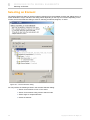
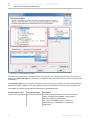
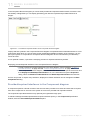
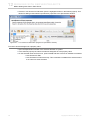
The Welcome screen is displayed in the MagicDraw desktop when no projects are opened. It helps to manage
projects, provides quick access to the product descriptions, samples, the latest news and updates. See the
Welcome screen in Figure 1 on page 23.
To open the Welcome screen from the Help main menu, choose the Show Welcome Screen command (note
that no projects should be opened).
The Show Welcome Screen option is added to the Environment Options dialog box, General branch, Display group. Using this option you can set whether the Welcome Screen will be displayed.
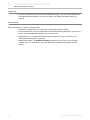
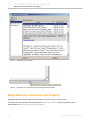
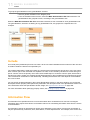
Figure 1 -- The MagicDraw Welcome Screen
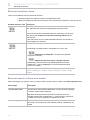
Manage Projects
• Click Create New Project, to create a blank project.
• Click Open Project, to open existing project.
• The Recent Projects list contains list of the recently opened projects.
23
Copyright © 1998-2011 No Magic, Inc..
1
INTRODUCING MAGICDRAW
MagicDraw Welcome Screen
Latest News
• Click on the particular news to read more detailed description. The news will be displayed in
the MagicDraw News Reader. For more information, see “MagicDraw News Reader” on
page 28.
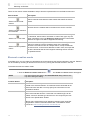
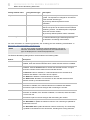
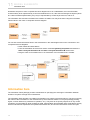
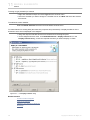
What’s New tab
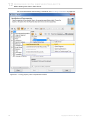
Click the description to open the following items:
• Introduction to MagicDraw. The introductory MagicDraw sample is opened.
• New and noteworthy. The www.magicdraw.com/newandnoteworthy webpage is opened. See
the list of a new MagicDraw features for the newest version.
• MagicDraw news. The MagicDraw News Reader is opened. For more information, see
“MagicDraw News Reader” on page 28.
• MagicDraw updates. The Updates Information dialog box opens, with a list of the latest
updates. Here you will be able to see what updates are available and update to a newer
version.
24
Copyright © 1998-2011 No Magic, Inc..
1
INTRODUCING MAGICDRAW
MagicDraw Welcome Screen
• MagicDraw home page. Click this link to navigate to the www.magicdraw.com webpage.
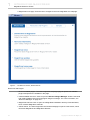
Figure 2 -- The Welcome Screen, What’s New tab
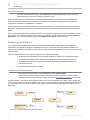
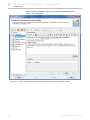
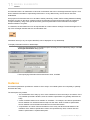
Resources and Plugins
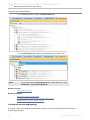
• Review available plugins. The www.magicdraw.com/plugin page is opened. All available
plugins descriptions are available in this page.
• Install available resources. Click to open the Resource/Plugin Manager window. Download
and install available resources and plugins using this manager. For more information, see
“Resource Manager” on page 379.
• MagicDraw manuals. Click to open the <MagicDraw installation directory>\manuals folder,
which contains MagicDraw manuals.
• Online demos. The www.magicdraw.com/viewlets webpage is opened. View demos, which
introduces MagicDraw and MagicDraw features.
25
Copyright © 1998-2011 No Magic, Inc..
1
INTRODUCING MAGICDRAW
MagicDraw Welcome Screen
• MagicDraw eSchool. The http://school.nomagic.com/ webpage is opened.
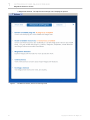
Figure 3 -- The Welcome Screen, Resources and Plugins tab
26
Copyright © 1998-2011 No Magic, Inc..
1
INTRODUCING MAGICDRAW
MagicDraw Welcome Screen
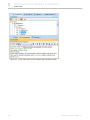
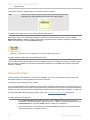
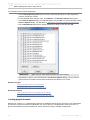
Samples
Quick navigation to MagicDraw samples. All samples from <MagicDraw installation folder> \samples directory
are accessible in this page.
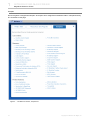
Figure 4 -- The Welcome Screen, Samples tab
27
Copyright © 1998-2011 No Magic, Inc..
1
INTRODUCING MAGICDRAW
MagicDraw News Reader
MagicDraw News Reader
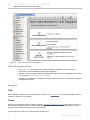
Information about the latest MagicDraw events is provided in the new MagicDraw News Reader. The News
Reader is accessible from the MagicDraw Help main menu, the News Reader command (see Figure 5 on
page 29).
MagicDraw News Reader informs about:
• No Magic News. All news regarding company news, product news, new services provided, etc.
• New Versions. Messages about new MagicDraw releases, betas, service packs, plug-ins.
• Resources. Messages about MagicDraw resources updates.
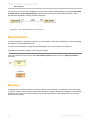
When some news is available, a small envelope icon will be displayed at the right of MagicDraw status bar.
Click on this icon to invoke the MagicDraw News Reader (see Figure 6 on page 29).
Reading news in the MagicDraw News Reader
Select the news channel at the left side of the MagicDraw News Reader and then select one of the news in the
list. Bellow the title of the selected news, the description is presented. Unread messages are displayed in bold.
Click the Open in Browser link to read description on www.magicdraw.com website.
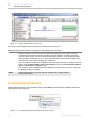
To refresh news, click the
Refresh button at the left top corner of the MagicDraw News Reader window.
To mark all the selected items as read, click the
Mark item as read button.
Setting options of the MagicDraw News Reader
To change the checking period, change the Check for News property in the General section of the Environment Options dialog. Property provides the following options:
• Once a day
• Once a week
• Once a month
• Do not check.
28
Copyright © 1998-2011 No Magic, Inc..
1
INTRODUCING MAGICDRAW
MagicDraw Documentation and Support
Figure 5 -- MagicDraw News Reader
Figure 6 -- Envelope icon informs about news in MagicDraw News Reader
MagicDraw Documentation and Support
MagicDraw provides several kinds of documentation. Choose the way you want to learn.
The main source of information about MagicDraw is www.magicdraw.com and documentation can be
downloaded from www.magicdraw.com/documentation.
29
Copyright © 1998-2011 No Magic, Inc..
1
INTRODUCING MAGICDRAW
MagicDraw Documentation and Support
New and Noteworthy
For information on MagicDraw new features, see New and Noteworthy at http://www.magicdraw.com/newandnoteworthy.
Manuals and User Guides
You can find the MagicDraw manual and user guides in “<MagicDraw installation>\manual” folder.
Help
The integrated help within MagicDraw is based on JavaHelp. MagicDraw help provides detailed descriptions of
all MagicDraw dialog boxes, commands, and shortcut menus. You will also find a How-to list, as well as main
descriptions and examples of all UML model elements.
Hints Associated to User’s Actions
MagicDraw now provides hints to help you MagicDraw (Figure 7 on page 30). Hints related to your actions will
open and inform you about the functionality that is available in MagicDraw and show you how to perform some
operations more effectively.
Hints are displayed in the lower right-hand corner of the MagicDraw application. Figure below shows an example of a hint.
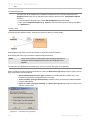
Figure 7 -- Hints Associated to User’s Actions
Hint is displayed for a 10 seconds or for a period while mouse is rolled on hint. Small icon
played in a status bar after hint will hide. Clicking on this icon, you can open hint again.
will be dis-
To change hints display mode
Change the Hints display mode property in the Environment Options dialog box, General
branch, Display group.
The Hints display mode property specifies whether hints on MagicDraw functionality related to user actions
will be displayed. Custom hint set does not include hints, that are asked not to be shown by user. Select option
Display all hints again to reset custom hint set to show all hints. Selecting value Show all hints again will
delete the list of the hints that should not be displayed.
30
Copyright © 1998-2011 No Magic, Inc..
1
INTRODUCING MAGICDRAW
MagicDraw Documentation and Support
Productivity Tips Displayed in Progress Window
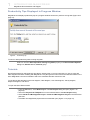
MagicDraw now displays productivity tips in a progress window whenever it performs a long task (Figure 8 on
page 31).
Figure 8 -- Productivity Tip
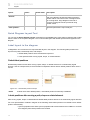
To show or hide productivity while running long task:
Select or clear the Show tips while running long tasks property in the Environment Options
dialog box, General branch, General group.
Tutorials
Quick Start tutorials for UML diagrams provide the step-by-step on-screen instructions on how to work with
UML diagrams and start modeling with MagicDraw. They also give the links to the associated information in the
other MagicDraw user’s documentation and to the worldwide tutorials sources as well.
Try the Quick Start tutorials for the new diagram, Class diagram, Use Case diagram, Activity diagram,
Sequence diagram, and others.
To open the Quick Start tutorials:
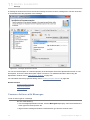
1. From the File menu, select New Project. The New Project dialog will open (Figure 9 on
page 32).
2. Select the Project from Template icon on the left-hand side of the New Project dialog.
3. Select Guide to UML Diagrams Project > Guide to UML Diagrams Project in the Select template tree.
4. Click OK. The MagicDraw project with its tutorials will open (Figure 10 on page 33).
31
Copyright © 1998-2011 No Magic, Inc..
1
INTRODUCING MAGICDRAW
MagicDraw Documentation and Support
Figure 9 -- The New Project Dialog
32
Copyright © 1998-2011 No Magic, Inc..
1
INTRODUCING MAGICDRAW
MagicDraw Documentation and Support
Figure 10 -- Quick Start Tutorials for UML Diagrams
Other Documentation
• The readme.html file is located in the main MagicDraw installation directory. Readme
documents are also available for MagicDraw integrations.
• Viewlets. View online demos introducing MagicDraw and particular functionalities. You may find
online demos at www.magicdraw.com/viewlets.
• Samples. In the MagicDraw installation directory (samples directory), you will find the samples
of MagicDraw projects.
Support
FAQ
Before calling or registering an issue, please have a look in our FAQ section. It is constantly updated and may
contain an answer to your question.
Forum
Discuss and get answers about No Magic products in No Magic Community Forum. With respect to the growing interest in No Magic products, we have expanded the capabilities that had been provided by our newsgroups and have moved the content to the online Forum.
You are welcome to post your comments and questions here.
33
Copyright © 1998-2011 No Magic, Inc..
1
INTRODUCING MAGICDRAW
MagicDraw Documentation and Support
Note: If you are interested in old discussions from the newsgroups, you can find them in the Forum as well as
in the newsgroups in a read-only mode.
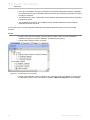
• If you are a new user, ask questions and get started on learning about UML and MagicDraw by
the NEW USER section.
• Discuss issues related to technologies and processes in the STANDARDS/METHODOLOGIES
section.
• Share your professional experience in terms of using MagicDraw, including installation and
running, MagicDraw OpenAPI, scripting, integrations with other 3rd party tools, etc. in the
MAGICDRAW section.
• Find new product versions, updates, and major events in the ANNOUNCEMENT section.
• Post your suggestions for improvements and new features that you would like to see added to
the Forum in the OTHER section, the Suggestions subsection.
Knowledge Base. New issue registration
• Knowledge base and New issues registration - https://support.nomagic.com.
• [email protected] - e-mail address for questions regarding academic or site license
discounts and quotes.
• [email protected] - e-mail address for the other contacts.
The support system https://support.nomagic.com provides:
• Submitted issues status tracking.
• Ability to submit private and public questions, suggestions, improvements, and problems.
• Ability to search through the existing public issues, view status of your issues, provide your
vote for suggestions.
We provide free professional support for:
• Registered users with a valid No Magic Software Assurance contract (SA). SA provides you
with technical support, software upgrades and maintenance releases at no additional cost for a
contract period.
• Pre-sales users during the evaluation period.
• New customers for 30 days.
• Inquiries about registration, licensing and product updates.
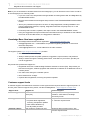
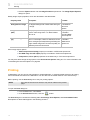
Customer support levels
A customer support level determines customer access rights and the response time for support requests. To
find out yours customer support level, please, visit the knowledgebase - https://support.nomagic.com.
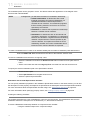
Support level
Applies for
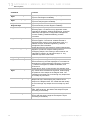
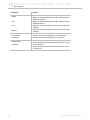
Ensured support
Limited support
Customer with no Software Assurance (SA)
Self-help: FAQ, Knowledge base, documentation, online demos, No Magic
Community Forum.
Full support
• Customer with SA
Response within business hours, with
24 - 48 hours response time.
• Inquiries about registration,
licensing, and product updates.
• With valid evaluation key.
• 30 days after purchase.
Premium support
34
VIP customer* (marked as VIP)
Response within business hours, with
24 hours response time.
Copyright © 1998-2011 No Magic, Inc..
1
INTRODUCING MAGICDRAW
MagicDraw Documentation and Support
* VIP customer usually is our partner.
Note:
During the support period covered by our SA, you can also report any software problems
or errors. If it is determined that a reported reproducible issue in the software actually
exists, and this significantly impacts the usability of the software, No Magic agrees to
make reasonable efforts to provide a usable workaround solution or to correct the issue in
an upcoming maintenance release or update.
End-of-life policy
Public service packs are primarily released for the newest version. As we understand that switching from one
version to another can take some time, in case of significant issues we provide service packs (or private
patches) for up to one year old versions when applicable.
We support and provide patches to older versions only when you own Software Assurance (SA) contracts
https://secure.nomagic.com/software_assurance only on your purchased products, so please be sure you are
covered.
We always strongly recommend using the newest version as it contains all newest fixes, usability features, new
capabilities, and support for standards and technologies.
Reporting issues directly from MagicDraw
We highly recommend to submit report any problem, suggest improvements, or ask about new features directly
from MagicDraw. Report will create an issue in to our Online Customer Support System https://
support.nomagic.com.
These reports help us address issues in a more timely manner, as well as speeding up maintenance releases
that are free of known defects.
To report an issue directly from MagicDraw
1. On the help menu, click Report an Issue.
2. Fill in the first and last names together with your email address.
NOTE
If you supplied the email address used when registering at
www.magicdraw.com, you will be able to track the status of your submitted issue in our Online Customer Support System located at
https://support.nomagic.com. If you used another email address,
you will only receive email notifications of status changes.
3. Choose the product, issue type, and component.
4. Describe your issue by providing as much information as possible.
NOTE
Please note that we provide a professional support for registered
MagicDraw users with the valid No Magic Software Assurance Contract (SA). SA provides you with technical support together with the
major software updates and maintenance releases at no cost
throughout the contract period. Issues are normally handled within
one or two business days during regular business hours.
5. In the Attachments tab, select files you would like to send together with your issue report:
• Attach log file - the log file will be sent together with your issue report.
• Attach project file - the opened and last saved project file will be sent together with
your issue report.
• Attach used modules - modules that have been used in the opened project file will
be sent together with your issue report.
35
Copyright © 1998-2011 No Magic, Inc..
1
INTRODUCING MAGICDRAW
MagicDraw Documentation and Support
• Attach diagrams images - choose diagrams, whose images you would like to send
together with your issue report. Also specify the images format.
6. If you are registered user, track you issue at https://support.nomagic.com.
NOTE
If you are already registered personal information will be filled into the
Report an Issue dialog.
Figure 11 -- Report an Issue dialog box, Submit Form tab
To report an issue when application is unresponsive
If MagicDraw becomes unresponsive, a separately executable tool is provided for analyzing the status of the
process to aide in bug submission. In these situations, manually start the submitbug.exe file (located in the
<MagicDraw installation directory>\bin folder) and follow directions. After submitbug.exe is started, the Report
an Issue dialog box opens. For more information about the Report an Issue dialog box, see “To report an
issue directly from MagicDraw” on page 35.
36
Copyright © 1998-2011 No Magic, Inc..
1
INTRODUCING MAGICDRAW
MagicDraw Documentation and Support
View and submit internal errors
If an error occurs, an error message will appear at the bottom of the MagicDraw window.
Figure 12 -- Message, about MagicDraw internal error.
To view internal errors
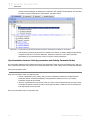
To view internal errors you have to open the Unhandled Errors dialog box. There are three
methods for to open the Unhandled Errors dialog.
• Click the View and submit internal errors button in the message window.
• From the Help main menu, choose the View and Submit internal errors command.
• Click the notification icon
on the status bar.
Note: The View and Submit internal errors command is only active in the Help menu and the
red button at the bottom of the status bar only exists if the Submit errors dialog box contains
errors.
To submit an error
1. Open the Unhandled Errors dialog box.
2. Click the Submit button in the Unhandled Errors dialog box. The Submit Error dialog box
appears.
3. Fill in Your name, Your e-mail and Bug description fields and click the Send button. The
error will be sent to the MagicDraw support team.
37
Copyright © 1998-2011 No Magic, Inc..
2
G E T T I N G STA R T E D
In the Getting Started chapter, you will find information about how to install, update, register, and configure
MagicDraw.
1. "System Requirements" on page 38
2. "Installation Procedure" on page 39
3. "Licensing Information" on page 41
4. "MagicDraw Configuration" on page 43
5. "Importing Configuration" on page 43
6. "Unlocking MagicDraw" on page 45
7. "Activating the commercial license after the purchase (v16.9 or later)" on page 46
8. "User Registration" on page 55
9. "Updating" on page 61
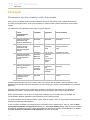
System Requirements
To run MagicDraw UML, your system must meet the following requirements:
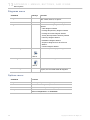
Resource type
Minimum
Recommended
Memory
1 GB
2 GB RAM recommended; more memory generally improves responsiveness. 4 GB RAM is
recommended for MicrosoftTM Windows Vista
and for very large projects
Disk space
500 MB
500 MB or more
Video mode
800*600 @ 64k Colors
1280*1024 @ 64k Colors
Operating system All that have Java compatible JVM 1.6.0:
Windows 95/98/NT/2000/XP/Vista/7, Linux, Mac OS X (most testing procedures
and debugging were performed on these operating systems)
HTML browser
Any
Mozilla Firefox or IE.
Safari for Mac OS X.
Java Virtual
Machine (JVM)
JDK 1.6.0
Sun's JDK 1.6.0_24
Java Virtual Machine (JVM)
You may have the JVM installed on your computer or install JVM together with MagicDraw specifically for the
MagicDraw application. JVM is an application that provides the interpretation of the Java bytecode Java class
files. Different operating systems may have different JVM implementations, therefore some bugs may be specific to the operating system or JVM.
MagicDraw is a stable environment, if it is configured properly and if a stable JVM is used. USE THE RECOMMENDED JVM TO AVOID MOST PROBLEMS. All recommendations are written below. Because MagicDraw
is a Java application, most of the stability and performance depends on the JVM implementation. Refer to the
JVM specification and problems description, if you have problems on a specific OS.
JDK 1.1.x, 1.2.x, 1.3.x, 1.4.x, and 1.5.x are not supported.
38
Copyright © 1998-2011 No Magic, Inc.
2
G E T T I N G STA R T E D
Installation Procedure
You can review your system and the JVM information in the About dialog box, Environment tab (from the
Help menu, select About). The JDK version can also be encountered from the command line by typing:
java -version
To change Java version
All platforms:
Change line in file mduml.properties (this file is in <MagicDraw installation directory>/bin folder):
JAVA_HOME = <path to new JDK>
NOTE
Integrated MagicDraw runs on the JVM specified by the IDE. In order
to change the JVM, you need to modify the startup properties for the
IDE that MagicDraw integrates with. If you are running MagicDraw integrated with IDE, read the appropriate readme.html for specific integration. This file can be found in <MAGICDRAW installation directory>/
integrations/<IDE directory>.
To redirect output to the console instead of a log file
By default all MagicDraw output info goes into a file. The output can be redirected to the console
instead of a log file.
All platforms:
Pass application argument (not java property) -verbose.
Add argument into the JAVA_ARGS line in the mduml.properties file (this file is in <MagicDraw
installation directory>/bin folder):
APP_ARGS =-verbose
Operating System-dependent issues
Because MagicDraw is 100% Pure Java, it is platform independent and runs on a variety of operating systems.
However, for Java applications to interact properly with the operating system, Java Virtual Machine (JVM) software is required. JVM software varies depending on the operating system and MagicDraw may perform inadequately with the wrong one.
The performance of Java applications depends on the performance of the Java Virtual Machine. A badly
designed Machine may degrade the performance of MagicDraw. It could even cause MagicDraw to fail or
crash. To avoid these problems, we recommend that you use the following Virtual Machines:
• Sun (JDK standard) for Linux. JDK 1.6.0_24 is recommended.
• Sun (JDK standard) for Windows (95/98, 2000, 2003, NT, Vista, 7). JDK 1.6.0_24 for both 32-
bit and 64-bit Windows OS is recommended.
• Sun (JDK standard) for Mac OS X Leopard and Mac OS X Snow Leopard. JDK 1.6.0_24 for
both 32-bit and 64-bit Mac OS X is recommened.
Installation Procedure
First, obtain the MagicDraw installation files. You can download the latest version from the MagicDraw homepage (http://www.magicdraw.com/.) Because MagicDraw is a Java application, you will need more than the
installation files to run the tool successfully. You can also install JVM together with MagicDraw or you may
39
Copyright © 1998-2011 No Magic, Inc..
2
G E T T I N G STA R T E D
Installation Procedure
already have it installed. Information about the latest Java ports is available at http://www.magicdraw.com/
jvm_list.htm.
If an installation is for Windows, and has a JVM you do not need anything else.
NOTE
Using the installer
If you use an operating system other than Windows, Unix, or Mac OS X, we recommend to run MagicDraw from
the no-install package (see section "Using no-install package" on page 40).
Windows 2000/2003/NT/XP/Vista/7
1. Download the installer:
• MD_UML_<version number>_win.exe for 32-bit Windows (or MD_UML_<version
number>_PE_win.exe in case of downloading Personal edition)
• MD_UML_<version number>_win64.exe for 64-bit Windows (or MD_UML_<version
number>_PE_win64.exe in case of downloading Personal edition)
2. Double-click the installer.
The Setup Wizard automatically adds MagicDraw UML shortcuts to the start menu and the desktop. You may
also execute the shortcuts from the installation directory.
NOTE
MagicDraw runs on Windows Vista as of version 12.5.
Unix
1. Download MD_UML_<version number>_unix.sh (or MD_UML_<version number>_PE_unix.sh in case of
downloading Personal edition).
2. Using the command-line prompt go to the directory wherein you have downloaded the installer.
3. Type the command:
sh ./MD_UML_<version number>_unix.sh
IMPORTANT!
Be sure you have JVM installed.
MAC OS X
1. Download MD_UML_<version number>_mac.dmg (or MD_UML_<version number>_PE_mac.dmg in case of
downloading Personal edition).
2. Double-click the installer.
3. Drag the MagicDraw UML folder to the Applications or some other folder.
IMPORTANT!
Be sure you have JVM installed.
Using no-install package
Download the no-install package to run MagicDraw on any operating system.
40
Copyright © 1998-2011 No Magic, Inc..
2
G E T T I N G STA R T E D
Licensing Information
Windows 95/ 98/ NT/ 2000/ XP/ Vista*/ 7
1. Download MD_UML_<version number>_no_install.zip (or MD_UML_<version number>_PE_no_install.zip in
case of downloading Personal edition).
2. Extract the file.
3. Go to the bin directory and run:
• mduml.exe to start MagicDraw on 32-bit Windows operating system
• mduml64.exe to start MagicDraw on 64-bit Windows operating system
MagicDraw runs on Windows Vista as of version 12.5.
NOTE
Unix
1. Download MD_UML_<version number>_no_install.zip (or MD_UML_<version number>_PE_no_install.zip in
case of downloading Personal edition).
2. Extract the file.
3. Using the command-line prompt go to the bin directory and type the command:
sh ./mduml
Be sure you have JVM installed.
IMPORTANT!
Mac OS X
1. Download MD_UML_<version number>_no_install_mac.zip (or MD_UML_170_PE_no_install_mac.zip in
case of downloading Personal edition).
2. Extract the file.
3. Using the command-line prompt go to the bin directory and type the command:
./mduml
IMPORTANT!
Be sure you have JVM installed.
Licensing Information
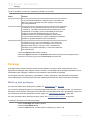
Information about installed or needed licenses and the status is presented in the MagicDraw About screen with
the ability to remove unused licenses (see Figure 13 on page 42).
The following information about installed or needed licenses are available:
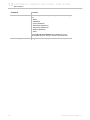
Information
item
Description
User ID
User ID is displayed in the About dialog box, Licensing tab. Please refer to user
ID when contacting support or sales.
Not installed
indication
If license is not installed, "Not installed" text is displayed after the license name.
41
Copyright © 1998-2011 No Magic, Inc..
2
G E T T I N G STA R T E D
Licensing Information
Information
item
Description
Not started
indication
If licenses is installed but not started "Not started" text is displayed after license
name and reason is be given. Possible reasons:
• Required resource is not installed.
• Plugin startup failed.
• Other.
Removing Unused Licenses
Press button Remove Unused Licenses in the About screen, Licensing tab to remove licenses of not
installed plugins.
NOTE
If you have any questions or issues, please report them using the
Report an Issue dialog. For more information, see "View and submit
internal errors" on page 37.
Figure 13 -- The MagicDraw About window, Licensing tab
42
Copyright © 1998-2011 No Magic, Inc..
2
G E T T I N G STA R T E D
MagicDraw Configuration
MagicDraw Configuration
MagicDraw configuration files location
By default MagicDraw configuration and auxiliary files are stored in the user home directory - <User home
directory>/.magicdraw/<version>.
You may also save configuration files:
• In the MagicDraw installation directory.
• In your chosen directory.
You may check the exact path to the configuration files in the MagicDraw About screen, Environment tab,
Configuration files line (invoke the About screen from the Help main menu, About MagicDraw command).
To store MagicDraw configuration files in the MagicDraw installation directory
Add argument to JAVA_ARGS line in the file mduml.properties file (this file is in <MagicDraw
installation directory>/bin):
JAVA_ARGS=-DLOCALCONFIG=false
To store MagicDraw configuration files to your chosen location
You may define custom path for configuration files in two ways:
• In the mduml.properties file, JAVA_ARGS line add the property
-Dlocalconfig.location=<custom path>
• Define custom path in a newly created file:
1 In the <User home directory>/.magicdraw/<version> folder, create a file named
magicdrawredirect.
2 In the created file, type the absolute path where the MagicDraw configuration and
auxiliary files will be saved, for example: C:\<directory name>.
NOTE
If MagicDraw is configured to store files in the MagicDraw installation
directory (see the topic “To store MagicDraw configuration files in the
MagicDraw installation directory” above), files will not be stored to your
chosen location.
Importing Configuration
When you launch MagicDraw for the first time, the Import Configuration dialog opens. Using this dialog, you
can choose one of the following:
• Use the default MagicDraw configuration.
• Import the settings and environment options from the previous MagicDraw installation.
43
Copyright © 1998-2011 No Magic, Inc..
2
G E T T I N G STA R T E D
Importing Configuration
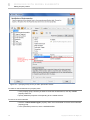
Figure 14 -- Import Configuration dialog
44
Copyright © 1998-2011 No Magic, Inc..
2
G E T T I N G STA R T E D
Unlocking MagicDraw
Unlocking MagicDraw
Unlock MagicDraw with evaluation, demo, or commercial license key file.
To unlock MagicDraw:
1. After downloading MagicDraw v16.9 or later, you will get license key file to your mailbox.
2. Save this key file into the local file system before starting MagicDraw.
3. When starting MagicDraw for the first time, you will be asked to choose the license key file.
Click the Select Licenses Key Files button and select the file from the directory you have
saved the file.
4. System will automatically start MagicDraw and you will be able to use it.
45
Copyright © 1998-2011 No Magic, Inc..
2
G E T T I N G STA R T E D
Activating the commercial license after the purchase (v16.9 or later)
Activating the commercial license after the
purchase (v16.9 or later)
As of version 16.9, in order to improve software protection and to prove our customers' investments, the solid
product licensing is introduced. Licenses are locked to the machine. You will be able to monitor and control, on
what machines the commercial licenses are used.
After updating to v16.9, you will be requested to activate and receive the commercial licenses dedicated for the
particular machine.
Flexera Software FLEXnet licensing system, the industry leader helping to manage and secure flexible software licensing, is used to manage No Magic products licenses.
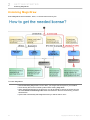
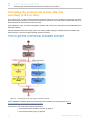
Figure 15 -- Activation process. How to get a commercial license.
All the updated information about the commercial license activation you may also find at http://
www.magicdraw.com/CommercialLicenseActivation.
In this section you will find the following subsections:
• “Commercial license activation process” on page 47
• “Commercial license types” on page 50
46
Copyright © 1998-2011 No Magic, Inc..
2
G E T T I N G STA R T E D
Activating the commercial license after the purchase (v16.9 or later)
• “Host ID” on page 50
• “Identification” on page 51
• “Registration” on page 53
• “Deactivation” on page 53
Commercial license activation process
The commercial license activation is required after the purchase transaction has been completed. The activation process allows receiving the commercial license dedicated for the particular machine.
NOTES
• Only commercial activated licenses are locked to the particular
machine.
• During the activation process, identification and registration is
required. Any key file (evaluation, demo, commercial not activated
and other) can be used for the identification of the license owner.
• Commercial not activated keys allow using the application for 7 days
according to obtained licenses, before requesting activation. Not
activated keys can be used during activation process for
identification of the account on which the purchases are.
Online and offline activation is available.
Online activation
Choose online activation and enable commercial activated (without expiration) licenses automatically.
47
Copyright © 1998-2011 No Magic, Inc..
2
G E T T I N G STA R T E D
Activating the commercial license after the purchase (v16.9 or later)
To activate the license online
1. Click the Activate button in the License Manager dialog of the application.
2. Click Online Activation.
3. If you will be requested, identify yourself and register.
4. Select licenses you need to activate.
48
Copyright © 1998-2011 No Magic, Inc..
2
G E T T I N G STA R T E D
Activating the commercial license after the purchase (v16.9 or later)
Offline activation
Alternatively, you may select offline activation, get the Host ID, enter it in the license owner account and then
download the commercial activated license.
To activate the commercial license offline
1. Login to the license owner account on www.magicdraw.com.
2. Click the LicenseActivationManagement ( www.magicdraw.com/LicenseActivationManage-
ment) item in the Members menu.
3. Click the Create New License Activation Record button and enter user details and Host ID of
the machine.
4. Download or send the key to your e-mail.
Determining a Host ID (for offline activation)
1. Click the Activate button in the License Manager dialog of the application.
2. Click Offline Activation.
3. Host ID is shown.
Host ID is the Ethernet address of the machine on which application
will run.
NOTE
Related topics
Commercial license types
Host ID
Identification
Registration
Deactivation
49
Copyright © 1998-2011 No Magic, Inc..
2
G E T T I N G STA R T E D
Activating the commercial license after the purchase (v16.9 or later)
Commercial license types
DEFINITIONS
• Commercial not activated license is used only to determine the account on
www.magicdraw.com and allows using the application for 7 days according to
obtained licenses, before requesting the activation.
Example: MagicDraw_16_9_Professional_C#_Standalone_ Not activated key.txt
• Commercial activated license is the license without expiration, locked to the
particular machine, and can be deactivated.
Example: MagicDraw_16_9_Professional_C#_Standalone_
Activated_key_for_<name>_<surname>.txt
After the purchase transaction has been completed, you will receive the commercial not activated license.
They are used ONLY to determine the account on www.magicdraw.com from which activated keys should be
requested. Any other license, evaluation, demo, or commercial can be used for identification of the license
owner account during activation.
Commercial not activated license requires activation. It allows using the application for 7 days according to
obtained licenses, before requesting the activation. After the online or offline activation you will get the commercial activated license.
After the online activation, commercial activated license will be applied automatically and you will be able to use
the application on the particular machine.
During the offline activation you will be required to enter a Host ID <link to Host ID section> in the license owner
account at www.magicdraw.com/LicenseActivationManagement. You can then download the commercial activated license and select it from the application.
Related topics
Commercial license activation process
Host ID
Identification
Registration
Deactivation
Host ID
A Host ID is the value of a specific system attribute (MAC / Ethernet address) that uniquely identifies the host /
machine under which an application is running. A Host ID is used for the locked to particular machine license.
Only commercial activated licenses are locked to the particular machine.
For the Host ID determining instructions refer to “Determining a Host ID (for offline activation)” on page 49.
Determining a Host ID using lmhostid
One of the ways for determining Ethernet address (Host ID) is using lmhostid utility. This way can be useful
when the list of Host IDs of multiple machines should be discovered, even before installing the applications
itself. If you are a system administrator, you can provide end users with commercial activated licenses without
requesting licenses from them.
The lmhostid is a command line utility, which prints the Host ID that is required. The Lmhostid utility is available
as an executable called lmutil. Download it for a particular OS from http://www.globes.com/support/
fnp_utilities_download.htm.
50
Copyright © 1998-2011 No Magic, Inc..
2
G E T T I N G STA R T E D
Activating the commercial license after the purchase (v16.9 or later)
Run lmutil with lmhostid parameter from the command line. Lmhostid displays the default hostid for the current
platform.
For exact commands for specific OS refer to: License Administration Guide (Obtaining System Hostids).
If two or more Ethernet addresses are available on the particular
machine, the first one printed by the hostid command should be used.
NOTE
Related topics
Commercial license activation process
Commercial license types
Identification
Registration
Deactivation
Identification
To determine a license owner, the user identification is requested during activation process.
Identification is requested only if you have not added any license key file, have not registered your installation,
or have not performed identification.
There are two methods available for the user identification:
• License file based identification. Select the license key file to identify the license owner
account. Evaluation, demo, or commercial license files can be used for the identification.
51
Copyright © 1998-2011 No Magic, Inc..
2
G E T T I N G STA R T E D
Activating the commercial license after the purchase (v16.9 or later)
• Login name based identification. Use the license owner login name and password to identify
on which account on www.magicdraw.com your purchases are.
Figure 16 -- Identification Request dialog
Ones identification is performed, it will not be requested the next time during activation.
In case you need to change identification records, just apply the new license key file. The
last applied license key file is used for the identification.
NOTE
Related topics
Commercial license activation process
Commercial license types
Host ID
Registration
Deactivation
52
Copyright © 1998-2011 No Magic, Inc..
2
G E T T I N G STA R T E D
Activating the commercial license after the purchase (v16.9 or later)
Registration
The user registration is required during activation process in order to obtain the commercial activated license.
Figure 17 -- Registration window
The registration will help us to provide you with:
• Customer support. Issues, questions, and suggestions can be reported and existing ones
tracked on https://support.nomagic.com.
• Access to early releases and evaluations.
• New versions, patches, and updates.
Related topics
User Registration
Commercial license activation process
Commercial license types
Host ID
Identification
Deactivation
Deactivation
The deactivation is the process, which allows returning commercial activated licenses. You may remove and
return all activated (locked to the particular machine), not used commercial licenses by deactivating them.
53
Copyright © 1998-2011 No Magic, Inc..
2
G E T T I N G STA R T E D
Activating the commercial license after the purchase (v16.9 or later)
To deactivate a license in the application
1. Click the Deactivate button in the License Manager dialog of the application or uninstall the
application.
2. Commercial licenses will be deactivated automatically and returned online.
If the online licenses return is not available, licenses will be deactivated and offline deactivation
- licenses return message with License Deactivation ID - will be shown. To update the account
information manually, return the used license by entering the License Deactivation ID to the
license owner account at www.magicdraw.com/LicenseActivationManagement.
3. The application is deactivated and licenses are returned.
NOTES
• The deactivated license still will be active for 7 days.
• The returned licenses can be activated on the same or another machine.
• Online deactivation from the application side or the deactivation with the License
Deactivation ID is treated as the confirmed deactivation case and does not decrees
an available rehost limit.
Deactivating from the License Activation Management screen
You can deactivate licenses not only from application, but also from the License Activation Management screen
in the license owner account at www.magicdraw.com/LicenseActivationManagement.
NOTE
The deactivation from the License Activation Management screen should be used only if
the deactivation from application side is not available: installation has been lost or corrupted.
To deactivate an application from the license owner account:
1. Go to license owner account at www.magicdraw.com/LicenseActivationManagement.
2. Remove all products assigned for the particular installation in the Activated Products column.
3. Application will be deactivated on the next start-up. Licenses will be returned.
NOTE
The number of available, not confirmed, deactivations from the License Activation Management screen is 1 for the each obtained license per year. The Confirmed deactivation
case from the application side will not decrease the rehost limit.
License Deactivation ID
License Deactivation ID is the value of a specific system attribute that uniquely identifies license deactivation/
return from the particular host/machine under which application was running. The License Deactivation ID is
used for the license offline deactivation.
To determine License Deactivation ID (for offline deactivation):
1. Click the Deactivate button in the License Manager dialog of the application.
2. The license Deactivation ID will be shown if the online deactivation will not be available.
Confirmed deactivation case
The license deactivation, about which confirmation is received in the license owner account at
www.magicdraw.com/LicenseActivationManagement is treated as confirmed deactivation case.
The deactivation confirmation can be received either online, during online deactivation, or offline, with the help
of the License Deactivation ID, which is shown during the offline deactivation.
54
Copyright © 1998-2011 No Magic, Inc..
2
G E T T I N G STA R T E D
User Registration
The deactivation from the License Activation Management screen without the License Deactivation ID, is
treated as NOT confirmed deactivation and decreases the rehost limit. An exception is, if after such the deactivation, automatic confirmation is received from the application side that the license has been also deactivated
on the application side.
Rehost limit
The rehost limit is the number of available, not confirmed, deactivations from the License Activation Management screen. By default such number is 1 for the each obtained license per year. The confirmed deactivation
case from the application side will not decrease the rehost limit.
If the rehost limit is exceeded you can request extension from your dedicated account executive by filling the
reason of the request and clicking the Request Rehost Increase button.
Rehosting - moving the license from one machine to another
You may moving of the activated (locked to the particular machine) licenses from one machine to another is
called rehosting.
To rehost a license
1. Deactivate the license on the old installation.
2. Install an application on the new machine.
3. Activate the license on the new installation.
Related topics
Commercial license activation process
Commercial license types
Host ID
Identification
Registration
User Registration
User Registration allows you to access dedicated resources on MagicDraw Website such as dedicated online
support, answers database, new products evaluation, and beta products.
The Registration window will open the first time MagicDraw is started (Figure 18 on page 56). You can complete Product Registration at any time by selecting Register on the MagicDraw Help menu.
NOTES
• No Magic, Inc. respects your privacy. We will only use your personal
information for communications and management of your online
account, and the products you register with your account.
• Registration for the owners of commercial licenses is mandatory.
55
Copyright © 1998-2011 No Magic, Inc..
2
G E T T I N G STA R T E D
User Registration
Figure 18 -- The Registration Dialog
Registration Workflow
The registration process is straightforward. After a new key application, you will be requested to register your
installation. If you have successfully sent the online registration form, you will receive an e-mail with a link to
confirm your registration and the correctness of information furnished through online registration.
Upon confirmation, a dedicated account will be created for you at www.magicdraw.com.
NOTE
56
If you have an existing profile at www.magicdraw.com you may register
with the same user information and the same profile information will be
used for registration.
Copyright © 1998-2011 No Magic, Inc..
2
G E T T I N G STA R T E D
User Registration
Figure 19 -- Registration Workflow
Adding a License
MagicDraw always checks the registration status at startup after license has been provided, an unlock key has
been added, or a Floating server has been selected.
Registering
If you are not a registered user, MagicDraw will open the Registration dialog at startup, prompting you to register.
NOTE
You do not have to complete the online User Registration to use
MagicDraw, however, it is recommended to do so to receive the benefits available for a registered user. You can complete Product Registration at any time by clicking Register on the MagicDraw Help menu.
To complete Product Registration:
1. On the MagicDraw main menu, click Help > Register. The Registration dialog will open
(Figure 20 on page 58).
2. Provide the requested information in the Registration dialog (some information has been pro-
filed from the key owner profile in order to provide a more usable registration process).
3. Share your experience about the tool (optional).
4. Click Register to send data to the server and to receive a confirmation email later on.
57
Copyright © 1998-2011 No Magic, Inc..
2
G E T T I N G STA R T E D
User Registration
Figure 20 -- The Registration Dialog
NOTES
• You can click the Confirm Later button to register at a later time
and close the Registration Confirmation dialog.
• A message reminding about Registration Confirmation will appear at
MagicDraw startup if you do not complete the registration process.
• No Magic, Inc. respects your privacy. We will only use your personal
information for communications and management of your online
account, and the products you register with your account.
Confirming Your Registration
An e-mail with registration data and a confirmation link will be sent to the e-mail address provided during registration. Click the confirmation link to confirm the registration process and create or navigate (if it has been created) to your dedicated area at www.magicdraw.com.
Logging in to Your Dedicated Area at www.magicdraw.com
Use your login name and password received upon confirming your registration to log in to the user dedicated
area at www.magicdraw.com.
Your registration will enable us to provide you with the following professional services:
• Dedicated customer support for all problems, questions, and suggestions.
• Access to early releases and evaluations.
• New versions, patches, and updates.
58
Copyright © 1998-2011 No Magic, Inc..
2
G E T T I N G STA R T E D
User Registration
Registration Data Confirmation
After a period of 30 days has passed since the date of your registration or a new license from the same
licensed owner has been applied, you will be requested to confirm that you are the one using the software
installation at MagicDraw startup. A profiled Registration Confirmation dialog will open. Check the correctness of data and click the Confirm button.
Figure 21 -- Registration Confirmation
NOTE
You will receive no email upon confirming your registration.
If you are registering as a new user, with different profile information, the Update Existing Profile question will
appear. You can either update your existing profile or identify yourself as a different user using the product
installation.
Figure 22 -- Updating Existing Profile
Bug Report
If you are a registered user, your personal information will be provided in the Report an Issue dialog. Submit
notifications of software errors dialog is available from Help menu > Report an Issue.
59
Copyright © 1998-2011 No Magic, Inc..
2
G E T T I N G STA R T E D
User Registration
If the provided information does not correspond to the information you have provided during registration, once
you click the Send button to submit the bug, you will be asked to register or update your information. The Registration dialog will open and profiled with your personal information from previous registration with changes
from the Report an Issue dialog or details from the Report an Issue dialog if you have not yet registered.
For more information about bug reporting, see “Reporting issues directly from MagicDraw” on page 35.
Troubleshooting
Issue
Solution
Registration is requested on each
startup
The Registration Confirmation dialog will open each
time MagicDraw starts until you register the product
installation.
The registration process is straightforward and requires
minimum data for you to access dedicated online support,
answers database, new products evaluation, and beta
products.
Clicking the Confirm Later button will close the Registration Confirmation dialog.
Registration confirmation is requested
at each startup
If you do not click the registration confirmation link, installation will not be confirmed.
You may request a new confirmation email from the registration confirmation message.
No email with a confirmation link is
received
Your spam or virus filter may filter out the e-mail with a
confirmation link. If that is the case, you can request a
new confirmation e-mail by clicking Help > Register on
the MagicDraw main menu.
The No connection to registration
server message opens
Check your internet connection and try to reconnect.
You are getting can not connect to
server message on registration dialog
invocation from Help menu -> Registration
Check your internet connection and try to reconnect.
The Registration dialog does not
opens at Startup
• You have already registered and the period of 30 days
NOTE: User Registration is encouraged, but is not
required to use MagicDraw.
NOTE: User Registration is encouraged, but is not
required to use MagicDraw.
since the date of your last registration has not been
used up.
• There are network limitations to check your registration
status.
Note: User Registration is encouraged, but is not
required to use the MagicDraw.
NOTE
60
If you encounter problems during the registration process, please
contact us [email protected]
Copyright © 1998-2011 No Magic, Inc..
2
G E T T I N G STA R T E D
Updating
Updating
An automatic updates feature is implemented in MagicDraw. Notification and update of all the patches can be
done automatically.
To enable an automatic checking for MagicDraw updates
1. Open the Environment Options dialog, Update pane.
2. In the Check for Updates drop-down list, select a period how often MagicDraw should check
for updates. Choises of periods are the following:
• Manually
• On startup
• Once a day
• Once a week
• Once a month
It is recommended to check for updates once a month.
NOTE
You may also manually check for updates: go to the Help menu and
select the Check for Updates command.
Auto-Check for Updates dialog box
The dialog opens when automatic checking for MagicDraw updates is enabled on the Update pane in the Environment Options dialog and the Show Auto-Checking Confirmation Dialog Box value is set to true.
Element Name
Function
Show this tip
next time
If selected, the dialog opens each time that MagicDraw should be
updated according to the schedule selected in the Update pane in
the Environment Options dialog.
Check
Starts checking for MagicDraw updates on the http://
www.magicdraw.com page.
Cancel
Closes the dialog box without saving changes.
Help
Displays MagicDraw Help.
61
Copyright © 1998-2011 No Magic, Inc..
3
USING MAGICDRAW
In “Using MagicDraw”, you will find information about how to define MagicDraw according to perspective, an
introduction to the MagicDraw User Interface, and defining your environment.
• "Customizing and Selecting Perspective" on page page 62.
• "Understanding MagicDraw User Interface (UI)" on page page 68.
• "Customizing Environment Options" on page page 89.
• "Performance Improvements" on page 91.
• "Look and Feel: Controlling the Interface" on page page 93.
• "Assigning Shortcut Keys" on page page 95.
Customizing and Selecting Perspective
Launch MagicDraw for the first time and after the application starts, the MagicDraw Startup dialog appears. In
this dialog you may select your work perspective.
Due to the growing number of MagicDraw features, many features may be configured for standard or expert
user. MagicDraw can satisfy the needs of different software development process roles. In order to better
satisfy user needs, MagicDraw configuration depends on Perspective.
Perspectives allow:
• The selection of a predefined MagicDraw configuration and features according to your
software development process role.
• Finding features faster, because there are less of them.
• To choosing a suitable MagicDraw experience mode with a single click.
• Customizing a set of predefined features and configuration based on user needs.
There are five perspectives in MagicDraw:
• Business Analyst - this perspective provides features for the Business Analyst. This role is
responsible for defining business architecture. Code engineering, transformations, extensions,
and other features are hidden.
• Full Featured - Perspective provides all features available in MagicDraw and installed plugins.
• Quick Start - Quick Start perspective provides basic features dedicated for modelling and not
overcrowded interface for quick learning. Code engineering, transformations and other
advance features are hidden, however easily reachable in expert mode of this perspective.
• Software Architect - this perspective provides features primarily involved in designing and
implementing projects. It is a set of roles consisting of Software Architect, Designer, Interface
designer, and Database designer. This is the default MagicDraw configuration. All
functionalities are available for expert mode.
• System Analyst - this perspective provides features primarily dedicated to obtaining
requirements and modeling the system. Analysis features are highlighted. Configuration is
modeling oriented. Code engineering, transformations and other features are hidden.
62
Copyright © 1998-2011 No Magic, Inc.
3
USING MAGICDRAW
Customizing and Selecting Perspective
To set the perspective for the MagicDraw environment
• Launch MagicDraw for the first time. The MagicDraw Startup dialog will appear with the
possibility to switch between perspectives. Select the desired perspective from the list and click
the OK button.
• From the Options menu, choose Perspectives and then click Perspectives. The Select
Perspective dialog opens. Select the desired perspective and click the Apply button.
• On the Perspectives toolbar, select the desired perspective from the available perspectives
list.
NOTE
For more information about the Perspectives toolbar, see
“Perspectives Toolbar” on page 904.
Customizing MagicDraw Perspectives
Perspective customization allows the grouping of functional MagicDraw features to standard/expert modes.
Customization also allows the user to hide unnecessary commands, which makes MagicDraw simpler and
faster to use.
To open the Customize Perspectives dialog
• From the Options menu, choose Perspectives and then Customize.
• In the Perspectives dialog, click the Customize button.
MagicDraw has six customizable areas in different perspectives. Each of these areas has a set of commands,
which can be shown in standard/expert mode, or hidden:
• Main menu;
• Main toolbars;
• Diagram toolbars;
• Diagram modeling elements toolbar;
• Context menu actions;
• Reports.
To customize the selected MagicDraw area in a predefined perspective
1. In the Customize Perspectives dialog, select the perspective and click the Edit button near
the selected MagicDraw area. The appropriate Customize dialog opens.
2. Expand tree sections and select radio buttons beside items in the tree depending on your
choice for Standard and Expert, Expert only or Hidden modes.
3. Click OK to save changes, then OK in the Customize Perspectives dialog, and then Apply in
the Select Perspective dialog (if needed).
To switch between Standard/Expert menu, toolbar, or diagram toolbar modes
• From the toolbar shortcut menu, select/clear the Expert Menu Mode or Expert Toolbar Mode
check box.
63
Copyright © 1998-2011 No Magic, Inc..
3
USING MAGICDRAW
Customizing and Selecting Perspective
• From the diagram buttons toolbar menu, select/clear Expert Mode check box.
MagicDraw Startup dialog
Launch MagicDraw for the first time. The MagicDraw Startup dialog will appear with the possibility to switch
between perspectives.
Figure 23 -- MagicDraw Startup dialog
Element Name
Function
Business Analyst
Full Featured
Quick Start
Software Architect
System Analyst
Possible perspectives to set, which will load a predefined MagicDraw
configuration.
Expert
If not selected, a simplified MagicDraw interface with the most popular items and
features will be opened and the specification properties will be shown in Standard
Mode.
Integrate
Opens the Integrations dialog for quick integration with the selected tool.
64
Copyright © 1998-2011 No Magic, Inc..
3
USING MAGICDRAW
Customizing and Selecting Perspective
Element Name
Function
OK
Loads MagicDraw with the selected perspective.
Help
Displays MagicDraw Help.
Select Perspective dialog
From the Options main menu, choose Perspectives and then Perspectives.
Figure 24 -- Select Perspective dialog
Element Name
Function
Business Analyst
Full Featured
Quick Start
Software Architect
System Analyst
List of possible perspectives, which will load a predefined MagicDraw
configuration.
Customize
Opens the Customize Perspective dialog.
Expert
If not selected, a simplified MagicDraw interface with the most popular
items and features will be opened and the specification properties will
be shown in Standard Mode.
Apply
The selected perspective will be applied for current MagicDraw mode.
Cancel
Closes the dialog box without saving changes.
Help
Displays MagicDraw Help.
65
Copyright © 1998-2011 No Magic, Inc..
3
USING MAGICDRAW
Customizing and Selecting Perspective
Customize Perspectives dialog
From the Options main menu, choose Perspectives and then Customize.
Figure 25 -- Customize Perspectives dialog
Element Name
Function
Clone Selected
Perspective
Copies the selected perspective to a new one.
Rename Selected
Perspective
The Enter Perspective Name dialog opens. Change name of the
perspective and click OK. Renaming can also be performed using the
F2 shortcut key.
Remove Selected
Perspective
Deletes the selected perspective from the list.
Import New
Perspective
The Open dialog appears. Select *.umd extension file and click Open to
import the perspective into the MagicDraw environment.
66
Copyright © 1998-2011 No Magic, Inc..
3
USING MAGICDRAW
Customizing and Selecting Perspective
Element Name
Function
Export Selected
Perspective
The Save dialog opens. Type a name for the created perspective and
click Save to store it as *.umd extension file.
Business Analyst
Software Architect
System Analyst
List of possible perspectives, which will load the predefined MagicDraw
configuration.
MagicDraw Area
List of customizable toolbars and command sections.
Edit
Click the Edit button to open the Customize Main Menu dialog in
which a commands mode could be changed by selecting radio buttons.
Description
Displays short description about each selected area.
Reset to Defaults
Resets changes back to the default configuration.
67
Copyright © 1998-2011 No Magic, Inc..
3
USING MAGICDRAW
Understanding MagicDraw User Interface (UI)
Understanding MagicDraw User Interface (UI)
MagicDraw main window has the following parts:
• Main menu
• Main toolbars
• Model Browser
• Diagram toolbars
• Diagram pallet
• Diagram pane
Figure 26 -- MagicDraw main UI structure
Nearly all MagicDraw commands can be accessed from multiple places within MagicDraw:
• Main menu
• Main toolbars
• Model Browser
• Diagram toolbars
68
Copyright © 1998-2011 No Magic, Inc..
3
USING MAGICDRAW
Understanding MagicDraw User Interface (UI)
• Shortcut menus (accessible by right-clicking)
• Shortcut keys
• Smart manipulators (accessible by selecting a symbol on the diagram pane).
The table below shows the accessibility of several commands in various ways:
Function
Accessibility
Main operations of
editing (copy, cut,
paste, delete)
• Edit menu.
• Main toolbar buttons.
• Shortcut keys.
• Shortcut menu commands from Browser.
Opening of the
Specification dialogs
• By double-clicking the model element.
• Specification command from the element shortcut menu on the
diagram or Browser.
• When adding one model element to another model element from the
Specification dialog or Browser.
Defining symbols
properties (font,
color, etc.)
• Symbol shortcut menu > Symbol(s) Properties.
NOTES
The Symbol shortcut menu is also accessible from the Edit menu,
Symbol.
• Options menu > Project.
• Main toolbar buttons
The toolbar of a particular diagram presents the paths and shapes
available for the corresponding diagram. If an arrow is placed on the
diagram toolbar button, select a button representing the
corresponding model element by right-clicking the button.
Menus
The description of all menu commands you may find in Section “Menu System” on page 881
You may customize menu items by selecting and/or modifying perspectives. More information about
customizing perspectives, you may find in Section “Customizing and Selecting Perspective” on page 62.
Various plugins might bring additional menu items.
NOTE
Toolbars
Toolbars help to speed up your work with MagicDraw, when performing commonly used tasks. There are main
toolbars and diagram toolbars in the main window of MagicDraw.
To show or hide different toolbars
• Right-click the toolbars area and then select or clear the check boxes of the toolbars you want
to be displayed or hidden.
You may also save your own toolbars configuration and set it as a default one (for more information see
"Customizing toolbars", on page 71).
69
Copyright © 1998-2011 No Magic, Inc..
3
USING MAGICDRAW
Understanding MagicDraw User Interface (UI)
Main toolbars
The main window of MagicDraw contains the following main toolbars:
• File (main)
• Diagrams
• Analysis Diagrams
• Other Diagrams
• Diagrams Navigation
• Opened Projects
• Perspectives
• Collaboration
• External Tools
• Validation
For detailed information about the commands of the main toolbars, see "Main Toolbars", on page 897.
Diagram toolbars
The main window of MagicDraw contains the following diagram toolbars:
• Symbol Editing
• Shape Editing
• Path Editing
• Edit
• View
• Layout
For detailed information about the commands of the diagram toolbars, see “Diagram Toolbars” on page 904.
70
Copyright © 1998-2011 No Magic, Inc..
3
USING MAGICDRAW
Understanding MagicDraw User Interface (UI)
Customizing toolbars
Toolbars configuration shortcut menu has the following commands:
Check box
Function
Rearrangable
If selected, it is possible to change the toolbar position by selecting the
dotted line in front of the desired toolbar group and dragging it to a new
location.
Hidable
If selected, there is no possibility to close a separately opened toolbar
group (for example, dragged diagram pane) with the X button on the
right top corner.
Floatable
If selected, the toolbar group can be dragged to any desirable position
inside the MagicDraw borders.
Expert Menu Mode
If selected, all menu commands will be listed on the menu. Otherwise,
the command list will be shortened and you can expand it by clicking
the arrow on the bottom.
Expert Toolbar Mode If selected, displays all toolbar buttons, which were marked to be shown
in the Expert mode perspective.
Opens the Customize Toolbars dialog.
Customize
To add a new toolbar
1. From the toolbars configuration shortcut menu, choose Customize. The Customize Toolbars
dialog opens.
2. Click Add > New Toolbar.
3. Type the name for a new toolbar.
4. Click OK.
71
Copyright © 1998-2011 No Magic, Inc..
3
USING MAGICDRAW
Understanding MagicDraw User Interface (UI)
To add a new button to the selected toolbar
1. From the toolbars configuration shortcut menu, choose Customize. The Customize Toolbars
dialog opens.
2. Click Add > Button.
3. Select the desired command.
4. Click OK.
Figure 27 -- The Customize Toolbars dialog
Button
Function
Add
Adds a new button or a toolbar.
Edit
The Edit Icon dialog opens. Click the “...” button to add an icon to the
selected toolbar button.
Remove
Removes the selected button from the toolbar section.
Up
Moves the selected button up the toolbar list.
Down
Moves the selected button down the toolbar list.
Reset to Defaults
Resets changes made to the toolbar back to the default settings.
Using the Model Browser
View Online
Demo
MagicDraw Basics
The Model Browser provides a visual representation of the hierarchy of your model elements. The items in this
hierarchy are either:
72
Copyright © 1998-2011 No Magic, Inc..
3
USING MAGICDRAW
Understanding MagicDraw User Interface (UI)
• Compressed - a plus sign next to an icon indicates that the icon is compressed, which means
that it contains other model elements. This is the default setting when you start your
application. Click the plus sign to expand the icon and view its subordinate items.
• Expanded - a minus sign next to an icon indicates that the icon is fully expanded. Click the
minus sign to collapse the item.
If there is no sign next to an icon, it does not contain other model elements.
The Model Browser is a hierarchical navigation tool that allows you to manage your model data, including
packages, components, classes, all UML diagrams, extension mechanisms, and other data. The Model
Browser may be used as an alternative tool to the menus and toolbars that are in MagicDraw. It is easier to
work with project diagrams and data elements using the Model Browser. The Model Browser performs the
following operations:
• Creation and specification of model elements without viewing them.
• Copying, cutting, and pasting of model elements.
• Opening and deleting of model elements.
• Dragging and dropping of model elements to the Diagram pane and inside the Model Browser.
• Dragging and dropping of data in the Code engineering sets (you may create data in the Data
branch, drag it to the Code Engineering sets, and then the round trip object is created
automatically).
• Hierarchical viewing of all model elements.
• Trace viewing for the selected model element.
• Symbol creation for the selected model element in the current diagram.
• Managing diagrams.
• Managing extension mechanisms such as constraints, stereotypes, and tagged values.
• Java reversing of a class directly from the classpath.
• Adjusting the code engineering sets.
• Code generation for particular sets.
• Filtering of the visible items, by any model type, (for example, class, package, operation,
component, state and others - for both views and dates), when the Filter from the Model
Browser shortcut menu is selected.
• Sorting of the visible items for the selected model element.
• Sorting of all model elements.
• Displaying search results.
The Model Browser window is divided into two parts:
• Containment tree / Diagrams tree / Inheritance tree / Model Extensions tree / Search
Results / Locked Elements tree.
The Containment tree tab groups data in the logical sets.
The Diagrams tab groups diagrams that are represented on the diagram pane according to the
diagrams type or shows them as a list.
The Inherence tree tab represents the class hierarchy of the project.
The Model Extensions tree tab represents all predefined and created constraints and
stereotypes.
73
Copyright © 1998-2011 No Magic, Inc..
3
USING MAGICDRAW
Understanding MagicDraw User Interface (UI)
The Search results tab displays search results.
The Locked Elements tree tab represents locked elemets of the project.
NOTE
The Locked Elements tree tab can appear if you are working on a
server project. For more information about this tab, refer to
“Representation of locked elements” in “MagicDraw Teamwork
UserGuide.pdf”.
• Documentation / Zoom Control part. The Documentation tab shows documentation
associated with the selected item. The Zoom Control tab is responsible for zooming the
current diagram.
Figure 28 -- The Model Browser window
When at least one Project is open, the Model Browser is placed to the left side of the main window. Beginning
with MagicDraw version 7.5, it is possible to move the Model Browser to any place on the the MagicDraw
application. Also, all tabs can be viewed separately and you may set up the Model Browser according to your
needs by hiding the desired tabs.
74
Copyright © 1998-2011 No Magic, Inc..
3
USING MAGICDRAW
Understanding MagicDraw User Interface (UI)
To change the size of either part of the Model Browser
• Drag the bar that separates the two parts.
To change the Model Browser position from the Options menu
1. From the Options menu, select Environment. The Environment Options dialog opens.
2. Click on the Browser tab.
3. In the Browser environment options pane, change the Browser Position property to Right or
Left.
To close or reopen the desired tab of the Model Browser
• From the Window menu, choose the tab you want to close or open.
To reset all Model Browser tabs to the default position
• From the Window menu, choose Reset Windows Configuration command.
To sort items in Model Browser alphabetically
1. From the Options menu, select Environment. The Environment Options dialog opens.
2. Click on the Browser tab.
3. In the Browser environment options pane, set the Sort Always check box to “true” (default
“true”).
Containment tree
The Containment tree displays model data, grouping it in logical sets.
To open the Containment tree
• At the top of the Model Browser, click the Containment tab.
• If the Containment tree is hidden, from the Window menu, select Containment.
75
Copyright © 1998-2011 No Magic, Inc..
3
USING MAGICDRAW
Understanding MagicDraw User Interface (UI)
Figure 29 -- Containment tree
To show full information of operations, attributes, and relationships in the Containment Tree
Do one of the following:
• In the Containment tab, click the Show Full Types in Browser button
.
• Do the following:
1. Choose Environment command from the Options menu. The Environment
Options dialog box appears.
2. In the Browser tab, set the Show Full Types in Browser check box to “true”
(default “false”).
To show stereotypes in the Containment tree
Do one of the following:
• In the Containment tab, click the Show Stereotypes in Browser button
.
• Do the following:
1. Select Environment from the Options menu. The Environment Options dialog
opens.
2. In the Browser tab, set the Show Stereotypes in Browser check box to “true”
(default “false”).
To show/hide Code Engineering sets branch
Do one of the following:
76
Copyright © 1998-2011 No Magic, Inc..
3
USING MAGICDRAW
Understanding MagicDraw User Interface (UI)
• In the Containment tab, click the Show Code Engineering Sets button
.
• Do the following:
1. Select Environment from the Options menu. The Environment Options dialog
opens.
2. In the Browser tab, set the Show Code Engineering Sets check box to “true”
(default “true”).
To show/hide Modules
Do one of the following:
• In the Containment tab, click the Show Auxiliary Resources button
.
• Do the following:
1. Select Environment from the Options menu. The Environment Options dialog
opens.
2. In the Browser tab, set the Show Auxiliary Resources check box to “true/false”
(default “true”).
To filter types of elements to be displayed
To improve accessibility the Filter button has been added to the Containment Tree toolbar (Figure 30 on
page 77). Previously the Filter menu was accessible only from the Containment tree shortcut menu (Figure 31
on page 78).
The Items Filter dialog allows you to choose what types of elements to be displayed in the Containment tree
(Figure 32 on page 78).
Figure 30 -- The Filter Button in the Containment Tree
77
Copyright © 1998-2011 No Magic, Inc..
3
USING MAGICDRAW
Understanding MagicDraw User Interface (UI)
Figure 31 -- The Filter command in the Model Browser shortcut menu
Figure 32 -- The Items Filter dialog
To open package contents in a new tab
• In the Containment tab, click the Open in New Tab button
. New tab with package name
and tree contents will be opened in the Model Browser.
78
Copyright © 1998-2011 No Magic, Inc..
3
USING MAGICDRAW
Understanding MagicDraw User Interface (UI)
Data branch
The Data branch represents the model and structure of a project. All model elements are stored in packages.
This helps you distribute data into logical groups. By default, all new model element data (inner structure) are
stored in the Data package. You may create your own packages for storing your model element data.
The Data branch also contains the File View package, UML Standard Profile with stereotypes and data types,
and Relations package (appears only when at least one path is drawn on the diagram pane).
The File View package is where the components are placed during code engineering.
The UML Standard Profile contains a list of stereotypes, data types, and elements from the UML 2
metamodel.
To create a new element
1. In the Containment tree, from the package shortcut menu, choose New Element and select the
desired element from the list.
2. Type the name of the element directly in the Containment tree.
For more information about managing model elements from the Browser, see "Working with Elements in the
Model Browser" on page 84.
Code engineering sets
The Code engineering sets branch is a gateway between your source code and model data. Using sets, you
can perform Java, C++, IDL, DDL, EJB, CIL, and C# round-trip code engineering (code generation + reverse
engineering).
To create a new Code engineering set
1. Right-click the Code Engineering Sets item and select New from the item shortcut menu or
open the Code Engineering Sets dialog and click the New button. The New Set dialog opens.
2. Type the set name and select the programming language from the drop-down list (by default Java).
3. Click OK to finish the set creation.
To edit the selected set
• Select Edit from the set shortcut menu. The Round Trip Set dialog opens. Add/remove files or
classes from the Code engineering set.
To rename the selected set
• Select Rename from the set shortcut menu and type the set name.
To change the code generation properties
• Select Properties from the set shortcut menu. The CG Properties Editor for Data dialog
opens.
To delete the selected set
• Select Delete from the set shortcut menu.
79
Copyright © 1998-2011 No Magic, Inc..
3
USING MAGICDRAW
Understanding MagicDraw User Interface (UI)
To restore the deleted set
• From the Edit menu, select Undo or press the shortcut keys CTRL+Z.
To generate code from the selected set
1. Select Generate from the set shortcut menu. The Code Generation Options dialog opens.
2. Adjust the code generation options.
3. Click OK. The Messages Window dialog opens. Information about generated files is shown.
To check syntax
• Select Check Syntax from the set shortcut menu. If no errors are found, then a message
opens stating there are no syntax errors in the model.
To reverse the selected set
1. Select Reverse from the set shortcut menu.
2. The Reverse Options dialog opens. Define options and click OK.
For the detailed descriptions about the reverse, see Section Reverse in the Code Engineering
User’s Guide.
To reverse files that have been changed
1. Select Refresh from the set shortcut menu.
2. The Reverse Options dialog opens. Define the options and click OK.
For detailed description about the reverse process, see the “Reverse” Section in the Code
Engineering User’s Guide.
TIP!
All functions listed above can be performed in the Code Engineering Sets
dialog.
To select a text editor for source code
1. In the Options menu, select Environment, then select the Launchers group in the dialog that
opens.
2. In the Default launchers field, click the “...” button and select the directory where the text editor
is located.
3. Click OK.
80
Copyright © 1998-2011 No Magic, Inc..
3
USING MAGICDRAW
Understanding MagicDraw User Interface (UI)
Diagrams tree
The Diagrams tree in the Browser represents the external structure of a diagram.
Figure 33 -- Diagrams tree
In the Diagrams tree, with the selected diagrams, you can perform the operations listed below.
To group diagrams according to their diagram type
• Click the Group by Diagram Type button
in the Diagrams tree.
• From the shortcut menu, select the Group by Diagram Type check box.
To open the selected diagram from the Browser
• Select Open from the item shortcut menu or double-click the item in the diagram.
To delete the selected diagram
• Select Delete from the selected diagram shortcut menu.
81
Copyright © 1998-2011 No Magic, Inc..
3
USING MAGICDRAW
Understanding MagicDraw User Interface (UI)
To rename the selected diagram
• Select Specification from the diagram shortcut menu. The corresponding Diagram
Specification dialog opens. Type the diagram name and click OK.
TIP!
In the Diagram Specification dialog you can add documentation to the
diagram, view the relationships in which the diagram participates, and define
hyperlinks, stereotypes, constraints, and tagged values.
To print the selected diagram
• Select Print from the diagram item shortcut menu. If the diagram is empty, it will not be printed.
Inheritance tree
The Inheritance tree represents classifiers, packages, data types, and stereotypes hierarchy within your
project. Inheritance according to the UML Specification is shown using the generalization relationship.
Figure 34 -- Inheritance tree
To show stereotypes in the Inheritance tree
• In the Inheritance Tree tab, click the Show Stereotypes in Browser button
.
1. Select Environment command from the Options menu. The Environment Options dialog
opens.
2. In the Browser tab, set the Show Stereotypes in Browser check box to “true” (default “false”).
To show classifier hierarchies in the Inheritance tree
• In the Inheritance Tree tab, click the Show only Hierarchies button
. If the classifier has
no generalization relationship, it will not be visible on the tree.
1. Select Environment command from the Options menu. The Environment Options dialog
opens.
82
Copyright © 1998-2011 No Magic, Inc..
3
USING MAGICDRAW
Understanding MagicDraw User Interface (UI)
2. In the Browser tab, set the Show Only Hierarchies check box to “true/false” (default “false”).
To invert tree in the Inheritance tree
• In the Inheritance Tree tab, click the Invert Tree button
. The current view in the
Inheritance tab shows classifiers, more specific classifiers are shown as their children. After
inverting a tree, the classifiers tree view will be change to show the child as a root classifier.
1. Select Choose Environment command from the Options menu. The Environment Options
dialog opens.
2. In the Browser tab, set the Invert Tree check box to “true/false” (default “false”).
Model Extensions tree
The Model Extensions Tree contains all Stereotypes that are predefined and created manually in the project.
In this tree you can create, review, copy/paste, and delete extension mechanisms.
It is mainly used for the work of a team using a server for locking for edit / unlocking extension mechanisms.
Figure 35 -- Model Extensions Tree
To group extensions by profiles
• In the Model Extensions Tree, click the Group by Profiles button
.
• From the Model Extensions Tree shortcut menu, select the Group by Profiles check box.
To group extensions by metaclasses
• In the Model Extensions Tree, click the Group by Metaclasses button
.
• From the Model Extensions Tree shortcut menu, select the Group by Metaclasses check box.
Search Results Tree
83
Copyright © 1998-2011 No Magic, Inc..
3
USING MAGICDRAW
Understanding MagicDraw User Interface (UI)
The Search Results tree shows results of a search, which may be performed through the Find dialog.
Figure 36 -- Search Results tab
The results in the tab are displayed in two packages:
• From Diagrams - elements are shown that are displayed on the diagram(s).
• From Model - elements are shown that are created in the model data.
For information about how to perform a search, see “Searching” on page 108.
To open the Find dialog box from the Search Results Tree
• Click the Find button
, or press CTRL+F keys.
To clear the results of the previous search
• Click the Clear Results button
or select the Clear Results button from the Search
Results tab.
Working with Elements in the Model Browser
To create an element in the Model Browser
1. In the Containment tree, right-click the package.
2. Click New Element and select the model element you wish to create.
To create a diagram in the Model Browser
1. In the Containment tree, right-click the package.
2. Click New Diagram and select the diagram you wish to create.
To copy/cut and paste the selected model element in the Model Browser
1. From the element’s shortcut menu, select Copy or Cut.
2. Select the container, where you wish to put the model element.
3. From the container’s shortcut menu, select Paste.
84
Copyright © 1998-2011 No Magic, Inc..
3
USING MAGICDRAW
Understanding MagicDraw User Interface (UI)
To copy/cut and paste the selected model element among different projects
1. From the item shortcut menu, select Copy or Cut.
2. From the Opened Projects main toolbar, select the other project.
3. Select the container, where you wish to put the element.
4. From the container’s shortcut menu, select Paste.
To delete a model element from the Model Browser
• From the element’s shortcut menu, select Delete.
To drag-and-drop the selected item in the Model Browser
1. Make sure that the place you wish to drag the item is visible.
2. Drag the selected item to the destination and drop it.
To draw a symbol on the diagram
• From the items shortcut menu, select Create Symbol.
TIP!
You may draw a symbol by dragging and dropping an item to the Diagram
pane.
To show/hide the model elements in the Model Browser
1. Do one of the following:
• From the Browser shortcut menu, select Filter.
• On the Containment tree toolbar, click Filter.
2. In the Items Filter dialog, clear the check boxes of those model elements that you would not
like to appear in the Model Browser.
For more information about how to filter items, see “To filter types of elements to be displayed” on page 77.
Multiple selection
A group of model elements can be selected within the Browser tree and you can edit all the selected model
elements at the same time.
To make multiple selections
• Hold down the SHIFT key and click the last element you wish to include in the multiple
selection.
• For more precise selection, hold down the CTRL key and click (while holding the key down)
with the mouse on the elements you wish to select.
To select all model elements or all browser tree items
• Click the mouse pointer in the area you want to select all elements and press the shortcut keys
CTRL+A.
NOTE
85
All selected model elements can be moved or deleted as a single selected
element. While moving the group of elements, a border appears denoting the
area you have selected. Be careful when deleting multiple elements because
no confirmation dialog will appear.
Copyright © 1998-2011 No Magic, Inc..
3
USING MAGICDRAW
Understanding MagicDraw User Interface (UI)
Zoom panel
The Zoom panel enables you to preview any selected diagram. To select a diagram go to Model Browser >
Containment/Diagram tree. You can also use this panel for zooming in or out the active diagram.
Figure 37 -- Zoom panel
To open the Zoom panel
Do one of the following:
• In the Model Browser, click the Zoom panel.
• On the Window menu, click Zoom.
To zoom in or out the active diagram
• In the Zoom panel, drag corners of the blue square.
NOTE
By default the zoom slider is not visible. To display the zoom slider in the
Zoom panel, go to Options > Environment. In the Environment Options
window select the Browser tab. Then select the Show diagram zoom
slider check box.
To access quickly any part of the diagram
• In the Zoom panel, drag the blue square to the desired part of the diagram. The desired
diagram part will be displayed in the diagram window.
To fit the diagram to the window
• In the Zoom panel, on the blue square, click the Fit in Window button
86
.
Copyright © 1998-2011 No Magic, Inc..
3
USING MAGICDRAW
Understanding MagicDraw User Interface (UI)
Documentation panel
The Documentation panel shows the information associated with the selected model element in the Model
Browser or on a diagram pane.
Figure 38 -- Documentation panel
To open the Documentation panel
Do one of the following:
• In the Model Browser, click on the Documentation panel.
• On the Window menu, click Documentation.
NOTE
If there is no documentation for the selected element, the text area is empty.
To write documentation for the selected model element
• In the Documentation panel, click on the text area and type the text.
Properties panel
The Properties panel at the bottom of the the Model Browser allows you to quickly access the basic
information about the selected element or diagram.
To open the Properties panel
Do one of the following:
• In the Model Browser, click the Properties panel.
• On the Window menu, click Properties.
The Properties panel includes the following tabs:
Tab name
Description
Element
Contains the main properties of the element’s or diagram’s
specification. For information about editing values of different property
types, refer to “Editing Property Values” on page 238.
Symbol
Contains the element symbol’s properties.
NOTE: This tab is available for symbols only.
Language properties
Contains the same data as the Language Properties tab in the
element’s Specification window.
NOTE: This tab is available only for the elements, which are used for
code generation, e.g., class, attribute, operation.
87
Copyright © 1998-2011 No Magic, Inc..
3
USING MAGICDRAW
Understanding MagicDraw User Interface (UI)
Tab name
Description
Traceability
Contains the same data as the Traceability tab in the element’s
Specification window.
For more information about traceability, see “Traceability” on page 399.
All Properties panel tabs, except the one for traceability properties, has two modes: Standard and Expert.
Choose the mode that best suits your needs.
Figure 39 -- Properties panel
Click the Customize
button to open the Customize Properties dialog wherein you can set which
properties will be visible in the Standard and / or Expert modes and which ones will be hidden in any mode.
Figure 40 -- Customize Properties dialog
88
Copyright © 1998-2011 No Magic, Inc..
3
USING MAGICDRAW
Customizing Environment Options
Customizing Environment Options
You can customize the application environment according to your preferences via the Environment Options
dialog.
To open the Environment Options dialog
• From the Options menu, select Environment.
The Environment Options dialog contains various project-independent options grouped by different features
(e.g., diagrams, Model Browser, code engineering). Each option group is available in a different tab. Tabs are
displayed in the tab tree.
An option value can be simply changed by typing a new value, setting a value to true / false, or selecting a
value from the list.
Learn more about the Environment Options dialog in the following sections:
• “Using Environment Options dialog” on page 90.
• “Common elements in Environment Options dialog” on page 90.
Figure 41 -- Structure of Environment Options dialog
89
Copyright © 1998-2011 No Magic, Inc..
3
USING MAGICDRAW
Customizing Environment Options
Using Environment Options dialog
In order to change a desired environment option, first of all you may need to find it. It can be rather difficult to
find a desired option, if the tab’s option list contains 10 or more options. In this case the Quick filter appears in
the dialog. Using the Quick filter you can quickly find the desired option in the list. For more information about
the Quick filter please refer to “Quick filter” on page 224.
NEW! For better understanding an option you can read its description that tells what is the effect of changing
the option value.
To read the option description
Make sure that the Show Description mode is turned on in the Environment
Options dialog. To turn the Show Description mode on or off, click the Show
Description button on the tab toolbar.
IMPORTANT!
1. Click an option, whose value you want to change.
2. Read the option description in the area below the tab options list. You are ready now to change
the option value.
Common elements in Environment Options dialog
For the common element descriptions look in the following table.
Element
Element Type Description
Quick filter
Text box
Type an option name or its fragment.
For more information about the Quick filter
box please refer to “Quick filter” on
page 224.
Reset to Defaults
Button
Resets all options to their default values.
OK
Button
Saves changes and closes the dialog.
Cancel
Button
Closes the dialog without saving changes.
Help
Button
Opens MagicDraw Help.
Figure 42 -- Fragment of Environment Options dialog. Quick filter and common buttons
90
Copyright © 1998-2011 No Magic, Inc..
3
USING MAGICDRAW
Performance Improvements
Performance Improvements
When you work with very large models or use a lot of diagrams at a time, the performance of MagicDraw may
become slow. To increase an efficiency of modeling, we suggest the following solutions:
• Increase a java heap size. See the procedure "To change the java heap size" on page 92.
• Do not keep unused diagrams open. Perform the procedure "To open project without
loading diagrams" described bellow this list. Your projects will be opened over a shorter period
of time without opening a diagram as well as use less memory.
• Increase an active validation period. Perform the procedure "To increase an active
validation period" described bellow this list. Reduced active validations using takes less
memory.
• Split the project to read only modules. Keep read only modules not loaded. This may help
only if your project contains several parts with minimal dependencies between them. For more
information about working with partially loaded projects, see "Working with partially loaded
projects" on page 124. You can also find the “Project Decomposition Description” sample in
<MagicDraw installation directory>\samples\product features\ project decomposition.
• Use Garbage Collector to free unused memory. See the procedure "To free unused
memory" on page 92.
To open project without loading diagrams
1. On the Option menu, click Environment. The Environment Options dialog opens.
2. In the General option list, expand the Save / Load options group.
3. To the Diagrams Lode Mode option, assign the Do not load diagrams value.
4. Restart MagicDraw.
To increase an active validation period
1. On the Option menu, click Environment. The Environment Options dialog opens.
2. In the General option list, expand the Active Validation options group.
3. Increase the Active Validation Period (seconds) value.
IMPORTANT!
Be aware about limits of the Active Validation Period size, as a long
period may be an alternative of switching an active validation off.
4. Restart MagicDraw.
Memory Monitor
In order to monitor the memory used by MagicDraw while working with larger projects, you can turn the
Memory Monitor on.
Memory Monitor shows two values: currently used memory and a current java heap size. While working with
MagicDraw, the java heap size increases until it reaches a limit.
91
Copyright © 1998-2011 No Magic, Inc..
3
USING MAGICDRAW
Performance Improvements
The Garbage Collector is designed to find and free unused memory.
Figure 43 -- Memory monitor bar
Typically, when working with a program, used memory grows up because actions are stored in the undo list,
opened diagrams are not unloaded.The Memory Monitor bar becomes red when used memory takes more than
85% of the total heap. Red bar shows that MagicDraw may run out of memory soon. Even if all heap size is
used, the Garbage Collector may recover enough memory to save a project, but this may take few minutes.
Figure 44 -- Memory Monitor with increased memory usage
To turn Memory Monitor on
• On the View menu, select Status Line > Show Memory Monitor. The Memory Monitor bar
appears in the right bottom corner of the MagicDraw window.
To free unused memory
• Click the Garbage Collector several times and wait few seconds:
1. If the Memory Monitor bar is still red, save the project and restart MagicDraw and
reload the project.
2. If the Memory Monitor bar is red after reloading the project, the maximum heap
size should be increased.
IMPORTANT!
When almost all heap memory is used, the Garbage Collector starts
to free unused memory after each action automatically. It slows down
the program as the most CPU power is used for the Garbage
Collector.
To change the java heap size
1. Open the <MagicDraw installation directory>\bin\mduml.properties file for edit.
92
Copyright © 1998-2011 No Magic, Inc..
3
USING MAGICDRAW
Look and Feel: Controlling the Interface
2. In the JAVA_ARGS line, increase the value next to -Xmx. For example, change the -Xmx800M
value to -Xmx1066M.
NOTE
Detailed information about heap size increasing is presented in the
MagicDraw UML readme file. You can find this file in the <MagicDraw
installation directory> folder.
Look and Feel: Controlling the Interface
The appearance of MagicDraw windows, dialog boxes, menus, and everything inside them can be changed.
The Look and Feel submenu allows you to personalize the user interface of the MagicDraw. You can set your
favorite colors and fonts.
To make changes to the interface
• From the Options menu, choose Look and Feel and then choose the style you wish to apply.
Figure 45 -- Interface styles for MagicDraw
The chosen style will not look exactly like the applications in those operating systems because every style of
graphical interface is implemented within a Swing library, but it will look quite similar.
Depending on the operating system you use, some choices might be unavailable for you. For example,
Windows9x/NT users may not switch to the Mac interface style.
93
Copyright © 1998-2011 No Magic, Inc..
3
USING MAGICDRAW
Look and Feel: Controlling the Interface
Note that themes listed in Look and Feel Themes are valid only for the Metal style. You can choose any of the
following themes:
After choosing the Custom theme, the Properties dialog for setting your own options will be opened.
Single and Multiple Windows interface styles
Beginning with MagicDraw version 7.5, the modern JIDE library is implemented (called Single Window interface
style). Using the JIDE interface style, it is possible to work with the Browser window in a more flexible way, use
documentation, zoom, and dock message windows above the main window. You can arrange the Browser
window in combinations or even hide the desired Browser windows.
Also, you may use the different Multiple Windows style. It allows you to manage all windows independently, as
if they belong to different applications. For instance, you can overlap the windows across each other, resize
them independently, and so on. There is no main window containing all the other windows.
To set the interface style
• From the Options menu, select Interface Style, and then select one of the desired interface
styles: Single Window or Multiple Windows.
To make the Model Browser a separate window
• From the Model Browser shortcut menu, select Floating and move the window to any desired
position.
NOTE
94
If the Dockable check box is selected, the floating tab
window will appear in a fixed edge position after trying to
move it outside the MagicDraw window borders.
Copyright © 1998-2011 No Magic, Inc..
3
USING MAGICDRAW
Assigning Shortcut Keys
Assigning Shortcut Keys
To assign or change a command shortcut key
1. From the Options menu, select Environment.
2. The Environment Options dialog opens.
3. Select the Keyboard tab and assign the desired shortcut keys in the right pane of the dialog.
95
Copyright © 1998-2011 No Magic, Inc..
4
WO R K I N G W I T H P R O J E C TS
The term “project” is used to describe the problem that must be solved, including all the possible solutions for
how the problem can be resolved and finally developed. All work in MagicDrawTM UML is organized into
projects. Project is the top entity where all model-related data (the set of diagrams) is held. Project data is
organized by object orientation, which makes its management intuitive and in accordance with the problem that
is being solved.
In this chapter, you will find the following sections:
1. "Creating a Project" on page 96
2. "Saving a Project" on page 102
3. "Opening a Project" on page 104
4. "Importing a Project" on page 104
5. "Exporting Projects" on page 105
6. "Setting Project Options" on page 106
7. "Searching" on page 108
8. "Project Partitioning" on page 115
9. "MOF Support" on page 130
10. "Ecore Support" on page 132
11. "Working with Standard Profiles" on page 148
Creating a Project
View Online
Demo
MagicDraw Basics
Creating a new project
All project information is stored in a single file. A project name matches the file name where the project is
saved.
The newly created project consists of the following packages:
• Data package is empty and holds all model elements.
• File View package contains components that are created during code engineering and
represent source files. Adding a resident element to a particular component causes that
element to be generated within the source file.
• UML Standard Profile contains stereotypes that are necessary for working with MagicDraw,
primitive data types and constraints (which are UML standard), and UML 2 metamodel
elements. The following data types are specified in MagicDraw: boolean, byte, char, date,
double, float, int, Integer, NEW! real long, short, void, and string.
You can also create your own packages for holding the model elements. By default, packages cannot be
deleted or renamed in a project (except for the File View package).
To start a new project, you must create a new workspace for it.
96
Copyright © 1998-2011 No Magic, Inc.
4
WORKING WITH PROJECTS
Creating a Project
You can select a project type from the following domains:
• General-Purpose Modeling (UML, Use Case, Guide to UML Diagrams projects, Project from
Existing Source Code)
• System Engineering (SySML project)
• Enterprise Modeling (DoDAF, DoDAF 2.0, MODAF projects)
• Business Process Modeling (BPMN 2.0 project)
• Service-Oriented Modeling (Cameo SOA+ project)
• Other (Project from Template, Process Guide project)
On a new project creation the General-Purpose Modeling domain opens by default.
To create a new workspace for a blank project
• From the File menu, select New Project.
• On the main toolbar, click the New Project button.
• Press shortcut key CTRL+N.
In all cases, the New Project dialog opens.
Figure 46 -- New Project dialog
1. Select the UML Project icon in the General-Purpose Modeling domain.
2. Specify the file name in the Name box.
97
Copyright © 1998-2011 No Magic, Inc..
4
WORKING WITH PROJECTS
Creating a Project
3. Click the ... button to select the location to store a newly created project in your computer. Click
OK.
Working with multiple projects
Because you may need to manage several projects at the same time, MagicDraw allows you to work with
several projects simultaneously.
All open projects are held in separate workspaces. Different active projects may exchange data. Entities from
one project can be copied or moved to another.
To switch between loaded projects
• In the Projects drop-down list, click the additional project you wish to open.
• Select Projects from the File menu, click the name of the project you wish to open.
To close all open projects
Select Close All Projects from the File menu. The Question message box appears.
Figure 47 -- Question message box
Choose the way your projects will be closed:
Yes
The project you are currently closing will be saved (its name appears in
the question). The dialog is displayed again when the next project
closes.
Yes To All
Save all projects without prompting. The Save dialog will not appear for
each open project.
No
Project you are currently closing will not be saved. The dialog is
displayed again when the next project closes.
No To All
All the projects will be closed without saving or further prompting.
Cancel
Cancel saving projects.
To exchange model entities between open projects
• Use the Cut, Copy, and Paste commands in the Edit menu, or the appropriate shortcut keys:
Ctrl+X, Ctrl+C, Ctrl+V or the toolbar buttons.
• Drag-and-drop the created model element from the Browser tree to the Diagram pane.
NOTE
98
Data may only be exchanged between projects that are currently open within
MagicDraw. You may not copy/paste elements between instances of
different tools that are currently running or to other applications.
Copyright © 1998-2011 No Magic, Inc..
4
WORKING WITH PROJECTS
Creating a Project
Creating a new project from the existing source code
To create a new project from existing source files
1. Do one of the following:
• From the File menu, select New Project.
• On the main toolbar, click the New Project button.
• Press shortcut key CTRL+N.
In all cases, the New Project dialog opens.
2. In the General-Purpose Modeling domain, select the Project from Existing Source icon.
3. Specify the file name in the Name text box.
4. Click the “...” button to select the location to store a newly created project in your computer.
5. Select a code engineering language from the list by clicking the “...” button and click OK.
Figure 48 -- New Project dialog - New Project from Existing Source
6. The Round Trip Set dialog opens. Add the source files to enable code engineering to reverse
them into a newly created project.
99
Copyright © 1998-2011 No Magic, Inc..
4
WORKING WITH PROJECTS
Creating a Project
Creating a new project from a previously created template
NOTE
This functionality is available in Standard, Professional, Architect and
Enterprise editions only.
C++, CIL, Java, C#, DDL, EJB, WSDL, XML Schema, Metamodeling, RUP extensions, CORBA IDL, and
UMLWebExtension templates are available in the New Project dialog.
To create a new project from a specified template
1. Do one of the following:
• From the File menu, select New Project.
• On the main toolbar, click the New Project button.
• Press shortcut key CTRL+N.
In all cases, the New Project dialog opens.
2. Select the New Project from Template icon.
3. Specify the file name in the Name text box.
4. Click the “...” button to select the location to store a newly created project in your computer.
5. Select the template from the templates tree and click OK.
Figure 49 -- New Project dialog - New Project from Template
100
Copyright © 1998-2011 No Magic, Inc..
4
WORKING WITH PROJECTS
Creating a Project
The newly created project from a template will contain specific model elements and stereotypes.
TIP!
All MagicDraw templates are located in the <MagicDraw installation
directory>\templates folder so you can import the desired template into
your previously created project using the Import MagicDraw Project
command from the File menu.
Creating a new Use Case project
To create a new project from existing source files
1. Do one of the following:
• From the File menu, select New Project.
• On the main toolbar, click the New Project button.
• Press shortcut key CTRL+N.
In all cases, the New Project dialog opens.
2. In the General-Purpose Modeling domain, select the Use Case Project icon.
3. Specify the file name in the Name text box.
4. Click the “...” button to select the location to store a newly created project in your computer.
Figure 50 -- New Project dialog - Use Case Project
The newly created project will automatically load the UseCase Description Profile. Also Actor, High-Level Use
Case and System-Level Use Case packages will be created in the Data tree. Additional properties will be
displayed in the newly created use cases Specification window.
101
Copyright © 1998-2011 No Magic, Inc..
4
WORKING WITH PROJECTS
Saving a Project
Saving a Project
The native MagicDraw format is *.mdzip and *.mdxml. Saving in *.xml,
*.xml.zip format will also be allowed.
IMPORTANT!
To save changes for later sessions, revised projects must be saved. While saving, you can edit the name of the
project and the file format.
To save the project
1. From the File menu, select the Save Project or Save Project As command. Alternatively, you
can click the Save button on the main toolbar or press the shortcut keys CTRL+S. The Save
dialog opens.
2. Select the destination directory (where you wish to save the project) and type the chosen file
name.
NOTE
Default project save location is set according to your OS:
• Windows: My Documents/
• Linux: /home/<username>/
• Mac: Users/Documents/
102
Copyright © 1998-2011 No Magic, Inc..
4
WORKING WITH PROJECTS
Saving a Project
3. Select the format for saving a project: Packed MagicDraw File Format (*.mdzip) (default),
MagicDraw File Format (*.mdxml), or XML (*.xml).
Figure 51 -- Save dialog
• If the Create Backup File check box is selected in the
NOTES
Environment Options dialog, MagicDraw always creates a backup
file of the previously saved project. The backup is held in a file with a
name identical to that of the project. For a detailed description of the
Environment Options dialog, see “Customizing Environment
Options” on page 89.
• If you want to save maximum additional information to an xmi file
(not required in loading to MagicDraw load, but may be useful when
using other tools), select the Rich XMI check box in the
Environment Options dialog.
Autosave
After you stop working with MagicDraw, an idle time passes and the current project is saved to a special file
called the AutoRecovery file.
If the application is terminated normally, the AutoRecovery file is removed. If the application crashes, the
AutoRecovery file is left. On startup, MagicDraw checks for an AutoRecovery file. If it exists, MagicDraw
suggests loading the project from this file.
To save an AutoRecovery file of the open project(s) when a system is not in use.
1. Open the Environment Options dialog.
2. In the General pane, select the Save Project Recovery Data on Idle check box. Enter the
system idle time (in minutes) in the Idle Time to Activate Recovery Save text box. This is
the length of time the system must be idle in order to activate an AutoRecovery save.
103
Copyright © 1998-2011 No Magic, Inc..
4
WORKING WITH PROJECTS
Opening a Project
Opening a Project
IMPORTANT!
The native MagicDraw format is *.mdxml, or *.mdzip.
To edit or review previously created projects
• From the File menu, select Open Project. In the Open dialog, select the project and click
Open.
• On the main toolbar, click the Open Project button.
• Drag the project from the open window to MagicDraw. The project starts immediately.
• Double-click a project file with the *.mdxml or *.mdzip extension. A new MagicDraw application
window opens.
TIP!
To start MagicDraw with the last project you worked on, select Options
> Environment and set Open Last Project on Startup to true.
XMI 2.4 / UML 2.4 is the main file format, used by MagicDraw for a model storage. This format does not specify
how to store diagrams, so MagicDraw stores or loads diagram data in XMI extension sections. If you use
MagicDraw to open an XMI file exported from another tool, only the model will be loaded, not diagrams or
views.
Correspondingly, if you open a MagicDraw produced file in another tool, diagrams or views will not be loaded in
that tool (unless the tool understands MagicDraw specific file extensions).
For the model interchange, you can use MagicDraw RConverter, MagicDraw RSXConverter, or Cameo
InterOp. For more information about the data conversion, see "Import Data to MagicDraw" on page 391.
You may load more than one project within the same MagicDraw session. A separate workspace will be created
for the each opened project.
Importing a Project
To import a previously created project to an open project
1. On the File menu, point to Import From and select file type which from you want to import.
2. The Import dialog opens. Select the project you want to import and click Open. The diagrams of
the imported project are placed in the open project.
104
Copyright © 1998-2011 No Magic, Inc..
4
WORKING WITH PROJECTS
Exporting Projects
Exporting Projects
MagicDraw allows for exporting projects to the following file formats:
• UML XMI 2.4 File. You can export a project to file formats that are supported by MagicDraw.
• MagicDraw Native XML File. You can export a project to an .xml file format.
• EMF Ecore File. You can export either the whole project or selected packages to an .ecore file.
• MOF XMI File You can export a project to the MOF (both CMOF and EMOF) XMI file.
• Eclipse UML2 (v1.x, v2.x, v3.x) XMI File. You can export a project to an Eclipse based UML2
(v1.x / v2.x / v3.x) compatible XMI file.
You can export a part of a project as a module and share it with other users or projects. For the description of
the exporting procedure, see "Exporting the module of a project" on page 116.
You can also export your project as a template. For the description of the exporting procedure, see "Exporting
Projects as Templates" on page 105.
To export a project
1. On the main menu, click File > Export To.
2. Select a file format you want to export your project.
3. The following actions depends on the dialog that corresponds to the selected file format.
Exporting procedures in details are described in the following sections:
• "Exporting the module of a project" on page 116.
• "Exporting Projects as Templates" on page 105.
• "Exporting projects to Ecore files" on page 144.
• "Exporting projects to MOF files" on page 131.
• "Exporting Project as Eclipse UML2 (v1.x / v2.x / v3.x) XMI File" on page 105.
Exporting Projects as Templates
NOTE
This functionality is available in Standard, Professional, Architect, and
Enterprise editions.
You can save (or export) the created project as a template and use the same project for creating other new
projects.
To export project as template
1. Open a project you want to export as a template. From the File menu, select Export >
Template.
2. The Export Template dialog opens.
3. Type the name and the description of the template.
4. Click OK.
Exporting Project as Eclipse UML2 (v1.x / v2.x / v3.x) XMI File
The export of a MagicDraw model to an Eclipse based UML2 (v1.x / v2.x / v3.x) compatible XMI file enables the
interchange of the UML2 models for the further manipulations and transformations with the most popular MDA
tools, such as AndroMDA, OpenArchitectureWare, and other.
105
Copyright © 1998-2011 No Magic, Inc..
4
WORKING WITH PROJECTS
Setting Project Options
To export a project as an Eclipse UML2 (v1.x / v2.x / v3.x) XMI file
1. Open a project you want to export as an Eclipse UML2 (v1.x / v2.x / v3.x) XMI file.
2. On the File menu, click Export To and select one of the following command:
• Eclipse UML2 (v1.x) XMI File.
• Eclipse UML2 (v2.x) XMI File.
• Eclipse UML2 (v3.x) XMI File.
3. Specify a location for exported project files.
4. Click Export.
NOTE
A project exported as an Eclipse UML2 (v1.x) XMI file is saved with the
.uml2 file extension.
A project exported as an Eclipse UML2 (v2.x / v3.x) XMI file is saved
with the .uml file extension.
To change export property values
1. From the Options menu, select Environment.
2. Click the one of the following tabs:
• Eclipse UML2 (v1.x) XMI.
• Eclipse UML2 (v2.x) XMI.
• Eclipse UML2 (v3.x) XMI.
3. In the property list, specify desired property values. You can see descriptions of each property
in the description area below the property list.
Setting Project Options
Use the Project Options dialog to do the following:
• Specify general project-specific options.
• Specify summarizing information (for example, diagram author, diagram creation and
modification dates) that will be displayed on each diagram.
• Specify symbol property styles for shapes, paths, diagrams, and stereotypes within the project.
TIP!
For the instructions how to create, edit, clone, import / export, or remove
symbol property styles, please refer to "Style Engine" on page 261.
• Change default element property values.
TIP!
For the instructions about setting the default element property values,
see "Default Property Values" on page 236.
• Set general code generation or code reversing options as well as code formatting styles for
selected programming languages.
The Project Options dialog includes tabs, each designated for one of the above mentioned features and
containing lists of corresponding options. Tabs are displayed in the dialog’s tab tree.
An option value can be simply changed by typing a new value, setting a value to true / false, or selecting a
value from the list.
106
Copyright © 1998-2011 No Magic, Inc..
4
WORKING WITH PROJECTS
Setting Project Options
Learn more about the Project Options dialog in the following sections:
• "Using Project Options dialog" on page 107.
• "Common elements in Project Options dialog" on page 108.
To open the Project Options dialog
• From the Options menu, select Project.
Figure 52 -- Structure of Project Options dialog
Using Project Options dialog
In order to change a desired project option, first of all you may need to find it. It can be rather difficult to find a
desired option, if the tab’s option list contains 10 or more options. In this case the Quick filter box appears in the
dialog. Using the Quick filter box you can quickly find the desired option in the list. For more information about
the Quick filter box please refer to "Quick filter" on page 224.
NEW! For better understanding an option you can read its description that tells what is the effect of changing
the option value.
To read the option description
IMPORTANT!
Make sure that the Show Description mode is turned on in the Environment
Options dialog. To turn the Show Description mode on or off, click the Show
Description button on the tab toolbar.
1. Click an option, whose value you want to change.
107
Copyright © 1998-2011 No Magic, Inc..
4
WORKING WITH PROJECTS
Searching
2. Read the option description in the area below the tab options list. You are ready now to change
the option value.
Common elements in Project Options dialog
For the common element descriptions look in the following table.
Element
Element Type Description
Quick filter
Text box
Type an option name or its fragment.
For more information about the Quick filter
box please refer to "Quick filter" on
page 224.
Reset to Defaults
Button
Resets all options to their default values.
OK
Button
Saves changes and closes the dialog.
Cancel
Button
Closes the dialog without saving changes.
Help
Button
Opens MagicDraw Help.
Figure 53 -- Fragment of Project Options dialog. Quick filter box and common buttons
Searching
The MagicDraw search mechanism allows for searching within model elements, symbols, and extensions.
You can also search for usages and dependant elements of the selected elements. This functionality is
described in "Analyzing Usages and Dependencies" on page 395.
To quickly find the needed classifier or diagram
1. From the Edit menu, select Quick Find or press CTRL+ALT+F.
2. In the opened dialog, type the name of the classifier or diagram (also, you can select it from the
drop-down list) and choose one of the option buttons for the advanced search.
Figure 54 -- Quick Find dialog
Filters in the autocompletion dialog allow the filtering of rarely used items, such as “metaclasses” and “elements
from modules”. This allows comfortable and clear usage of the autocompletion dialog for modeling, without
active usage of the elements from profiles and it increases modeling speed.
108
Copyright © 1998-2011 No Magic, Inc..
4
WORKING WITH PROJECTS
Searching
At the bottom of the drop-down list box, you will find buttons to perform filtering:
• The Auto completion includes metaclasses button. When pressed, the list of available
elements, element types, or stereotypes includes metaclasses (in MagicDraw metaclasses are
placed in the UML Standard Profile) appears.
• The Auto completion includes elements from profiles and modules button. When
pressed, the list of available elements, element types or stereotypes includes elements, which
are placed in modules appears. (Note! This option toggles all profiles except the UML Standard
Profile.)
• The Auto completion uses camel case button. When pressed, you may search for elements
via the capital letter patterns. For example, instead of typing ArrayIndexOutOfBoundsException
you may type AIOOBE.
Find all elements of the same type
1. From the Edit menu, select Find, or press corresponding shortcut key Ctrl+F, or click the Find
button on the main toolbar. The Find dialog opens.
2. Type the "*" symbol in the Name text box.
3. Click the “...” button near the Type text box to open the Select Element/Symbol Type dropdown combo box. Select the types of elements and click OK. The Model elements in this box
are listed according to the metamodel.
4. Click the Find button to start search. The search results will appear in the Search Tree in the
Browser.
TIP!
To generalize the beginning or ending of the name, add the "?" symbol
to the front or to the end of the string.
Find model elements and symbols in your project
1. Choose Find from the Edit menu or press the corresponding shortcut key Ctrl+F or click the
Search tab in the Browser.
2. In the Name text box, type the name of the element. If you want to find all elements of the
selected type, enter the "*" symbol in the Name text box.
3. Click the “...” button near the Type text box to open the Select Model Element/Symbol Type
drop-down combo box. Select the types of elements and click OK. The Model elements in this
box are listed according to the metamodel.
4. To start a search, click the Find button. The search results will appear in the Search Results
tree in the Browser.
TIP!
To generalize the beginning or ending of the name, add the "?" symbol
to the front or to the end of the string.
NOTE
If the Clear Previous Results check box is cleared, new results are
appended to the previous search results in the tree.
TIP!
Select Search Data Unused in Diagrams check box to find only
elements without shapes.
To search for symbols in an active diagram
Search in the active diagram using the Find or Quick find dialog is a time saving feature.
You can search for the symbols of elements, which are drawn in the open diagram:
1. Select the Find in Diagram command from the diagram shortcut menu. The Find dialog opens.
In the Find dialog, the Limit results to active diagram check box is selected.
2. Type the element name for the symbol you are searching for. Click the Find button.
109
Copyright © 1998-2011 No Magic, Inc..
4
WORKING WITH PROJECTS
Searching
3. In the Search Results tree, double click on the element and the symbol of this element is
selected on the diagram pane.
-or• Press the Shift+F key. The Find dialog opens.
• Press the Ctrl+Shift+F key to open the Quick find dialog.
Find dialog
Figure 55 -- Find dialog
The Find dialog contains five tabs:
Tab Name
Tab Icon
Search Element by Name
Search Element by Stereotype
Search Element by Tagged Value
Search Element by Constraint Value
Search Element by Documentation
110
Copyright © 1998-2011 No Magic, Inc..
4
WORKING WITH PROJECTS
Searching
Search Elements
Element
Function
Name
Type the name of the item you wish to find.
NOTE: You may define wildcards <*> and <?> for the search. For
example, if you define the following input string <a*b>, the system
looks for items with <a> at the beginning and <b> at the end of the
string. If you define the string as <?agicDraw>, all strings containing
<agicDraw> will be found.
Type
Select an element type from the proposed items, or leave the
default value of <any>.
Scope
Specify a package where the content search will be performed.
Limit results to
active diagram
The search scope is limited to the symbols of active diagrams. The
Check box is disabled if all diagrams are closed or if the active
diagram is empty.
The default value is false.
If the Find dialog is opened from the diagram shortcut menu, the
Limit results to active diagrams check box is selected.
NOTE: The Limit results to active diagrams check box does not
exist in the Find dialog when it is opened from the model comparing
dialog.
Value
Select or input a value of the Tagged Value or Constraint Value.
NOTE: Only available for Search Element by Tagged Value and
Constraint Value tab.
Load elements
(not loaded)
and
autoloadable
modules
If the model has diagrams or modules that are not loaded, select
this check box to load all elements to be included in the search.
Case Sensitive
Search for items that have capitalization exactly as defined in the
string entered in the Item to Find box.
NOTE: Elements will not be included in the search if the module
load mode is set to Manual load.
When the check box is cleared, MagicDraw does not distinguish
between uppercase and lowercase characters of the item name
entered in the Name box while searching.
Match Whole
Words Only
Search for items with names that exactly match the string entered in
the Item to Find box.
When the check box is cleared, MagicDraw searches for items with
names matching the first part of the string entered in the Name field.
Search Data
Unused in
Diagrams
Only searches elements that do not contain symbols in any
diagram.
Java Regular
Expression
In the “Java Regular Expressions” on page 112, you can find
several expressions that will help you to make a search in
MagicDraw.
Clear Previous
Results
Removes all previous search results from the Browser tree.
Find
Searches for items and displays the results in the found items list
field. If MagicDraw does not find any items, a message is
displayed.
Close
Exits the dialog.
Help
Displays MagicDraw Help.
111
Copyright © 1998-2011 No Magic, Inc..
4
WORKING WITH PROJECTS
Searching
Java Regular Expressions
Metacharacters
There are several characters supported, which are used to form search patterns ([{\^$|)?*+.
There are two ways to force a metacharacter to be treated as an ordinary character:
• + Precede the metacharacter with a backslash
• + Enclose it within \Q (starts the quote) and \E (ends it).
Character Sets
[abc]
Any character of a, b, or c.
[^abc]
Any character except a, b, or c (negation).
[a-z]
All characters from a to z (range).
[a-z[A-Z]]
All characters from a to z and A to Z (union).
[a-z&&[r-z]]
Characters from r to z (intersection).
[a-z&&[^r-z]]
Characters from a to q (subtraction).
Predefined character sets:
.
Any character.
\d
Any digit character.
\D
Any non digit character.
\s
White space character (\t\n\x0B\f\r).
\S
Any non white character.
\w
Word character (a-z, A-Z,_,0-9).
\W
Any non word character.
Example:
Regular expression: [ABC][^\s]\d
Matched text: any sequence starting with an "A", "B", or "C" symbol, followed by any non white
space character and any digit.
Grouping
Capturing groups helps to treat multiple characters as a single unit.
Example:
Regular Expression: ABC|(\dABC)
Matched text: any text containing ABC symbol set or ABC symbol set beginning with any digit
symbol.
Quantifiers
Quantifiers allow specify a number of character (X) appearances.
X?
112
Match X zero or one time.
Copyright © 1998-2011 No Magic, Inc..
4
WORKING WITH PROJECTS
Searching
X*
Match X zero or many time.
X+
Match X one or many time.
X{n}
Match X exactly n times.
X{n,}
Match X at least n times.
X{n,m}
Match X exactly n times, but not more than m times.
Example:
Regular expression: Cla(s{2})
Matched text:any sequence starting with “Cla” symbols, followed by “s” symbol two times. It will
match any text containing the string “Class”.
Boundary Matchers
Boundary matchers help to match strings more precisely. Boundary matchers help by matching a particular
word, beginning or end of line, or beginning or end of the input.
^
Beginning of the line.
$
The end of the line.
\b
A word boundary.
\B
A non word boundary.
\A
Beginning of the input.
\z
End of the input.
Example:
Regular expression: \bCla(s{2})\b
Matched text:any sequence starting with “Cla” symbols, followed by “s” symbol two times. It will
match any text containing string “Class” as whole word (“Classs” won't be matched).
Embedded Flag Expressions
Allows setting to set properties for a regular expression matcher.
(?i)
Case insensitive matching.
(?x)
Ignores white spaces in regular expression.
(?m)
Enables multi line option. If not specified, boundary matches ^ and $
matches beginning of the input and end respectively.
(?s)
Enables expression "." to match any character including line
terminators. If not specified, dot in expression does not match line
terminators.
(?u)
Enable Unicode-aware case folding. When this flag is specified,
case insensitivity is applied to the Unicode standard.
(?d)
Enable Unix lines mode. Only terminator '\n' is recognized in
behavior of ".","^","$"
Example:
Regular expression: (?m)^\bCla(s{2})\b
Matched text: any sequence from a new line, starting with “Cla” symbols, followed by “s” symbol
two times.
113
Copyright © 1998-2011 No Magic, Inc..
4
WORKING WITH PROJECTS
Searching
References
http://java.sun.com/docs/books/tutorial/extra/regex/index.html
Replacing
The Find and Replace functionality allows replacing one specified model value with another value.
You can change the values for the following properties:
• Names
• Documentation
• Tag values
• Text included to Notes
• Text included to Text Boxes
• Expressions.
To replace a value:
1. From the Edit menu, select Find and Replace. The Find and Replace dialog opens.
Figure 56 -- Find and Replace dialog
2. Type the value to be replaced into the Find What field.
3. In the Replace With field, type the value that will replace the value of the found element.
4. Specify the search criteria. For more information about the search criteria, see “Searching” on
page 108.
114
Copyright © 1998-2011 No Magic, Inc..
4
WORKING WITH PROJECTS
Project Partitioning
5. Click the Replace button to start the replacement. On each property replacement the question
appears. You may choose to replace value, replace all values or not replace.
NOTE
You will see the error when changing value to not valid:
• For example, if value type is boolean, you may replace values from true to
false or from false to true, but if you will try to replace the value true or false
to other, for example, to Motor, an error message will be displayed.
• You will not be allowed to change the Integer value to String when it is a part
of the value. For example, if you have the 120 value and trying to replace 20
with AB, an error message will be displayed.
Project Partitioning
View Online
Demo
Shared Packages
Partitioning the model
If you developed, or are developing, a large model that has several weakly dependent parts, it is advisable to
split it into several module files. Partitioning opens up possibilities for reusing model parts in several related
projects and may improve performance on very large projects, when modules are loaded selectively.
Partitioning has a package level granularity. Smaller elements cannot be split into separate modules. In
principle each package in a containment tree could be partitioned into a separate module, however this is
excessive.
The decision on how to split a model into parts should be made carefully. You should isolate model parts, which
form some cohesive, logically complete piece of structure (subsystem, code library, profile) and have light
interdependencies.
When there are many one-way dependencies to some model part (parts A, B, C depend on part D, but part D
does not depend on any of the parts A, B, C), this part is a good candidate for placement into module.
When one big project is used to store all the modeling information of the project models (use case models, high
level architectural models of the project, detailed implementation level class, sequence, state, etc.), it may be
useful to partition the models according to the modeling domains (use cases in one module, architectural
models in another, implementation level models in yet another). This allows unloading unnecessary modules
while working on one part or another (saving computer and improving performance), but still retain the
relationships between domains and load modules, on demand.
NOTE
Avoid partitioning a model into parts, which have circular
dependencies.
(A
B or A->B->C->A situations)!
Usually programmers are very adept at splitting large code bases into libraries. The very same criteria should
be applied to splitting the large models into modules.
MagicDraw module functionality allows two important possibilities:
• possibility to work without all modules loaded;
• read-write modules.
115
Copyright © 1998-2011 No Magic, Inc..
4
WORKING WITH PROJECTS
Project Partitioning
Modules are often used for profile storing, however a module is not a profile and it is important not to mix the
two. Any model part can be stored in the module.
Exporting the module of a project
NOTE:
This functionality is available in Standard, Professional, Architect, and
Enterprise editions only.
Using the Export Module dialog, you can partition the model and save the content of a selected package as a
separate module. Once exported, the package and its containing elements are read-only and the module name
is displayed in brackets next to the package name in the Browser tree.
To export any module using the File menu
1. From the File main menu, select Export, and then select Module. The Export Profile/Module
dialog opens.
Figure 57 -- The Select Package dialog for module exportation
2. In the All Data list, select the package you want to save as a separate module. Click Add. The
package is added to the Selected Objects list.
3. If desired, type a description of the module in the Profile Module Description window. This
description is displayed in the documentation of the package.
4. Click OK.
To export the selected module using the package shortcut menu
1. In the Browser tree, select the package you want to save as a separate module (you can also
select multiple packages).
2. From the package shortcut menu, select Modules, and then select Export Module. The
Export Module dialog opens.
116
Copyright © 1998-2011 No Magic, Inc..
4
WORKING WITH PROJECTS
Project Partitioning
3. In the All Data list, select the package you want to save as a separate module. Click Add. The
package is added to the Selected Objects list.
4. If desired, type the description of the module in the Profile Module Description window. This
description is displayed in the documentation of the package.
5. Click OK.
MagicDraw will check for dependencies from the exported part of the model to the part of the model not. You
will have to resolve them. The dependency resolution process is the same as for dependency resolution
between shared and parts of the module not shared.
When dependencies are resolved, MagicDraw will ask for the file and export the module.
This action can be thought as consisting of 3 elementary steps:
• Saving model elements into the module file.
• Sharing the entire contents of the module.
• Using the module in the main project.
Alternatively, if you have several small, related projects, you can join them together into a larger, partitioned
project to work with all the information from one place. This is achieved by using the Use Module command
that was previously mentioned.
NOTE
Only packages can be exported as modules. To export the created
diagram, you must move it to a package containing elements to export.
Sharing the module of a project
NOTE
This functionality is available in Standard, Professional, Architect and
Enterprise editions only.
Not all module contents are visible in the project being used. The Module has a shared part and private part.
Only contents of the shared part are visible in the project being used. The concept is similar to the public/private
parts of modules in programming languages (e.g. Pascal).
To designate packages of the module as shared
• From the File main menu, select Shared Packages.
• From the package shortcut menu, select Modules and then Shared Packages. The Shared
Packages dialog opens. Use the Add button to select more packages for multiple
simultaneous sharing, if needed. Click OK.
Only the package selected is shared and everything else is not shared.
When the module with shared package(s) is used in the project, the shared part(s) is mounted into the module
of the project. Each shared package can have a different mount point. Modules of profiles are typically mounted
directly under the top level Data element of the package being used, however this can be changed.
Example:
Shared package “util” from the module can be mounted on the “com::company” path in the main
project - to form the “com::company::util” path. The Preferred Path of the Shared Package (can
be tuned in the Shared Packages dialog) of the module, serves as a hint for MagicDraw on
where to mount the package.
Modules form a recursive data structure - the main project uses one or several modules; these modules in turn
can use other modules; those other modules can use yet another set of modules and so on. All model pieces
117
Copyright © 1998-2011 No Magic, Inc..
4
WORKING WITH PROJECTS
Project Partitioning
from these modules are gathered and connected into the integral model, which is shown in the model Browser
when the main project is opened.
Managing Modules
You can manage modules via the Modules dialog.
To open the Modules dialog
• Do one of the following:
• From the Options menu, select Modules.
• Right-click a module in the Containment tree and from the shortcut menu select
Modules > Module Options.
Figure 58 -- The Modules dialog
Box name
Function
Module Accessability
Specifies the way a module can be used in a project:
• Read-only. Modules are not editable within the project using it.
• Read-write. Modules can be directly edited in the project wherein
modules are used.
118
Copyright © 1998-2011 No Magic, Inc..
4
WORKING WITH PROJECTS
Project Partitioning
Module Load Mode
Sets the module loading mode:
• Always load (default). Modules are always loaded when the project is
opened.
• Autoload. Modules are not loaded when the project is loaded.
However, MagicDraw monitors user activities in the project and tries to
anticipate guess when the user might want to use the model elements
from the unloaded module.
• Autoload with prompt. This mode is similar to an autoload mode.
However, MagicDraw asks the user before loading the module.
• Manual load. Modules are not loaded when the project wherein
modules are used is loaded.
Use Module Index
If selected, uses the indexing scope specified in the Project Options
dialog. For more information about indexing, see "Indexing" on page 126.
Shared Package
A name of the shared package.
Preferred Path
Carries the information about the path where the shared package should
be placed in the project.
Mounted On
Holds the packages of the project on which the corresponding module
share is mounted. Click the “...” button to change a package or create a
new one.
Use Module
Available, when the module is selected as read-write. Allows the use of
the module in the selected module.
Remove
Removes module from the project.
Import
Imports module to the project.
The Import button is available if the selected module:
• is not a MagicDraw native module
• is locked (valid for server projects only)
• is not locked by another user (valid for server projects only)
One module can be imported only once.
If the module you are importing was modified, you are asked to do one of
the following:
• Save/Commit and Import. The module changes are saved and the
module is imported.
• Reload and Import. Module changes are discarded and module is
imported.
• Cancel the module import.
Reload / Reload Index
Reloads the selected module in the project.
The Reload Index button is available when the module is not loaded.
Click Reload Index to reload the selected modules index.
Load / Unload
Loads / unloads the selected module from the project.
The Load button is available when the selected module is not loaded.
The Unload button is available when the selected module is loaded.
Open as Project
Opens the selected module as a project.
Options
Click to open the Project Options dialog, wherein you can manage styles
and element display settings.
Lock / Unlock
This button is available when you are working with server projects. For
more information about locking / unlocking, see "Locking model elements
and diagrams for editing" on page 824 and "Unlocking model elements
and diagrams after editing" on page 830.
119
Copyright © 1998-2011 No Magic, Inc..
4
WORKING WITH PROJECTS
Project Partitioning
IMPORTANT!
For more information about working with server projects, see "Creating
and managing server modules" on page 773 (Cameo Team Server)
and "Data Partitioning on Teamwork Server" on page 861 (MagicDraw
Teamwork Server).
Analyzing Dependencies Among Elements
A package can be exported to an independent module only if it does not depend on external elements (except
other modules). Cyclical dependencies between several modules are not allowed.
All the information about analyzing and checking package dependencies you may find in the Section “Analyzing
Package Dependencies” (see on page -450)
There are three types of dependencies:
• Dependency by relationship
• Dependency by reference
• Diagram dependencies
Using the module of a project
When a module is used in another project, its contents are linked-in and made accessible in the model tree of
the project using them as if it were part of the project.
To use a module in a project
1. From the File main menu, select Use Module.
2. In the Use Module dialog, select the module you want to use in your project, specify the
module settings and click OK.
The model elements are still stored separately; module elements - in the module file and main
project elements - in the main project file.
120
Copyright © 1998-2011 No Magic, Inc..
4
WORKING WITH PROJECTS
Project Partitioning
The Use Module wizard
From the File menu, select Use Module.
Figure 59 -- Use Module Wizard. Selecting module from file system
121
Copyright © 1998-2011 No Magic, Inc..
4
WORKING WITH PROJECTS
Project Partitioning
Figure 60 -- Use Module Wizard. Selecting module from predefined location
Box name
Function
From file system
Allows selecting module file from your file system. Click the
“...” button next to the Module file text box, to browse to
module file (Figure 59 on page 121).
From predefined location
Allows selecting modules from predefined locations. Select
project module path from a paths list, and then select module
file from the list below. Click the “...” button next to the Project
modules paths text box to add new module path to your
project. The Select Folder dialog will open (Figure 60 on
page 122).
Module description
Displays the module description.
Next
Proceeds to the next step.
Finish
Saves changes and closes the dialog.
Cancel
Cancels the dialog without saving changes
Help
Displays MagicDraw Help.
122
Copyright © 1998-2011 No Magic, Inc..
4
WORKING WITH PROJECTS
Project Partitioning
Figure 61 -- The Use Module Wizard, Step2 - Module Settings
For more information about the options in this step, see “Managing Modules” on page 118.
Reusing model parts between models
When models are properly partitioned, model parts can be reused in other projects.
For example, a common situation in Java software projects is this layout of the packages (in project A):
Common and util packages are good candidates for refactoring into modules. Then in project B these modules
can be reused.
There are two ways to use the module in the project:
• read-only modules are not editable within the project using it.
• read-write modules can be edited in place - directly in the project using it.
The usage mode can be specified in the Use Module Wizard, Step 2. By default, the module is used in the
project in read-only mode.
To change module accessibility mode
1. From the Options main menu, select Module. The Module Options dialog opens.
2. Select module in the tree and change the Module Accessibility option from read-only to read-
write or vice versa. Click OK.
You can change content of a module and make its inner elements editable by selecting Open Module As
Project (from the module shortcut menu, Modules submenu). The module opens as a separate project.
123
Copyright © 1998-2011 No Magic, Inc..
4
WORKING WITH PROJECTS
Project Partitioning
When to use read-only module?
The decision to use a module as read-only or read-write depends on the maturity of the module and the
organization ownership/responsibility rules for the projects, developing modules.
If the library in the module is mature (changes to it are not expected/likely/possible) it should be used in readonly mode.
If the module is owned by a team, working on one project, and this team is responsible for this module and the
module is reused in another project, the module should be used in the other project as read-only. This prevents
inadvertent changes to the library.
When to use read-write module?
In the case where a module is actively developed and evolves together with the projects that are using it, a
module should be used read-write.
In this case, if there are multiple projects using the module, you should be careful and remember, that your
changes to the module will be reflected in other projects, therefore care should be exercised. Usage of
teamwork server might be advisable in this case. And, of course, there can be mixed usage situations - when a
module is used read-only in some projects and read-write in others.
Reloading the module of a project
The best way to access the latest changes to your module is to reload it. All modifications made in the other
project for this module and then exported as modules with the same name, are reloaded in the current project.
To reload the module
In the Browser tree, from the exported module shortcut menu, select Modules, and then select
Reload Module.
NOTE:
If you open your module as a project, be sure to save any changes you
have made (by using the Save command). All modifications appear
after reloading the module in the other open project, which includes
your module as a component.
Importing the module of a project
If you wish to store model elements of the module in the main project file, you can import the module into the
project.
To import a module into a project
From the package shortcut menu in the Browser, select Modules and then Import Module.
All the model elements from the module will be copied into the main project, and the module will
be unlinked from the project.
Working with partially loaded projects
To increase modeling efficiency when working with very large projects, MagicDraw allows you to work with
partially loaded projects without loading selected modules.This feature saves some memory.
124
Copyright © 1998-2011 No Magic, Inc..
4
WORKING WITH PROJECTS
Project Partitioning
For MagicDraw, “large” is tens of thousands of classes and other complex elements. If counting all small
elements, such as properties, methods, method parameters, several hundreds of thousands of elements is
considered a large project. Also diagrams are large elements. 1000 or more complex diagrams should be
considered large.
You can unload a selected module at any moment, when working with a large project partitioned into several
modules.
To unload a module from a project
• From the loaded module shortcut menu, select Modules > Unload Module.
An unloaded module can be loaded at any time.
To load a module in a project
• From the unloaded module shortcut menu, select Modules and then Load Module.
When the module is unloaded, there are some model elements left in the place where the module was
mounted. These elements are not editable, and they have a small M in the upper left corner of their icon.
Figure 62 -- Notation of unloaded module elements (Containment tree fragment)
These are the so-called “proxy” elements of the real elements from the module. Instead of the real model
elements, the proxy carries only the name and kind of the model element information. It is a lightweight
surrogate for the real model element. The proxies are left in the place of those module elements, which are
referenced from the main project. These proxies are normal and necessary to maintain project integrity (so that
there are no dangling ends of relationships, types of properties do not disappear, etc.).
There are 4 module loading modes:
• Always load (default). In this mode, modules are always loaded when the project is opened.
They can be unloaded if the user deems it necessary.
• Autoload. A module is not loaded when the project using it is loaded. However, MagicDraw
monitors user activities in the project and tries to guess when the user might want to use the
model piece from the unloaded module. For example, if the user does the search, finds usages/
dependencies, reports, metrics, transformations, or code engineering actions with a scope that
touches the unloaded module, MagicDraw will load the module.
• Autoload with prompt. This mode differs from the Autoload mode in this way: MagicDraw
asks the user before loading the module.
• Manual load. A module is not loaded when the project using it is loaded. It can be loaded,
using the aforementioned Load Module command.
125
Copyright © 1998-2011 No Magic, Inc..
4
WORKING WITH PROJECTS
Project Partitioning
To change the module loading mode
1. From the Options menu, select Modules. The Modules dialog opens.
2. In the modules tree, select a module.
3. In the Module Load Mode area, select the appropriate loading mode.
Frequently used modules should be set in the Always load mode.
Occasionally used modules should be set in the Autoload mode (or Autoload with prompt if you like to have
more control on the loading behavior).
Very rarely used modules, can be set in the Manual load mode. Another frequent case where modules can be
set into Manual load mode is when modules represent some software library, which is not expected to change.
Advanced Concepts
Indexing
Indexing can be considered as an intermediate form of work, between working with a fully loaded module and
working with the module unloaded.
When a module is unloaded/not loaded in the project, only necessary proxy elements are shown in the place of
the module. However, there is a possibility to retain more proxies from the unloaded module than is kept by
default. There is one case, where this functionality is particularly useful.
Consider the large software library module in a project. Let’s say, only the various classes are used in the main
project - some library classes are set as types of properties in the model classes, some model classes inherit
from the library classes, etc. In this case, structural information of the library classes (their properties and
methods) is not important. If proxies of all classes could be retained when the module is unloaded, this library
module could be used in the main project in the unloaded state (saving a considerable amount of computer
resources). The indexing feature allows achieving this functionality.
To specify indexing scope
1. First open the module as a project.
126
Copyright © 1998-2011 No Magic, Inc..
4
WORKING WITH PROJECTS
Project Partitioning
2. From the Options menu, select Project. The Project Options dialog opens. Select the
Indexing section.
3. Select the Common Indexing radio button. This enables indexing of the module and
determines what information will be indexed.
4. When common indexing is chosen, classifiers and their inheritance relationships will be
indexed. If you want more elements to be indexed, select the Custom Indexing option and
fine-tune what element types (properties, methods, etc) should be indexed. The more elements
you select, the more elements will be accessible in the project using them as proxies. However,
your gains in performance from the module unloading will also diminish. Hence, a balance is
needed when customizing the index. It is usually better to use the common indexing variant.
Click OK.
5. In the project using the indexed module, go to the options of this module (Options menu >Modules) and select the Use Module Index check box for that module.
Such setup causes all the classes of the module to be visible as proxies when the module is not loaded (it is
also advisable to change the loading mode of this module to Manual loading).
These proxies can be used as normal model elements in the project using them, without ever loading the
module. They can be set as types of properties of the classes in the main project, they can be set as an
association ends, classes may be derived from them, etc. If you ever need more information from that module,
you can load it at any time to access the full data in the module.
An example could be in the module holding standard Java classes (rt.jar was reversed into it). This module is
large, having all the details of standard Java classes. Many of these details are unused in the project; frequently
only class information is used in the project for modeling tasks.
Missing elements for the proxies (orphaned proxies)
Orphaned proxy is really an indication of the dangling reference. Appearance of the proxy is indication that
some other elements for example from outside the module (i.e. elements in the main project or other modules)
reference to the element in the module that was previously there but no longer exists. Element was deleted/
removed/somehow made unavailable in the module. In such case MagicDraw creates so called “orphaned
127
Copyright © 1998-2011 No Magic, Inc..
4
WORKING WITH PROJECTS
Project Partitioning
proxy” in place of the missing element - a surrogate/not real element in place where real element was once in
the past.
Displaying orphaned proxies in a project
MagicDraw distinguish orphaned proxies from normal elements in the project:
• Orphaned proxies are indicated with [!] adornment in the model tree.
• A special Tool Tip is displayed for every orphaned proxy. The Tool Tip describes the
reason why the orphaned proxy has been created and gives a suggestion how to
resolve it.
• Active Validation founds and marks orphaned proxies as validation errors in the
projects.
Searching for orphan proxies
Run a search (Ctrl+F) and check the Orphaned Proxies Only check box. This will give you all the orphan
proxies in your model in the search results.
Resolving orphaned proxies
Each orphaned proxy can be resolved.
To resolve the orphaned proxy:
• Right-click the orphaned proxy in the search result or Containment Tree and select the menu
item Orphaned Proxy Resolution.
There are 4 actions you can do with the orphaned proxies:
1. Clear Proxy Usages. This resolution can also be triggered by simply pressing the Delete
button. The action clears all the references to this non existing element, hence there is no more
need for the proxy to appear.
128
Copyright © 1998-2011 No Magic, Inc..
4
WORKING WITH PROJECTS
Project Partitioning
2. Replace With. This resolution replaces all references to the orphaned proxy with references to
the chosen element.
3. Create New Substitute. This resolution “resurrects” the element which is missing.
Note: This resolution is disabled when the orphaned proxy containing module is read-only.
4. Find Proxy Usages. This command works as a helper to the other resolutions. It lists all usages
of the orphaned proxy in the project. This also helps to identify from which module there are
usages of orphaned proxies.
Which one of them to choose depends on wherever these missing elements are necessary or are they
unnecessary.
If they are necessary (i.e. you want these elements to exist; they must be there), this means that they were
deleted by mistake at some point in the past. Maybe MagicDraw can not find the required module? Or elements
were moved to some other module? Or maybe the old version of the module is used, which hasn't got these
elements? The causes may be numerous.
MagicDraw can help to identify why orphaned proxy appeared, as it remembers, if possible, the last existence
of the real element in the module. There are tree main causes of orphaned proxies:
• If an element was removed from the module or moved from the shared part of the module to
the unshared part. In this case all such orphaned proxies shall be located under the module
shared package where that module is being used.
Resolving such orphaned proxies must be done in the proxy-containing module. This module is
provided in the Tool Tip of the orphaned proxy.
• If elements in the module of the shared part have some references to the elements that are
located not in the shared part of the module. In this case, all such orphaned proxies shall be
located not under the proxy-containing module package (which is provided in the Tool Tip of the
orphaned proxy). To check if this is the case, open the proxy containing module as a project
and execute the module dependency checker: Tools->Dependency Checker. If the
dependency checker finds any errors, try to fix them.
• If elements in the module of the shared part have some references to the elements that are
located in another project. This could happen if the module was mounted in the project in the
read-write mode and somebody added a reference to the project data. In such case, there will
be no orphaned proxies in that project, but if the module is being opened as a project, orphaned
proxies are created for such another-project elements.
To resolve the orphaned proxies into the real element, you have to find. where real elements are in your
modules/main project.
• If they were moved to some other module, you have to use that module into your main project
(File>Use module).
• If real elements were in the part of the module which was unshared, share this module part
again.
• If MagicDraw can not find the module on disk, it should ask you to provide path to it on project
load.
• If elements were deleted from the module/main project, you have to roll back to the previous
version of the module/project (in your version control system or Teamwork server, or wherever
you back your files up into) which still had these elements.
Creating New Substitute
As the last resort, if you have no version saved, where these elements still exist, you can try to “resurrect” them.
Right-click each proxy>Orphaned Proxy Resolution > Create New Substitute. MagicDraw will recreate the
missing element from the bits of information it still has (which is not much - ID, name and kind of the element).
129
Copyright © 1998-2011 No Magic, Inc..
4
NOTE
WORKING WITH PROJECTS
MOF Support
This action might be disabled if the substitute to be created must be in
the module, but this module read-only. In this case simply change
module to read-write in the Module Options dialog
(Options>Modules) and the action will be enabled.
Deleting orphan proxies
If these elements are unnecessary (i.e. you want them to disappear; they must not be there), this means that
they were deleted properly. Now all we have to do is clear the dangling references, which still exist in the other
modules/main project to these non existing elements.
To delete orphan proxy:
• Right-click each proxy>Orphaned Proxy Resolution>Clear Proxy Usages.
• Press Delete on the selected orphan proxy.
You can also do this en masse:
1. Run a search (CTRL+F).
2. Check the Orphaned Proxies Only check box. This will give you all the orphan proxies in your
model in the search results.
3. Select them all and press Delete.
When references to them are cleared, orphan proxies will disappear.
NOTES
• Note that if references to these non existing elements are in the modules,
which are mounted read-only, this action can not clear them. MagicDraw will
list the modules that still has references to the orphaned proxy but currently
could not be removed (because module(s) are mounted as read-only).
• Clear Proxy Usages or Del button resolution method works temporarily only-
when project is loaded next time orphan proxies will reappear. To delete
proxies fully you have to open each module as project and clean orphan
proxies there.
MOF Support
This feature renews the MagicDraw metamodeling portfolio. MagicDraw is able to export / import the UML
model into / from the MOF (both CMOF and EMOF) XMI file. NEW! MOF 2.4 is now supported.
The MOF domain model is described in “Meta Object Facility (MOF) Core Specification” (OMG Available
Specification Version 2.0 (2006, January). Meta Object Facility (MOF) Core Specification. Retrieved February
04, 2011, from http://www.omg.org/spec/MOF/2.0/PDF/).
This section contains the following subsections:
• "Exporting projects to MOF files" on page 131.
• "Importing projects from MOF files" on page 132.
130
Copyright © 1998-2011 No Magic, Inc..
4
WORKING WITH PROJECTS
MOF Support
Exporting projects to MOF files
MagicDraw allows for exporting a selected project either to the EMOF or the CMOF package. You can choose
to export either the whole project or selected packages only. The model, all except auxiliary resources (for
example, the UML Standard Profile package), will be exported to the selected MOF file.
IMPORTANT!
Diagram data and model features available only in UML (behavioral models in
particular) can not be exported.
To export a project to a MOF file
1. From the main menu, select File > Export To > MOF XMI File > MOF Whole Model. The
Select Target File dialog opens (see the following figure).
2. Type a file name and select a location for the exported model.
3. On the right side of the dialog under NEW! MOF Kind, select a MOF kind. The file type of the
exported model changes according to your selection.
4. Click to select or to clear the Validate check box. For more information about validating refer to
"Exported elements validation" on page 132.
5. Click the Export button when you are finished.
Figure 63 -- Select Target File dialog. Exporting project to CMOF 2.4 file
To export selected packages to a MOF file
1. From the main menu, select File > Export To > MOF XMI File > MOF Selection.
131
Copyright © 1998-2011 No Magic, Inc..
4
WORKING WITH PROJECTS
Ecore Support
2. In the Select Packages to Export dialog, select packages you want to export and click Add to
move them to the Selected list. Click OK when you are done.
3. Perform the procedure "To export a project to a MOF file" starting from the step #2.
Exported elements validation
MagicDraw provides two validation suites (one for CMOF and one for EMOF) for validating a model that is
being exported to a MOF file. These suites contain batches of rules to check exported elements. Warnings
about not exported elements (for example, diagrams, behavioral elements, or other) are displayed after the
validation process is completed.
The validation process does not preclude the model from being exported. Unsuitable elements are simply
skipped.
You can choose whether to run the validation or not before exporting the model (see the procedure "To export
a project to a MOF file" on page 131).
Importing projects from MOF files
To import a project from a MOF file
1. From the main menu, select File > Import From > MOF XMI File.
2. In the opened dialog, select the EMOF or CMOF file you want to import and click Open. The file
is imported as a separate project.
Ecore Support
The Ecore model is a model type supported by Eclipse Modeling Framework (EMF). This model type can be
colloquially called the EMF model (even though EMF supports many types of models, e.g., the UML model).
The Ecore model can be used for various purposes. Several of them are as follows:
• Metamodeling purposes, where its expressive power is roughly similar to EMOF (and even
slightly higher than EMOF).
• Simple class modeling purposes, where the Ecore model is used as a subset of UML.
132
Copyright © 1998-2011 No Magic, Inc..
4
WORKING WITH PROJECTS
Ecore Support
Ecore models, prepared with MagicDraw, can be exported as Ecore models for the further processing
(generating model repositories, code or XML parsing and storing, etc.) with other EMF tools.
This section contains the following subsections:
• "Creating projects for Ecore modeling" on page 131.
• "Ecore modeling" on page 136.
• "Exporting projects to Ecore files" on page 144.
• "Importing projects from Ecore files" on page 148.
Creating projects for Ecore modeling
You can use the following ways to create a project for Ecore modeling:
• To create a new project from the Ecore template (page 133).
• To apply the Ecore profile to a project (page 134).
• To use the standard Ecore library in a project (page 135).
To create a new project from the Ecore template
1. From the main menu, select File > New Project. The New Project dialog opens.
2. In the Other domain, select Project from Template.
3. Type a project name.
4. Specify the project location.
5. Under Select Template, expand Metamodeling and then select Ecore Template.
133
Copyright © 1998-2011 No Magic, Inc..
4
WORKING WITH PROJECTS
Ecore Support
6. Click OK when you are done.
Figure 64 -- Creating project from Ecore template
For more information about creating a project from a template refer to the procedure "To create a new project
from a specified template" on page 100.
To apply the Ecore profile to a project
NOTE
The Ecore profile can be applied only to existing UML or CMOF / EMOF projects.
1. From the main menu, select File > Use Module. The Use Module wizard opens.
2. Under Select module file, click From predefined location. The Project modules paths list
appears.
3. Select <install root>\profiles\. The content of the <install root>\profiles folder is listed bellow.
4. Select Ecore_Profile.xml in the list.
5. Click Next, if you want to change module usage settings.
134
Copyright © 1998-2011 No Magic, Inc..
4
WORKING WITH PROJECTS
Ecore Support
6. Click Finish.
Figure 65 -- Selecting Ecore profile
For more information about the Use Module wizard refer to Section "The Use Module wizard" on page 121.
If your Ecore model references some standard Ecore elements (such as standard data types (for example,
EShort) or standard metaclasses (for example, EStructuralFeature), you need to use the standard Ecore library
in your project.
To use the standard Ecore library in a project
1. From the main menu, select File > Use Module.The Use Module wizard opens.
2. Under Select module file, click From predefined location. The Project modules paths list
appears.
3. Select <install root>\modelLibraries. The content of the <install root>\modelLibraries folder is
listed bellow.
4. Select Ecore.mdzip in the list.
5. Click Next, if you want to change module settings.
135
Copyright © 1998-2011 No Magic, Inc..
4
WORKING WITH PROJECTS
Ecore Support
6. Click Finish.
Figure 66 -- Selecting Ecore library
For more information about the Use Module wizard refer to Section "The Use Module wizard" on page 121.
Ecore modeling
Learn about Ecore modeling in the following subsections:
• "Diagrams and elements in Ecore models" on page 136.
• "Element properties in Ecore models" on page 138.
• "Annotation modeling" on page 140.
Diagrams and elements in Ecore models
There are no specific diagrams for editing Ecore models in MagicDraw. You can use the same Class diagrams
as you use for your UML models. Since Ecore is almost a subset of UML (with a few additions), familiar UML
elements are used for the modeling. You can also develop Ecore models without using the Ecore profile at all. If
your Ecore model uses only UML-specific information, you can develop it using plain UML and export it to
Ecore without any problem.
Ecore is even more similar to EMOF. You can export the same model to both Ecore and EMOF.
136
Copyright © 1998-2011 No Magic, Inc..
4
WORKING WITH PROJECTS
Ecore Support
Class, DataType, Enumeration, Package, Operation, Parameter have a direct one-to-one correspondence
between UML and Ecore.
Ecore has two flavors of structural features, EAttribute and EReference, while UML has just one - Property.
Fortunately a differentiation between an attribute and a reference is unambiguous and automatically resolved:
the property, whose type is a data type is treated as EAttribute; the property, whose type is a class is treated as
EReference. Hence the user does not need to worry about this - he/she can simply use properties.
There are no standalone Association and Generalization model elements in Ecore, but there is analogous
information in Ecore: two EReferences, pointing to each other by their opposite property is equivalent to the
association; the EClass::eSuperTypes property is equivalent to a generalization. Hence it is possible and
meaningful to draw associations and generalizations in your model for exporting this information to Ecore.
Ecore generics (templates) are also supported. You can use the UML template support to model Ecore
generics. While the modeling is not trivial (and not one-to-one due to weak semantics of Ecore's
EGenericType), it is possible to model all cases of template types, even ones with complexly nested type
bounds like, for example, SortedList<T extends Comparable<? super T>>.
Your models can also contain any other UML elements, which are not present in Ecore. These elements are
simply skipped during the export to Ecore. A warning is given about these elements (see "Exported data type
mappings" on page 146).
137
Copyright © 1998-2011 No Magic, Inc..
4
WORKING WITH PROJECTS
Ecore Support
Element properties in Ecore models
There are few Ecore-specific properties, which are brought in when the Ecore profile is used. These properties
are used to capture Ecore specific information, not existing in UML. MOF-specific properties are also relevant
for Ecore. These special properties are as follows:
• The Ecore package has the additional properties: nsPrefix (Namespace Prefix) and nsURI
(NEW! corresponds to the URI property specified in the UML v2.4).
Figure 67 -- Additional properties of Ecore package
• The Ecore classifier (class, data type, enumeration) has the additional properties:
138
Copyright © 1998-2011 No Magic, Inc..
4
WORKING WITH PROJECTS
Ecore Support
instanceClassName (Instance Class Name) and instanceTypeName (Instance Type Name).
Figure 68 -- Additional properties of Ecore classifier
• Ecore attributes and references (modeled as the UML property) have the additional properties:
volatile (Volatile), transient (Transient), unsettable (Unsettable), and resolveProxies (Resolve
139
Copyright © 1998-2011 No Magic, Inc..
4
WORKING WITH PROJECTS
Ecore Support
Proxies, used for references only).
Figure 69 -- Additional properties of Ecore attribute
Annotation modeling
Ecore annotations are modeled as UML comments. For simple annotations no additional actions are
necessary.
However Ecore annotations have more powerful semantic than UML comments - they can have an internal
substructure. In particular they can have an additional key-value map. For this additional information, there is a
special «EcoreAnnotation» stereotype, that can be applied on an annotating comment. After applying the
stereotype, the key-value map can be entered in a separate node of the annotating comment Specification
window. Key-value pairs are stored as internal subcomment elements of the annotation.
140
Copyright © 1998-2011 No Magic, Inc..
4
WORKING WITH PROJECTS
Ecore Support
To create an Ecore annotation
1. In the Ecore model, create a Comment element.
2. Apply the «EcoreAnnotation» stereotype to the element. For the instructions how to apply a
stereotype refer to "Applying a stereotype" on page 639.
Figure 70 -- Ecore annotation’s Specification window
141
Copyright © 1998-2011 No Magic, Inc..
4
WORKING WITH PROJECTS
Ecore Support
To create a key-value pair
1. In the Ecore annotation’s Specification window, select the Annotation Details tab.
Figure 71 -- Annotation Details tab in Ecore annotation’s Specification window
142
Copyright © 1998-2011 No Magic, Inc..
4
WORKING WITH PROJECTS
Ecore Support
2. Click the Create button. The key-value pair’s Specification window opens.
Figure 72 -- Kay-value pair’s Specification window
3. Enter values for both the Value and Key properties.
143
Copyright © 1998-2011 No Magic, Inc..
4
WORKING WITH PROJECTS
Ecore Support
4. Click the Back button when you are done. You will see the key-value pair created.
Figure 73 -- Key-Value pair created
Exporting projects to Ecore files
The Ecore model exporting is very similar to the EMOF / CMOF model exporting. After the Ecore model is
created, you can export either the whole project or selected packages to an .ecore file.
This section contains the following subsections:
• "Exporting simple projects" on page 144.
• "Exporting project with modules" on page 146.
• "Exported data type mappings" on page 146.
• "Ecore elements validation" on page 147.
Exporting simple projects
To export a project to an Ecore file
1. From the main menu, select File > Export To > EMF Ecore File > Ecore Whole Model. The
Select Target File dialog opens (see the following figure).
2. Type a file name and select a location for the exported model.
3. Click to select or to clear the Validate check box. For more information about validating refer to
"Ecore elements validation" on page 147.
144
Copyright © 1998-2011 No Magic, Inc..
4
WORKING WITH PROJECTS
Ecore Support
4. Click the Export button when you are finished.
Figure 74 -- Select Target File dialog. Exporting project to Ecore file
To export selected packages to Ecore file
1. From the main menu, select File > Export To > EMF Ecore File > Ecore Selection.
2. In the Select Packages to Export dialog, select packages you want to export and click OK
when you are done.
3. Perform the procedure "To export a project to an Ecore file" starting from the step #2.
145
Copyright © 1998-2011 No Magic, Inc..
4
WORKING WITH PROJECTS
Ecore Support
Exporting project with modules
DEFINITION
A MagicDraw project that has its content shared to be used in
any other MagicDraw project is referred as a module.
It is important to notice that any modules used by MagicDraw project are not exported together with the project
on its export to an Ecore file. Only references to modules are exported. Therefore the output of the project
export is an Ecore file (model) containing the direct content of the MagicDraw project and referencing to other
Ecore files (modules) that are used in the MagicDraw project. For referencing to modules, i.e., other Ecore files,
Ecore references are used.
Each module used by the project must be exported to an Ecore file individually. For this you have to open each
module as a project and then export it to an Ecore file (see "Exporting projects to Ecore files" on page 144).
It is strongly recommended to read the following paragraph before your very first attempt to export a
MagicDraw project that uses modules. Getting familiar with this information may help you to escape a serious
problem that arises because of the nature of Ecore references.
Ecore references, crossing a resource boundary (when the element in one file references the element in
another file), are qualified-name-based, but not id-based as in case of CMOF, EMOF, or UML. Hence when
exporting a project with references to elements in other projects (modules), the export tool must know the full
path of elements in the module's Ecore file. This information cannot be determined from UML model without
additional information. For this the following approach is adopted:
1. Save the module after the export. After a project is exported to an Ecore file, the qualified
names (paths) of the shared elements are recorded in special stereotypes
(«EcoreExportServiceInformation») / tags (ecoreExportPath) of the project’s shared packages.
The side effect is that the project is modified during the export. To preserve this information for
later usage, you need to save the project after the export.
2. Export modules before exporting the main project. When a project that references to
elements in one or more modules is exported to an Ecore file, the export tool needs to know
these elements’ paths, saved on the appropriate module export to Ecore. If this information is
missing (e.g., in case the project is being exported before modules are exported), the export
tool tries to guess the correct path of each element in the module and gives warnings about this.
That is why modules should be exported to Ecore before exporting the main project that uses
these modules.
Exported data type mappings
Standard UML data types are exported as standard Ecore data types. The following table shows which Ecore
data type corresponds to which UML data type.
UML data type
Ecore data type
String
EString
Boolean
EBoolean
Integer
EInt
UnlimitedNatural
EInt
NEW! Real
EReal
146
Copyright © 1998-2011 No Magic, Inc..
4
WORKING WITH PROJECTS
Ecore Support
Standard data types from the MagicDraw profile are exported as Ecore types. The following table shows which
Ecore data type corresponds which UML data type.
Data types in
MagicDraw profile
Ecore data type
boolean
EBoolean
byte
EByte
char
EChar
date
EDate
double
EDouble
float
EFloat
int
EInt
NEW! real
EReal
long
ELong
short
EShort
IMPORTANT!
The void data type is exported as an absence of the type.
References to Ecore model elements (standard datatypes like EInt, metaclasses like EStructuralFeature),
defined in the standard Ecore library are exported as standardized Ecore references to Ecore metamodel
elements (the resource identifier part of the Href is http://www.eclipse.org/emf/2002/Ecore).
Ecore elements validation
MagicDraw provides a validation suite for validating a model that is being exported to an Ecore file. This suite
contain batches of rules to check exported elements. Warnings about not exported elements (for example,
diagrams, behavioral elements, or other) are displayed after the validation process is completed.
The validation process does not preclude the model from being exported. Unsuitable elements are simply
skipped.
You can run the Ecore validation on a model (project or module) export to Ecore. All UML elements that are not
suitable for the Ecore, will be highlighted.
You can also run this validation suite at any time while you are developing an Ecore model.
147
Copyright © 1998-2011 No Magic, Inc..
4
WORKING WITH PROJECTS
Working with Standard Profiles
To run the Ecore validation
1. From the main menu, select Analyze > Validation > Validate. The Validation dialog opens.
Figure 75 -- Validation dialog
2. In the Validation Suite drop-down list, select Ecore Validation.
3. In the Validate For drop-down list, select the scope of the validation.
4. In the Minimal Severity drop-down list, select the level of severity.
5. Click Validate.
Importing projects from Ecore files
There is no possibility to import Ecore files directly. Ecore files could be imported using the EMOF import
feature.
To import an Ecore file
1. In the Eclipse environment, open the *.ecore file and save it as *.emof.
2. Use the procedure "To import a project from a MOF file" on page 132.
IMPORTANT!
This indirect way looses some Ecore-specific model details that are not
existent in EMOF.
Working with Standard Profiles
Standard Profiles as System Resources
All profiles and libraries, which are bundled with MagicDraw family products are considered as standard/system
resources, which are non-modifiable and are essential for the correct tool behavior.
148
Copyright © 1998-2011 No Magic, Inc..
4
WORKING WITH PROJECTS
Working with Standard Profiles
We highly recommend not to modify our provided standard profiles and libraries as it could cause problems on
version updates, plugins, core MagicDraw tool malfunctions, and model corruptions.
Users will be warned on any intentional or unintentional attempt to modify profiles in the following ways:
• Open a profile as a project.
• Use a module in the read-write mode.
• Import a module into a project.
• Merge projects.
• Any other cases.
Plugin and Profile Versions
Standard profiles are usually upgraded to support newest versions of the specification of standards they
represent (for example, SysML 1.2 or UML 2.4) in the every MagicDraw release cycle. The MagicDraw
application, the plugins code, and the behavior are modified accordingly to reflect these changes.
There is a very high probability that the new version of MagicDraw or plugins can not work with older or newer
profile versions and may cause an unpredictable behavior or even model distortions. For example, MagicDraw
SysML 16.5 requires to use SysML Profile of the version 16.5, as it could malfunction when using SysML
Profile from the version 16.0 or 16.6.
To protect the user from such cases, every MagicDraw project starting from the version 16.6 knows which
profiles or plugins versions were used to create it and are required to load data correctly.
Every standard profile has the version number. Normally it is the same as the MagicDraw (or a plugin) release
version number.
MagicDraw requires to use the corresponding version of the profile with the corresponding software version.
You will get a warning, if your used plugins or profiles are obsolete or you miss some plugins or profiles.
Resource Manager with selected missing resources will be launched automatically, so you will be able to install
missing plugins/profiles in few clicks.
If new versions of plugins are not purchased or you simply do not want to install it, but need to take a look at the
project content, warnings may be ignored and the project may be loaded. In this case, proxy elements for
missing profile elements will be created to retain missing references. Missing custom diagrams will be loaded
as regular UML diagrams or will be restricted for a review. Do not save such project! Use it for the preview only.
Old projects will be loaded/converted without any warnings, if you have newest versions of corresponding
plugins and profiles as MagicDraw is always backward compatible.
Standard Profiles in Teamwork Server
Standard / system profiles and modules are not added into Teamwork Server, because every user has recent
versions installed locally. As profiles/modules are non-modifiable, the version control is not needed. It solves
multiple profiles usage / modification / update issues in the teamwork and at the same time increases the
teamwork performance, as standard profiles will not be transferred via networks.
Information about an updating UML Standard Profile due to the migration to UML 2 is presented in the
Teamwork Server readme file. You can find this file in the <MagicDraw Teamwork Server installation directory>
folder.
149
Copyright © 1998-2011 No Magic, Inc..
5
DIAGRAMMING
This chapter offers an overview of working with diagrams and symbols. In general, the topics discussed apply
to all supported diagram types.
When working with diagrams it is helpful to keep in mind the following concepts:
• A shape refers to a notation of a model element, such as a package, class, state, use case,
object, etc.
• A path refers to the notation for the various kinds of relationships such as associations,
aggregations, dependency, message, and links.
• Both paths and shapes are defined as symbols.
In the “Diagramming” chapter, you will find the following sections:
1. "Working with Diagrams" on page 150
2. "Working with Shapes of Model Elements" on page 178
3. "Working with Paths and Relationships" on page 181
4. "Smart Manipulation" on page 185
5. "Selection and Multiple Selections" on page 187
6. "Copying/Pasting Text or Images to Diagrams" on page 189
7. "Nesting Image Shapes" on page 190
8. "Dragging, Copying, Cutting, and Pasting" on page 190
9. "Zooming" on page 197
10. "Using the Grid" on page 198
11. "Layout" on page 199
12. "Showing Diagrams in Full Screen" on page 211
13. "Floating Diagram Window" on page 212
14. "Saving as an Image" on page 213
15. "Printing" on page 215
Working with Diagrams
View Online
Demo
MagicDraw Basics
Diagram Basics
To create a new diagram
• From the toolbar:
Click the desired diagram button on the Diagrams, Analysis Diagrams or Other Diagrams
toolbar. The Create Diagram dialog opens. Type the name of the diagram and select or create
a package where you wish to create your diagram.
• From the Diagrams menu:
On the main menu point to Diagrams and then select the desired diagram. The corresponding
150
Copyright © 1998-2011 No Magic, Inc.
5
DIAGRAMMING
Working with Diagrams
Diagrams dialog opens. Click Add. The Create Diagram dialog box opens. Type the name of
the diagram and select or create a package where you wish to create your diagram.
• From the Model Browser:
Right-click the desired model element in which you would like to create a diagram and, from the
shortcut menu, select New Diagram. Type the name for diagram directly in the Model Browser.
• From the model element’s Specification window:
Open the Inner Elements tab in the Package’s, Profile’s, Model’s, or other element’s
Specification window. Click Create. On the shortcut menu point to New Diagram and then
select the diagram type. Define the diagram name, enter documentation, define stereotypes,
and add tagged values and/or constraints.
• Using a diagram creation wizard:
On the main menu click Diagrams > Diagram Wizards and then select the appropriate wizard
depending on what diagram you want to create. Wizards for creating a Class, Generic Table,
Package Dependency, Package Overview, Hierarchy, Activity Decomposition Hierarchy,
Realization, Sequence Diagram from Java Source, Content diagram are available.
• Using a diagram creation wizard (from the Model Visualizer dialog):
On the main menu click Analyze > Model Visualizer. The Model Visualizer dialog with the list
of available diagram creation wizards will open. Select one and click the Start button to open
the appropriate diagram creation wizard.
NOTE
You should create a diagram in a package, model, or profile.
To open a diagram
• From the Model Browser:
Select Open from the diagram shortcut menu or double-click the diagram.
• From the Diagrams menu:
On the main menu point to Diagrams and then select the desired to open diagram type. The
corresponding Diagrams dialog opens. Select the diagram you want to open and click the
Open button.
• From the Content Diagram (available in the Standard, Professional, Architect, and Enterprise
editions), if the diagram is added to the table of contents or a shape of the diagram is drawn on
the diagram pane.
• Double-click a model element, to which the diagram is assigned.
TIP 1!
To load all diagrams that have been created in the project, from the
Diagrams menu, select Load All Diagrams.
TIP 2!
To open the list of diagrams that have been most recently closed, from
the View menu, select Recently Closed Diagrams and double-click
the diagram you want to open. The F12 key also activates this command.
TIP 3!
In the General pane of the Environment Options dialog box, you can
select a method for loading diagrams while opening a project. Three
options are available:
• Load all Diagrams – loads all diagrams that exist in
the project.
• Load Only Open Diagrams – loads only diagrams that
were not closed in earlier usages of the project.
• Do not Load Diagrams – all diagrams are not loaded
and closed after opening a project.
151
Copyright © 1998-2011 No Magic, Inc..
5
DIAGRAMMING
Working with Diagrams
To close a diagram
• Click the Close button on the diagram pane or select Close Diagram from the diagram
shortcut menu.
Define a diagram in its Specification window.
To split diagrams in new horizontal or vertical group
1. Select the open diagram tab and drag it to the diagram pane. The shortcut menu with
commands appears.
2. Select New Horizontal Group or New Vertical Group to split diagram pane and have more
than one diagram opened at the same time.
Commands can be found in the diagram tab shortcut menu, when so many diagrams are opened that diagram
tabs are filled in the toolbar line.
To show the diagram owner on the diagram tab
1. In the package, create diagram.
2. Select the open diagram tab and right-click to open the shortcut menu.
3. Select the Show Owner check box. The package name appears on the diagram tab.
Diagram Specification window
Figure 76 -- Diagram Specification window
To rename a diagram
• Open the diagram Specification window and type a new diagram name.
152
Copyright © 1998-2011 No Magic, Inc..
5
DIAGRAMMING
Working with Diagrams
To change the diagram context
• Open the diagram Specification window, select the Context property value, and click the “...”
button. Then, the element Selection dialog appears. Select the new diagram context. More
information about element Selection dialog, see Section “Selecting an Element” on page 281.
Diagrams Dialog
The Diagrams dialog is used for the following purposes:
• For viewing the owner of the diagram.
• For creating a new corresponding type of diagram.
• For editing the name and other characteristics of the diagram.
• For removing a diagram from the project.
• For opening a diagram.
To open the corresponding Diagrams dialog box
From the Diagrams menu, select one of the diagrams. Depending on the type of diagram, the
dialog box that opens has a corresponding title.
Figure 77 -- Diagrams dialog box
The Diagrams dialog box contains the following elements:
153
Element
name
Function
Name
The names of all created corresponding diagrams in the open project.
Owner
The name of the package that owns the diagram.
Edit
The Diagram Specification dialog box opens. Type the diagram name, select a
package, and click OK.
Add
Creates a new diagram. The Create Diagram dialog box opens. Type the diagram name, select a package, and click OK.
Remove
Deletes the selected diagram.
Open
Opens the selected diagram.
Close
Saves all actions performed during the session and exits the dialog box.
Help
Displays the MagicDraw Help.
Copyright © 1998-2011 No Magic, Inc..
5
DIAGRAMMING
Working with Diagrams
Diagram Properties
Customize the diagram style (color, grid) in the Diagram Properties dialog.
To open the Diagram Properties dialog
• Select Diagram Properties from the diagram shortcut menu.
• On the Edit menu, point to Symbol, and then click Diagram Properties.
• Press SHIFT+ENTER.
Figure 78 -- Diagram Properties dialog
154
Copyright © 1998-2011 No Magic, Inc..
5
DIAGRAMMING
Working with Diagrams
The Diagram Properties dialog contains the following properties.
Property name
Description
Pen Color
Change the color of paths or diagram frame line.
Text Color
Change the text color of the diagram frame name.
Font
Change the font style of the text.
Background Color
Set the diagram background color. Click the “...” button. The
Color dialog box opens. Set the color in one of three different
ways: using Swatches, HSB, or RGB tabs.
Use Gradient Fill
Sets the gradient for the shapes fill color.
3D Shadow
Displays 3D shadow on symbols.
Show Grid
Shows the grid on the diagram pane.
Grid Size
Sets grid size from 2 to 30.
Snap Paths to Grid
Uses the grid on the diagram for drawing paths.
Snap Shapes to Grid
Uses the grid on the diagram for drawing shapes.
Show Message
Numbers
Displays message numbers on the diagram.
Use Advanced
Numbering
Displays more detailed message numbering on the diagram.
Show Diagram Info
Displays a table on the diagram that contains information about
the diagram (Diagram name, Author, Creation date, Modification
date, etc.). You can specify what information you want to include
in the Project Options dialog (on the main menu select Options
> Project).
Show Owner
Displays diagram owner on the diagram tab.
Show Stereotypes
Specifies the representation of the diagram stereotype that is displayed in the diagram frame header.
Use Stereotype
Utilizing the Use Stereotype property, you may choose to display
context stereotype or diagram stereotype in the diagram frame
and on the diagram shape. For more information about the Use
Stereotype property, see “To display the context stereotype icon
instead of the diagram stereotype icon on the diagram frame” on
page 158.
Stereotype Color
Changes the color of the stereotyped text label.
Stereotype Font
Changes the font style of the stereotyped text label.
Diagram Orientation
Available in activity diagrams for correct rectilinear path braking
and drawing paths between shapes from side to side, or from bottom to top shape borders.
Add Line Jumps To
Specifies how line jumps are added to link intersections on the
diagram.
Show Internal
Properties
Compartments
Displays SysML internal properties compartments.
155
NOTE: This property is available only for the activity,
communication, and sequence diagrams.
NOTE: This property is available only for the activity, communication, and sequence diagrams.
Copyright © 1998-2011 No Magic, Inc..
5
DIAGRAMMING
Working with Diagrams
Diagram Name and its Context Name Synchronization
The diagram name and its context name are synchronized automatically.
For example, create an Activity diagram. Type a name for the Activity diagram, for example, Receive. The
name of the Activity automatically changes to Receive. And conversely - change the name of the Activity and
the Activity diagram name will be changed automatically. This is synchronization of a diagram name and its
context name:
Synchronization works in the following cases:
• Activity and Activity diagram inside.
• Interaction and Communication or Sequence diagram inside.
• (Protocol) State Machine and (Protocol) State Machine diagram inside.
• Class and all available inner diagrams inside.
To turn off the synchronization
Clear the Synchronize the diagram name with it’s context name check box in the
Environment Options dialog box, General branch, and Editing group.
NOTE
If the second diagram will be created in the branch, diagram names will
not be synchronized.
Diagram Frame
As of MagicDraw version 12.0, a UML diagram has the content area that is restricted by the diagram frame as
it is stated in UML specification. The diagram frame is primarily used in cases where the diagrammed element
has graphical border elements (like ports for classes and components, entry/exit points on statemachines).
By default the diagram frame is displayed on the diagram pane when a new diagram is created. The frame is a
rectangle in all diagrams, but state machine and activity. State machine and activity diagram frames have
rounded corners.
The frame can be resized manually by dragging its corners or borders.
Figure 79 -- An example of the diagram frame
To show/ hide the diagram frame, do one of the following
• From the diagram pane shortcut menu, select/ click to clear the Show Diagram Frame check
box.
• In the Diagram Properties dialog, select/ click to clear the Show Diagram Frame check box.
156
Copyright © 1998-2011 No Magic, Inc..
5
DIAGRAMMING
Working with Diagrams
To change the diagram frame properties
Do either:
1. On the Options menu, select Project. The Project Options dialog will open.
2. In the tab tree, expand Symbols properties styles and then click Diagram. The Diagram
options pane will be displayed on the right of the Project Options dialog.
3. Change the properties in the Diagram Frame property group.
Or:
1. Open the Diagram Properties dialog (the ways for opening the dialog are described in Section
"Diagram Properties" on page 154).
2. Change the properties in the Diagram Frame property group.
Property name
Description
Show Diagram Frame
Displays the diagram frame on the diagram pane.
Show Abbreviated
Types
Shows full/abbreviated diagram keyword type on the
diagram frame header.
Show Diagram Name
Shows the diagram name and icon in the diagram
frame header.
Show Parameters
Diagram context element parameters are displayed in
the diagram frame header.
Show Context Name
Diagram context element name is displayed in the diagram frame header.
Show Context Type
Diagram context element type is displayed in the diagram frame header.
Show Diagram Type
Shows the diagram type in the diagram frame header.
Show Context Kind
Shows context kind, which is a keyword predefined in
UML (e.g. package, class, activity) in the diagram
frame header.
Autosize
Adjusts the size of the diagram frame to the contained
information so that it uses minimum space.
Autosizing is automatically switched off when the
shape is being resized by the user.
To hide the icon on the diagram frame
1. Open the Diagram Properties dialog (the ways for opening the dialog are described in Section
"Diagram Properties" on page 154).
2. Change the Show Stereotypes property value to Text.
Figure 80 -- Diagram Frame with hidden diagram icon
157
Copyright © 1998-2011 No Magic, Inc..
5
DIAGRAMMING
Working with Diagrams
When a new diagram is created, the diagram stereotype icon is displayed on the diagram frame header by
default, though you can change it to the context stereotype icon.
To display the context stereotype icon instead of the diagram stereotype icon on the diagram frame
1. Open the Diagram Properties dialog (the ways for opening the dialog are described in Section
"Diagram Properties" on page 154).
2. In the Diagram Frame property group, change the Use Stereotype property value to Context.
The context stereotype icon will be displayed instead of the diagram stereotype icon in the
diagram frame header.
NOTES
• The Use Stereotype property takes effect only in case the Show
Stereotypes property value is Text and Icon or Icon.
• For more information about the context of a diagram, see the procedure
"To change the diagram context" on page 153.
There is a possibility to show the abbreviation of a diagram type instead of the full diagram type in the diagram
frame header.
To display the abbreviated diagram type
1. Open the Diagram Properties dialog (the ways for opening the dialog are described in Section
"Diagram Properties" on page 154).
2. In the Diagram Frame property group, select the Show Abbreviated Type check box.
The abbreviated diagram types are listed in the following table.
Diagram name
Abbreviation
Use Case
uc
Communication
comm
Sequence
sd
State Machine
stm
Activity
sct
Implementation
impl
Composite
Structure
cs
Drawing Diagram Shapes
You can draw diagram shapes in any type of diagram.
For more information about working with shapes you can find in section "Working with Shapes of Model
Elements" on page 178.
To display a diagram shape on a diagram pane
1. Select the diagram in the Model Browser.
158
Copyright © 1998-2011 No Magic, Inc..
5
DIAGRAMMING
Working with Diagrams
2. Drag the diagram to the diagram pane. The diagram shape will be drawn on the diagram pane
(see the example in the following picture).
You can change the representation of the diagram shape by changing the diagram stereotype display mode.
To change the representation of the diagram shape
Do either:
1. Right-click the shape and from the shortcut menu select Symbol(s) Properties.
2. In the Symbol Properties dialog select a new value for the Show Stereotypes property (see
the following picture).
Or:
1. Right-click the shape and from the shortcut menu select Show Stereotypes.
2. From the opened submenu select a desired diagram stereotype display mode (see the
following picture).
159
Copyright © 1998-2011 No Magic, Inc..
5
DIAGRAMMING
Working with Diagrams
For more information about the shape stereotype display modes, see Section "Changing the stereotype
display mode" on page 639.
You can also select showing or hiding diagram stereotype constraints or tagged values on the diagram shape.
To show diagram stereotype constraints and tagged values on the diagram shape
Do either:
1. Right-click the diagram shape and from the shortcut menu select Symbol(s) Properties.
2. In the Symbol Properties dialog select the Show Constraints and Show Tagged Values
check boxes.
Or:
1. Right-click the diagram shape and from the shortcut menu select Show Constraints.
2. Right-click the diagram shape and from the shortcut menu select Show Tagged Values.
To display the context stereotype icon instead of the diagram stereotype icon on the diagram shape
1. Right-click the diagram shape and from the shortcut menu select Symbol(s) Properties.
160
Copyright © 1998-2011 No Magic, Inc..
5
DIAGRAMMING
Working with Diagrams
2. In the Symbol Properties dialog, change the Use Stereotype property value to Context. The
context stereotype icon will be displayed instead of the diagram stereotype icon on the diagram
shape.
NOTES
• The Use Stereotype property takes effect only in case the Show
Stereotypes property value is Text and Icon or Icon.
• For more information about the context of a diagram, see the procedure
"To change the diagram context" on page 153.
There is a possibility to show the abbreviation of a diagram type instead of the full diagram type on the diagram
shape.
To display the abbreviated diagram type
Do either:
1. On the diagram pane select the diagram shape.
2. In the shortcut menu, select the Show Abbreviated Type check box.
Or:
• From the diagram shape shortcut menu, open the Symbol Properties dialog box and select
the Show Abbreviated Type check box.
The abbreviated diagram types are listed at the end of Section "Diagram Frame" on page 156.
Overviewing Other Diagrams
NOTE
This feature is available in Standard, Professional, Architect, and Enterprise
editions.
TIP!
You can also learn about overviewing diagrams while analyzing the Diagram
overview sample.
To open the sample, do any of the following:
• On the Welcome screen, select Samples and then in the Product
Features section click Diagram overview.
• Go to the folder <MagicDraw installation directory>\samples\product
features and open the diagram overview.mdzip file.
As of version 17.0 you can overview other diagrams, including dependency matrices, tables, and relation maps,
on a diagram pane. For this the diagram overview shape can be used.
Read and learn how to use the diagram overview shape in the following sections:
• "Creating a diagram overview shape" on page 161.
• "Modifying the content of a diagram overview shape" on page 166.
• "Diagram overview shape environment" on page 169.
• "How to..." on page 175.
Creating a diagram overview shape
You can use one of the following ways to create a diagram overview shape:
• Drag the diagram shape from the Model Browser and change it into the diagram
overview shape afterwards. This way created diagram overview shape shows the full content
of the corresponding diagram (see Figure 81 on page 166) and is updated automatically
161
Copyright © 1998-2011 No Magic, Inc..
5
DIAGRAMMING
Working with Diagrams
according to all changes made in this diagram. For detailed description of the procedure see
section "To create a diagram overview shape by using a drag-and-drop operation" on
page 162.
• Use the
Diagram Overview button that is located in the diagram pallet. This way
created diagram overview shape shows the full content of the corresponding diagram (see
Figure 81 on page 166) and is updated automatically according to all changes made in this
diagram. For detailed description of the procedure see section "To create a diagram overview
shape by using the diagram pallet" on page 164.
• Paste a copied part of the diagram’s content using a special command from the main
menu. This way created diagram overview shape shows any copied part of the corresponding
diagram’s content (see Figure 82 on page 166) and is updated automatically according only to
the changes made in this copied part. Note that this way can not be used for dependency
matrixes, tables, and relation maps, as it is not allowed to copy and paste different parts of
them. For detailed description of the procedure see section "To create a diagram overview
shape by pasting any part of diagram’s content" on page 165.
To create a diagram overview shape by using a drag-and-drop operation
1. Open a diagram wherein you want to create the diagram overview shape.
2. In the Model Browser select a diagram you want to overview.
3. Drag the diagram shape to the opened diagram pane. The diagram shape will be drawn on the
diagram pane (see the example in the picture below).
NOTE
If you can not drag the diagram shape to the opened diagram
pane within a teamwork project, make sure you have the right to
edit model of this project and then try to lock for edit this diagram.
For more information about locking elements please refer to section “Locking Model Elements and Diagrams for Editing” in
“MagicDraw Teamwork UserGuide.pdf”.
4. Make the diagram shape show the full content of the corresponding diagram using any of the
following GUI features:
162
Copyright © 1998-2011 No Magic, Inc..
5
DIAGRAMMING
Working with Diagrams
• Right-click the diagram shape and from the shortcut menu select Show Diagram
Overview Content.
• Right-click the diagram shape and from the shortcut menu select Symbol(s)
Properties. In the opened dialog, set the Show Diagram Overview Content
property value to true.
163
Copyright © 1998-2011 No Magic, Inc..
5
DIAGRAMMING
Working with Diagrams
• Click the diagram shape and on the Smart Manipulator toolbar select
the
button.
The diagram shape will be changed to the diagram overview shape that shows the full content of
the corresponding diagram (see Figure 81 on page 166).
NOTE
The content of this way created diagram overview shape will be updated automatically
according to all changes made in the corresponding diagram.
TIP!
Double-click the diagram overview shape to open the corresponding diagram.
To create a diagram overview shape by using the diagram pallet
1. Open a diagram wherein you want to create the diagram overview shape.
2. On the diagram pallet click the
Diagram Overview button that is located within the
Common buttons group.
NOTE
If the diagram pallet is inactive within a teamwork project, make
sure you have the right to edit model of this project and then try to
lock for edit this diagram.
For more information about locking elements please refer to section “Locking Model Elements and Diagrams for Editing” in
“MagicDraw Teamwork UserGuide.pdf”.
The Select Diagram dialog will open (to learn more about using the dialog please refer to
section "Selecting an Element" on page 281).
3. Select a diagram for which you want create a diagram overview shape and click OK.
164
Copyright © 1998-2011 No Magic, Inc..
5
DIAGRAMMING
Working with Diagrams
4. Click a free space of the diagram pane.
The created diagram overview shape will show the full content of the corresponding diagram
(see Figure 81 on page 166).
NOTE
The content of this way created diagram overview shape will be updated automatically
according to all changes made in the corresponding diagram.
TIP!
Double-click the diagram overview shape to open the corresponding diagram.
To create a diagram overview shape by pasting any part of diagram’s content
NOTE
This way can not be used for dependency matrixes, tables, and relation maps, as it is
not allowed to copy and paste different parts of them.
1. Open a diagram for that you want to create the diagram overview shape.
2. Select the element shapes that you want to appear in the diagram overview shape and then
copy them.
3. Open the diagram wherein you want to create the diagram overview shape.
4. On the Edit menu, click Paste as Diagram Overview.
NOTE
If the command is inactive within a teamwork project, make sure
you have the right to edit model of this project and then try to lock
for edit the diagram wherein you want to create the diagram overview shape.
For more information about locking elements please refer to section “Locking Model Elements and Diagrams for Editing” in
“MagicDraw Teamwork UserGuide.pdf”.
The created diagram overview shape will show only the copied part of the corresponding
diagram’s content (see Figure 82 on page 166)
NOTE
165
The content of this way created diagram overview shape will be updated automatically according only to the changes made in the copied part of the corresponding diagram.
Copyright © 1998-2011 No Magic, Inc..
5
TIP!
DIAGRAMMING
Working with Diagrams
Double-click the diagram overview shape to open the corresponding diagram.
Figure 81 -- An example of diagram and its diagram overview shape showing the full content of the diagram
Figure 82 -- An example of diagram and its diagram overview shape showing only the part of the diagram content
Modifying the content of a diagram overview shape
Once the diagram overview shape is created, you can modify its content: add more element shapes or remove
no more needed ones by using the Compartment Edit dialog.
To open the Compartment Edit dialog for modifying the content of a diagram overview shape
Do any of the following:
• Right-click the diagram overview shape, on the shortcut menu point to Edit Compartment, and
then select Diagram Overview Content.
166
Copyright © 1998-2011 No Magic, Inc..
5
DIAGRAMMING
Working with Diagrams
• Click the diagram overview shape and on the shape area click the “...” button.
The Compartment Edit dialog will open with the Diagram Overview Content tab selected.
There are two lists in the Diagram Overview Content tab:
All
• If the Selected list is not empty, lists element shapes that are not shown in the
diagram overview shape.
• If the Selected list is empty, lists all element shapes meaning that all of them
are shown in the diagram overview shape. In this case the diagram overview
shape will reflect any changes in the corresponding diagram.
Selected
167
Lists element shapes that are shown in the diagram overview shape. In this case
the diagram overview shape will reflect only changes of the selected shapes in
the corresponding diagram.
Copyright © 1998-2011 No Magic, Inc..
5
DIAGRAMMING
Working with Diagrams
If the diagram overview shape is created by using instructions given either in the first or the second procedure
in section "Creating a diagram overview shape" on page 161, then you will see that all element shapes are
listed in the All list within the Compartment Edit dialog.
Figure 83 -- An example of the Compartment Edit dialog in case of showing the full content of the diagram in the
diagram overview shape
168
Copyright © 1998-2011 No Magic, Inc..
5
DIAGRAMMING
Working with Diagrams
If the diagram overview shape s created by using instructions given in the third procedure in section "Creating
a diagram overview shape" on page 161, then you will see that only the element shapes which are displayed in
the diagram overview shape are listed in the Selected list (even in case of copying all shapes).
Figure 84 -- An example of the Compartment Edit dialog in case of showing only the part of the diagram content in the
diagram overview shape
To modify the content of the diagram over view shape
1. Open the Compartment Edit dialog using one of the ways described in the procedure above.
2. Use the >, >>, <, and << buttons to manage item moving between the lists. Remember the
rules of showing and not showing shapes included in each list.
3. Click OK when you are finished.
Diagram overview shape environment
This section describes GUI features that can be used for handling the diagram overview shape:
• "Shortcut menu" on page 170.
• "Symbol Properties dialog" on page 172.
• "Smart Manipulator toolbar" on page 174.
• "Shape area buttons" on page 175.
169
Copyright © 1998-2011 No Magic, Inc..
5
DIAGRAMMING
Working with Diagrams
Shortcut menu
This section introduces diagram overview shape-specific commands, but not all commands from the diagram
overview shape shortcut menu.
Figure 85 -- Diagram overview shape-specific commands in the shortcut menu
Command
Description
Edit Compartment > Diagram Overview Content Opens the Compartment Edit dialog with the Diagram
Overview Content tab selected.
TIP! You can also open this dialog by clicking the “...”
button that is on the frame of a diagram overview
shape area (to see the button, click the diagram overview shape).
Refresh
Updates the content of the diagram overview shape
according to changes in the model.
NOTE: This button is available in the shortcut menu
only if a dependency matrix, table, or relation map is
displayed in the diagram overview shape.
TIP! You can also update the content of the diagram
overview shape by clicking the
button that is on
the frame of a diagram overview shape area (to see the
button click the diagram overview shape).
170
Copyright © 1998-2011 No Magic, Inc..
5
DIAGRAMMING
Working with Diagrams
Command
Description
Show Diagram Overview Content
Select to change the diagram shape into the diagram
overview shape that shows the content or a part of the
content of a corresponding diagram.
Unselect to change the diagram overview shape into
the diagram shape.
For more information about using this command refer
to step #4 of the procedure "To create a diagram overview shape by using a drag-and-drop operation" on
page 162.
171
Copyright © 1998-2011 No Magic, Inc..
5
DIAGRAMMING
Working with Diagrams
Symbol Properties dialog
This section introduces diagram overview shape-specific properties, but not all properties in the Symbol
Properties dialog of a diagram overview shape.
Figure 86 -- Diagram overview shape-specific properties in the Symbol Properties dialog
Property
Description
Fit Content to Shape Area
Select to adjust the zoom ratio of the diagram content so that it fits the
size of the diagram overview shape area.
Unselect to fix the current zoom ratio of the diagram content. It will persist in any size change.
NOTE: Any value setting for this property can take effect on the diagram overview shape in case the Autosize property value is false. If
you need to reset the diagram content ratio to 1:1, set the Autosize
property value to true.
Show Diagram Header
Select to show the diagram header in the diagram overview shape.
Show Diagram Name
Select to show the diagram icon and name in the diagram header of
the diagram overview shape, in case the diagram header is displayed,
i.e., the Show Diagram Header property value is true.
172
Copyright © 1998-2011 No Magic, Inc..
5
DIAGRAMMING
Working with Diagrams
Property
Description
Show Diagram Overview Content Select to change the diagram shape into the diagram overview shape
that shows the content or a part of the content of a corresponding diagram.
Unselect to change the diagram overview shape into the diagram
shape.
For more information about using this command refer to step #4 of the
procedure "To create a diagram overview shape by using a drag-anddrop operation" on page 162.
Show More Sign in Diagram
Overview Content
Select to display the more sign at the bottom of the diagram overview
shape area, when only a part of the diagram content is displayed the
diagram overview shape (see Figure 87 on page 173).
Figure 87 -- An example of the more sign on diagram overview shape area
173
Copyright © 1998-2011 No Magic, Inc..
5
DIAGRAMMING
Working with Diagrams
Smart Manipulator toolbar
In the Smart Manipulator of the diagram (overview) shape there are two buttons that need to be described.
Figure 88 -- Buttons for showing (on the left) and hiding (on the right) the diagram overview content in the Smart
Manipulator toolbar
Button
Description
Changes the diagram shape to the diagram overview shape that shows in its
content the selected-to-overview shapes of the corresponding diagram.
For more information about using this command refer to step #4 of the procedure
"To create a diagram overview shape by using a drag-and-drop operation" on
page 162.
Changes the diagram overview shape to the diagram shape.
174
Copyright © 1998-2011 No Magic, Inc..
5
DIAGRAMMING
Working with Diagrams
Shape area buttons
There are different sets of buttons on the diagram overview shape area showing a diagram and the one
showing a dependency matrix, table, or relation map.
Figure 89 -- Diagram overview shape area buttons in case of overviewing diagram (on the left) and dependency matrix
(on the right)
Button
Description
Opens the Compartment Edit dialog with the Diagram Overview Content tab
selected.
Updates the content of the diagram overview shape according to changes in the
model.
NOTE: This button is available on the diagram overview shape area only if a
dependency matrix, table, or relation map is displayed in the diagram overview
shape.
Resets the diagram overview shape’s content ratio to 1:1.
How to...
This section gives some remarks that can be useful when struggling to arrange sizes of your diagram overview
shapes. The solutions we offer are as follows:
• "How to make a couple of diagram overview shapes to be of the same size?" on page 176.
• "How to set desired shape sizes in the a diagram overview shape?" on page 176.
How to make a couple of diagram overview shapes to be of the same size?
Let’s say you have two diagram overview shapes. You want their zoom ratio to be 1:1 and shape areas to be of
the same height (or width) at the same time.
Solution
1. For both diagram overview shapes set the Fit Content to the Shape Area property value to
false.
175
Copyright © 1998-2011 No Magic, Inc..
5
DIAGRAMMING
Working with Diagrams
2. For both diagram overview shapes set the Autosize property value to false.
3. Make both diagram overview shapes of preferred size.
4. Make both diagram overview shapes of the same height (or width) by dragging corners of the
shape areas.
How to set desired shape sizes in the a diagram overview shape?
Solution
1. Set the Fit Content to the Shape Area property value to true for this diagram overview shape.
2. Set the desired shape content size by dragging corners of the shape area.
3. Set the Fit Content to the Shape Area property value to false for this diagram overview shape.
In case the diagram overview shape shows the full content of the corresponding diagram, all new shapes
added to the diagram pane in the diagram overview shape will be of the previously set size.
If you want to reset the shape sizes to ratio zoom 1:1, do any of the following:
• Set for the diagram overview shape the Autosize property value to true.
• Make the diagram overview shape of the preferred size.
Table with Diagram Information
On the diagram, you may display a table containing various diagram details: its name, author, status, the dates
it was created and modified, etc. By default, the Diagram info table is displayed at the right top corner of the
diagram frame, but you can drag and drop it to any other position on the diagram.
The table includes the following fields:
• Diagram name
• Author
• Creation date
• Modification date
• Last Modified by
• Other available tag definitions
To show the table containing the diagram information
1. From the diagram shortcut menu, select Show Diagram Info.
2. The table with the predefined information will be displayed on the diagram.
To define information that will be included in the table
1. From the diagram info table shortcut menu, select Customize, or from the Options menu,
select Project. The Project Options dialog box opens.
2. Open the Diagram Info pane.
176
Copyright © 1998-2011 No Magic, Inc..
5
DIAGRAMMING
Working with Diagrams
3. In the Source pane, select the type of information you want to include in the table: Standard
Mode or Custom Mode.
4. Standard Mode contains the following fields that will be shown in the table: Author, Creation
date, Modification date, and all other tag definitions that can be assigned to the diagram.
In the Custom Mode field, you may create your own table or any other object in HTML.
5. Preview the selected table or other created object in the Preview pane.
Changing the Diagram Type
The diagram type may be changed to another type of diagram if both diagram types are compatible. Note:
diagram elements are not converted.
Changing the diagram type is usable:
• To migrate with existing project to the a diagram type which was not available till then. For
example, to migrate Class diagram to the SysML Block Definition diagram.
• To migrate with existing project from the diagram type, which will be dropped from your project.
For example, if user has decided to drop plug-in, and needs to convert plugin specific diagram
to standard MagicDraw diagrams.
Diagram conversion scenarios:
• Any static diagram may be converted to another type of static diagram.
• Any dynamic diagram may be converted to another diagram, if both diagrams are based on the
same diagram type and diagrams are compatible.
To change the diagram type:
1. Select one or more the same type diagrams in the Browser (Containment or Diagrams tree).
2. From the shortcut menu, choose command Change Type To and select desired diagram type
from the list (see Figure 90 on page 178).
177
Copyright © 1998-2011 No Magic, Inc..
5
DIAGRAMMING
Working with Shapes of Model Elements
You can also convert multiple the same type diagrams – select them in the Browser and choose command
Change Type To.
Figure 90 -- Changing the diagram type
Working with Shapes of Model Elements
View Online
Demo
MagicDraw Basics
To draw a shape on the Diagram pane
1. Click the shape button on the diagram toolbar, or press the appropriate shortcut key for the
shape you wish to draw (the button remains pressed). For a detailed description of diagram
toolbars, see “You may customize menu items by selecting and/or modifying perspectives.
More information about customizing perspectives, you may find in Section “Customizing and
Selecting Perspective” on page 62.” on page 69.
2. Click the desired location on the diagram pane. The new shape is placed on the diagram pane
at the point you click.
OR
• Click the shape button on the diagram toolbar, hold down the left mouse button, and drag
shape from the toolbar to the diagram. The new shape is placed on the diagram pane at the
point you will release the mouse.
• Create the desired model element in the Browser tree. From the created item shortcut menu,
select Create Symbol or drag and drop the selected model element to the diagram pane.
178
Copyright © 1998-2011 No Magic, Inc..
5
DIAGRAMMING
Working with Shapes of Model Elements
To draw a number of shapes on the diagram pane
1. Click the shape button on the diagram toolbar, or press the appropriate shortcut key for the
shape you wish to draw (the button remains pressed.)
2. Click the Sticky button on the diagram toolbar (shortcut key is Z.)
3. Click the desired location on the diagram pane. The new shape is placed on the diagram at the
point you click (the button remains pressed.)
4. Click the next location on the diagram pane. The next shape is placed on the diagram pane.
Repeat this until you draw the desired number of shapes.
5. To undo the shapes, click the Sticky button on the diagram toolbar (shortcut key is Z).
To draw a shape for the selected item in the Browser tree
1. Activate a diagram on which you wish to draw a shape.
2. From the Browser tree, select an item you wish to draw.
3. From the item shortcut menu, select Create Symbol or drag and drop the selected model
element onto the diagram pane.
To specify the name of the shape (when it is allowed)
1. Double-click the shape or select Specification from the shape shortcut menu. The
corresponding Specification dialog box opens.
2. Type the shape name in the Name text box and click Close.
• Type the shape name directly on the selected shape on the Diagram pane.
• Type the shape name after slowly double-clicking the shape in the Browser tree.
To create several shapes with the same data
• From the shortcut menu of the desired item in the Browser tree, select Create Symbol. Or,
drag and drop the selected model element onto the diagram pane.
• Type the same name for multiple shapes directly on the shape after the text cursor appears in
that area.
1. Specify a shape name.
2. Draw another shape of the same kind on the Diagram pane.
3. Click the shape in the name area. The list of existing shape names appears.
4. Select a name for the shape from the list.
•These shapes will contain identical data.
NOTES
•Auto completion for entering names is available for all elements.
IMPORTANT!
If you attempt to enter an existing name in the corresponding Specification dialog box, an error message alerts you to the existence of the
current name of the shape. You may not specify a name for a new
shape if another shape of the same name and kind is already present
in the package.
To use autocompletion when typing the element name
• On the diagram pane, click on the element and then click on the element name area. The
autocompletion list with already created elements appears.
179
Copyright © 1998-2011 No Magic, Inc..
5
DIAGRAMMING
Working with Shapes of Model Elements
• Type the first letter(s) of your searched element and the list is reduced according to the letters
you typed. For, example, if you are searching for Profile class, type the Pro letters and all
classes, which begins with Pro will be shown in the list.,
You can also press the Ctrl+Space or Ctrl+Backspace to invoke the autocompletion list.
Filters in the autocompletion dialog allow the filtering of rarely used items as “metaclasses” and “elements from
profiles”. This allows comfortable and clear usage of the autocompletion dialog for modeling without active
usage of elements from profiles and it increases modeling speed.
At the bottom of the drop-down list box, you will find buttons to perform filtering:
• The Auto completion includes metaclasses button. When pressed, the list of available
elements, element types, or stereotypes includes metaclasses (in MagicDraw metaclasses are
placed in the UML Standard Profile) appears.
• The Auto completion includes elements from profiles and modules button. When
pressed, the list of available elements, element types or stereotypes includes elements, which
are placed in modules appears. (Note! This option toggles all profiles except the UML Standard
Profile.)
• The Auto completion uses camel case button. When pressed, you may search for elements
via the capital letter patterns. For example, instead of typing ArrayIndexOutOfBoundsException
you may type AIOOBE.
To assign an existing type or to create a new type to an element
You may quickly assign a type for the attribute, operation, parameter, instance, and lifeline using the
autocompletion list:
1. On the diagram pane in the element name area type ":" and now you may assign the element
its type:
• Type the name of a non-existent element. A new class and the assigned type are created in the
project.
• Type the name of an already existing classifier and it will be assigned as the type.
• If in the project two classifiers exist with the same title after the classifier name is typed, the
Select Classifier dialog box opens. Select the element you want to assign as type.
180
Copyright © 1998-2011 No Magic, Inc..
5
DIAGRAMMING
Working with Paths and Relationships
2. On the diagram pane in the element name area type “:” and press Ctrl+Space or
Ctrl+Backspace. The list of possible elements to assign opens. To find the element in the list
by name, type its name.
To delete the selected model element or symbol
• From the Edit menu, select Delete (both data and symbol are deleted.)
• On the main toolbar, click Delete (both data and symbol are deleted.)
• Press CTRL+D keys (both data and symbol are deleted.)
• Press Delete key (only the symbol is deleted, leaving the data intact.)
NOTE
When deleting paths by pressing the DELETE key, the Delete Data?
message appears. To delete the relationship data from the model, click
Yes.
When you use other methods to delete relationships, the relationship
data is automatically deleted.
Working with Paths and Relationships
View Online
Demo
MagicDraw Basics
To create a path between shapes
1. Click the appropriate path button on the diagram toolbar for the relationship you wish to draw.
For a detailed description of the diagram toolbars, see “You may customize menu items by
selecting and/or modifying perspectives. More information about customizing perspectives, you
may find in Section “Customizing and Selecting Perspective” on page 62.” on page 69.
2. Click the first (source) shape of the path.
3. Drag the path to the second (target) shape of the path and drop it there.
To remove the selected path between shapes
• To remove the selected path from the diagram, press Delete. After the deletion, the relationship
will no longer be referenced by the deleted path (symbol), but still can be referenced by other
appropriated symbols.
181
Copyright © 1998-2011 No Magic, Inc..
5
DIAGRAMMING
Working with Paths and Relationships
• To remove the selected relationship from the model, press Ctrl + D.
To create a number of paths
1. Click the appropriate path button on the diagram toolbar.
2. Click the Sticky button on the Diagram toolbar (shortcut key is Z.)
3. Click the first (source) shape of the path.
4. Drag the path to the second (target) shape of the path and drop it there.
5. Click the first (source) shape of the path to draw the next path.
6. Drag the path to the target shape and drop it there. The new path is created between the two
shapes. Repeat this until you create the desired number of paths of that type.
7. Click the Sticky button on the Diagram toolbar (shortcut key is Z.)
To change a path appearance style
1. Select the path.
2. Right-click the path or select Path from the Edit menu, and select the commands you need:
• To set the path as rectilinear, oblique, or bezier, select Path Style.
• To select a path style, select Change Path Style (shortcut keys CTRL+L.)
• To reset path labels to the default position, select Reset Labels Positions.
• To remove all angles of the path, select Remove Break Points.
NOTES
• Every diagram has the Manipulation Highlighting feature. When
drawing a path between two model elements, you will see that those
shapes are bordered with a red or blue rectangle. The red color
indicates that the path may not be drawn between these shapes.
Blue rectangle allows a path to be drawn.
• Remove the manipulation highlighting in the Environment Options
dialog box, Diagram section, Edit group. For more information, see
“Customizing Environment Options” on page 89.
• For drawing a path, you can use smart manipulations menu, which
appears near the element symbol. Select a path and drag it to the
target shape.
To make the path corners rounded
1. Select the path.
2. From the paths shortcut menu, select the Rounded Corners check box.
• Right-click the path and select Symbol(s) Properties and in the Properties dialog box, set the
Rounded Corners property to true
To create line jumps
Line jumps represent an intersection of lines. If you have a large diagram with lots of intersecting paths, line
jumps make the diagram easier to understand.
By default line jumps are not displayed.You can configure a diagram to display line jumps in the following way:
1. From the diagram shortcut menu, choose Diagram Properties. The Properties dialog box
appears.
2. Change the Add Line Jumps To property.
The Add Line Jumps To property has the following options:
182
Copyright © 1998-2011 No Magic, Inc..
5
DIAGRAMMING
Working with Paths and Relationships
• None. Line jumps are not displayed. (Default value)
Figure 91 -- Diagram with no line jumps
• Horizontal Line. Line jumps are displayed on horizontal lines.
Figure 92 -- Diagram with horizontal line jumps
• Vertical Line. Line jumps are displayed on vertical lines.
Figure 93 -- Diagram with vertical line jumps
Changing the Add Line Jumps To property for a particular diagram from within the diagram Properties dialog
box, will change line jumps for the current diagram only. For more information about how to change line jumps
for the whole project, see“Style Engine” on page 261.
Inserting a Shape on the Path
This functionality is available in the State and Activity diagrams.
NOTE:
In the State and Activity diagrams you may split a path into two paths, by drawing a symbol on it. This is valid for
Transition / Control Flow / Object Flow relationships and allowed to connect with these path elements.
To insert a new shape splitting path on the diagram pane
1. Select the symbol you want to insert or click the diagram toolbar button to create a new one.
2. Drag it on the path. The path is highlighted in blue.
3. Drop the symbol. A Message dialog box appears asking if you want to insert the symbol on the
path.
Possible solutions:
• Before <path type>. Symbol is inserted before the path. It means a new path is created, then
the dropped element symbol is drawn and then the existing path is drawn. For example:
183
Copyright © 1998-2011 No Magic, Inc..
5
DIAGRAMMING
Working with Paths and Relationships
Password read transition is drawn from Read Name state to Verification state. If you want to
insert the Read password state before the Password read transition, drop the Read password
state on the transition and in the open dialog, click the Before Transition button.
• After <path type>. Symbol is inserted before path. It means, the existing path is created, then
the dropped element symbol is drawn, and then a new path is drawn. For example: Name read
transition is drawn from Read Name state to Verification state. If you want to insert the Read
password state after the Name read transition, drop the Read password state on the transition
and in the open dialog, click the After Transition button.
• Do not insert. Action is cancelled and the dialog is closed.
Select the Remember my choice check box and the next time an element will be inserted before or after the
path, depending on your selection made this time.
Creating Relations from the Model
The main purpose of this functionality is to allow connecting and create traceability, according to UML, among
elements, which are not from the same diagram. In other words, to link elements from a model without the need
to place them in the same diagram.
Advantages of this implementation:
• Working time is saved on creating a diagram just to link elements for traceability.
184
Copyright © 1998-2011 No Magic, Inc..
5
DIAGRAMMING
Smart Manipulation
• Some elements cannot be added to the same diagram and linked (elements from Behavior
diagrams - Actions, States, Lifelines cannot be added to Static diagrams), this feature will allow
the linking of such elements.
• Capability to relate multiple elements to a single element quickly. This is the usual case when a
single element is represented with many elements in different abstraction levels or domains.
• The allocation relationship can provide an effective means for navigating the model by
establishing cross relationships and ensuring the various parts of the model are properly
integrated. For example, activity allocation to a bloc in SysML.
• Another example is creating an abstraction relationship with a stereotype «trace» between the
model elements or sets of model elements that represent the same concept in different models.
• Smart manipulators allow connecting to any existing element quickly. Also, any Relation used
with an element has a smart manipulator included. Draw any relation from any element and you
will be able to select the existing target element from the browser.
To create a new relation for an element
1. From an element shortcut menu in the browser, select New Relation and then select the
desired link from the group of Outgoing or Incoming relations. The Create New <relation
name> To (From) dialog box opens.
2. In the model element tree, select an element to (from) which you want to create a relation. Click
OK. The link will appear in the Browser. Type the name or leave it unnamed.
-or1. In the element Specification dialog box, select the Relations group.
2. Click the Outgoing or Incoming button and then select the desired link from the list. The
Create New <relation name> To (From) dialog box opens.
3. In the model element tree, select an element to (from) which you want to create a relation. Click
OK. The link will appear in the Relations group.
-or1. On the diagram pane, select an element and then select the desired link from the smart
manipulator relations list that opens.
2. Right-click to open the target element list and select the Select From Model command. The
Create New <relation name> To dialog box opens.
3. In the model element tree, select an element to which you want to create a relation. Click OK.
The link will be drawn on the diagram pane.
Smart Manipulation
View Online
Demo
Smart Manipulators
Smart Manipulation is a feature designed to make working with MagicDraw even easier. Use Smart
Manipulation to suppress attributes and operations, set an auto-size option, reset a label position on a path,
and draw relationships with most commonly used elements. MagicDraw offers varying smart mechanisms
depending on the shapes involved.
There are two types of Smart Manipulators:
185
Copyright © 1998-2011 No Magic, Inc..
5
DIAGRAMMING
Smart Manipulation
1. Small buttons are displayed within the symbol on the diagram pane.
2. Smart Manipulator toolbar, which appears when elements are selected on the diagram pane.
In the Smart Manipulator toolbar, smart manipulators are divided into standard and extra modes. You can
toggle between these two modes by clicking the Expand button - the arrow symbol - located at the bottom of
every Smart Manipulator toolbar. The program remembers your mode choice and displays it for all elements.
Use the Smart Manipulators toolbar to quickly perform simple actions and create new elements.
To create a new element connected to a particular element
1. Select a symbol on the diagram pane. The Smart Manipulator toolbar appears. In the toolbar,
select the relationship you want to draw. The drawing of the selected relationship is initiated and
the mouse cursor displays the new element which will be created.
For example, create a class symbol. In the class Smart Manipulator toolbar, select the Directed Association
relationship for drawing. The drawing of this Directed Association relationship is initiated and the mouse cursor
displays a class icon. Click the left mouse button. The element displayed on the mouse cursor is created
together with the relationship.
2. Use the Smart Manipulator toolbar to select which element you want to draw at the other end of
relationship. In the toolbar, select the relationship and then click the right mouse button. The list
of elements available for creating appears. Select the element from the list and it will be
created.
TIP!
To create a path breakpoint use the following keyboard combination:
Ctrl key + Mouse click.
TIP!
To cancel the drawing of an element, press Esc.
The Autosize option is automatically added for all shapes.
NOTE
186
Autosizing is automatically switched off when the shape is being
resized by the user.
Copyright © 1998-2011 No Magic, Inc..
5
DIAGRAMMING
Selection and Multiple Selections
To hide smart manipulation
1. From the Options menu, select Environment. The Environment Options dialog box opens.
2. In the Diagram pane, Smart Manipulators group, clear the Show Smart Manipulation check
box and click OK.
To solve the detected symbol ownership problem
1. Select the element from the diagram pane, which is drawn on an incorrect ownership (which is
highlighted in red). The Smart Manipulator toolbar appears.
2. Click the red button, which is at the top of the Smart Manipulator toolbar. The menu with the
possible problem solving solutions appears.
For more information see “Resource Manager” on page 379.
Selection and Multiple Selections
To select a shape
• Click the desired shape on the Diagram pane.
To deselect the selected shape
Click outside the shape on the Diagram pane.
To select all shapes of the same type
Press ALT and click the shape. All shapes of the same type are selected.
To select all shapes on the diagram
From the Edit menu, select Select All (shortcut keys CTRL+A.)To make multiple selections
1. Click the shape on the Diagram pane.
2. Hold down the SHIFT key and click another shape. Repeat until you select the desired number
of shapes.
• Drag the cursor diagonally across the area you wish to select. All shapes in the selected area
will be selected.
To select a group of shapes
To select a group of shapes drag the cursor diagonally across the area you wish to select. This is a simple and
fast way to select a group of shapes on the diagram.
187
Copyright © 1998-2011 No Magic, Inc..
5
DIAGRAMMING
Selection and Multiple Selections
See the sample of the rectangular selection in Figure 1.
Figure 94 -- Rectangular selection
After the selection process represented in the Figure 1, the following shapes are selected, as shown in Figure
2.
Figure 95 -- Rectangular selection result with partial selection coverage mode
The following rectangular selection modes are available:
1. Partial coverage. Symbols which are only partly covered with the rectangular selector are
selected. See Figure 2. After the selection process represented in Figure 1, the class Shipment
is selected by the rectangular selector, even though it was only partially covered.
2. Complete coverage. Only those symbols that are fully covered by the rectangular selection
process will be selected. See Figure 3. For example, after the selection process shown in the
Figure 1, the class Shipment and the associations are not selected because these symbols
were not fully covered.
Figure 96 -- Rectangular selection result with complete coverage selection mode
Default selection mode is Partial coverage.
To quickly change the group selection mode from Partial coverage to Complete coverage mode or conversely:
• Press the Ctrl key and then drag the cursor diagonally across the area you want to select.
188
Copyright © 1998-2011 No Magic, Inc..
5
DIAGRAMMING
Copying/Pasting Text or Images to Diagrams
To change the group selection mode for the whole project:
• In the main diagram toolbar press the Complete coverage mode for group selection button
(see Figure 97 on page 189).
OR
1. From the Options main menu, select Environment. The Environment Options dialog box
appears.
2. In the Diagram branch, Symbols Manipulation group, change the property of the Group
selection mode option.
Figure 97 -- The Complete coverage mode for group selection button
Copying/Pasting Text or Images to Diagrams
It is possible to copy and paste the text or images to a diagram. The copied text or image is pasted into a text
box or an image shape. MagicDraw supports the HTML and plain text, and images of .gif, .jpg, .svg, and .png
image file types. This copy and paste functionality allows you to drag and drop data from other applications, for
example, Web browsers.
To copy and paste the text or image
1. Copy the text or image (you may use the shortcut key CTRL+C).
2. Open a MagicDraw diagram.
189
Copyright © 1998-2011 No Magic, Inc..
5
DIAGRAMMING
Nesting Image Shapes
3. Paste the copied text or image (you may use the shortcut key CTRL+V). The Paste Special
dialog may open.
Figure 98 -- The Paste Special dialog
NOTES
The Paste Special dialog opens only if the clipboard contains any text
or HTML text formats.
Nesting Image Shapes
You can now drag an image to any elements in a diagram as nested a element (Figure 99 on page 190).
To drag an image to an element:
1. Select an image in the diagram pane.
2. Drag it to the image shape.
Dragged images will be nested by the following elements: Package, Model, Subsystem, Instance, Node, Part,
Combined Fragment, Composite State (State diagram), Interruptible Activity Region, Structured Activity Node,
Expansion Region, and Conditional Node (Activity diagram).
Figure 99 -- Samples of Images Nested to the Products Package and Server Component
Dragging, Copying, Cutting, and Pasting
Dragging Objects
You can move a shape to another location on the diagram pane by dragging and dropping.
190
Copyright © 1998-2011 No Magic, Inc..
5
DIAGRAMMING
Dragging, Copying, Cutting, and Pasting
To drag multiple selected symbols
• Select the symbols and drag them to the desired area on the diagram pane.
To copy a shape using a drag-and-drop operation
• Hold down the CTRL key while dragging the selected shape to the area where you wish to
make a copy.
To drag and drop items from the Model Browser to the diagram pane
1. In the Model Browser, select the created model element you wish to draw.
2. Drag the selected model element to the desired location on the diagram pane and drop it there.
NOTES
•You may select several model elements and draw them on the
diagram pane.
•If the selected model elements are not compatible with the open
diagram, you will not be allowed to draw those model elements.
Dragging Files
The drag-and-drop capability allows you to drag any files from your file system to any element in the Model
Browser or to a symbol on a diagram. A hyperlink is automatically created for the element or symbol to which
the file is dragged. Double-click the element or symbol to open the dropped file.
To drag a file on an element
1. Select a file.
Figure 100 -- Selecting file
191
Copyright © 1998-2011 No Magic, Inc..
5
DIAGRAMMING
Dragging, Copying, Cutting, and Pasting
2. Drag the selected file to the element in the browser or to a symbol on a diagram in MagicDraw.
A hyperlink to the file is created.
Figure 101 -- Dragging file to the symbol and creating hyperlink
To drag and drop the MagicDraw project file on a diagram to an open project
1. In your file system, select a MagicDraw project file.
2. Drag this file to a diagram pane. The selected MagicDraw project opens.
TIP!
You can drag and drop source code files from the native file manager
to a MagicDraw Code Engineering Set.
Dragging Images
You can drag an image file from your file system to an element in the Model Browser or a symbol on a diagram
pane. The dragged images are set as the Image property value of the element.
If the image is dragged to a Stereotype, this image is set as a Stereotype icon.
To drag the image to an element or symbol
1. In your file system, select an image file.
192
Copyright © 1998-2011 No Magic, Inc..
5
DIAGRAMMING
Dragging, Copying, Cutting, and Pasting
2. Drag this file to the element in the Model Browser or the symbol on the diagram.
Figure 102 -- Representation of image dragged to class shape and as Image value in Specification window
Dragging Elements in the Specification Window
You can drag any elements to any properties in the Specification window. For example, you can drag a Class
element from the Model Browser to the Type property in the Operation Specification window. That Class
element is assigned as the Operation type in the Specification window.
Let’s describe the element dragging to the Specification window in the following example:
To dragg elements to the Specification window
1. Open the sample project class.diagram.mdzip. This sample can be found in <MagicDraw
installation directory>\sample\diagrams.
2. Open a diagram domain.User.
3. Open the Specification window of the class Customer. In the Operations group, select the
getProfile operation.
193
Copyright © 1998-2011 No Magic, Inc..
5
DIAGRAMMING
Dragging, Copying, Cutting, and Pasting
4. In the Model Browser, select the CustomerProfile class and drag it to the Type property value
cell in the opened Class - Customer Specification window. The CustomerProfile class is
assigned as the value of the getProfile operation type.
Figure 103 -- Dragging Class to the Property in the Specification window
You can drag any elements from the Specification window to a diagram or to the browser. Let’s describe this
case in the following example:
To drag elements from the Specification window
1. Open the sample project class.diagram.mdzip. This sample can be found in <MagicDraw
installation directory>\sample\diagrams.
2. Select the class Customer and open its Specification window.
3. In the Operations group, select the getProfile operation. The operation properties opens.
4. In the Type property value cell, select the CustomProfile and drag it to the one of the following:
• An empty place on a diagram. In this case, the class symbol is created on the
diagram (depicted in the Figure 104 on page 195).
• A particular shape on a diagram. In this case, a new attribute is created.
194
Copyright © 1998-2011 No Magic, Inc..
5
DIAGRAMMING
Dragging, Copying, Cutting, and Pasting
• A particular element in the Model Browser. In this case, a new model element is
created.
Figure 104 -- Dragging from the Specification window to diagram pane
Other Dragging Actions
To apply a stereotype using drag-and-drop operation
1. Select a stereotype.
2. Drag it to a model element or symbol on a diagram pane to apply the stereotype.
195
Copyright © 1998-2011 No Magic, Inc..
5
DIAGRAMMING
Dragging, Copying, Cutting, and Pasting
Dragging in diagrams
Sequence diagram
In a Sequence diagram you can drag an Operation from Model Browser to a Message. The Message becomes
a Call Message once the operation is assigned.
The Lifeline type must have or inherit this operation.
NOTE
Dragging a Signal to a Message converts the Message into a Send Signal Message and assigns the Signal to
the Message.
State Machine diagrams
You can drag an Event element to a Transition element in a State Machine diagram. A Trigger with this Event is
created for the Transition element.
Activity diagrams
In the Activity diagram, you can:
• Drag a Signal to an Activity diagram to create a Send Signal Action.
• Drag a Signal to a Send Signal Action to set or change the Signal.
• Drag a Signal to an Accept Event Acton to set or change the Signal.
NOTE
Once the Signal is assigned to the Accept Event Action, a Signal
Event for the diagram and a Trigger for the action will be created
automatically.
• Drag an Event to an Activity diagram to create an Accept Event Action.
• Drag an Event to an Accept Event Action to set the Event.
• Drag a Signal Event to an Activity diagram to create an Accept Event Action.
Copying and Cutting Objects
To copy and paste the selected shape on a diagram
1. Select one or more shapes on a diagram.
2. From the Edit menu, select Copy (shortcut keys CTRL+C).
3. Click the diagram.
4. From the Edit menu, select Paste (shortcut keys CTRL+V).
NOTE
Not all elements can be copied and pasted.
To cut and paste the selected shape on a diagram
1. Select one or more shapes on a diagram.
2. From the Edit menu, select Cut (shortcut keys CTRL+X).
3. Click the diagram.
4. From the Edit menu, select Paste (shortcut keys CTRL+V).
NOTE
196
Not all elements can be cut and pasted.
Copyright © 1998-2011 No Magic, Inc..
5
DIAGRAMMING
Zooming
To paste one or more copied model elements by creating new model elements
1. Select one or more shapes on a diagram.
2. From the Edit menu, select Copy (shortcut keys CTRL+C).
3. Click the diagram.
4. From the Edit menu, select Paste with New Data (shortcut keys CTRL+E).
Use the Paste with New Data command when copying or cutting
owned symbols from one shape to other in a diagram.
TIP!
To copy the whole diagram and paste it to Microsoft Office or other application
1. Select all model elements on the diagram.
2. From the Edit menu, select one of the following:
• Copy as BMP Image (shortcut keys CTRL+SHIFT+B).
• Copy as EMF Image (shortcut keys CTRL+SHIFT+E).
• Copy as JPG Image (shortcut keys CTRL+SHIFT+J).
• Copy as PNG Image (shortcut keys CTRL+SHIFT+P).
3. Open the desired application and paste the copied diagram.
To copy the selected model elements and paste them to Microsoft Office or other application
1. Select the desired model elements on the diagram pane.
2. From the Edit menu, select one of the following:
• Copy as BMP Image(shortcut keys CTRL+SHIFT+B).
• Copy as EMF Image(shortcut keys CTRL+SHIFT+E).
• Copy as JPG Image (shortcut keys CTRL+SHIFT+J).
• Copy as PNG Image (, , shortcut keys CTRL+SHIFT+P).
3. Open the desired application and paste the copied model elements.
You can copy or cut and paste the text only when using the shortcut
keys CTRL+C or CTRL+X and CTRL+V. When you use the buttons or
commands, the whole element is copied/cut and pasted.
NOTE
Zooming
Zooming allows you to select a particular part of a diagram, zoom into it, and make changes while working with
a finer level of detail. You can also gain an overview of a diagram by zooming out from it.
To fit the current diagram in the window
• From the View menu or from the diagram shortcut menu, select Fit in Window (shortcut keys
CTRL+W.)
• In the Browser Zoom tab, click Fit in Window
.
To zoom into the current diagram
• From the View menu or from the diagram shortcut menu, select Zoom In (shortcut keys
CTRL+NumPad PLUS SIGN (+) or scroll.)
197
Copyright © 1998-2011 No Magic, Inc..
5
DIAGRAMMING
Using the Grid
• Click the Zoom In toolbar button
.
To zoom out from the current diagram
• From the View menu or from the diagram shortcut menu, select Zoom Out (shortcut keys
CTRL+NumPad MINUS SIGN (-) or scroll.)
• Click the Zoom Out toolbar button
TIP!
.
You can zoom in or zoom out using the CTRL+wheel keys.
To restore the diagram to the original size
• From the View menu or from the diagram shortcut menu, select Zoom 1:1 (shortcut keys
CTRL+NumPad SLASH MARK (/).)
• Click the Zoom 1:1 toolbar button
.
To view the selected shapes at maximum size
Select the shapes and then from either the View menu or the diagram shortcut menu, select
Zoom to Selection (shortcut keys CTRL+NumPad ASTERICS MARK (*).)
To select the zoom settings
1. From the Options menu, select Environment. The Environment Options dialog box opens.
2. Open the Diagram pane and change the Zoom Step Size property. The maximum number is
1.0 (you may zoom a diagram twice.)
NOTE
You may also zoom in or out of the diagram using the zoom panel in the
Browser window. For the detailed description, see “Zoom panel” on
page 86.
Using the Grid
The grid helps to arrange diagram symbols on the diagram pane. By default the grid is in the visible state.
To change the grid state (visible, not visible)
From either the View menu or from the diagram shortcut menu, select Grid and then select/clear
the Show Grid check box.
To pull a path with the intersection of gridlines
From either the View menu or from the diagram shortcut menu, select Grid and then select/clear
the Snap Paths to Grid check box.
To pull a shape with the intersection of gridlines
From either the View menu or from the diagram shortcut menu, select Grid and then select/clear
the Snap Shapes to Grid check box.
198
Copyright © 1998-2011 No Magic, Inc..
5
DIAGRAMMING
Layout
To change the grid size
1. From either the View menu or from the diagram shortcut menu, select Grid and then select
Grid Size.
2. The Grid Size dialog box opens.
3. Enter a grid size between 2 and 30 (default is 10).
4. Click OK.
To change the grid style
1. From the Options menu, select Environment. The Environment Options dialog box opens.
2. From the Grid Style drop-down list, select one of the following styles:
• Dense
• Sparse (default)
Layout
NOTE
The diagram layout engine is available in Standard, Professional, Architect,
and Enterprise editions.
In MagicDraw, it is easy to manage simple or complex diagrams using the automated layout features that
optimize diagram layout for viewing.
Arrange your symbols on the Diagram pane using the Layout menu, or you can use the symbol shortcut menu
when two or more symbols are selected. Since MagicDraw version 8.0, a new layout component has been
applied with many more possibilities for arranging your models.
To resize the selected shape
• Drag the corner of the shape to the desired size.
To automatically resize the selected shape to a preferred size
• From the shape shortcut menu, select Autosize.
To alter the routing of the path line
• Drag any point of the selected path in any direction.
The MagicDraw layout mechanism is built on various layout tools. All layout tools could be separated into 2
different groups: general layout tools and specific diagram layout tools. These are the general layout tools:
• Orthogonal Layout Tool
• Hierarchic Layout Tool
• Tree Layout Tool
• Organic Layout Tool
• Circular Layout Tool
• Path Router
These layout tools are provided by Files layout tool component. You can arrange each diagram (except
Sequence and Time Diagram) by using any of the 6 general layout tools.
199
Copyright © 1998-2011 No Magic, Inc..
5
DIAGRAMMING
Layout
Orthogonal Layout Tool
The Orthogonal Layout is well suited for medium sized sparse diagrams. It produces compact drawings with no
shape overlaps, few crossings and few bends. All edges will be routed in an orthogonal style, i.e. only
rectilinear style paths will be used.
Orthogonal layout options
Option
Values
Default Value
Description
Use Existing
Drawing as Sketch
Boolean
False
The layout tool tries to "orthogonalize" the
given sketch by interpreting it and without
making too many modifications in respect
to the original drawing.
Layout Only Top
Level Symbols
Boolean
False
Keeps the relative position of symbols
inside packages and performs the top level
layout.
Group Layout
Quality
0-1
1
Set the desired layout quality. Higher values result in less connection crossings and
smaller layout area, but also increased
computation time.
Orthogonal Grid
Integer
50
Defines the virtual grid spacing used by
the layout tool. Each shape center point
lies on a grid point.
Hierarchic Layout Tool
The Hierarchic layout can be used to highlight the main direction or flow within a diagram. Cyclic dependencies
of shapes will be automatically detected and resolved. Shapes will be placed in layers, arranged by hierarchy.
Additionally, the ordering of nodes within each layer is chosen in such a way that the number of path crossings
is minimal.
Hierarchy layout options
Option
Values
Default Value
Description
Reverse Orientation
in Activity Diagram
Boolean
True
If True, orientation is reversed in activity diagram.
Minimal Layer
Distance
Integer
40
Determines the minimal distance between
shapes that reside in adjacent layers.
Minimal Shape
Distance
Integer
30
Determines the minimal distance between
adjacent shapes that reside in the same
layer.
Minimal Path
Distance
Integer
30
Determines the distance between adjacent
pairs of horizontal path segments and
between horizontal path segments and
shapes.
Minimal First
Segment Length
Integer
10
Determines the minimal length of the first
and last segments for orthogonal path routings, i.e. the length from the intersection
points to the first or last bend point respectively.
200
Copyright © 1998-2011 No Magic, Inc..
5
DIAGRAMMING
Layout
Option
Values
Default Value
Description
Orientation
Top to Bottom,
Bottom to Top,
Left to Right, Right
to Left
Top to Bottom
Determines main layout orientation.
Shape Placement
Linear Segments,
Polyline, Simplex,
Pendulum,
Median Simplex,
Tree
Simplex
Linear Segments. Aligns shapes in such a
way that path segments tend to have very
few bends. It is a very good choice in combination with Path Routing set to Orthogonal.
However, this greatly increases layout width.
• Polyline. Aligns shapes by slightly
reducing the width without shape overlaps.
Although, paths will have lots of bends.
• Pendulum. A sound combination of Linear
Segments and Polyline.
• Simplex. Produces high quality drawings.
Similar to Linear Segments, aligns shapes
in such a way that path segments tend to
have very few bends. Additionally, the
resulting layout will be more balanced and
more compact.
• Median Simplex. Tends to produce more
locally symmetric layouts for the sake of a
few more bends.
• Tree. Produces very nice layout, when the
graph is a tree. If the graph is not a tree,
the placement policy of Linear Segments
will be used.
Path Routing
Oblique, Orthogonal
Orthogonal
• Oblique. Paths are routed to oblique style
with a certain number of bends.
• Orthogonal. Paths are routed to
orthogonal style. Orthogonal path routing
increases the height of the layout.
Randomization
Rounds
Integer
40
Determines the number of rounds that are
initialized using different randomized starting
positions. Greater values can lead to fewer
crossings and longer running times. Huge
diagrams with lots of inherent crossings
should be processed using smaller values.
Layout Only Top
Level Symbols
Boolean
False
Keeps the relative position of symbols inside
packages and performs the layout only on
the top level.
Make Sub Trees
Boolean
True
Inheritance paths are joined into inheritance
arcs.
Tree Layout Tool
The Tree layouter organizes diagram shapes into a tree structure. The Tree layout tool might be applied on
shapes that have no undirected cyclic paths between them.
201
Copyright © 1998-2011 No Magic, Inc..
5
DIAGRAMMING
Layout
Table 3, Visible Tree layout options
Option
Values
Default Value Description
Layout Style
Directed, Balloon,
Directed
HorizontalVertical
• Directed. The tree is a hierarchy layout
hierarchically with the root shape on the top.
This is a good choice for directed trees with
a unique root shape and a moderate number
of shapes on a single hierarchy level. This
layout style uses the current diagram layout
as a sketch to determine the order of siblings
at a common shape.
• Balloon. The tree is routed in a radial style.
This is a good choice for undirected, dense,
or huge trees with a high number of shapes
on a single hierarchy level.
• Horizontal-Vertical. Children of a shape are
either arranged on a horizontal or on a
vertical line. Paths are routed orthogonally.
This layout can be very compact if you
choose the right alignment type for children
of a node.
Boolean
True
Inheritance paths are joined into inheritance
arcs.
Minimal Layer
Distance
Integer
50
Determines the minimal distance between parent and child shapes.
Minimal Shape
Distance
Integer
50
Determines the minimal distance between siblings of a shape.
Orientation
Top to Bottom,
Bottom to Top,
Left to Right, Left
to Right
Top to bottom
Determines the main layout orientation. The
layout tool tries to arrange shapes in such a
way that all paths point in the main layout direction.
Port Style
Border Centered, Border CenBorder Distributed tered
Make Sub Trees
Directed
Determines the way paths are attached to
shapes.
• Border Centered. Paths are attached to the
center of the border of corresponding
shapes.
• Border Distributed. Path attachment points
are distributed along the border of
corresponding shapes.
Orthogonal Path
Routing
Boolean
True
If selected, all paths are routed orthogonally in
a bus-like fashion. If not selected, paths are
routed as straight line segments.
Center Root
• Directed Root. Selects a shape with
Balloon
Root Shape Position Directed Root,
Center Root
indegree zero if present. A good choice for
directed root trees.
• Center Root. Selects the root shape in such
a way that the depth of the resulting tree is
minimized.
202
Copyright © 1998-2011 No Magic, Inc..
5
DIAGRAMMING
Layout
Option
Values
Default Value Description
Preferred Child
Wedge
0-360
340
Determines the angular range of the sector that
will be reserved for children of a shape. The
remaining angular range will be automatically
used to accommodate the edge that connects
to the root node.
Preferred Root
Wedge
0-360
360
Determines the angular range of the sector that
will be reserved around the root shape to
accommodate attached subtrees.
Minimal Path Length Integer
50
Determines the minimal length of a path.
0.1-0.9
0.5
A smaller compactness factor will result in
shorter paths and a more compact overall layout.
Horizontal Spacing
Integer
20
The minimal horizontal distance between adjacent shapes.
Vertical Spacing
integer
20
The minimal vertical distance between adjacent shapes.
Compactness
Factor
Horizontal-Vertical
Organic Layout Tool
The organic layout is well-suited for the visualization of highly connected backbone regions with attached
peripheral ring or star structures. These structurally different regions of a network can be easily identified by
looking at a drawing produced by this layout tool.
Organic layout options
Option
Values
Default Value Description
Preferred Path
Length
Integer
50
Specify the preferred length of all paths. The
layout tool tries to arrange the shapes in such a
way that paths have a determined path length.
Obey Shape Size
Boolean
True
If True, the distance between two shapes is
calculated with respect to the size of the shape.
Gravity Factor
-0.2-2
2
Regulates the tendency of the shapes to be
placed near the center of the diagram. The
greater the factor is, the closer shapes are
placed to the center of diagram. Negative values lead to huge layouts.
Path Attraction
0-2
2
Higher values make Layout tool obey the given
preferred path length.
Shape Repulsion
0-2
0
Higher values result in greater shape distances.
Activate Tree
Beautifier
Boolean
True
If True, optimizes tree-like substructures of the
diagram. The optimization process might
ignore some layout options.
Layout Only Top
Level Symbols
Boolean
False
If True, the algorithm keeps the relative position
of the symbols inside the packages and performs the layout only on the top level.
203
Copyright © 1998-2011 No Magic, Inc..
5
DIAGRAMMING
Layout
Option
Values
Default Value Description
Package Shape
Compactness
0-1
0.2
Control the compactness of the package
shape. Larger values lead to more compact
package shapes, but paths between packages
may be longer and the shapes inside packages
tend to get clutched together at the center of
the package.
Circular Layout Tool
The Circular Layout produces arrangements that emphasize group and tree structures within a network. It
partitions shapes into groups by analyzing the connectivity structure of the network. The detected groups are
arranged on separate circles. The circles themselves are arranged in a radial tree layout fashion.
Circular Layouter options
Option
Values
Default Value Description
Layout Style
Compact, Isolated, Compact
Single Cycle
• Compact. Each group will consist of shapes
that are reachable by two disjoint paths.
Shapes that belong to more than one group
will be assigned exclusively to one group.
• Isolated. Each group will consist of shapes
that are reachable by two path disjoint paths.
All shapes belonging to more than one group
will be assigned to an isolated group.
• Single Cycle. All shapes will be arranged on
a single circle.
Minimal Shape
Distance
Integer
100
Determines the minimal distance between borders of two adjacent shapes on a common circle. The smaller the distance, the more
compact the resulting layout.
Auto Circle Radius
Boolean
True
If True, automatically determines the radius of
each circle in the layout. An automatically chosen radius is usually the smallest possible
radius that obeys Minimal Node Distance.
Fixed Circle Radius
Integer
200
If Auto Circle Radius is not set, this option
determines the fixed radius for all circles in the
resulting layout. Minimal Node Distance will be
ignored in this case.
Preferred Child
Wedge
0-360
340
Determines the angular range of the sector that
will be reserved for children of a shape. The
remaining angular range will be automatically
used to accommodate the paths that connect
to the root node.
Minimal Path
Length
Integer
50
Determines the minimal length of a path that
connects two shapes that lie on separate circles. The smaller the chosen value, the more
compact the resulting layout.
Maximal Deviation
Angle
10-360
100
The bigger the chosen value, the more compact the resulting layout. If the value is smaller
than 90 degrees, the tree-edges might cross
through the circularly arranged groups of
shapes.
204
Copyright © 1998-2011 No Magic, Inc..
5
DIAGRAMMING
Layout
Option
Values
Default Value Description
Compactness
Factor
0.1-0.9
0.5
The smaller the compactness factor, the
shorter paths and the more compact the overall
layout.
Orthogonal Path Router
This layout routes paths using only vertical and horizontal line segments, while keeping the positions of shapes
in the diagram fixed. The routed paths usually will not cross any shapes and will not overlap any other paths.
Orthogonal Path layout options
Option
Values
Default Value Description
Minimal Distance
Integer
20
Specifies the minimal allowed distance
between shapes and paths.
Use Existing Bends
Boolean
False
Specifies whether existing bends should be
used as an initial solution for the new routing.
Route Only
Necessary
Boolean
False
If True, only paths that violate the minimal
distance criterion will be rerouted.
Organic Path Router
This layout routes paths using an oblique path style, while keeping fixed positions of shapes on a diagram. The
routed paths usually will not cross any shapes and will not overlap any other paths.
Organic Path layout options
Option
Values
Default Value Description
Minimum Path
Distance
Integer
1
Determines the minimum distance between any
two path segments.
Custom Minimum
Distance to Nodes
Integer
10
Determines the distance between any path segment and any shape side. The path router strictly
adheres to the set value. Router does not use this
value by default due to increased calculation times.
Route on Grid
Boolean
True
If True, all paths are routed on grid lines from the
predefined grid.
Space Driven Vs.
Center Driven
Search
0-1
1
Determines the ratio between two complementary
weighting strategies when looking for a path,
namely "center driven" and "space driven" weighting. Values closer to 0 lead to paths that are more
distributed over the available space. Values closer
to 1 give more emphasis to paths closer to a path
center.
Local Crossing
Minimization
Boolean
True
If False, the number of crossings seen at a shape
side can increase considerably. Since this option
has a positive effect on a diagram "readability," it is
enabled by default.
205
Copyright © 1998-2011 No Magic, Inc..
5
DIAGRAMMING
Layout
Class Diagram Layout Tool
The Class diagram layout tool uses different layout algorithms to improve class diagram readability.
Class Diagram layout options
Option
Values
Default Value
Description
Minimal Layer
Distance
Integer
50
Determines the minimal distance between parent
and child shapes.
Minimal Shape
Distance
Integer
50
Determines the minimal distance between the siblings of a shape.
Orientation
Top to Bottom, Bottom
to Top, Left to
Right, Right to
Left
Top to bottom
Determines the main layout orientation. The layout
tool tries to arrange shapes in such a way that all
paths point in the main layout direction.
Compactness
Factor
0-1
1
Adjusting this value can lead to a variety of differing
layouts. For small values, the resulting layout will
use more space and shapes tend to be far away
from each other. Values around 0.5 lead to evenly
distributed shapes, whereas values near 1.0 produce highly compact layouts.
Space Driven Vs.
Center Driven
Search
0-1
1
Determines the ratio between two complementary
weighting strategies when looking for a path,
namely "center driven" and "space driven" weighting. Values closer to 0 lead to paths that are more
distributed over the available space. Values closer
to 1 give more emphasis to paths closer to a path
center.
True
Classes connected by generalization paths are
organized into hierarchies.
Build Generalization Boolean
Hierarchies
Build Realization
Hierarchies
Boolean
False
Classes connected by realization paths are organized into hierarchies.
Build Containment
Hierarchies
Boolean
False
Classes connected by containment paths are organized into hierarchies.
Make Sub Trees
Boolean
True
If enabled, inheritance paths will be joined into
inheritance arcs.
Activity Diagram Layout Tool
The Activity diagram layout tool uses different layout algorithms to improve activity diagram readability.
Activity Diagram layout options
Option
Values
Default Value
Description
Minimal Layer
Distance
Integer
40
Determines the minimal distance between parent
and child shapes.
Minimal Shape
Distance
Integer
30
Determines the minimal distance between the siblings of a shape.
206
Copyright © 1998-2011 No Magic, Inc..
5
DIAGRAMMING
Layout
Option
Values
Default Value
Description
Minimal path
distance
Integer
30
Determines the distance between adjacent pairs of
horizontal path segments and between horizontal
path segments and shapes.
Minimal first
segment length
Integer
30
Determines the minimal length of the first and last
segments for orthogonal path routings, i.e. the
length from the intersection points to the first or last
bend point respectively.
Orientation
Top to Bottom, Bottom
to Top, Left to
Right, Right to
Left
Top to bottom
Determines the main layout orientation.
Shape Placement
Linear segments
Simplex
Linear segments - aligns shapes in such a way
that path segments tend to have very few bends. It
is a very good choice in combination with Path
Routing set to Orthogonal. However, this greatly
increases the width of the layout.
Polyline
Simplex
Pendulum
Polyline - aligns shapes by slightly reducing the
width without shape overlaps. Although paths will
have lots of bends.
Median simplex
Tree
Pendulum - a sound combination of Linear Segments and Polyline.
Simplex - produces high quality drawings. Similar
to Linear Segments, aligns shapes in such a way
that path segments tend to have very few bends.
Additionally, the resulting layout will be more balanced and more compact.
Median Simplex - tends to produce more locally
symmetric layouts for the sake of a few more
bends.
Tree - produces very nice layouts, when the graph
is a tree. If the graph is not a tree, a placement policy of Linear Segments will be used.
Path Routing
Oblique
Orthogonal
Orthogonal
Oblique - paths are routed to oblique style with a
certain number of bends.
Orthogonal - paths are routed to orthogonal style.
Orthogonal path routing increases the height of the
layout.
Randomization
Rounds
Integer
40
Determines the number of rounds that are initialized using different randomized starting positions.
Greater values can lead to fewer crossings and longer running times. Huge diagrams with lots of
inherent crossings should be processed using
smaller values.
Layout only top
level symbols
Boolean
False
Keeps the relative position of symbols inside packages and performs the top level layout.
For more information about the smart layout feature drawing diagram, see “Smart Activity Diagram layout” on
page 553.
207
Copyright © 1998-2011 No Magic, Inc..
5
DIAGRAMMING
Layout
Business Process Diagram Layout tool
The Business process diagram layout uses different layout algorithms to improve business process diagram
readability.
Business process diagram layout options
Option
Values
Default Value
Description
Minimal Layer
Distance
Integer
40
Determines the minimal distance between shapes
that reside in adjacent layers.
Minimal Shape
Distance
Integer
30
Determines the minimal distance between borders
of two adjacent shapes on a common circle. The
smaller the distance, the more compact the resulting layout.
Minimal Path
Distance
Integer
30
Determines the distance between adjacent pairs of
horizontal path segments and between horizontal
path segments and shapes.
Minimal first
segment length
Integer
30
Determines the minimal length of the first and last
segments for orthogonal path routings, i.e. the
length from the intersection points to the first or last
bend point respectively.
Orientation
Top to bottom
Top to Bottom, Bottom
to Top, Left to
Right, Right to
Left
Shape Placement
Linear segments
Tree
Polyline
Simplex
Pendulum
Determines the main layout orientation.
Linear segments - aligns shapes in such a way
that path segments tend to have very few bends. It
is a very good choice in combination with Path
Routing set to Orthogonal. However, this greatly
increases the width of the layout.
Polyline - aligns shapes by slightly reducing the
width without shape overlaps. Although paths will
have lots of bends.
Median simplex
Tree
Pendulum - a sound combination of Linear Segments and Polyline.
Simplex - produces high quality drawings. Similar
to Linear Segments, aligns shapes in such a way
that path segments tend to have very few bends.
Additionally, the resulting layout will be more balanced and more compact.
Median Simplex - tends to produce more locally
symmetric layouts for the sake of a few more
bends.
Tree - produces very nice layouts, when the graph
is a tree. If the graph is not a tree, a placement policy of Linear Segments will be used.
Path Routing
Oblique
Orthogonal
Orthogonal
Oblique - paths are routed to oblique style with a
certain number of bends.
Orthogonal - paths are routed to orthogonal style.
Orthogonal path routing increases the height of the
layout.
208
Copyright © 1998-2011 No Magic, Inc..
5
DIAGRAMMING
Layout
Option
Values
Default Value
Description
Randomization
Rounds
Integer
40
Determines the number of rounds that are initialized using different randomized starting positions.
Greater values can lead to fewer crossings and longer running times. Huge diagrams with lots of
inherent crossings should be processed using
smaller values.
Layout only top
level symbols
Boolean
False
Keeps the relative position of symbols inside packages and performs the top level layout.
Quick Diagram Layout Tool
You can use the Quick Diagram Layout command from the Layout menu when editing a diagram that is other
than the class or the sequence diagram. The recommended layout with default options will be applied on the
diagram.
Label layout in the diagram
In MagicDraw 16.0 version there is improved label layout in the diagram. The following label positions are
improved for paths, relationship ends, and shapes:
• Default label positions were reviewed and improved.
• Label positions after moving a path, shape, or related element.
Default label positions
Default label positions leaves after moving a path, shape, or related element if it is semantically logical
decision. See an example below, there association multiplicities leaves at their default positions after class is
moved.
Figure 105 -- Default label position example
NOTE:
If labels are at their default position, reset labels position functionality is disabled.
Labels positions after moving a path, shape or related element
After moving a path, shape or related element default label positions leaves if it is semantically logical decision.
For nicer representation of labels in diagram in the following cases labels positions are reseted to their default
position automatically:
1. Symbol properties edit. When symbol properties edit causes label text box addition or removal
from diagram pane labels positions are reseted.
209
Copyright © 1998-2011 No Magic, Inc..
5
DIAGRAMMING
Layout
2. Path, path end or port properties edit. When path, path end or port data edit causes label text
box addition or removal from diagram pane labels positions are recalculated. See an example
when qualifier is added in Figure 107 on page 210.
3. Path, shape or related element movement. See an example, when related element is moved
Figure 108 on page 210.
Figure 106 -- Label position before changes
Figure 107 -- Label position is reseted to its default position after qualifier is added
Figure 108 -- Label position is reseted to its default position after Order class movement
Displaying label deviation from default position
While moving text box from default position, dotted line shows deviation from default position. This helps to see
the current labels owner (See Figure 109 on page 210).
Figure 109 -- Dotted line, which shows deviation from the default position
210
Copyright © 1998-2011 No Magic, Inc..
5
DIAGRAMMING
Showing Diagrams in Full Screen
Indicating label if it is not at its default position
If label is not at its default labels position, label right bottom corner is marked after label owner (path or shape)
selection on diagram pane (see Figure 110 on page 211).
Figure 110 -- Marking the label when it is not at its default position
Showing Diagrams in Full Screen
If you want to see your diagrams in full screen and work exclusively from the diagram, use the (show diagrams
in full screen) functionality. In full screen mode all necessary modeling commands will be visible, with option to
hide, and the Browser will be in auto hide mode. You may also manage the MagicDraw interface components to
be displayed or hidden.
To turn on diagram full screen mode
There are four ways to turn on the diagram full screen mode:
• Double click on the diagram tab with the diagram name at the top of diagram.
• From the diagram shortcut menu, select the Show Diagrams in Full Screen command.
• From the View menu, select the Show Diagrams in Full Screen command.
• Press the F11 key.
NOTE: You may change the Show diagrams in full screen shortcut key in the Environment
Options dialog box, Keyboard pane. For more information, see “Assigning Shortcut Keys” on
page 95.
211
Copyright © 1998-2011 No Magic, Inc..
5
DIAGRAMMING
Floating Diagram Window
Figure 111 -- Diagram displayed in full screen mode
You may turn off the diagram full screen mode in the same way as turning it on.
Managing the MagicDraw interface components in the diagram full screen mode:
1. Browser windows are in auto hide mode when the diagram full screen mode is turned on.
Located at the left side of the window are tabs of browser windows. To display the browser,
move the mouse cursor over the browser window tab (for example, on the Containment tab)
and the browser window will open. For more information about working with windows in auto
hide mode, see “Using the Model Browser” on page 72.
2. The main toolbar is hidden when the diagram full screen mode is turned on. To display the main
toolbar, clear the Hide toolbars in full screen mode check box in the Environment Options
dialog box, General pane, General group.
3. The diagram toolbar is displayed when the diagram full screen mode is turned on. Right click
the diagram toolbar to manage it.
NOTE
Showing the diagram in full screen mode is available only in Single Window
(JIDE) interface style.
Floating Diagram Window
Floating diagram windows can be enabled by clicking the Floating command from the Diagram tab shortcut
menu (Figure 112 on page 212).
Figure 112 -- The Floating Command on the Diagram tab shortcut menu
212
Copyright © 1998-2011 No Magic, Inc..
5
DIAGRAMMING
Saving as an Image
Saving as an Image
Diagrams and symbols that were created in the model can be saved as an image in the following formats:
• Enhanced Metafile Format (*.emf) - supports language specific symbols.
• Encapsulated PostScript (*.eps)
• Joint Photographic Experts Group (*.jpg, *.jpeg)
• Portable Network Graphics (*.png)
• Scalable Vector Graphics (*.svg)
• Tagged Image File Format (*.tif, *.tiff)
• Windows Metafile Format (*.wmf)
MagicDraw version 15.0 and above allows exporting of a created diagram to Tagged Image File Format (TIFF)
and choice of desired color space and compression. TIFF images can be edited and resaved without suffering
a compression loss and it is a flexible and adaptable file format for high color depth images. TIFF format is
superior to JPG format.
To save the current diagram or the selected elements within the diagram as an image
1. From the File menu, select Save As Image. The Save As Image dialog box opens.
2. Select the Active Diagram or the Selected Symbols option button.
3. Select the image format (*.emf, *.eps, *.jpg, *.png, *.svg, *tif, *tiff, *.wmf), file name, and the
location directory.
To save the selected diagrams of your project as images
1. Select the Save As Images command from the File menu. The Save As Image dialog box
opens.
2. Check the Selected diagrams radio button, and select the diagrams you want to save as
images from the Not empty diagrams list.
3. In the Working Directory field, type in the name of the destination directory or click the ‘...’
button to browse to the directory list.
213
Copyright © 1998-2011 No Magic, Inc..
5
DIAGRAMMING
Saving as an Image
4. Select the graphical file format in the Image Format drop down list (EMF, EPS, JPG, PNG,
SVG, TIF, or WMF) and click Save.
Figure 113 -- Save As Image dialog box
The filename of the saved diagram will be the same as the name of that diagram.
The Not empty diagrams list contains all exportable diagrams that contain UML elements. Select the diagrams
you wish to export.
To make multiple selections
Press the CTRL key and click the diagrams you wish to export.
To select or clear all diagrams
Click the Select All button (press CTRL+A keys) or Unselect All button.
To display the list of all diagrams that are available in the project
Click the Load All Diagrams button in the Save As Image dialog box.
Setting image saving options
MagicDraw version 15.0 and above allows changing image size, resolution (DPI), and specifying other image
properties specific to the selected image format.
To specify image options:
1. Select the Save As Images command from the File menu. The Save As Image dialog box
opens.
2. Select the graphical file format in the Image Format drop down list.
214
Copyright © 1998-2011 No Magic, Inc..
5
DIAGRAMMING
Printing
3. Click the Options button near the Image Format drop down list. The Image Export Options
dialog box opens.
Modify image export properties, which are described in the table below:
Property name
Description
Formats
Save diagram
background in image
Saves the diagram with background. By default,
the diagram background is white after saving as
an image.
This property
is included in
all format
options.
Image resolution
(DPI)
This property is the DPI property value with
numeric value range from 1 to 4800. Default
value is 72.
Property is not
included in
SVG and WMF
format options.
Exported image size
[%]
Define image size in percent. Default value is
100%. For example, if 200% is defined, then the
view is enlarged (zoomed) before generating the
image. Raster image will not loose its quality as
additional pixels are introduced.
Property is not
included in
WMF format
options list.
Other image export options:
• JPEG Compression Quality property is included in JPEG format options list.
• Use SVG <tag> for text output property is included in SVG format options list.
• Compression, Color space properties are included only in TIFF format options list.
You may also define image saving options in the Environment Options dialog box. For more information see
“Customizing Environment Options” on page 89.
Printing
In MagicDraw you can print an active diagram, multiple diagrams, or selected model elements. All printing
menu commands are found in the File menu. You can also use the toolbar buttons or the shortcut keys.
Before printing, use the Print dialog box to set your printing options.
NOTE
If the size of the text is too small, it may not be visible on the printed
page.
To open the Print dialog box
• From the File menu, select Print.
• In the Print Preview screen, click the
button.
The Print dialog box contains the following tabs: Print Range, Print Options, and Print Header/Footer.
Descriptions for these tabs appear in the following sections.
215
Copyright © 1998-2011 No Magic, Inc..
5
DIAGRAMMING
Printing
Print Range tab
In the Print Range tab, select the item you want to print.
Figure 114 -- Print dialog box. Print Range tab
216
Element name
Function
Active Diagram
Print the currently open diagram.
Selected Symbols
Print symbols you select on the diagram. The desired symbols should
be selected to activate this option button.
Selected Diagrams
From the Not Empty Diagrams list, select the diagrams you want to
print.
Name
Show available diagrams in the project. To select the diagram for
printing, click the name of the diagram in the list. The selected diagrams are highlighted. Press CTRL or SHIFT to select more than one
diagram.
Owner
The name of the model element that owns the particular diagram.
Select All
Select all diagrams in the list for printing.
Unselect All
Remove the selection.
Load All Diagrams
Load all diagrams belonging to a project. By default only open diagrams are shown in the Print dialog box.
Print
Print the selected diagram(s).
Close
Close the dialog box.
Copyright © 1998-2011 No Magic, Inc..
5
DIAGRAMMING
Printing
Element name
Function
Help
Display MagicDraw UML Help.
Print Options Tab
Click the Print Options tab to customize the printing jobs.
Figure 115 -- Print dialog box. Print Options tab
Element name
Function
Print Background
Print the background color of your diagrams.
Use gradient fill
Select this option to enable diagram symbols gradient fill in printing.
Show Pages on
Diagram
Show the page boundary on the diagram pane.
Fit in Page
The printed diagram fits in one page. If the Fit in Page check box is
cleared and the Show Pages in Diagram check box is selected, the
gridlines of pages are shown on the diagram pane.
Zoom
Zoom the selected diagram to the size you want for printing.
NOTE
NOTE
217
You will not see any boundary if the Fit in Page
check box is selected.
You are not allowed to zoom a diagram if the Fit in
Page check box is selected.
Copyright © 1998-2011 No Magic, Inc..
5
DIAGRAMMING
Printing
Element name
Function
Pages
Set the number of pages on which you want to print the diagram.
• Vertical. The number of vertical pages on which the diagram will
be displayed.
• Horizontal. The number of horizontal pages on which the diagram
will be displayed.
Page Settings
The Page Setup dialog box opens.
Print Test Page
Print the test page. Set print options in the Print Options dialog box.
Preview
Preview the diagram appearance before printing.
<
Preview the previous page.
>
Preview the next page.
Print Header/Footer Tab
Click the Print Header/Footer tab to customize the header and footer of the printed pages.
Figure 116 -- Print dialog box. Print Header/Footer tab
• Use any text and combine it with these variables box - use this box to indicate which fields
you want to include in the header/footer.
• Customize header group box - prints the header. Select the Print Header check box and type
the text you wish to be printed. Use the "…" button to select the desired font.
218
Copyright © 1998-2011 No Magic, Inc..
5
DIAGRAMMING
Printing
• Customize footer group box - prints the footer. Select the Print Footer check box and type or
change the text you wish to print. Use the "…" button to select the desired font. By default
<$PageNumber$> <$FileName$> <$DiagramName$> <$Date$> <$Time$> is printed.
219
Copyright © 1998-2011 No Magic, Inc..
6
WO R K I N G W I T H M O D E L
E L E M E N TS
The Chapter “Working with Elements” includes the following sections:
• "Specification Window" on page 220
• "Default Property Values" on page 236
• "Editing Property Values" on page 238
• "Formatting Symbols" on page 259
• "Style Engine" on page 261
• "Defining Hyperlinks Between Elements" on page 273
• "Owner of the Model Element" page 278
• "Selecting an Element" on page 281
• "Refactoring" page 284
• "Replacing an Element" on page 285
• “NEW! Generic Numbering Mechanism” on page 286
• "HTML Editor" on page 294
• "Copying/Opening Element URLs" on page 302
Specification Window
View Online
Demo
Specification Windows
You can define all model elements in the Specification window.
MagicDraw shortcut menus, toolbars, and browser help ease the task of editing model elements.
IMPORTANT
220
Beginning with version 8.0, MagicDraw enables the editing of model
elements and symbol properties directly from the Browser, located
in the Properties panel. For more information, see “Properties
panel” on page 87.
Copyright © 1998-2011 No Magic, Inc.
6
WORKING WITH MODEL ELEMENTS
Specification Window
Figure 117 -- Specification window structure. General specification tab
The Specification window is used to define UML model elements such as class, package, activity, and others.
Specification window is a non-modal window in which you may edit model element properties and work with a
model simultaneously. For more information on how to edit property values, see "Editing Property Values" on
page 238.
221
Copyright © 1998-2011 No Magic, Inc..
6
WORKING WITH MODEL ELEMENTS
Specification Window
To open the corresponding Specification window
• From the selected symbol shortcut menu, select Specification.
• Double-click a symbol on the Diagram pane or in the Model Browser.
• Select a symbol on the Diagram pane and press the ENTER key.
• The element Specification window opens when you add a model element to an owning model
element in its Specification window. The second Specification window opens on top of the first.
Use the Back to or Forward to arrow buttons for switching between windows.
Functions of Specification Window
Using Specification window you may perform various actions that are necessary when working with model
elements. Every model element has its own specification. In the following table, you will find described only
common functions that Specification window is used for.
Function
How to
Add/modify model
element properties
and inner elements.
From the Specification window tab tree, choose the desired tab and fill
its properties in the properties list.
Open referenced
elements
specifications and
work with them in the
same window.
Navigate between
specifications that
were opened
Click
or
)
• Click
or
.
• Click
or
• Select the element from the History list
Manage relations
•View all relationships in which the element participates.
•Modify the name of the relationship.
•View/change the direction of the relationship.
•Modify the target element.
•Create new outgoing
incoming
222
or
relationships.
Copyright © 1998-2011 No Magic, Inc..
6
WORKING WITH MODEL ELEMENTS
Specification Window
Function
How to
Add/edit the element
documentation
Add or edit a documentation of the element. Documentation also can be
written in HTML.
More information about working with HTML text, see in “HTML Editor”
on page 294.
Manage element
hyperlinks
Open, edit, add, or remove hyperlinks from the selected model element
to a file, web page, other element/symbol, or requirements.
More information about working with hyperlinks, see “Defining
Hyperlinks Between Elements” on page 273.
Manage element tags
and their values
More information about working with tags you may find in "Editing
tagged value" on page 641.
Manage element
constraints
More information about working with constraints you may find in
"Working with Constraints" on page 644.
Track the element’s
symbol usage in
diagrams and open
these diagrams.
Find out in which diagrams the symbol is used.
Select the model
element in the
Containment tree
Click
Track elements
traceability
More information about the traceability you may find in Section
“Traceability” on page 399.
TIP!
Right-click the specification property and select the action you want to
perform.
or
Specification Window Toolbar
Figure 118 -- Specification window toolbar
Icon
223
Name
Function
Open
Specification
Opens Specification of the selected referenced element in the same
window.
Copyright © 1998-2011 No Magic, Inc..
6
Icon
WORKING WITH MODEL ELEMENTS
Specification Window
Name
Function
Select in
Containment
Tree
Selects the selected element in the Containment tree of the Model
Browser.
Specification
If selected, the referenced Specification windows are opened in the
opening mode same window.
Strip multiline
text
If selected, the property’s text (e.g., ToDo), which covers more than five
rows, is striped, not showing all of it, by adding three dots at the end of
the text.
Refresh
Refresh data of the Specification window.
Back to
<previously
opened
element
specification>
Use these buttons for switching between different specifications.
You may also use Back, Forward buttons, and the History drop-down
list for switching between specifications.
Forward to
<previously
opened
element
specification>
Quick filter
If the general Specification window pane contains 10 or more properties, the Quick filter box appears. Using the
Quick filter box you may quickly find the required property in the property list. This is especially handy when the
properties list is rather long. Properties can be filtered by the text entered in this box.
224
Copyright © 1998-2011 No Magic, Inc..
6
WORKING WITH MODEL ELEMENTS
Specification Window
Click the Filter settings button to select filter options.
Figure 119 -- Quick filter box with its options.
Option name
Function
Case sensitive
Words differs in meaning based on differing use of uppercase and
lowercase letters.
Case insensitive
Words do not differ in meaning based on differing use of uppercase
and lowercase letters.
Use wild cards
Increase the flexibility and efficiency of a quick filter search by using
wildcard characters that substitute any of a class of characters in a
search.
Match from start
The search will be performed according to the first letters of the
property.
Match exactly
The search will be performed according to the exact name of the
property.
225
Copyright © 1998-2011 No Magic, Inc..
6
WORKING WITH MODEL ELEMENTS
Specification Window
Match anywhere
The search will be performed according to any of the letter of the
property.
Keep parent row if any of the
children match
Show the category name of the found property.
Keep the children if any of their
ancestors match
Show all other properties that are in the same category as the found
property.
Specification window tabs
Model elements that may participate in the relationships contain the Relations tab. All model element
Specification windows have Template Parameters, Tags, Constraints, and Documentation/Hyperlinks tabs.
Descriptions of these tabs are presented in the following sections.
General tab
Name text box
Type or view the model element name. If you enter the name of an existing model element, an error message
opens.
For some model elements (attribute, operation, and so forth), the default name Untitled 1 is set. You can
change this name to a preferred name.
Is Active, or Is Abstract check boxes
When one of these check boxes is selected, the model element is correspondingly set as an active or abstract
generalizable model element.
A generalizable element is a model element that may participate in a generalization relationship.
Name
Function
Is Abstract
Specifies whether the generalizable element may or may not have a
direct instance. True indicates that an instance of the generalizable
element must be an instance of a child of the generalizable element.
False indicates that there may be an instance of the generalizable
element that is not an instance of a child. An abstract generalizable
element is not instantiable since it does not contain all necessary
information.
Applied Stereotype
Click the “...” button to open the list of all available applied stereotypes, select the check box for the chosen
stereotype and click Apply.
226
Copyright © 1998-2011 No Magic, Inc..
6
WORKING WITH MODEL ELEMENTS
Specification Window
Visibility
To define an element access level, use the drop down list to set its visibility. There are four levels of access:
• Public. The element can be accessed by any outside object.
• Package. The element can be accessed by any classifier declared in the same package (or a
nested subpackage, to any level).
• Private. The element can be accessed only from inside the current class.
• Protected. The element can be accessed from inside the current class and classes derived
from that class.
ToDo
Type or view information about an element. The To Do property is used for keeping special information,
exclusive cases, or additional records.
Image
Click the “...” button to assign the image to the element. Assigned image can be displayed on the shape or
instead of the shape.
For more information, about changing the image display mode, see “Displaying icon or image” on page 260.
Documentation/Hyperlinks tab
Use the Documentation/Hyperlinks tab to add comments to the selected element and to assign hyperlinks.
The hyperlink can direct the user to a model element, web page, or a file.
227
Copyright © 1998-2011 No Magic, Inc..
6
WORKING WITH MODEL ELEMENTS
Specification Window
Figure 120 -- Specification window. Documentation/Hyperlinks tab
Writing HTML documentation
To write documentation in HTML format, simply select the HTML check box to display a menu with the available
text formatting options.
For more information about the HTML editor toolbar, see Section "HTML editor toolbar" on page 300.
Adding Hyperlinks
In the Hyperlinks group, manage the hyperlinks you want to add to the model element
Active
If selected, the hyperlink is activated and will work when doubleclicking the model element.
Hyperlink
Display information about the hyperlink: a diagram or element name,
file path, or URL name.
Open
Opens the previously assigned hyperlink.
Edit
The Insert Hyperlink dialog opens. Edit the selected hyperlink.
Add
The Insert Hyperlink dialog opens. Select the hyperlink you want to
add to the model element.
Remove
Remove the selected hyperlink from the model element.
228
Copyright © 1998-2011 No Magic, Inc..
6
WORKING WITH MODEL ELEMENTS
Specification Window
Attributes tab
Figure 121 -- Attributes tab
The Attributes tab contains the model element attributes list and buttons for editing the attributes list.
Name
Attribute name.
Type
Attribute type. It can be a primitive type or another class.
Default Value
Attribute default value.
Classifier
Class name that contains the current attribute.
Up
Move item to upper position in the list.
Down
Move item to lower position in the list.
Create
Add a new attribute to the class. The attribute Specification window
opens.
TIP! You may also add a new attribute from the classifier by pressing
Insert.
Clone
Enabled when the element is selected in the list. A new element will be
created. The new element derives all properties from the cloned
element. The name will be changed to “<element_name><number>”.
Delete
Remove the selected attribute from the classifier.
TIP! You may also delete an attribute from the classifier by pressing
Delete.
Click this button to open the attribute Specification window.
Usage in Diagrams tab
For more information about searching for symbol usage in diagrams from the Usage In Diagrams branch, see
“To search for diagrams in which symbol is used from the element Specification window” on page 421.
229
Copyright © 1998-2011 No Magic, Inc..
6
WORKING WITH MODEL ELEMENTS
Specification Window
Operations tab
Figure 122 -- Operations tab
The Operation tab contains the model element operations list and buttons for managing this list.
Name
Operation name.
Return type
Operation return type.
Classifier
The name of the classifier containing the current operation.
Up
Move item to upper position in the list.
Down
Move item to lower position in the list.
Create
Add a new operation to the model element. The operation Specification
window opens.
TIP! You may also add a new operation from the classifier by pressing
Insert.
Clone
Enabled when the element is selected in the list. A new element will be
created. The new element derives all properties from cloned element.
The name will be changed to “<element_name><number>”.
Delete
Remove the selected operation from the model element.
TIP! You may also delete an operation from the classifier by pressing
Delete.
Click this button to open the operation Specification window.
230
Copyright © 1998-2011 No Magic, Inc..
6
WORKING WITH MODEL ELEMENTS
Specification Window
Template Parameters tab
Figure 123 -- Operations tab
The Template Parameter tab contains the model element template parameters list and buttons for managing
this list.
Name
The name of the template parameter.
Type
Type of template parameter: classifier or data type.
Default
The Select Element dialog opens. Here you can assign the
element as the default element for the template parameter.
Up
Move the item to the upper position.
Down
Move the item to the lower position.
Create
Create a new template parameter.
TIP! You may also delete a template parameter from the classifier
by pressing Delete.
Clone
Enabled when the element is selected in the list. A new element
will be created. The new element derives all properties from the
cloned element. The name will be changed to
“<element_name><number>”.
Delete
Remove the template parameter from the class.
TIP! You may also delete a template parameter from the classifier
by pressing Delete.
Click this button to open the template parameter Specification
window.
231
Copyright © 1998-2011 No Magic, Inc..
6
WORKING WITH MODEL ELEMENTS
Specification Window
Relations tab
The Relations tab contains the list of relationships in which the appropriate model element participates.
Figure 124 -- Specification window. Relations tab
Element name
Function
Name
Name of the relationship (optional).
Element
One of the relationship endings.
Direction
Shows a relationship’s direction, helps to specify source and target.
Element
Another relationship ending.
Create Incoming
Create a new incoming relationship by choosing the relationship type
from the appeared list.
Create Outgoing
Create a new outgoing relationship by choosing the relationship type
from the appeared list.
After clicking this button, the relationship Specification window opens.
Delete
232
Removes the selected relationship from the list.
Copyright © 1998-2011 No Magic, Inc..
6
WORKING WITH MODEL ELEMENTS
Specification Window
Tags tab
Figure 125 -- Specification window. Tagged Values tab
Element name
Function
Profile
Lists the profiles available for the current project.
Expand
Collapse
If tag definitions are grouped and those groups are collapsed,
expands the groups.
If tag definitions are grouped and those groups are expanded,
collapses the groups.
Only displays in the list those tag definitions that have values.
Show Tags with Values
If tag definitions are grouped into specific “packages”, shows
those “packages” on the list by grouping tag definitions.
Show Tag Group
Sorts tag definitions by the assigned stereotypes.
Group by Stereotype
Displays types of tag definitions in the list.
Show Tag Type
Show Only Assigned
Stereotypes Tags
233
In the list of tags, the assigned tag value is highlighted in black.
Copyright © 1998-2011 No Magic, Inc..
6
WORKING WITH MODEL ELEMENTS
Specification Window
Element name
Function
Create Value
Creates a value for the selected tag definition. The right pane
of the dialog is activated. Select or enter the value. All data
types and types of metamodel can be types of values.
TIP! You may also create value by dragging and dropping an
element from the Browser.
Remove Value
(available only when the
tag definition has a
value)
Removes the value(s) from the selected tag definition.
Edit Value
The Slot Specification window opens, allowing you to edit or
extend the selected tagged value.
Right pane of the dialog
Property “...”
Click the “...” button and edit the selected property in the
Property Specification window.
HTML
Set the tagged value text as HTML.
Value (if the value is
added)
Type or select the value.
Edit
Edit the selected value.
Add
Add a new value.
Remove
Remove the selected value.
For more information about how to create a new tagged value, see “To create a new tag definition” on
page 641.
234
Copyright © 1998-2011 No Magic, Inc..
6
WORKING WITH MODEL ELEMENTS
Specification Window
Constraints tab
Figure 126 -- Specification window. Constraints tab
Element name
Function
The list of constraints assigned to the current model element.
Name
Enter the name of the constraint.
Specification
A comment associated with the selected constraint. To edit the
comment, double click the Specification line.
Click the “…” button to open the Edit Specification dialog. This
allows you to edit expressions and select the Object Constraint
Language (OCL) to check the expression syntax.
Click this button to open the constraint Specification window.
Create
Creates a constraint.
Apply
The Select Elements dialog opens. Select an existing constraint
from the model and apply it to the element.
Unapply
Removes the selected constraint from the list.
Traceability tab
The Traceability tab in element’s Specification window is one of the places, wherein the element’s traceability
properties, showing its realizing and/ or more specific elements, are represented.
For more information about traceability feature, see "Traceability" on page 399.
235
Copyright © 1998-2011 No Magic, Inc..
6
WORKING WITH MODEL ELEMENTS
Default Property Values
Buttons available in the Specification window
Button
Function
Close
Save changes and exit the dialog.
Back
Return to the previous dialog.
Forward
Proceed to the next dialog.
Help
Display MagicDraw Help.
Default Property Values
MagicDraw version 15.0 and above allows for defining the initial (default) properties for elements.
The Default element properties can be defined for:
• the whole project.
• the specific diagram.
To set the default properties for the whole project
1. From the Options main menu, select Project. The Project Options dialog opens.
2. Expand Default model properties. Select the exact element and in the right pane side,
change the property value.
After creating a new element it will have new property values. Values for previously created elements will not be
changed.
To reset element properties to the default value, click the Reset to Defaults button. To reset property values for
all elements select the Default model properties branch and click the Reset to Defaults button.
(Exception: interface attribute default visibility will always be #public, no matter what your settings.)
To set the default properties for the specific diagram
1. From the Diagrams main menu, select the Customize command. The Customize Diagram
wizard opens.
2. Define the new or created diagram properties and in the Specify toolbar buttons step, click
the Add button. In the appeared menu that opens, select the New Button command. The Edit
button dialog opens.
236
Copyright © 1998-2011 No Magic, Inc..
6
WORKING WITH MODEL ELEMENTS
Default Property Values
3. Open the Element Properties tab. Select the Specify own values radio button and change
the default element property values.
Figure 127 -- The Edit Button dialog. Element Properties tab
Create a new element from the customized diagram toolbar and the element will have the defined, default
properties.
For more information about the Customize Diagram wizard, see UML Profiling and DSL UserGuide.pdf, which
is located in the <MagicDraw installation directory>/Manual folder.
Sharing the default property values
If you want to share the default properties with other users for their new project, change the property values in
the Project Options dialog and then create a project template, which other users may use:
1. From the File main menu select the Export > Template... command and save the project as a
template. A template will be created in the <MagicDraw installation directory>/templates
directory.
2. To import the created template to a new project from the File main menu, select the New
Project command. The New Project dialog opens. Select the Project from Template icon
237
Copyright © 1998-2011 No Magic, Inc..
6
WORKING WITH MODEL ELEMENTS
Editing Property Values
from the Other domain and in the Select template tree, select your template. The project
options are imported to the project together with the template.
Parent topic: "Diagramming".
Editing Property Values
You can edit property values in:
• Specification window (see "Specification Window" on page 220).
• Generic table (see "Generic Table" on page 616).
• Element tab on the Properties panel in the Model Browser (see "Properties panel" on
page 87).
238
Copyright © 1998-2011 No Magic, Inc..
6
WORKING WITH MODEL ELEMENTS
Editing Property Values
A property value can be edited in one of the following ways:
• Directly in the value cell.
• Using the Edit command on the property’s shortcut menu. Different types of properties have
different command names on their shortcut menus.
Figure 128 -- Selecting Edit Owner command on property’s shortcut menu in Specification window
The way of entering a property value depends on the selected property type.
NOTE
Property values in gray are not editable. They are derived from other elements
used in your model.
Learn about editing values of different property types in:
• "Editing textual properties" on page 239.
• "Editing logical values" on page 245.
• "Selecting values" on page 246.
• "Cases of advanced editing" on page 253.
Editing textual properties
Textual type property values are usually simply typed in a property value cell. In some specific cases you can
also use advanced editing features, i.e., long textual values editor NEW! and multiline textual values editor
(both available the HTML mode).
239
Copyright © 1998-2011 No Magic, Inc..
6
WORKING WITH MODEL ELEMENTS
Editing Property Values
Examples of textual type properties: Name, Body, and other.
To edit a textual property value
1. Click an appropriate property value cell.
2. Type a value.
Learn about advanced cases of editing textual values in:
• "Editing long textual values" on page 240.
• "NEW! Editing multiline textual values" on page 242.
Editing long textual values
In case of editing a value that consists of several words, the value cell may seem too short. In order to avoid
this inconvenience you can edit the property value in a dialog specially designated for typing long values.
To edit a textual value consisting of several words
1. Click an appropriate property value cell.
2. Click the Edit button (see the highlighted button in the following figure).
240
Copyright © 1998-2011 No Magic, Inc..
6
WORKING WITH MODEL ELEMENTS
Editing Property Values
3. In the opened dialog, type a value and click OK.
Figure 129 -- Editing value that consists of several words in Specification window
241
Copyright © 1998-2011 No Magic, Inc..
6
WORKING WITH MODEL ELEMENTS
Editing Property Values
There are some textual properties, whose values can keep text formatting settings. You can use the HTML
editor in such cases. To use the HTML editor, select the HTML check box in the dialog opened for editing this
special kind of textual property value.
Figure 130 -- Editing textual value in HTML editor
For more information about using the HTML editor please refer to "HTML Editor" on page 294.
NEW! Editing multiline textual values
Some properties can have more than one textual value, for example, the Body property of an opaque
expression, the Pre Condition and Post Condition properties of a use case, and other. You can use a special
editor to edit multiline textual values.
242
Copyright © 1998-2011 No Magic, Inc..
6
WORKING WITH MODEL ELEMENTS
Editing Property Values
Using the editor for multiline textual values, you can perform the following actions:
• Create a new value.
• Remove a selected value.
• Edit each value in the HTML editor separately.
• Reorder values.
• Strip long values (available only in the Specification window).
IMPORTANT!
To strip long values, make sure that the Strip Multiline Text mode is
turned on in the Specification window. For more information about
buttons on the Specification window toolbar, see "Specification
Window Toolbar" on page 223.
Figure 131 -- Multiline textual values editor
The following table describes functions of buttons used in the editor.
Button
Shortcut Key
Description
Select the HTML check box to edit a selected row in the HTML mode.
The HTML editor toolbar will appear. For more information about the
HTML toolbar, refer to "HTML editor toolbar" on page 300.
243
ALT+ENTER
Click to add an empty row after the selected one to type a new value.
ALT+BACKSPACE
Click to remove a selected row.
ALT+SHIFT+UP
ARROW
Click to moves up a selected row.
Copyright © 1998-2011 No Magic, Inc..
6
Button
WORKING WITH MODEL ELEMENTS
Editing Property Values
Shortcut Key
Description
ALT+SHIFT+DOWN Click to moves down a selected row.
ARROW
TIP!
To select the previous row, press ALT+UP ARROW.
To select the subsequent row, press ALT+DOWN ARROW.
To open the multiline textual values editor
1. Click an appropriate property value cell.
2. Do one of the following:
• Double-click one of the values of the selected property.
• Click the Edit selected value button (see the highlighted ... button in the following
figure).
244
Copyright © 1998-2011 No Magic, Inc..
6
WORKING WITH MODEL ELEMENTS
Editing Property Values
• Click the Add new value button (see the + button in the following figure). The editor
will be opened with an empty line to type a new value.
Figure 132 -- Opening multiline textual values editor in Specification window
Editing logical values
Logical (boolean) type property value can be either true or false.
Examples of logical type properties: Is Abstract, Is Read Only, and other.
245
Copyright © 1998-2011 No Magic, Inc..
6
WORKING WITH MODEL ELEMENTS
Editing Property Values
To edit a logical property value
Do one of the following:
• Select the check box to set the value to true.
• Clear the check box selection to set value to false.
Figure 133 -- Editing logical values in Specification window
Selecting values
Selectable value type property values are selected from lists. There can be two types of lists:
• Non-editable - for properties whose value ranges are restricted by UML (for example, Visibility,
Message Sort, Event Type, and other).
• Editable - for properties whose value ranges are not restricted by UML and can be defined by
the user (for example, Type Modifier, Multiplicity, and other).
Learn about selecting property values from lists in:
• "Selecting single property value from non-editable list" on page 247.
• "Selecting single property value from editable list" on page 248.
• "Selecting multiple property values" on page 251.
246
Copyright © 1998-2011 No Magic, Inc..
6
WORKING WITH MODEL ELEMENTS
Editing Property Values
Selecting single property value from non-editable list
In this case you can choose one of predefined values.
To select a property value from a non-editable predefined list
1. Click an appropriate property value cell to open the list.
2. In the drop-down list, select the value.
Figure 134 -- Selecting value from non-editable list in Specification window
To remove a property value selected from a non-editable predefined list
NOTE
You can remove the property value only if the property can have an
empty value.
1. Click an appropriate property value cell.
2. Click the drop-down arrow to open the list of available values.
3. Select <UNSPECIFIED> from the list.
247
Copyright © 1998-2011 No Magic, Inc..
6
WORKING WITH MODEL ELEMENTS
Editing Property Values
Selecting single property value from editable list
This is the case of assigning a value to a property in one of the following ways:
• Selecting a value either from a predefined value list or from the whole model via the element
Selection dialog.
• Creating a new element and selecting it as property value.
To select a property value from a predefined list
1. Click an appropriate property value cell.
2. Click the drop-down arrow (see the highlighted button in the following figure) to open the list of
available values.
3. Select a value from the list.
Figure 135 -- Selecting single property value from predefined list in Specification window
For information about the type and mode of searching for an element, refer to "Element search criteria and
modes" on page 282.
248
Copyright © 1998-2011 No Magic, Inc..
6
WORKING WITH MODEL ELEMENTS
Editing Property Values
To assign a property value via the element Selection dialog
1. Click an appropriate property value cell.
2. Click the Edit button (see the highlighted button in the following figure). The element Selection
dialog opens.
3. Select an existing element or create a new one. For more information about the element
Selection dialog, refer to "Selecting an Element" on page 281.
249
Copyright © 1998-2011 No Magic, Inc..
6
WORKING WITH MODEL ELEMENTS
Editing Property Values
4. Click OK when you are done.
Figure 136 -- Selecting single property value via element Selection dialog
To remove a value selected for a single value type property
1. Click an appropriate property value cell.
250
Copyright © 1998-2011 No Magic, Inc..
6
WORKING WITH MODEL ELEMENTS
Editing Property Values
2. Click the drop-down arrow to open the list of available values.
3. Select <UNSPECIFIED> from the list.
Selecting multiple property values
In this case you can assign more than one value to a property via the element Selection dialog.
Examples of properties that may have multiple values: Classifier, Method, and other.
To assign multiple property values
1. Click an appropriate property value cell.
2. Click the Edit button (see the highlighted button in the following figure).The element Selection
dialog opens.
3. Select existing elements and / or create new ones. For more information about the element
Selection dialog, refer to "Selecting an Element" on page 281.
IMPORTANT!
251
Make sure the Multiple Selection mode is turned on.
Copyright © 1998-2011 No Magic, Inc..
6
WORKING WITH MODEL ELEMENTS
Editing Property Values
4. Click OK when you are done.
Figure 137 -- Selecting multiple property values via the element Selection dialog
252
Copyright © 1998-2011 No Magic, Inc..
6
WORKING WITH MODEL ELEMENTS
Editing Property Values
Cases of advanced editing
You may have noticed that editing some property values is a sophisticated process. These are the cases of
editing such property values:
• "Creating inner element as property value" on page 253.
• "Assigning value specification as property value" on page 256.
• "Editing property values in property groups" on page 256.
Creating inner element as property value
There are some properties whose values can be their inner elements. Specifying such property value requires
to create a new element. The element, which has the property with the inner element assigned as its value,
becomes the owner of this inner element.
Examples of properties whose values are their inner elements: Owned Comment, Owned Attribute, and
other.
To create an inner element as a property value
1. Click an appropriate property value cell.
2. Click the Add button (see the highlighted button in the following figure). The Specification
window for creating a new element opens.
Figure 138 -- Creating inner element (fragment of Specification window)
3. Specify properties of the new inner element’s Specification window.
4. When you are done, do one of the following:
• Close the Specification window.
• Click Back to return to the Specification window of the owning element.
To remove an inner element from a property value list
1. Click an appropriate property value cell.
253
Copyright © 1998-2011 No Magic, Inc..
6
WORKING WITH MODEL ELEMENTS
Editing Property Values
2. Select the value you want to remove.
3. Click the Remove button.
Figure 139 -- Removing inner element (fragment of Specification window)
IMPORTANT!
The element is removed from both the property value list and the
model.
Assigning value specification as property value
There are some properties whose values can be value specifications. For more information about value
specifications, refer to "Value Specification" on page 759.
Examples of properties whose values are value specifications: Default Value, Value, and other.
To assign a value specification
1. Click an appropriate property value cell.
2. Click the Show Shortcut Menu button (see the highlighted button in the following figure).
254
Copyright © 1998-2011 No Magic, Inc..
6
WORKING WITH MODEL ELEMENTS
Editing Property Values
3. On the shortcut menu, click Value Specification and then select a value specification.
Figure 140 -- Assigning value specification in Specification window
To change an assigned value specification
1. Click an appropriate property value cell.
2. Click the Show Shortcut Menu button (see the highlighted button in the preceding figure).
3. From the shortcut menu, select Value Specification > Delete <value specification> (see the
following figure).
255
Copyright © 1998-2011 No Magic, Inc..
6
WORKING WITH MODEL ELEMENTS
Editing Property Values
4. Assign a new value specification. See the procedure "To assign a value specification" on
page 254.
Figure 141 -- Deleting value specification in Specification window
Editing property values in property groups
Some elements can be related to each other as the owner and the owned one, for example, a transition can be
an owner of a trigger, and the trigger can be owned by the transition.
MagicDraw allows the handy editing of owned element property values via owner’s properties. Owned element
properties are available as appropriately named property groups, for example, the Entry, Do Activity, and Exit
property groups in the state’s Specification window (see the following figure).
IMPORTANT!
256
When editing owned element properties, keep in mind that you create a
new element in your model.
Copyright © 1998-2011 No Magic, Inc..
6
WORKING WITH MODEL ELEMENTS
Editing Property Values
Figure 142 -- Owned element property groups in state’s Specification window
Property set in a property group may vary before and after owned element specification. For example, let’s say,
we have an activity assigned as behavior type in the Entry property group. As a result to this certain additional
properties for creating a new activity in your model appear in the Entry property group: Name and Owned
Diagram (see the following figure).
NOTE
Keep in mind that the owner’s specification contains only ownership-relevant
properties of an owned element.
To view and edit all other properties of the owned element, open its Specification
window.
257
Copyright © 1998-2011 No Magic, Inc..
6
WORKING WITH MODEL ELEMENTS
Editing Property Values
Figure 143 -- Specifying activity as entry in state’s Specification window
To create an owned element as a property value
1. In the property group, wherein you want to create the owned element, click any editable
property value cell.
2. Specify additional properties corresponding to the created element.
To remove an owned element
1. Click the <owned element type> property value cell in the desired to remove owned element
property group.
2. In the opened drop-down list, select <UNSPECIFIED>.
258
Copyright © 1998-2011 No Magic, Inc..
6
WORKING WITH MODEL ELEMENTS
Formatting Symbols
Formatting Symbols
Every symbol in MagicDraw can have its own style: color, font, size, and so forth. Define these symbol
properties:
• In the Symbol Properties dialog. See the procedure "To open the Symbol Properties dialog"
on page 259.
• In the Symbol tab on the Properties panel at the bottom of the Model Browser.
• In the Project Options dialog. Using this dialog you can change all available symbol
properties, create your own style for the project, apply different symbol properties for different
diagrams, define stereotype properties that may be bound to the symbol, and more. For more
information about creating, editing, cloning, importing / exporting, or removing symbol property
styles, see "Style Engine" on page 261.
• On the diagram toolbar. Using this toolbar you can change the color, font, and path style of a
symbol. For more information about diagram toolbar, see "Diagram toolbars" on page 70.
To open the Symbol Properties dialog
1. Select a symbol or a group of symbols.
2. Do one of the following:
• On the main menu, click Edit > Symbol > Symbol(s) Properties.
• On the shortcut menu, click Symbol(s) Properties.
• Press ALT+ENTER.
If a group of symbols was selected, only common symbol properties are displayed in the opened dialog.
TIP!
If you wish to see all symbols properties, click the Show All Properties button
that is located on the toolbar in the Symbol Properties dialog.
To show / hide model element constraints, stereotypes, and / or tagged values on the diagram pane
Do either:
• Select / clear the Show Constraints, Show Stereotypes, and/or Show Tagged Values check
boxes on the symbol’s shortcut menu.
Or:
1. From the Options menu, select Project.
2. The Project Options dialog opens. Select / clear the Show Constraints, Show Stereotypes,
and / or Show Tagged Values check boxes for the selected model elements.
259
Copyright © 1998-2011 No Magic, Inc..
6
WORKING WITH MODEL ELEMENTS
Formatting Symbols
3. Click the Apply button in the Styles tab.
Displaying icon or image
You may display icon or image on the symbol or instead the symbol.
Get acquainted with the following definitions in order to understand this functionality better.
Definition
Description
Symbol
The term "symbol" means a visual representation of some model
elements in the diagram. Symbols are subdivided into shapes and paths
(lines in the model, for displaying various relationships).
Symbol
properties
Every symbol may have its own style: color, font, size, and so forth.
Symbol properties may be defined for the concrete symbol, for all
symbol of one element, or according to the diagram type. For more
information about symbol properties definition, see "Formatting
Symbols" on page 259, about style engine, see "Style Engine" on
page 261.
Stereotype
“A stereotype defines how an existing metaclass may be extended, and
enables the use of platform or domain specific terminology or notation in
place of, or in addition to, the ones used for the extended metaclass.”
[The OMG UML specification (UML 2.4: Superstructure)]. For more
information about stereotype, see "Stereotype" on page 636. For more
information about applying stereotype properties, see "Stereotype
properties" on page 271.
Icon
Icon of stereotype.
Icon is a small image displayed in the top-right corner of shape.
To assign icon to stereotype in the Stereotype Specification window,
define the Icon property. For more information on how to assign Icon for
stereotype, see "To create a stereotype with an image" on page 636.
Text
Stereotype name, displayed on the symbol.
Image
Image which can be assigned to element and displayed as icon or
instead of element shape. To assign image to element in the element
Specification window, assign the Image property. For more information
on how to assign icon for element, see "Image" on page 227.
To change the icon visibility mode on the element shape:
1. From the element shape shortcut menu, select the Presentation Options > Show
Stereotypes command and then select the desired property mode.
2. You may change the stereotype/icon visibility mode in the symbol Properties dialog > Show
Stereotypes combo box.
260
Copyright © 1998-2011 No Magic, Inc..
6
WORKING WITH MODEL ELEMENTS
Style Engine
Select one of the six property modes for Show Stereotypes. The property modes are described in the table
below:
Show
Stereotypes
Property Mode
Displayed on
the diagram
pane
Icon of the stereotype
and stereotype name are
assigned to element
Image to element is
assigned
Icon and Text
Icon of stereotype
displayed. Name of
stereotype displayed.
Image of element is
displayed in the corner
of shape.
Icon
Icon of stereotype
displayed in the corner of
symbol. Name of
stereotype is not
displayed.
Image of element is
displayed in the corner
of shape.
Text Only
Icon of stereotype is not
displayed. Name of
stereotype is displayed.
Image of element is not
displayed.
Shape Image
and Text*
Icon of stereotype is
displayed instead of
shape. Name of stereotype
is displayed.
Image of element is
displayed instead of
shape.
Shape Image*
Icon of stereotype is
displayed instead of
shape. Name of stereotype
is not displayed.
Image of element is
displayed instead of the
shape.
Do Not Display
Icon of stereotype is not
displayed. Name of
stereotype is not
displayed.
Image of element is not
displayed.
* - To display the icon of a stereotype instead of the element shape all element compartments should be
suppressed.
TIP!
If element has assigned both - image and stereotype icon - then image of
element will be displayed on the shape.
NOTE
Shape Image and Text and Shape Image properties are not added to the
Path element properties list.
Style Engine
The Style engine is a part of the MagicDraw UML system that defines diagrams, shapes, paths, and stereotype
properties. There may be few property styles defined, but all symbols are created according to the style that is
261
Copyright © 1998-2011 No Magic, Inc..
6
WORKING WITH MODEL ELEMENTS
Style Engine
selected as default. There is a possibility to apply different presentation styles for diagram/shape/path/
stereotype depending on the diagram type.
Symbol Property Styles Tree
Expands the tree hierarchy of all the styles defined within the project. You may use as many of these styles as
you wish.
Shape and Path trees have the inner structure to help you find the model element, the representation of which
must be changed. The right side of the dialog contains possible choices and instruments to manage them.
Figure 144 -- Project Options dialog. Default style of symbol properties
To open the Symbol properties styles tree
1. On the main menu, click Options > Project. The Project Options dialog opens.
2. In the tree on the dialog’s left side, select Symbols properties styles.
To create a new style by cloning the existing one
1. Select the default style in the Styles list box and click the Clone button.
2. Type a name for the new style in the Enter Style Name dialog.
3. Change options of the new style.
To change the name of the selected style
1. Select a style you want to rename and click the Rename button.
2. Type a new name for the style in the Enter Style Name dialog.
262
Copyright © 1998-2011 No Magic, Inc..
6
WORKING WITH MODEL ELEMENTS
Style Engine
To remove the selected style
• Click the Delete button in the Project Options dialog.
To make a selected style your default style for newly created projects
• Click the Make Default button in the Project Options dialog.
To apply the selected style or changed option to a current project
• Click the Apply button in the Project Options dialog, Styles pane.
You can also apply the desired options to the selected diagram model
elements. Click the Apply button in the specific elements pane.
NOTE
To import an already created (and exported) project style
• Click the Import button. The Open dialog opens. Select the style you wish to import (*.stl).
To save the created style (export) for a later usage or for other users
• Click the Export button. The Save dialog opens. Select the directory where you wish to export
a style.
In the following table you will find all possible options that can be set for the symbols:
Property (alphabetically
sorted)
Function (when selected)
Attributes Color
The color of the attribute name. The Color dialog opens.
Attributes Font
The font that is used for the name of an attribute. The Font
dialog opens.
Attributes Sort Mode
The mode for sorting attributes. Possible choices: No Sorting,
By Name, By Stereotype, or By Visibility.
Autosize
Adjusts the size of a symbol to the contained information.
Element borders are changed so that it uses minimum space.
Background Color
The color of the diagram background. Click the “...” button to
open the Color dialog, select the background color.
Constraint Text Mode
Displays constraint name or expression on a symbol.
Direction
The direction of a signal.
Possible choices: Right or Left.
Enable Lolipop notation
If the Enable Lolipop notation check box is selected, notation of
the interface becomes as "lolipop".
NOTE The Enable Lolipop notation property is included only
for the interface symbol properties
Enumeration Literals Color The color of the enumeration literal name. The Color dialog
opens.
263
Enumeration Literals Font
The font that is used for the name of an enumeration literal. The
Font dialog opens.
Extension Points Color
The color of the extension point name. The Color dialog opens.
Extension Points Font
The font that is used for the name of an extension point. The
Font dialog opens.
Copyright © 1998-2011 No Magic, Inc..
6
WORKING WITH MODEL ELEMENTS
Style Engine
Property (alphabetically
sorted)
Function (when selected)
Fill Color
The fill color of the symbol. The Color dialog opens.
Font
The font that is used for the name and other displayed
properties of a model element. The Font dialog opens.
Grid Size
Grid size settings from 2 to 30.
Header in Bold
Shows the name of the symbol in bold.
Header Position
The package name position on the symbol.
Possible choices: Top or In Tab.
HTML Text
Activates the HTML editor for the text of a note and a text box.
Line Style
A line style for a horizontal separator.
Possible choices: Dashed or Solid.
Operations Color
The color of the operation name. The Color dialog opens.
Operations Font
The font that is used for the name of an operation. The Font
dialog opens.
Operations Sort Mode
The mode for sorting operations.
Possible choices: No Sorting, By Name, By Stereotype, or By
Visibility.
Orientation
Primarily the synchronization bar diagram button is set to the
vertical or horizontal position.
Path Style
The drawing style of a path.
Possible choices: Rectilinear, Oblique, or Bezier.
Pen Color
The pen color that is used to draw elements. The Color dialog
opens.
Show Attributes
Constraints
Shows constraints of attributes.
Show Attributes Properties Shows tagged values of attributes.
264
Show Attributes
Stereotypes
Shows stereotypes of attributes.
Show Attributes Visibility
Shows attribute visibility signs (+, -, #,~).
Show Base Classes
Shows a base class on the stereotype symbol.
Show Classifier
Shows a classifier name near the model element name.
Show Constraints
Shows constraints on symbols.
Show Diagram Info
Shows diagram information table on the diagram pane.
Show Direction Arrow
Shows the Direction Arrow on the association. Default Direction
Arrow direction is displayed according path creation direction. It
helps to read diagram and explain diagram semantics. For more
information about Direction Arrow, see “To show the direction
arrow near the association name” on page 661.
Show Elements List
Shows model elements that are assigned to a model, package,
or subsystem as a list.
Show Entire Activation
Shows the entire activation bar on an active classifier role in a
sequence diagram.
Show Full Classifier Type
Shows all attributes that are defined within a class or assigned
classifier.
Copyright © 1998-2011 No Magic, Inc..
6
WORKING WITH MODEL ELEMENTS
Style Engine
Property (alphabetically
sorted)
Function (when selected)
Show Grid
Shows a grid on the diagram.
Show Initial Attribute Value Shows the initial attribute value on a class or artifact.
Show Message Numbers
Shows the message numbers on a diagram.
Show More Sign for
Attributes
Shows an additional information sign “…” in the class, artifact
attributes list, when omissions are made by editing the class
compartment.
Show More Sign for
Operations
Shows an additional information sign “…” in the class, artifact or
numeration operations list, when omissions are made by editing
the class, artifact, or enumeration compartment.
Show More Sign for Signal
Receptions
Shows additional information sign “…” in the signal reception
list, when omissions are made by editing the signal reception
compartment.
Show Multiplicity
Shows the multiplicity value.
Show Name
Shows the name of a relationship, role and message/stimulus.
Show Operation
Parameters Direction Kind
Shows the direction kind for operation parameters
Show Operations
Constraints
Shows constraints of operations.
Show Operations
Properties
Shows tagged values and concurrency of an operation.
Show Operations
Signature
Shows all of the operation arguments and the return type.
Show Operations
Stereotypes
Shows stereotypes of operations.
Show Operations Visibility
Shows operation visibility signs (+, -, ~ #).
Show Owner
Changes the display position of qualified name on the element
shape.
Show Predecessors
Shows predecessors on the message.
Show Qualified Name for
Operation
The Show Qualified Name for Operation property shows the
operation name and the class of the operation on the activity
shape (using style ClassName::OperationName). The default
property value is true.
NOTE For projects that were created before MagicDraw version
15.0, the Show Qualified Name for Operation property is
unchecked.
For more information about displaying qualified name for
operation, see “Call Operation Action” on page 653.
265
Show Signal Receptions
Constraints
Shows constraints of signal reception.
Show Signal Receptions
parameter Direction Kind
Shows the direction kind for signal reception parameters.
Show Signal Receptions
Properties
Shows tagged values and concurrency of properties.
Copyright © 1998-2011 No Magic, Inc..
6
WORKING WITH MODEL ELEMENTS
Style Engine
Property (alphabetically
sorted)
Function (when selected)
Show Signal Receptions
Signature
Shows the parameter and related information.
Show Signal Receptions
Stereotypes
Shows stereotypes of signal receptions.
Show Signal Receptions
Visibility
Shows signal reception visibility signs (+, -, ~ #).
Show Stereotypes
If you want to change a stereotype and its icon visibility on the
element shape, use the Show Stereotypes property. For more
information about stereotype display mode, see “Changing the
stereotype display mode” on page 639.
Show Tagged Values
Shows tagged values on symbols.
Show Visibility
Shows role visibility signs (+, -, #).
Signal Receptions Color
The color of the signal reception name. The Color dialog opens.
Signal Receptions Font
The font that is used for the name of a signal reception. The
Font dialog opens.
Signal Receptions Sort
Mode
The mode for sorting signal receptions. Possible choices: No
Sorting, By Signal Name, By Stereotype, or By Visibility.
Snap Paths to Grid
Snap paths to grid.
Snap Shapes to Grid
Snap shapes to grid.
Stereotype Color
The color that will be used to draw stereotypes. The Color
dialog opens.
Stereotype Font
The font that will be used to draw stereotypes. The Font dialog
opens.
Suppress Actions
Hides actions associated with the state.
Suppress Attributes
Hides the attribute list.
Suppress Enumeration
Literals
Hides enumeration literals on a enumeration.
Suppress Extension
Points
Hides use-case extensions on a use case.
Suppress Operations
Hides operations compartment section.
Suppress Realization
Elements
Hides realization elements of a subsystem.
Suppress Signal
Receptions
Hides attributes list from the shape.
Suppress Specification
Elements
Hides specification elements of a subsystem.
Text Color
The color that is used for text coloring. The Color dialog opens.
Text Position
Changes the text position of a separator.
Possible choices: Center, Left, or Right.
266
Use Fill Color
Uses the selected fill color and the symbols color changes on
the diagram.
Use Fixed Connection
Points
The end of the path is connected to the fixed point of the shape.
Use Advanced Members
Coloring
Use different colors for text fragments of stereotypes, names,
types, and other members.
Copyright © 1998-2011 No Magic, Inc..
6
WORKING WITH MODEL ELEMENTS
Style Engine
Property (alphabetically
sorted)
Function (when selected)
Wrap Words
Wrap words to a new line when text exceeds the text box width.
Working with Properties Styles
All symbols in MagicDraw are created according to active properties styles. There may be more than one
property style in the same project, and the whole style may be applied for the project.
Every style has its own presentation of Diagram, Shape, Path, and Stereotype that you can modify using the
Project Options dialog in the Symbols Properties Styles branch. You can set your own options for every
model element to the current style.
Path, Shape, and Stereotype branches have the inner structure that helps you find the model element, the
representation of which must be changed. The section on the right side of the dialog contains possible choices
and instruments to manage them.
The following properties are defined for the formatting symbols:
• Shapes. Set general options for the shapes in the right pane of the Project Options dialog.
You can set options for all shapes that appear on the Diagram pane.
• Paths. Set general options for the paths in the right pane of the Project Options dialog. You
can set options for all paths that appear on the Diagram pane.
• Diagram. Set general options about a diagram.
• Stereotypes. Set general options for the stereotypes in the right pane of the Project Options
dialog. You can set options for all stereotypes that may be applied to elements on the Diagram
pane.
Changing properties for multiple element
To change properties for multiple symbols, using Ctrl or Shift key select few elements in the Project Options
dialog, Symbol properties styles branch.
267
Copyright © 1998-2011 No Magic, Inc..
6
WORKING WITH MODEL ELEMENTS
Style Engine
Figure 145 -- The Project Options dialog, multiple element symbols style is selected
Properties extension by diagram
Diagram, shape, path, and stereotype properties can be extended by the particular diagram type. This means
that presentation style options will be applied only for the specified element symbol in the specific diagram.
To extend the element properties by diagram
1. In the Project Options dialog, the Symbols Properties Styles tree, expand a branch, select
the specific element (shape, path, diagram, or stereotype) and right click the mouse button. The
list of diagrams in which the element symbol may be created, opens.
Figure 146 -- Element extension by diagram
268
Copyright © 1998-2011 No Magic, Inc..
6
WORKING WITH MODEL ELEMENTS
Style Engine
2. Select the diagram type. The Diagram is added as an additional branch to the section.
Figure 147 -- Extended diagram addition
3. Set the style properties for the element in the right pane of the Project Options dialog. The
properties will be applied only in the specified type of diagram.
• The element can be extended by diagram in the Project Options dialog, specific elements
pane, by clicking the Extend by Diagram button. The Extend by Diagram dialog opens. Click
the Add Diagram button and select a diagram from the list.
Figure 148 -- Extend by Diagram dialog
To remove the extended diagram from the tree
• Select the extended diagram and right click on the mouse, then select Remove.
Figure 149 -- Remove extended diagram
• In the Project Options dialog, the extended diagram style properties pane, click the Remove
button.
269
Copyright © 1998-2011 No Magic, Inc..
6
WORKING WITH MODEL ELEMENTS
Style Engine
Properties Inheritance
All element properties have the “inherited” check box. This check box indicates the property is derived from the
base element properties or is it specific.
The Inherited column check box value in the elements properties pane specifies if the current property is
synchronized with its parent property. When the Inherited value is “true”, the element property is changed after
changing the parent property.
If the property has no correspondent property in the upper (parent) level, the Inherited column check box will
be cleared and disabled.
If the property is modified for the specific element and the value differs from the upper level current property
value, the Inherited column check box is cleared automatically.
General Style Properties
You can define the common properties for the whole style. The style properties are displayed when the
properties style is selected in the Project Options dialog styles tree.
Shape, Path and Diagram Properties
All shapes, paths and diagrams that can be created in the project, are listed in the Project Options dialog. If
the Shape, Path, or Diagram branches are selected in the tree, the general properties can be set in the right
pane of this dialog.
When expanding any of these branches, the style for a concrete element (diagram) can be created.
To apply a new style to a previously created element symbol
1. In the Project Options dialog, change the element style properties and click the Apply button.
The Select Diagrams dialog opens. The list of diagrams created in the project is displayed.
Figure 150 -- Select Diagrams dialog
270
Copyright © 1998-2011 No Magic, Inc..
6
WORKING WITH MODEL ELEMENTS
Style Engine
2. Select the diagrams to which the element properties will be applied and click OK. The Select
Properties to Apply dialog opens.
Figure 151 -- Select Properties to Apply dialog
3. Select the properties to be applied to the element symbol by moving them from the All list to the
Selected list. Click OK.
NOTE!
If a new style was set, it will be applied for all newly created elements
after drawing them on the diagram pane. You can always set the
default symbols style to the element by clicking the Apply Default
Symbol Style button in the main toolbar.
Stereotype properties
The Stereotype properties can be applied only if the stereotype properties style is created in the Project
Options dialog.
The Stereotype properties are derived from their base class. The Stereotype base class is defined in the label
of the right pane of the Project Options dialog.
The same element can have several stereotypes assigned. In this case, the style of the first stereotype will be
applied to the element symbol. If the stereotype is removed from the element, the next (first) stereotype
properties are applied. If the last stereotype is removed from the element, the base class (shape or path)
properties are applied to the element symbol.
Stereotypes may be extended by diagram.
All stereotypes that have defined symbol properties are included in the Stereotypes branch. By default only
boundary, control, and entity stereotypes are added to the tree when expanding the Stereotypes branch. The
default style is created for these stereotypes.
271
Copyright © 1998-2011 No Magic, Inc..
6
WORKING WITH MODEL ELEMENTS
Style Engine
To add a stereotype to the branch
1. In the Project Options dialog, the Symbols Properties Styles tree, right-click the
Stereotypes branch. The list of stereotypes opens.
Figure 152 -- List of stereotypes
2. Select the check box near the stereotype and click the Apply button. The stereotype will be
included into the Stereotypes branch. Set the stereotype style properties in the right pane of
the Project Options dialog.
To remove a stereotype from the branch
1. In the Project Options dialog, the Symbols Properties Styles tree, select the Stereotypes
branch. The list of stereotypes opens.
2. Clear the check box near the stereotype and click Apply. The stereotype is removed from the
branch.
To change stereotype properties
1. Expand the Stereotypes branch and select a stereotype.
2. Set properties in the right pane of the Project Options dialog.
To apply the stereotype properties to a previously created symbol with assigned stereotype
1. When the stereotype style properties in the right pane of the Project Options dialog are
changed, click the Apply button. The Select Diagrams dialog opens.
2. Select the diagrams to which the stereotype properties will be applied and click OK.
3. In the Select Properties to Apply dialog, select which properties will be applied to the
stereotype. Click OK.
NOTE!
272
You can apply stereotype properties to a symbol after changing the
style properties and in the Project Options dialog, click OK. The style
will be applied when selecting symbol on the diagram pane and
clicking the Apply Default Symbol Style button on the main toolbar.
Copyright © 1998-2011 No Magic, Inc..
6
WORKING WITH MODEL ELEMENTS
Defining Hyperlinks Between Elements
To apply the stereotype properties when assigning a stereotype to an element
NOTE!
In the Environment Options dialog, Diagrams tab, the Apply
Stereotype Style for All Symbols check box should be selected and
in the Project Options dialog, the style properties should be changed
for stereotype.
1. In the created diagram, draw an element.
2. From the element shortcut menu, select Stereotype. The list of available stereotypes opens.
3. Select the check box near the stereotype you want to assign to the element. Click Apply. The
stereotype properties are applied automatically when assigning the stereotype to the element.
Defining Hyperlinks Between Elements
You can set text for notes, text boxes, or separators as HTML text. You can also hyperlink to any model
element, diagram, external file, or requirement.
Adding a hyperlink to the model element
There are three ways to add a hyperlink to the model element: from diagram Smart Manipulator, from
Specification and from the Browser tree.
To add a hyperlink from the diagram
1. Select the element and click on the Smart Manipulator for Hyperlink.
Figure 153 -- Smart manipulator for hyperlinks.
Figure 154 -- Hyperlinks menu.
2. The hyperlink menu opens, listing:
• Previously created hyperlinks with icons corresponding to element type, diagram
type, external file, or requirement.
• Menu item for adding and editing existing hyperlinks - Add/Edit Hyperlink(s)
• If there are no hyperlinks yet defined, only the menu item to add a hyperlink will be
in the hyperlink menu.
273
Copyright © 1998-2011 No Magic, Inc..
6
WORKING WITH MODEL ELEMENTS
Defining Hyperlinks Between Elements
3. Click Add/Edit Hyperlink(s) item. The hyperlinks creation editing dialog opens.
Figure 155 -- Manage Hyperlinks dialog
4. Click Add and define the hyperlink to any model element, file, or Web page in the Edit
Hyperlink dialog. If you want this hyperlink to be active, select the Active check box.
5. Click OK.
To add a hyperlink from Specification:
1. Open the model element Specification window and select the Documentation/Hyperlinks
tab.
2. Define the hyperlink to any model element, file, or Web page in the Edit Hyperlink dialog. If
you want this hyperlink to be active, select the Active check box.
3. Click OK.
To add a hyperlink from the Browser tree
Now hyperlinks can be created and edited straight from the element shortcut menu:
• Invoke element shortcut menu from the Browser.
• Choose Go To and Hyperlinks (see Figure 156 on page 275).
For more detailed description on managing hyperlinks, see “To add a hyperlink from the diagram” on page 273.
274
Copyright © 1998-2011 No Magic, Inc..
6
WORKING WITH MODEL ELEMENTS
Defining Hyperlinks Between Elements
Figure 156 -- Hyperlinks creation from the Browser tree
To add a hyperlink to a note, text box, or separator text
1. Select the text where you want to add a hyperlink and click Insert Hyperlink
.
2. The Edit Hyperlink dialog opens. Select the hyperlink you want to insert, either to a Web page,
another model element, or a file:
• To link to an existing model element, click the Element/Symbol tab. Click the
Select Element/Symbol “…” button and select the model element or symbol you
want to link to in the element Selection dialog. More information about this dialog
find in the Section “Selecting an Element” on page 281.
275
Copyright © 1998-2011 No Magic, Inc..
6
WORKING WITH MODEL ELEMENTS
Defining Hyperlinks Between Elements
• To link to an existing Web page, click the Web Page tab, and in the Type the Web
page name text box, type the URL of the Web page you want to link to. You can
click the “…” button and browse the Web for the desired Web page.
NOTE
Set the path of the HTML viewer in the Environment Options dialog
(for a description, see “Customizing Environment Options” on page 89.)
• To link to an existing file, click the File tab and enter the path to the file you want to
link to. Or, click the Type the file name “…” button and, in the Open dialog, select
the file you want to link to.
NOTES
•The selected file opens in the HTML browser.
•Set the path of the HTML viewer in the Environment Options
dialog.
•You can only link to an existing file. New files are not created for
you.
Using the HTML editor toolbar, you can change the font, color, size, and the alignment of the selected text.
Edit Hyperlink dialog
Figure 157 -- The Edit Hyperlink dialog
276
Copyright © 1998-2011 No Magic, Inc..
6
WORKING WITH MODEL ELEMENTS
Defining Hyperlinks Between Elements
Tab name
Box
Element/ Symbol
Creates a
hyperlink that
goes to the
selected model
element.
Text to display A text that will be displayed as a hyperlink.
Web Page
Creates a
hyperlink that
goes to the
specified Web
page.
Function
Select
Element /
Symbol or
paste element
URL“…”
The element Selection dialog opens. Select the
model element you want to link to.
Select from
list
A list of all items that have previously been
selected as links.
Clear
Remove all items from the Select from list.
Active
If selected, activates the hyperlink on the diagram.
Only one hyperlink can be active. Target
referenced by the active hyperlink is accessed after
double clicking an element with a hyperlink. By
default the last added hyperlink is the active one.
You can also paste URL to element. For more
information about element URL, see “Copying/
Opening Element URLs” on page 302.
Text to display The text that will be displayed as a hyperlink.
Type the Web
Page name
“…”
Type the web page URL.
Click the “…” button. The Web browser window
opens. Browse the Web and find the web page you
want to link to.
NOTE
File
Creates a
hyperlink that
goes to a specified
file.
277
Make sure that the path of the
HTML viewer is set in the
Environment Options dialog.
Select from
list
A list of all items that have previously been
selected as links.
Clear
Remove all items from the Select from list.
Text to display A text that will be displayed as a hyperlink.
Type the file
name “…”
Type the path to the file you want to be opened or
click the “...” button.
The Open dialog opens. Select the file you want to
link to.
Select from
list
A list of items that have previously been selected
as links.
Clear
Remove all items from the Select from list.
Copyright © 1998-2011 No Magic, Inc..
6
WORKING WITH MODEL ELEMENTS
Owner of the Model Element
Owner of the Model Element
Model elements and diagrams belong to a package, model (system boundary), subsystem or other
appropriated model element, which is called owner.
The name of the owner is displayed in the model element name compartment in parentheses.
To add a model element to a package, model (system boundary), or subsystem
• Drag a model element to the desired package on the Diagram pane or in the Browser tree.
• Open the Inner Elements tab, located in the Package, Model, or Subsystem Specification
window. Click Add and select a model element or diagram you want to add to a package.
Define a model element or diagram in the open Specification window and click OK.
• From the selected owner shortcut menu in the Browser tree, select New Element. From the
list, select the desired model element and type its name in the Browser.
To display/hide the package/system boundary/subsystem name (the owner of an actor) on a model element
• From the symbol shortcut menu, select Symbol(s) Properties. The Properties dialog opens.
Select/clear the Show Owner check box.
• From the Options menu, select Project. The Project Options dialog opens. Select the
desired model element and select/clear the Show Owner check box. If you want to apply
changes for previously created model elements, click Apply.
For a class, actor, or interface, you may display/hide the name of the
owner from the symbol shortcut menu: select Presentation Options,
and then select/clear the Show Owner check box.
TIP!
Owner display mode
MagicDraw version 15.0 and later has improved the owner display functionality. Now you can change the
display position of the qualified name on the element shape.
To change the qualified name position:
• From the element shape shortcut menu, select the Presentation Options > Show Owner
command and then select the desired property mode.
• You can change the qualified name position in the symbol Properties dialog, Show Owner
drop-down list.
Select one of the four property modes for Show Owner. The property modes are described in the table below.
Show Owner
Property Mode
Do Not Display
278
Shape
Description
Notation
Only element name
is displayed on the
element shape. This
is the default value.
-
Copyright © 1998-2011 No Magic, Inc..
6
WORKING WITH MODEL ELEMENTS
Owner of the Model Element
Show Owner
Property Mode
Shape
Description
Notation
Owner is displayed
below the element
name.
This is MagicDraw style
notation. The owner name
is constructed from the
names of the containing
namespaces starting at the
root of the hierarchy and
ending with the owner of
the NamedElement itself.
Containing namespaces
are separated by dot and
owner is displayed in
brackets.
Element owner is
displayed in the
same line as the
element name.
This is a notation from
UML specification. The
qualified name is
constructed from the
names of the containing
namespaces, starting at
the root of the hierarchy
and ending with the name
of the NamedElement
itself. Containing
namespaces are
separated by double
colons. The double colon is
shown to separate
containing namespaces
and element name.
Owner is displayed
above the element
name.
Notation is the same as In
Same Line With Name
option notation.
Below Element
Name
In Same Line
With Name
Above Element
Name
Qualified name starting from model library
MagicDraw version 15.0 and above includes an option to show the owner hierarchy starting from the model
library as the root.
Model Library is a package with modelLibrary stereotype.
This option is called Qualified name display style. To change its value:
1. From the Options menu select the Project command. The Project Option dialog opens.
2. Select the General Project Options branch. In the right side pane, you can modify the option
property.
The Qualified name display style property is added to the Project Options dialog, General Project Options
branch.
If the Model Library Relative property value is selected (default value for a new project), then the full qualified
name hierarchy is displayed on the shape, starting from the model library as a root. The model library itself is
279
Copyright © 1998-2011 No Magic, Inc..
6
WORKING WITH MODEL ELEMENTS
Owner of the Model Element
not displayed. The Qualified name display style property allows for having the relative path for library items
used in the project.
Relations Changes Ownership when Client or Supplier is Moved to
Other Owner
Some issues related to relationships have been addressed to improve usability.
Now relationships will not get lost in Containment tree while changing the element ownership. Relationships will
also be moved together with the client or supplier (or both) so that all the related elements can be grouped
together in one place. This will also prevent unexpected dependencies on model partitioning.
For example, if you move two Classes which are connected to the Association relationship to another Package
in the Containment tree, a question dialog will open, asking if you want to move the relationship as well
(Figure 158 on page 280).
Figure 158 -- The Change Owner for Affected Relationships message
280
Copyright © 1998-2011 No Magic, Inc..
6
WORKING WITH MODEL ELEMENTS
Selecting an Element
Selecting an Element
The element Selection dialog is used for selecting elements from the available contents and adding them to a
certain destination scope. The title of the dialog varies depending on the way it is invoked. Depending on the
content, the element Selection dialog is used for selecting an element, diagram, or owner.
Figure 159 -- Element Selection dialog
You can perform the following actions in the element Selection dialog:
• Search for an element in List or Tree views.
• Search for an element using various search modes.
• Select single or multiple elements.
• Create an element.
281
Copyright © 1998-2011 No Magic, Inc..
6
WORKING WITH MODEL ELEMENTS
Selecting an Element
Element selection views
There are two different views for elements selection:
• List view displays the elements listed in the alphabetical order.
• Tree view displays the hierarchical structure of the elements and enables to create a new one.
Element selection view Description
The List view displays all the items that can be selected in a particular
case. Elements are sorted in the alphabetical ascending order.
List view
The first 30 list items are selectable elements. Other items can be seen
after clicking the click here to show the remaining matches at the
end of the list.
In the event there are over 10000 selectable elements, the list will not
sort and display the elements.
The Tree view displays all selectable items and their owners.
Tree view
The following commands helps to manipulate in the Tree view:
•
Expand All / Collapse All - all nodes are expanded/
collapsed recursively.
•
Expand selected recursively / Collapse selected
recursively - selected node is expanded/collapsed recursively.
• Load button - click the Load button to load the selected module
which is not loaded.
Library view
Available only in UPDM. More information you may find in the “UPDM
Plugin UserGuide.pdf”, chapter “Common Features”, section “Library
Support”.
Element search criteria and modes
When searching for an element, which you want to select, type the search criteria in the Search by name field.
Search type
Description
Simple search in the
List and Tree views
In the Search by name text field, type the first letters of the required
element name. In the List and Tree views, only the elements matching
the search criteria will be displayed.
TIP! When switching between the element selection views, the
selected elements are remembered e.g., if the element is selected in
the Tree view, it will be selected in the List view as well.
Search using wild cards In the Search by name text field, the wildcard symbol (*) substitutes
any range of any symbols and the wildcard symbol (?) substitutes any
symbol.
282
Copyright © 1998-2011 No Magic, Inc..
6
WORKING WITH MODEL ELEMENTS
Selecting an Element
There are four search modes available to help to find the required element in the Tree or List views.
Search mode
Description
If the Search includes meta-classes mode is selected, the available
search contents will include the meta-classes that match the search
criteria.
Search includes metaclasses
If Search includes elements from modules mode is selected, the
elements from the modules will be included in the search contents.
Search includes elements
from modules
Search uses camel case
Search includes qualified
names
If the Search uses camel case mode is selected, when searching for
the elements, whose names are written in camel case, type only the
upper case letters in the type Search by name text field. Lower letters
between the upper ones will be skipped when filtering.
If the Search includes qualified names mode is selected, you can
search for matches in all the qualified names of the selectable
elements. The search works as a simple search, except if wildcards
are used in front. In the event a wildcard is used in front, the output will
be all the elements that have the fragment matching search criteria in
the qualified names.
Element creation mode
In the Tree view, you can create new elements that can be owned by the selected element in the tree. Element
can be created by choosing an element from the list or by cloning the selected element in the tree.
To activate the element creation mode
• Click the Element creation mode button
. The Create and Clone buttons will appear.
NOTE
The undo of the action done in the Select Element dialog will be active
only after closing the dialog.
Creation button
Description
Clone
Click the Clone button if you want to create a new element based on
the data of the selected element. The element will be cloned with all its
internal structure and data. You may specify the new element in the
Specification window.
Create
Click the Create button if you want to create a new element, whose
owner is the selected element. If more than one element type can be
created, choose an element type form the list. You can specify the new
element in the Specification window.
TIP! You may customize the list of appearing element types using DSL
categorization. Further information about DSL customization can be
found in the “UML Profiling and DSL UserGuide.pdf”
283
Copyright © 1998-2011 No Magic, Inc..
6
WORKING WITH MODEL ELEMENTS
Refactoring
Elements multiple selection
NOTE
The Multiple Selection
button is available only
when it is allowed to select more than one element.
To select more than one element
1. Click the Multiple Selection button. The block for the multiple selection in the element
Selection dialog will open.
2. Select one or more elements at a time by holding the Control or Shift keys.
To return to the single selection
• Click the Single Selection
button. The first element that is in the multiple
selection list will be selected in the Tree view.
NOTE
In the event more than one element is selected in the tree or in the list
in the multi selection mode, the selection will be reduced to one
element (the first one based on alphabetical order), when switching to
the single selection mode.
The following buttons are available in the Multiple selection mode:
Add
Adds the selected element(s) to the elements multiple selection list.
TIP! You can also perform this action by double-clicking an element.
Add Recursively
Adds all the elements owned by selected element and by the elements
owned by the selected element and so forth, to the elements multiple
selection list.
Remove
Removes selected elements from the elements multiple selection list.
TIP! You can also perform this action by double-clicking an element.
Remove All
Removes all the elements form the elements multiple selection list.
Up
Moves up per one item the selected element in the elements multiple
selection list.
Down
Moves down per one item the selected element in the elements
multiple selection list.
Refactoring
Converting an Element
Element conversion allows converting one element type to another. Sometimes, during the modeling process,
there is a demand to change a class to a component or another type of classifier. The element conversion
copies all compatible properties to a converted element (for example Ports of a class will become Ports of a
component). If some properties are not compatible, they will be lost.
Element conversion functionality allows UML element conversion from one meta-class to another.
284
Copyright © 1998-2011 No Magic, Inc..
6
WORKING WITH MODEL ELEMENTS
Refactoring
To convert an element
From the element shortcut menu, select Refactor and then Convert To and then select the
element from the open list, to which you want to convert.
When an element is being converted, the converter finds all usages of this element and recreates these
references to a new element after conversion. For example, if an instance specification has an element
assigned as a classifier, it remains after conversion.
The usages that are not valid after conversion, will be removed. For example, an Interface has an Interface
Realization relationship. An interface is converted to a Class. The Interface Realization will be removed from
model.
If the converted element and new element have the same symbol properties, then they are reassigned for the
new element. For example, if a class is converted to an interface, and the class had the property Suppress
Operations - true, then the Interface property for Suppress Operations will be true also.
Replacing an Element
You can replace one model element with another of the same metatype type element. Model element
replacement is useful when during the modeling process you notice that one model element needs to be
replaced with another. All relations and references to former element are updated to point to the newly selected
model element.
After the replacement, the source will be replaced with a replacement target:
• All references to replacement source will be replaced by references to replacement target.
• The replacement target will be displayed in all diagrams instead of replacement source.
• The replacement target after replacement will have all paths of replacement target and
replacement source.
• Replacement source will be deleted.
To replace one element with another
1. In the element shortcut menu, select Refactor and then Replace With.
2. In the element Selection dialog, select the element with which you want to replace. More
information about element Selection dialog, see section “Selecting an Element” on page 281.
See an example in the Figure 160 on page 285 and Figure 161 on page 286. In the Figure 160 on page 285
you can see two classes, which are similar to each other - Customer and User. Using Replacement functionality
you can replace User class with Customer class quickly without redrawing relationships (see Figure 161 on
page 286).
Figure 160 -- Model before the element replacement
285
Copyright © 1998-2011 No Magic, Inc..
6
WORKING WITH MODEL ELEMENTS
NEW! Generic Numbering Mechanism
Figure 161 -- Model after the User class has been replaced with the Customer class
NEW! Generic Numbering Mechanism
MagicDraw provides you with a generic numbering mechanism that can be applied to any elements created in
MagicDraw. The generic numbering mechanism allows you to:
• Automatically assign a unique number to the elements in the model when they are created,
moved, or your model is refactored.
• Easily identify and find an element in the model when communicating with colleagues or
stakeholders.
• Show an element's place in a hierarchy.
With this feature you can easily:
• Customize currently applied numbering formats.
• Create and apply your own numbering formats.
• Change the numbering format while creating numbered elements.
The Generic Numbering Mechanism feature description is organized in two sections. Section "Working with
Generic Numbering Mechanism" on page 287 describes how to number elements, apply numbering formats,
and modify numbers. Section "Element Numbering dialog" on page 291 explains GUI elements, used while
numbering elements.
Before stating to describe the generic numbering mechanism, get acquainted with used concepts that are
presented in the following section.
Concepts
Numbering customization
A customization class which specifies element types that will be numbered, numbering format
that will be used to number elements, and the property to which the created number will be
assigned. The numbering format should be defined prior to numbering elements. Usually the
system administrator creates the numbering customization.
Numbering property
Indicates an element property wherein the element number will be stored and defines a
numbering scheme that will be used for the element numbering.
Numbering scheme
A set of rules describing what numbering formats will be applied on the concrete elements.
Numbering scheme is defined while creating the numbering customization.
286
Copyright © 1998-2011 No Magic, Inc..
6
WORKING WITH MODEL ELEMENTS
NEW! Generic Numbering Mechanism
Prefix
An affix which is placed before the element number.
Separator
A symbol which is used to separate of the different level numbers. Separator is defined in the
numbering scheme.
For information on how to create the numbering formats (schemes), see “Creating numbering customizations”
in MagicDraw UMLProfiling&DSL UserGuide.pdf.
Working with Generic Numbering Mechanism
With the generic numbering mechanism you can number the elements. There are two element numbering
modes: automatic and manual. If you choose automatic numbering mode, a number for an element will be
created automatically according to predefined numbering format. Using the manual numbering mode you can
create a custom number format for the element.
Make sure that numbering customizations are already created.
NOTE
For more information about creating numbering customizations, see
“Creating numbering customizations” in MagicDraw
UMLProfiling&DSL UserGuide.pdf.
Automatic numbering
With an automatic numbering feature, you can number the elements of the selected type upon the element
creation or modification. You can specify the number display location after the elements are numbered.
To enable automatic element numbering
1. From the MagicDraw main menu, select Options > Project. The Project Options dialog
opens.
2. Select the General project options tab.
3. In the Numbering properties group, set the Use Element Auto-numbering property value to
true.
4. Click OK.
To specify the element number display location
1. Do one of the following:
• On the selected element’s shortcut menu, click Symbol(s) Properties. The
Symbol Properties dialog opens.
• From the MagicDraw main menu, select Options > Project. Then, in the opened
Project Options dialog, select the Symbols properties style > Default tab.
2. Select one of the following Element Numbering Display Mode property value:
Property value
Visualization on the element shape
Above the element name
287
Copyright © 1998-2011 No Magic, Inc..
6
WORKING WITH MODEL ELEMENTS
NEW! Generic Numbering Mechanism
Property value
Visualization on the element shape
Before the element name
Do not display on symbol
3. Click OK after you have selected.
NOTE
You can edit automatically applied element numbers. For information
about editing element numbers, see "Manual numbering" on
page 288.
Related references
Element Numbering dialog
Related procedures
Manual numbering
Manual numbering
Using the manual numbering, you can:
• Number one or more elements.
• Increase, decrease, and change a number for an element.
• Add a prefix for the element number
• Change a numbering format.
To number the element
1. On the selected element’s shortcut menu, click Element Numbering. The Element
Numbering dialog opens.
2. In the element list on the right side of the dialog, select an element you want to number.
3. Click Create.
To change the element’s numbering symbol
1. Open the selected element’s shortcut menu and click Element Numbering. The Element
Numbering dialog opens.
288
Copyright © 1998-2011 No Magic, Inc..
6
WORKING WITH MODEL ELEMENTS
NEW! Generic Numbering Mechanism
2. Click the Edit button. The Edit number dialog opens.
3. Enter a new numbering symbol.
You can enter only the number, if the selected element’s numbering
value is numerical.
NOTE
You can enter only a new literal symbol, if the selected element’s
numbering value is a literal symbol.
4. Click OK.
To remove the element’s number
1. Open the selected element’s shortcut menu and click Element Numbering. The Element
Numbering dialog opens.
2. Select the element from which you want to remove the number and click the Remove button.
3. You can select either to remove the number only from the selected element or to remove
numbers from all elements owned by the selected elements. Do one of the following:
• Click the Remove button. Only the selected element’s number is removed.
• Click the Remove All button. Numbers are removed from the selected element and
all elements owned by the selected element.
4. Click OK when you are done.
To increase the element number
1. Open the selected element’s shortcut menu and click Element Numbering. The Element
Numbering dialog opens.
2. Select the element which number you want to increase.
3. Click the Increase button. The element number is increased by one.
4. Click OK when you are done.
To decrease the element number
1. Open the selected element’s shortcut menu and select Element Numbering. The Element
Numbering dialog opens.
2. Select the element which number you want to decrease.
3. Click the Decrease button. The element number is decreased by one.
NOTE
The Decrease button is available, when the selected element’s
number is not the first in the list.
4. Click OK when you are done.
To renumber the elements
1. On the selected element’s shortcut menu, click Element Numbering. The Element
Numbering dialog opens.
289
Copyright © 1998-2011 No Magic, Inc..
6
WORKING WITH MODEL ELEMENTS
NEW! Generic Numbering Mechanism
2. You can select either to renumber only elements listed in the element list or to renumber
elements listed in the element list including their owning elements. Do one of the following:
• Click the Renumber button. All the elements in the elements list are renumbered
successively.
• Click the Renumber All button. All the elements and elements owned by the
selected element are renumbered successively.
3. Click OK when you are done.
To add a prefix to the element number
1. On the element owner’s shortcut menu, select Element Numbering. The Element Numbering
dialog opens.
2. In the Prefix column, click the appropriate cell (according to the used numbering property and
numbering scheme).
3. Type the prefix. It can be any symbol.
4. Click OK.
The following example illustrates how numbers with prefixes and without prefixes are depicted on the element
shape.
To change a separator in the element number
1. Open the element owner’s shortcut menu and click Element Numbering. The Element
Numbering dialog opens.
2. In the Separator column, click the appropriate cell (according to the used numbering property
and numbering scheme).
3. Type the separator symbol.
IMPORTANT
A new separator will override the earlier predefined separator.
4. Click OK.
The following example illustrates the number separator changing from “.” to “/”.
To change a numbering scheme
1. On the selected element’s shortcut menu, click Element Numbering. The Element
Numbering dialog opens.
2. In the appropriate Numbered property row, click the Numbering Scheme cell to open the list
of the defined numbering schemes.
3. Select the desired numbering scheme in that list.
290
Copyright © 1998-2011 No Magic, Inc..
6
WORKING WITH MODEL ELEMENTS
NEW! Generic Numbering Mechanism
4. Click OK.
NOTE
When you change the numbering scheme for the selected element,
the new numbering scheme is applied to all elements owned by the
selected element.
The following example illustrates how numbers are depicted on the element shape after changing the
numbering scheme from numerical to literal.
Related references
Element Numbering dialog
Related concepts
Numbering customization
Numbering property
Numbering scheme
Prefix
Separator
Element Numbering dialog
The Element Numbering dialog is designed to number elements, select different numbering schemes, or
modify numbering properties that are defined by the numbering customization. Using this dialog, you can also
change, remove, and update the element numbering, as well as you can change the number separator, prefix,
and the numbering scheme.
NOTE
Numbering changes you make for the selected element will by applied
to all elements owned by the selected element.
To open the Element Numbering dialog
1. Select the model element you want to number.
2. Open the selected element’s shortcut menu and click Element Numbering.
NOTE
The command Element Numbering is available, if numbering
customization for the selected element type is created.
For more information about numbering customization, see “Creating
numbering customizations” in MagicDraw UMLProfiling&DSL
UserGuide.pdf.
291
Copyright © 1998-2011 No Magic, Inc..
6
WORKING WITH MODEL ELEMENTS
NEW! Generic Numbering Mechanism
Figure 162 -- Element Numbering dialog
Your model is represented in the Model browser on the left side of the dialog. If the element of the type that is
selected in the Element Type list is selected in the Model browser, owned elements are listed on the right side
of the dialog.
In the Element Type list you can select which type of elements you want to number. The selected element type
numbered property, separator, prefix, and numbering scheme are displayed in the numbering properties list.
The usability of numbering properties list is described in the following table:
Dialog element name
Dialog element type
Description
Numbered Property
Text box
A name of a property to which the created element
number is assigned. Not editable. This property is
defined in numbering customization.
This column is available, when more that one
numbered property is defined for the selected
element type.
292
Copyright © 1998-2011 No Magic, Inc..
6
WORKING WITH MODEL ELEMENTS
NEW! Generic Numbering Mechanism
Dialog element name
Dialog element type
Description
Separator
Text box
Enter your custom separator which can be any
symbol. The separator is changed for all numbers
of the selected element type.
All previously defined separators will be
overridden.
Text box
Prefix
Enter your custom prefix which can be any symbol.
Just the one prefix can be entered for the selected
numbering scheme. The defined prefix is displayed
before the element number.
All previously defined prefixes will be overridden.
Numbering Scheme
Drop-down list
Select one of the available numbering schemes for
the selected element type. Numbering schemes
are defined in numbering customization.
For more information on numbering properties, see “Creating your first numbering customization” in
MagicDraw UMLProfiling&DSL UserGuide.pdf.
NOTE
You can have several numbering schemes defined for one type of
elements. All defined numbering schemes for the selected element
type are displayed in the numbered properties list.
The Element Numbering dialog buttons are described in the following table:
Button
Description
Edit
Click to change the numbering symbol for the selected element. The button is
available, when the selected element has a number and the element is editable.
Create / Remove
The Create button is available, if a selected element in the element list is not
numbered. Click the Create button to number the selected element. A unique
successive number will be created for the selected element.
The Remove button is available, if a selected element in the element list is
numbered and editable. This button has two options:
Click Remove to delete the selected element’s number.
Click Remove All. Numbers are removed from the selected element and all
elements owned by the selected element
Increase
Click to increase an element number.
The button is available, if the selected element is numbered and editable.
The element’s place in the list changes after increasing the number.
Decrease
Click to decrease an element number.
The button is available, if the element is editable, is numbered, and that number
is not the first one.
The element’s place in the list changes after decreasing the number.
Renumber
This button has two options:
Click Renumber to update the element numbers. The numbering is updated for
all elements in the list.
Click Renumber All to update all element numbers recursively. The numbering
is updated for all elements in the element list, including their owning elements.
293
Copyright © 1998-2011 No Magic, Inc..
6
WORKING WITH MODEL ELEMENTS
HTML Editor
Related procedures
Automatic numbering
Manual numbering
Related concepts
Numbering customization
Numbering property
Numbering scheme
Prefix
Separator
HTML Editor
MagicDraw has been enhanced with a new HTML editor to edit HTML text. The new editor improves text
editing capability and usability and allows you to preserve the text format when copying formatted text.
To set the note / text box / separator text as HTML
• Select a shape and click Switch To HTML Text that appears on the lower-left corner of the
shape.
• From the note / text box shortcut menu, select HTML Text.
• Draw the note or text box, using the Note(HTML text) or Text Box(HTML text) buttons on the
diagram pallet.
Click the text area on the selected shape or start typing letters to open the HTML editor toolbar. For more
information about the toolbar buttons, see "HTML editor toolbar" on page 300.
Figure 163 -- HTML editor toolbar
You can write HTML text in various dialogs. To start doing this, you have to turn on the HTML mode first.
To turn on the HTML mode in a dialog
• Click to select the HTML check box.
These are the samples of the HTML check box and HTML editor toolbar in various dialogs:
• Element Specification window, the Documentation/Hyperlinks tab (Figure 164 on
page 295).
• In the Model Browser, the Documentation panel (Figure 165 on page 296).
• Element Specification window, the Tags tab, when editing a tagged value
(Figure 166 on page 297).
294
Copyright © 1998-2011 No Magic, Inc..
6
WORKING WITH MODEL ELEMENTS
HTML Editor
• When specifying the To Do property in the element Specification window
(Figure 167 on page 298).
Figure 164 -- HTML editor toolbar in Documentation/Hyperlinks tab of element Specification window
295
Copyright © 1998-2011 No Magic, Inc..
6
WORKING WITH MODEL ELEMENTS
HTML Editor
Figure 165 -- HTML editor toolbar in Documentation panel on Model Browser
296
Copyright © 1998-2011 No Magic, Inc..
6
WORKING WITH MODEL ELEMENTS
HTML Editor
Figure 166 -- HTML editor toolbar in Tags tab of element Specification window when editing tag value
297
Copyright © 1998-2011 No Magic, Inc..
6
WORKING WITH MODEL ELEMENTS
HTML Editor
Figure 167 -- HTML editor toolbar in To Do dialog
You can also use the HTML editor toolbar, when editing a tagged value directly on the element’s shape.
To use the HTML editor toolbar for editing a tagged value
1. Click the tagged value on the element’s shape as it is shown in the following picture.
298
Copyright © 1998-2011 No Magic, Inc..
6
WORKING WITH MODEL ELEMENTS
HTML Editor
2. Click the tagged value once again. The HTML mode will be turned on and the HTML editor
toolbar will open for editing this tagged value.
299
Copyright © 1998-2011 No Magic, Inc..
6
WORKING WITH MODEL ELEMENTS
HTML Editor
HTML editor toolbar
Button
Description
Advanced
HTML Editor
Edit text with advanced HTML editor. The Advanced
HTML Editor dialog opens.
Font
properties
Select font style of the text. The Font Properties
dialog opens.
Font Size Select font size of selected text.
Bold
Set text as bold.
Italic
Set text as italic.
Underline
Set text as underlined.
NEW!
Strikethrough
Set text as strikethroughed.
Foreground
Select font color of selected text.
Align left
Align selected text to the left side border.
Center
Center selected text.
Align Right
Align selected text to the right side border.
Numbering
Change text style to numbered list.
Bullets
Change text style to bullet list.
Decrease
Indent
Decrease indent by moving text closer to the left
border.
Increase
Indent
Increase indent by moving text closer to the right
border.
Insert
Hyperlink
Add the hyperlink to a file, a web page, an element, a
symbol, or a requirement. The Edit Hyperlink dialog
opens. For more information, see Section "Adding a
hyperlink to the model element " on page 273.
Advanced HTML Editor dialog
To open the Advanced HTML Editor dialog
• Click the Advanced HTML Editor button on the HTML editor toolbar.
300
Copyright © 1998-2011 No Magic, Inc..
6
NOTE
WORKING WITH MODEL ELEMENTS
HTML Editor
For the information how to turn on the HTML editor, see the procedure
"To turn on the HTML mode in a dialog" on page 294.
In the Advanced HTML Editor dialog you can change the text style, insert symbols, images, and tables, as
well as perform other actions using buttons.
Click the HTML source tab to view HTML source.
Figure 168 -- Advanced HTML Editor dialog
To insert an image into HTML text
1. Click the Insert image button as it is shown in the following picture.
2. In the Insert Image Location dialog, specify the image URL. Do one of the following:
• Type the path to the image location.
301
Copyright © 1998-2011 No Magic, Inc..
6
WORKING WITH MODEL ELEMENTS
Copying/Opening Element URLs
• Click Browse and browse to the image you want to insert.
IMPORTANT! If you are working on a Teamwork project, make sure that the path to
the image location is accessible from any computer with the Internet.
Otherwise the image will not be displayed, when the project is
opened on another computer.
3. Click OK when you are done. The image will be inserted into HTML text.
Copying/Opening Element URLs
You can now copy a project element URL to a clipboard and share it with other as a quick reference to model
elements
To copy a project element URL, do any of the following
• Select Copy Element URL from the element shortcut menu in the Containment tree to copy
the URL to a model element.
or
• Select the element symbol in a diagram and click Edit > Copy Element URL on the main
menu to copy the URL to element symbol.
You can open any elements through their URLs by clicking the Open Element from URL command and the
element will be highlighted in the Containment tree or in the diagram. Custom URL "mdel://" is registered into
windows registry. Activating the URL in other applications will allow you to start MagicDraw, open the project (if
possible), and select any elements. You can paste URLs from the clipboard to any MagicDraw diagrams.
Hyperlinks also can hold URLs of any model elements.
302
Copyright © 1998-2011 No Magic, Inc..
7
TO OL S
MagicDraw provides the following tools and wizards to help you quickly and easily perform design tasks.
• "Model Merge" - Model Merge enables porting changes between different project versions.
• "Pattern Wizard" - creates various GOF, Java, Junit, CORBA IDL, XML Schema and others
design patterns.
• "Creating Setters / Getters" – creates getting and setting operators for attributes defined in the
class.
• "Implementing or Overriding Operations" – creates defined operations down the inheritance
tree.
• "Model Transformation Wizard" - enables running one of the predefined transformations to
convert the given model part into another model according to the rules of that transformation.
Transformations are usually used for converting models between different modeling domains,
for example, UML and SQL.
• "Resource Manager" - MagicDraw Resource Manager functionality allows you to manage
resources (Profiles, Plugins, Templates, Language resources, Case studies/examples, Custom
diagrams, and others).
• "Spelling Checker" - Spell Checker will check spelling as you type. Select what you want to be
spell checked (the whole project or some specific parts).
• "Import Data to MagicDraw" - Data Import to MagicDraw using RConverter and data import
from other tools to MagicDraw.
303
Copyright © 1998-2011 No Magic, Inc.
7
TO OLS
Model Merge
Model Merge
View Online
Demo
Model Merge
NOTE
Model Merge functionality is available in Standard Edition and above
for an additional fee.
Definitions
Name
Definition
Model Merge
Model Merge enables copying changes between different project versions. This
functionality is usually needed when there are several branches that reflect different
releases or versions of the product, e.g. when certain fixes have to be copied from a
release branch to the mainstream development.
2-way merge
2-way merge is a simple merge, which compares two projects and joins them into
one.
3-way merge
3-way merge does not only compare and merge two projects into one project, but it
also considers the common ancestor of both projects.
Contributor
Participants of 2-way and 3-way merges are called contributors.
Ancestor
Ancestor is the common parent project for two projects.
Target, Source
In 3-way merge, the target is the contributor into which changes are copied, and the
source is the contributor from which changes are copied.
Conflict
A conflict is two changes that are incompatible, i.e. changes that cannot be
accepted together. For more information about conflicting changes, see “Conflicting
changes” on page 328.
Introduction to Merging
Model merge enables copying changes between different project versions. This functionality is usually needed
when there are several branches that reflect different releases or versions of the product, e.g. when certain
fixes have to be copied from a release branch to the mainstream development.
Merge functionality in MagicDraw works both on projects stored in MagicDraw Teamwork Server or files.
1. Select Project Merge from the Tools main menu. The Merge Projects dialog box opens.
2. Select the source, target, and ancestor projects (changes are going to be copied from the
source to the target project). The source and target projects can be stored in the system file or
the Teamwork Server. If both projects are stored in the Teamwork Server, the ancestor is determined automatically. For more information about the Optimize for option, see “Controlling
Merge memory usage” on page 352.
3. The Merge window appears, to let the user accept or reject the changes and resolve the conflicts that occurred in both contributors (e.g. when the same class is edited in both contributors).
304
Copyright © 1998-2011 No Magic, Inc..
7
TO OLS
Model Merge
4. Confirm the changes made to the target.
Figure 169 -- The Merge Projects dialog box
Two merge types are implemented:
• “3-way merge” on page 305.
• “2-way merge” on page 305.
3-way merge
Conceptually 3-way merge is a reconciliation of 2 difference sets. To merge projects v2 and v3, which have
common ancestor v1, difference sets of projects v1-v2 and v1-v3 must be reconciled. 3-way merge can be
used for merging changes from one branch into another.
See Figure 170 on page 305, where the merging changes from one branch into another is presented. Branch
b.1 is created from the project version i. Team members work in parallel on project version i and make changes
in project branch b.1. The merge is performed and changes made to branch are copied to the trunk.
Figure 170 -- 3-way merge
2-way merge
2-way merging is a specific case of 3-way merging. This type of merging is usually used in a non-teamwork
environment. In the 2-way merging there is no explicit ancestor available, thus the target version or file is taken
as an ancestor.
See Figure 171 on page 306, where the first user works with project version i and creates project versions i+1,
..., n-1, n and the other user creates branch b.1 of the project i and later creates project versions b.1, ..., b.n.
305
Copyright © 1998-2011 No Magic, Inc..
7
TO OLS
Model Merge
Merging of the following projects is performed: project of the first user (n) and project of the second user (b.n.)
are merged.
Figure 171 -- 2-way merge
Model Merge Concepts
A change is a delta between the ancestor and participants of a 2-way or 3-way merge. The participants of 2way and 3-way merges are called contributors. Changes in Model Merge are classified as addition, deletion,
modification, move, and order changes. Every change can be accepted or rejected and has dependent
changes. If conflicts are detected, the user will be informed which change created the conflict.
Merging begins with building a composite change tree, which consists of model, diagramming, and non-model
changes.
Model, diagramming, and non-model changes depend on each other. This means that accepting or rejecting
one change not only will accept or reject other changes in the same change tree, but also in other change
trees.
For more information about model merge concept, see “Merging concepts in details” on page 326.
Model Merge demonstration
This section demonstrates the following usage scenarios case studies:
• “Usage scenario 1 - 3-way Merge and Analysis” on page 306.
• “Usage scenario 2 - Merging in Collaboration System” on page 310.
• “Usage scenario 3 - Copying changes from the branch to Trunk (in Teamwork) with conflict
resolution” on page 316.
• “Usage scenario 4 - Representing DSL elements in the Merged results” on page 324
These case studies show how merging is performed by accepting or rejecting changes and resolving conflicts.Inventory Control System.mdzip project will be used to show basic merge functionality. You can find this
project file in the <MagicDraw installation folder>/samples/case studies.
Usage scenario 1 - 3-way Merge and Analysis
The usage scenario 1 presents step-by-step instructions for merging projects and analyzing results.
The model merge functionality in MagicDraw works for both - local projects and projects stored in MagicDraw
Teamwork Server. This usage scenario presents model merge of the locally stored projects. For information
306
Copyright © 1998-2011 No Magic, Inc..
7
TO OLS
Model Merge
about how merging is performed in Teamwork, see “Usage scenario 2 - Merging in Collaboration System” on
page 310.
In this usage scenario User1 and User2 will make changes in parallel in the same project and later User1 will
copy the changes from User2 file to his/her own file.
User 1 actions before merging
1. Open the Inventory Control System.mdzip project.
2. Create a new Customer Group class in the Top Level class diagram class diagram, in the Static
View package (see Figure 172 on page 307).
3. Save the project.
Figure 172 -- Changes made by User1 in the Inventory Control System.mdzip project
User 2 actions before merging
1. Open the original Inventory Control System.mdzip project.
2. Rename the Shipment class to Delivery in the Product Shipment object diagram class diagram
(see Figure 173 on page 308).
307
Copyright © 1998-2011 No Magic, Inc..
7
TO OLS
Model Merge
3. Save this project.
Figure 173 -- Changes made by User2 in the Inventory Control System.mdzip project
User1 actions for merging the projects
1. Open the target Inventory Control System.mdzip project, which includes changes made by him-
self/herself.
2. In the Tools menu, click Project Merge. The Merge Projects dialog box opens .
Figure 174 -- The Merge Projects dialog box
3. In the Source group, click the “...“ button and select the Inventory Control System.mdzip project,
which includes the changes made by User2.
4. In the Ancestor group, click the “...“ button and select the original Inventory Control System.mdzip
project that contains no changes.
308
Copyright © 1998-2011 No Magic, Inc..
7
TO OLS
Model Merge
5. Click Merge.
NOTE
A 3-way merging needs an ancestor project. If there is no ancestor project, use 2way merge. For more information about 2-way and 3-way merge, see the “Introduction to Merging” on page 304.
Analyzing merging results
The Merge window allows reviewing differences. The merger automatically applies changes made in both
source and target projects and highlights those changes in the Merged Result tree.
Grey lines underneath the Static View means that there are changes inside the package. Expand the Static
View node and see that Customer Group class is added in the package, the Shipment class and the Top Level
class diagram are modified.
Figure 175 -- The Merged Result tree - the Customer Group class is added in the Static View package
Completing the merging procedure
Confirm the changes made to the target by clicking the Finish Merging button. The changes in the source project will be copied to the target project. In this example, the Customer Group class is added and the Shipment
class is renamed as Delivery (see Figure 176 on page 310).
309
Copyright © 1998-2011 No Magic, Inc..
7
TO OLS
Model Merge
Figure 176 -- The Inventory Control System.mdzip project after merge
Usage scenario 2 - Merging in Collaboration System
This usage scenario shows how simple changes can be copied from the release branch to the main development branch when User1 and User2 are working on the same project in Collaboration Environment.
User1 action before merging projects in the Collaboration System
Add the Inventory Control System.mdzip project to the Teamwork Server.
User2 actions before merging: create a branch
Create a branch for the Inventory Control System.mdzip project.
310
Copyright © 1998-2011 No Magic, Inc..
7
TO OLS
Model Merge
1. In the Collaborate menu, click Projects. The Edit Projects dialog opens.
Figure 177 -- The Edit Projects dialog
311
Copyright © 1998-2011 No Magic, Inc..
7
TO OLS
Model Merge
2. Select the Inventory Control System project and click the Versions button. The Project Ver-
sions dialog opens.
Figure 178 -- The Versions dialog box
3. Select the first version of the project and click Create Branch. Now User2 has created a
branch, which is derived from the project version 1 from trunk.
Figure 179 -- The Inventory Control System project versions with created Release 1.0 branch
User2 actions before merging: modify the project.
1. In the Project Versions dialog, select Release 1.0 and click Open. The Release 1.0 branch of
the Inventory Control System project opens.
2. Create the Customer Group class in Top Level class diagram, in the Static View package (see
Figure 180 on page 313).
3. Commit changes.
312
Copyright © 1998-2011 No Magic, Inc..
7
TO OLS
Model Merge
Figure 180 -- Changes made by User2
For more information about branching in Teamwork, see “Project branching in Teamwork” in “MagicDraw
Teamwork UserGuide.pdf”.
313
Copyright © 1998-2011 No Magic, Inc..
7
TO OLS
Model Merge
User1 actions: opening the latest version of trunk.
1. From the Collaborate menu, select Open Server Project. The Open Server Project dialog
opens.Select the Inventory Control System project and click Open. The latest version of trunk is
opened.
Figure 181 -- The Open Server Project dialog
User1 actions: merge changes from branch into the trunk
2. From the Collaborate menu, select Merge From. The Select Teamwork Project dialog
opens.
Figure 182 -- The Select Teamwork Project dialog
314
Copyright © 1998-2011 No Magic, Inc..
7
TO OLS
Model Merge
3. Expand the 1st node and select the Release 1.0 branch
Figure 183 -- The Select Teamwork Project dialog with selected branch from which we are going to copy changes
4. Click Merge. The Merge window opens in which you may review differences and complete the
merge procedure.
Analyzing the merge results
In the Merge Result tree, expand the Static View node and you can see that Customer Group class has been
added to the package and the Top Level class diagram has modification changes (see Figure 184 on
page 315).
Figure 184 -- Usage scenario 2 - the Merge window, Merge Result tree
User1 actions: confirm changes made to the target project
1. In the Merge window, click the Finish Merging button. The changes from the source project
are copied to the target project. In this sample the Customer Group class is added to the trunk
project (see Figure 185 on page 316).
2. Commit the changes to the Teamwork Server.
315
Copyright © 1998-2011 No Magic, Inc..
7
TO OLS
Model Merge
Figure 185 -- Changes are copied from the branch to the Trunk - the Customer Group class is added to the Trunk project
For more information about analyzing merging results, see “Analyzing Merging Results” on page 330.
Usage scenario 3 - Copying changes from the branch to Trunk (in Teamwork) with
conflict resolution
This usage scenario 3 analyzes how conflicts are resolved during the merging process.
User 1 actions before merging: add the Inventory Control System.mdzip project to the Teamwork Server and
modify it
1. Rename the Customer class as Client class (see Figure 186 on page 317). The Customer class
is located on Top Level class diagram, in the Static View package.
316
Copyright © 1998-2011 No Magic, Inc..
7
TO OLS
Model Merge
2. Commit changes to the Teamwork Server.
Figure 186 -- Usage scenario 3 - User1 changes in the project
User 2 actions before merging: create a branch of the Inventory Control System project
317
Copyright © 1998-2011 No Magic, Inc..
7
TO OLS
Model Merge
3. From the Teamwork menu, select Projects. The Edit Projects dialog box opens.
Figure 187 -- Usage scenario 3 - the Edit Projects dialog box
318
Copyright © 1998-2011 No Magic, Inc..
7
TO OLS
Model Merge
4. Select the Inventory Control System project and click the Versions button. The Project Ver-
sions dialog box opens.
Figure 188 -- Usage scenario 3 - the Versions dialog box
5. Select the first version of the project and click Create Branch. Now User2 has created a
branch, which is derived from the project version 1 from trunk.
Figure 189 -- Usage scenario 3 - the branch Release 1.0 is created
User 2 actions before merging: modify a project branch
1. To open the project, in the Project Versions dialog box, select Release 1.0 and clickOpen. The
Release 1.0 branch of the Inventory Control System project opens.
2. Rename the Customer class to Customer Group class (see Figure 190 on page 320). The Cus-
tomer class is located on Top Level class diagram, in the Static View package.
319
Copyright © 1998-2011 No Magic, Inc..
7
TO OLS
Model Merge
3. Commit changes.
Figure 190 -- Usage scenario 3 - User2 changes made to the project
User1 actions: open the latest version of the trunk
1. From the Collaborate menu, select Open Server Project. The Open Server Project dialog
opens.
2. Select the Inventory Control System project and click Open. The latest version of trunk opens.
User1 actions: merge changes from the latest version of the project branch to the current active project
1. From the Collaborate menu, choose Merge From. The Select Teamwork Project dialog
opens.
320
Copyright © 1998-2011 No Magic, Inc..
7
TO OLS
Model Merge
2. Expand the 1 node and selects the Release 1.0 branch.
Figure 191 -- Usage scenario 3 - the Select Teamwork Project dialog box
3. Click the Merge button. The Merge window opens.
Analyzing conflicting changes
1. Figure on page 321 shows the Merge Results tree in which there are conflicting changes that
cannot be accepted. They are distinguished by the red diamond shapes. The Data package has
inner changes and conflicts and the Customer class has conflicts (the name was changed in the
source and target projects).
321
Copyright © 1998-2011 No Magic, Inc..
7
TO OLS
Model Merge
Figure 192 -- The conflicting change
2. The merge engine automatically accepts all non-conflicting changes from the source and tar-
get projects. Then it accepts all conflicting changes from the target project and rejects all the
conflicting changes from the source. The user can review automatically accepted conflicting
changes from the target and select to apply change from the other contributor.
3. Navigate to the automatically accepted conflicting changes from the target project:
3.1In the quick navigation toolbar, click the Go To Next Conflict button.
Figure 193 -- Usage scenario 3 - the Merge window, the Go To Next Conflict button
3.2The element that has conflicts (the Customer class) is selected (see Figure 194 on
page 323). Its specification is also opened. The name of the Customer class is
changed in the source and in the target project. Only the change in the target is
automatically accepted.
322
Copyright © 1998-2011 No Magic, Inc..
7
TO OLS
Model Merge
Figure 194 -- Usage scenario 3 - the Merge window, Customer class is selected in the Merged Results tree
Changing the conflict resolution and finishing the merge
1. Change the automatic acceptance setting of the conflict resolution and accept the name
change from the source project:
2. In the Change details panel of the Customer class, right-click the not accepted change. The
shortcut menu opens..
Figure 195 -- The Merge window, Specification panel with invoked shortcut menuAccept the class name modification
from the source project by selecting the Accept shortcut menu item. The name modification from the source project is
accepted.
3. Click the Finish Merging button and commit changes to Teamwork.
323
Copyright © 1998-2011 No Magic, Inc..
7
TO OLS
Model Merge
User1 has successfully resolved conflicting changes and merged them into the target project. The Customer
class is renamed to Customer Group (see Figure 196 on page 324)
Figure 196 -- Project after merge
Usage scenario 4 - Representing DSL elements in the Merged results
Model elements and their properties are displayed and merged using DSL rules, specified as MagicDraw DSL
customization artifacts.
This usage scenario represents how User Interface Modeling diagram (a good DSL example) elements are represented in the Merge window.
Actions before merging
The user changes the source project, located in the <MagicDraw installation directory>\samples\diagrams\User
Interface Modeling\UI Modeling in System Development.mdzip in the following way:
1. In the model Browser, select the folowing element: Data::Implementation::GUI Prototypes::Stu-
dentProfile::Profile::Group Box::Available Tests::<>«List»” (see Figure 197 on page 325). Open
the <>«List» Specification window and change the value for Horizontal Scroll Bar property to
Always (see Figure 198 on page 325).
324
Copyright © 1998-2011 No Magic, Inc..
7
TO OLS
Model Merge
2. Merge the original and modified projects and .
Figure 197 -- Selecting an element in User Interface Modeling diagram
Figure 198 -- Changing the value for the element with the «List» stereotype
Analyzing the merge results
The merge results are displayed in the Merge window (see DSL elements representation in the Merge window).
325
Copyright © 1998-2011 No Magic, Inc..
7
TO OLS
Model Merge
You can see that DSL elements in the Merge window are represented in the same way as ordinary UML elements (and they are treated as first-class UML elements):
• In the Merged Results tree, elements are displayed with icons assigned to the corresponding
stereotype. In this example, the icon of the «List» stereotype is displayed in the Containment
tree for the elements stereotyped by it.
• In the Specification pane, title of the element matches title of the DSL element
In the Change details pane, element changes together with dependencies and conflicts with other changes
are represented as a change tree.
Figure 199 -- DSL elements representation in the Merge window
Merging concepts in details
This section will introduce: the change concept, change the type to accept and reject changes and conflict concept.
A change is a difference, found between the ancestor and participant of the 2-way or 3-way merge. For example, a merger compares elements of the ancestor project to those of the source or target project. Changes are
classified as follows:
• addition
• deletion
• modification
• order
For a brief information about changes, see “Change types” on page 326.
Each change can be accepted or rejected and have dependent changes. See “Accepting or Rejecting changes”
on page 327 for the details. Dependent changes are described in “Dependent changes” on page 327.
Changes can conflict with each other. See “Conflicting changes” on page 328.
Change types
Addition change
If an element is added to the contributor then an addition change occurs. If the addition change is accepted a
new element will be created.
326
Copyright © 1998-2011 No Magic, Inc..
7
TO OLS
Model Merge
See the example of addition change in the “Addition changes” on page 335.
Modification change
If an element property in the contributor is modified then a modification change occurs (Note: element property
means the element specification property, such as Is Abstract, Multiplicity, and others). For example, if the Is
Abstract class property in the ancestor has a default value (which is false) and the Is Abstract property in the
contributor is changed to true, a modification change would occur.
There are three types of modification changes:
• Addition modification change adds a value to the property.
• Deletion modification change removes a value from a property.
• Replacement modification change replaces one value with another. This type of modification
change occurs only for properties that have multiplicity less or equal to 1.
For more information about modification change, see “Elements with modified properties” on page 337.
Deletion change
If an element is removed from the contributor, then a deletion change occurs in the removed element. For more
information about deletion change, see “Deletion changes” on page 335.
Change order
If the order of elements in the ancestor and contributor differs, then an order change occurs.
For more information about order change, see “Order changes” on page 336.
Accepting or Rejecting changes
Every change, whether it is addition, modification, deletion, or order change, can be accepted or rejected.
Accepted changes are incorporated into the final project. Alternatively, they can be rejected and will not be
applied to into the target project.
For more information about accepted or rejected changes in the Merge window, see “Analyzing Merging
Results” on page 330.
Dependent changes
In some cases, other changes have to be accepted or rejected before accepting or rejecting the selected
change. In other words, the selected change sometimes depends on other changes, then it is called a dependent change or dependant.
An example of a dependent change is a type change. If a class attribute type is changed to a type that is created by another change, then the attribute type change is dependent on the change that created the type. This
means that type creation has to be accepted before accepting type modification change.
Another example is the type deletion, modification, and addition. Suppose there is an attribute type change in a
contributor. The old type is deleted and a new type is added to the contributor. In this case, three changes are
formed:
• deletion change (for the old type),
327
Copyright © 1998-2011 No Magic, Inc..
7
TO OLS
Model Merge
• addition change (for the new type),
• and modification change (for the property type).
These are also ownership changes, but they are accepted together with deletion and addition changes.
A modification change depends on an addition change and a deletion change depends on a modification
change. Accepting the addition change does not mean accepting any other changes in this case. Accepting the
modification change means accepting the addition change and then accepting itself. Accepting the deletion
change means accepting the addition change, the modification change and the deletion change itself. The
change dependencies for the described case is depicted in Figure 200 on page 328.
Figure 200 -- Sample of the dependent changes - type deletion, modification, and addition
Conflicting changes
A conflict is two differences that are incompatible with each other, i.e. changes that can not be accepted
together. Every change can have several conflicting changes.
NOTE
Conflicting changes occur only in a 3-way merge.
Some examples of the conflicting changes:
• Each contributor changed a class’ name or any other element properties (metaproperty).
• One contributor added an operation to a class and the other contributor deleted the class.
• One contributor moved a class into one package while the other contributor moved it to another
package.
For more information about the representation of the conflicting changes, see “Analyzing Merging Results” on
page 330.
Building change tree
There are two groups of elements that are compared and merged:
1. Model/diagram elements
2. Non-model elements.
The Model/diagram tree is represented in the Merged Result tree as it is done in the Browser in the main
MagicDraw window.
The Non-model tree is represented in the Merged Result tree with two branches:
• Module mount table. Module mount table node lists the in the project used modules. See the
sample of changes in the module mount table.
• Project options. Project options node shows if any project options is changed or not.
328
Copyright © 1998-2011 No Magic, Inc..
7
TO OLS
Model Merge
Sample of changes in the module mount table
Three changes occurs in this sample: Profile A module is updated to a newer version (change c1), which has
type A removed (change c2), which implies type unsetting for the typed element P2 (change c3) (see
Figure 201 on page 329).
Change c1 and c2 are dependent on each other and change c2 depends on change c3. This situation is
depicted in Figure 202 on page 329.
Figure 201 -- Sample of the changes in the module mount table
Figure 202 -- Sample of the changes in the module mount table - dependencies
329
Copyright © 1998-2011 No Magic, Inc..
7
TO OLS
Model Merge
Analyzing Merging Results
Merging results are presented in the Merge window.
Figure 203 -- The Merge window
The Merge window description
Look at each part of the Merge window separately. The Merge window consists of the following parts:
• "The Merged Result tree"
• "Toolbar for displaying and navigating through changes"
• "Toolbar for accepting and rejecting changes"
• "Change legend and summary"
• "Buttons for quick navigation through conflicting changes"
• "Element Specification panel"
• "Change details panel"
Reorganizing panels of the Merge window
Panels of the Merge window can be organized to your desired positions. The following changes can be done to
the Merge window:
330
Copyright © 1998-2011 No Magic, Inc..
7
TO OLS
Model Merge
• The Summary/Legend panel can be turned on or off using the Summary/Legend button,
which is on the left side of the Summary/Legend panel.
Figure 204 -- The Summary/Legend button in the Merge window
• The Change details and Specification panels can be maximized, toggled to floating or auto-
hide windows using buttons, located at the top-right side of the panel.
Figure 205 -- Buttons to manage the Change details and the Specification panels in the Merge window
331
Copyright © 1998-2011 No Magic, Inc..
7
TO OLS
Model Merge
• You can also manage panels of the Merge window, using shortcut menu. To invoke it, right-
click on the title bar of the window. See the location of the shortcut menu invocation in the
following screenshots.
Figure 206 -- Shortcut menu of the Merge panels
Figure 207 -- Shortcut menu of the Specification window
• To reset the position of the panels of the Merge window panel, from the panel shortcut menu
select the Reset Windows Configuration command or press the Reset Windows
Configuration button at the top of the Merge window.
Figure 208 -- The Merge window, Reset Windows Configuration button
332
Copyright © 1998-2011 No Magic, Inc..
7
TO OLS
Model Merge
For information about managing diagram tabs, see “Viewing changes in diagrams” on page 344.
The Merged Result tree
Figure 209 -- The Merged result tree
The merged result tree combines both containment and change trees. The following types of changes are displayed in the merged result tree:
1. “Addition changes” on page 335
2. “Deletion changes” on page 335
3. “Move changes” on page 335
4. “Order changes” on page 336
5. “Elements with modified properties” on page 337
6. “Elements with changed inner elements” on page 337.
Modification changes are displayed in the element properties panel other changes are displayed in the Merged
Result tree.
333
Copyright © 1998-2011 No Magic, Inc..
7
TO OLS
Model Merge
Element decoration in the Merged Result tree
A change occurs on a single element and that element has an icon indicating the state of the change (see the
table bellow).
Decoration
Change state
Example
Accepted
(green tick before the
element)
New element is created in one of the contributors
and its addition is accepted.
Rejected
(red cross before element)
New element is created in one of the contributors
and its addition is rejected.
For more information about accepted/rejected changes, see “Accepting or Rejecting changes” on page 327.
Changes that have conflicts are additionally decorated with icons showed in the table bellow. Parents of conflicting elements have conflict decorations too.
Decoration
Change applied
by
Example
System
(red diamond on the
left-bottom corner of
element)
Element has conflicting modification change.
User
(yellow diamond on
the left-bottom corner of element)
Element has conflicting modification change which
is resolved by the user.
334
Copyright © 1998-2011 No Magic, Inc..
7
TO OLS
Model Merge
Addition changes
Addition changes occur when elements are created in the contributors. In the merged result tree added elements are highlighted with green color (see Figure 210 on page 335).
Figure 210 -- Addition change
Deletion changes
Deletion changes occur when elements are deleted in the contributors. Deletion changes are highlighted with
grey color (see Figure 211 on page 335).
Figure 211 -- Deletion changes
Move changes
Move changes are highlighted using the same blue color that is used to highlight modification changes,
because move change is just a kind of modification change. Additionally, move changes are displayed with
arrows before the moved element icon. In the following example, element X is moved from package A to package B. The illustration shows the initial situation when where the move change is accepted and element X is
owned by package B.
Figure 212 -- Move changes
Navigation from the original to the new location (and vice versa) for elements that have been moved is possible
from the moved element shortcut menu (see Figure 213 on page 336 and Figure 214 on page 336).
335
Copyright © 1998-2011 No Magic, Inc..
7
TO OLS
Model Merge
Figure 213 -- Navigation to the new element location
Figure 214 -- Navigation to the original element location
Order changes
Order changes occur on elements such as attributes, operations, and other ordered elements. Even if a single
element in a collection has changed its place, the order change is applied to the entire collection. After accepting the change, all elements in the collection is reordered so that it would be the same as in one of the contributors the change occurred.
An element can have several ordered collections. This means several order changes can occur for a single element. Changes in the element will be highlighted using the same blue color that is used to highlight modification
changes.
Figure 215 -- Order changes
336
Copyright © 1998-2011 No Magic, Inc..
7
TO OLS
Model Merge
Elements with modified properties
Modification changes occur when element properties changed in the contributors. Elements whose properties
changed are highlighted in blue.
Figure 216 -- Elements with modified properties
Elements with changed inner elements
Elements whose inner elements (in any nesting level) have pending changes are highlighted using red dashes
as shown below. If the element has pending property modification changes, then the modification highlight color
is mixed with changed inner element highlight, i.e. the element is highlighted using blue color with red dashes.
Figure 217 -- Element “X” with changed inner elements “Y” and “attribute”
Figure 218 -- Element “X” with changed inner elements “Y” and “attribute” and modification change
Toolbar for displaying and navigating through changes
The toolbar for displaying and navigating through changes is located at the top of the Merge window. See the
highlighted area in Figure 219 on page 337.
Figure 219 -- Toolbar for displaying and navigating through changes
337
Copyright © 1998-2011 No Magic, Inc..
7
TO OLS
Model Merge
The toolbar buttons are used to navigate through the Merged Result tree and the Specification panel:
Button
Title
Function
Expand
Expand all nodes in the merged result tree.
Collapse
Collapse all nodes in the merged result tree.
Go To First
Change
Select the first model change in the merged result
tree.
Alt+Home
Note: The Go To First Change button is disabled
if the first change is already selected in the
merged result tree.
Go To Previous
Change
Select previous change in the merged result tree.
Alt+up arrow
Go To Next
Change
Select the next change in the merged result tree.
Alt + down arrow
Go To Last
Change
Select the last difference in the merged result
tree.
Alt+End
Go To Next Conflict
Alt+Page Down
Select the next conflict in the merged result tree.
Note: The Go To Next Conflict button is disabled if there are no conflicts.
For more information about navigation through
conflicting changes, see “Buttons for quick navigation through conflicting changes” on page 341.
338
Show auxiliary
resources
Press the button to show or hide the profiles,
modules with applied «auxiliaryResources» stereotype in the Merged Result tree (for example,
UML Standard Profile).
Undo
Undo the last action.
Redo
Cancel undo command.
Filter
Press the Filter button to invoke the Items Filter
dialog box. Clear the checkbox next to the it to
hide element in the merged result tree.
Annotate Merged
Diagram
Press this button to annotate diagram for the
post-merge review. For more information, see
“Annotations in the merged diagram” on
page 350.
Reset Windows
Configuration
Press the Reset Windows button to organize
panels of the Merge window to its original location. For more information about resetting windows configuration, see “Reorganizing panels of
the Merge window” on page 330.
Copyright © 1998-2011 No Magic, Inc..
7
Button
TO OLS
Model Merge
Title
Function
List filter options for types of change in the
merged result tree:
• All. This is the default value. Display all
•
•
•
•
•
•
•
elements in the Merged Result tree.
All Changes. Display elements with changes
or have inner changes.
All Conflicting Changes. Display elements
that have conflicting changes or inner
conflicting changes.
Addition Changes. Display elements that are
added to the model or have inner addition
changes.
Modification Changes. Display elements that
have been modified or have inner modification
changes.
Deletion Changes. Display elements that have
been deleted or have inner deletion changes.
Move Changes. Display elements that have
been moved or have inner move changes.
Order Changes. Display elements whose
order has been changed or have inner order
changes.
Toolbar for accepting and rejecting changes
The toolbar located above the merged result tree is used for accepting and rejecting changes.
Accepting/Rejecting Scope drop-down box is devoted for choosing the contributors from which changes shall
be accepted/rejected when using accepting/rejecting buttons and menu items.
Accept and reject buttons are described in the table bellow and more about accepting and reject you can see
“Accepting or Rejecting changes” on page 327.
Figure 220 -- The toolbar for accepting and rejecting changes
Button
Title
Function
Accepting/Rejecting Scope drop-down box
339
Changes from Source and
Target
Accept/reject changes from both - source and
target projects.
Changes from Source
Accept/reject changes from a source project.
Copyright © 1998-2011 No Magic, Inc..
7
Button
TO OLS
Model Merge
Title
Function
Changes from Target
Accept/reject changes from a target project.
Buttons for accepting and rejecting changes
Accept the selected
change, its property
changes and all
subelement changes
Accept the selected
change its property
change
Accept the selected
change
Accept all changes from the left and right contributors starting from the selected element.
E.g. if the Data model is selected, then all
changes for the whole project will be
accepted.
Perform the same function as the
button, except that only the selected change
and its metaproperty changes are accepted.
Perform the same function as the
button, except that only the selected change is
accepted.
Reject the selected
change, its property
changes and all
subelement changes
Reject all changes from left and right contributor starting from the selected package. E.g. if
the Data model is selected, then all changes
for the whole project will be rejected.
Reject the selected
change its property
change
Reject the selected change and its metaproperty changes.
Reject the selected
change
Reject the selected element change.
Change legend and summary
There is a legend on the right of the merged result for counting differences from ancestor and to display the
meaning of colors that are used to mark changed elements.
Figure 221 -- Change legend and summary
Press the Summary/Legend button at the top of the change legend to hide or show the summary panel.
340
Copyright © 1998-2011 No Magic, Inc..
7
TO OLS
Model Merge
Buttons for quick navigation through conflicting changes
Let’s analyze the quick navigation through the automatically accepted conflicting changes in the Merge window
(see Figure 222 on page 341).
Figure 222 -- Buttons for quick navigation through conflicting changes
The panel to the right of the merged result tree displays yellow buttons representing conflicting changes. Press
the yellow button to select the automatically accepted conflicting changes in the merged result tree.
A message with a warning icon is displayed in the Merge window stating the number of conflicting changes that
are accepted from the target. This message is located above the Merged Result tree (see Figure 222 on
page 341).
Element Specification panel
Modification changes can only occur in properties. Modification and move changes (which are a certain type of
modification changes) are displayed at the bottom of the panel, the Specification panel (Figure 223 on
page 342).
In the first column of the Specification panel, property titles are listed. The Source, Ancestor and Target columns display corresponding change properties from both contributors and the ancestor.
Changed properties have blue background. For example, Figure 223 on page 342 shows a class has different
lists of values in source and target. Class is renamed in the source to B class and class is renamed to C in the
target. Green tick in the Target column shows that class name change was accepted.
341
Copyright © 1998-2011 No Magic, Inc..
7
TO OLS
Model Merge
Additions in properties have green background, deletions grey have background (just like in the Merge Result
tree) (see Figure 224 on page 342).
Figure 223 -- Displaying changes in element specification panel
Figure 224 -- Displaying changes in the specification panel - value addition and deletion from a property
To navigate from the Specification panel to the Merged Result tree:
1. Select a property in the Properties column, which references other elements.
2. In the shortcut menu select the Select in Merged Result Tree command and then choose ele-
ment to which you want to navigate (see Figure 225 on page 342).
Figure 225 -- Navigating from the Specification panel to the Merged Result tree
342
Copyright © 1998-2011 No Magic, Inc..
7
TO OLS
Model Merge
You can also navigate to the Merged Result tree by invoking shortcut menu from the column cell, which references other elements. The Select in Merged Result Tree command has submenu items corresponding to the
referenced elements for the selected cell.
Figure 226 -- Navigating from the Specification panel to the Merged Result tree
Change details panel
The Change details panel is located at the bottom of the merge window. The Change details panel has a tree
reflecting changes occurred on the element selected in the merged result tree or element properties panel. The
tree has two root-level nodes:
1. Source changes
2. Target changes
The Source changes and Target changes nodes display changes occurred in the source or target respectively. If several nodes in the merged result tree are selected, then all changes occurred in the nodes are displayed in the Change details panel.
Figure 227 -- Change details panel
The Change details panel displays results after click on the element in the Merged Result tree or on property
in the Specification panel.
343
Copyright © 1998-2011 No Magic, Inc..
7
TO OLS
Model Merge
Press the Lock contents of this panel button in the Change details panel to freeze the Change details
results, that is, the last result is displayed and result is not refreshed (see Figure 228 on page 344). To unfreeze
the Change details panel, press the Lock contents of this panel button again.
Figure 228 -- The Lock contents of this panel button in the Change details panel
Shortcut menu in the Merge window
The table bellow lists the commands of the shortcut menu, which is available in the Merged Result tree and
Change details panel.
Command Name
Accept
Reject
Accept With
Properties
Reject With
Properties
Description
Accepts the selected change.
Rejects the selected change.
Accepts the selected change and its property changes.
Rejects the selecting change, its property changes.
Accept Recursively
Accepts the selected change, its property changes, and all subelement
changes.
Reject Recursively
Rejects the selected change, its property changes, and all subelement
changes.
Mark as Resolved
Select in Merged
Result Tree / Select
in Specification
panel
The Mark As Resolved command makes the change resolved by user,
not the system. The conflicting change is marked as resolved by user
too.
This menu item changes depending on the type of the change.
Viewing changes in diagrams
The merge window has functionality to open merged diagrams from the source, ancestor, and target projects in
separate tabs.
Opening the diagrams with changes from the Merge window
To open diagrams with changes double click on modified diagram in the Merged Result tree. Two or free views
of the same diagram are opened. Ancestor view of diagram is opened always and source diagram is opened if
344
Copyright © 1998-2011 No Magic, Inc..
7
TO OLS
Model Merge
changes were done in diagram in source project, accordingly the targed diagram is opened if changes were
done in diagram in target project. See the Merge window with the opened diagrams (see Figure 229 on
page 345).
You can switch between Merged Result window and diagram windows, by pressing tabs at the top of the
Merge window.
Figure 229 -- The Merge window with opened diagrams
Analyzing differences in diagrams
In opened diagrams changed diagram areas are highlighted with dashed blue background (see Figure 230 on
page 346).
The following changes are highlighted in diagrams:
• The symbol or few symbols were moved or resized in diagram
• Then new symbol diagram was added
• The symbol was deleted from diagram
345
Copyright © 1998-2011 No Magic, Inc..
7
TO OLS
Model Merge
In summary all visual changes in diagram are highlighted.
Figure 230 -- Diagram with highlighted differences
Managing the diagram view
Using the buttons located at the bottom of the diagram viewer tab (see Figure 231 on page 347) you can turn
on or off difference showing, print a diagram, zoom, synchronize zooming and scrolling in diagram view. See
the buttons description in the table bellow.
Button image and title
Description
Synchronize Zooming
When button is pressed (default value) source, ancestor, and target
diagrams zooming is dependent, i.e. the same zooming operations
are performed on diagrams simultaneously.
To turn off synchronization of zooming, depress the Synchronize
Zooming.
NOTE
Synchronize Scrolling
Synchronization is valid for the source, ancestor,
and target views of the same diagram.
When button is pressed (default value) source, ancestor, and target
diagrams scrolling is dependent, i.e. the same scrolling operations
are performed on diagrams simultaneously.
To turn off synchronization of scrolling, depress the Synchronize
Zooming.
NOTE
346
Synchronization is valid for the source, ancestor,
and target views of the same diagram.
Copyright © 1998-2011 No Magic, Inc..
7
TO OLS
Model Merge
Button image and title
Description
Mark Changes
Difference showing od hiding is controlled by the Mark Changes
button.
It is possible to press or depress this button in every diagram independently:
• If this button is pressed in the source diagram, then differences
are shown in the source and ancestor diagrams.
• If this button is pressed in the target diagram, then differences
are shown in the target and ancestor diagrams.
• If this button is pressed in the ancestor diagram, then differences
are shown in the source, target, and ancestor diagrams. If
buttons in the source and/or target diagrams were depressed
previously, they are pressed after pressing this button in the
ancestor diagram.
If difference showing is turned on for both source and target diagrams or it is turned on for the ancestor diagram, then area that
highlights differences in the ancestor is combined from the areas
that would be shown in the ancestor if only showing differences for
source or target would be enabled.
Print Diagram
To print a diagram, press the Print Diagram button. Diagrams are
printed with highlighted area with the Mark Changes button is
pressed (default value).
Zooming
Resize the view of diagram by the zooming buttons. To synchronize or desynchronize zooming use the Synchronize Zooming
button (see description above).
Figure 231 -- Buttons group in the diagram difference viewer
347
Copyright © 1998-2011 No Magic, Inc..
7
TO OLS
Model Merge
Symbol properties changes marking in the diagram difference viewer
Symbols, which are marked as changed in diagram difference viewer, but has no visual differences, may have
symbol properties changes. It means that symbol properties there changes, but no affect on symbol was made.
See an example in Figure 232 on page 348 and in Figure 233 on page 349. In this example the Shipment class
is displayed as changed in diagram, but it has no visual differences nor in Target neither in Source diagrams.
The following symbol properties change was made to the Shipment class: in the class Properties dialog box,
the Show Stereotypes option value was changed. Symbol properties changes were made for the class and
they are detected in the diagram difference viewer in order to merge them correctly.
Figure 232 -- The diagram difference viewer window, displaying symbol properties changes in the Target diagram
348
Copyright © 1998-2011 No Magic, Inc..
7
TO OLS
Model Merge
Figure 233 -- The diagram difference viewer window, displaying symbol properties changes in the Source diagram
Finishing projects merge
To finish the merge, in the Merge window, click the Finish Merging button. The question dialog box appears
(see Figure 234 on page 349).
Figure 234 -- The Confirm Changes question dialog box
After pressing Yes in the Confirm Changes dialog box, project changes to the target project is confirmed.
After pressing No, the target project leaves not changed.
Pressing Cancel will cancel the Confirm Changes dialog box and you will be able to continue merging.
NOTE
349
After the merge results are copied to the project, do not forget to save or to
commit project to Teamwork Server.
Copyright © 1998-2011 No Magic, Inc..
7
TO OLS
Model Merge
Annotations in the merged diagram
The Annotate merged diagram button specifies whether merged diagrams will be annotated for the postmerge review or not. Press this button to annotate merged diagram. See the location of the button in Figure 235
on page 350.
See an example of the annotated diagram in Figure 236 on page 351.
Click the
warning at the right-bottom corner of the MagicDraw window to invoke the Active Validation
Results window, there information about merged diagrams is represented (see Figure 237 on page 352). For
more information, see “Validation” on page 459.
Figure 235 -- The Merge window, the Annotate Merged Diagram button
350
Copyright © 1998-2011 No Magic, Inc..
7
TO OLS
Model Merge
Figure 236 -- Annotations in the merged diagram
351
Copyright © 1998-2011 No Magic, Inc..
7
TO OLS
Model Merge
Figure 237 -- Validation results of the merged diagrams
Controlling Merge memory usage
You can customize merge memory usage by selecting the optimization option:
1. From the Tools main menu, select the Project Merge command. The Projects Merge dialog
box opens (see the following figure).
2. Select the Optimize for option.
You can also specify the Optimize for option in the Environment Options dialog box, General pane, Merge
group.
Select the Speed property to merge the projects faster, but it would require more memory.
If your PC doesn’t have memory enough, in the Optimize for option, select the Memory property. Merge time
will be slower, but memory usage will decrease.
352
Copyright © 1998-2011 No Magic, Inc..
7
TO OLS
Pattern Wizard
Figure 238 -- The Merge Projects dialog box
Pattern Wizard
In MagicDraw, you can find various GOF, Java, Junit, CORBA IDL, and XML Schema design patterns.
NOTE
This functionality is available in Standard, Professional, and Enterprise editions only.
You can also create new patterns and edit existing ones using Java code or JPython scripts. For a detailed
description, see MagicDraw open API user’s guide.
353
Copyright © 1998-2011 No Magic, Inc..
7
TO OLS
Pattern Wizard
To open the Pattern Wizard
• Select Tools from the class shortcut menu and then select the Apply Pattern subcommand.
Figure 239 -- Pattern Wizard
354
Copyright © 1998-2011 No Magic, Inc..
7
TO OLS
Pattern Wizard
The Pattern Wizard has three main collections of customizable options, which are represented by the hierarchy tree on the left side of the dialog box:
Category
Design Pattern
Properties
GOF
Templates described in
the Design Patterns of
Reusable Object-Oriented Software
Adapter
Interface Class
Adapter Class
Adaptee Class
NOTE
Bridge
The Next > button is activated. In the
Adapter Operations screen, add or remove
operations you want to use.
Abstraction
Implementor
Implementor is: Abstract Class or Interface
Name of Reference
Suffix of the Concrete Implementor
NOTE
Composite
The Next > button is activated. In the Deriver
Classes screen, add or remove classes you
want to use.
Component Class
Composite Class
NOTE
Decorator
The Next > button is activated. In the
Composite Operations screen, add or
remove operations you want to use.
Component Class
Decorator Class
Concrete Decorator Class
NOTE
Observer
The Next > button is activated. In the
Decorator Operations screen, add or
remove operations you want to use.
Subject Class
Observer Class
Concrete Subject Class
Concrete Observer Class
Proxy
Subject Class
Proxy Class
Real Subject Class
NOTE
The Next > button is activated. In the Proxy
Operations screen, add or remove
operations you want to use.
Singleton
Singleton class
Visitor
Visitor Class
Implementation Style: visit (MyClass), visitMyClass
(MyClass)
NOTE
Java
Specific Java design
patterns
355
Main
The Next > button is activated. In the
Elements to Visit screen, select classes
and interfaces you want to visit.
Main class
Copyright © 1998-2011 No Magic, Inc..
7
TO OLS
Pattern Wizard
Category
Design Pattern
Properties
RMI
Java RMI classes
Remote Interface
NOTE
The Next > button is activated. In the
Remote methods screen, select methods
from the All list to the Selected list.
EJB
Entity
Synchronize Names
EJB Name
EJB Class
Remote Interface
Home Interface
Local Interface
Local Home Interface
Display Name
Large Icon
Small Icon
Abstract Schema Name
Cmp Version
Persistence Type
Reentrant
Primary Key Class
Message Driven
EJB Name
EJB Class
Display Name
Large Icon
Small Icon
Acknowledge Mode
Destination Type
Subscripting Durability
Message Selector
Transaction Type
Session
Synchronize Names
EJB Name
EJB Class
Remote Interface
Home Interface
Local Interface
Local Home Interface
Display Name
Large Icon
Small Icon
Session Type
Transaction Type
NOTE The Next > button is activated. In the Remote Methods screen, add or remove operations you want to use.
356
Copyright © 1998-2011 No Magic, Inc..
7
TO OLS
Pattern Wizard
Category
Design Pattern
Properties
JUnit
JUnit is a regression
testing framework. It is
used by the developer
who implements unit
tests in Java. JUnit is
Open Source Software.
The provided templates
allow the user to create
the constructions implemented in the JUnit
framework. For more
information, go to http://
www.junit.org.
TestCase
TestCase Class
Create suite()
Create Constructor TestCase(String)
Create runTest()
Create setUp()
Create tearDown()
Tested Class
Tested Class
TestCase Class
Create suite()
Create Constructor TestCase(String)
Create runTest()
Create setUp()
Create tearDown()
NOTE:
XML Schema
Specific XML design
patterns
XSD
complex
Type
Target Class
XSD
compositor
Target Class
The Next > button is activated. In the Tested
Operations pane, add or remove operations
you want to use.
Content: XSDcomplex content, XSDsimple content.
Compositor: XSDall, XSDchoice, XSDsequence
Particle
XSD simpleType
Target Class
Content: XSDrestriction, XSDlist, XSDunion
357
XSD simpleType
(XSDlist)
Target Class
XSD simpleType
(XSDunion)
Target Class
Item Type
Copyright © 1998-2011 No Magic, Inc..
7
TO OLS
Pattern Wizard
Category
Design Pattern
Properties
Simple
XSD
restriction
Target Class
Stereotype: XSDsimpleType, XSDsimpleContent
Base
Min Exclusive
Max Exclusive
Max Inclusive
Min Inclusive
Total Digits
Fraction Digits
Length
Min Length
Max Length
White Space
Pattern
WSDL
Specific WSDL design
pattern
Binding
Use the Binding pattern when you want to create binding of
some PortType.
CORBA IDL
Specific CORBA IDL
design patterns
Interface
Name
Abstract
Local Interface
Value Type
Name
Abstract
Custom Value Type
Type Definition
Name
Type Definition Specifier: typedef, boxed value
Base Type
Sequence
Name
Base Type
Sequence Size
Anonymous
Array
Name
Base Type
Array Size
Anonymous
Fixed
Name
Digits
Scale
Anonymous
Union
Name
Discriminator Type
358
Enume
ration
Name
Struct
Name
Exception
Name
Copyright © 1998-2011 No Magic, Inc..
7
TO OLS
Creating Setters / Getters
Category
Design Pattern
Properties
< Back
Go back to the Pattern screen.
Next >
Go to the other appropriated screen.
Finish
Finish and implement the wizard. The appropriated classes
and interfaces are created.
Cancel
Cancel the wizard without implementing your actions.
Help
The MagicDraw Help is displayed.
Creating Setters / Getters
NOTE
This functionality is available in Standard, Professional, Architect, and
Enterprise editions only.
Setters and getters are common operations that contain almost every class. With the help of MagicDraw UML,
set and get operations for class attributes can be generated automatically.
To create a setter or getter
• From the shortcut menu of the selected class, select Tools, and then select Create Setters/
Getters. The Select Attributes/Association Ends dialog box opens.
• Add a tagged value "getter/setter for attribute=attribute_name" to the selected class.
Figure 240 -- Select Attributes dialog box
Box
Function
All
Contains names of all attributes defined within the selected class.
Selected
Contains the selected attributes.
359
Copyright © 1998-2011 No Magic, Inc..
7
TO OLS
Implementing or Overriding Operations
Box
Function
>
Moves the selected attribute from the All list to the Selected list. Setter for that attribute will be generated.
<
Moves selected attribute from the Selected list to the All list.
>>
Moves all attributes from the All list to the Selected list. Setters for all attributes will be
generated.
<<
Moves all attributes from the Selected to the All list.
Prefix to
Remove
Type a prefix of an attribute (-, ….) you want to remove while generating setters or getters.
Create Setters
Generates setters for the selected attributes.
Create Getters
Generates getters for the selected attributes.
Prefix for
Setter
Select a prefix for the generated setter (operation). Possible choices: set or Set.
Prefix for
Getter
Select a prefix for the generated getter (operation). Possible choices: get;is, Get;Is;
get, or Get.
NOTE
“Get” is used for every getter, “is” is used if the type of an attribute is set
as Boolean.
OK
Generates setters and/or getters for attributes that are in the Selected Items list.
Cancel
Exits the dialog box without any changes.
Help
Displays the MagicDraw Help.
The names of created operations (setters) are combined according to the following format:
public void set + <attribute name> (<attribute type> <attribute name>)
For example, if you have an attribute called x of type int, then the generated setter will look this way:
public void setx (int x)
The names of created operations (getters) are combined according to the following format:
public <attribute type> get + <attribute name> ( )
For example, if you have an attribute called x of type int, then the generated setter will look this way:
public int getx ();
Implementing or Overriding Operations
NOTE
This functionality is available in Standard, Professional, Architect, and
Enterprise editions only.
When you inherit classes from the base class that has abstract functions, you have to redefine them in the
inherited classes. The implement/override operations tool will help you generate operations that are defined as
abstract in the base class.
The Implement/Override Operations command can be invoked in 2 cases:
• When one classifier inherits operations from the base classifier (Generalization relationship).
• When some classifiers implement an Interface (Realization relationship).
360
Copyright © 1998-2011 No Magic, Inc..
7
TO OLS
Implementing or Overriding Operations
To start the Implement/Override Operations tool
From the shortcut menu of the selected class, select Tools. Then, select Implement/Override Operations.
The Select Operations to Implement/Override dialog box opens.
Figure 241 -- Select Operations to Implement/Override dialog box
Box
Function
All
Contains names of all operations defined within the selected class.
Selected
Contains the selected operations.
>
Moves the selected operation from the All list to the Selected list.
<
Moves selected operation from the Selected list to the All list.
>>
Moves all operations from the All list to the Selected list.
<<
Moves all operations from the Selected to the All list.
OK
Generates operations that are in the Selected list.
Cancel
Exits the dialog box without any changes.
Help
Displays the MagicDraw Help.
TIP!
361
Double-click the item name and it will be moved to the opposite list.
Copyright © 1998-2011 No Magic, Inc..
7
TO OLS
Model Transformation Wizard
Model Transformation Wizard
View Online
Demo
Transformations
NOTE
Transformation engine itself is available in MagicDraw editions from Standard and up.
However, only MagicDraw Architect and Enterprise editions bring any particular transformations. So for MagicDraw Standard and Professional edition
users, transformations are not available.
Plugins can bring additional transformations regardless of MagicDraw edition. . For example, users, who have the Cameo Data Modeler plugin, can
use the transformation engine to run ER to SQL(Generic/ Oracle) transformations, even if they do not have the MagicDraw Architect/Enterprise editions.
The Model Transformation Wizard enables running one of the predefined transformations. When using this wizard to run a chosen transformation, you have to perform the following steps:
1. Choose a transformation type.
2. Specify both the transformation source model (or a part of it) and destination package.
3. Select a type map.
4. Set custom transformation properties.
Each transformation converts the chosen model part into another model according to the rules of this transformation. Transformations are usually used for converting models between different modeling domains, e.g.,
UML and SQL.
All transformations follow a similar approach. They take a part of a model as the transformation source and
copy it to the destination model, establishing traces between the transformation source and target elements.
Then each transformation performs the specific model reorganizations, which are necessary for each transformation type according to the transformation options specified by the user in the transformation wizard. Transformation can also be performed in-place, i.e., the source model is not copied to the destination model, but
transformation works directly on it instead.
Transformations also perform the so-called type remapping. During the transformation between the different
modeling domains, such as UML and SQL, it is necessary to go through the data types used in the source
model and change the types from the source domain into the equivalent types in the target domain, for example, changing String type usages in the UML model into the varchar type usages in the SQL model.
Available Transformations
Transformations are usually used for converting models between different modeling domains. Transformations
are named by the types of their source models and their destination models. These are the available transformations:
• Any to Any. This transformation copies all your model or part of it to another package without
making any changes. You can also remap types in the destination model by applying some
type mapping rules.
362
Copyright © 1998-2011 No Magic, Inc..
7
TO OLS
Model Transformation Wizard
• Profile Migration. Helper transformation for migrating models using one profile to models
using another profile (usually - between different versions of the same profile - old and new)..
NOTE
UML to SQL(Generic/Oracle), SQL to UML, UML to XML Schema, XML
Schema to UML transformations are available with the separately-installed
Cameo Data Modeler plugin (which comes free of charge with MagicDraw
Architect and Enterprise Editions and is separately purchseable for
MagicDraw Standard and Professional editions).
NOTE
Additional custom types of transformations can be defined by MagicDraw
plugins.
Working with Model Transformation Wizard
The wizard can be opened from several places.
To start the Model Transformation Wizard
Do either:
• From the Tools menu, choose Model Transformations.
• Right-click one or more packages and select Tools > Transform.
363
Copyright © 1998-2011 No Magic, Inc..
7
TO OLS
Model Transformation Wizard
Selecting transformation type
In the first step of the Model Transformation Wizard, a list of the available transformation types is displayed.
Figure 242 -- Model Transformation Wizard. Select transformation type
Transformation types are displayed in the list window.
The following operations are available in the Select transformation type window:
Button
Function
Next >
Proceed to the next step (in this case, Select source/destination).
Cancel
Cancel the wizard.
Help
Display the MagicDraw Help.
364
Copyright © 1998-2011 No Magic, Inc..
7
TO OLS
Model Transformation Wizard
Selecting source and destination models
In the second step of the wizard, the Transformation Source tree displays all project data, i.e. the packages
and their inner elements, that can be selected as a transformation source. Transformation will take the selected
elements as input data.
Figure 243 -- Model Transformation Wizard. Select source/destination
Select the Place transformation model in package option button to specify the package into which the
source will be transformed. Click the “...” button to display the Destination Package dialog. Select an existing
package from the Packages tree or create a new one.
Select the Transform in place option button, if you want the source model to be edited.
IMPORTANT! If you choose the in-place transformation, the model part selected as the
transformation source, will be edited directly, and you will not retain your
original model. So, please, be careful with this option.
If you choose the destination package, the source model will be copied to it
and the transformation will be performed on this copy. Hence you will retain
your source model and get a resulting model and traces will be established
between elements in these model parts.
365
Copyright © 1998-2011 No Magic, Inc..
7
TO OLS
Model Transformation Wizard
The following operations are available in the Select source/destination window:
Button
Function
< Back
Return to the previous dialog box.
Next >
Proceed to the next step (in this case, Select type mappings).
Finish
Finish the transformation configuration. All other options will be set by default.
The Model Transformations Wizard exits and transformation results appear in
the project.
Cancel
Cancel the wizard.
Help
Display the MagicDraw Help.
Selecting type mappings
The third step in the wizard allows for selecting a type map that will be applied during the transformation. Usually transformation has and brings in some predefined type map, but if you want, you can specify another type
map.
Figure 244 -- Model Transformation Wizard. Select type mappings
A type map can be regarded as a collection of rules of the form “Replace the usage of type X in the module with
the usage of type Y”.
366
Copyright © 1998-2011 No Magic, Inc..
7
TO OLS
Model Transformation Wizard
A type map is a model object, i.e. a package with a collection of dependencies (for the details about modeling
type maps, see section “Transformation Type Mapping” on page 368), hence all model manipulation operations
can be performed on it. In particular, it can be refactored into a module and mounted into any project, which
needs it. It can be a simple package in your project as well, if you need a custom, one-off type map. A predefined type map can be taken from the MagicDraw module and edited.
To see a list of the type maps available in your model, click the down arrow in the Transformation type map
combo box. These type maps specify the mapping rules that will be applied to the model during the transformation.
When you select a particular map, its contents are displayed in a table below. Each row in the table is a rule to
remap one particular type to another. The From type and To type columns in the table show the source and
target types.
The Run type mapping in reverse order check box creates the opposite type mapping. Type maps can be
bidirectional, e.g., the same type map is reused both in the UML to XML schema and XML schema to UML
transformations. This checkbox governs the direction in which the type map should be used.
The following operations are available in the Select type mapping window:
Button
Function
< Back
Return to the previous dialog box.
Next >
Proceed to the next step (in this case, Specify transformation details).
NOTE: This button is disabled during the Any to Any transformations.
Finish
367
Finish the configuration of the transformation. The Model Transformations Wizard exits and the transformation results appear in the project.
Copyright © 1998-2011 No Magic, Inc..
7
TO OLS
Model Transformation Wizard
Setting custom transformation properties
The Transformation Details table displays the various properties of a specific transformation, selected in the
first step of the Model Transformation Wizard. Each transformation type has its own set of options, which
govern functionality of that transformation.
Figure 245 -- Model Transformation Wizard. Specify transformation details
To change the transformation properties to the default values, click Reset to Defaults.
The following operations are available in the Specify transformation details window:
Button
Function
< Back
Return to the previous dialog box.
Finish
Finish the transformation configuration. The Model Transformations Wizard
exits and the transformation results appear in the project.
Transformation Type Mapping
During the transformation between the different modeling domains, such as UML and SQL, it is necessary to go
through data types used in the source model and change the types from the source domain into the equivalent
types in the target domain, for example, changing String type usages in the UML model into varchar type
usages in the SQL model. This is achieved by establishing a type map and then supplying it for the transformation (many transformations have default, predefined type maps).
368
Copyright © 1998-2011 No Magic, Inc..
7
TO OLS
Model Transformation Wizard
A type map can be regarded as a collection of rules of the form “Replace the usage of type X with the usage of
type Y”. A type map is created by modeling means and is a model object, hence all model manipulation operations can be performed on it. In particular - it can be refactored into a module and mounted into any project, that
needs it. It can be a simple package in your project as well, if you need a custom, one-off type map. Predefined
type map can be taken from the MagicDraw module and edited.
A type map is a stereotyped package, holding a collection of stereotyped dependencies. Stereotypes for building type maps are stored in the Model Transformation Profile.
Figure 246 -- Stereotypes used for creating mapping rules
To create a transformation type map
1. Use or import Model_Transformation_Profile.xml.zip.
2. Create a package, which will represent your type map. Apply a stereotype «typeMap» to it.
3. Choose types (data types, classes, enumerations) in your source domain and their correspond-
ing types in your target domain. Create the desired dependency relationships between the corresponding types. Apply a stereotype named «map» to these dependencies.
369
Copyright © 1998-2011 No Magic, Inc..
7
TO OLS
Model Transformation Wizard
IMPORTANT!
Be sure to place dependencies in the type map package (MagicDraw is
prone to placing dependencies in or near the dependent model element,
so you may need to relocate them)
In the example above, after the transformation, all int types will be transformed to char.
Each of the thus created dependencies represents one type remapping rule. The package represents the complete type map.
Type mapping rule behavior can be further customized by setting various tags on the rules (see “Controlling
Type Mapping Rule Behavior” on page 370).
NOTE
Transitive type mapping (of the form type1->type2->type3) is not supported.
Controlling Type Mapping Rule Behavior
There are several different tags that can be set on a type map or an individual rule to change its behavior
slightly.
Controlling direction
By default, the same type map can be applied in two directions: forward and backward. The backward direction
can be set by selecting the Run type mapping in reverse order check box in the third step of the Model
Transformation Wizard. This is useful, when there are two related opposite transformations for some domain;
for example, the same type map is used for both UML to XML schema and XML schema to UML transformations.
If you want to limit the directions, in which type map can be used, you can set the defaultDirection tag for your
type map package. Possible values are forward, reverse, and both (default).
The direction can also be limited on a per-rule basis. This is controlled by setting the direction tag on the type
map dependency. Then the mapping rule is excluded from the rule set when the type map is run in a different
direction than specified for this rule.
Multiple rules for the same source type
There can be multiple mapping rules for the same source type. For example, String -> varchar and String ->
nvarchar. In this case, one of the rules must be marked as default by setting the default tag value on it to true.
IMPORTANT!
The type map having several rules for the same type and without any
one set as default cannot be used.
During the initial transformation, only the default rules for each source type come into play. E.g., if the user has
a property with the String type, this will be transformed to property having the varchar type set.
However, during the transformation update, all rules come into play. If the destination type is one of the acceptable types according to the map, it is not changed. Otherwise it is replaced with the default mapping.
Regarding the example above, let’s say that after the initial transformation, the user changes the type of the
property in the destination model from varchar to nvarchar (as a post-transformation refinement process). If the
user now runs a transformation update, this change will not be overwritten, since nvarchar is an acceptable
type as there is a String -> nvarchar mapping in the type map as well. If on the other hand the user sets the type
of this property to number, this would be reset the during transformation update, and the type will be forced
back to varchar, as there is no String -> number mapping.
370
Copyright © 1998-2011 No Magic, Inc..
7
TO OLS
Model Transformation Wizard
Controlling type inheritance, any, and empty types
You can also control mapping behavior for the type inheritance. By default, derived subtypes are also mapped
by the rule governing the parent type (unless, of course, they have their own rules for mapping). If the blockInheritedSourceTypes tagged value is set, derived types are not affected by this rule. Let’s review the following
example:
Here T1, T2, and T5 are types in the source domain, while T2 and T4 are types in the destination domain.
Given these two mappings (T1 -> T2 and T3 -> T4), the following statement is true: T1, and all types derived
from it (such as T5), are mapped to the T2 type, except T3 and any of the types derived from it. These types are
mapped to T4.
Now consider an example where blockInheritedSourceTypes is set:
In this case, T3, along with the types derived from it, are still mapped to T4. T1 is still mapped to T2. However,
unlike the previous example, T5 and all the types inherited from T1 are NOT mapped to T2.
You can also control the mapping behavior of the type inheritance in the destination model. This is only effective on the transformation updates, the second (and successive) reapplications of the transformation. By
default, derived subtypes in the destination model are not overwritten, since they are considered suitable substitutes of their parent. Let’s review the following example:
Here T1 is a type in the source domain, while T2 and T4 are types in the destination domain. Given this mapping (T1 -> T2), on the first application of the transformation, type T1 residing in the source model will be
mapped to type T2 in the destination model.
371
Copyright © 1998-2011 No Magic, Inc..
7
TO OLS
Model Transformation Wizard
Now let us look at a case, where the user refines the destination model by changing the type on the destination
model attribute from T2 to T4. This situation is quite common, for example, the user refines an attribute type
from string to basic URI in the XML schema, or from Integer to nonNegativeInteger, and so forth. The essence
is that the mapping for inherited types of T2 is performed as if there was a mapping T1 -> T2 (default), T1 -> T4,
T1 -> <any_other_type_inherited_from_T2>.
Now consider what happens, when we apply the blockInheritedDestinationTypes tagged value:
In this case, type T4 has no special treatment. If the user applies the transformation, T1 is mapped to T2. Afterwards the user refines the destination model, changing the attribute type from T2 to T4. If the user now updates
the transformation, the attribute type is overwritten: T4 is reset back to T2.
When the user loads the type map in the reverse direction, the roles of the blockInheritedSourceTypes and
blockInheritedDestinationTypes are transposed (unless of course the direction tag mandates that this mapping is not used in the reverse direction).
The special type EmptySourceType (residing in the Model_Transformation_Profile.xml.zip) is used in type
maps to indicate that the attributes with no type should be mapped with this dependency.
The special type EmptyDestinationType (residing in the Model_Transformation_Profile.xml.zip) is used to
indicate that the attributes in the destination classes should have no type after remapping (type removal).
The special type AnySourceType is a template that matches any type in the source model (see mapping rules
for type inheritance). By using this type, together with the inheritance mapping rules, the user can specify that
any other types not defined by the mapping should be interpreted by this mapping.
The special type AnyDestinationType is a template that matches any type in the destination model (see mapping rules for type inheritance).
.Here is an example of template type usage:
According to this rule, any types in the source model for which there are no other mapping rules should be
stripped in the destination model.
Type modifiers
Type mapping rules can also affect type modifiers during the type replacement. Type modifier is a small string,
which modifies type usage in the typed element. They are used, for example, for specifying arrays during the
modeling (e.g., property type = char and type modifier = [30] gives property:char[30]). Type modifiers are extensively used in SQL models for specifying number field widths and varchar field lengths. For example,
phone:varchar”(100)”, where varchar is a type of phone property and “(100)” is a type modifier.
372
Copyright © 1998-2011 No Magic, Inc..
7
TO OLS
Model Transformation Wizard
Each type mapping rule can carry a triple <modifier, regexp, replacementregexp> for setting type modifiers during the type replacement. These are specified in the tags on the mapping rule <forwardTypeModifier, forwardTypeModifierRegexp, forwardTypeModifierRegexpReplace> triple for controlling modifiers during the
forward application of type map and correspondingly the <reverseTypeModifier, reverseTypeModifierRegexp, reverseTypeModifierRegexpReplace> triple for controlling modifiers during reverse application of
type map.
Any of the components of the triple can be missing, i.e., not specified.
If no tags are specified, then type modifiers are not changed during the type remapping operation (whatever
modifier was in the source model, it will be copied into the target model)
If just the modifier is specified for the mapping rule, then modifiers are set during the application of this type
rule. This can be used for setting the fixed type modifiers. For example, mapping boolean in the UML model to
number(1) in the SQL models (in this case the modifier=”(1)” is used in the type map).
If all three are specified, a modifier, regexp, and regexp replacement, modifier remapping is performed as follows: during the transformation, the existing type modifier is matched against the given regexp. If it does not
match, the type modifier is overwritten with the value, specified in the modifier field of the rule. If it does match
regexp, the replacement is run on the match result and produces a type modifier to be set as a result. This
allows quite complex rules to be written and executed, however this mandates good knowledge of regexp.
Let’s review the following live example: in the char -> varchar type mapping rule for the UML to SQL transformation, the following triple can be used: modifier="(255)", modifierRegexp="^[\(\[]([0-9]*)[\)\]]$", and modifierRegexpReplace="($1)". This causes the char[20] type usages (type=char, modifier=”[20]”) in the source be
changed to varchar(20); char (without modifier) would be remapped to varchar(255).
If regexp replacement is not specified, it is treated as if “$0” was specified: the type modifier is copied from the
source, if it does match the regexp.
Transformation Traces and Update
When a transformation is performed, it establishes traces between the transformation source model elements
and the transformation result model elements. These traces carry information of what was transformed into
what. Traces are stored in an auxiliary package under the transformation destination package carrying the
«transformation» stereotype and containing a lot of instance specifications (since this is implementation specific
data, please, do not edit the internals). If you want to remove trace information, simply delete this package.
Trace information can be used for navigating between the model layers. This is done with the traceability features of MagicDraw. To navigate in the forward direction, i.e., from the transformation source model element to
the destination model element, right-click that element and choose Go To > Traceability > Model Transformations > Transformed To > <element>. To navigate in the backward direction, i.e., from the transformation
destination model element to the source model element, right-click that element and choose Go To > Traceability > Model Transformations > Transformed From > <element>.
Traceability information is also visible in the element’s Specification window, the Traceability tab; in the Properties panel, Traceability tab; it can also be depicted in the Relation Map diagram or in the custom dependency matrix.
Traces can be used for running the transformation update. The transformation update reapplies the transformation with the same source and target for the purpose of carrying additional changes from the source (which
occurred after transformation was made) into the destination.
During the transformation update, presence of unmapped model elements in the source model indicates that
these are newly added elements. Usual rules and the same behavior for the transformation are used for these
elements as if this were the first application of the transformation.
373
Copyright © 1998-2011 No Magic, Inc..
7
TO OLS
Model Transformation Wizard
During the transformation update, if model elements already contain mapping, and the source and destination
does not match, the question arises - which properties to use. This is fundamental problem for all updating
operations. The general solution is to have some kind of merge between the source and target. But merge is
clumsy and expensive. MagicDraw implements a simplistic approach meaning that during the transformation
update a user can choose, wherever he/she wants thesource model element properties to win (destination
model element properties are overwritten) or wherever he/she wants the destination model properties to win
(destination model properties are not changed).
To update a transformed model
• Right-click the destination package and select Tools > Update Transformed Model.
The Model Refresh Options dialog box opens.
Figure 247 -- Model refresh options dialog box
The Change destination properties according to source option causes overwriting of element properties in
the destination model with properties from the source model (only for the elements connected with mapping
dependencies).
The Leave destination properties intact option leaves the destination model properties unchanged but different from the source model, in other words retains changes made to the destination model while it ignores
changes made to the source model.
NOTE
If new elements are added to the source, once the update occurs, copies of the new elements will be created in the destination model. If an
element is deleted from the source, it will not be removed from the destination after the update.
Profile Migration Transformation
Transformation provides a way to migrate your model according specified mapping rules.
Profile migration transformation search-and-replaces the following elements:
• Applied stereotypes
• Tagged values
• Usages of one type with another type
Element symbols are updated according to model changes.
Before starting transformation you have to define transformation mapping.
Profile Migration Transformation mapping
Before starting transformation you have to create transformation mapping rules.
To create mapping rules you need to create Dependency relationship between elements you want to transform.
Mapping rules can be created (dependency relationship can be created) between the following elements:
374
Copyright © 1998-2011 No Magic, Inc..
7
TO OLS
Model Transformation Wizard
1. Stereotypes
2. Tags
3. Types
Creating mapping rules for Stereotype transformation
This type of transformation is used to replace Stereotype. To create Stereotype transformation mapping rule:
1. Create Dependency relationship between Stereotypes which you want to transform.
2. Apply ReplaceStereotype stereotype to Dependency.
3. Perform transformation.
Tag values of old stereotype are preserved when tag name and type of tag value is the same. For tag values
with different names create mapping rule for tag transformation.
ReplaceStereotype stereotype has the following tags:
• disableNewTypeCreation tag. By default false. Set this tag to true if you do not want to
perform transformation when target and source metaclasses are not compatible. For example,
if you do not want that Class would be changed to Use Case.
• disableReplaceWhereSaveAsElementValue tag. By default false. Set this tag to true if you
do not want that stereotype would be changed where it is used as Tag value (tag value is
stereotype itself, for which you perform transformation).
Creating mapping rules for Tag transformation
This type of transformation is used to replace Tag (when tag names differs). For example, source stereotype
has author Tag and target stereotype has name Tag.
To create Tag transformation mapping rule:
1. Create Dependency relationship between Tags which you want to transform.
2. Apply ReplaceTaggedValue stereotype to Dependency.
3. Perform transformation.
NOTE
To create mapping rule correctly, you have to create Dependency relationship not only between Tags, but also between Stereotypes of these
tags (see mapping between stereotypes, which is described above).
Creating mapping rules for types transformation
This type of transformation is used to replace type. For example, to replace type of Attribute.
To create types transformation mapping rule:
1. Create Dependency relationship between Types which you want to transform.
2. Apply ReplaceType stereotype to Dependency.
3. Perform transformation.
Starting Profile Migration Transformation
To start the Model Transformation Wizard:
Do either:
• From the Tools menu, choose Model Transformations.
375
Copyright © 1998-2011 No Magic, Inc..
7
TO OLS
Model Transformation Wizard
• Right-click one or more packages and select Tools > Transform.
To start the Profile Migration Transformation
• In the Model Transformation Wizard, select the Profile Migration transformation.
NOTE
The Next step is disabled in the wizard, if there are no mapping defined.
Sample of the Profile Migration Transformation
This sample describes step-by-step instructions how to create profile migration mapping rules and perform
transformation. In this sample we will change one stereotype to other.
1. Create Book stereotype with Class metaclass.
2. Create your model, for example, create Source package with Source Class diagram. Draw
Sample Class and apply Book stereotype.
To change Book stereotype to other, for example to Magazine stereotype, you have to create
profile migration transformation mapping rules. Follow next steps for creating mapping.
3. Create stereotype Magazine with Class metaclass.
4. From the Magazine stereotype to Book stereotype draw Dependency relationship.
5. To the Dependency relationship apply ReplaceStereotype stereotype (see Figure 1).
Profile Migration transformation mapping rule is created. Now you can start transformation.
6. To start transformation select Model Transformations from the Tools menu. The Model
Transformation Wizard will open.
7. Select the Profile Migration transformation and click Next.
8. Select the Source package in the Select source/destination step (Figure 3). Click Next.
9. The From and To fields display the mappings of the selected transformation profile in the
Check mappings step (Figure 4). Click Finish.
After this transformation stereotype of Sample Class will be changed to Magazine stereotype.
For more information about Model Transformation Wizard, see “Working with Model Transformation Wizard” on
page 363.
Figure 248 -- Profile Migration Transformation mapping
376
Copyright © 1998-2011 No Magic, Inc..
7
TO OLS
Model Transformation Wizard
Figure 249 -- The Model Transformation Wizard, the Select transformation type step
377
Copyright © 1998-2011 No Magic, Inc..
7
TO OLS
Model Transformation Wizard
Figure 250 -- The Model Transformation Wizard, the Select source/destination step
378
Copyright © 1998-2011 No Magic, Inc..
7
TO OLS
Resource Manager
Figure 251 -- The Model Transformation Wizard, the Check mappings step
Resource Manager
MagicDraw Resource Manager functionality allows you to manage local resources (installed with MagicDraw,
downloaded) and resources available on the web.
With RM (Resource Manager) you can manage different types of resources (Profiles, Plugins, Templates, Language resources, Case studies/examples, Custom diagrams, and others).
RM allows:
• Review
• Remove (delete)
• Import, download
• Update resources.
The following are benefits of the Resource Manager functionality:
Benefits:
• Easier to find needed resources and download them.
379
Copyright © 1998-2011 No Magic, Inc..
7
TO OLS
Resource Manager
• More informative resource descriptions.
• The possibility to create your own resources and share them.
• The possibility to check resource dependency in the required table.
The Resource Manager functionality is included in all MagicDraw editions, except, Reader.
To open the Resource Manager:
From the Help main menu, select the Resource/Plugin Manager command. The Resource /
Plugin Manager window opens.
The table below lists items of the Resource Manager window.
Element Name
Function
Name
Different types of resources are listed in separate nodes. There are
the following resources types: examples, templates, languages, and
profiles.
In front of each resource is a check box. Select this check box to manage this resource. If the resource is unavailable, it is impossible to
select the check box in front of it (checkbox is grey). The required
table rows contain information about why it is not available.
ID
Resource ID.
Category
Resource type.
State
The following states of resources are possible:
• Not installed (downloaded)
• Will be installed after restart
• Installed
• Will be removed after restart
• Not downloaded
• removed (if resource does not exist on the web).
380
Copyright © 1998-2011 No Magic, Inc..
7
TO OLS
Spelling Checker
Ver Obtained
The Version Obtained column indicates the version for a resources
and the state: installed, not installed, and removed.
Ver Available
The Version Available Column indicates the newest resource version
on the web.
• Does not exist on the web. If the resource does not exist on the
web.
• Check for updates. If the resource list has not been downloaded
from the web.
Date
Resource creation date.
Size
Size of the particular resource.
Meaning of text
colors
One row lists the meanings of the text colors:
• Green - installed resources are marked green.
• Blue - not downloaded resources are marked blue. If the resources
are already installed or downloaded and the newer version is
available, the resources are marked blue.
• Black - changes will be fully applied after restarting MagicDraw.
More>>/<<Less
Expands / Collapses the main Resource Manager window with additional fields.
The following fields list all data of the selection in the resource list:
• Name, Resource home page, Provider, Description
• Required table (with Name, Required, Status columns). If a
resource is installed but a newer version is available on the web,
the required table shows the newest version requirements.
NOTE
Check for Updates
The Check for Updates button is inactive if the resource list has
already been successfully downloaded.
Download/Install
Downloads the selected resources and installs. The Download/Install
button is inactive if no resources have been selected.
Remove
Button is active if at least one resource is selected with states “not
installed” or “installed”. The resources of other states may not be
removed from the RM list. The remove functionality is not available for
required resources.
Import
The Open dialog is opened. Import the resource you need.
If the resource requires payment, the Price of the particular resource is
displayed in the Resource Manager window under the Price column.
Spelling Checker
Spelling Checker enables you to:
• Check spelling as you type. A shortcut menu provides spelling options. Right click the word
underlined in red to enter the shortcut menu. Spelling options will be displayed. Words can also
be entered into a customized dictionary using Add to Dictionary (see “Spell checking as you
type” on page 382).
• Check the spelling of a whole project or of a selected part. You can list all the spelling errors
found in a project and correct them easily (see “Spell checking for the whole project or the
selected scope” on page 384).
• Set Spelling Checker options. You can set spelling checker options, such as skipping numbers,
upper case words in the Environment Options dialog box (Spell Check option) (see “Setting
the spell checking options” on page 388).
381
Copyright © 1998-2011 No Magic, Inc..
7
TO OLS
Spelling Checker
• Add a spell checking dictionaries. All "Open Office" supportive spelling languages can be
added additionally to the existing ones (see “Spell checking dictionaries” on page 390).
Spell checking as you type
On typing spell checker checks if typed word is correct. In case the word is incorrect it is underlined with red
winding line. Right-click on underlined word invokes context menu with suggested editions and capability to add
word to dictionary.
Spell checking as you type is performed in the following locations in MagicDraw:
• symbol names on diagram pane,
• for properties in the specification dialog boxes,
• in the documentation pane,
• in the Containment tree,
• In various location on log messages, names, typing and comment fields.
Right-click on underlined word to invoke the shortcut menu in the following MagicDraw window locations:
1. Diagram pane (see Figure 252 on page 382).
2. Containment tree (see Figure 253 on page 383).
3. Dialog boxes (see Figure 254 on page 384).
Figure 252 -- Shortcut menu of the spelling error on the diagram pane
382
Copyright © 1998-2011 No Magic, Inc..
7
TO OLS
Spelling Checker
Figure 253 -- Shortcut menu of the spelling error in the Containment tree
383
Copyright © 1998-2011 No Magic, Inc..
7
TO OLS
Spelling Checker
Figure 254 -- Shortcut menu of the spelling error in the dialog box
There are three ways to correct the spelling error:
1. Wrongly typed word can be changed by typing or by selecting provided suggestion that is
always correct syntactically, but not always correct semantically.
2. The Ignore command. Select the Ignore menu item and the wrongly spelled word is treated as
NOTE:
correct for this time, but will be discovered as wrongly spelled in the other case.
3. The Add to dictionary command. Select the Add to dictionary menu item in pop-up menu. By
pressing this item the wrongly spelled word will be added to custom dictionary. Next time it will
not be treated as wrongly typed.
Wrongly spelled words are underlined only in edit mode of particular component. If edit mode
has been left, underline disappears and vice versa.
Spell checking for the whole project or the selected scope
Checking spelling for the whole project
1. From the Tools main menu, select the Check Spelling command or press the Check Spelling
button in the main toolbar. The Check Spelling dialog box opens.
384
Copyright © 1998-2011 No Magic, Inc..
7
TO OLS
Spelling Checker
2. Click the Check button. The Validation Results dialog box opens.
Figure 255 -- The Check Spelling dialog box
Figure 256 -- The Validation Results dialog box
Checking spelling for the selected scope
1. From the Tools main menu, select the Check Spelling command. The Check Spelling dialog
box opens.
2. In the Check Spelling For combo box select the Validation Selection option.
3. Click the "…" button. In the element Selection dialog, select the scope to check spelling.
4. Click OK.
5. In the Check Spelling dialog box, click Check. The Validation Results dialog box opens.
Figure 257 -- The Check Spelling dialog box, the Check Spelling For option
385
Copyright © 1998-2011 No Magic, Inc..
7
TO OLS
Spelling Checker
Analyzing the Check Spelling (the Validation Results window)
The Validation Results window provides with all spelling errors. You can choose either to correct particular
error or to ignore it. For more information about correcting the spell checking error, “Solving the spell checking
errors” on page 386.
Spelling error in the Validation Results window has description of construct as follows:
Column title
Element
Error Message
Description
Element with contains spelling error. Spelling error can be
found in the element name, or inner properties, such as documentation, the To Do property and others.
<Element property name>: <Spelling error found>
Figure 258 -- The Validation Results window
For more information about validation functionality, see “Validation” on page 459. Here the Validation Results
window is described in more details.
Solving the spell checking errors
To solve the error:
1. In the Validation Results window select the error and with right click invoke its shortcut menu.
2. In the Containment Tree select the element with error (marked with red circle and white cross
inside) and with right-click invoke its shortcut menu.
3. On the diagram pane, select the element with error (highlighted with red border) and with rightclick invoke its shortcut menu.
In the shortcut menu of element with error, select the Correct command to invoke the Spell Checker dialog
box.
In the Spell Checker dialog box the Element property shows the name of the element. The Property shows
the name of the element's property that has spelling error in its value. In the Value property all wrongly spelled
words are underlined.
Press the Next button to go to the next spelling error found during validation. To close spelling dialog and save
changes press OK. To close dialog without saving changes press Cancel.
386
Copyright © 1998-2011 No Magic, Inc..
7
TO OLS
Spelling Checker
Figure 259 -- Solving the spell checking errors in the Validation Results window
Figure 260 -- Solving spell checking errors in the Containment tree
387
Copyright © 1998-2011 No Magic, Inc..
7
TO OLS
Spelling Checker
Figure 261 -- Solving spell checking errors in the diagram pane
Figure 262 -- The Spell Checker dialog box
Setting the spell checking options
1. From the Options main menu, select Environment. The Environment Options dialog box
opens.
2. Select the Spelling branch. Define the spelling options.
388
Copyright © 1998-2011 No Magic, Inc..
7
TO OLS
Spelling Checker
Figure 263 -- The Environment Options dialog box, the Spelling branch
Spell checking options
See the spelling options in the table below.
Property name
Check Spelling as
you type
389
Function
Underlines wrongly spelled words and provide the suggestions list of possible corrections in context menu. For more
information about spell check on type, see “Spell checking
as you type” on page 382.
Copyright © 1998-2011 No Magic, Inc..
7
TO OLS
Spelling Checker
Check Tagged
Values
Checks all tagged values that is Type of string.
Select language for spelling. All "Open Office" supportive
spelling languages can be added additionally to the existing
ones. For more information about spelling dictionaries, see
“Spell checking dictionaries” on page 390.
Dictionary
Case Sensitive
If true, words will differ in meaning based on differing use of
uppercase and lowercase letters.
Use camel case
words
If true, compound words or phrases in which the words are
joined without spaces and are capitalized within the compound-as in BackColor, will be spelled as separate words.
Ignore upper case
words
Skip numbers
If true, words with uppercase words only are not to be spell
checked.
If true, numbers are not to be spell checked.
Spell checking dictionaries
All "Open office" supportive spelling languages are available.
To import spelling dictionaries:
1. Click the Add button in the Environment Options dialog box > the Spelling branch > the Add
Spelling Dictionaries group. The Dictionary dialog box opens.
2. Type the name of a new spelling dictionary in the Name text box.
3. Click the "…" button and select the OpenOffice zip file location.
4. Type the description of a new spelling dictionary in the Description text box.
Figure 264 -- The Dictionary dialog box
NOTE
More dictionaries can be found at http://wiki.services.openoffice.org/
wiki/Dictionaries
Defining properties of the customized element to be spell checked
DSL customization classes and their properties can be checked either. You can choose what properties of the
customized element (Class with «Customization» stereotype) you want to be spelling checked.
390
Copyright © 1998-2011 No Magic, Inc..
7
TO OLS
Import Data to MagicDraw
Defining customization class tag "checkSpelling" value can do it. "checkSpelling" tag can be found in properties
tag group. By creating value for this tag you can choose String properties to check spelling for. By default there
are no properties marked as checkable.
For more information about DSL, see UML Profiling and DSL UserGuide.pdf.
Import Data to MagicDraw
Import data from Rational Software Architect/Modeler using
MagicDraw RSXConverter
MagicDraw RSXConverter provides a seamless way to convert IBM® Rational® Software Architect (RSA) or
IBM® Rational® Software Modeler (RSM) file format (*.emx, epx and efx) to MagicDraw-supported file format
(*.mdxml).
For more information about MagicDraw RSXConverter see:
MagicDraw RSXConverter
Import data from Rational Rose using MagicDraw RConverter
MagicDraw RConverter provides a seamless way to convert Rational Rose Model file format (*.mdl) to
MagicDraw-supported file format (*.xmi).
For more information about MagicDraw RConverter, see:
MagicDraw RConverter plugin
Import data from other tools
1. MagicDraw can import most of the model data from the latest Enterprise Architect version.
Enterprise Architect does not export 100% standard UML 2.1.1 XMI and this causes some data
loss on import. Diagramming information is not imported.
2. XDE model import is not available.
3. Rational Software Architect/Modeler 6.x model files (not diagrams) can be imported with
Eclipse UML2 1.x import.
4. Rational Software Architect/Modeler 7.x model files (not diagrams) can be imported with
MagicDraw RSXConverter (see “Import data from Rational Software Architect/Modeler using
MagicDraw RSXConverter” on page 391) or Eclipse UML2 2.x import could be used.
5. Rational Rose model files can be imported with MagicDraw RConverter (see “Import data from
Rational Rose using MagicDraw RConverter” on page 391).
6. Together 2006 model files (not diagrams) can be imported with Eclipse UML2 1.x import.
7. Visio model files can be imported using a XMI exporter. Most of the static structure elements
(not diagrams) can be imported. XMI plugin for Visio can be found:
Executable file of
the XMI plugin
391
Visio versions
Link
Copyright © 1998-2011 No Magic, Inc..
7
392
TO OLS
Import Data to MagicDraw
XMIExport.exe
Microsoft Visio 2002 Professional, Microsoft Visual Studio
.NET Enterprise Architect
(Visio for Enterprise Architects)
http://www.microsoft.com/
downloads/details.aspx?displaylang=en&FamilyID=BE6D20EF-36BA-4ABFA26F-91434C7E7B7
XMIExprt.exe
Microsoft Visio 2003
http://www.microsoft.com/
downloads/details.aspx?familyid=3DD3F3BE-656D-4830A868-D0044406F57D&displaylang=en#Overview
Copyright © 1998-2011 No Magic, Inc..
8
MODEL ANALYSIS
MagicDraw provides the following capabilities to help you analyze your model:
• "Displaying Related Elements" - displays paths among shapes that have already been created
in the model data, use the quick and simple Display related elements functionality.
• "Analyzing Usages and Dependencies" - the MagicDraw Usages and Dependencies feature
enables you to track and view element dependencies in UML models, explore how model
elements are used by other elements, and understand the relationships between used and
dependent elements.
• "Traceability" - allows you to track, visualize, navigate, and analyze the elements involved in
traceability relations.
• "Relation Map" - the Relation Map diagram enables you to rapidly review and analyze relations
between the elements of the whole model.
• "Symbol Usage in Diagrams" - displaying the list of diagrams in which symbol of current
element is represented.
• "Projects Comparison" - compares two MagicDraw UML local projects or teamwork project
versions, as well as diagrams.
• "Metrics" - allows measuring a project by different viewpoints.
• "Dependency Matrix" - is a method of visualizing and representing dependency criteria.
• "Analyzing Package Dependencies" - checks and analyzes package dependencies of the
whole project or when exporting and sharing packages.
• "Validation" - a facility for evaluating completeness and correctness of the models created by
the user.
• "Active Validation" - instantly checks model for correctness and completeness, displays errors
in the model and suggests solutions.
• "Model Visualizer":
• "Class Diagram Wizard" – helps to create and customize new class diagrams.
• "Package Overview Diagram Wizard" – generates the package dependency
diagram for packages in your project.
• "Package Dependency Diagram Wizard"- generates diagrams containing packages
(created within a project) and shows the relationships between them.
• "Hierarchy Diagram Wizard" and "Realization Diagram Wizard" – prepares
diagrams and report documents of the relationships between classes in the UML
model.
• "Activity Decomposition Hierarchy Wizard" - converts activity into class and/or
SysML Block Definition Diagram.
• "Content Diagram Wizard" - generates content of diagrams that are used in the
project.
• "Sequence Diagram from Java Source Wizard" - creates a sequence diagram of
Java method implementation.
393
Copyright © 1998-2011 No Magic, Inc.
8
MODEL ANALYSIS
Displaying Related Elements
Displaying Related Elements
To display elements related to the selected element
1. From the Edit menu, Symbol submenu or from the shape shortcut menu, select Related
Elements and then select Display Related Elements.
2. The Display Related Elements dialog opens.
Figure 265 -- Display Related Elements dialog
3. Select the desired options for displaying the related elements:
Option name
Function
Expand
Relations
Select what kind of elements should be displayed on
the diagram:
• Clients
• Suppliers
• Both
Scope
Select in what scope the elements related to the
selected model element will be found:
• Whole Project
• Package
394
Copyright © 1998-2011 No Magic, Inc..
8
MODEL ANALYSIS
Analyzing Usages and Dependencies
Option name
Function
Depth
Specify the range for searching for selected
relationships:
• Indefinite. All possible relationships are involved.
• Definite. Specify the level of hierarchy for the
relationships involved.
Relations
Select the relationships you want to display on the
diagram.
Always create
new symbols
When this check box is selected, a new symbol is
created even if a related element already has a symbol
in the diagram.
To display paths among shapes that already exist in the model data
• From the shape shortcut menu, select Related Elements and then Display Paths.
• Select a symbol and from the Edit menu, select Symbol, then Related Elements, and then
select Display Paths.
Analyzing Usages and Dependencies
NOTE
This functionality is available in Standard, Professional, Architect, and Enterprise
editions.
The MagicDraw Used By and Depends On features enables you to track and view element dependencies in
UML models, explore how model elements are used by other elements, and understand the relationships
between used and dependent elements.
It is also useful for analyzing associations between elements or searching for diagrams where these elements
are represented.
Understanding Used By
If you want to find all the elements that reference the current element, use the Used By functionality.
For example: If element1 references element2, this means that element1 uses element2. Conversely, element2
is also used by element1. In the Attribute Specification dialog, add class2 in the Type box. This means that
class2 is used by that attribute.
Containing other elements is not considered usage. For example, when a package contains an inner element
class, this does not mean that the package uses the class. The class is categorized as only a container of the
package.
Understanding Depends On
If you want to find all elements that current element depends on, use the Depends On functionality.
For example: If element1 contains a reference to element2, this means that element1 depends on element2.
395
Copyright © 1998-2011 No Magic, Inc..
8
MODEL ANALYSIS
Analyzing Usages and Dependencies
Searching for Usages / Dependent Elements
To search for usages / dependent elements
1. Select an element in the Model Browser or on the Diagram pane.
2. From the element shortcut menu, select the Related Elements command and then select
either the Used By or Depends On command.
3. The Usages/Dependencies Search Options dialog appears.
The Usages/Dependencies Search Options dialog covers the spectrum of usages and
dependent element functionality. This means that if you clear or select any check boxes in the
Usages/Dependencies Search Options dialog, the next time you search for dependencies,
the values for these check boxes remain the same.
Element
Description
Load autoloadable modules
If the model has unloaded modules, select this check box to load all
elements to be included in performing the usages / dependencies
search.
NOTE: This element is available if the Used By command was
selected.
396
Copyright © 1998-2011 No Magic, Inc..
8
MODEL ANALYSIS
Analyzing Usages and Dependencies
Element
Description
Search recursively
If selected, usages / dependencies of inner elements (beneath the
level of the current element) are listed in the search result list.
If unselected (default value), the usages / dependencies table lists
these elements that are using the current element.
For example: let’s say, element1 contains element2. When you
search non-recursively, only elements that use element1 are listed.
When you search recursively, elements using element1 are listed,
while the other branch lists these elements that use element2.
Ignore derived properties
If selected, derived properties of the element are not included when
searching for elements usages / dependencies.
A derived property is the one that is automatically calculated from the
other properties.
NEW! NOTE: It is strongly recommended to keep this option selected.
Otherwise all derived properties will be included into the usages /
dependencies searching scope, and this may cause a severe
performance downgrade when searching for usages / dependencies.
Ignore inter-relations
If unselected, only usages / dependencies outside the current
element (above the level of current element and in the same level) are
listed.
You may use this option when you export the package as modules.
You may analyze the dependencies of a package inner element to its
outer elements (note that you cannot export a package that contains
inner elements with dependencies to the outer elements according to
this package).
For example: let’s create package p1 and package p2. Connect
these packages using the dependency relationship. In the Model
Browser, drag this dependency to p1. In the Usages/Dependencies
Search Options dialog, select the Ignore inter-relations check box.
Search for the p1 dependency. The dependency to the dependency
relationship will not be found because this element is a child of p1.
Level of details
Select predefined types (Classifiers, Packages) from the combo box
or click the “...” button, which opens Select Element/Symbol Type
dialog and allows the selection of custom types. Only elements of
these types will be displayed in the search results. For example,
Package selected as “level of details”. Class B depends on Class A
(owned in package p2), because it uses A as type of one operation
parameter.
In this case package p2 will be displayed as a result, class A will be
added under p2 node.
Treat relationships as search
result
If selected, search results provide a complete list of used or
dependent relationships together with other results.
Treat model elements at the end
of relationships as search
results
If selected, relationships are skipped and only usages / dependent
elements between the model elements connected with these
relationships are displayed.
Show results in the new tab
If selected, a new Element Usages / Dependencies window is
displayed for every new search.
397
Copyright © 1998-2011 No Magic, Inc..
8
MODEL ANALYSIS
Analyzing Usages and Dependencies
Element
Description
Show this dialog before
searching
If selected, the Usages/Dependencies Search Options dialog will
open before searching for element usages or dependencies next
time.
If unselected, the dialog will not open before searching for element
usages or dependencies next time.
TIP! You can open the Usages/Dependencies Search Options
dialog by clicking the Usages / Dependencies Search Options button
on the toolbar in the Element Usages / Dependencies window.
4. Depending on which command you selected on the shortcut menu, either the Element Usages
or Dependencies window opens.
The Elements Using / Dependencies window lists the results of the usages / dependencies. In
the Elements Using / Dependencies window you can analyze results, search for an element
location (in a diagram, for example, or in a browser), and filter results.
Because the Usages / Dependent Elements Results window is not synchronized with the
model, any changes made to the model elements will not show in the results window until you
click Refresh.
Figure 266 -- Fragment of Actor Customer used by window
Element
Description
Expand
Expands records listed in groups. Click the plus sign next to the group
name to display the contents.
Collapse
Collapses records listed in groups.
Select in Containment Tree
In the usages/dependencies table, select the record. Click the Select
in Containment Tree button. The Element is selected in the Browser,
and the Containment tree, and the symbol of this element is
selected in the diagram pane.
Click the Select in Containment Tree button to open any closed and
previously loaded diagrams. You can also select the element in the
Containment Tree by double clicking it.
NOTE: The Select in Containment Tree button is not available for
multiple element selections.
Move to Search Results
398
In the usages/dependencies table, select the record. Click the Move
to Search Results button. In the usages/dependencies table results
are moved to the Browser, Search Results tree. In the Search
Results tree, you will see all the results in one list and organized in
two groups: From diagram and From model.
Copyright © 1998-2011 No Magic, Inc..
8
MODEL ANALYSIS
Traceability
Element
Description
Open all diagrams that contain
current Usages/Dependencies
Diagrams, which are referenced in the usages/dependencies table,
are opened. In the open diagrams, the view is focused on used/
dependent elements.
NOTE: The Open all diagrams that contain current Usages/
Dependencies button is inactive when there are no elements that are
used in diagrams.
Show/hide the Full Path Names
The full path is displayed next to the element name.
NOTE: For a symbol this button is not valid.
The usages/dependencies table should be refreshed after:
Refresh
• Elements or symbols are deleted.
• New dependencies/usages are created for the particular model
element.
Show Usages/Dependencies
Search Options
The Find Usages/Dependent Elements Options dialog opens.
Filter
Filter boxes in the Elements used by and depends on windows are
placed above the column, which will be filtered.
In the used by window, you can filter by element type or usage type.
In the depends on window, you can filter according to element type
and dependency type. When you expand the Filter box, you will see
items listed in the usages/dependencies columns.
NOTE: In the Element Type Filter box within the used by window,
combo box, additional Show All but Symbols filtering options is
added.
Traceability
View Online
Demo
Traceability
NOTE
The traceability solution is available in Architect and Enterprise editions.
TIP!
You can also read about the traceability feature and analyze the examples in
the Traceability sample.
To open the sample, do any of the following:
• On the Welcome screen, select Samples > Product Features >
Traceability.
• Go to the folder <MagicDraw installation directory>\samples\product
features and open the Traceability.mdzip file.
All the examples, given in this section, are based on the data from this
sample.
As of version 16.8, MagicDraw supports the traceability feature that allows you to track, visualize, navigate, and
analyze the elements involved in the traceability relations.
The traceability relations are used to relate the elements representing the same concept in different UML
models at different levels of abstraction or from different viewpoints. Different levels of abstraction may contain,
include, or even correspond to different stages of system development process (starting from requirements
analysis and finishing with implementation). The higher level of abstraction (e.g., requirements analysis),
399
Copyright © 1998-2011 No Magic, Inc..
8
MODEL ANALYSIS
Traceability
contains models with specifying elements, and the lower level of abstraction (e.g., implementation) includes
models with realizing ones.
The traceability relations help to determine how your requirements or the other model artifacts are satisfied. As
they may change, you can use traceability relations to monitor the impact of these changes.
Multiple types of custom and extended UML relationships (e.g., realization, abstraction), tags (e.g., Alternative
Flow of Events Diagrams), and properties (e.g., Owned Behavior) are used to represent traceability relations
between the specifying and realizing elements for showing traceability from requirements analysis to
implementation and deployment models.
Relation Map and Dependency Matrix
You can visualize the traceability relations of your project in order to analyze them using the MagicDraw
features such as Relation Map (for the analysis of traces among multiple levels of abstraction) and
Dependency Matrix (for the analysis of traces between any two levels of abstraction).
Element’s Specification window, Properties panel, Go To, and Notes
You may track and navigate the elements, that are directly or indirectly related to a specific element through the
traceability properties that will be represented in a special tab of the element’s Specification window and
Properties panel, or on the element’s shortcut menu under the Go To menu. The traceability properties can
also be visualized on a diagram using the standard MagicDraw mechanism for displaying property values in
notes.
Traceability Report
A Traceability Report is particularly useful when there is a need to visualize and verify that requirement
analysis, design, and implementation model elements are all covered in higher or lower levels of abstraction,
for example, all use cases should be covered with design classes realizing them.
For more detailed information about the MagicDraw traceability solution, read the following subsections:
1. "Creating Traceability Relations" on page 400.
2. "Traceability Relations Representation" on page 401.
3. "Navigating between Different Levels of Abstraction" on page 407.
4. "Analyzing Traceability Relations" on page 408.
5. "Predefined Traceability Rules" on page 410.
Creating Traceability Relations
Multiple relations can be used for traceability representation, depending on the element type and method used.
The traceability relations can be represented by the following types of element dependencies:
• UML relationships (such as abstraction, realization, derivation)
• UML properties (such as Owned Behavior)
• UML tags (such as Alternative Flow of Events Diagrams)
The traceability relations can be single level and multilevel.
• When elements are related directly by using a custom UML relationship, property, or tag, the
traceability relation is considered to be a single level relation.
• When elements are related indirectly by usually using multiple types of the above mentioned
dependencies, the traceability relation is considered to be a multilevel relation.
400
Copyright © 1998-2011 No Magic, Inc..
8
MODEL ANALYSIS
Traceability
The traceability relations can be specifying, realizing, or other. This depends on which direction a relation is
analyzed and which element is considered as a basis.
• A relation between a specific element and an element that is the realization of this specific
element, from the point of view of the specific element, is considered to be realizing
traceability (for forward traceability).
• A relation between a specific element and an element that is the specification of this specific
element, from the point of view of the specific element, is considered to be specifying
traceability (for backward traceability).
• All other traceability relations.
Figure 267 -- Horizontal and vertical traceability representation through the realizing, specifying, and other traceability
relations
For more information about the traceability feature, see "Traceability" on page 399.
Traceability Relations Representation
The traceability relations are represented through the so-called traceability properties that have been
predefined for each element type according to the traceability method supported in MagicDraw.
A single traceability property shows an element or a set of elements that are related to a particular element
through the relations which are specified by some traceability rule. The predefined traceability rules are stored
in the Traceability customization profile used by the MagicDraw Profile.
The properties for the traceability relations are grouped into the realization, specification, and other groups,
owning both direct (single level) and indirect (multilevel) traceability relations. The indirect traceability relations
are represented by the so-called All properties, for example, All Specifying Elements, All Realizing
Elements, and All Specific Classifiers.
401
Copyright © 1998-2011 No Magic, Inc..
8
MODEL ANALYSIS
Traceability
The relations for traceability creation, visualization and navigation is also possible without using traceability
properties. However, the customizable model driven traceability properties, which represent the traceability
relations in a single place, can greatly help in traceability information visualization and access.
TIP!
You can customize the predefined traceability properties according to your
needs or create your own traceability properties and specify your own rules.
You can also customize the grouping of the traceability properties according
to your needs.
For more information, please, refer to the sections “Extending metamodel
with derived properties” and “Creating your own property groups and
subgroups” from the chapter “DSL Customization engine” in “UML Profiling
and DSL UserGuide.pdf”.
Element’s traceability properties are represented in the following places:
• Specification window
See "Traceability properties in Specification window" on
page 402.
• Properties panel
See "Traceability properties in Properties panel" on
page 405.
• Note on a diagram
See "Traceability properties in notes" on page 405.
• Go To submenu
See "Traceability properties in Go To submenu" on
page 406.
• Traceability Report
See "Traceability properties in Traceability Report" on
page 406.
For a list of the predefined traceability rules, see "Predefined Traceability Rules" on page 410.
For more information about traceability feature, see "Traceability" on page 399.
Traceability properties in Specification window
The Traceability tab in element’s Specification window is one of the places, wherein the element’s traceability
properties, showing its realizing and/ or more specific elements, are represented.
402
Copyright © 1998-2011 No Magic, Inc..
8
MODEL ANALYSIS
Traceability
Figure 268 -- Traceability tab in the tab tree of Specification window
To view an element’s traceability properties in its Specification window
1. Select an element and open the element’s Specification window by using one of the ways given
in section "Specification Window" on page 220.
2. Click the Traceability tab. Now you can view element’s traceability properties.
The following picture gives an example of the traceability relations between the elements from different
abstraction levels of the same project.
Figure 269 -- An example of single level traceability relations
As you see, the “Create User” use case from the “Requirements” package is covered by two design classes,
and these classes are accordingly specified by this particular use case.
Therefore, the traceability properties such as Realizing Class and Realizing Element represent both design
classes as realizing elements of this use case (see Figure 270 on page 404). Accordingly the traceability
403
Copyright © 1998-2011 No Magic, Inc..
8
MODEL ANALYSIS
Traceability
properties such as Specifying Use Case of each design class represent the “Create User” use case as a more
specific element (see Figure 271 on page 404).
Note that the same related element can be represented through different traceability properties.
Figure 270 -- Realizing traceability properties in Specification window
Figure 271 -- Specifying traceability properties in Specification window
For more information about element’s Specification window, see "Specification Window" on page 220.
For more information about traceability properties representation, see "Traceability Relations Representation"
on page 401.
404
Copyright © 1998-2011 No Magic, Inc..
8
MODEL ANALYSIS
Traceability
Traceability properties in Properties panel
The Traceability tab in the element’s Properties panel (at the bottom of the Browser window) is one of the
places, wherein the element’s traceability properties, showing its realizing and/ or more specific elements, are
represented.
To view an element’s traceability properties in its Properties panel
1. Select the element in the Containment tree or its shape on the diagram.
2. In the Model Browser, click on the Properties panel > Traceability tab. Now you can view
element’s traceability properties.
Figure 272 -- Traceability tab in Properties panel
For more information about element’s Properties panel, see "Properties panel" on page 87.
For more information about traceability properties representation, see "Traceability Relations Representation"
on page 401.
Traceability properties in notes
The traceability properties can be visualized on a diagram using the standard MagicDraw mechanism
displaying the property values in notes.
To visualize an element’s traceability with other elements in the note on a diagram
1. Create a note for the element, whose traceability properties you want to visualize.
2. From the note’s shortcut menu, select Edit Compartment > Element Properties.
3. In the list on the left-hand side, click the traceability property of you choice (e.g., Realizing
Class or Specifying Use Case) and then click the > button.
405
Copyright © 1998-2011 No Magic, Inc..
8
MODEL ANALYSIS
Traceability
4. Click OK. Now you can view the element’s traceability with other elements.
Figure 273 -- Traceability properties in the notes on a diagram
For more information about notes and comments on a diagrams, see "Note, Comment" on page 633.
For more information about traceability properties representation, see "Traceability Relations Representation"
on page 401.
Traceability properties in Go To submenu
The submenu of the Go To menu on the element’s shortcut menu enables you to easily find and navigate to the
related elements through the traceability relations.
To select an element from the higher/ lower level of abstraction in the Containment tree
1. Select the element in the Containment tree or its shape on the diagram.
2. From the element’s shortcut menu, select Go To > Traceability > Specification/ Realization/
Other, choose a property, and then select an element. The element will be selected in the
Containment tree.
TIP!
If there are more than 10 values, the scroll bar is shown and the text box for
typing the keyword is available.
For more information about traceability properties representation, see "Traceability Relations Representation"
on page 401.
Traceability properties in Traceability Report
The Traceability Report feature supports the coverage analysis and publishes elements that are related to the
selected elements through the traceability relations. You can generate a report either for the whole project or for
a selected part of the project. This feature is the output of the coverage analysis.
Coverage analysis provides the visibility of each element’s related artifacts, indicated as realizing (lower level of
abstraction) and/ or specifying (higher level of abstraction) ones.
The main objective of the Traceability Report is to visualize and verify that Analysis, Design, and
Implementation model elements are all covered.
406
Copyright © 1998-2011 No Magic, Inc..
8
MODEL ANALYSIS
Traceability
The Traceability Report provides the ability to:
• Find the areas of uncovered parts.
• According to the report information, create additional artifacts to increase coverage.
• Measure the coverage quantitatively.
• Identify the redundant artifacts.
To generate a traceability report of the selected scope
1. On the Tools menu, click Report Wizard.
2. In the Select Template area, select Traceability > Traceability and then click Next.
3. Click Next.
4. In the Select Element Scope area, define the scope of the report by using the buttons placed
between two lists, and then click Next.
5. In the Output Options area, define the appropriate options.
6. Click Generate. Your traceability report will be generated (generation time depends on the
selected scope).
Figure 274 -- A fragment of Traceability Report
For more information about traceability properties representation, see "Traceability Relations Representation"
on page 401.
Navigating between Different Levels of Abstraction
During the development process and in order to understand the system fast, navigating between elements from
different levels of abstraction is necessary. Navigating from one element to another is easy using the
MagicDraw GUI capabilities of the traceability feature, if there is at least one traceability relation between them.
407
Copyright © 1998-2011 No Magic, Inc..
8
MODEL ANALYSIS
Traceability
To navigate between different levels of abstraction, use the following features
•Element’s Specification window
Open the element’s Specification window and select the
Traceability tab, and then right-click on the property. Choose
Open Specification and select an element (if there is more
than one related element) as it is depicted in Figure 275 on
page 408. The Specification window of this element will be
opened.
•Element’s Properties panel
Open the element’s Properties panel and select the
Traceability tab, and then right-click on the property. Choose
Open Specification and select an element (if there is more
than one related element) as it is depicted in Figure 275 on
page 408. The Specification window of this element will be
opened.
•Go To submenu on element’s
shortcut menu
From the element’s shortcut menu, select Go To >
Traceability > Specification/ Realization/Other. Choose a
property and then select an element. The element will be
selected in the Containment tree.
Figure 275 -- Selecting an element to open specification
Analyzing Traceability Relations
You can visualize the traceability relations among the elements in your project in order to analyze them, using
the following MagicDraw features:
• Relation Map (for the analysis of traces among multiple levels of abstraction).
See "Analysis using Relation Map" on page 408.
• Dependency Matrix (for the analysis of traces between any two levels of abstraction).
See "Analysis using Dependency Matrix" on page 408.
Analysis using Relation Map
The Relation Map feature enables you to rapidly review and analyze multilevel relations among elements
starting from the requirements to implementation all the way through different levels of abstraction (analysis,
design, and so on).
For more information about the Relation Map feature, see "Relation Map" page 411.
Analysis using Dependency Matrix
You can perform the impact and/ or gap analysis in your project using the Dependency Matrix feature, which is
a powerful way for representing traceability relations between multiple elements from different packages, levels
408
Copyright © 1998-2011 No Magic, Inc..
8
MODEL ANALYSIS
Traceability
of abstraction, views, or other relations that cannot be represented on diagrams, for example, relations through
UML tags.
You can create your own dependency matrices or use the special matrix templates, each customized for one
predefined traceability property. These templates allow the appropriate realizing/ specifying traceability
relations be represented in the Dependency Matrix diagram.
For a list of the predefined traceability rules, see "Predefined Traceability Rules" on page 410.
For the detailed information about loading and using matrix templates, see "Working with a Dependency Matrix
Template" on page 446.
When creating your own dependency matrices to represent traceability relations, you can define the traceability
properties as dependency criteria.
Figure 276 -- An example of traceability relations
The figure above depicts an example of traceability relations between the elements. These relations can be
represented by the following traceability properties:
1. Realizing relations (use cases -> classes):
• Realizing Class
• Realizing Element
• All Realizing Elements
2. Specifying relations (classes <- use cases):
• Specifying Use Case
• Specifying Element
• All Specifying Elements
You can create a dependency matrix using a template suitable for each of these traceability properties.
The following steps will show you how to create a dependency matrix for the Realizing Class property using a
predefined matrix template.
To create a dependency matrix on the template, predefined for the Realizing Class property
1. Create a Dependency Matrix diagram.
2. Apply the Traceability Realization Use Case Realizing Classes template.
3. Define new row and column scopes:
409
Copyright © 1998-2011 No Magic, Inc..
8
MODEL ANALYSIS
Traceability
3.1 For the row scope, expand Data > Requirements > MagicTest and select
Administration.
3.1 For the column scope, expand Data > Design > MagicTest and select UI.
4. Rebuild the matrix.
NOTE
See the related topics:
• "Creating Dependency Matrix" on page 439.
• "Working with a Dependency Matrix Template" on page 446.
• "Dependency Matrix View" on page 440.
Figure 277 -- Defining row and column scopes
The picture below depicts the created dependency matrix showing the traceability relations between use cases
and the realizing design classes (the highlighted intersections mark the traceability relations depicted in
Figure 276 on page 409).
Figure 278 -- An example of dependency matrix created on traceability template
For more information about the Dependency Matrix feature, see "Dependency Matrix" on page 438.
Predefined Traceability Rules
Besides allowing you to create your own traceability rules, MagicDraw enables you to use a set of predefined
element properties for traceability purposes.
410
Copyright © 1998-2011 No Magic, Inc..
8
MODEL ANALYSIS
Relation Map
For detailed information about the up-to-date traceability rules, visit the following link:
http://www.magicdraw.com/show_content/new_and_noteworthy/?content=traceability_rules_16.9
Relation Map
NOTE
The Relation Map feature is available in the Standard, Professional, Architect,
and Enterprise editions.
A Relation Map diagram enables you to rapidly review and analyze relations between the elements of the
whole model.
The model structure in the diagram can be overviewed in two different layouts: tree (see Figure 279 on
page 411) or radial (see Figure 280 on page 411).
Figure 279 -- The Tree Layout of the Relation Map
Figure 280 -- The Radial Layout of the Relation Map
411
Copyright © 1998-2011 No Magic, Inc..
8
MODEL ANALYSIS
Relation Map
Relation Map makes it easier for you to:
• Discover the existing relations of the nodes (elements) in a unique and highly usable feature
giving a fast project overview in two different rendering types:
• Dynamic – holding only needed information at a time by centering the diagram to
the selected node and visualizing related elements to the set depth.
• Static – representing and holding all the step-by-step discovered structure in a
diagram. This rendering type is good for publishing, viewing structure and
presentation purposes.
• Have a radial or tree layouts for visualizing multilevel relations that are suitable for hierarchical
and compact representation of structures.
• Observe traceability from requirements to implementation all the way through different levels of
abstraction (analysis, design, and so on).
• Have a visualized representation of relations between elements from different views.
• Have a usable and good-looking project context map.
• Make fast analysis of UML model.
Creating the Relation Map
In MagicDraw, a Relation Map is similar to a diagram element. A newly created Relation Map will appear in the
Browser as a model element and you can open the Relation Map pane by double-clicking the Relation Map
name. The same actions, which are relevant for diagrams, are valid for Relation Maps.
To create a relation map for a selected element
• Drag and drop an element from the Containment Tree on the created Relation Map (the
structure will be created according to filters configuration).
• On the element shortcut menu in the Browser, click Related Elements> Create Relation Map
To create a relation map for any element
• On the Analyze menu, click Create Relation Map. Search for a context element for which you
want to create a relation map and click OK.
NOTE
The same element will be the owner of the created relation map
diagram.
• From the package shortcut menu in the Browser, select New Diagram > Analysis Diagrams >
Relation Map Diagram. Type a name and select a package where you want to save the project
and then click OK.
• On the Analysis diagrams toolbar, click the Relation Map Diagram button. Type a name and
select the package where you want to save the project and then click OK.
• In the Diagrams menu, click Analysis Diagrams > Relation Map Diagram. The Relation
Map Diagrams dialog opens. Click Add to create a new relation map and then click Open.
Defining Relation Map filters, layout, and depth
After creating a relation map, you need to specify filters, layout, and depth of the diagram.
412
Copyright © 1998-2011 No Magic, Inc..
8
MODEL ANALYSIS
Relation Map
To change the relation map properties
• On the diagram shortcut menu, choose Specification or click the Relation map
specification
icon on the diagram toolbar. Modify the properties in the Relation Map
Diagram Specification window.
• Define the properties on the Relation Map toolbar.
Figure 281 -- Relation Map Toolbar
Element Name
Function
Context
To select the main element from which the structure is started.
For more information about the element Selection dialog, see
"Selecting an Element" on page 281.
To select relations that will be displayed on the relation map. Relation
criteria can be relationships from diagrams, properties, custom Tag
definitions, OCL expressions, Meta chain expressions, or references
to the code classes.
Relation Criterion
For more information, see "Choosing the relation criterion" on
page 414.
Element Type
To select element types that will be shown on the relation map.
Scope
To select packages from which the relation map structure will be
shown.
Suppress/Expand
filters area
Layout
To suppress or expand the filters area on the toolbar.
To select a the relation map layout:
• Tree - see the example in Figure 279 on page 411.
• Radial - see the example in Figure 280 on page 411.
Depth
To select the level of the relation map branches that will be
automatically expanded.
Choosing and changing context element
A context is an element from which a relation map is drawn and analysis is started. You can set any element as
a context.
To set an element as a context
• Drag and drop the selected element from the Browser to the relation map diagram.
• Use the following diagram Toolbar commands:
Set selected
element as
context
413
Set the selected element as a context element from
which the relation map structure will be started.
Copyright © 1998-2011 No Magic, Inc..
8
MODEL ANALYSIS
Relation Map
Make element
as context on
selection
If selected, the context element will be changed
dynamically on the new Node selection.
• From the Node shortcut menu on the diagram pane, choose Set Element as Context.
Choosing the relation criterion
The Criterion Editor dialog contains four tabs, each dedicated for one expression type:
• Simple (for the detailed information, see "Simple expressions" on page 414)
• OCL (for the detailed information, see "OCL expressions" on page 416)
• Reference to code class (for the detailed information, see "Binary expressions" on page 417)
• Meta Chain (for the detailed information, see "Meta Chain expressions" on page 418)
Simple expressions
Simple expressions editor, depicted in the figure below, allows expressing direct dependencies between the
elements through the custom UML relations, properties, and tags, with some extra options to select the result
element type, link direction, and additional filters (for relations only).
Figure 282 -- Criterion Editor dialog for defining simple expressions
Column
Description
Relation Criterion
A list of UML relations, properties and tags. To manipulate the values display mode in
the list, you can use the Show Relations Criteria Available Only for Context check
box.
414
Copyright © 1998-2011 No Magic, Inc..
8
MODEL ANALYSIS
Relation Map
Column
Description
Is Applied
If selected, an appropriate relation criterion will be applied. The multiple selection is
allowed.
To clear the selections in this column, click the Clear All button.
NOTE: Clicking this button will not clear the other settings (direction, result type, and
filter by property) for an appropriate relation criterion.
Direction
A direction for the expression analysis applied for relations, properties, and tags.
Select one of the following values:
• Source To Target (default)
• Target To Source
• Any
A source is an element, from which the expression calculations are started (a context
element).
A target is an element, which is a result of the defined expression.
If the direction is defined for relations:
• The Source To Target direction means that only the outgoing relations, which are
pointing from the source element to the target element, will be treated as a result of
this criterion.
• The Target To Source direction means that only the incoming relations, which are
pointing from the target element to the source element, will be treated as a result of
this criterion.
• If the Any direction is chosen, the both above described cases will be treated as a
valid result.
If the direction is defined for properties or tags:
• The Source To Target direction means that only the properties, which exist in the
source element, will be treated as a result of this criterion.
• The Target To Source direction means that only the properties, which exist in the
target element, will be treated as a result of this criterion.
• If the Any direction is chosen, the both above described cases will be treated as a
valid result.
Result Type
A result elements type. It is allowed to select more than one result type for a relation
criterion.
To open the dialog for selecting the result element types, click the “...” button.
Filter by Property
A property of the selected relation criterion used as a more specific filter. It is allowed
to select more than one property.
To open the dialog for selecting the properties as filters, click the “...” button, which is
available for relations criteria only.
NOTE: Only primitive enumeration properties and the Applies Stereotype property
can be used as more specific filters for criteria.
The description of the check box in the Criterion Editor dialog for the simple expressions is as follows:
Show Relations Criteria Available
Only for Context
If selected, there will be shown only these relation criteria that are
available for the UML element, which is set as a customization
target.
If cleared, all the properties’ tags and relationships will be shown
as possible criteria.
415
Copyright © 1998-2011 No Magic, Inc..
8
MODEL ANALYSIS
Relation Map
OCL expressions
OCL expressions editor, depicted in the figure below, allows defining an OCL expression for gathering the
collections of the result elements.
Figure 283 -- Criterion Editor dialog for defining OCL expressions
Column
Description
Name
A name of an OCL expression. It is mandatory and has a default value “Untitledn”,
where “n” stands for the expression sequence number.
You can edit the name either directly in a cell, or in the Name dialog, opened by
clicking the “...” button in this cell.
To create an expression, click Add.
To remove an expression, click Remove.
Expression
An OCL expression.
You can edit the expression either directly in a cell, or in the OCL Expression dialog,
opened by clicking the “...” button in this cell.
NOTE: You can check the OCL syntax of your expression, when writing the expression
in the OCL Expression dialog. To enable the OCL syntax checking mode in the dialog,
select the Check OCL syntax box.
416
Copyright © 1998-2011 No Magic, Inc..
8
MODEL ANALYSIS
Relation Map
Column
Description
Listeners
Configuration
A reference to a java class, the so-called diagram event listener, which specifies when
the OCL expression results must be recalculated.
NOTE: For the instructions how to create your own listener using MagicDraw API,
please, refer to the chapter “Diagram Events” in “MagicDraw OpenAPI UserGuide.pdf”.
Binary expressions
Binary expressions editor, depicted in the figure below, allows defining a string reference to a java class, which
searches for the result elements according to the given parameters.
Figure 284 -- Criterion Editor dialog for defining binary expressions
Column
Description
Name
A name of a binary expression. It is mandatory and has a default value “Untitledn”,
where “n” stands for the expression sequence number.
You can edit the name either directly in a cell, or in the Name dialog, opened by
clicking the “...” button in this cell.
To create an expression, click Add.
To remove an expression, click Remove.
Expression
417
A reference to a java class, which specifies the element search results.
Copyright © 1998-2011 No Magic, Inc..
8
MODEL ANALYSIS
Relation Map
Meta Chain expressions
Meta Chain expressions editor, depicted in the figure below, allows defining a multi properties chain navigating
from a context element to a final link property for gathering the result elements.
IMPORTANT!
Though the meta chain expressions allow searching for the indirectly
related elements, they do not support loops and recursions.
Figure 285 -- Criterion Editor dialog for defining multi properties chain expressions
Column
Description
Name
A name of a meta chain expression. It is mandatory and has a default value
“Untitledn”, where “n” stands for the expression sequence number.
You can edit the name either directly in a cell, or in the Name dialog, opened by
clicking the “...” button in this cell.
To create an expression, click Add.
To remove an expression, click Remove.
Meta Chain
A meta chain expression, containing the so-called links, i.e., pairs of a metaclass/
stereotype and a property/ tag.
You can edit the expression either directly in a cell, or in the Meta Chain Expression
dialog (see Figure 286 on page 419), opened by clicking the “...” button in this cell.
418
Copyright © 1998-2011 No Magic, Inc..
8
MODEL ANALYSIS
Relation Map
Figure 286 -- Meta Chain Expression dialog for defining links of a meta chain expression
Column
Description
Metaclass or
Stereotype
A metaclass or a stereotype of a link, contained in a meta chain expression.
To create a link in a meta chain expression, click Add.
To remove a link from a meta chain expression, click Remove.
The first link, when created, already has a metaclass or a stereotype selected by
default as it is shown in Figure 286 on page 419. This value is the context element’s
type.
The default metaclass or stereotype of the first link can be changed.
The second link is more specific: the values suggested for selection are limited
according to the values selected in the first link, since you will not be able to add a new
link until the current link is not specified. The same rule is valid for the subsequent
links.
Property or Tag
A property or a tag of a link, contained in a meta chain expression.
You can choose a value from the list, which contains properties (including the derived
ones) and tags specified for the link’s metaclass or stereotype.
Manipulation of Relation Map
You can manipulate and analyze your relation map diagram in the following ways:
• Expand/suppress branches according to the current filters configuration.
• Restore the layout of manual suppressed/expanded branches, moved, removed and hidden
symbols.
• See invalid elements marked by on demand or active validation (for more information about
validation, see "Validation" on page 459 and "Active Validation" on page 477).
• Move the whole structure.
419
Copyright © 1998-2011 No Magic, Inc..
8
MODEL ANALYSIS
Relation Map
• Move the selected Node.
• Zoom in/ zoom out.
• Select an element in the Containment tree.
• Open all diagrams containing the selected element.
• Remove an element from the model.
• Hide an element in the diagram.
To expand/suppress branches
• Click the smart manipulation button near the Node.
To move the relation map structure
• Click on an empty place in the Relation Map and drag it. The whole structure will be moved.
• Click a Node and drag it. The selected Node will be moved.
To zoom in or zoom out the relation map structure
• Press Ctrl + mouse wheel scroll up to zoom in.
• Press Ctrl + mouse wheel scroll down to zoom out.
NOTE
The traditional Zoom In, Zoom Out, Fit in Window, Zoom 1:1 actions
are available. For more information on zooming, see Section
“Zooming” on page 197.
To remove/hide an existing element
• Element removing and hiding will be initiated and work in same way as for other diagrams.
Press Delete, to hide an element. Press Ctrl+D, to delete and element from the model.
To restore the layout of the manual suppressed/expanded branches, moved, removed and hidden symbols
• Click the Restore Layout
NOTE
button.
If the Preserve manually suppressed/expanded branches and
hidden elements option in the Environment Options dialog >
Diagrams > Relation Map, is selected, the layout of moved
elements will be restored.
To see invalid elements marked by on demand or active validation
1. Run validation against model. On the Analyze menu, click Validation > Validation.
2. In the Validation dialog, select Validation Suite and click Validate.
3. Invalid elements will be marked on the Relation Map.
420
Copyright © 1998-2011 No Magic, Inc..
8
MODEL ANALYSIS
Symbol Usage in Diagrams
To select an element in the Browser, Containment tree
• Select an element and click the Select in containment tree
icon on the relation map
toolbar.
• On the selected element shortcut menu, click Select in Containment Tree.
To open all diagrams containing the selected element
• Select an element and click the Open all diagrams containing the selected element
icon on the relation map toolbar
Symbol Usage in Diagrams
Definition The term “symbol” means a visual representation of some model element in the
diagram. Symbols are further subdivided into shapes and paths (paths are lines
used in the model for representing various relationships).
The symbol usage in diagrams functionality allows the user to see the usage of a symbol throughout the
diagrams of a project. You may search for symbol usage in diagrams from the element Specification window
and from element shortcut menu.
To search for diagrams in which symbol is used from the element Specification window
1. Open the element specification dialog and select Usage in Diagrams. The table shows all
diagrams in which the symbol is represented.
2. Select the diagram you want to open.
3. Press the Open button. The diagram is opened and the symbols of the element are selected. If
the diagram includes more than one of the same element symbol, all symbols of the same
element are selected in the diagram.
Figure 287 -- The element specification dialog box, the Usage in Diagrams branch
421
Copyright © 1998-2011 No Magic, Inc..
8
MODEL ANALYSIS
Projects Comparison
To open the diagram specification dialog, press the
button near the diagram in the list.
For more information about working with the element’s Specification window, see "Specification Window" on
page 220.
To search for diagrams in which symbol is used from the element shortcut menu
1. Select the element in the Browser or select the symbol in the diagram.
2. From the element shortcut menu, select Go To and then Usage in Diagrams.
3. Select the diagram that you want to see the particular element symbol. The diagram is opened
and symbols of the current element are selected on the diagram.
Figure 288 -- Searching for symbol usage in diagrams from the element shortcut menu
TIP!
You can also search for symbols usages in diagrams in the following
way:
1. Select the symbol on the diagram.
2. From the Analyze main menu, select the Go To
command and then Usage in Diagrams.
NOTES
• All symbols of the same element are selected in the opened
diagram.
• If more than one symbol exists in the same diagram, then the
diagram is zoomed out, to fit the view in screen.
For information about the Usages /Dependencies functionality for analyzing associations between elements,
see "Analyzing Usages and Dependencies" on page 395.
Projects Comparison
View Online Visual Model Differencing
Demo
NOTE
This functionality is available in Architect, and Enterprise editions only.
The use of projects comparison functionality allows you to compare two MagicDraw UML local projects or
teamwork project versions, as well as diagrams. Model elements are compared by the element ID.
422
Copyright © 1998-2011 No Magic, Inc..
8
MODEL ANALYSIS
Projects Comparison
You can compare:
• current project with locally saved project.
• current project with open project.
• two server project versions.
• current project with server project version.
• local project and server project version.
• diagrams.
Comparing Projects
First of all you have to select the projects you want to compare. Differences of the compared projects will be
displayed as two model trees. Differences are marked using colors and highlighting.
When comparing two projects the following data changes will be reflected:
• New model elements.
• Deleted model elements.
• Model elements with modified data.
• Model elements that changed location.
• Inner elements changes.
To select the projects you want to compare
1. Open a project you want to compare and from the Analyze menu, select Compare Projects.
2. The Compare Projects dialog appears.
Figure 289 -- Select Projects to Compare dialog
3. From the Active Project box, select a project you want to compare with another project. The
list contains names of all open projects in MagicDraw.
4. From the Compare With box, select a project with which you want to compare the first project.
The following options are available:
• open project names are listed, except the project, which is selected in the Active
Project box.
• Local Project. Click the “...” button and select a project version you want to
compare the current project with.
• Server Project. Click the “...” button and from the Open Server Project dialog,
select a project and its version you want to compare with.
• <current project>Disk version. By selecting this option you will be able to compare
currently changed project version with the unchanged project version on the disc
without current changes.
423
Copyright © 1998-2011 No Magic, Inc..
8
MODEL ANALYSIS
Projects Comparison
By default the first opened project should be selected. If there are no more projects
open, Local Project is selected as the value.
Understanding model differences
All differences of the compared projects are displayed in the Difference Viewer dialog.
Figure 290 -- Difference Viewer dialog
In the Difference Viewer dialog, two compared projects are displayed. The number of differences is displayed
at the bottom of the dialog. The number of differences number includes inserted, deleted, and modified
elements. The number does not include elements with changes to inner elements. Differences number is
displayed in following order:
To mark changes in the model elements several colors are used:
• Elements that do not exist in the other model (inserted elements). Element is displayed only in
the right-hand tree. New element is highlighted in light green.
424
Copyright © 1998-2011 No Magic, Inc..
8
MODEL ANALYSIS
Projects Comparison
• Elements that exist in the other model, but do not exist in current model (deleted elements).
Elements are always displayed in the left-hand tree. The deleted element is highlighted in grey.
• Elements with modified element data (modified elements). The modified element is highlighted
as changed in both trees. The modified element is highlighted in light blue.
• Elements that changed location (parent has changed). Element is marked as a modified
element. Empty nodes are displayed in the opposite tree where the element does not exist. On
the moved element and on its former position, a button is displayed. Pressing the button on the
former position, selects the place where the element has moved to. Pressing the button on the
moved element position, selects the former element place. Also, you can perform these
operations using the shortcut menu commands Go to former position or Go to moved
element.
• Elements that have inner elements that changed. The element is marked in both trees and is
highlighted in light grey dashes. An element with modified element data and changed inner
elements is marked as modified and as element with changed inner elements. Element is
marked as modified when:
• Element specification properties have changed. Element specification properties
include all properties, which are not displayed in the Browser as separate elements.
Model element specification properties are treated as changed only if the element
property can be changed from the element specification. If an element specification
has changed because of changes made to other elements, the element should not
be treated as changed. Example: typed values in the tagged values specification,
attribute links in an object and instance specification, etc.
• Element parent has changed.
• Path is drawn from/to element.
Buttons available in the Difference Viewer dialog:
Button
Function
Both trees are expanded.
Expand All
Both trees are collapsed.
Collapse All
Select the difference listed prior to the current one.
Go to Previous
Difference
Select the difference listed next from the current one.
Go to Next
Difference
The Filter dialog opens. Show/hide the elements you want to analyze.
Filter
Relations are displayed in the elements specifications. A relation added
to the element means that the element is marked as modified.
Include Relation
Ends
425
Copyright © 1998-2011 No Magic, Inc..
8
MODEL ANALYSIS
Projects Comparison
Button
Function
Display:
All - Shows all elements of the projects.
All Differences - Shows only differences made between the projects.
Deleted Elements - Shows only elements that were deleted from the
projects.
Inserted Elements - Shows only elements that were inserted in the
projects.
Modified Elements - Shows only elements that were modified.
The Find dialog opens. Search for elements within the corresponding
project.
Find Next Element
More>> / <<Less
More/Less button shows/hides the element properties table. By default,
the properties table is hidden.
Export Differences Creates .html or .txt differences report. In the Save Difference Report
As dialog, select the directory where you want to save this report.
NOTE:
*.html format is suitable for viewing the difference report.
If you want to copy this report to another program, use of
the *.txt format is recommended.
The first column of the Property window contains the same properties as the Quick Properties tab in the
Browser. The second column title is the left-hand project name (with path) for local projects, and teamwork
project name and version number for teamwork projects. The third column title is the right-hand project name
(with path) for local projects, and teamwork project name and version number for teamwork projects. Modified
properties are marked with the same color as in the model element tree.
Diagrams Comparison
To compare diagrams
1. In the Difference Viewer dialog, select the diagram you want to compare and click the
Compare Diagrams button.
426
Copyright © 1998-2011 No Magic, Inc..
8
MODEL ANALYSIS
Projects Comparison
2. The Diagrams Difference Viewer dialog opens, which displays both diagrams with changes
made in them.
Figure 291 -- Diagram Difference Viewer dialog
Diagrams Difference Viewer displays two diagrams:
• Current (or first opened) project diagram is displayed at the right-hand side.
• Diagram that is compared with is displayed at the left-hand side.
Symbol changes that are reflected in the diagram:
• Modified symbol properties
• New symbol creation
• Symbol deletion
• Symbol bound changes (resize, bound changes because of element properties changes)
All changes are highlighted in light blue dashes.
427
Copyright © 1998-2011 No Magic, Inc..
8
MODEL ANALYSIS
Metrics
Buttons available in the Diagrams Difference Viewer dialog:
Button
Function
If pressed, zooming affects both diagrams: zooming one diagram
causes zooming of the other diagram.
Synchronize
Zooming
If pressed, scrolling one diagram causes scrolling of the other
diagram.
Synchronize
Scrolling
If pressed, places where diagram has changed are marked on both
diagrams.
Mark Changes
Prints the corresponding diagram together with marked changes.
Print Diagram
Zooms the corresponding diagram(s) to the original size.
Zoom 1:1
Zooms the corresponding diagram(s) to the size that fits the
window.
Fit in Window
Zooms the corresponding diagram(s) in.
Zoom In
Zooms the corresponding diagram(s) out.
Zoom Out
Select the percentage for zooming the corresponding diagram(s).
Metrics
NOTE
This functionality is available in Architect and Enterprise
editions only.
MagicDraw metrics functionality, which is implemented as a plugin and accessible through the Open API,
enables you to measure your project from three different viewpoints:
• UML model metrics
• System metrics
• Requirements metrics.
428
Copyright © 1998-2011 No Magic, Inc..
8
MODEL ANALYSIS
Metrics
Using UML model metrics, you can measure your project using package, class, and diagram measurements
(for example, measuring the number of classes, inheritance tree depth, and so on).
System metrics analyze models using the most popular object oriented project metrics: Halstead, McCabe,
Chidamber, and Kemerer defined metrics (for example, cyclomatic complexity and weighted methods per
class).
Requirement metrics consist of function points and use case metrics. These two metrics groups are so
structurally similar that use case metrics are regarded as a subset of function point metrics. Use case metrics
measure both the number of use cases in a project and the user case analysis through selected tagged values
(priority, for example).
The results of these analyses are displayed in a table, where you can select which metric you would like
displayed. You can also export the metrics to a separate file.
Metrics are implemented as a plugin and are accessible through the Open API.
A metric is a numeric value that measures a model or is counted according to model measuring. Each metric
has both a lowest and highest limit specified. Metrics that fall outside of this range are marked:
• Values that are too low are displayed in a blue font.
• Values that are too high are displayed in a red font. Note: if the highest limit equals zero, the
metric is never marked as too high.
Metric Suites
In MagicDraw, you can create your own metric suites or use one of the three predefined metric suites: System
Metrics, UML Model Metrics, or Requirements Metrics.
The metric suites contain a list of metrics that will be counted and the properties specified for each selected
metric.
To create your own metric suites, clone an existing suite and specify the suite properties. You can edit the
predefined metrics suites, and all metric suites can be imported or exported, facilitating the exchange of ideas
with other users.
Displaying Metrics
Metrics are counted according to properties defined in a selected metric suite and can be counted for an entire
project or just the selected packages, classes, interfaces, or diagrams. The results are displayed in the Metrics
window, which opens at the bottom of the MagicDraw application window.
The Metrics window contains two tabs:
• Data tab. The counted metrics of the selected suite are displayed in a metrics table, which
includes counted metrics only.
• Graphics tab. The selected metric is displayed as a graphic.
Metrics tables display packages, classes, interfaces, and diagrams. Additionally, elements that contain
packages, classes, interfaces, and diagrams, which are displayed using a tree structure, are not counted for
these elements.
The following is an example of a metrics table structure:
Model Element
429
Metric1
Metric2
Metric3
…
….
MetricN
Copyright © 1998-2011 No Magic, Inc..
8
MODEL ANALYSIS
Metrics
The following is an example of a metrics table structure:
PackageA
value
value
value
value
value
value
Inner class1
value
value
value
value
value
value
Inner class2
value
value
value
value
value
value
If a value is not counted for a class, interface, package, or diagram, the cell is left empty.
You can apply the following filters to the metrics table:
• All
• Packages
• Classes (classes and interfaces are displayed)
• Diagrams
• Package Violations (only rows that contain package violations are displayed)
• Class Violations (only rows that contain class or interface violations are displayed)
When the Classes, Diagrams, or Class Violations filters are selected, the owner is displayed next to the
following element: c1 (Classes::Package1)
Starting Metrics
To open the Metrics dialog
• Do one of the following:
• On the Analyze menu, click Metrics > Metrics.
• On the selected element’s (class, package, interface, or diagram) shortcut menu,
point to Tools and then click Metrics..
Figure 292 -- Metrics dialog
Element
Description
Metrics Suite
Lists all the available metrics suites.
Calculate For
Lists two values:
• Whole Project – calculates metrics for the entire project.
• Selection – calculates metrics for selected items only. Click the
"…" button to open the Select Elements dialog.
430
Metrics Options
Opens the Metrics Options dialog.
Calculate
Opens the Metrics window.
Copyright © 1998-2011 No Magic, Inc..
8
MODEL ANALYSIS
Metrics
To set element options for Metrics, click the "…" button to open the Select Elements dialog:
Figure 293 -- Select Elements dialog
Packages, classes and diagrams are displayed in the Select Elements dialog box. If you select the box next to
a parent element (for example, the Data check box in the image above), all its related child elements are
automatically selected. Conversely, clearing the box next to a parent element clears all its related child
elements.
If you clear the box next to a child element, the parent box is also cleared. For example, if the Data box is
selected, all its related child elements are selected. If you then clear the Package View box, its child elements
are also cleared, as is the box next to Data, but all the other boxes remain selected.
431
Copyright © 1998-2011 No Magic, Inc..
8
MODEL ANALYSIS
Metrics
Metrics window
The Metrics window is implemented as a JIDE GUI window. Like the Messages window, it is available at the
bottom of the MagicDraw application window.
Figure 294 -- Metrics window
Element name
Description
Expand Current
Branch
Expands all elements in the selected branch within the results table.
Collapse Current
Branch
Collapses all elements in the selected branch within the results table.
Refresh
Recalculates metrics results according to the current model.
Metrics Options
Opens the Metrics Options dialog.
Export
Opens the Export Metrics dialog.
Compare Metrics
With…
Opens the Open dialog, where you can select a text file to compare with
the currently open metric set.
Print
Prints the metrics table. The Print dialog opens.
Filter
Contains these values:
• All
• Packages
• Classes
• Diagrams
• Package Violations
• Class Violations
The selected metrics rows or cells can be copied to the clipboard by clicking Copy on the shortcut menu or by
Ctrl+C on your keyboard.
Exporting Metrics
You can export the selected metrics rows and columns, or the entire metrics table, to a metrics results file.
Metrics results can be exported using *.txt and *.html formats.
In the following example, metrics are presented in *.txt format and are separated by tabs:
Element
432
Metric1 Metric2 Metric3 ….
MetricN
Copyright © 1998-2011 No Magic, Inc..
8
MODEL ANALYSIS
Metrics
Package Package1
value
value
value
….
Value
Class class1 (Package1::class1)
value
value
value
….
Value
Class class2 (Package2::class2)
value
value
value
….
Value
Here Metric1 .. MetricN – the metric name abbreviation.
Technical information is displayed at the bottom of the file. Text “Element IDs” are added after the metrics of an
element and are also printed. This information is needed for metrics comparison.
In the following example, information is presented in *.html format:
Metrics Report
Element
Metric1
Metric2
Metric3
….
Metric
N
Package Package1 (Package1)
value
value
value
….
Value
Class class1 (Package1::class1)
value
value
value
….
value
Here Metric1 .. MetricN – the metric name abbreviation.
Each metric name is hyperlinked with its metric description. Metric descriptions can be opened in a separate
window after clicking the hyperlink.
*.html format is best suited for viewing metrics. If you want to copy
the metrics table to another program, use of the *.txt format.
NOTE
To export Metrics
Click the Export Metrics button in the Metrics window. The Export Metrics dialog opens:
Figure 295 -- Export Metrics dialog
Element
Description
Metrics Output
File:
Displays the path and file names of the metrics results output file.
Click the "…" button to select the location and file.
Output Type:
Contains these values:
• Text (*.txt)
• HTML (*.html)
433
Copyright © 1998-2011 No Magic, Inc..
8
MODEL ANALYSIS
Metrics
Element
Description
Export Selected
Rows Only
When selected, only the selected table rows and the header row are
exported.
When cleared, the entire metrics table is exported.
Comparing metrics
Counted metrics can be compared with metrics that are saved in a *.txt file. Metrics can be compared only
when the metrics window is open.
Comparison results are displayed in the same metrics table. If a cell contains a metric that has increased, it has
a red fill color. If the metric has decreased, a blue fill color is used. Metrics that are not found in other file cells
have a grey fill color.
The metrics comparison can be canceled using the ESC key.
Metrics Options
Metrics suites are managed in the Metrics Options dialog.
To open the Metrics Options dialog
• From the Analyze menu, select Metrics and then Metrics Options
• In the Metrics dialog, click Metrics Options.
The left pane of the Metrics Options dialog displays the defined metrics suites. Using the buttons or shortcut
menu, metrics suites can be cloned, renamed, removed, exported, and imported. Predefined metrics sets
cannot be renamed or removed.
The suite properties are displayed in the right pane:
434
Copyright © 1998-2011 No Magic, Inc..
8
MODEL ANALYSIS
Metrics
Figure 296 -- Metrics Options dialog
435
Element
Description
Metrics suites list
Displays all created metrics suites in a list.
Metrics suites list
buttons:
• Clone – clone the selected suite.
Clone
Rename
Remove
Import
Export
• Remove – remove the selected suite.
Metrics tree
Use this tree to select the metrics you want to include in your metrics
suite. All metrics are displayed in the metrics tree.
Properties list
Metrics properties are displayed individually for each property.
Select All
Selects all metrics.
Clear All
Clears all metrics.
• Rename – rename the selected suite.
• Import – import a new suite. The Open dialog opens.
• Export – export the selected suite. The Save dialog opens.
All these commands are available from each metric suite shortcut
menu.
Copyright © 1998-2011 No Magic, Inc..
8
MODEL ANALYSIS
Metrics
Element
Description
Reset to Default
Predefined MagicDraw metrics are reset to the default metrics suite.
User-created metrics suites are reset to the selected predefined metrics
suite. The Reset Metrics Suite Properties dialog opens:
436
Description
Displays the selected metric description.
OK
Saves all changes and closes the dialog.
Copyright © 1998-2011 No Magic, Inc..
8
MODEL ANALYSIS
Metrics
Metrics Properties
Properties
Group
Property
Description
General
Calculate
Defines what will be counted:
• Local – inside package (class).
• Global - inside package (class) recursively.
• Average – metrics will be counted from the lowest level of the
elements tree. Each upper level metric will be counted as an
average of the current object metric and all lower level
metrics:
Average_element_metric = (Element_metric_value (if
counted separately) + sum (inner_elements_metrics_values))
/ (1 (if element_metric_value was counted) +
count_of_inner_elements_that_have_metrics_counted)
Average metric value should be rounded down to the lower
value (for example, 1.5 = 1, 1.6 =2)
• Min – lowest level metrics will be counted. Each upper level
metric will be set to the minimum of the current object metric
and all lower level metrics (except the metrics that are equal
0).
Min_element_metric = min (Element_metric_value, min
(inner_elements_metrics_values))
Here metric_value > 0
• Max – lowest level metrics will be counted. Each upper level
metric will be set to the maximum of the current object metric
and all lower level metrics.
Max_element_metric = max (Element_metric_value, max
(inner_elements_metrics_values))
Here metric_value > 0
Lowest limit Package
Highest
limit
Recommended lowest metric value for the package. Editable.
Class
Recommended lowest metric value for class and interface.
Editable.
Diagram
Recommended lowest metric value for the diagram. Editable.
Package
Recommended highest metric value for package. Editable.
Note: if the highest limit is equal to 0, the metric is never
marked as too high (in red font color).
Class
Recommended highest metric value for class and interface.
Editable.
Note: if the highest limit is equal to 0, the metric is never
marked as too high (in red font color).
Diagram
Recommended highest metric value for diagram. Editable.
Note: if the highest limit is equal to 0, the metric is never
marked as too high (in red font color).
Include
This properties group specifies whether the information is
included when counting metrics.
Weight
This properties group specifies whether the information is
included when counting metrics.
The following is an example of a metrics calculation used for calculating the number of classes (NC) in this tree:
437
Copyright © 1998-2011 No Magic, Inc..
8
MODEL ANALYSIS
Dependency Matrix
Calculated metric values with a different aggregation:
Element
Local
Global
Average
Min
Max
Top
1
8
1
1
2
Inner1
2
4
1
2
2
C1
0
0
0
0
0
C2
2
2
1
2
2
c_in1
0
0
0
0
0
c_in2
0
0
0
0
0
Inner2
1
3
1
1
2
C3
2
2
1
2
2
c_in3
0
0
0
0
0
c_in4
0
0
0
0
0
C4
0
0
0
0
0
Dependency Matrix
View Online
Demo
Dependency Matrix
NOTE
This functionality is available in Standard, Professional, Architect, and Enterprise editions
only.
The Dependency Matrix is a method of visualizing and representing dependency criteria. Diagrams, UML, and
extended UML elements serve as row and columns entries. The cells in the matrix show where these elements
are associated - related.
Dependency matrixes include different dependency criteria: UML relations, extended UML relations, semantic
dependencies (dependency through property), and relationships through tags.
438
Copyright © 1998-2011 No Magic, Inc..
8
MODEL ANALYSIS
Dependency Matrix
Relationship through tags is a relationship where a cell represents a relation that is implemented as a tag
added to the element with a reference to another element. A relation through tags allows relate UML element of
any type. Tags are one of the methods for relating elements that cannot be represented on the same diagram.
The Dependency Matrix fulfills the feature, which helps visualize the many-to-many traceability from elements
not from the same diagrams. The Dependency Matrix also provides the visualization of many-to-many for large
interconnected system elements. The most usefulness is complete the lack of functionality to support different
domains - DoDAF.
Dependency Matrix functionality is useful for:
• Quickly visualizing dependency criteria.
• Compactly visualizing relations of a big system. Such system relations cannot be represented
by a diagram on a single sheet of paper, as the diagram is very big.
• Creating a matrix template for domains and supporting domain specific element relation
visualizations.
• Studying relations from a particular scope and type of element by filtering the unimportant.
• Showing relations that cannot be represented in diagrams: representation (class by lifeline);
behavior representation in other diagrams, operation representation by Call Behavior Action,
Use Case relations with describing activities through property Owned Behavior, etc. The
Semantic dependency matrix is needed for deeper model analysis. The Matrix allows the
representation of any kind of relations through the element property.
• Another method of showing custom relations - through tags.
• NEW! Creating or removing relations between model elements.
Creating Dependency Matrix
The matrix element in the model is similar to the diagram element. After creating a new matrix, it appears in the
Browser as a model element and the matrix pane can be opened by double-clicking on the matrix name. The
same actions, which can be performed with diagrams, are valid for matrixes.
To open the Matrix Dependency View
• From the Diagrams menu, select Analysis Diagrams > Dependency Matrixes. Click Add to
create a new dependency matrix and then click Open.
• From the Analyze menu, select Dependency Matrix and then Create Blank Matrix. Type a
name and select the package where you want to save it in the project and click OK.
• From the package shortcut menu in the Browser, select New Diagram and then Dependency
Matrix.
• In the Analysis diagrams toolbar, click the Dependency Matrix button. Type a name and select
the package where you want to save it in the project and click OK.
Using Dependency Matrixes
You can modify a dependency matrix after it is created. The dependency matrix using and modification features
are described in the following subsections:
• Dependency Matrix View
• Dependency Matrix Pane
• NEW! Modifying Dependency Matrix
439
Copyright © 1998-2011 No Magic, Inc..
8
MODEL ANALYSIS
Dependency Matrix
Dependency Matrix View
Figure 297 -- Dependency Matrix View
Element Name
Description
Row Element Type
Click the “...” button to select an element or multiple element types to
show in rows of the dependency matrix.
Column Element
Type
Click the “...” button to select an element or multiple element types to
show in columns of the dependency matrix.
Row Scope
Click the “...” button to define a scope of the model (packages/profiles)
from which elements should be displayed in rows of the dependency
matrix.
Column Scope
Click the “...” button to define a scope of the model (packages/profiles)
from which elements should be displayed in columns of the dependency
matrix.
Row Added /
Removed Element
+<owner>::<element> value shows the row that is added to the matrix. <owner>::<element> value shows the row that is removed from the
matrix.
Click “...” button to add or remove row from the dependency matrix table.
The Add/Remove Elements dialog opens. For more information about
this dialog, see "The Add / Remove Elements dialog" on page 449.
Column Added /
Removed Element
+<owner>::<element> value shows the column that is added to the
matrix. -<owner>::<element> value shows the column that is removed
from the matrix.
Click “...” button to add or remove column from the dependency matrix
table. The Add / Remove Elements dialog opens. For more information
about this dialog, see "The Add / Remove Elements dialog" on
page 449.
Dependency
Criteria
Click the “...” button to define what relations between row and column
elements to display in the matrix cells.
• UML Relations. The matrix cells will display the existence of
relationships between row elements and column elements.
• Tagged Value. The matrix cells will display relations through tags if
matrix row elements have tagged values pointing to matrix column
elements or vice versa.
• Properties. The matrix rows will display relations through properties if
matrix row elements have properties pointing to column elements or
vice versa.
Make column
same as row
440
If selected, sets the column filter setting to the same as row.
Copyright © 1998-2011 No Magic, Inc..
8
MODEL ANALYSIS
Dependency Matrix
Element Name
Description
More>>
Click the More button to expand the toolbar and find advanced matrix
filters areas.
Row Property/
Column Property
Select an item from the combo box to select row/column elements,
filtered by some property. Only entries that meet selected property
values will be displayed in the rows/columns. Possible choices:
• Applied stereotype;
• Visibility;
• Tagged Value;
• To Do.
Row Property
Value
Column Property
Value
The “...” button is enabled only when some Property is selected. The
corresponding dialog with available property values opens. Multiple
property value selections are available.
Rebuild
Columns and rows rebuild action, which rebuilds element lists according
to the filters configuration.
Add / Remove
Elements
Add / remove elements and diagrams from/to Matrix rows or columns
independently from the filter settings.
Click the
button to open the Add Remove Elements dialog. For
more information about this dialog, see "The Add / Remove Elements
dialog" on page 449.
Matrix Properties
Click the
window.
Quick Diagram
Layout
button to open the Dependency Matrix Specification
Click the
button to automatically layout the matrix cells to default
width and height.
Change Axes
Click the
other.
button. Columns and rows will be exchanged with each
Save as *.csv
button. The Save dialog opens. Select location for a file
Click the
and enter a file name (default name will be set the same as Matrix
Name). The file will be saved in Comma Separated Values (*.csv) format.
The file can be opened with MS Excel, Open Office, MC Excel imported
into databases.
Safe Configuration
As Template
Click the
button to save the filters configuration as a matrix
template. The saved template can be imported into the Dependency
Matrix Template dialog and used in other projects.
Load Matrix
Template
Click the
button to open the Load Matrix Template dialog. Select a
template from the list and click OK.
Dependency Matrix Pane
The Dependency Matrix pane opens after building the matrix.
441
Copyright © 1998-2011 No Magic, Inc..
8
MODEL ANALYSIS
Dependency Matrix
To build a dependency matrix
1. Select the Row Element Type.
2. Select the Column Element Type.
3. Specify the Row Scope.
4. Specify the Column Scope.
5. Select the Dependency Criteria.
6. Click Rebuild.
Dependencies between elements are displayed in cells. Rows and columns display elements, which were
specified in the Matrix View fields.
Figure 298 -- Dependency Matrix Pane
An Icon with dependency direction representation is displayed in a cell if the single dependency is presented in
this cell. Arrows can be:
• One directional arrow. The direction shows that element is dependent on the element, to which
direction it points;
• Line. It shows that elements depend on each other;
• “X” icon. It appears when multiple dependencies are presented in the cell.
The number of dependencies between package elements is displayed in a cell where packages are intersecting
with any element.
442
Copyright © 1998-2011 No Magic, Inc..
8
MODEL ANALYSIS
Dependency Matrix
Right-click on the empty space in the Dependency Matrix pane to open the shortcut menu:
To open the relation specification dialog of the dependent element
1. Double click a cell that is not empty or select it and from the shortcut menu, select
Dependency List. The Dependency List dialog opens.
2. Click the
button near the selected dependency to open the corresponding dependency
Specification dialog.
NEW! Modifying Dependency Matrix
Now you can edit relations and element properties directly in matrixes. Clicking on the selected cell allows for:
• Creating or deleting relationships between elements.
443
Copyright © 1998-2011 No Magic, Inc..
8
MODEL ANALYSIS
Dependency Matrix
• Defining or removing element properties or tags.
This feature not only facilitates management of ordinary relationships between elements, but also allows for a
faster creation of traceability links between elements, for example, between requirements and the architecture
or requirements and test cases. Such an improvement saves huge amounts of time in comparison to linking
elements in diagrams. It significantly increases applicability and usability of matrixes.
The validation results for relationships are visualized in matrixes. Matrix cells are highlighted whenever
relations violate validation rules. This feature is useful, for example, to check which test cases for requirements
verification fail, to check if dependencies are valid or up-to-date when doing gap analysis.
Figure 299 -- Active validation results visualization on dependency matrix.
For more information on validation, see "Validation" on page 459 and "Active Validation" on page 477.
To create the relations between model elements
1. In the opened matrix, do one of the following:
• Double-click the cell. If only one type of relations is available, the relation is created.
If several types of relations are available, the shortcut menu opens.
• Right click the cell. The shortcut menu opens.
2. On the shortcut menu, point to New Relation, select the relation direction, and click the relation
type you need.
444
Copyright © 1998-2011 No Magic, Inc..
8
MODEL ANALYSIS
Dependency Matrix
To remove the relations between model elements
1. In the opened matrix, do one of the following:
• Double-click the cell. If only one type of relations is available, the relation is
removed. If several types of relations are available, the shortcut menu opens.
• Right click the cell. The shortcut menu opens.
2. On the shortcut menu, point to Delete Relation, select the relation direction, and click the
relation type you need.
445
Copyright © 1998-2011 No Magic, Inc..
8
MODEL ANALYSIS
Dependency Matrix
Working with a Dependency Matrix Template
Matrix properties and filter configurations are stored in MagicDraw. The matrix configuration is called the matrix
template. The matrix template is used to save a matrix independently of a project and to share them with other
users. The user can create a matrix based on a predefine template.
The matrix template can be imported and exported as a file. Filters and Matrix properties will be saved as a
matrix template.
To create a Dependency Matrix from a Template
1. From the Analyze menu, select Dependency Matrix and then Matrix Templates. The
Dependency Matrix Templates dialog opens.
2. Select the template from the list and click Create Matrix, or click OK. After closing the dialog,
click Rebuild in the Matrix View.
To load a Dependency Matrix Template
1. In the Matrix View, click the Load Matrix Template button
. The Load Matrix Template
dialog opens.
2. Select a template from the list and click OK. The dialog is closed and template values appear in
the rows/columns filter fields in the Matrix View.
3. Click Rebuild in order to apply the template filter for the dependency matrix.
To save a configuration as a Dependency Matrix Template
1. Specify the desired filter values for rows and columns.
2. In the Matrix View, click the Save Configuration As Template button
. The Save dialog
opens.
3. Type a name for the template, select a location and click Save.
To export a Dependency Matrix Template
1. In the Dependency Matrix Templates dialog, click the Export Selected Matrix template
button
. The Save dialog opens.
2. Type a name for the template, select a location and click Save.
To import a Dependency Matrix Template
1. In the Dependency Matrix Templates dialog, click the Import New Matrix template button
. The Open dialog opens.
2. Select a matrix template and click Open. The template with defined properties will be added to
the templates list.
446
Copyright © 1998-2011 No Magic, Inc..
8
MODEL ANALYSIS
Dependency Matrix
Dialogs in Dependency Matrix functionality
Dependency Matrix Templates dialog
From the Analyze menu, select Dependency Matrix and then Matrix Templates. The Dependency Matrix
Templates dialog opens.
Figure 300 -- The Package Dependencies dialog
447
Copyright © 1998-2011 No Magic, Inc..
8
MODEL ANALYSIS
Dependency Matrix
Element name
Clone Selected Matrix
template
Rename Selected Matrix
template
Remove Selected Matrix
template
Function
Select the template and click the
button. A copy of the
existing matrix template will be created with the same
properties and filter options.
Select the template and click the
button. The template
name will be set to editable mode for renaming.
Select the template and click the
button. The template will
be removed from the templates list.
Import New Matrix template
Export Selected Matrix
template
Click the
opens.
button to import a template. The Open dialog
Click the
opens.
button to export a template. The Save dialog
Filters Options
For more information, see "Dependency Matrix View" on
page 440.
Take all model as default
scope
If selected, upon matrix creation, the whole model will be taken
as the scope (later scope can be changed in Dependency
Matrix View).
If cleared, matrix will be empty until specifying scope.
Matrix Properties
Columns text direction
Changes text direction in column headers.
Possible choices:
• Horizontal
• Vertical
Show inner dependencies
If selected, the number of dependencies among container
elements will be shown in the cell where the container is
intersecting with other elements.
Show owner for columns
If selected, displays the element owners in the column
headers.
Show owner for rows
Displays the element owner in the row headers.
Possible choices:
• Full qualified name
• Hide
• Tree
Show related/unrelated
elements
Allows showing elements with or without their dependency
criteria.
Possible choices:
• Show all;
• Show related elements only;
• Show unrelated elements only.
Description
448
Displays the matrix template description. Select the HTML
check box to edit text using the advanced style.
Copyright © 1998-2011 No Magic, Inc..
8
MODEL ANALYSIS
Dependency Matrix
Element name
Function
Change Exports
The Export Module dialog opens. You can change the
package set, selected for export.
OK
Closes the dialog and adds changes to the Matrix View fields
according to the selected template.
Create Matrix
Closes the dialog and creates the dependency matrix,
applying filters and options from the selected template.
Cancel
Exits the dialog without saving changes.
Help
Displays MagicDraw Help.
The Add / Remove Elements dialog
In the Dependency Matrix View, click the
button to open the Add Remove Elements dialog.
Figure 301 -- The Add / Remove Elements dialog
Element name
Function
Make column same as row
If selected, applies the same element combination that was set
for row, to column.
Row elements
Displays a list of all model elements and chosen elements to
display in the matrix rows.
449
Copyright © 1998-2011 No Magic, Inc..
8
MODEL ANALYSIS
Analyzing Package Dependencies
Element name
Function
Column elements
Displays a list of all model elements and chosen elements to
display in the matrix columns.
Add
Adds the selected element from the All data list to Row
(Column) elements list without adding its inner elements.
Add All
Adds all model elements from the All data list to Row
(Column) elements list.
Add Recursively
Adds the selected element from the All data list to Row
(Column) elements list together with its inner elements.
Remove
Removes the selected element from the Row (Column)
elements list.
Remove All
Removes all elements from the Row (Column) elements list.
OK
Saves changes and closes dialog.
Cancel
Closes dialog box without saving changes.
Help
Displays the MagicDraw help.
Analyzing Package Dependencies
An element depends on the module when at least one of its metaproperties reference elements from at least
one share of that module. In such a case the element has a dependency from the module.
NOTE
You may define options for the dependency checking in the in Project Options dialog >
General Project Options > Dependency Checker options group.
To analyze package dependencies of the whole project or between the selected package/model and shared
packages
1. Choose one of the following:
450
To analyse package
dependencies of the
whole project,
On the Analyze menu, click Dependency
Checker.
To analyze
dependencies
between the selected
package/model and
shared packages
Right click the package or model in Browser or in
diagrams, point to Tools and then click
Dependency Checker.
Copyright © 1998-2011 No Magic, Inc..
8
MODEL ANALYSIS
Analyzing Package Dependencies
2. The Dependency Checker dialog appears. Click OK.
3. Dependencies between the selected package/model and shared packages will be analyzed
and shown in the opened Package Dependency panel. For more information about the
Package Dependency panel, see "Package Dependencies panel" on page 453.
To analyze package dependencies while exporting modules or sharing packages
1. Choose one of the following:
To analyze package
dependencies while
exporting modules
From the package/model shortcut menu, choose
Modules > Export Module.
To analyze package
dependencies while
sharing packages
From the package/model shortcut menu, choose
Modules > Share Packages.
The Export Module dialog appears. Select the modules
you want to export (more information about exporting
modules you may find in section "Exporting the module of
a project" on page 116.
The Shared Packages dialog appears. Select the
packages you want to share (more information about
sharing packages you may find in section "Sharing the
module of a project" on page 117).
2. The question dialog appears asking for your confirmation to start dependency checking
between the exported package/model and the rest of the project (including shared packages
that belong to the project and used modules).
3. If you want to discover cyclic dependencies*, select the Check for cyclic dependencies on
modules check box. Press Yes to start dependency analysis. If the Check for cyclic
451
Copyright © 1998-2011 No Magic, Inc..
8
MODEL ANALYSIS
Analyzing Package Dependencies
dependencies on modules check box is selected, only dependencies which have Error and
Warning severity levels are displayed.
NOTE
If there is a chain of dependencies such that:
A->M(1), M(1)->M(2), M(2)->M(3), ..., M(X)->M(A), where:
• A is an element from the module M(A)
• M(1..X) are other modules
• A->M(x) is element A dependency on module M(x)
• M(y)->M(x) is a dependency of at least one element in
module M(y) on module M(x),
then this chain is called a cyclic dependency and every atomic
dependency in this chain is considered as part of cyclic
dependency.
4. Dependencies between the selected package/model and shared packages will be analyzed
and shown in the opened Package Dependency panel. For more information about the
Package Dependency panel, see "Package Dependencies panel" on page 453.
452
Copyright © 1998-2011 No Magic, Inc..
8
MODEL ANALYSIS
Analyzing Package Dependencies
Package Dependencies panel
Figure 302 -- The Package Dependencies panel, opened independently
Figure 303 -- The Package Dependencies panel, opened when exporting (GUI elements, highlighted in green) or
sharing a package (GUI elements, highlighted in pink)
The Package Dependencies panel has a table which shows the list of dependencies and buttons for
managing data displayed in this table.
Button
Description
Expand All Tree Branches
Expands all nodes in the package dependencies tree.
Collapse All Tree Branches
Collapses all nodes in the package dependencies tree.
Show/hide the Full Path
Names
Displays the element full path next to the element name.
453
Copyright © 1998-2011 No Magic, Inc..
8
MODEL ANALYSIS
Analyzing Package Dependencies
Button
Description
Solve
The button is enabled, when a dependency whose status is Error is
selected in the table and a solution for the problem can be found. Clicking
the button opens the dialog for choosing the solution for a specific
dependency problem.
This button is only visible when exporting or sharing a package.
Select in Containment Tree
Shows the selected element in the Browser. The button is enabled, when
a dependency is selected in the table.
Refresh
Performs dependency analysis and refreshes the dependency table with
the new analysis results.
Change Shares
Opens the Shared Packages dialog window for reselecting the packages
to be shared.
This button is visible only when sharing a module.
Change Exports
Opens the Export Module dialog window for reselecting the packages to
be exported.
This button is visible only when exporting a module.
OK
Closes the Package Dependencies panel.
This button is available when the dependency checker is opened
independently by selecting Analyze > Dependency Checker from the
main menu or Tools > Dependency Checker from the package or model
shortcut menu.
Share
Closes the Package Dependencies panel and makes the package
shared.
The button is enabled, when the environment option Check dependency
on module export/share is set to Allow dependencies (Options >
Environment from the main menu, General section). Environment
options are detailed in section "Customizing Environment Options" on
page 89.
This button is visible only when sharing a module.
Export
Closes the Package Dependencies panel and opens the Save as…/
Commit Settings dialog window for saving/committing the package as
separate module. The button is enabled, when the environment option
Check dependency on module export/share is set to Allow
dependencies (Options > Environment from the main menu, General
section). Environment options are detailed in section "Customizing
Environment Options" on page 89.
This button is visible only when exporting a module.
Cancel
Cancels package sharing or exporting.
This button is visible only when exporting or sharing a module.
Help
454
Displays MagicDraw Help.
Copyright © 1998-2011 No Magic, Inc..
8
MODEL ANALYSIS
Analyzing Package Dependencies
Column
Description
Status
Shows severity of the element dependency problem. The status can be
Error, Warning, or Info.
Dependencies that have Error status:
• module dependencies on the project
Dependencies that have Warning status:
• cyclic module dependencies on other modules
Dependencies that have Info status:
• project element dependencies on elements from shared packages
(shared packages can belong both to the project and come from an
external project)
Element Type
Displays element type.
Dependency Type
Displays dependency type.
Depends On
Displays the model element, on which the package/model element is
dependent.
Module
Displays the name of the module file that owns the model element, on
which the package/model element depends.
Part of Cycling Dependency
indicates that the element is a part of the cycling dependency.
Analyzing Dependencies Among Elements
A package can be exported to an independent module only if it does not depend on external elements (except
other modules). Cyclical dependencies between several modules are not allowed.
There are three types of dependencies:
• Dependency by relationship
• Dependency by reference
• Diagram dependencies
Package dependencies by relationship
The module depends on external elements
If a module element has a relationship with an external element and this relationship is contained in the module
package, an error message appears when exporting the module.
Figure 304 -- Example of a module dependency on an external element
455
Copyright © 1998-2011 No Magic, Inc..
8
MODEL ANALYSIS
Analyzing Package Dependencies
Such dependencies on external elements are displayed in the Browser tree:
Figure 305 -- Package has a dependency on an external element
Figure 306 -- Error in the Package Dependencies dialog
In this situation, MagicDraw can suggest moving the relationship into the parent package of this external
element. For example, package1 is a parent of class B, so the relationship can be moved from the module into
package1:
Figure 307 -- Resolved package dependency on an external element
Some movements can be achieved by clicking Solve in the Package Dependencies dialog. For a detailed
description of this dialog, see "The module package can now be exported into an independent module." on
page 458.
You can also drag-and-drop the relationship from one package to another in the Browser tree.
456
Copyright © 1998-2011 No Magic, Inc..
8
MODEL ANALYSIS
Analyzing Package Dependencies
The module depends on an external element, but can be exported (with warning)
Though the module element has a relationship with an external element, this relationship is contained in an
external package:
Figure 308 -- Example of a “legal” module dependency on an external element
In this case, the dependency on an external element is displayed in the Browser tree:
Figure 309 -- “Legal” module dependency on an external element in the data model browser
The package can be exported as a module because the relationship is contained in an external package.
The module does not depend on an external element
If the module element has a relationship with an external element is irrelevant in the context of UML (for
instance, the external model uses the module, but not vice versa) and this relationship is contained in an
external model, the package can be exported into an independent module:
Figure 310 -- Example of a relationship when the module does not depend on an external element
Dependencies by reference
The module depends on external elements when the model elements from the module packages have
references to external elements.
Figure 311 -- Example of a dependency by reference
457
Copyright © 1998-2011 No Magic, Inc..
8
MODEL ANALYSIS
Analyzing Package Dependencies
In this case, the module package cannot be exported to an independent module.
Diagram dependencies
The diagram depends on all model elements displayed within it.
If the diagram is contained in a module package and depends on external elements, this package cannot be
exported to a module.
Figure 312 -- Example of the relationship when a diagram depends on an external element
For more information about the package dependencies on external elements, see "The module depends on
external elements" on page 455.
In this case, if the diagram is not important to the module, it can be moved from the module package into any
external package by dragging and dropping it within the Browser tree:
Figure 313 -- Diagram is moved from the module package to the package1 package.
The module package can now be exported into an independent module.
MagicDraw Teamwork Server is an ideal solution for group work on the same project. For more information
about the Teamwork Server, see the MagicDraw Teamwork System User’s Guide.
Unresolved dependencies
When a model part is exported to a separate module, if there are dependencies from the module back to the
project, you are asked to resolve them (dependencies in the opposite direction - elements in project depending
on elements in module - are OK).
The same situation occurs when you edit the module inside the project (when the module is mounted read-write
on the project) and introduce dependencies from the module back to the project. In this case, you will be asked
to resolve these dependencies on module save.
458
Copyright © 1998-2011 No Magic, Inc..
8
MODEL ANALYSIS
Validation
However, it might be inconvenient to resolve these dependencies at that moment (perhaps you have finished
work for today and you will resolve dependencies tomorrow, and now you just want to save the project and
leave; perhaps the particular dependency resolution is not a trivial task, which will take some time).
MagicDraw allows you to continue without resolving these dependencies. The elements, which were
referenced, but are missing in the module will be shown as missing proxy elements (see "Missing elements for
the proxies (orphaned proxies)" on page 127).
This is one more improvement - in previous versions MagicDraw was strict in checking dependencies and did
not allow dangling references. Now more flexibility is allowed.
This behavior is controlled by the Check dependency on module export/share environment option (from the
Options menu, select Environment, General section).
There are three choices:
• Do not allow dependencies setting restores previous, strict checking.
• Allow dependencies is the default setting, described above.
Do not check setting is an even more lax setting; it does not prompt the user to resolve dependencies at all. If
you are not careful, this can lead to the proliferation of missing proxy elements, hence proceed with care.
Validation
View Online Validation
Demo
NOTE
This functionality is available in Architect and Enterprise editions only.
Introduction
MagicDraw has the functionality to check the created models. It consists of:
• A set of validation rules. Each validation rule captures some imperative conditions, which must
be checked against the model. Validation rules are specified as invariant constraints in the
model.
• One or more validation suites (modeled as packages). A validation suite is a simple concept of
grouping the validation rules into meaningful groups, so that the collection of rules can be
applied.
To run the validation, select some suites and validation scope - either the entire model or some part of it. When
the validation is run, each rule from the suite is evaluated for each suitable element in the validation scope.
Each element that violates the rule (constraint evaluates to false) is reported in the results table.
Since rules and suites are model elements, they can be manipulated using the standard MagicDraw modeling
means - they can be copied, moved, and edited in the model; they can be refactored into modules, to facilitate
reuse in other projects, placed in the Teamwork Server for exchange, etc. And of course this approach allows
editing predefined rules and defining new, custom rules for models and profiles.
Constraint Types
Each validation rule, modeled as a constraint has a target classifier property. This property determines on what
type of element this rule applies. Thus the usual level - metalevel separation appears. Constraints that are
459
Copyright © 1998-2011 No Magic, Inc..
8
MODEL ANALYSIS
Validation
defined on some particular classifiers are evaluated on the instances of these particular classifiers when
validating. Inheritance is taken into account - instances of the subclasses of the class are also validated.
Thus there are 3 types of constraints that MagicDraw can evaluate:
• Classifier level constraints. Constraints that are placed on the classes, datatypes and other
classifiers of the model are evaluated on all the instances of these classifiers - i.e. those
InstanceSpecifications that have the particular classifier set as their type.
• Constraints on metaclasses. When a constraint is placed on a metaclass (one of the classes
in the UML Standard Profile::UML2 Metamodel), this constraint is evaluated on all the model
elements of that kind. E.g. if the constraint is placed on Actor metaclass, then this constraint
applies to all the actor elements in the model. The following is an example of rule (specified in
OCL2.0), which mandates that all actor names in the model must be capitalized:
context Actor inv capitalize:
let startswith:String = name.substring(1,1) in
startswith.toUpper() = startswith
These constraints are useful for specifying generic rules, which must apply on all the model
elements of particular kind.
• Constraints on stereotypes. When a constraint is placed on some stereotypes of the profile,
that constraint applies to all the model elements that have these stereotypes applied to them.
These constraints are useful when creating domain specific profiles. When adapting UML to
some specific modeling domain, a profile is usually created with extensions for that domain stereotypes, tags etc. The constraints on these stereotypes allow enforcing the rules of that
domain.
It is advisable not to mix the constraints from different metalevels into one suite (constraints on classifiers
versus constraints on stereotypes and metaclasses).
Predefined Validation Suites
There are several validation suites (collections of validation rules) predefined in the profiles that come with
MagicDraw. Since validation rules and validation suites are concepts, stored in the model, the availability of list
of validation suites for validating depends on what profiles the model includes.
UML Standard Profile brings two predefined suites with it. These two suites are present in all models:
• UML completeness constraints;
• UML correctness constraints.
Completeness suite has a collection of rules, which check if a model is complete, that there are no gaps, and
the essential information fields in the elements have been filled in (e.g. checks that all the properties have type
specified etc.).
Correctness suite has a collection of rules, which check common mistakes while modeling in UML2 (NOTE:
this collection is not exhaustive).
Additionally, there are validation suites for each of these modeling domains - XML schemas, DDL, Java, C++
plus DoDAF and SysML, if any. These validation suites are defined in the corresponding profiles of these
modeling domains, hence they are included automatically when you start modeling in that domain.
For example - if you create a new XML schema diagram, XML schema profile will be automatically included in
your model and this profile brings in XML schema validation suite with it. So, from that moment, XML schema
validation suite is available in the project.
460
Copyright © 1998-2011 No Magic, Inc..
8
MODEL ANALYSIS
Validation
Validating
To run the validation, you have to select a group of rules to be validated (validation suite) and indicate which
part of the model to check (validation scope - either the entire model or some part of it).
To validate UML model for correctness
1. Open the Validation dialog. Do one of the following:
• From the Analyze menu, select Validation and then click Validate.
• On the Validation toolbar, click Validate
.
Figure 314 -- Validation dialog
2. In the Validation Suite box, select the UML correctness constraints. All available validation
suites are listed here.
The list of available validation suites depends on the opened project - the validation suites and
validation rules are stored in the model as normal model elements. By default, a project has two
suites - UML completeness constraints and UML correctness constraints - defined in the
Standard profile.
If a project uses other profiles/modules - such as Java/XML schema/DDL profile, these profiles
bring in their own predefined suites. You can also create your own validation rules and group
them into a suite and this suite will be available in this box.
3. In the Validate For box, choose the validation target:
• To run validation on the entire model, choose the Whole Project.
• To run validation on the special packages and/or elements, choose the Validation
Selection, then click the “...” button and select the scope for validation. The Select
Elements dialog appears.
461
Copyright © 1998-2011 No Magic, Inc..
8
MODEL ANALYSIS
Validation
4. Select Elements dialog In the Select Elements dialog, select packages and/or elements for
validation. Select the Minimal Severity level. Debug is the lowest possible severity level, all
validation rules will be run.
NOTE
Validation is always recursive, hence if you select a package for
validation, you do not need to select its inner elements (no need
of the Add Recursively button). In the case depicted above, all
model elements in the Classifiers Demo and Meta Demo
packages will be validated. Adding Data package is equivalent to
validating the entire model.
5. If you want to run validation on the read-only modules and the elements that exist in those
modules, clear the Exclude elements from read-only modules check box (by default it is
selected).
6. Click Validate. Validation results are displayed in the Validation Results window.
462
Copyright © 1998-2011 No Magic, Inc..
8
MODEL ANALYSIS
Validation
Validation Results Window
Validation results are displayed in the Validation Results window.
Figure 315 -- Validations Results window.
Window opens automatically after the validation has ended. The Validation Results window has the following
columns:
Column name
Description
Element
Elements, which violate the constraint rule are shown here.
Severity
Rule severity violations.
Abbreviation
Simple short strings showing the abbreviation of the violated constraint.
Mostly used for sorting/grouping.
Error Message
Error texts of the violated constraints.
If the validation rule is incorrect, Validations Results view will show the reason. This rule is then excluded from
checking models.
Figure 316 -- Buttons of Validation Results view.
Model Validation Example
We will validate SysML model - SysML.mdzip for correctness and completeness. The model is located in
MagicDraw installation directory / samples. This model requires that SysML plugin would be installed. This can
be done from Help menu Resource / Plugin Manager.
463
Copyright © 1998-2011 No Magic, Inc..
8
MODEL ANALYSIS
Validation
1. Open model. From the Analyze menu, select Validation command, and then Validation. The
Validation dialog opens.
2. Select SysML Validation Constraints suite and click Validate. The Validations Results view
opens.
3. Narrow the validation scope. Click the Run validation with a new
settings
button, the Validation dialog opens. Change the scope to validation selection
and select SI Value Types package, click Validate. The Validations Results view is refreshed
with new options.
4. Double click the violating element kg in the results view or click Select in
Containment Tree
button. The element is selected in the model.
5. Fix the problem and click the Refresh
button to rerun the validation suite with the same
options and refresh validation results. Refreshed results do not include element kg.
6. Select other violating element N in the results view and click Open all
Diagrams Containing the Selected Elements
containing the selected model elements.
button to open all the diagrams,
When the validation result view is opened and diagrams are shown on the screen, elements and links of the
diagram, which have at least one result in the validation result view, are highlighted:
Figure 317 -- "N" element violating validation rule is highlighted.
In general, highlighting depends on the validation rule severity:
• Error - red
• Warning - yellow
• Debug - gray
464
Copyright © 1998-2011 No Magic, Inc..
8
MODEL ANALYSIS
Validation
• Info - black
Figure 318 -- Elements and links violating constraints are highlighted.
If the element violates multiple rules, the color of the most severe rule is used.
Highlighting is shown until the rule is violated or the Validations Results view is not closed.
Other features available for the Validations Results view:
• By clicking the Select Rule in Containment Tree
button, you may select rule in the model.
• You may move the selected results of the validation to the search result window by clicking the
Move to Search Results
button.
• The Open all Diagrams Containing the Selected Elements
button opens all the
diagrams, containing the selected model element.
• The Show / hide the Full Path names
button shows element location in the model path.
Validation Rules
The validation rules are modeled as UML2 constraints. This approach allows treating the validation rules as
simple model elements. They can be handled using usual modeling mechanisms. They can be copied, moved
around in the model, refactored into a separate module, stored in the teamwork server for easy information
exchange, etc.
Since constraints can have different semantic meanings in UML2, a special type of the constraint – invariant
constraint is used for modeling validation rules.
To distinguish these constraints from the other types of constraints, «invariant» stereotype should be applied to
them.
Additionally, validation rules require other pieces of information – severity level (for sorting/filtering),
abbreviation string (a short string, for easy recognition) and error message (complete description of error
explanation). This information is displayed in the validation result view.
For storing this information, a special stereotype «validationRule», derived from the «invariant», is used. If you
want to run this constraint as validation rule, use the former stereotype. If you have created the constraint just
for documentation purposes and do not intend to run it, the latter constraint is sufficient.
Validation rules can be placed anywhere in the model (where UML2 constraint can be placed), however, usually
they are stored in the classifier, which is constrained – classes, datatypes, etc. (for classifier level constraints),
stereotypes (for meta-classifier level constraints). This convention breaks down for the constraints, placed on
metaclasses (since these classes are stored in read only profile). In this case, place constraints wherever you
like (e.g. group them into a package).
465
Copyright © 1998-2011 No Magic, Inc..
8
MODEL ANALYSIS
Validation
To create a validation rule on a metaclass
1. Select a package where you want to place the rule.
2. Right-click this package, select New Element, and then Constraint.
To create a validation rule on a classifier or stereotype
1. Open their specification, select Constraints section, and click Create.
Example:
Let’s say we have 2 stereotypes - «product» and «part». We want to place a validation rule, that products must
have at least one part in them.
1. Open the product stereotype specification, select Constraints section, and click Create.
Figure 319 -- Creating constraints
466
Copyright © 1998-2011 No Magic, Inc..
8
MODEL ANALYSIS
Validation
2. The name of the constraint and the expression can be specified right away, but since we want
to specify more information, we need to open the specification of a newly created constraint
(press the button on the right of the constraint).
Figure 320 -- Specifying details of the constraint
3. In the specification panel of the constraint, specify the constraint name. Then ensure that the
Constrained Element field points to the necessary classifier (product stereotype in our case). If
we have created the constraint as described here, this field will be filled automatically. If we
have created the constraint through the right-click, Create Element, Constraint route (e.g.
constraint for metaclasses), we will need to specify the constrained element manually. For
constraints on metaclasses select the appropriate element from the UML Standard
Profile::UML2 Metamodel. In UML2 the constrained element field is multivalued, but only single
value is supported for validation rules.
4. Now apply the «validationRule» stereotype on this constraint. Additional fields will open on the
pane (Abbreviation, Error Message and Severity). If these fields do not open automatically, click
Customize and then Reset to Defaults in the open customization dialog (you can also access
these fields in the Tags section of the specification).
5. Fill in the values for those fields.
Usage of the Severity levels (approximate guidelines):
• DEBUG. This severity level should be assigned only to those validation rules, which fit the
description of INFO, but are too numerous and annoying to constantly bother the user.
• INFO. Situations, which might be interesting to the user.
• WARNING. Used for less severe situations than ERROR, which are not errors per se, but have
a high probability of causing errors. A good example would be – In Java model user redefines
equals() method of the class, but does not redefine hashCode(). This is a dangerous coding
situation.
• ERROR. Normal error message. For ordinary, run-of-the-mill errors.
467
Copyright © 1998-2011 No Magic, Inc..
8
MODEL ANALYSIS
Validation
• FATAL. Used for the errors, which lead to model corruption or are not valid from the UML
metamodel structure viewpoint. There should be few or no validation rules of this level since
MagicDraw automatically precludes such situations. This level is mostly reserved for future use.
Abbreviation is a simple (and preferably short) string, for quickly distinguishing the validation rules among other
rules and sorting. Acronyms and short forms, used in the domain of this validation rule can be used here (e.g.
NPE for hypothetical NullPointerException check).
Error Message is a longer string, fully describing the invalid situation.
Now that we have all the peripheral information about the validation rule, let’s specify the actual validation rule
expression. Validating expression is stored in the Specification field. UML2 expression has 2 fields – Language
and Body.
MagicDraw supports 2 languages for expressions, that can be evaluated:
• OCL2.0 is used for validation rules, specified in OCL language (version 2.0 of the spec - 06-05-
01 specification document from OMG).
• Binary is used for more advanced expressions, which are not easily expressed in OCL.
These expressions are written in Java, compiled, specified in the MagicDraw classpath. Then these
expressions can be specified as validation rule expressions
.
Other languages are not evaluatable (OCL1.5, English and others). They can be used for documentation
purposes.
OCL Constraints
Figure 321 -- validation rule in OCL
468
Copyright © 1998-2011 No Magic, Inc..
8
MODEL ANALYSIS
Validation
Continuing our example, in the constraint Specification dialog, click the button near the Specification field and
open the Edit Specification dialog. Select OCL2.0 language. Observe that MagicDraw has automatically
generated the header of the expression from the constraint information, and we only need to specify the body
of expression. The expression header is generated according to the following rules:
context <constrained element> <constraint type> <constraint name if any>:
Constraint type is one of the types, defined in the OCL2.0 spec:
• inv - when the expression is placed in the constraint with «invariant» stereotype applied.
• def – when the expression is placed in the constraint with «definition» stereotype applied.
• init, derive when the expression is placed in the default value of the property.
• pre, post, body when the expression is placed in the appropriate fields of operation.
Since our constraint is stereotyped with «validationRule» stereotype (derived from invariant stereotype), inv is
shown in the header. Only invariant stereotype is used for the validation rules and are executed (plus derive
expressions, when referenced from invariants – see "Advanced Topics" on page 473), other types of
constraints can be used for documentation purposes.
MagicDraw checks the syntax of expression as you type. However this syntax check is not enough to catch all
the errors. When the validation rule is run, additional checks are performed (semantic checks – such as checks
for the existence of appropriate properties, type checks, multiplicity checks, etc.) to ensure that the expression
can be evaluated correctly (internally, MagicDraw generates Java code from the expressions and then
compiles it for execution).
Binary Constraints
For more information about Binary Constraints, see MagicDraw OpenAPI UserGuide.pdf.
Validation Suites
In MagicDraw, you can create your own validation suites or use one of the predefined ones as: UML
completeness constraints and UML correctness constraints.
The validation suite defines the set of validation rules, which will be applied when validating. The purpose of the
validation suites is to group constraints without duplicating them.
To create a new validation suite
We need to check the Oracle model for correctness, but not all constraints in Generic DDL constraints suite are
suitable for our Oracle model. We will create a new suite with a narrow constraint collection.
1. From the Analyze menu, choose Validation command, and then Validation Options. The
Validation Options dialog opens.
2. Click the Create New Validation Suite button and name it Oracle specific constraints.
469
Copyright © 1998-2011 No Magic, Inc..
8
MODEL ANALYSIS
Validation
3. Define the validation rules in the Validation Rules pane.
Figure 322 -- Parts of Generic DDL constraints suite are included into Oracle specific constraints suite.
The validation suite is stored in a model as a package, to which «ValidationSuite» stereotype is applied. The
Validation Suites pane lists all such packages of the entire model as suites. So, the alternative method to
create the validation suite is to apply «ValidationSuite» stereotype for a package.
When the user includes / excludes the constraint, the appropriate element import link is created/deleted in the
model.
Figure 323 -- Element import relation showing in model that Oracle specific constraints suite includes other constraints.
Also, there can be constraints that are stored directly in the suite package - they are also considered as
contained in this suite, and because they are physical in package those constraints can not be excluded from
the suite through Validation Options dialog. Typically, validation rules should be stored in a constrained
element, but in cases when the constrained element is read-only, for example it is stored in a read-only profile,
adding constraints to it requires profile editing and a separate constraints grouping is easier.
470
Copyright © 1998-2011 No Magic, Inc..
8
MODEL ANALYSIS
Validation
Constraint Tree
The constraint tree is shown in the right Validation Options pane. This tree shows all the constraints with
«invariant» or «validationRule» stereotype applied, presented in the model, together with the appropriate
grouping elements. Each item has a check box, indicating inclusion or exclusion of the constraint in the
selected validation suite.
The constraint tree contains packages and other model elements. If it contains constraints, they are arranged
according to their containment in a model. Additionally, this tree contains other validation suites. The user can
include / exclude rules and these rules must suit the selected validation suite by selecting / unselecting these
check boxes in the tree.
To group two or more suites into one
We have created an abstract system model, and modeled its implementation with Java specific classes. To
check this model completeness, correctness, and conformity to Java language by using three suites. We will
combine all these suites to one in order to simplify the model checking.
1. From the Analyze menu, choose Validation command, and then Validation Options. The
Validation Options dialog appears.
2. Create a new suite, name it General, and select it.
3. Include the existing validation suites: Java constraints, UML completeness constraints and
UML correctness constraints in the suite by selecting the check box in front of the packages in
the Validation Rules panel.
Figure 324 -- UML correctness, UML completeness, and Java validation suites included in the General validation suite
471
Copyright © 1998-2011 No Magic, Inc..
8
MODEL ANALYSIS
Validation
Figure 325 -- Package import is signifying in the model that one General suite includes the other as a subset.
To share constraints
Let’s say we have created a validation suite with constraints and need to share it for other group members for
their models validation. Validation rules/suites sharing is available through standard MagicDraw module
mechanism. Package with constraints might be exported as module and used by any other project.
Another way of sharing constrains is copying them between projects. Since validation rules are simple model
elements, any mechanism can be used on them.
1. From the model select Java constraints package to which «ValidationSuite» stereotype is
applied.
2. From the package context menu select Modules and select Export module.
3. Save the exported package as Java constraints.mdzip.
Only constraints that are stored physically in the Java constraints package are exported together with the
package.
Now the exported package can be used by other users and projects.
1. From the File menu, select Use Module. The Use Module dialog appears.
2. Select path to Java constraints.mdzip and select it to use.
3. Specify module import options.
4. Module is added into a project and the constraints can be used for validation.
The validation suite can be defined in the module, which is mounted as read-only in the project. Read-only and
Autoload module will not be loaded into the project, but will be visible through validations dialog if
«ValidationSuite» stereotype was applied to the exported package.
In this way the model and the profile will be smaller. And the validation suite is still visible through validation
dialog. Java constraint validation suite module is mounted onto the project as Read-only and Autoload. In this
way constraints are not added into project by default, until the validation suite is used.
472
Copyright © 1998-2011 No Magic, Inc..
8
MODEL ANALYSIS
Validation
.
Figure 326 -- Unloaded module with Java constrains validation suite is avaialable through Validation dialog.
Advanced Topics
Global validation rules
Some of the validation rules, specified in OCL, do not refer to the current element (self). Such rules are often
encountered when using allInstances() method to refer to all instances of a particular classifier. Such validation
rules are called global validation rules in MagicDraw terminology. Evaluating these rules for each model
element is pointless, hence they are evaluated only once per entire validation run. When reporting violations,
such rules have a string <model> in the column of violating model elements. This means that it is not the
concrete element that violates the rule, but the entire model itself.
Here is an example of such a rule (always fails):
context anything inv:
false
Such a rule is not very useful indeed. The following is another example:
context SomeSingletonClass inv:
SomeSingletonClass::allInstances()->size() <= 1
This rule checks that there is at most one instance of the SomeSingletonClass in the model. The following is a
more complex example:
473
Copyright © 1998-2011 No Magic, Inc..
8
MODEL ANALYSIS
Validation
Figure 327 -- example of global validation rule
Here, ReseachProject class has a following validation rule (budget must be balanced – sum of expenses of all
projects must be less than sum of all sponsor contributions):
context ResearchProject inv balanced_budget:
ResearchProject::allInstances().budget->sum() <=
Sponsor::allInstances().contribution->sum()
Sponsor class has a following rule (anticorruption rule - each sponsor can not contribute more than 40% of the
funds):
context Sponsor inv anticorruption_law:
contribution < Sponsor::allInstances().contribution->sum() * 0.4
Now look at the results of applying these rules:
Figure 328 -- results of running the global validation rule
474
Copyright © 1998-2011 No Magic, Inc..
8
MODEL ANALYSIS
Validation
We see that budget balancing rule is a global rule – it is not the concrete instance of ResearchProject that
violates the rule, but the entirety of instances in the model. Hence the string <model> in the column of that
offending elements.
However, note that anticorruption rule is not a global rule - it refers to contribution field, which is really a
shorthand for self.contribution, hence this rule refers to self variable and therefore, is not global and is
evaluated for each instance of the Sponsor class separately.
MagicDraw has no means to determine if the binary validation rules are global, hence all binary rules are
treated as local.
Expressions in error messages
When specifying error messages, more than a simple error string can be entered. Error messages can have
template areas, which hold expressions, that will be evaluated and expanded when displaying validation
results. Refer to the ResearchProject/Sponsor example above. The validation result shows:
Budget not balanced – overbudget by 500$
Where does the number 500 come from? It is not directly specified in the error message string (since it is
different for different models) but a calculated value of the expression, embedded in an error string. This error
string in this case is:
Budget not balanced - overbudget by {
ResearchProject::allInstances().budget->sum() Sponsor::allInstances().contribution->sum()}$
Expressions are embedded in the error messages by using curly brackets - {}. Everything between them is
treated as an expression and evaluated for each validation result. Expressions are treated as OCL2.0
expression by default, however you can also use binary expressions. In this case use {bin: <binary
expression>} syntax.
Modeling other types OCL2.0 constraints/expressions
Only inv constraints can be evaluated in MagicDraw. However, there are more constraint types defined in the
OCL2.0 specification. There are also def, init, derive, pre, post, body constraints. These constraints are not
evaluated, but can be modeled for documentation purposes. Here is how to model them:
• def – create a usual constraint, but apply «definition» stereotype, instead of «invariant» or
«validationRule».
• init – place an opaque expression in the defaultValue field of the property.
475
Copyright © 1998-2011 No Magic, Inc..
8
MODEL ANALYSIS
Validation
.
Figure 329 -- setting the expression as a default value of property
To place an opaque expression in the default value of the property, click the button with a small black arrow
pointed to the right or right click on the default value field in the specification of the property and from the
shortcut menu select Value Specification > Opaque Expression.
• derive when the expression is placed in the default value of the property (the same as for init
expressions) but the property is marked as derived in the specification.
• pre, post, body when constraints are placed in the appropriate fields of operation
(precondition, postcondition and body condition respectively).
Note that derive expressions can be evaluated indirectly, when the validation rule (inv constraint) is
referencing the property and the validation rule is evaluated.
Unsupported OCL2.0 features
Not all OCL2.0 features are supported in the current release of MagicDraw.
In particular these features are not supported:
• Distinction between null values and undefined values.
• Tuples.
476
Copyright © 1998-2011 No Magic, Inc..
8
MODEL ANALYSIS
Active Validation
• All the operations, defined in the UML2 superstructure specification on the metaclasses are not
present and are not callable.
• Defining and calling operations on classifiers.
There may be some other features that are not working properly. These issues can be reported to https://
support.nomagic.com. MagicDraw uses external library – Dresden OCL Toolkit for constraint evaluation.
Adding/customizing severity levels
If the default severity level choice, provided by MagicDraw is not enough for you, new severity levels can be
added. This can be done by editing the SeverityKind enumeration in the UML Standard Profile::Validation
Profile package. Each enumeration literal in this enumeration corresponds to available severity levels. Severity
levels in this enumeration should be sorted in ascending order.
If you need to specify a new icon for your custom severity level:
1. Create stereotype, derived from the imaged stereotype, with the EnumerationLiteral as base
class.
2. Set the necessary icon on this stereotype.
3. Apply this stereotype on your custom severity level enumeration literal.
4. Additionally, specify the highlightColor tagged value on the literal. This field (of the String type)
determines how the offending elements will be highlighted in the diagrams. The string format is
the same as for the specifying colors in HTML pages (as described in http://www.w3.org/TR/
html4/types.html#h-6.5). Simple string constraints (such as highlightColor=”red”) or numeric
values (such as highlightColor=”#FF0000”) can be used here.
Performance Issues
When validation rules, written in OCL are evaluated, MagicDraw generates Java source for them and invokes
Java compiler to compile them into an executable form. Hence, on the first run of validation there is usually a
delay of 20-30 seconds (depending on the computer performance) while Java compiler is loading. Subsequent
runs will be faster that the first one.
Also, this process consumes some amount of RAM. If the validation process is run heavily on medium-large
projects, increasing the default Java VM size is advisable. By default, VM size is set to 400MB in MagicDraw;
increasing this to 600 (or 800 if the computer has sufficient RAM) might improve the performance.
Active Validation
View Online
Demo
NOTE
Active Validation
This functionality is available in all MagicDraw
editions.
Active Validation instantly checks the accuracy, completeness, and correctness of a model, displays errors in
the model, and suggests solutions.
The following modeling cases are validated with the Active Validation:
• Parameters and arguments synchronization validation
• Correct ownership validation
477
Copyright © 1998-2011 No Magic, Inc..
8
MODEL ANALYSIS
Active Validation
• Orphaned proxies' validation.
Active Validation is an extendable mechanism that identifies common problems and solutions. Custom
validation suites and constraints can be created using binary or OCL constraint. Invalid symbols are marked on
diagrams and elements in the model.
Errors in the model are represented in the following ways:
• If an invalid or incomplete model is created, an error indicator will appear in the bottom right
corner of MagicDraw.
• Invalid elements are marked in the Browser and Diagram.
From the invalid element/symbol shortcut menu, you can analyze incorrect elements, and solve problems,
resulting from the errors, through the Active Validation Results window.
Model is validated with three predefined validation suites and the Validation is performed for the parameters
and arguments synchronization, correct ownership, and orphaned proxies. You can modify these suites and
create your own through the Validation Options dialog.
Detecting errors in the model
When Active Validation detects errors in the model, errors will be revealed in the following ways:
• the failure indicator
• in the Browser, an invalid element is marked with little cross an x symbol.
• on the diagram, invalid symbol is highlighted.
Failure indicator
If an error occurs, the failure indicator
will appear in the bottom right corner of MagicDraw (see
Figure 330 on page 479). Click this indicator and the Active Validation Results window will open.
478
Copyright © 1998-2011 No Magic, Inc..
8
MODEL ANALYSIS
Active Validation
Figure 330 -- General validation notification in MagicDraw
See the parts of the failure indicator in the figure bellow.
Figure 331 -- The failure indicator
Example of the
failure indication
Explanation
Error symbol showing the
level of severity.
Possible values
- indicating warning
- indicating error or fatal error.
- indicating debug error or info.
1
Number of errors of that
specific severity
1, 2, 3 ...
w
First letter of the error
severity
F - fatal error
E - error
W - warning
D - debug
I - info
479
Copyright © 1998-2011 No Magic, Inc..
8
MODEL ANALYSIS
Active Validation
TABLE 1. Parts of the failure indicator
Marking errors in the Browser
An invalid model element is marked in the Browser with a small x symbol (see Figure 332 on page 480). The
owner of this element is marked with a small grey symbol.
Figure 332 -- Invalid elements marking in browser
Highlighting errors on the diagram
The element symbol is colored according to the severity of the error on the diagram.
480
Copyright © 1998-2011 No Magic, Inc..
8
MODEL ANALYSIS
Active Validation
Figure 333 -- Invalid symbols marking in diagram
Handling incorrect model
The Active Validation Results window lists the active validation results. It can navigate users to have ability
not only to navigate to constraints and invalid elements or symbols, correct errors, filter, and ignore problems.
Figure 334 -- The Active Validation Results window
Changing the Active Validation Options
To change the active validation options:
1. From the Options main menu, select Project.
2. In the Project Options dialog box, select the General project options group.
3. In the Active Validation group, specify the active validation options.
481
Copyright © 1998-2011 No Magic, Inc..
8
MODEL ANALYSIS
Active Validation
Figure 335 -- The Project Options dialog, Active Validation group
The Active Validation Suites
Validating Parameters and Arguments Synchronization
More information about Parameter Synchronization can be found here "Parameters synchronization with
Arguments" on page 728.
In most cases the parameters and arguments synchronization is not visible. Automation and synchronization
between Parameters and Arguments (for example Operation parameters and Call Behavior Action Pins)
increase modeling speed and helps avoid modelling errors.
Arguments should always in sync with Parameters. But in cases when synchronization is not possible or
corrupted, the active validation will notify the user by highlighting the symbols on the diagrams.
Shape Ownership
The term “symbol” means a visual representation of some model elements in the diagram. Symbols are further
subdivided into shapes and paths (lines in the model, for displaying various relationships).
When drawing UML diagrams, the element ownership is not easily visible. One diagram can contain symbols
for elements from several different packages. Element rearrangements in the model may lead to situations
where the element ownership in the model does not match the symbol ownership as displayed in the diagram.
Such situations are not easy to detect from diagram view.
MagicDraw version 15.0 has a built-in validation code to detect this mismatch. This feature is enabled by
default and run unnoticed without requiring any additional input from the user.
482
Copyright © 1998-2011 No Magic, Inc..
8
MODEL ANALYSIS
Active Validation
When the symbol ownership on the diagram pane does not match the actual element ownership in the model,
the symbol is highlighted with red. So, you will easily see it on the diagram and will be able to correct the
problem (problem correction hints are also suggested).
Figure 336 -- Class symbol highlighted with red border
When the mismatch is resolved, the highlighted symbol will return to normal.
The symbol ownership validation feature uses the same mechanism for problem highlighting as the generic
validation feature available in MagicDraw Enterprise edition. If you run some validation suites against the
model, the element can be highlighted due to any of the validations failures:
• either validation rule(s) from that suite,
• or this automatic symbol ownership checking rule(s).
For more information about validation, see "Validation" on page 459.
Symbol ownership validation covers two cases:
• Class diagram and its derivatives (use case, implementation, composite structure diagrams
etc.) can display elements from many model locations and show their ownership. If shape
owner is incorrect (not the same as the element owner in the model), this shape will be
highlighted.
• Dynamic diagrams (state machine, activity and interaction diagrams) have a restriction that
only elements from one definite state machine, activity or interaction can occur in each
concrete diagram. Validation rule checks for these diagrams that only elements from correct
state machine, activity, or interaction appear in the diagram. All foreign elements are
highlighted as erroneous.
These cases are summarized in the table below
Validation of ownership on the
diagram pane
Validation of diagram owner, on
which element is drawn
Validation
rule
Check if the symbol owner on the
diagram correctly reflects the element
owner in the model.
Check if the element and the diagram
on which the symbol is drawn belong to
the same owner. This is valid for
dynamic diagrams. The checking is
performed according to the context of
the diagram.
What is
checked
Shapes are checked, excluding paths. Validation works for shapes, including
paths.
483
Copyright © 1998-2011 No Magic, Inc..
8
MODEL ANALYSIS
Active Validation
Cases
Validation of ownership on the
diagram pane
Validation of diagram owner, on
which element is drawn
Check is performed:
Check is performed:
• if the element symbol is draw on the
• if the communication diagram and
• if the element symbol is drawn on
• if the sequence diagram and its
same package/model/profile to
which it actually belongs;
the same component/node to which
it actually belongs;
• if the element symbol is drawn on
the same state to which it actually
belongs;
and other similar cases.
elements from the communication
diagram are in the same interaction;
elements are in the same interaction;
• if the state diagram and its elements
are in the same state machine;
• if the protocol state machine diagram
and its elements are in the same
protocol state machine.
• if the activity diagram and its
elements are in the same activity.
Examples
TIP!
For example, on the diagram pane, an
element shape is nested in package A,
but actually the element is in package
B.
For example, a diagram belongs to
activity A, but elements of this diagram
belong to activity B.
To locate the actual owner of an element:
• Right-click the element on the diagram pane. On the shortcut menu click
Select in Containment Tree. The element will be selected in the
Containment tree. The element’s parent in the tree is its actual owner.
• In the element’s Specification window, find the Owner property.
Solving the detected symbol ownership problems
In this section you will find out the reasons why an element is highlighted in red and how to solve symbol
ownership problems quickly.
Select the highlighted element on the diagram pane. The Smart Manipulator toolbar opens. Notice the red
button on the top of Smart Manipulator toolbar.
484
Copyright © 1998-2011 No Magic, Inc..
8
MODEL ANALYSIS
Active Validation
To see the reason why a shape is highlighted, move the mouse pointer over the red button in the Smart
Manipulator toolbar. You will see a tool tip that explains why the element is highlighted. For example: “Shape
ownership in the diagram does not correspond to the element ownership in the model”.
You may either solve the problem yourself or choose one of the suggested solutions. To select an available
solution, click the red button in the Smart Manipulator toolbar. A menu with the following commands will open
(note that some items might not be included depending on the situation in the model):
• Remove this Shape. Symbol is deleted from the diagram pane.
• Move Element Here. Element is moved to the new owner in the model, so that the element
ownership in the model corresponds to the present shape ownership in the diagram.
NOTE
When a symbol is deleted, the element is not deleted from the
project.
• De-nest this Shape. Shape (not element!) will be extracted from the current owner and placed
directly on the diagram. This solution is applicable only for some cases (e.g. De-nest, this
Shape command is not available for shape, placed in the incorrect state machine, activity,
interaction diagrams).
To turn the ownership validation on/off
• Select/clear the Validate Shape Ownership check box in the Analyze menu.
• Select/clear the Validate Shape Ownership check box in the Environment Options dialog,
Diagram branch, Display options group.
To define the ownership checking period
1. Open the Environment Options dialog.
2. Click the Diagram tab.
3. In the Display options group, Diagram Checking Period text box, type the diagram checking
period in seconds.
Related Topics
• "Customizing Environment Options" on page 89.
• "Smart Manipulation" on page 185.
UML model correctness
Active validation instantly check the most important correctness rules of UML model. The following validation
rules are checked: Ports compatibility, Pin types compatibility, Slot and Tags multiplicity correctness and others.
Automated solutions are suggested for solving the model errors.
Validating the Orphaned Proxies (OP)
Checking for OP moved from a separate feature into one unified validation mechanism that identifies problems
and solutions.
485
Copyright © 1998-2011 No Magic, Inc..
8
MODEL ANALYSIS
Active Validation
During model editing there is possibility can happen that an element is referenced using proxy, but the real
element is not shared or does not exist in the module. After the modules that load such proxies are detected,
they are called Orphaned Proxies. These proxies are marked by a validation sign in the browser. Actions to
clean such proxies are added.
Customizing the Active Validation
Any constraint (binary or OCL), additionally optimized, can be used to validate models in real-time. MagicDraw
provides predefined suites for validation of: Correct ownership in the model and on the diagram, Parameters
and arguments synchronization, missing referenced elements (Orphaned Proxies) in the modules, and others.
A model is validated automatically without any additional input. Additional constraints can be added or
properties can be customized from Analyze (main menu) > Validation.
Validate element that has no representation in diagram
Element or its symbol is highlighted in diagram pane and in Browser if it is owner of element that can not be
represented in diagram and has validation error.
See the examples of the spelling error in the table below:
Sample description
Representation
in Diagram
Representation in
Containment Tree
Notes
Use Case documentation
(comment owned by Use
Case and annotating Use
Case) has a spelling error
Use Case
symbol is
highlighted with
red dashed
border (see
Figure 337 on
page 487).
The owner of the
hidden element with
error is marked with
white x in red
quadrant in the
Containment tree as
itself would have error
(see Figure on
page 487).
To the symbol smart
manipulator toolbar
there is added
additional button
(grey circle with cross
inside) that presents
the errors solving
solutions.
Use Case extension point
name has a spelling error
Use Case
symbol is
highlighted with
red dashed
border (see
Figure 338 on
page 487).
The owner of the
corrupted and not
represented in
diagram element is
marked with white X
in grey quadrant in
the Containment tree
(see Figure 339 on
page 487).
486
Copyright © 1998-2011 No Magic, Inc..
8
MODEL ANALYSIS
Active Validation
Figure 337 -- The Use Case is highlighted with red dashed border, because it has documentation with spelling error
The Use Case is highlighted with white X in red quadrant in the Containment tree, because it has
documentation has a spelling error
Figure 338 -- The "Register return" Use Case is highlighted with red dashed border, because the "Return violationn"
Extension Point has a spelling error
Figure 339 -- The “Register return” Use Case is highlighted with white X in grey quadrant in the Containment tree,
because the “Return violationn” Extension Point has a spelling error
487
Copyright © 1998-2011 No Magic, Inc..
8
MODEL ANALYSIS
Model Visualizer
Model Visualizer
NOTE
This functionality is available in Standard, Professional, Architect, and
Enterprise editions only.
MagicDraw contains tools that help to create elements from existing data and analyze the relationships
between elements created in the UML model. It is also possible to analyze the inheritance and dependency
relationships between classes.
All model visualizing and analyzing tools are presented in MagicDraw as Wizards with several steps that should
be followed in order to accomplish the desired operation.
All Wizards have several common buttons:
• Add – add selected model elements from the All list to the Selected list.
• Add All – add all elements to the Selected list that are located in the same hierarchy level as
the selected element.
• Add Recursively – add all elements in the selected packages and all elements from nested
packages to the Selected list.
• Remove – remove the selected element from the Selected list.
• Remove All – remove all selected elements.
• Back – return to the previous dialog.
• Next – proceed to the next step.
• Finish – finish the configuration. All other options will be set by default. The Wizard exits and
results are displayed.
• Cancel – cancel the wizard.
• Reset To Defaults - if changes were made to the element properties, values will be set to
default.
Class Diagram Wizard
NOTE
This functionality is available in Standard, Professional, Architect, and Enterprise editions
only.
The Class Diagram Wizard helps you create a new class diagram when all classes and their relationships are
already created and specified. You can select which classes, packages, and relationships will be included in a
new class diagram and the details of the class representation to be configured (attributes, operations,
accessibility). The Class Diagram Wizard frees you from creating the class diagram manually. The Class
Diagram Wizard guides you through several steps and collects information along the way. It will automatically
create a new class diagram and all the necessary elements.
To start the Class Diagram Wizard
1. From the Analyze menu, select Model Visualizer. The Model Visualizer dialog opens.
2. From the wizards list, select the Class Diagram Wizard.
488
Copyright © 1998-2011 No Magic, Inc..
8
MODEL ANALYSIS
Model Visualizer
3. Click Start. The Class Diagram Wizard opens.
Figure 340 -- Class Diagram Wizard. Diagram name
Type the name of the new diagram in the Type Class Diagram name text box or leave the default name.
Select the package that will contain the created diagram. The hierarchy of UML model packages is displayed in
the Select package for diagram list window. Select the package from the data tree that will be the parent for
the newly created diagram or create a new package by clicking the New button.
When you select the Specify name and package option, the following functions are available:
• Create - create a new package.
489
Copyright © 1998-2011 No Magic, Inc..
8
MODEL ANALYSIS
Model Visualizer
• Clone - copy an existing package to a new one.
Figure 341 -- Class Diagram Wizard. Select Elements
• All list – contains all model elements.
• Selected list – contains the elements that are added to the class diagram.
Figure 342 -- Class Diagram Wizard. Select Relationships
Select relationships to include in the class diagram
• Generalization – relationship between a general element and a more specific element
(inheritance, extension).
490
Copyright © 1998-2011 No Magic, Inc..
8
MODEL ANALYSIS
Model Visualizer
• Realization – relationship between model elements where one of the elements implements the
interface defined by the other model element.
• Association – semantic relationship between classes.
• Dependency – usage relationship between UML model elements.
Figure 343 -- Class Diagram Wizard. Specify Symbols Properties
Select options for representing elements in the class diagram.
NOTE
If the Suppress Attributes and the Suppress Operations check
boxes are selected, the class is displayed only as a rectangle with the
class name in it.
Package Dependency Diagram Wizard
NOTE
This functionality is available in Standard, Professional, Architect, and Enterprise editions
only.
The Package Dependency Diagram Wizard creates the Package diagram containing packages (created
within a project) and shows the relationships between them. The diagram may reflect all packages in the
project, or just selected ones. The Package Dependency Diagram Wizard collects all information needed for
both analyzing dependencies and generating a new diagram.
For information about the Package diagram, see "NEW! Package Diagram" on page 562.
If a package owns one or more elements used by or dependent on other package elements, the Package
Dependency Diagram Wizard analyzes dependencies and creates «virtual» relations between the dependent
packages (see the following example).
491
Copyright © 1998-2011 No Magic, Inc..
8
MODEL ANALYSIS
Model Visualizer
Figure 344 -- Example of virtual dependency
The Virtual dependencies package containing dependency links is created after finishing the wizard. If there
are more than one dependency between elements in the packages selected to analyze, then the number of
dependencies are assigned to the tagged value number {n=...} on the virtual dependency.
To start the Package Dependency Diagram Wizard
1. Do one of the following:
• On the Diagrams menu, point Diagram Wizards and then click Package
Dependency Diagram Wizard. The Package Dependency Diagram Wizard
opens.
• From the Analyze menu, select Model Visualizer. The Model Visualizer dialog
opens.
2. From the wizards list, select the Package Dependency Diagram Wizard.
3. Click Start. The Package Dependency Diagram Wizard opens.
The Package Dependency Diagram Wizard contains of three steps:
1. Name and package specification.
2. Package selection.
3. Symbol properties specification [Optional].
Step #1: Name and package specification
In this step, you can specify the diagram name and select or create the diagram owner.
In the Type Package Diagram name text box, type the name for the diagram.
In the Select owner for diagram box, select the package wherein the created diagram will be stored. You can
also create a new owner by clicking the Create Owner button. If you want to clone the package, select that
package and click the Clone button.
492
Copyright © 1998-2011 No Magic, Inc..
8
MODEL ANALYSIS
Model Visualizer
Figure 345 -- Package Dependency Diagram Wizard. Specifying diagram name and owning package
Step # 2: Package selection
In this step, select the packages that dependencies will be analyzed in the Package diagram.
You can select the packages in one of the following ways:
• In the Model Browser, select the package and the click the Add button. In this way you can
select one package at the time.
• Click the Add All button. All the model packages are selected.
• If you want to add a package with all its owning packages, select one or more passaged in the
browser and click the Add Recursively button.
Selected packages are added to the Selected box.
493
Copyright © 1998-2011 No Magic, Inc..
8
MODEL ANALYSIS
Model Visualizer
Figure 346 -- Package Dependency Diagram Wizard. Selecting packages
Step #3: Symbol properties specification [Optional]
In this step, you can specify the diagram symbol properties. All available diagram elements are displayed in the
Specify symbol properties for diagram elements list. Select each element and specify its symbol properties.
494
Copyright © 1998-2011 No Magic, Inc..
8
MODEL ANALYSIS
Model Visualizer
For more information about specifying symbol properties, see "Formatting Symbols" on page 259.
Figure 347 -- Package Dependency Diagram Wizard. Specifying symbols properties
Click Finish, when you are done. The Package diagram and the Virtual dependencies package are created. In
the Step #2 selected packages and their dependencies are displayed on the created Package diagram.
Displaying dependency details
In the Package diagram, the virtual dependencies (that is, dependency links) are created. All the virtual
dependencies are stored in the Virtual dependencies package which you can find in the model browser.
You can use the Show Dependency Details command to see what are dependencies of a particular package
(that is, on what packages depends the particular package). Dependency results are displayed in the
dependency details panel (see the following example).
To display the dependency details
1. Either in the Model Browser or on the diagram, select the dependency which details you want
to display.
2. On the selected dependency shortcut menu, click Show Dependency Details. The
dependency details panel opens where in the dependency details are displayed.
495
Copyright © 1998-2011 No Magic, Inc..
8
MODEL ANALYSIS
Model Visualizer
Package Overview Diagram Wizard
NOTE
This functionality is available in Standard, Professional, Architect, and Enterprise editions
only.
The Package Overview Diagram Wizard allows the creation of a diagram for every package from the selected
scope (reversed packages). The created diagram displays the content of the packages – inner packages with
inner elements connected with available relations.
To start the Package Overview Diagram Wizard
• Select the Package Overview Diagram Wizard from the Diagrams menu, Diagram Wizards
submenu.
• Open the package shortcut menu, select Tools and then Package Overview Diagram
Wizard.
• From the Analyze menu, select the Model Visualizer command. The Model Visualizer dialog
opens. In the wizards list, select the Package Overview Diagram Wizard. Click the Start
button.
Figure 348 -- Package Dependency Diagram Wizard. Diagram name
Type a name for the newly created diagram in the Type Class Diagram name text box.
The Add diagrams into their own package option button - adds diagrams in the same package they are
created.
The Add all diagrams into selected package - while creating new package overview diagrams, adds
diagrams in the selected package. Select the package that will contain the created diagram. The hierarchy of
UML model packages is displayed in the Select package for diagram list window. Select the package that will
496
Copyright © 1998-2011 No Magic, Inc..
8
MODEL ANALYSIS
Model Visualizer
be the parent for the newly created diagram from the Data tree or create a new package by clicking the New
button.
Figure 349 -- Package Overview Diagram Wizard. Select Package.
Select the packages, which will be represented in the new diagram. For every selection, a package diagram will
be created.
497
Copyright © 1998-2011 No Magic, Inc..
8
MODEL ANALYSIS
Model Visualizer
If the selected package is read-only and the package for the diagrams is not specified, a warning will be
displayed when the Next button is pressed.
Figure 350 -- Package Overview Diagram Wizard. Define Advanced Options
Set the advanced properties for elements to be represented in the diagrams.
If you want to see the classifiers structure in the created class diagram, then select the create dependencies
between Classifiers check box in the Analysis options group.
If create dependencies between Packages check box is selected, then only the package content class diagram
will be created. Analyzes are performed of all inner elements, recursively by all criteria.
The Show inner packages in the package shape check box - displays one level of inner packages in every
package shape, connected with dependencies.
498
Copyright © 1998-2011 No Magic, Inc..
8
MODEL ANALYSIS
Model Visualizer
The Assign hyperlinks to created diagrams check box - adds an active hyperlink to every package,
referenced to the inner diagram of this package.
Figure 351 -- Package Overview Diagram Wizard. Select Relationships
Select the relationships you wish to include in the class diagram:
• Generalization – relationship between a general element and a more specific element
(inheritance, extension).
• Realization – relationship between model elements where one of the elements implements the
interface defined by the other model element.
• Association – semantic relationship between classes.
499
Copyright © 1998-2011 No Magic, Inc..
8
MODEL ANALYSIS
Model Visualizer
• Dependency – usage relationship between UML model elements.
Figure 352 -- Package Overview Diagram Wizard. Specify symbols properties
Select options for representing elements in the diagram.
Hierarchy Diagram Wizard
NOTE
This functionality is available in Standard, Professional, Architect, and Enterprise editions
only.
The Hierarchy Diagram Wizard collects the largest hierarchies and allows every of them to be displayed as
separate diagrams or all in one diagram.
To start the Hierarchy Diagram Wizard
• From the Diagrams main menu, select the Diagram Wizards command and then Hierarchy
Diagram Wizard.
• From the Analyze menu, select the Model Visualizer command. The Model Visualizer dialog
opens. From the wizards list, select the Hierarchy Diagram Wizard.
500
Copyright © 1998-2011 No Magic, Inc..
8
MODEL ANALYSIS
Model Visualizer
• From the model element shortcut menu, select Tools and then Hierarchy Diagram Wizard.
Figure 353 -- Hierarchy Diagram Wizard. Specify Name and Package
Type a name for the new diagram in the Type diagram name field.
Select the package that will contain the created diagram. The hierarchy of UML model packages is displayed in
the Select package for diagram list window. Select the package that will be the parent for the newly created
diagram from the Data tree or create a new package by clicking the Create button.
Figure 354 -- Hierarchy Diagram Wizard. Select Scope
501
Copyright © 1998-2011 No Magic, Inc..
8
MODEL ANALYSIS
Model Visualizer
Select packages from the All list to the Selected list.
Figure 355 -- Hierarchy Diagram Wizard. Select Hierarchies.
The Add all hierarchies into one diagram check box creates only one diagram for all selected hierarchies.
This option is enabled only if the selected hierarchies can be added into one diagram (the same diagram type).
All available hierarchies are listed in the Parent Element column. In the Children Count column, the number
of model elements is presented.
The Show outside parent check box shows hierarchies, when derived packages are in the scope, but
specializations is from outside the scope.
502
Copyright © 1998-2011 No Magic, Inc..
8
MODEL ANALYSIS
Model Visualizer
The Show outside children check box counts outside derived elements from the displayed hierarchies.
Otherwise the hierarchy will not be fully displayed and the diagram may be not valid.
Figure 356 -- Hierarchy Diagram Wizard. Specify Symbols Properties
Select options for representing elements in the diagram.
Realization Diagram Wizard
NOTE
This functionality is available in Standard, Professional, Architect, and Enterprise editions
only.
The Realization Diagram Wizard shows a table of the largest element groups that realize some interface.
To start the Realization Diagram Wizard
• From the Diagrams main menu, select the Diagram Wizards command and then Realization
Diagram Wizard.
• From the Analyze menu, select the Model Visualizer command. The Model Visualizer dialog
opens. From the wizards list, select the Realization Diagram Wizard.
503
Copyright © 1998-2011 No Magic, Inc..
8
MODEL ANALYSIS
Model Visualizer
• From the model element shortcut menu, select Tools and then Realization Diagram Wizard.
Figure 357 -- Realization Diagram Wizard. Specify Name and Package
Type a name for the new diagram in the Type diagram name field.
Select the package that will contain the created diagram. The hierarchy of UML model packages is displayed in
the Select package for diagram list window. Select the package that will be the parent for the newly created
diagram from the Data tree or create a new package by clicking the Create button.
Figure 358 -- Realization Diagram Wizard. Select Scope
504
Copyright © 1998-2011 No Magic, Inc..
8
MODEL ANALYSIS
Model Visualizer
Select packages from the All list and add them to the Selected list to search for hierarchy elements.
Figure 359 -- Realization Diagram Wizard. Select Implementations
The Add all implementations into one diagram check box creates only one diagram for all selected
realizations. This option is enabled only if the selected realizations can be added into one diagram (the same
diagram type).
All available implementations are listed in the Specialization Element column. In the Implementations Count
column, the number of model elements is presented.
The Show outside specializations check box show realizations, when derived interfaces are in the scope, but
specializations is from outside the scope.
505
Copyright © 1998-2011 No Magic, Inc..
8
MODEL ANALYSIS
Model Visualizer
The Show outside implementations check box count outside derived elements from displayed realizations.
Otherwise realization will not be fully displayed and the diagram cannot be valid.
Figure 360 -- Realization Diagram Wizard. Specify Symbols Properties
Select options for representing elements in the diagram.
Activity Decomposition Hierarchy Wizard
NOTE
This functionality is available in Standard, Professional, Architect, and Enterprise editions
only.
Activity Decomposition Hierarchy Wizard allows converting activity into class and SysML Block Definition
Diagram. This gives the capability to represent, analyze, and document activity hierarchies in the structure
diagrams.
Diagram generation rules:
• Behaviors will be connected with contained object node types by compositions. The name of
the object node that corresponds to the composition will be used as the end name of the
association on the end towards the object node type.
• Pins are not included in the calculation.
• CallBehaviorActions that are not directly in the Activity, but are in the Structured Activity Nodes
contained by the Activity, for example, are also included in the calculation.
• Activity will be connected by composition association with other behaviors that are called by
CallBehaviorActions. The part end name must be the same as the name of a
CallBehaviorAction in the composing activity. If the action has no name, then the end name is
as same as that of the invoked activity.
• Hierarchical layout - Top to Bottom is used to arrange the generated diagram.
• If CallBehaviorAction calls the same activity, the composition to self will be displayed on the
generated diagram.
506
Copyright © 1998-2011 No Magic, Inc..
8
MODEL ANALYSIS
Model Visualizer
Recursive structure analysis will be stopped after reaching the same behavior, which has
already been analyzed. This requirement prevents an endless cycle.
• In such a case, the composition will be created in a previously analyzed activity in
the diagram. The new behavior symbol will not be created.
• There will be as many compositions from one activity into another as different
CallBehaviorActions call this activity.
To start the Activity Decomposition Hierarchy Wizard
• From the Diagrams main menu, select the Diagram Wizards command and then Activity
Decomposition Hierarchy Wizard.
• From the Analyze menu, select the Model Visualizer command. The Model Visualizer dialog
opens. From the wizards list, select the Activity Decomposition Hierarchy Wizard.
Figure 361 -- Activity Decomposition Hierarchy Wizard. Specify name and package tab
In the Specify name and package tab, type the diagram name, select the diagram type the activity will be
converted and select or create a package that will contain the desired activity diagram.
NOTE
507
If you are using the SysML plugin, SysML Block Definition and Class
diagrams are available as diagram types. For other domains this list
depends on a plug-in of those domains.
Copyright © 1998-2011 No Magic, Inc..
8
MODEL ANALYSIS
Model Visualizer
.
Figure 362 -- Activity Decomposition Hierarchy Wizard. Select structure tab
In the Select structure tab, select Activities structures that will be decomposed.
To add all activity structures into one diagram, select Add all structures into one diagram check box.
Select check boxes of the desired activity structures. The Children Count column shows the number of
included behaviors (also owned object nodes if the Add contained Object Nodes check box is selected). The
number also depends on the option Search recursively.
• The Add contained Object Nodes check box is selected by default. If selected, types of
object nodes are displayed and connected to the composition with activities containing object
nodes.
• The Search recursively check box is selected by default:
• If not selected, the search will be conducted in only one level of the selected activity.
• If selected, the search will be conducted in the selected activity and those activities
that are invoked by CallBehaviorActions that are in the selected activity. This search
is recursive.
508
Copyright © 1998-2011 No Magic, Inc..
8
MODEL ANALYSIS
Model Visualizer
Figure 363 -- Activity Decomposition Hierarchy Wizard. Specify symbols properties tab
Specify properties for symbols for model elements.
Content Diagram Wizard
NOTE
This feature is available in Standard, Professional, Architect, and Enterprise editions.
The Content Diagram Wizard generates content of diagrams that are used in the project.
To start the Content Diagram Wizard
Do one of the following:
• On the main menu select Diagrams > Diagram Wizards > Content Diagram Wizard.
509
Copyright © 1998-2011 No Magic, Inc..
8
MODEL ANALYSIS
Model Visualizer
• On the main menu select Analyze > Model Visualizer. The Model Visualizer dialog opens.
Click Content Diagram Wizard in the wizards list and then click the Start button.
Figure 364 -- Content Diagram Wizard. Specifying name and package
Type a name for the new diagram in the Type Content Diagram name box.
Select the package that will contain the created diagram. The hierarchy of UML model packages is displayed in
the Select owner for diagram tree. You can select the existing package or create a new one by clicking the
Create Owner button, or copy the selected package with all its content by clicking the Clone button.
510
Copyright © 1998-2011 No Magic, Inc..
8
MODEL ANALYSIS
Model Visualizer
Click Next or choose the Select diagram types option for further steps.
Figure 365 -- Content Diagram Wizard. Selecting diagram types
511
Copyright © 1998-2011 No Magic, Inc..
8
MODEL ANALYSIS
Model Visualizer
Select the types of diagrams to be included in the content diagram. Then click Next or choose the Select
Diagrams option.
Figure 366 -- Content Diagram Wizard. Selecting diagrams
Select diagrams to be included in the content diagram and click Finish. The content diagram is now created.
Sequence Diagram from Java Source Wizard
NOTE
This feature is available only in the Enterprise edition.
The Sequence Diagram from Java Source Wizard allows for visualizing Java method implementation within
UML Sequence diagrams. Though UML Sequence diagrams cannot show Java code with 100% accuracy yet,
MagicDraw provides a mechanism for generating a diagram that reflects the essence of Java method content.
If you want to create a sequence diagram from the Java source, first of all you need to reverse the Java source
code to a model. For the reverse procedure please refer to Section “Reverse” in “MagicDraw Code
Engineering UserGuide.pdf”.
You can also to create a model corresponding to your Java code structure manually.
IMPORTANT!
Be sure, the model you use to create a sequence diagram fully
corresponds the Java source code you want to represent in the diagram.
One sequence diagram can represent one method in a Java code. Classes are represented as lifelines, and
method calls are represented as messages in the diagram. The sequence diagram can also be used to
visualize dependencies for all classes used in this method.
512
Copyright © 1998-2011 No Magic, Inc..
8
MODEL ANALYSIS
Model Visualizer
To open the Sequence Diagram from Java Source Wizard
• Via the Model Visualizer dialog:
1. From the main menu, select Analyze > Model Visualizer. The Model Visualizer
dialog opens.
2. In the dialog, select Sequence Diagram from Java Source Wizard.
3. Click Start. The Sequence Diagram from Java Source Wizard opens.
• Via the Diagram Wizards submenu:
1. From the main menu, select Diagrams > Diagram Wizards > Sequence
Diagram from Java Source Wizard.
• In a manually created model:
1. Create a class with an operation.
2. Create a new Java code engineering set and drag the class to this set.
3. Select the operation in any of the following places: the Containment tree, the Code
engineering sets tree, or a message on a diagram pane with that operation
assigned. How to assign an operation to a message, see Section "Assigning
operations to messages" on page 708.
4. Right-click the selected operation and, from the shortcut menu, select Reverse
Implementation.
Creating sequence diagram from Java source
The Sequence Diagram from Java Source Wizard consists of these four steps:
• The diagram name and package specification
• The selection of an operation
• The selection of classes for the diagram
• The symbol properties specification
513
Copyright © 1998-2011 No Magic, Inc..
8
MODEL ANALYSIS
Model Visualizer
STEP #1: The diagram name and package specification
This step allows for specifying diagram name and selecting or creating a new owning package for the diagram.
Figure 367 -- Sequence Diagram from Java Source Wizard. Specifying name and package
In the Type Sequence Diagram name box, type a name for the new sequence diagram.
Select the package that will contain the created diagram. The hierarchy of UML model packages is displayed in
the Select owner for diagram dialog. Select the package that will be the owner for the newly created diagram,
or create a new package by clicking Create Owner or Clone. For more information about an element creation
refer to Section "Element creation mode" on page 283.
514
Copyright © 1998-2011 No Magic, Inc..
8
MODEL ANALYSIS
Model Visualizer
STEP #2: The selection of an operation
This step is designed to select the operation that will be displayed in the sequence diagram and the Java
source file for constructing the diagram.
Figure 368 -- Sequence Diagram from Java Source Wizard. Selecting operation
When you start the wizard from either the operation shortcut menu or the Sequence diagram, both the
operation and the Java source file are selected by default. If the Java source file cannot be found automatically,
specify it in the Select Java source file box.
515
Copyright © 1998-2011 No Magic, Inc..
8
MODEL ANALYSIS
Model Visualizer
STEP #3: The selection of classes for the diagram
This step allows for selecting classes to represent them in a diagram.
Figure 369 -- Sequence Diagram from Java Source Wizard. Selecting classes for diagram
Check boxes used in this step are described in the following table.
Check box
Description
Analyze and split long
expressions in diagram
Select to display every call as a separate call message with a temporary
variable initialization, if the expression containing calls cannot be displayed as
a call message. In the final expression message, these calls are replaced with
appropriate temporary variable names.
Create reply message
Select to display the return message for every call message.
Wrap message text
Select to wrap message text in the diagram. In the Maximum wrapped
messages name length (in pixels) box, specify the maximum message text
length in pixels.
516
Copyright © 1998-2011 No Magic, Inc..
8
MODEL ANALYSIS
Model Visualizer
STEP #4: The symbol properties specification
You can select properties for the elements that will be represented in your sequence diagram.
Figure 370 -- Sequence Diagram from Java Source Wizard. Specifying symbol properties
Extending sequence diagrams
Creating a sequence diagram from a Java code allows for analyzing dependencies between the methods
represented on the diagram and the classes they are referencing to and / or the other methods they call for.
This means that you can create a sequence diagram for any method selected in the already created sequence
diagram.
517
Copyright © 1998-2011 No Magic, Inc..
8
MODEL ANALYSIS
Model Visualizer
To create a new sequence diagram for a selected method
1. Select the method (call message with an operation assigned), whose details you want to see.
2. Right-click the message and, from the shortcut menu, select Reverse Implementation. The
Sequence Diagram from Java Source Wizard opens to create a sequence diagram for the
selected method.
NOTE
If you have started the wizard via the operation assigned to the
message, be aware that in this case the first step of the wizard will
be skipped, and the wizard will start from the step #2.
All selected method dependencies will be represented in a newly created diagram.
518
Copyright © 1998-2011 No Magic, Inc..
9
UML DIAGRAMS
In software development, the diagram is the equivalent of a blueprint. To meet the various needs of many
parties, we often need several different “blueprints” of the same system. Furthermore, every system is
described by many different aspects. For example:
• Functional (static structure and dynamic interactions)
• Nonfunctional (timing requirements, reliability, and deployment)
• Organizational (work organization and mapping to code modules)
MagicDraw supports the following diagrams that are defined in UML 2:
Use Case Diagram
Class Diagram
NEW! Object Diagram
State Machine Diagram
Protocol State Machine Diagram
Activity Diagram
Interaction Overview Diagram
Sequence Diagram
Communication Diagram
NEW! Component Diagram
NEW! Deployment Diagram
NEW! Package Diagram
NEW! Profile Diagram
NEW!
IMPORTANT!
Since MagicDraw version 17.0.1, Component and Deployment
diagrams are created instead of the Implementation diagram.
From now on, Implementation diagrams created with earlier
MagicDraw versions are realized as the following diagrams:
• Deployment diagram, if node shapes were used in the
Implementation diagram.
• Component diagram, if node shapes were not used in the
Implementation diagram.
Customized diagrams based on the Implementation diagram are
based on the Component diagram now.
519
Copyright © 1998-2011 No Magic, Inc.
9
UML DIAGRAMS
Architectural Views
Architectural Views
UML defines 13 diagrams that describe 4+1 architectural views:
Figure 371 -- Architectural views
Several kinds of diagrams provide a visual notation for the concepts in each view.
Use Case View
The use case view represents the functionality and behavior of a system or subsystem as it is perceived by
external users. This view is targeted mainly at customers, designers, developers, and testers.
The use case view usually is presented as a number of use cases and actors in Use Case diagrams.
Occasionally it is used in Activity and Sequence diagrams.
The use case view is central because the contents drive the development of the other views. It is also used for
project planning. Every single use case unit is deemed as a manageable unit during the project execution.
Structural View
The structural view represents structural elements for implementing a solution for defined requirements. It
identifies all of the business entities and how these entities are related to each other. Usually entities are
represented as classifiers and their instances in class and object diagrams in multiple abstraction levels.
System decomposition to different layers can be displayed using Package diagrams. A Composite structure
diagram can be used to represent the classifier inner structure. The system structural view artifacts are created
by software architects and represent the system implementation design solutions.
Behavioral View
The dynamic behavior of the system is displayed on the Interaction (sequence and collaboration), State,
Activity, Interaction overview, and Timing diagrams. It focuses mainly on the interactions that occur between
objects inside a system, activities and work performed by the various parts of a system, and state changes
520
Copyright © 1998-2011 No Magic, Inc..
9
UML DIAGRAMS
Class Diagram
within a particular object or collaboration. Rather than defining the participants of the system, it defines how
particular use cases are executed, which provides value for the external user. The dynamic view is concerned
about what is happening inside the system and how those actions impact other participants.
Implementation View
The implementation view describes the implementation artifacts of logical subsystems defined in the structural
view. It may include the intermediate artifacts used in a system construction (code files, libraries, data files, etc.)
This view defines dependencies between the implementation components and their connections by the
required and provided interfaces. Components and their relationships are displayed on the Component
diagram. Inner parts of the component can be represented with the Composite structure diagrams. The
implementation view helps analyze system parts and their dependencies in a higher component level.
Environment View
The environment view represents the physical arrangement of a system, such as computers and devices
(nodes) and how they are connected to each other. In contrast to the component view, the deployment view is
concerned with the physical structure of the system and the location of the software modules (components)
manifested by artifacts within the system.
The environment view is displayed on the deployment diagram.
Class Diagram
A class diagram is a graphic representation of the static structural model. It shows classes and interfaces,
along with their internal structure and relationships. The classes represent types of objects that are handled in
a system. A class diagram does not show temporal information, it describes only the classification. The
instances of those types (objects) are instantiated only on the runtime and are represented by an object and the
interaction diagrams.
The classes can be related to each other in a number of ways: associated (connected to each other),
dependent (one class depends/uses another class), specialized (one class is a subtype of another class), or
packaged (grouped together as a unit – package). A class diagram does not express anything specific about
the relationships of a given object, but it does abstractly describe the potential relationships of one object with
other objects.
A system typically has a number of class diagrams – not all classes are inserted into a single class diagram. A
class may have multiple levels of meaning and participate in several class diagrams.
A class diagram is the logical map of an existing or future source code.
521
Copyright © 1998-2011 No Magic, Inc..
9
UML DIAGRAMS
Class Diagram
Class Diagram Elements
Model element
Class
A descriptor for a set of
objects with similar
structures, behaviors,
and relationships.
Button (hot
key)
Notation
(C)
Structured Class
Class by Pattern
(SHIFT+P)
Signal
Data Type
Primitive Type
Enumeration
A user-defined data type
whose instances are a
set of user-specified
named enumeration
literals. The literals have
a relative order but no
algebra is defined on
them.
Port
A port is a property of a
classifier that specifies a
distinct interaction point
between that classifier
and its environment or
between the (behavior of
the) classifier and its
internal parts.
522
(K)
(SHIFT+R)
Copyright © 1998-2011 No Magic, Inc..
9
UML DIAGRAMS
Class Diagram
Model element
Interface
The description of a
visible behavior of a
class, a component or a
package. Attributes and
operations inside the
Interface can be
suppressed.
Collaboration
A collaboration is
represented as a kind of
classifier and it defines a
set of cooperating
entities to be played by
instances (its roles) as
well as a set of
connectors that define
communication paths
between the participating
instances.
Button (hot
key)
Notation
(I)
(Q)
Generalization
A relationship between a
more general and a more
specific element.
(G)
Note: Choose a different
Generalization direction
from the toolbar to draw a
line with an opposite
arrow end.
Association
A connection among
classes, which also
means a connection
among objects of those
classes.
(S)
Directed Association
Non-navigable
Association
523
Copyright © 1998-2011 No Magic, Inc..
9
UML DIAGRAMS
Class Diagram
Model element
N-ary association
An association among
two or more classes (a
single class may appear
more than once).
Button (hot
key)
Notation
(O)
Association Class
The Association Class is
a declaration of a
semantic relationship
between Classifiers. The
Association Class, which
has a set of features of its
own, is both an
Association and a Class.
Aggregation
An aggregation is an
association that
represents a whole-part
relationship.
(A)
Directed Aggregation
Composition
A composition is a form
of aggregation with a
stronger ownership and
coincident lifetime of part
with the whole.
(F)
Directed Composition
524
Copyright © 1998-2011 No Magic, Inc..
9
UML DIAGRAMS
NEW! Object Diagram
Model element
Button (hot
key)
Notation
Interface Realization
A relationship is usually
used between an
interface and an
implementation class.
(R)
Note: Choose a different
Interface Realization
direction from the toolbar
to draw a line with an
opposite arrow end.
Realization
A relationship between a
specification and its
implementation.
(E)
Substitution
A substitution is a
relationship between two
classifiers.
Usage
A usage is a relationship
in which one element
requires another element
(or set of elements) for its
full implementation or
operation.
Note: Choose a different
Usage direction from the
toolbar to draw a line with
an opposite arrow end.
Template Binding
A binding is a relationship
between a template and
a model element
generated from the
template.
(B)
NEW! Object Diagram
The Object diagram displays instances of classifiers and links (instances of associations) between them.
525
Copyright © 1998-2011 No Magic, Inc..
9
UML DIAGRAMS
Use Case Diagram
Object Diagram Elements
Model element
Instance
An instance specification
specifies existence of an
entity in a modeled system
and completely or partially
describes the entity.
Button (hot
key)
Notation
(SHIFT+O)
Link
A connection between two or
more objects.
(SHIFT+L)
Use Case Diagram
A use case is a description of the functionality (a specific usage of a system) that a system provides. The use
case descriptions may exist in a textual form (a simple table), where the use case diagram provides additional
information about the relationship between the use cases and the external users. The diagram also allows a
definition of the system's boundary.
The Use cases are described only in terms of how they appear when viewed externally by the user (a system's
behavior as the user perceives it), and do not describe how the functionality is provided inside the system. The
Use cases are not object-oriented, but they are included in the UML to simplify the approach of the project's
lifecycle -- from the specification to the implementation.
Figure 372 -- The schematic view of the use cases in the system.
526
Copyright © 1998-2011 No Magic, Inc..
9
UML DIAGRAMS
Use Case Diagram
Use Case diagram elements
Model element
Actor
Actors represent roles played by
human users, external hardware,
and other subjects. An actor does
not necessarily represent a specific
physical entity but merely a
particular facet (that is, "role") of
some entities that is relevant to the
specification of its associated use
cases.
Use Case
A use case is a kind of behaviorrelated classifier that represents a
declaration of an offered behavior.
Each use case specifies a particular
behavior, possibly including the
variants that the subject can perform
in collaboration with one or more
actors. The subject of a use case
could be a physical system or any
other element that may initiate a
behavior, such as a component, a
subsystem, or a class.
Package
A group of classes and other model
elements. A package may contain
other packages.
Subsystem
A subsystem is treated as an
abstract single unit. It groups model
elements by representing the
behavioral unit in a physical system.
System Boundary
Another representation of a package.
A system boundary element consists
of use cases related by Exclude or
Include (uses) relationships, which
are visually located inside the system
boundary rectangle.
527
Button
(hot
key)
Notation
(A)
(U)
(P)
(Y)
(B)
Copyright © 1998-2011 No Magic, Inc..
9
UML DIAGRAMS
Use Case Diagram
Model element
Include
An include (uses) relationship from
use case A to use case B indicates
that an instance of the use case A
will also contain the behavior as
specified by B.
Extend
A relationship from an extending use
case to an extended use case that
specifies how and when the
behavior defined in the extending
use case can be inserted into the
behavior defined in the extended
use case. The extension takes place
at one or more specific extension
points defined in the extended use
case.
Button
(hot
key)
Notation
(C)
(E)
Note: Choose a different Extend
direction from the toolbar to draw a
line with an opposite arrow end.
Association
The participation of an actor in a use
case, i.e. instances of the actor and
instances of the use case
communicate with each other. This
is the only relationship between
actors and use cases.
Generalization
A relationship between a more
general and a more specific
element.
Note: Choose a different
Generalization direction from the
toolbar to draw a line with an
opposite arrow end.
Interface Realization
The classifier at the tail of the arrow
implements the interface that is
located at the arrow head or uses
that interface.
(S)
(G)
(R)
Note: Choose a different Interface
Realization direction from the toolbar
to draw a line with an opposite arrow
end.
528
Copyright © 1998-2011 No Magic, Inc..
9
UML DIAGRAMS
Communication Diagram
Communication Diagram
The Communication diagram illustrates the various static connections between objects, and models their
interactions. It also presents a collaboration that contains a set of instances as well as their required
relationships given in a particular context, and includes an interaction that defines a set of messages. These
messages specify the interaction between the classifier roles within a collaboration that will serve to achieve
the desired result.
A Communication diagram is given in two different forms: at the instance level or at the specification level.
Communication Diagram elements
Model element
Lifeline
A lifeline represents an individual participant in
the Interaction. The Lifelines represent only
one interacting entity.
Connector
Specifies a link that enables communication
between two or more lifelines. Each connector
may be attached to two or more connectable
elements, each representing a set of lifelines.
Button (hot key) Notation
(O)
(C)
Connector to Self
Self connector for self-calls. It begins and ends
on the same lifeline.
(S)
Message to Right
Message to Left
A Message defines a particular communication
between the Lifelines of an Interaction. It
implies that one object uses the services of
another object, or sends a message to that
object. A communication can be formed by
e.g., raising a signal, invoking an Operation,
creating or destroying an Instance.
Messages can be synchronous and
asynchronous. Syncrnous messages are used
when the operation should be completed
before the caller resumes the execution.
Asynchronous messages are used when the
sender is not waiting for the recipient’s
acceptance.
529
Synchronous message
Asyncronous message
Copyright © 1998-2011 No Magic, Inc..
9
UML DIAGRAMS
Communication Diagram
Model element
Button (hot key) Notation
Call Message to Right
Call Message to Left
A call message represents the request to
invoke a specific operation.
NEW! Since the version
17.0.1 brackets “()” are not
added to message names
anymore.
Send Message to Right
Send Message to Left
A send message specifies the sending of a
request to invoke a specific operation.
Reply Message to Right
Reply Message to Left
A reply message returns the values to the
caller of the previous call, completing the
execution of the call.
Create Message to Right
Create Message to Left
A create message specifies the creation of a
specific operation.
Delete a Message to Right
Delete Message to Left
A delete message represents the destruction of
the instance described by the lifeline.
NOTE
530
When an operation or a signal is assigned to a message, the name of the
operation or the signal appears instead of the message name.
Copyright © 1998-2011 No Magic, Inc..
9
UML DIAGRAMS
Sequence Diagram
Sequence Diagram
The Sequence diagram focuses on the Message interchange between a number of Lifelines.
A sequence diagram shows the interaction information with an emphasis on the time sequence. The diagram
has two dimensions: the vertical axis that represents time and the horizontal axis that represents the
participating objects. The time axis could be an actual reference point (by placing the time labels as text boxes).
The horizontal ordering of the objects is not significant to the operation, and you may rearrange them as
necessary.
In the tables below you will find the description and notation of all the elements available in the Sequence
diagram.
Related sections
"Message"
531
Copyright © 1998-2011 No Magic, Inc..
9
UML DIAGRAMS
Sequence Diagram
Sequence diagram elements
Figure 373 -- Elements in sequence diagram
532
Copyright © 1998-2011 No Magic, Inc..
9
UML DIAGRAMS
Sequence Diagram
Model element
Button (hot key)
Lifeline
Represents the existence
of an object at a particular
time.
(O)
Notation
Activation Bar
Focus of control. Shows
the period during which
an object is performing an
action either directly or
through a subordinated
procedure.
Interaction Use
A reference to
interactions,
communication diagram,
sequence diagram, and
time diagram can be
created.
See Figure 373 on page 532.
(SHIFT+T)
Duration Constraint
A duration defines a value
specification that
specifies the temporal
distance between two
time instants.
Time Constraint
Specifies the combination
of min and max timing
interval values.
533
Copyright © 1998-2011 No Magic, Inc..
9
UML DIAGRAMS
Sequence Diagram
Model element
State Invariant
A StateInvariant is a
runtime constraint on the
participants of the
interaction. It may be
used to specify a variety
of different kinds of
constraints, such as
values of attributes or
variables, internal or
external states, and so
on.
Button (hot key)
Notation
1. State Invariant with a assigned “mystate”
State.
(SHIFT+V)
2. State Invariant with a defined constraint
Y.p=15.
Combined fragments
A combined fragment defines an expression of interaction fragments. A combined fragment is defined by an
interaction operator and corresponding interaction operands. Through the use of combined fragments you will
be able to describe a number of traces in a compact and concise manner.
Interaction operands can be of the following types and are described in the table below.
Interaction operand name and description
Button (hot key)
Alternatives
The alternative combined fragment alt represents a choice of behavior. Alternative
combined fragment has several operands. At most one of the operands has to be chosen.
Using alternative combined fragment you can model if-then-else statement.
(SHIFT+A)
Loop
The loop combined fragment represents that the loop operand will be repeated a number
of times. If the loop contains a separate interaction constraint with a specification, the loop
will only continue if that specification evaluates to true during execution regardless of the
minimum number of iterations specified in the loop.
Option
The option combined fragment opt represents a choice of behavior where either the (sole)
operand happens or nothing happens. An option combined fragment is used to model "ifthen" construct.
534
(SHIFT+L)
(SHIFT+O)
Copyright © 1998-2011 No Magic, Inc..
9
UML DIAGRAMS
Sequence Diagram
Interaction operand name and description
Button (hot key)
Parallel
The interaction operator par designates that the combined fragment represents a parallel
merge between the behaviors of the operands. A parallel merge defines a set of traces
that describes all the ways that occurrence specifications of the operands may be
interleaved without obstructing the order of the occurrence specifications within the
operand.
Break
The interaction operator brk designates that the combined fragment represents a
breaking scenario in the sense that the operand is a scenario that is performed instead of
the remainder of the enclosing interaction fragment. A break operator with a guard is
chosen when the guard is true and the rest of the enclosing interaction fragment is
ignored. When the guard of the break operand is false, the break operand is ignored and
the rest of the enclosing interaction fragment is chosen. A combined fragment with
interaction operator break should cover all Lifelines of the enclosing interaction fragment.
Negative
The interaction operator neg designates that the combined fragment represents traces
that are defined to be invalid. The set of traces that defined a combined fragment with
interaction operator negative is equal to the set of traces given by its (sole) operand, only
that this set is a set of invalid rather than valid traces. All interaction fragments that are
different from Negative are considered positive meaning that they describe traces that are
valid and should be possible.
Critical Region
The interaction operator crt designates that the combined fragment represents a critical
region. A critical region means that the traces of the region cannot be interleaved by other
occurrence specifications (on those Lifelines covered by the region). This means that the
region is treated atomically by the enclosing fragment when determining the set of valid
traces.
(SHIFT+P)
(SHIFT+B)
(SHIFT+G)
(SHIFT+R)
Consider
The interaction operator con designates which messages should be considered within
this combined fragment. This is equivalent to defining every other message to be ignored.
(SHIFT+C)
Ignore
The interaction operator ign designates that there are some message types that are not
shown within this combined fragment. These message types can be considered
insignificant and are implicitly ignored if they appear in a corresponding execution.
Alternatively, one can understand ignore to mean that the message types that are ignored
can appear anywhere in the traces.
Weak Sequencing
The interaction operator seq designates that the combined fragment represents a weak
sequencing between the behaviors of the operands. It is the same as parallel execution,
except that event on the same lifeline from different subfragments are ordered in the same
order as the subfragments within the enclosing weak sequencing fragment.
Strict Sequencing
The interaction operator str designates that the combined fragment represents a strict
sequencing between the behaviors of the operands. The semantics of strict sequencing
defines a strict ordering of the operands on the first level within the combined fragment
with interaction operator strict.
535
(SHIFT+I)
(SHIFT+W)
(SHIFT+S)
Copyright © 1998-2011 No Magic, Inc..
9
UML DIAGRAMS
Sequence Diagram
Interaction operand name and description
Button (hot key)
Assertion
The interaction operator asr designates that the combined fragment represents an
assertion. The sequences of the operand of the assertion are the only valid continuations.
All other continuations result in an invalid trace.
(SHIFT+R)
536
Copyright © 1998-2011 No Magic, Inc..
9
UML DIAGRAMS
Sequence Diagram
Messages
Model element
Message
A communication between objects that
conveys information with the
expectation that an action will ensue.
The receipt of a message is one type of
event. Messages can be synchronous
and asynchronous. Synchrnous
messages are used when the operation
should be completed before the caller
resumes the execution. Asynchronous
messages are used when the sender is
not waiting for the recipient’s
acceptance.
Button (hot key)
Notation
See Figure 373 on page 532.
(M)
See Figure 373 on page 532.
Call Message
A call message represents the request
to invoke a specific operation.
NEW! Since the version 17.0.1 brackets “()”
are not added to message names anymore.
(A)
Send Message
A send message specifies the sending
of a request to invoke a specific
operation.
Reply Message
The reply message returns the values
to the caller of the previous call,
completing the execution of the call.
See Figure 373 on page 532.
(E)
See Figure 373 on page 532.
(R)
The message is connected directly to an
object (not lifeline).
Create Message
A create message specifies the
creation of a specific operation.
(C)
Delete Message
Destroy message represents the
destruction of the instance described
by the lifeline.
A large X mark is displayed on the object’s
lifeline in the message’s destination.
(T)
Diagonal Message
Requires some time to arrive, during
which another action occurs.
(D)
Message to Self
(S)
537
Copyright © 1998-2011 No Magic, Inc..
9
UML DIAGRAMS
State Machine Diagram
Model element
Button (hot key)
Notation
See Figure 373 on page 532.
Recursive message
A connected set of messages can be
enclosed and marked as iteration.
(U)
See Figure 373 on page 532.
Lost Messages
A lost message is a message where
the sending event occurrence is known,
but there is no receiving event
occurrence. We interpret this to be
because the message never reached
its destination.
(L)
See Figure 373 on page 532.
Found Messages
A found message is a message where
the receiving event occurrence is
known, but there is no (known) sending
event occurrence. We interpret this to
be because the origin of the message is
outside the scope of the description.
This may for example be noise or other
activity that we do not want to describe
in detail.
(F)
State Machine Diagram
The behavior of objects of a class can be described in terms of states and events, using a state machine
connected to the class under construction.
The state machine is a specification of the sequence of states through which an object or an interaction goes in
response to events during its life, together with its responsive actions. The state machine may represent the
sequence of states of a particular collaboration (e.g., collection of objects) or even the whole system (which is
also considered as a collaboration). The abstraction of all possible states defined in a state machine is similar
to the way class diagrams are abstracted: all possible object types (classes) of a particular system are
described.
Objects that do not present a very pronounced reactive behavior may always be considered to stay in the same
state. In such a case, their classes do not possess a state machine.
State diagrams (also called Statechart diagrams) represent the behavior of entities capable of dynamic
behavior by specifying its response to the receipt of event instances. Typically, the state diagrams describe the
behavior of classes, but the statecharts may also describe the behavior of other model entities such as usecases, actors, subsystems, operations, or methods.
A state diagram is a graph that represents a state machine. States and various other types of vertices
(pseudostates) in the state machine graph are rendered by the appropriate state and pseudostate symbols,
while transitions are generally rendered by directed arcs that inter-connect them. The states may also contain
subdiagrams by a physical containment or tiling. Note that every state machine has a top state, which contains
all the other elements of the entire state machine. The graphical rendering of this top state is optional.
538
Copyright © 1998-2011 No Magic, Inc..
9
UML DIAGRAMS
State Machine Diagram
The states are represented by the state symbols, while the transitions are represented by arrows connecting
the state symbols.
The state diagram concerns with an internal object changes (as opposed to the external object interaction in a
collaboration). Do not attempt to draw them for all classes in the system, because they are used only for
modeling a complex behavior. The state diagram shows all the possible states that objects or collaborations
may have, and the events that cause the state to change. An event can be another object that sends a
message to it announcing for example that a specified time has elapsed or that some conditions have been
fulfilled. A change of a state is called a transition. A transition may also have a connected to it action that
specifies what should be done in connection with the state transition.
State Machine Diagram elements
NOTE
If the black arrow button is placed near a button, either right-click the
button or click the black arrow button to open other available buttons.
Model element
State
A state models a situation during which
some (usually implicit) invariant conditions
holds. The invariant may represent a static
situation such as an object waiting for
some external events to occur. However, it
can also model dynamic conditions such
as the process of performing some
behavior.
Composite State
A composite state either contains one
region or is decomposed into two or more
orthogonal regions. Each region has a set
of mutually exclusive disjoint subvertices
and a set of transitions.
Button
(hot key)
Notation
(SHIFT+S)
(SHIFT+
C)
Orthogonal State
An orthogonal state is a composite state
with at least 2 regions.
(C)
539
Copyright © 1998-2011 No Magic, Inc..
9
UML DIAGRAMS
State Machine Diagram
Model element
Submachine State
The submachine state specifies the
insertion of the specification of a
submachine state machine. The
submachine state is a decomposition
mechanism that allows factoring of
common behaviors and their reuse.
Initial
Pepresents a default vertex that is the
source for a single transition to the default
state of a composite state. There can be at
most one initial vertex in a region.
Final State
A special kind of state signifying that the
enclosing region is completed. If the
enclosing region is directly contained in a
state machine and all other regions in the
state machine also are completed, then it
means that the entire state machine is
completed.
Terminate
Implies that the execution of this state
machine by means of its context object is
terminated.
Entry Point
The entry point connection points a
reference as the target of a transition. This
implies that the target of the transition is
the entry point pseudostate as defined in
the submachine of the submachine state.
Button
(hot key)
(A)
(I)
(F)
(R)
(Y)
Exit Point
The exit point connection points a
reference as the source of a transition.
This implies that the source of the
transition is the exit point pseudostate as
defined in the submachine of the
submachine state that has the exit point
connection point defined.
(U)
Connection Point Reference
The Connection point references of a
submachine state can be used as the
sources/targets of the transitions. They
represent entries into or exits out of the
submachine state machine referred by the
submachine state.
(Z)
540
Notation
Copyright © 1998-2011 No Magic, Inc..
9
UML DIAGRAMS
State Machine Diagram
Model element
Deep History
Represents the most recent active
configuration of the composite state that
directly contains the pseudostate (e.g., the
state configuration that was active when
the composite state was last exited).
Shallow History
Represents the most recent active
substate of its containing state (but not the
substates of that substate). A composite
state can have at most one shallow history
vertex.
Junction
The junction vertices are semantic-free
vertices that are used to chain together
multiple transitions. They are used to
construct the compound transition paths
between states.
Choice
The choice points are used to split
transition paths. In the dynamic choice
point, a decision corncerning which branch
to take is only made after the transition
from State1 is taken and the choice point
is reached.
Fork Vertical/Horizontal
Serves to split an incoming transition into
two or more transitions terminating on
orthogonal target vertices (i.e., vertices in
different regions of a composite state).
Button
(hot key)
Notation
(P)
(SHIFT+R
)
(J)
(O)
(G)
(D)
Join Vertical/Horizontal
Serves to merge several transitions
emanating from source vertices in different
orthogonal regions.
(G)
(D)
541
Copyright © 1998-2011 No Magic, Inc..
9
UML DIAGRAMS
Protocol State Machine Diagram
Model element
Button
(hot key)
Transition
A directed relationship between a source
vertex and a target vertex. It may be part
of a compound transition, which takes the
state machine from one state configuration
to another, representing the complete
response of the state machine to an
occurrence of an event of a particular type.
Notation
(T)
Transition to Self
When an object returns to the same state
after the specified event occurs.
(E)
Protocol State Machine Diagram
A protocol state machine is always defined in the context of a classifier. It specifies which operations of the
classifier can be called, in which state, and under which condition, thus specifying the allowable call sequences
on the classifier’s operations.
The protocol state machine presents the possible and permitted transitions on the instances of its context
classifier, together with the operations that carry the transitions.
In this manner, an instance lifecycle can be created for a classifier, by specifying the order in which the
operations can be activated and the states through which the instance progresses during its existence.
The Protocol State Machine Diagram is created for use with the Protocol State Machine and the Protocol
Transitions.
Protocol State Machine Diagram elements
NOTE
542
If the black arrow button is placed near a button, either right-click the
button or click the black arrow button to open other available buttons.
Copyright © 1998-2011 No Magic, Inc..
9
UML DIAGRAMS
Protocol State Machine Diagram
Model element
State
The states of the protocol state machines
are exposed to the users of their context
classifiers. A protocol state represents an
exposed stable situation of its context
classifier: When an instance of the
classifier is not processing any operation,
the user of this instance can always know
its configuration state.
Composite State
A composite state either contains one
region or is decomposed into two or more
orthogonal regions. Each region has a set
of mutually exclusive disjoint subvertices
and a set of transitions.
Button
(hot key)
Notation
(SHIFT+S)
(SHIFT+C)
Orthogonal State
An orthogonal state is a composite state
with at least 2 regions.
(C)
Submachine State
A submachine state specifies the insertion
of the specification of a submachine state
machine. The submachine state is a
decomposition mechanism that allows
factoring of common behaviors and their
reuse.
Initial
Pepresents a default vertex that is the
source for a single transition to the default
state of a composite state. There can be at
most one initial vertex in a region.
543
(A)
(I)
Copyright © 1998-2011 No Magic, Inc..
9
UML DIAGRAMS
Protocol State Machine Diagram
Model element
Final State
A special kind of state signifying that the
enclosing region is completed. If the
enclosing region is directly contained in a
state machine and all other regions in the
state machine also are completed, then it
means that the entire state machine is
completed.
Terminate
Implies that the execution of this state
machine by means of its context object is
terminated.
Entry Point
The entry point connection points a
reference as the target of a transition. This
implies that the target of the transition is
the entry point pseudostate as defined in
the submachine of the submachine state.
Button
(hot key)
(F)
(R)
(Y)
Exit Point
The exit point connection points a
reference as the source of a transition.
This implies that the source of the
transition is the exit point pseudostate as
defined in the submachine of the
submachine state that has the exit point
connection point defined.
(U)
Connection Point Reference
The connection point references of a
submachine state that can be used as the
sources/targets of the transitions. They
represent entries into or exits out of the
submachine state machine referenced by
the submachine state.
(Z)
Junction
The junction vertices are semantic-free
vertices that are used to chain together
multiple transitions. They are used to
construct the compound transition paths
between states.
544
Notation
(J)
Copyright © 1998-2011 No Magic, Inc..
9
UML DIAGRAMS
Activity Diagram
Model element
Choice
The choice points are used to split
transition paths. In the dynamic choice
point, a decision on which branch to take
is only made after the transition from
State1 is taken and the choice point is
reached.
Fork Vertical/Horizontal
Serves to split an incoming transition into
two or more transitions terminating on
orthogonal target vertices (i.e., vertices in
different regions of a composite state).
Button
(hot key)
Notation
(O)
(G)
(D)
Join Vertical/Horizontal
Serves to merge several transitions
emanating from source vertices in different
orthogonal regions.
(G)
(D)
Protocol Transition
A protocol transition (transition as
specialized in the ProtocolStateMachines
package) specifies a legal transition for an
operation. Transitions of the protocol state
machines have the following information: a
pre condition (guard), on trigger, and a
post condition. Every protocol transition is
associated to zero or one operation that
belongs to the context classifier of the
protocol state machine.
(T)
Protocol Transition to Self
When an object returns to the same state
after the specified event occurs.
(E)
Activity Diagram
An activity graph is a variation of a state machine. In the state machine, the states represent the performance of
actions or subactivities, while the transitions are triggered by the completion of the actions or subactivities. It
represents a state machine of a procedure itself. The entire activity diagram is attached (through the model) to
a class, such as a use case, or to a package, or to the implementation of an operation. The purpose of this
diagram is to focus on flows driven by the internal processing (as opposed to external events). You should use
545
Copyright © 1998-2011 No Magic, Inc..
9
UML DIAGRAMS
Activity Diagram
the activity diagrams in situations where all or most of the events represent the completion of internallygenerated actions (that is, procedural flow of control). You should use the ordinary state diagrams in situations
where asynchronous events occur. An activity diagram is a variant of a state diagram. Organized according to
actions, the activity diagrams are mainly targeted towards the representation of the internal behavior of a
method (the implementation of an operation) or a use case.
Though activity diagrams are often classified alongside the interaction diagrams, they actually focus on the
work performed by a system instead of an object interaction. An activity diagram captures actions and displays
their results.
A state diagram may also represent this sequencing of steps. However, given the procedural nature of the
implementation of the operations – in which most events simply correspond to the end of the preceding activity
– it is not necessary to distinguish states, activities, and events systematically (i.e. state changes and external
events have less importance inside the method). It is therefore beneficial to have a simplified representation for
directly displaying activities.
The activity diagram provides a convenient way to describe complex algorithms, parallel operations, and
business processes. Together with the collaboration and sequence diagrams, they are used to relate use
cases.
546
Copyright © 1998-2011 No Magic, Inc..
9
UML DIAGRAMS
Activity Diagram
Activity Diagram elements
Model element
Action
An action is a named
element that is the
fundamental unit of an
executable functionality.
The execution of an action
represents
Button (hot
key)
Notation
(B)
some transformations or
processing in the modeled
system. When the action is
to be executed or what its
actual inputs are is
determined by the
concrete action and the
behaviors in which it is
used.
Call Operation Action
An action that transmits an
operation call request to
the target object, where it
may cause the invocation
of the associated behavior.
The argument values of
the action are available to
the execution of the
invoked behavior.
(O)
Opaque Action
An opaque action is
introduced for
implementing specific
actions or for use as a
temporary placeholder
before some other actions
are chosen.
Any Action
This element is introduced
in order to maintain any
other desirable action
element with an
appropriate metaclass
stereotype applied.
547
Copyright © 1998-2011 No Magic, Inc..
9
UML DIAGRAMS
Activity Diagram
Model element
Object Node
The Activity nodes are
introduced to provide a
general class for the nodes
connected by activity
edges. The ActivityNode
replaces the use of the
StateVertex and its
children for activity
modeling in UML.
Data Store
A data store node is a
central buffer node for a
non-transient information.
A data store keeps all
tokens that enter it, copies
them when they are
chosen to move
downstream. Incoming
tokens containing a
particular object replace
any tokens in the object
node containing that
object.
Button (hot
key)
Notation
(SHIFT+B)
(SHIFT+D)
Activity Parameter Node
It is an object node for
inputs and outputs to the
activities. The Activity
parameters are object
nodes at the beginning
and end of the flows, to
accept inputs to an activity
and provide outputs from
it.
Input Expansion Node
An expansion node is an
object node used to
indicate a flow across the
boundary of an expansion
region. A flow into a region
contains a collection that is
broken into its individual
elements inside the region,
which is executed once per
element.
Output Expansion Node
A flow out of a region
combines individual
elements into a collection
for use outside the region.
548
Copyright © 1998-2011 No Magic, Inc..
9
UML DIAGRAMS
Activity Diagram
Model element
Button (hot
key)
Object Flow
Is an activity edge that
can have objects or data
passing along it. An
object flow models the
flow of values to or from
the object nodes.
(SHIFT+F)
Control Flow
Is an edge that starts an
activity node after the
previous one is finished.
Objects and data cannot
pass along the control flow
edge.
(F)
Send Signal Action
Is an action that creates a
signal instance from its
inputs, and transmits it to
the target object, where it
Notation
(SHIFT+S)
may trigger the state
machine transition or the
execution of an activity.
Accept Event Action
Is an action that waits for
the occurrence of an event
that meets the specified
conditions. The Accept
event actions handle event
occurrences detected by
the object owning the
behavior.
Initial Node
An initial node is a starting
point for executing an
activity. It has no incoming
edges.
Activity Final
An activity final node is a
final node that stops all
flows in an activity.
549
(E)
(T)
(D)
Copyright © 1998-2011 No Magic, Inc..
9
UML DIAGRAMS
Activity Diagram
Model element
Flow Final
The Final node that
terminates a flow and
destroys all tokens that
arrive at it. It has no
impact on other flows in
the activity.
Decision
Decision is a control node
that chooses between
outgoing flows. A decision
node has one incoming
edge and multiple
outgoing activity edges.
Merge
A merge node is a control
node that brings together
multiple alternate flows. It
is not used to synchronize
concurrent flows but it is
used to accept one among
several alternate flows.
Button (hot
key)
Notation
(L)
(G)
(G)
Fork/Join Horizontal
Helps to control parallel
actions.
(K)
Fork/Join Vertical
Helps to control parallel
actions.
(SHIFT+K)
Exception Handler
An exception handler is an
element that specifies a
body to execute in case
the specified exception
occurs during the
execution of the protected
node.
550
(P)
Copyright © 1998-2011 No Magic, Inc..
9
UML DIAGRAMS
Activity Diagram
Model element
Button (hot
key)
Notation
Structured Activity Node
A structured activity node
is an executable activity
node that may have an
expansion into the
subordinate nodes. The
structured activity node
represents a structured
portion of the activity that
is not shared with any
other structured node,
except for nesting.
Conditional Node
A conditional node is a
structured activity node
that represents an
exclusive choice among
alternatives.
Sequence Node
A sequence node is a
structured activity node
that executes its actions in
order.
Loop Node
A loop node is a structured
activity node that
represents a loop with the
setup, test, and body
sections.
551
Copyright © 1998-2011 No Magic, Inc..
9
UML DIAGRAMS
Activity Diagram
Model element
Button (hot
key)
Notation
Expansion Region
An expansion region is a
structured activity region
that executes multiple
times corresponding to the
elements of an input
collection.
Time Event
A time event specifies a
point of time by an
expression. The
expression might be
absolute or might be
relative to some
other points of time.
Input Pin
An input pin is a pin that
holds input values to be
consumed by an action.
They are object nodes that
receive values from other
actions through object
flows.
Output Pin
A pin that holds output
values produced by an
action. Output pins are
object nodes that deliver
values to other actions
through object flows.
(SHIFT+I)
(SHIFT+O)
Value Pin
A value pin is an input pin
that provides a value to an
action that does not come
from an incoming object
flow edge.
Swimlanes
Swimlanes are used to
organize responsibility for
actions and subactivities
according to the class,
dividing an activity
diagram.
(SHIFT+V)
(SHIFT+W)
552
Copyright © 1998-2011 No Magic, Inc..
9
TIP!
UML DIAGRAMS
Activity Diagram
You can create a new Activity diagram under the following elements:
• Action
• NEW! Structured Activity Node
• Expansion Region
• Conditional Node
• Loop Node
• Sequence Node
Smart Activity Diagram layout
Dynamic centerlines
The centerlines are displayed only when a center of the shape that was moved or newly drawn is located near
the center of another shape that already exists in the diagram. These lines help to draw diagram with aligned
shapes easily.
When the center of the shape that was moved coincides with a center of any shape that is placed to its right or
left, a horizontal centerline is displayed. When the center of the shape is close to any center of a shape that is
located above or below it, a vertical centerline is displayed.
Figure 374 -- Dynamic vertical centerline
To switch off the dynamic centerlines
• Click the Show Centerlines button
in the diagram toolbar or press C.
• From the Options main menu, select Environment. In the open dialog box, click the Diagram
node and clear the Show centerlines in flow diagrams check box in the Display properties
group.
Diagram orientation
The diagram orientation is used to assign the correct rectilinear path breaks and draw paths betweenthe activity
diagram shapes. The paths can be drawn from from side to side, or from the lower to the upper shape borders.
553
Copyright © 1998-2011 No Magic, Inc..
9
UML DIAGRAMS
NEW! Component Diagram
Example:
For a vertical diagram orientation - in this case if two shapes are not in the same centerline, the paths will be
connected from the lower border of the first shape to the upper border of the next shape, adding break points:
For a horizontal diagram orientation - in this case the paths will be connected from the side border of the first
shape to the next side border of the second shape, adding break points:
To change the diagram orientation
• From the Options main menu, select Project. In the open dialog box, expand Diagram group
and in the right side properties list, change the value for the Diagram Orientation property.
• From the diagram pane shortcut menu, select Diagram Properties and change the value for
the Diagram Orientation property.
For applying the Activity diagram layout tool, see “Activity Diagram Layout Tool” on page 206.
NEW! Component Diagram
A component diagram describes logical components that make up the system.
A component contains information about the logical class or classes that it implements, thus creating a
mapping from a logical view to a component view. Dependencies between the components makes it easy to
analyze how a change in one component affects the others. The components may also be shown with any of
the interfaces that they expose. They, as with almost any other model elements, can be grouped into packages,
much like classes or use cases.
The component diagrams are used in the later phases of the software development, when there is a need to
divide up classes among different components. When working with the CASE facilities, the components are
used for file-class mapping during code generation, reverse engineering, and round-trip engineering
operations.
554
Copyright © 1998-2011 No Magic, Inc..
9
UML DIAGRAMS
NEW! Component Diagram
Component Diagram elements
Model element
Class
A descriptor for a set of
objects with similar
structures, behaviors,
and relationships.
Component
The Component may be
used to define the
requirements for each
physical software
element.
Button (hot
key)
Notation
(C)
(K)
Component Instance
An instance of a
component.
(A)
Port
Ports represent
interaction points
between a classifier and
its environment. A port
has the ability to specify
that any requests
arriving at this port are
handled.
Artifact
An artifact represents a
physical piece of
information that is used
or produced by a
software development
process. Examples of
Artifacts include models,
source files, scripts, and
binary executable files.
An Artifact may
constitute the
implementation of a
deployable component.
(SHIFT+R)
(B)
Deployment
Specification
It indicates a set of
properties that defines
how a component
should be deployed.
555
Copyright © 1998-2011 No Magic, Inc..
9
UML DIAGRAMS
NEW! Component Diagram
Model element
Button (hot
key)
Notation
Artifact Instance
Deployment
Specification Instance
An instance of a
deployment
specification element.
Package
A group of classes and
other model elements.
(P)
Interface
All functionalities
implemented by a
particular component.
Interface Realization
The classifier at the tail
of the arrow implements
the interface that is
located at the arrow
head or uses that
interface.
(F)
(R)
Note: Choose a
different Interface
Realization direction
from the toolbar to draw
a line with an opposite
arrow end.
Component
Realization
A component realization
concept is specialized in
the Components
package to (optionally)
define the Classifiers
that realize the contract
offered by a component
in terms of its provided
and required interfaces.
Realization
A realization signifies
that the client set of
elements are an
implementation of the
supplier set, which
serves as the
specification.
556
(E)
Copyright © 1998-2011 No Magic, Inc..
9
UML DIAGRAMS
NEW! Component Diagram
Model element
Usage
A usage is a relationship
in which one element
requires another
element (or set of
elements) for its full
implementation or
operation.
Button (hot
key)
Notation
(U)
Usage is also used to
create required
interface.
Note: Choose a different
Usage direction from the
toolbar to draw a line
with an opposite arrow
end.
Manifestation
A manifestation is the
concrete physical
rendering of one or more
model elements by an
artifact.
Generalization
(G)
Link
A relationship between a
specification element
and an implementation
element.
557
(L)
Copyright © 1998-2011 No Magic, Inc..
9
UML DIAGRAMS
NEW! Deployment Diagram
Model element
Button (hot
key)
Notation
Communication Path
A communication path is
an association between
two DeploymentTargets,
through which they are
able to exchange signals
and messages.
NEW!
IMPORTANT!
Since MagicDraw version 17.0.1, Component and Deployment
diagrams are created instead of the Implementation diagram.
From now on, Implementation diagrams created with earlier
MagicDraw versions are realized as the following diagrams:
• Deployment diagram, if node shapes were used in the
Implementation diagram.
• Component diagram, if node shapes were not used in the
Implementation diagram.
Customized diagrams based on the Implementation diagram are
based on the Component diagram now.
NEW! Deployment Diagram
Deployment diagrams show the physical layout of various hardware components (nodes) that compose a
system as well as the distribution of executable programs (software components) on this hardware.
Deployment diagrams are crucial when dealing with distributed systems. You may show the actual computers
and devices (nodes), along with the connections they have to each other, thus specifying a system topology.
Inside the nodes, executable components and objects are located in a way that it shows where the software
units are residing and on which nodes they are executed. You may also show dependencies between
components.
558
Copyright © 1998-2011 No Magic, Inc..
9
UML DIAGRAMS
NEW! Deployment Diagram
Deployment Diagram elements
Model element
Node
A Node is a physical
object that represents a
processing resource,
generally having at least
a memory and often the
processing capability as
well.
Button (hot
key)
Notation
(O)
Execution
Environment
The element that is used
to indicate that a node is
the execution
environment.
Device
A physical
computational resource
with the processing
capability upon which
artifacts may be
deployed for an
execution.
Node Instance
An instance of a node.
(T)
Execution
Environment Instance
The element that is used
to indicate that a node is
an instance of the
execution environment.
Device Instance
559
Copyright © 1998-2011 No Magic, Inc..
9
UML DIAGRAMS
NEW! Deployment Diagram
Model element
Artifact
An artifact represents a
physical piece of
information that is used
or produced by a
software development
process. Examples of
Artifacts include models,
source files, scripts, and
binary executable files.
An Artifact may
constitute the
implementation of a
deployable component.
Button (hot
key)
Notation
(B)
Deployment
Specification
It indicates a set of
properties that defines
how a component
should be deployed.
Artifact Instance
Deployment
Specification Instance
An instance of a
deployment
specification element.
Package
A group of classes and
other model elements.
(P)
Deployment
A deployment is the
allocation of a
deployment target to an
artifact or artifact
instance.
560
Copyright © 1998-2011 No Magic, Inc..
9
UML DIAGRAMS
NEW! Deployment Diagram
Model element
Button (hot
key)
Notation
Manifestation
A manifestation is the
concrete physical
rendering of one or more
model elements by an
artifact.
Generalization
(G)
Link
A relationship between a
specification element
and an implementation
element.
(L)
Communication Path
A communication path is
an association between
two DeploymentTargets,
through which they are
able to exchange signals
and messages.
NEW!
IMPORTANT!
Since MagicDraw version 17.0.1, Component and Deployment
diagrams are created instead of the Implementation diagram.
From now on, Implementation diagrams created with earlier
MagicDraw versions are realized as the following diagrams:
• Deployment diagram, if node shapes were used in the
Implementation diagram.
• Component diagram, if node shapes were not used in the
Implementation diagram.
Customized diagrams based on the Implementation diagram are
based on the Component diagram now.
561
Copyright © 1998-2011 No Magic, Inc..
9
UML DIAGRAMS
NEW! Package Diagram
NEW! Package Diagram
Package diagram shows packages and dependencies between the packages.
The classes can be grouped into packages. The packages can be nested within other packages. A package, as
an entity, may have all the relationships that can be drawn for a class. Those relationships are derived from the
classes or packages that are nested within two particular packages (i.e., the relationship between packages
reflects a set of relationships between classes placed in those packages).
562
Copyright © 1998-2011 No Magic, Inc..
9
UML DIAGRAMS
NEW! Package Diagram
Package Diagram elements
Element
Button (hot
key)
Notation
Package
A group of classes and
other model elements.
(P)
Model
A model is an
abstraction of a physical
system from a particular
point of view. A model
contains a hierarchy of
packages/subsystems
and other model
elements that describe
the system.
(M)
Profile
A Profile is a kind of
Package that extends a
reference metamodel.
Package Merge
A package merge is a
directed relationship
between two packages
that indicates that the
contents of the two
packages are to be
combined.
Package Import
A package import is
defined as a directed
relationship that
identifies a package
whose members are to
be imported by a
namespace.
Element Import
An element import is
defined as a directed
relationship between an
importing namespace
and a packageable
element.
563
Copyright © 1998-2011 No Magic, Inc..
9
UML DIAGRAMS
NEW! Profile Diagram
NEW! Profile Diagram
The Profiles package contains mechanisms that allow metaclasses from existing metamodels to be extended
to adapt them for different purposes.
564
Copyright © 1998-2011 No Magic, Inc..
9
UML DIAGRAMS
NEW! Profile Diagram
Profile Diagram elements
Model element
Stereotype
A stereotype is an
extension mechanism
that defines a new and
more specialized
element of the model
based on an existing
element.
Button (hot
key)
Notation
(SHIFT+S)
MetaClass
A class whose instances
are classes.
Metaclasses are
typically used to
construct metamodels.
Profile
A Profile is a kind of
Package that extends a
reference metamodel.
Package
A group of classes and
other model elements.
(P)
Model
A model is an
abstraction of a physical
system from a particular
point of view. A model
contains a hierarchy of
packages/subsystems
and other model
elements that describe
the system.
(M)
Class
(C)
565
Copyright © 1998-2011 No Magic, Inc..
9
UML DIAGRAMS
NEW! Profile Diagram
Model element
Button (hot
key)
Notation
Customization
Data Type
Primitive Type
Enumeration
A user-defined data type
whose instances are a
set of user-specified
named enumeration
literals. The literals have
a relative order but no
algebra is defined on
them.
(K)
Profile Application
A profile application is
used to show which
profiles have been
applied to a package.
Extension
An extension is used to
indicate that the
properties of a
metaclass are extended
through a stereotype,
and gives the ability to
flexibly add (and later
remove) stereotypes to
classes.
Package Merge
A package merge is a
directed relationship
between two packages
that indicates that the
contents of the two
packages are to be
combined.
566
Copyright © 1998-2011 No Magic, Inc..
9
UML DIAGRAMS
Composite Structure Diagram
Model element
Button (hot
key)
Notation
Package Import
A package import is
defined as a directed
relationship that
identifies a package
whose members are to
be imported by a
namespace.
Generalization
(G)
Association
A connection among
classes, which also
means a connection
among objects of those
classes.
(S)
Direct Association
A directed relationship
represents a
relationship between a
collection of source
model elements and a
collection of target
model elements.
TIP!
If the Class, Data Type, Primitive Type, Enumeration, Association,
Direct Association, Generalization are not available on the diagram
pallete, make sure you are working in the Expert mode.
Composite Structure Diagram
The Composite Structure diagram allows a decomposition and modeling of the internal structure of the
classifiers.
567
Copyright © 1998-2011 No Magic, Inc..
9
UML DIAGRAMS
Composite Structure Diagram
Composite Structure Diagram elements
Model element
Classifier
Is extended with the capability to
own collaboration uses. These
collaboration uses link a
collaboration with the classifier to
give a description of the works of the
classifier.
Button (hot
key)
Notation
(SHIFT+G)
Part
(P)
Port
A port may appear either on a
contained part representing a port on
that part, or on the boundary of the
class diagram, representing a port on
the represented classifier itself.
Collaboration
A collaboration describes a structure
of collaborating elements (roles),
each performing a specialized
function, which collectively
accomplishes some desired
functionalities. Its primary purpose is
to explain how a system works and,
therefore, it typically only
incorporates those aspects of reality
that are deemed relevant to the
explanation.
Collaboration Use
A collaboration use represents one
particular use of a collaboration to
explain the relationships between the
properties of a classifier. The
collaboration use shows how the
pattern described by a collaboration
is applied in a given context, by
binding specific entities from that
context to the roles of the
collaboration.
Connector
Each connector may be attached to
two or more connectable elements,
each representing a set of instances.
Each connector end is distinct in the
sense that it plays a distinct role in
the communication realized over the
connector.
568
(SHIFT+R)
(Q)
(U)
(C)
Copyright © 1998-2011 No Magic, Inc..
9
UML DIAGRAMS
Composite Structure Diagram
Model element
Button (hot
key)
Notation
Role Binding
Is a relationship from parts to the
Collaboration Use (in diagram).
(B)
Displaying existing Parts on the Composite Structure diagram
creation
On a new Composite Structure diagram creation, if context classifier has properties, the Select Part dialog will
open. Select Parts to be drawn automatically in the Composite Structure diagram.
Case study to display existing parts on the Composite Structure diagram [Example is taken from UML 2
Superstructure Specification]:
1. Create the Observer package with CallQueue, SlidingBarIcon classes inside and Observer col-
laboration.
2. To the Observer collaboration add Subject property (CallQueue type) and Observer property
(SlidingBarIcon type)..
569
Copyright © 1998-2011 No Magic, Inc..
9
UML DIAGRAMS
Interaction Overview Diagram
Create a composite structure diagram inside the collaboration. The Select Parts dialog will
open.
3. Select properties (parts) to display them in a diagram. Click OK.
4. Parts are displayed in a diagram.
Interaction Overview Diagram
The Interaction Overview diagram focuses on the overview of the flow of control between Interactions. It is
based on the Activity diagram notation. Interactions in the Interaction Use diagram are represented using the
Interaction Use element. See the sample of the Interaction Overview diagram in Figure 375 on page 571.
570
Copyright © 1998-2011 No Magic, Inc..
9
UML DIAGRAMS
Interaction Overview Diagram
Figure 375 -- Sample of the Interaction Overview diagram
Element
Button
(hot
key)
Notation
Interaction Use
Represents interactions.
(Shift-T)
Other elements of the Interaction Overview diagram are the same as in the Activity diagram. For more
information about the Activity diagram, see “Activity Diagram elements” on page 547.
571
Copyright © 1998-2011 No Magic, Inc..
10
EXTENSION DIAGRAMS
MagicDraw supports these extensions of UML diagrams:
• "Content Diagram" (Standard, Professional, Architect, and Enterprise editions), see page 596.
• "Robustness Diagram" (Standard, Professional, Architect, and Enterprise editions), see
page 602.
• "User Interface Modeling Diagram" (Standard, Professional, Architect, and Enterprise
editions), see page 574.
Moreover MagicDraw provides various types of other diagrams:
• "Web Diagram" (Standard, Professional, Architect, and Enterprise editions), see page 603.
• "CORBA IDL Diagram" (Architect and Enterprise editions), see page 607.
• "WSDL Diagram" (Architect and Enterprise editions), see page 609.
• "Time Diagram" (Standard, Professional, Architect, and Enterprise editions), see page 611.
• "Struts Diagram" (Professional, Architect, and Enterprise editions), see page 611.
• "Networking Diagram" (Standard, Professional, Architect, and Enterprise editions), see
page 613.
• "Free Form Diagram" (Standard, Professional, Architect and Enterprise editions).
• "Relation Map Diagram" (Standard, Professional, Architect and Enterprise editions), see
page 616.
• "Dependency Matrix" (Standard, Professional, Architect and Enterprise editions), see
page 616.
• "Generic Table" (Standard, Professional, Architect and Enterprise editions), see page 616.
Working with Diagrams
For the general information about working with diagrams see chapter “Diagramming” on page 150.
If there is a need, you can enable or disable a plugin that allows to create the appropriate extension diagram in
the Plugins tab of the Environment Options dialog. For more information see "Customizing Environment
Options" on page 89.
Patterns
Various types of classes can be created in every class diagram using a Pattern Wizard. It contains GOF, Java,
Junit, CORBA IDL, XML Schema, and WSDL design patterns.
New patterns and modifications of the existing ones can also be created using Java code or JPython scripts.
For the detailed description see “MagicDraw OpenAPI UserGuide.pdf”.
For a detailed description of the Pattern Wizard, see section “Controlling Merge memory usage” on page 352.
To open the Pattern Wizard
• In the class diagram, click the Class by Pattern button.
• From the class shortcut menu, select Tools and then select the Apply Pattern subcommand.
• Select a class and select Apply Pattern from the Tools main menu.
572
Copyright © 1998-2011 No Magic, Inc.
10 EXTENSION DIAGRAMS
Common Elements
Common Elements
Toolbar Button
Button (Hot
key)
Selection
(Escape)
Sticky Button
(Z)
Text Box
(X)
Text Box
(HTML Text)
(SHIFT+X)
Note
(N)
Note
(HTML Text)
(SHIFT+N)
Comment
Comment
(HTML Text)
Anchor
(H)
Constraint
(SHIFT+H)
Containment
(SHIFT+C)
573
Copyright © 1998-2011 No Magic, Inc..
10 EXTENSION DIAGRAMS
User Interface Modeling Diagram
Toolbar Button
Button (Hot
key)
Dependency
(SHIFT+D)
Separator
(W)
Rectangular
Shape
(SHIFT+Q)
User Interface Modeling Diagram
View Online
Demo
User Interface Modeling
TIP!
Web UI sample project, which represents the UI Modelling Diagram
usage for the web based interface modelling is available at <MagicDraw
installation directory>\samples\diagrams\User Interface Modeling.
User Interface (UI) Modeling diagram makes it possible to build prototypes of user interfaces, connect UI mockups with whole Architectural model, export them as images, and create browsable reports for presentations. In
short, they help gather information faster and thus save time and money.
The merits of User Interface Modeling lies in its ability to:
• Create WYSIWYG User Interface prototypes rapidly.
• Integrate User Interface development with UML specifications.
• Get immediate feedback from prospective users on real situations and reuse it for next
designs.
• Create browsable reports with the MagicDraw Report Wizard (for more information about
report generation see “MagicDraw ReportWizard UserGuide.pdf”).
The Reasons Why Prototyping is so Important?
Various versions of user interfaces need to be tested in order to see how clients respond. This is especially true
if you work on key dialogs like for example a sign up screen for a website or an e-commerce application.
Working with User Interface prototypes instead of "real" user interfaces will thus enable you to work with small
details such as color and the position of a button and substantially reduce designer and programmer overhead
in the design phase.
You can build up mock-ups or prototypes, get quick feedback from prospective users, and take and reuse the
feedback for future designs. All this is possible with User Interface prototyping. The feedback loop makes for
quicker mature designs that work for everybody, which is what really matters.
You can build mock-ups or prototypes to meet following objectives:
574
Copyright © 1998-2011 No Magic, Inc..
10 EXTENSION DIAGRAMS
User Interface Modeling Diagram
• Integrate GUI development with UML specifications since this is a new field with increased
design capability and since it is easier to see missing parts in UML or User Interface modeling.
• Help business analysts gather requirements because of the permanent feedback from
prospective users, which makes it easier for them to get all the information needed.
• Create browsable User Interface prototypes / GUI simulation / Story boarding since
several prototypes can be connected via hyperlinks with one another and then be presented
together in a report and simulate the workflow of an application.
• Resolve flow issues as it is easier to think through a problem when a user-related interface
can be changed quickly.
• Get "buy-in" from stakeholders as it can be shown more rapidly how a particular user
interface will look like.
• Run a usability test before full production so that potential errors in usability like overfilled
screens or a usage too complicated can be avoided.
• Test a series of interaction widgets. You may think, for example, that another text field or
button would be good on a screen. Since modifying a prototype is so easy, it is not a problem to
present these suggestions to others.
For more information about prototyping, go to:
http://today.java.net/pub/a/today/2005/08/23/prototyping.html
http://www.scottberkun.com/essays/12-the-art-of-ui-prototyping/
Working with User Interface Modeling Diagrams
To start working with a User Interface Modeling diagram
Do either one of the following:
• Click the User Interface Diagram
button in the Diagram toolbar.
• Select New Diagram > Other Diagrams > User Interface Modeling Diagram from the
Package or Model shortcut menu in Browser.
After a project is loaded and a diagram is created, UI modeling elements can be added to the diagram pane.
To add new elements to the User Interface Modeling diagram
• Simply drag and drop them out of the Diagrams modeling elements toolbar.
For further information, see “User Interface Modeling” on page 576 and “Case Studies for User Interface
Modeling” on page 588.
To load a sample with an already created User Interface model
1. Open either the UI Modeling Samples.mdzip or UI Modeling in System
Development.mdzip projects which you will find in the <MagicDraw installation folder>/
samples/diagrams/User Interface Modeling directory.
2. After loading the sample, select the models from the Index-Diagram by clicking the hyperlinks.
575
Copyright © 1998-2011 No Magic, Inc..
10 EXTENSION DIAGRAMS
User Interface Modeling Diagram
User Interface Modeling
This section gives the basic information you need to know about user interface modeling in MagicDraw. It
includes the following sub-sections:
• “User Interface Modeling diagram elements” on page 576.
• “Modifying a table” on page 581
• “Modifying a tree” on page 583.
• “Nesting” on page 583.
• “Reusability” on page 584.
• “Specifying elements” on page 584.
• “Icon usage” on page 586.
• “Using symbol properties” on page 587.
• “User interface prototyping” on page 588.
For User Interface Modeling, see “Case Studies for User Interface Modeling” on page 588. Three case studies
will provide step-by-step instructions how to build user interfaces and create browsable reports.
User Interface Modeling diagram elements
The following table lists all available User Interface modeling elements and their properties.
Element
Button
Description
Properties
A regular button
with the possibility to add text,
icon or both.
- Icon: select one of
the available icons or
choose your own.
Example
- Inactive: activates/
deactivates the button.
- Text: displays text on
the button on the diagram pane.
- Selected: sets the
button as selected or
not.
Toolbar button
with Icon
Button with Text
576
Small sized button with predefined icon
(close, copy, cut,
delete, new,
open, paste, print,
redo, save,
search, undo,
zoom in, zoom
out).
- same as for regular
buttons.
Button with predefined text
(Back, Cancel,
Close, Finish,
Next, OK).
- same as for regular buttons.
Copyright © 1998-2011 No Magic, Inc..
10 EXTENSION DIAGRAMS
User Interface Modeling Diagram
Element
Check Box
Description
Properties
Check box with
text.
- Inactive: activates/
deactivates the box.
Example
- Text: displays text next
to the check box on the
diagram pane.
- Selected: marks/
unmarks the check box.
Combo Box
Frame*
Regular combo
box in non-editable style with
possibility to
show a value.
- Inactive: activates/
deactivates the box.
- Text: displays text in
the combo box.
Main container
- Icon: select one of the
component repre- available icons or
sented by a reguchoose your own.
lar Internal
- Inactive: activates/
Frame. Any other
deactivates the frame.
component can
- Maximize: defines if
be nested inside.
the maximize-icon
should be visible or hidden.
- Minimize: defines if the
minimize-icon should
be visible or hidden.
- Title: displays the title
of the frame.
Group Box*
Hyperlink
A panel with a
titled border. Any
other component
can be nested
inside.
A blue colored
and underlined
item for showing
some text or an
icon or both.
- Border Type: defines
the style of the border.
- Title: displays the title
of the border.
- Titled: defines whether
border text should be
shown or not.
- Icon: select one of the
available icons or
choose your own.
- Inactive: activates/
deactivates the link.
- Text: displays the text
of the hyperlink.
Label
Item with ability to
present a text, an
icon or both.
- Icon: select one of
available icons or
choose your own.
- Inactive: activates/
deactivates the label.
- Text: displays the text
in the label.
577
Copyright © 1998-2011 No Magic, Inc..
10 EXTENSION DIAGRAMS
User Interface Modeling Diagram
Element
List
Description
Properties
Bordered item
which stores and
shows numerous
values. Values
can be shown as
selected.
- Horizontal Scroll Bar:
defines the visibility of
the horizontal bar.
Example
- Inactive: activates/
deactivates the list.
- Selected Value:
defines which value
should be shown as
selected.
- Values: add/remove
values to/from the list.
- Vertical Scroll Bar:
defines the visibility of
the vertical bar.
Menu Bar
A bar that can
present several
text items.
- Values: add/remove
menus to/from the bar.
A bordered panel.
Panel*
Password Field
A bordered field
with a text which
is hidden through
symbols.
- Hidden: decides
whether the text should
be shown as text or
symbolized.
- Inactive: activates/
deactivates the field.
- Text: displays the text
of the password field.
Progress Bar
A bar which presents the state of
progress.
- Maximum Value: sets
the maximum value of
the bar.
- Minimum Value: sets
the minimum value of
the bar.
- Value: sets the display
text on the bar.
- Vertical: switches
between horizontal and
vertical orientation.
Radio Button
A radio button
with possibility to
present some
text.
- Inactive: activates/
deactivates the button.
- Text: displays text next
to the radio button.
- Selected: marks/
unmarks the button.
578
Copyright © 1998-2011 No Magic, Inc..
10 EXTENSION DIAGRAMS
User Interface Modeling Diagram
Element
Scroll Bar
Scroll Pane*
Separator
Slider
Description
Properties
Item which represents regular
scroll bar.
- Inactive: activates/
deactivates the bar.
Example
- Vertical: switches
between horizontal and
vertical orientation.
A panel which
- Horizontal Scroll Bar:
can contain a ver- defines the visibility of
tical and/or a hori- the horizontal bar.
zontal scroll bar.
- Vertical Scroll Bar:
defines the visibility of
the vertical bar.
A line with ability
to split up a component.
- Vertical: switches
between horizontal and
vertical orientation.
An item for presenting a range of
several values.
The knob of this
item can be
moved to these
values.
- Inactive: activates/
deactivates the slider.
- Invert: switches maximum and minimum values.
- Knob Position: defines
the location of the knob.
- Maximum Value: sets
the maximum value of
the slider.
- Minimum Value: sets
the minimum value of
the slider.
- Spacing: sets the
space between two
markings.
- Values: defines at
which position the slider
should be a text.
- Vertical: switches
between horizontal and
vertical orientation.
Spinner
579
Regular spinner
that can show a
value.
- Inactive: activates/
deactivates the spinner.
- Text: displays value on
the spinner.
Copyright © 1998-2011 No Magic, Inc..
10 EXTENSION DIAGRAMS
User Interface Modeling Diagram
Element
Tabbed Pane*
Description
Properties
Item which represents a panel with
tabs.
- Active Tab: sets which
tab should be shown as
selected.
Example
- Tab Position: selects
the placement of the
tabs.
- Tabs: add/remove tabs
to/from the pane.
Table
Text Area
A table item with
the ability to add
and/or remove
columns and/or
rows. See section “Modifying a
table” on
page 581 for
more information.
A multi-line bordered item to
present long text.
- Column Header:
defines whether the column header should be
visible or not.
- Row Header: defines
whether the row header
should be visible or not.
- Horizontal Scroll Bar:
defines the visibility of
the horizontal bar.
- Inactive: activates/
deactivates the area.
- Text: displays text in
the text area.
- Vertical Scroll Bar:
defines the visibility of
the vertical bar.
Text Field
Tool Bar*
580
A single-line bordered item to
present some
text.
- Inactive: activates/
deactivates the field.
- Text: displays text in
the text field.
A bar which can
consist of any
other component. Usually
used to nest buttons or labels with
icons.
Copyright © 1998-2011 No Magic, Inc..
10 EXTENSION DIAGRAMS
User Interface Modeling Diagram
Element
Tree
Description
Properties
An item to present a tree structure. It can add
numerous nodes
and/or leaves to
it. For information on how to do
this, see section
“Modifying a tree”
on page 583.
- Expand: defines
whether the whole tree
should be expanded or
not.
Example
- Horizontal Scroll Bar:
defines the visibility of
the horizontal bar.
- Icon: select one of
available icons or
choose your own.
- Text: displays the text
of the root node.
- Vertical Scroll Bar:
defines the visibility of
the vertical bar.
* NOTE
The elements marked with an asterisk (*) are the Container elements and
can nest other components.
Modifying a table
You can add columns and rows to a table, order and name them. When expanding a table in the Browser tree,
the structure of the table will be displayed. Rows are added directly to the model element of the table. Columns
are stored in the Columns Enumeration. For every new column a new Cell will automatically be added to every
row. To add a value to the table, you need to edit the name of the Cell.
You can edit a table in the following ways:
• Add a row to the table.
• Change the order of the rows.
• Add a column to the table.
• Change the order of the columns.
• Add a value to the table.
To add a row to a table
1. Right-click on the table element in the Browser tree to open the shortcut menu.
2. Select New Element and then Row. New row will be added to the table.
3. Type in a title for the new row.
To change the order of the rows
1. Select the table in the diagram.
2. Right-click on it and select Specification in the shortcut menu.
3. Go to the Rows node - all rows are listed there.
4. Select one row. You can move it to another position in the list by clicking Up or Down buttons.
581
Copyright © 1998-2011 No Magic, Inc..
10 EXTENSION DIAGRAMS
User Interface Modeling Diagram
Figure 376 -- Example of row ordering in a table
To add a new column to a table
1. Select the table in the diagram.
2. Right-click on it and select Specification in the shortcut menu.
3. Go to Columns node - all columns are listed there.
4. You can add new column to the table and also one new cell to every row by clicking Create
button.
5. Type in a title for the new column.
To change the order of the columns
1. Select the table in the diagram.
2. Right-click on it and select Specification in the shortcut menu.
3. Go to Columns node - all columns are listed there.
4. Select one column. By clicking Up or Down buttons, you can move it to another position in the
list.
582
Copyright © 1998-2011 No Magic, Inc..
10 EXTENSION DIAGRAMS
User Interface Modeling Diagram
To change the cell name
1. Expand the Table element in Browser. You will see the Cell elements listed under the Table
elements.
2. Change the name of the Cell:
3. Select a Cell element in Browser and press F2. The Cell text area will turn to editable.
4. Slowly double-click on the Cell in Browser. The Cell text area will turn to editable.
5. Right-click on the Cell element and select Specification. The Cell specification dialog box will
open. Specify the Text property and click Close.
To add a value to the table, you need to edit the text property of the cell.
Modifying a tree
You can add as many nodes and leaves as you need to a tree and to any node in that tree and also change the
order of the elements of a tree.
To add a node or a leaf to the tree or to another node
1. Right click on the tree or a node element in the model browser.
2. Select New Element and then Node or Leaf.
3. Type in a text property for the element. This will define the text of the node or the leaf in the
diagram.
To change the order of the elements of a tree
1. Select the table in the diagram.
2. Right-click on it and select Specification in the shortcut menu.
3. Go to Nodes and Leafs node - all rows are listed there.
4. Click the small button for Alphabetical View.
5. Select one row. You can move it to another position in the list by clicking Up or Down buttons.
Click OK. The order will then be changed.
Nesting
You can move and arrange user interface modeling elements, since they nest each other, and thus create deep
structured User Interface models. However, not all elements have the nesting ability: only Container elements
can nest other elements (these elements are marked with an asterisk (*) in the section “User Interface Modeling
diagram elements” on page 576).
583
Copyright © 1998-2011 No Magic, Inc..
10 EXTENSION DIAGRAMS
User Interface Modeling Diagram
As Figure 377 on page 584 shows, all frames nest in each others and, as a result, if you were to move the
element with title Frame 1, all other elements would stay in position within this element.
Figure 377 -- Example of a deep structure that was created using containers
Reusability
If you have created a complex model and need to use it again, you do not have to create a new one. All you
need to do is select the elements, copy them and then paste them into the same diagram or in any other
diagram. You can also reuse just a single element by copying and pasting it or by dragging it from the Browser
onto the diagram pane.
Specifying elements
You can modify UI modeling elements by editing their properties in the following three ways:
• Via the Specification dialog box.
• Via the shortcut menu.
• On a diagram pane.
To edit properties via the Specification dialog box
1. Select an element on the diagram.
2. Right-click on it and select Specification on the shortcut menu (Figure 378 on page 585).
3. Edit one of the properties to modify the element (for the effects of editing properties, see
section “User Interface Modeling diagram elements” on page 576).
584
Copyright © 1998-2011 No Magic, Inc..
10 EXTENSION DIAGRAMS
User Interface Modeling Diagram
Figure 378 -- Specification dialog box of the Slider element
The so called boolean properties that have only two values can also be edited via the shortcut menu.
To edit properties via the shortcut menu
NOTE
This is possible for the boolean properties only.
1. Select an element on the diagram.
2. Right-click on it. The shortcut menu will appear and the properties which can be edited will be
displayed at its bottom (Figure 379 on page 586).
3. Select the property you want to change.
585
Copyright © 1998-2011 No Magic, Inc..
10 EXTENSION DIAGRAMS
User Interface Modeling Diagram
Figure 379 -- Shortcut menu of the Slider element with boolean properties
For the elements that own a text or a title, for example a button or a frame, it is also possible to edit the
appropriate properties straight on a diagram.
To edit properties on a diagram
NOTE
This is possible for the text or title properties only.
1. Select an element on the diagram.
2. Click on the selected element.
3. Type the text on the element (Figure 380 on page 586).
4. Click on the free space of the diagram pane. The text you have typed will appear on the
element and in the Text/Title property of the element as well.
Figure 380 -- Editing a title of an element
Icon usage
Some elements are capable of owning an icon. User Interface Modeling provides a number of frequently-used
icons such as cut, delete, undo/redo, etc. Of course, it is also possible to use any images from your computer
as icons.
To add an icon
1. Select an element which can own an icon, for example a button..
NOTE
To find out which elements can have an icon, see “User Interface
Modeling diagram elements” on page 576.
2. Right click on the element and select Specification in the shortcut menu.
586
Copyright © 1998-2011 No Magic, Inc..
10 EXTENSION DIAGRAMS
User Interface Modeling Diagram
3. In the Icon list, select an icon you want to appear on the element (Figure 381 on page 587).
NOTE
If you want to use any image from your computer as an icon,
click custom.
Figure 381 -- Setting an icon for a button
Using symbol properties
User Interface Modeling also enables you to modify user interface elements via symbol properties.
To edit an element via symbol properties:
1. Select an element on the diagram.
2. Right-click and select Symbol(s) Properties on the shortcut menu.
3. Change one of the properties listed in the table below.
TIP!
If you want to set, for example, the same background color to more
than one UI modeling element, you can select all these elements in the
diagram and then change the required property for all of them in the
same way.
The following table lists the supported symbol properties:
Symbol Property
Effect
Fill Color
Sets the background color of the component to the chosen one,
property Use Fill Color must be marked.
Font
Sets the font if there is any text in the component.
Text Color
Sets the text color of the component to the chosen one.
Pen Color
Sets the color of the border for components that have one.
587
Copyright © 1998-2011 No Magic, Inc..
10 EXTENSION DIAGRAMS
User Interface Modeling Diagram
User interface prototyping
User Interface Modeling enables you to create browsable reports. All you need to do, when creating a
breathable report, is add a hyperlink to the UI model element, is to and link it to the other one. Once a report of
these models has been created, click on any element in the report. You will then be directed to the other
diagram.
As Figure 383 on page 590 shows, when you click OK in the upper left-hand frame you will be directed to the
next frame. And using the OK of this frame you can get to a couple of frames in which you can step forward and
backward as you want since they are all linked to one another.
“Case Study 3 - User Interface Prototyping Example” on page 594 provides an example of how this feature
works and explains how to add hyperlinks and create browsable reports.
Figure 382 -- Example of User Interface Models and their Workflow
Case Studies for User Interface Modeling
This section includes three case studies on how to create User Interface models:
• “Case Study 1 - Modelling User Interface for the Report Wizard Window” on page 589.
• “Case Study 2 - Slider Example” on page 592.
• “Case Study 3 - User Interface Prototyping Example” on page 594.
588
Copyright © 1998-2011 No Magic, Inc..
10 EXTENSION DIAGRAMS
User Interface Modeling Diagram
Full detailed samples can be found in “<MagicDraw installation folder>\samples\diagrams\User Interface
Modeling\UI Modeling Samples.mdzip”.
Case Study 1 - Modelling User Interface for the Report Wizard Window
This case study provides step-by-step instructions for modeling the MagicDraw Report Wizard window.
Step #1 Create a new Project
1. Choose New Project from the File menu.
2. Name it Report Wizard.
Step #2 Create a new Diagram
1. Click the User Interface Diagram
button in the main diagram toolbar.
2. Name the new diagram Report Wizard.
Step #3 Create Container components
1. Click the Frame button in the User Interface diagram toolbar and drag-drop it on the diagram
pane. A Frame component will be created.
2. Name the Frame component. Select Frame on the diagram and type its name Report Wizard.
Or you can define the Frame component name in the Frame specification dialog box:
2.1 Double-click the Frame component on diagram to open the Frame specification
dialog box.
2.2 Type Report Wizard in the Title field.
3. Uncheck properties Maximize and Minimize of the Frame in the Frame specification dialog
box.
4. Define Icon for the Frame component:
4.1 Select the custom option in the Icon property in the Frame dialog box. The Open
dialog box will open.
4.2 Browse to the "<MagicDraw
installation>\plugins\com.nomagic.magicdraw.uimodeling" folder, and select the
nomagic.png image to set the frame icon.
5. Create two Group Boxes and one Separator.
5.1 Name one Group Box as Select Template
5.2 For the other Group Box uncheck property Titled.
5.3 Drag all three components to the Frame and arrange everything like in Figure 384
on page 591.
589
Copyright © 1998-2011 No Magic, Inc..
10 EXTENSION DIAGRAMS
User Interface Modeling Diagram
Figure 383 -- Report Wizard Frame with Group Boxes and Separator
Step #4 Create a Tree
1. Create a new Tree component:
1.1 Click the Other group in the diagram toolbar to expand the toolbar.
1.2 Click the Tree button in the diagram toolbar and drag-drop it on the Select
Template Group Box on diagram pane.
2. Delete old nodes from the Tree component.
3. Create new nodes to the Tree component.
3.1 Right-click on the Tree in the Containment tree to invoke its shortcut menu and
choose New Element > Node.
3.2 Create five new Nodes in this way and name them as shown in Figure 385 on
page 592.
4. Add Leaves to Nodes.
4.1 You can add a Leaf by right-clicking on a Node in the containment tree and then
choose New Element > Leaf.
4.2 Add at least one Leaf to every Node to indicate that the nodes have internal
elements.
590
Copyright © 1998-2011 No Magic, Inc..
10 EXTENSION DIAGRAMS
User Interface Modeling Diagram
Figure 384 -- The Report Wizard Window with Added Tree
Step #5 Add Buttons
1. Create predefined text buttons.
1.1 Click the Buttons group in the diagram toolbar to expand the toolbar.
1.2 Right-click the Back button to expand the text buttons group. Create Back, Next
and Cancel buttons (Figure 386 on page 593).
2. Create regular buttons.
2.1 Click the Button button in the toolbar and drag it to the pane.
2.2 Select the created button in the diagram and type in New.
2.3 Create remaining buttons by repeating steps 2.1 and 2.2.
3. Check property Inactive for all buttons, except Next>, Cancel, New and Import.
591
Copyright © 1998-2011 No Magic, Inc..
10 EXTENSION DIAGRAMS
User Interface Modeling Diagram
Figure 385 -- Sample of the Report Wizard window
Step #6 Using the Report Wizard window
For example this user interface model could now be exported as an image. The steps to do this are as follows:
1. Select Save As Image from the File menu.
2. In a new dialog mark Active Diagram.
3. In Image File define the location where the image should be placed.
4. Select Joint Photographic Experts Group (*.jpg) in Image Format and then press the Save-
Button. Of course you can also take another format if you want to.
Case Study 2 - Slider Example
This case study contains step-by-step instructions showing how to create a User Interface model with Sliders. It
also shows how to customize the symbol properties of User Interface components. It does not explain,
however, how to create a new project and a new diagram since those are explained in “Case Study 1 Modelling User Interface for the Report Wizard Window” on page 589.
Step #1 Create a Frame, Labels and Sliders
1. Create a new Frame and add title Symbol Properties Customization.
2. Add new Label to the Frame.
2.1 Click the Text group in the diagram toolbar to expand the toolbar.
2.2 Click the Label button and place the label on the diagram. Name it Fill Color.
2.3 Create the remaining two labels.
3. Add Sliders to the Frame.
3.1 Click the Slider button in the Other toolbar.
3.2 Set property Spacing to 50 so as to just have three values marked in the slider.
3.3 Set property Knob Position to 0 to move the knob to the left position.
592
Copyright © 1998-2011 No Magic, Inc..
10 EXTENSION DIAGRAMS
User Interface Modeling Diagram
3.4 Select given value 0 0 out of property Values and rename it to 0 Red. Rename the
other two given values to 50 Blue and 100 White.*
3.5 Draw two more sliders and repeat last steps setting values as shown in Figure 386
on page 593.
With regard to setting the values of a slider it is important to know that
there is no empty space between 0. 0, for example, represents a new
line. So, in this case, when entering a value, it should look like this:
* NOTE
0
0
Figure 386 -- Symbol Properties Customization Frame with Added Labels and Sliders
Step #2 Add Text Fields
1. Create four Text Fields.
1.1 Click the Text Field button in the Text toolbar.
1.2 Name it Red Background.
1.3 Repeat the previous two steps for the remaining two text fields (Figure 387 on
page 594).
593
Copyright © 1998-2011 No Magic, Inc..
10 EXTENSION DIAGRAMS
User Interface Modeling Diagram
Figure 387 -- Added Text Fields to the Frame
Step #3 Edit Symbol Properties for the Text Fields
1. Edit Symbol Properties for the first text field.
1.1 Select the first text field on the diagram surface.
1.2 Right click and select Symbol(s) Properties in the shortcut menu.
1.3 Check property Use Fill Color and change Fill Color to red.
2. Edit Symbol Properties for the remaining fields.
2.1 For the second text field, select yellow in Text Color.
2.2 For the third one, select the font name Tahoma in Font (Figure 388 on page 594).
Figure 388 -- Finalized Slider Example
Case Study 3 - User Interface Prototyping Example
This case study shows how to connect several user interface models with one another and create a browsable
report out of them to display the wildfowl of an application. The models should represent a test application with
a Login Dialog, a Test Browser and a test with several questions. Here are step-by-step instructions for adding
hyperlinks and creating browsable reports.
Step #1 Create first Model
1. Create a new Package for the model.
594
Copyright © 1998-2011 No Magic, Inc..
10 EXTENSION DIAGRAMS
User Interface Modeling Diagram
2. Create a model similar to the one in Figure 389 on page 595.
Figure 389 -- First Model of Prototyping Example - Login Dialog
Step #2 Create second Model
1. Create again a new Package for this model.
2. Create a model similar to the one in Figure 390 on page 595.
Figure 390 -- Second Model of Prototyping Example - Test Browser
Step #3 Create remaining Models
1. Create a separate Package for every model.
2. Build models similar to the ones shown in the full detailed sample which was mentioned in the
beginning of this chapter. Or create models for questions on your own.
Step #4 Add Hyperlinks
1. Add a hyperlink.
1.1 Open model with Login Dialog.
1.2 Select the OK button.
1.3 Click on smart manipulator Hyperlinks/Go To and select Add Hyperlink in the
popup menu.
1.4 Select Element/Symbol and click the "..." button. Browse to the Package Test
Browser, select the User Interface Diagram in it and confirm two times with OK a diagram symbol will appear next to the OK button. Double clicking on the OK
button will lead to the other diagram.
2. Connect now all the buttons in the other diagrams with hyperlinks - you will see which
component has an hyperlink because of the diagram symbol next to it.
595
Copyright © 1998-2011 No Magic, Inc..
10 EXTENSION DIAGRAMS
Content Diagram
Step #5 Create a browsable Report
1. Create a new report.
1.1 Select Report Wizard from the Tools menu.
1.2 Open the node Default Template in the tree and select Web Publisher 2.0.
1.3 Confirm three times by clicking Next until dialog appears where to add data to the
report. Add then all Packages that contain the created diagrams and click Next.
1.4 Give a name to the output file by entering Report file and check the box Display
in viewer after generating report. After clicking Generate, report will be built and
shown in your default browser.
Content Diagram
NOTE
This feature is available in Standard, Professional, Architect, and Enterprise editions.
The content diagram is an extension of UML notation. The purpose of the content diagram is to generate or
represent a project structure (diagrams) and relations between them. The content table works as a table of
contents for a project.
All content diagrams have their own specifications, wherein you can specify their name, documentation, and
view the relationships in which they participate. You can also add stereotypes, tagged values, and constraints.
596
Copyright © 1998-2011 No Magic, Inc..
10 EXTENSION DIAGRAMS
Content Diagram
Buttons for creating diagram shapes are grouped into categories in the content diagram pallet.
Figure 391 -- Content diagram pallet. Buttons grouped into categories
597
Copyright © 1998-2011 No Magic, Inc..
10 EXTENSION DIAGRAMS
Content Diagram
Content Diagram Elements
Diagram Pallet Button
Button (Hot key)
Notation
Content Shape
Creates a table of contents of
all diagrams of the project.
(C)
Package
(P)
UML Diagrams
Class Diagram
Creates a class diagram.
Use Case Diagram
Creates a use case diagram.
Communication Diagram
Creates a communication diagram.
Sequence Diagram
Creates a sequence diagram.
598
Copyright © 1998-2011 No Magic, Inc..
10 EXTENSION DIAGRAMS
Content Diagram
Diagram Pallet Button
Button (Hot key)
Notation
State Machine Diagram
Creates a state diagram.
Protocol State Machine
Diagram
Creates a protocol state
machine diagram.
Activity Diagram
Creates an activity diagram.
Component Diagram
Creates a component diagram
Object Diagram
Creates an object diagram
Package Diagram
Creates a package diagram
Deployment Diagram
Creates a deployment diagram
Profile Diagram
Creates a profile diagram
599
Copyright © 1998-2011 No Magic, Inc..
10 EXTENSION DIAGRAMS
Content Diagram
Diagram Pallet Button
Button (Hot key)
Notation
Composite Structure
Diagram
Creates a composite structure
diagram.
Interaction Overview
Diagram
Creates an interaction
overview diagram.
Other Diagrams
CORBA IDL Diagram
Creates a CORBA IDL diagram.
Free Form Diagram
Creates a free form diagram.
Networking Diagram
Creates a networking diagram
Struts Diagram
Creates a struts diagram.
Time Diagram
Creates a time diagram.
User Interface Modeling
Diagram
Creates an user interface
modeling diagram.
600
Copyright © 1998-2011 No Magic, Inc..
10 EXTENSION DIAGRAMS
Content Diagram
Diagram Pallet Button
Button (Hot key)
Notation
WSDL Diagram
Creates a WSDL diagram.
Web Diagram
Creates a web diagram.
Content Diagram
Creates a content diagram.
Analysis Diagrams
Relation Map Diagram
Creates a relation map
diagram.
Dependency Matrix
Creates a dependency matrix.
Robustness Diagram
Creates a robustness diagram.
Generic Table
Creates a generic table.
601
Copyright © 1998-2011 No Magic, Inc..
10 EXTENSION DIAGRAMS
Robustness Diagram
Robustness Diagram
NOTE
This feature is available in Standard, Professional, Architect, and Enterprise editions.
The Robustness Analysis involves analyzing the narrative text of use cases, identifying a first-guess set of
objects that will participate in those use cases, and classifying these objects based on the roles they play.
• Boundary or Interface objects are what actors use in communicating with the system.
• Entity objects are usually objects from the domain model.
• Control objects (are usually called controllers because they often are not real objects), serve as
the “glue” between boundary objects and entity objects.
The Robustness analysis serves as a preliminary design within the project life cycle and provides the missing
link between an analysis and a detailed design.
Four basic rules apply:
1. Actors can only talk to the boundary objects.
2. The boundary objects can only talk to the controllers and actors.
3. The entity objects can only talk to the controllers.
4. The controllers can talk to the boundary objects and entity objects, and to other controllers, but
not to the actors.
Both the boundary objects and entity objects are nouns, and the controllers are verbs. Nouns cannot talk to
other nouns, but verbs can talk to either nouns or verbs.
602
Copyright © 1998-2011 No Magic, Inc..
10 EXTENSION DIAGRAMS
Web Diagram
Robustness Diagram Elements
Diagram Pallet Button/Model
Element
Actor
An actor represents a role
played by an external person, a
process or a thing interacting
with a system. One physical
object may play several roles.
Boundary
Actors use the boundary objects
to communicate with the system
(sometimes called the interface
objects).
Button (Hot
key)
Notation
(A)
(B)
A class with a stereotype
“boundary”
Control
Serves as the “glue” between
the boundary objects and the
entity objects.
A class with a stereotype “control”
(C)
Entity
The entity objects usually are
objects from the domain model.
A class with a stereotype “entity” (E)
Robustness Association
The Association with a default
Association End A navigability =
false and Association End B
navigability = true values.
(S)
Web Diagram
NOTE
This feature is available in Standard, Professional, Architect, and Enterprise editions.
The web system consists of server applications, network, communicating protocol, and the browser. Basically,
a user’s requests begin from starting the browser and requesting a document through a network from the
server (host computer). The web server running on the host computer, catches the user’s request, locates the
document and delivers it to the user.
UML is a standard language for modeling software. However, modeling specific web components cannot be
done by using just a standard UML. The Web-UML diagram provides an extension to the UML model, which
enables developers to model web applications.
603
Copyright © 1998-2011 No Magic, Inc..
10 EXTENSION DIAGRAMS
Web Diagram
The MagicDraw Web-UML diagram includes Web-UML elements (stereotyped UML elements) for modeling:
client, server pages, web form, frame classes, java script class representation and target class, and web page
component.
Reference: Building Web Applications with UML by Jim Conallen Copyright ©2000 by Addison Wesley
Longman, Inc.
604
Copyright © 1998-2011 No Magic, Inc..
10 EXTENSION DIAGRAMS
Web Diagram
Web Diagram Elements
Diagram Pallet
Button/Model
Element
Button
(Hot key)
Some examples
Client Page
(SHIFT+G)
Server Page
(SHIFT+S)
Form
(SHIFT+F)
Frame
(SHIFT+E)
Target
(SHIFT+T)
Java Script
(SHIFT+J)
605
Copyright © 1998-2011 No Magic, Inc..
10 EXTENSION DIAGRAMS
Web Diagram
Diagram Pallet
Button/Model
Element
Button
(Hot key)
Some examples
Page
(SHIFT+P)
Builds
(B)
Link
(L)
Redirect
(T)
Targeted Link
(SHIFT+L)
Frame Content
(SHIFT+O)
Submit
(U)
Object
(O)
606
Copyright © 1998-2011 No Magic, Inc..
10 EXTENSION DIAGRAMS
CORBA IDL Diagram
Diagram Pallet
Button/Model
Element
Button
(Hot key)
Some examples
RMI
(SHIFT+R)
IIOP
(SHIFT+I)
CORBA IDL Diagram
NOTE
This feature is available in Architect and Enterprise editions.
The CORBA IDL diagram facilitates the creation of CORBA IDL elements. The following patterns are also
available for CORBA IDL: Interface, Value Type, Type Definition, Sequence, Array, Fixed, Union, Enumeration,
Struct, and Exception.
For more information about CORBA IDL usage in MagicDraw, see “MagicDraw Code Engineering
UserGuide.pdf”, chapter “CORBA IDL Mapping to UML”.
Reference: UMLTM Profile for CORBATM Specification, Version 1.0, April 2002. http://www.omg.org/
technology/documents/formal/profile_corba.htm.
607
Copyright © 1998-2011 No Magic, Inc..
10 EXTENSION DIAGRAMS
CORBA IDL Diagram
CORBA IDL Diagram Elements
Diagram Pallet Button/
Model Element
Button (Hot
key)
CORBAModule
(M)
CORBA IDL Interface
(U)
CORBA IDL Value
(V)
Class by Pattern
SHIFT+P
Generalization
(G)
Truncatable Generalization
Value Supports Generalization
CORBA IDL Association
Interface
(I)
You can select either the UML Interface or the UML Class as a base element for the CORBA Interface. For
more information about the CORBA IDL Interface implementation, see “CORBA Interface Implementation” in
“ agicDraw Code Engineering UserGuide.pdf”.
608
Copyright © 1998-2011 No Magic, Inc..
10 EXTENSION DIAGRAMS
WSDL Diagram
WSDL Diagram
NOTE
This feature is available in Architect and Enterprise editions.
The WSDL diagram is used to draw WSDL elements. It allows the creation of all elements used in the wsdl file,
except schema. The schema elements can be created using the XMLSchema diagram. WSDL plugin provides
patterns to create binding elements. The WSDL plugin requires XMLSchema plugin.
609
Copyright © 1998-2011 No Magic, Inc..
10 EXTENSION DIAGRAMS
WSDL Diagram
WSDL Diagram Elements
Diagram Pallet
Button/Model
Element
Button (Hot
key)
WSDLmessage
(M)
WSDLporttype
(T)
WSDLbinding
(B)
WSDLport
(SHIFT+P)
WSDLservice
(S)
WSDLdefinitio
ns
(D)
WSDLtypes
(Y)
WSDLimport
(I)
Xmlns
(SHIFT+L)
XSDnamespac
e
(P)
610
Copyright © 1998-2011 No Magic, Inc..
10 EXTENSION DIAGRAMS
Time Diagram
Time Diagram
NOTE
This feature is available in Standard, Professional, Architect, and
Enterprise editions.
A Time Diagram is an extension of UML notation. The time diagram is similar to a sequence diagram, but the
model elements of the time diagram have the predefined stereotypes.
Time Diagram Elements
Diagram Pallet Button/
Model Element
Button (Hot
key)
Lifeline «CRconcurrent»
Lifeline «SAshedRes»
Message «RTevent»,
«CRimmediate»
Message «CRimmediate»
Message «SAtrigger»
)
Struts Diagram
NOTE
This feature is available in Professional, Architect, and
Enterprise editions.
A Struts Diagram is an extension of UML notation.
611
Copyright © 1998-2011 No Magic, Inc..
10 EXTENSION DIAGRAMS
Struts Diagram
Struts Diagram Elements
Diagram Pallet
Button/
Model Element
Button (Hot
key)
Class
(C)
Class by Pattern
(SHIFT+P)
Interface
(I)
ActionForm class for
struts
(G)
Action class for
struts
JavaServer Page for
use with struts
Package
(P)
Model
(M)
Interface Realization
(R)
Realization
(E)
Abstraction
(T)
612
Copyright © 1998-2011 No Magic, Inc..
10 EXTENSION DIAGRAMS
Networking Diagram
Diagram Pallet
Button/
Model Element
Button (Hot
key)
Usage
(U)
Generalization
(G)
Association
(S)
Aggregation
(A)
Composition
(F)
Networking Diagram
NOTE
This feature is available in Standard, Professional, Architect, and
Enterprise editions.
This diagram allows a visual display of the network topology. The Networking Profile contains stereotypes for
the network description. Elements with icons can be drawn on the Diagram pane.
The Networking Diagram is commonly used to depict hardware nodes as well as the connections between
them.
613
Copyright © 1998-2011 No Magic, Inc..
10 EXTENSION DIAGRAMS
Networking Diagram
Networking Diagram Elements
Diagram Pallet
Button/
Model Element
Button (Hot
key)
Server
Application Server
DB Server
File Server
Proxy Server
Web Server
PC
Laptop
Monitor
Fax
Plotter
Printer
Scanner
Modem
Router
614
Copyright © 1998-2011 No Magic, Inc..
10 EXTENSION DIAGRAMS
Networking Diagram
Diagram Pallet
Button/
Model Element
Button (Hot
key)
Switch
Firewall
Database
Program
Internet Browser
Document
File
Wireless Network
Internet
Building
City
Actor
User
HTTP
Ethernet
RMI
615
Copyright © 1998-2011 No Magic, Inc..
10 EXTENSION DIAGRAMS
Free Form Diagram
Diagram Pallet
Button/
Model Element
Button (Hot
key)
Communication Path
Free Form Diagram
Free form diagram allows to draw various geometrical shapes. The diagram also includes shapes for drawing
business flowcharts.
Relation Map Diagram
For more information about the relation map diagram, see section“Relation Map” on page 411.
Dependency Matrix
For more information about the dependency matrix, see section “Dependency Matrix” on page 438.
Generic Table
NOTE
This feature is available in Standard, Professional, Architect, and
Enterprise editions.
As of version 17.0 a generic table feature is introduced. The purpose of generic table is enabling the user to
review the group of elements as one set in the same place. With the help of generic table you can do the
following:
• Review and edit specifications of model elements in a tabular form.
• Modify selected group of element properties at once.
• Create elements of the selected types in the one table.
616
Copyright © 1998-2011 No Magic, Inc..
10 EXTENSION DIAGRAMS
Generic Table
Figure 392 -- An example of generic table
TIP!
You can also read about the generic table feature and analyze given examples within the Generic table project sample.
To open the sample, do either:
• On the Welcome screen, select Samples > Diagrams > Generic table.
• Go to <MagicDraw installation directory>\samples\diagrams and open the
generic table.mdzip file.
All the examples given in this section are based on the data from this sample.
Creating Generic Tables
You could create a generic table in one of the ways that are suitable for creating any diagram in MagicDraw
(see the procedure "To create a new diagram" that is described in the section “Diagram Basics” on page 150).
Moreover, this section describes several ways for creating a generic table in more detail. They are as follows:
• Creating an empty generic table without using any wizard. Once created the table can be
filled with data using the generic table environment capabilities. For more information see
procedure “To create an empty generic table” on page 618.
• Creating a generic table using the diagram creation wizard. Once created the table is
already filled with data. For more information see “To create a generic table using the diagram
creation wizard” on page 620.
• Creating a generic table for a set of selected elements using the diagram creation
wizard. Note that element types, elements, and columns for the generic table will be selected
automatically according to the set of selected elements. For more information see “To create a
new generic table for a set of selected elements” on page 622.
When creating a generic table you should specify the following:
1. The name of a table and the owner package should be denoted first of all. This is mandatory.
2. Element types that will be used in the table should be defined. This is optional.
3. Elements corresponding to the element types should be selected. This is optional.
617
Copyright © 1998-2011 No Magic, Inc..
10 EXTENSION DIAGRAMS
Generic Table
4. Table columns should be specified. Columns represent element properties. This action is also
optional. The creation of the table could be finished without specifying columns.
You can modify the table after it is created. For more information see “Modifying generic table” on page 623.
To create an empty generic table
1. Open the Create Diagram dialog. It could be done in one of the following ways:
• On the Analysis diagrams toolbar, click the
! button.
• From the main menu, select Diagrams > Analysis Diagram > Generic Table and
click Add.
• On the content diagram pallet, click the Generic Table button.
• Right-click the element or its symbol, that is a possible diagram owner, and from the
shortcut menu select New Diagram > Analysis Diagram > Generic Table.
2. Type the name of the table and select the owner for it.
Figure 393 -- Specifying name for a new generic table and selecting the owner
The owner for the generic table could be one of the following:
• Selected in the presented model tree.
• Created as a new owner by clicking the Create Owner button on the Create
Diagram dialog (the list of available elements will be provided).
• Cloned as a copy of the possible diagram owner with all its content by clicking the
Clone button on the Create Diagram dialog.
NOTE
618
If a generic table is created using the element’s shortcut menu in the
Model Browser, the element in which it has been created is automatically assigned as the owner of this table.
Copyright © 1998-2011 No Magic, Inc..
10 EXTENSION DIAGRAMS
Generic Table
3. Select element types.
Figure 394 -- Selecting element types for the general table
The list of elements and stereotypes is presented in the Select Element Types dialog. Select
desired element types and/or stereotypes. This action is optional, thus you can continue the
creation without selecting any type or stereotype. You will be able to modify selected element
types when the generic table is created.
Selected element types will be display in the Element Type box in the diagram pane.
The Select Element Types dialog contains the following buttons:
619
Button name
Function
List
Lists types in alphabetical order.
Inheritance
Lists types according to inheritance.
Structural
Lists types in structural way.
Common
Lists only common types.
Clear All
Clears all selections.
Copyright © 1998-2011 No Magic, Inc..
10 EXTENSION DIAGRAMS
Generic Table
4. Add elements to the table using the Add New or Add Existing buttons. For more information
about adding elements to a generic table, refer to the procedure “To add a new element” on
page 624.
5. Specify columns for the table using the Show Columns button. For more information about
specifying columns, refer to the procedure “To add or remove columns” on page 625.
To create a generic table using the diagram creation wizard
1. Open the Generic Table Wizard dialog. It could be done in one of the following ways:
• On the Diagrams menu, click Diagram Wizards > Generic Table Wizard.
• On the Analyze menu, click Model Visualizer.
2. Type the name of the table and select the owner for it.
Figure 395 -- Generic table creation wizard. Specifying name for a new generic table and selecting its owner
For the instructions on how to select the generic table owner see step #2 of the procedure “To
create an empty generic table” on page 618.
620
Copyright © 1998-2011 No Magic, Inc..
10 EXTENSION DIAGRAMS
Generic Table
3. Select element types.
Figure 396 -- Generic table creation wizard. Selecting element types
For the instruction on how to select element types see step #3 of the procedure “To create an
empty generic table” on page 618.
4. Select elements.
Figure 397 -- Generic table creation wizard. Selecting elements
Select elements from the model tree and add them into the Selected list. For more information
about the element selection and dialog buttons see the section “Elements multiple selection” on
page 284.
NOTES
You may select any element from the model tree, though only elements of
selected types will be added into the generic table.
If the generic table creating wizard is opened from one or more elements’
shortcut menu, the element or the set of elements will be added to the
Selected list automatically.
621
Copyright © 1998-2011 No Magic, Inc..
10 EXTENSION DIAGRAMS
Generic Table
5. Specify the columns of the table.
Figure 398 -- Generic table creation wizard. Selecting columns
The list of all available properties corresponding to selected element types is presented in the
dialog. If selected element types have tags, they are also displayed in the list. All selected
properties will be displayed as columns in the generic table. The Name property is selected
automatically, all other properties should be selected by the user.
Select properties you need to see as columns to finish the table.
To create a new generic table for a set of selected elements
1. Select a set of elements you want to add to the generic table.
2. From the shortcut menu select Tools > Generic Table Wizard.
3. Follow steps described in section “To create a generic table using the diagram creation wizard”
on page 620 but note that element types, elements, and columns will be selected automatically
according to the set of selected elements.
Using Generic Tables
There is an ability to modify a generic table after it is created. Features for a table modification and working with
a generic table are described in the following subsections:
• "Setting detailed column names" on page 623
• "Modifying generic table" on page 623
• "Exporting generic table" on page 626
622
Copyright © 1998-2011 No Magic, Inc..
10 EXTENSION DIAGRAMS
Generic Table
• "Manipulations in generic table" on page 627
Setting detailed column names
Column names in the generic table heading are set automatically, and they are element property names. You
can not change column names.
If an element has some properties with the same names in a heading (for example, in associations or if a tag of
stereotypes is selected as a column), the detailed column names could provide more precise information.
To see detailed column names
• In the generic table from the table shortcut menu, select Table Options > Show Detailed
Column Name. The group name (between brackets), to which the selected property belongs,
and/or the stereotype name (just before the property name) will be displayed in the column
heading.
The following picture gives the example of three different columns with the same name for the association
element: Name, Name (Role of A), and Name (Role of B) and a column for the class element with the
stereotype «Teacher».Name (Tags). If the command Show Detailed Column Name were not selected, there
would be four columns with same headings, i.e., Name.
Figure 399 -- An example of detailed column names in a generic table
Modifying generic table
To sort data
• Click the header of the column by which you want to sort table data. A small arrow appears on
that column header. This arrow shows, how records are sorted: ascending or descending.
Figure 400 -- Table sorting
Rows are renumbered automatically after the sorting.
623
Copyright © 1998-2011 No Magic, Inc..
10 EXTENSION DIAGRAMS
Generic Table
To add or remove element types
1. Click the ... button in the Criteria area (see the picture below). The dialog with the element and
stereotype list will open.
Figure 401 -- Selecting element types
2. Do one of the following:
• To add element types select the appropriate check boxes in the list.
IMPORTANT! Properties corresponding to the selected types will be added to the
list of available columns.
• To remove element types click to clear appropriate check boxes in the list.
IMPORTANT! Properties corresponding to the unselected types will be removed
from the list of available columns.
To add a new element
IMPORTANT
There should be at least the one element type selected in the Element
Type box to add a new element.
1. In the generic table toolbars, click the Add New button. If there is more than the one element
type selected, a submenu with the list of available element types will open.
NOTE
Only element types available to create in a possible diagram owner
which contains the generic table will be displayed in the submenu.
2. Select an element type. The element of the selected type will be added to the last row of the
table and to the model.
3. Name the new element in the table.
624
Copyright © 1998-2011 No Magic, Inc..
10 EXTENSION DIAGRAMS
Generic Table
To add an existing element from the model
1. In the generic table toolbars, click the Add Existing button. The Select Element dialog will
open.
Figure 402 -- Adding existing elements to generic table
2. Select the element you want to add to the generic table. This element and its name will be
added to the table as the last row.
TIP!
Use the Multiple Selection mode to add more than one element at a
time.
To add or remove columns
1. To open the available columns list:
• On the generic table toolbars, click Show Columns to open the submenu with
common properties corresponding to element types that have been selected for the
generic table.
625
Copyright © 1998-2011 No Magic, Inc..
10 EXTENSION DIAGRAMS
Generic Table
• On the generic table toolbars, click Show Columns > Select Columns to open the
dialog with all properties, including tags of stereotypes corresponding to selected
element types.
2. Do either:
• Select the properties you want to see as columns in the table.
• Unselect the properties you do not want to see as columns is the table.
To edit element’s property in a cell
NOTE
The property can be editable if it is editable in the element’s Specification
window and if it not locked in teamwork project.
1. Click a cell you want to edit. The edit mode is turns in the cell.
Figure 403 -- Editing element properties in cell
2. Do one of the following:
• Edit the value directly in the selected cell.
• Click the ... button. The property value editor opens. For more information about
various property value editors, see "Editing Property Values" on page 238.
IMPORTANT! All changes made in the generic table are saved in the model.
Exporting generic table
You can export the selected generic table to the *.html or *.csv format and NEW! to customize the exported to
the *.html format table style.
To export a generic table
1. Create or open the generic table.
2. In the generic table toolbar, click Export.
3. In the opened dialog, do the following:
• Browse for a location to save a table.
• Type the exported table name.
• Select the exported table format.
4. Click Save when you are done. The table is exported to the location you have specified.
The table of *.html format style is specified in the template.html file which is in the <MagicDraw installation
directory>\data\table folder. The template.html file stores cascading style sheets (CSS) that controls the
formatting of the exported generic table in the *.html format.
NEW! To customize the table of the *.html format style
NOTE
The table of *.html format style must be customized before exporting a
generic table.
1. Open <MagicDraw installation directory>\data\table\template.html for editing.
2. Edit cascading style sheets (CSS) according to your needs.
626
Copyright © 1998-2011 No Magic, Inc..
10 EXTENSION DIAGRAMS
Generic Table
3. Save changes in the same file.
Manipulations in generic table
To open the element’s Specification window, do either
• Double-click a non-editable cell in the element’s row, if there is such cell.
• Right-click on a cell and from the shortcut menu select Open Specification. Then:
• If the selected cell does not refer to any element, the Specification window of the
element in the row will open.
• If the selected cell refers to some elements, the submenu with the list of appropriate
elements will open. Choose the element whose Specification window you want to
open,
Figure 404 -- The Open Specification submenu
To add an element using the drag-and-drop feature
IMPORTANT! Elements you want to add should correspond to selected element types.
• Select an element in the Model Browser and drag it to the generic table. The element will be
added to the generic table recursively.
NOTE
If you drag a package, all its content will be added to the generic
table.
To order columns using the drag-and-drop feature
• Click the column header and drag it to a desired place. Only the first column can not be moved.
Generic Table Environment
The generic table environment elements such as toolbars and shortcut menus are described in this section.
There are the following subsections:
627
Copyright © 1998-2011 No Magic, Inc..
10 EXTENSION DIAGRAMS
Generic Table
• “Generic table toolbars” on page 628
• “Generic table shortcut menu” on page 629
• “Element row shortcut menu” on page 630
Generic table toolbars
Figure 405 -- Generic table toolbars
Buttons displayed in Figure 405 on page 628 are intended to be used for editing the generic table.
NOTE
If generic table toolbars are inactive within a teamwork project, try to lock
the table for edit (make sure you have the right to edit model of this project).
Icon (Hot key)
Name
Function
Add New
Creates a new element in the table. This element will be added to the
model also. If there are available several element types, a shortcut
menu with available types will open. You will be able to select an element of the type you need.
Add Existing
Adds an element from a model. The Select Element dialog will open.
Only elements of the type defined in a generic table will be listed.
Delete From
Table
Removes the selected element from the table.
Delete
Removes the selected element from both the table and the model.
Up
Moves the selected element up one row. All elements are renumbered
automatically after the moving is done.
Down
Moves the selected element one row. All elements are renumbered
automatically after the moving is done.
Show Columns
Opens the list of available columns. You can select columns either to
show or to hide in the table.
Export
Exports the content of the table in the *.html or *.csv formats.
Suppress/
expand filter
area
Hides or shows the Criteria area.
(INSERT)
(CTRL+INSERT)
(DELETE)
(CTRL+D)
(CTRL+UP)
(CTRL+DOWN)
628
Copyright © 1998-2011 No Magic, Inc..
10 EXTENSION DIAGRAMS
Generic Table
Generic table shortcut menu
To open the table shortcut menu, do either
• Right-click the empty space of the table.
• Right-click the empty space of the generic table toolbar.
Figure 406 -- Generic table shortcut menu
Command (Hot Keys)
Description
Table Toolbars
Table Edit
Select to display or clear to hide these generic table toolbar buttons:
• Add New
• Add Existing
• Delete From Table
• Delete
Table Layout
Select to display or clear to hide these generic table toolbar buttons:
• Up
• Down
• Show Columns
Table Publish
Select to display or clear to hide the Export button in the generic table
toolbar.
Suppress/
Table Misc. Select to display or clear to hide the
area button in the generic table toolbar.
Expand filters
Rerrangeable
Select to make generic table toolbars rearrangeable or clear the selection to lock toolbars in their current position.
Hidable
Select to make available or clear the selection to make unavailable the
following commands in the generic table shortcut menu:
• Table Edit
• Table Layout
• Table Publish
• Table Misc.
629
Copyright © 1998-2011 No Magic, Inc..
10 EXTENSION DIAGRAMS
Generic Table
Command (Hot Keys)
Floatable
Description
Select to allow toolbar dragging to any desirable position within the
application window. Clear the selection to forbid toolbar dragging outside the generic table toolbars area.
Table Options
Show Detailed Column Name
Select to show the detailed information such as stereotype or group
name in a column heading.
Clear the selection to hide the detailed information.
Lock Diagram / Unlock Diagram
NEW! Lock / Unlock Diagram
Content for Edit
Locks / unlocks the table and all elements represented in the table for
editing.
NOTE: This command is available when working on a teamwork project.
For more information about locking elements please refer to the section
“Locking Model Elements and Diagrams for Editing” ) in “MagicDraw
Teamwork UserGuide.pdf”.
NEW! Lock / Unlock Diagram
for Edit
Locks / unlocks the table for editing.
NOTE: This command is available when working on a teamwork project.
For more information about locking elements please refer to the section
“Locking Model Elements and Diagrams for Editing” ) in “MagicDraw
Teamwork UserGuide.pdf”.
Specification (ENTER)
Select in Containment Tree
(ALT+B)
Print Active Diagram
Show Diagrams in Full
Screen (F11)
Close Diagram (CTRL+F4)
Close All Diagrams But
Current (CTRL+SHIFT+F4)
Close All Diagrams
(CTRL+ALT+F4)
Opens the table’s Specification window.
Selects the table in the Containment tree of the Model Browser.
Prints a table.
Shows a table in the full screen mode. Click Close Full Screen to return
to the previous view.
Closes an active table.
Closes all diagrams except an active one.
Closes all opened diagrams.
Element row shortcut menu
To open the element shortcut menu
• Right-click the element row in the generic table.
Command (Hot Keys)
New Diagram
New Relation
630
Description
Opens the list of available diagrams to create a new diagram for the
selected element. The new diagram will be created in the selected element.
Opens the list of available relations to create a new relation for the
selected element.
Copyright © 1998-2011 No Magic, Inc..
10 EXTENSION DIAGRAMS
Generic Table
Command (Hot Keys)
Description
Up (CTRL+UP)
Moves the selected element up one row. All elements are renumbered
automatically after moving is done.
Down (CTRL+DOWN)
Moves the selected element down one row. All elements are renumbered automatically after moving is done.
Go To
Finds and navigates either to a diagram, wherein the element shape is
drawn, or to a hyperlinked object.
Delete From Table (DELETE)
Delete (CTRL+D)
Open Specification
Select in Containment Tree
(ALT+B)
631
Removes the selected element from the table.
Removes the selected element from both the table and the model.
Opens the element’s Specification window.
Selects the element in the Containment tree of the Model Browser.
Copyright © 1998-2011 No Magic, Inc..
11
M O D E L E L E M E N TS
Common Model Elements in the Diagrams
The following symbols are only graphical symbols. They do not possess any data.
Model elements
Button
Notation
Type texts directly on the
diagram.
Text Box
Text Box (HTML
text)
Function
(X)
(SHIFT+X)
Note
(N)
Note (HTML
text)
(SHIFT+N)
A graphical symbol
containing a textual
information. Use a note
to add any information
needed for your
diagram. Usually the
note is connected to
another symbol using an
anchor line.
A graphical symbol,
which gives an ability to
display different remarks
on the diagrams.
Comment
Comment
(HTML text)
Anchor
(H)
Relates symbols and
notes. Use an anchor to
relate any symbol to a
note or comment. The
style of the anchor can
be changed to
rectilinear, oblique, or
bezier.
For a detailed
description on editing the
appearance of paths,
see “Working with Paths
and Relationships” on
page 181.
632
Copyright © 1998-2011 No Magic, Inc.
11 M ODEL ELEM ENTS
Common Model Elements in the Diagrams
Model elements
Button
Function
Constraint
NOTE
(SHIFT+H)
The presentation of a
constraint between two
graphical symbols.
SHIFT+C
Shows a class, package
or other model elements
declared within another
model element.
To select a
constraint, rightclick the Note
Anchor button.
Containment
Notation
Indicates a semantic
relationship between two
or more model elements.
Dependency
(SHIFT+D)
Image Shape
(I)
Separator
(W)
Provides a simple and
quick way to insert
pictures into a diagram.
They can be logo, graph,
table, etc.
Separates different parts
of a diagram with a
horizontal line.
Separates different parts
of a diagram with a
rectangular shape.
Rectangular
Shape
Note, Comment
A note is a graphical symbol containing a textual information. It is used to add any information needed for your
diagram. A note is usually connected to another element symbol using an anchor line.
A comment is a graphical symbol used to display different remarks on the diagrams.
To change the text display mode
1. Connect a note to an element symbol with an anchorlink.
2. From the note shortcut menu, select Text Display Mode and then Show Text, to display the
text that is added to the note. Select Show Documentation, to display a documentation of the
element on the note.
633
Copyright © 1998-2011 No Magic, Inc..
11 M ODEL ELEM ENTS
Common Model Elements in the Diagrams
To show the constraints and/or tagged values on the note
1. Connect a note to an element, the constraint and/or tagged value of which is specified, by an
anchor link.
2. From the note shortcut menu, select Show Constraint and/or Show Tagged Value. Separate
compartments with the constraint and tagged values will be displayed on the note.
To remove a line between the compartments on the note
1. From the note shortcut menu, select Symbol(s) Properties.
2. Clear the Show Line Between Compartments check box in the open dialog.
Anchor
Use anchors to relate symbol to a note or comment. You can change the anchor style to rectilinear, oblique, or
bezier.
To delete an anchor to the comment together with the annotated element
• Select the anchor and press CTRL+D. The attached model element will be removed from
Annotated Element property.
Constraint Path
The constraint for two graphical symbols (such as two classes or two associations) is shown as a dashed arrow
from one element to the other. The constraint is labeled by the constraint string (in braces {}). The direction of
the arrow represents a relevant information within the constraint. The client (the tail of the arrow) is mapped to
the first position and the supplier (arrowhead) is mapped to the second position in the constraint.
To add a constraint expression to the constraint path
From the constraint path shortcut menu, choose Select Constraint and select one of the
following:
• Select <new>. The Select Extension Element Storage dialog opens. Select the folder where
the constraint will be stored and click OK. The constraint Specification window opens. In this
window, specify desired property values.
• Select an already created constraint from the list.
Image Shape
The Image Shape provides a simple and quick way to insert a picture into a diagram. This can be logo, graph,
table, etc. The preferred shape size after the insertion is the actual image size.
To insert a picture on the Diagram pane
1. Click the Image Shape button on the Common toolbar. The Open dialog opens.
2. Select an image in *.gif, *.jpg, *.jpeg, *.svg, or *.png format and click Open.
Separator
You may use a horizontal separator to rule off different parts of a diagram.
634
Copyright © 1998-2011 No Magic, Inc..
11 M ODEL ELEM ENTS
UML Extension Elements
To set the text position of a separator name
• From the separator shortcut menu, select Text Position, and then select the text position you need: Left
(default), Center, or Right.
• Set the text position in the Project Options dialog.
To set a separator line style (dashed or solid)
• From the separator shortcut menu, select Line Style, and then select the style you need:
Dashed (default) or Solid.
Documentation
Define a documentation for various documents in the comment Specification window. You can also define a
comment stereotypes, tagged values, and constraints.
To open the comment Specification window
1. In the element Specification window, click Documentation/Hyperlinks.
2. Expand the Documentation/Hyperlinks tab in the Specification window tab tree and double
click Comment.
To display the documentation on the Diagram pane
1. Draw a note on the Diagram pane.
2. Using an Anchor to Note, connect the note to the model element containing the documentation
you want to display.
3. From the note shortcut menu, select Text Display Node and then Show Documentation.
TIP!
If a comment contains stereotypes, tagged values, and/or constraints, you can
choose to display them in the content of the note.
UML Extension Elements
UML is a general purpose visual modeling language for specifying, constructing and documenting the artifacts
of systems that can be used with all major application domains and implementation platforms. It has been
widely adopted by both industry and academia as the standard language for describing software systems.
However, the fact that UML is a general purpose notation may limit its suitability for modeling some particular
specific domains (e.g., web applications or business processes), for which specialized languages and tools
may be more appropriate.
UML provides a set of extension mechanisms (stereotypes, tag definitions, and constraints) for specializing its
elements, allowing customized extensions of UML for particular application domains. These customizations are
sets of UML extensions grouped into UML profiles.
There are several reasons why you may want to extend a metamodel:
• Assign a terminology that is adapted to a particular platform or domain (such as capturing EJB
terminology like home interfaces, enterprise java beans, and archives).
• Assign a syntax for constructs that do not have a notation (such as in the case of actions).
• Assign a different notation for the existing symbols (such as being able to use a picture of a
computer instead of the ordinary node symbol to represent a computer in a network).
635
Copyright © 1998-2011 No Magic, Inc..
11 M ODEL ELEM ENTS
UML Extension Elements
• Add semantics that is left unspecified in the metamodel (such as how to deal with priority when
receiving signals in a state machine).
• Add semantics that does not exist in the metamodel (such as defining a timer, clock, or
continuous time).
• Add constraints that restrict the way you may use the metamodel and its constructs (such as
disallowing actions from being able to execute in parallel within a single transition).
• Add information that can be used when transforming a model to another model or code (such
as defining mapping rules between a model and Java code).
MagicDraw goes beyond the traditional profiling. It allows developers to create a new modeling tool based on
their UML profile. In the following sections, you will find information about how to work with profiles,
stereotypes, and tags.
For a detailed description of UML Profiling and DSL in MagicDraw, see the UML Profing and DSL User’s
Guide.
Stereotype
A stereotype defines how an existing metaclass may be extended. It enables the use of platform or domain
specific terminology or notation in place of, or in addition to, the ones used for the extended metaclass.
Just like a class, a stereotype may have properties, which may be referred to as tag definitions. When a
stereotype is applied to a model element, the values of the properties may be referred to as tagged values.
Any model element from the reference metamodel (any UML model element) can be extended by a stereotype.
For example in UML, States, Transitions, Activities, Use cases, Components, Attributes, Dependencies, etc.
can all be extended with the stereotypes.
The stereotypes are created as separate model elements and can be drawn in the Class diagrams. According
to UML, the stereotypes have to be stored in the Profiles (a subtype of Package), so the Class diagram for the
stereotypes should be created in the Profile instead of the Package.
For more information about working with symbols, see Chapter "Diagramming" on page 150.
To create a new stereotype
To create a new stereotype it is recommended to first create a profile (see the Section above).
• Use the Stereotype button on the class diagram toolbar, Profiling Mechanism group. The
Select Metaclass dialog opens. Specify the metaclass that you want to extend and click OK.
Double-click to open the stereotype Specification window. For a detailed description of this
dialog, see Section "Stereotype properties" on page 639.
• From the Profile or Package shortcut menu in the Browser, select New, and then select
Stereotype.
To create a stereotype with an image
1. Open the stereotype Specification window.
2. Click the Icon “...” button and from the Open dialog, select an image you want to place for the
stereotype. Click the Open button.
NOTE
636
For more information about displaying stereotype icon on shape, see
"Displaying icon or image" on page 260.
Copyright © 1998-2011 No Magic, Inc..
11 M ODEL ELEM ENTS
UML Extension Elements
To view assigned image properties
1. In the stereotype Specification window, right-click the Icon property or the image assigned to
the property to open the shortcut menu.
2. On the shortcut menu, click Open Specification. The Image specification window opens
wherein you can see and specify image properties.
To display a stereotype icon as a main shape on the diagram pane
From the shape that has an assigned stereotype with an icon, select Presentation Options and
then Shape Image from the Shape Shortcut menu. Note that all compartments must have
been suppressed before.
To order stereotypes
Stereotypes can be ordered. Symbol style of the first in the list stereotype will be applied to the symbol on
diagram and in Browser.
To order stereotypes:
1. Invoke symbol shortcut menu, select the Stereotype command. The list of stereotypes opens
(see Figure 407 on page 638).
2. Click the Order button. The Order Stereotypes dialog opens (see Figure 408 on page 638).
3. Click Up or Down buttons to order stereotypes.
637
Copyright © 1998-2011 No Magic, Inc..
11 M ODEL ELEM ENTS
UML Extension Elements
Figure 407 -- The Order button in the Stereotypes list, in the Class symbol shortcut menu
Figure 408 -- The Order Stereotypes dialog
Saving of stereotype information in XMI
Ability to choose options where to save applied stereotype information in XMI file. Information can be saved at
the end of the file or inside the element information.
638
Copyright © 1998-2011 No Magic, Inc..
11 M ODEL ELEM ENTS
UML Extension Elements
By default stereotype information is stored at the end of XMI file. To store information inside element, open
Environment Options dialog (choose Options - Environment command from main menu), and in General Save/Load section select property Save stereotype information within element.
Stereotype properties
You can specify stereotype properties in the stereotype Specification window. In the same window, you can find
the description of each property. Descriptions are presented in the description area of the Specification window.
For more information about the Specification window usage, see "Specification Window" on page 220.
For more information about specifying property values, see "Editing Property Values" on page 238.
Applying a stereotype
You may assign a stereotype to an element in the following ways:
• Open the corresponding element Specification window. Click the “...” button in the general
pane, next to the Applied Stereotype property. Select one or more available stereotypes from
the open list and click Apply. Or you may create a new stereotype by clicking New.
• You may apply a stereotype to a model element easily from the model element shortcut menu.
To do this, follow these steps:
1. Select the model element on the diagram pane or in the Browser. Open its shortcut menu by
right-clicking the mouse.
2. From the model elements shortcut menu, select the Stereotype command. The stereotype
menu opens.
3. The list of all stereotypes is seen. You can type the name of the stereotype for which you are
searching in the text box, above the list. Or, you can create a new stereotype by clicking the
New button.
4. When you find the stereotype that you want, or create a new one, select the check boxes of
those stereotypes to add to the model element.
5. Click the Apply button.
• On the diagram pane in the element name area, type two open angle brackets «», type the
stereotype name and type two close angle brackets. Then you may type the element name
itself. For example: if you want to name element Books and assign «table» stereotype, in the
element name area type the following: «table» Books. The name completion for the
stereotypes works in the name editing mode, press the CTRL+SPACE or CTRL+BACKSPACE
to get a list of possible to apply stereotypes.
Changing the stereotype display mode
As of MagicDraw version 15.0 you can change the stereotype name and its icon visibility on an element shape.
To change the stereotype display mode on the element shape
• On the element shape shortcut menu, point to Presentation Options > Show Stereotypes,
and then select a desired stereotype display mode.
• In the Symbol Properties dialog select a new value for the Show Stereotypes property.
639
Copyright © 1998-2011 No Magic, Inc..
11 M ODEL ELEM ENTS
UML Extension Elements
The stereotype display modes are described in the following table.
Show
Stereotypes
Property Value
Shape
Icon of the
stereotype on
the shape
Name of the
stereotype
Image of the
stereotype
instead of the
element shape
displayed
displayed
-
not displayed
displayed
-
displayed
not displayed
-
-
displayed
displayed*
-
not displayed
displayed*
not displayed
not displayed
-
Text and icon
Text
Icon
Shape Image
and Text
Shape Image
Do Not Display
* - To display the image of a stereotype instead of the element shape all element compartments
should be suppressed.
NOTE
Shape Image and Text and Shape Image properties are not included in the
Relationships, Roles and Diagram Frame element property list.
Parent topic:
"Stereotype" on page 636.
Related topics:
"Applying a stereotype" on page 639.
Stereotype notation
Since v 16.6 MagicDraw supports standard stereotype notations. Stereotype notations in diagrams use the
guillemets
instead of symbols «» (see the following figure).
However, when editing elements in a diagram, you can still enter the stereotype names between the «»
symbols.
640
Copyright © 1998-2011 No Magic, Inc..
11 M ODEL ELEM ENTS
UML Extension Elements
Figure 409 -- Stereotype Notation
Tag
Just like a class, a stereotype may have properties, which may be referred to as tag definitions. When a
stereotype is applied to a model element, the values of the properties may be referred to as tagged values.
The tag definitions are used to define new meta attributes of the extended metaclass, they are used as regular
class attributes. For more information about working with class attributes, see Section “Drag and drop the
selected Opaque Behavior element from the Browser tree on the Diagram pane.” on page 722.
An actual instance of the tag definition is a tagged value (tag).
A tag holds extra information like:
• additional information that does not come with UML, for example Precondition for Use Cases.
• management data about the state and progress of the project such as author, status, and
tested.
• language specific data for code generation tools.
A tagged value consists of two parts: name and value (example: Author = Joe).
To create a new tag definition
1. Create a new stereotype.
2. Open the stereotype Specification window.
3. Click the Tag Definitions tab and use the Create button to add a new tag definition for
stereotype. Select the type of this property. It may be a standard UML data type or another user
defined Stereotype. Regular classes should not be used as types of tag definition.
4. In the stereotype Specification window, click Close to save changes.
For more information about stereotype properties, refer to “Stereotype properties” on page 639 f.
Editing tagged value
To create a new tagged value
• In the element Specification window, Tags group, select an available tag definition and click the
Create Value button.
641
Copyright © 1998-2011 No Magic, Inc..
11 M ODEL ELEM ENTS
UML Extension Elements
• Set the tag value using drag and drop. Now you can drag an element from the Containment
tree and drop in the Specification window tag value area.
Figure 410 -- Tags dialog
Button
Description
Up
Moves the created value to an upper position in the list.
Down
Moves the created value to a lower position in the list.
Edit
Opens an editable window for value.
Add
Adds a new tagged value to the list.
Remove
Removes a tagged value from the list.
642
Copyright © 1998-2011 No Magic, Inc..
11 M ODEL ELEM ENTS
UML Extension Elements
To create default tag values
1. In the stereotype Specification window, expand the Tag Definitions branch and select the tag
definition.
2. Assign a value for the Default Value property.
3. Create an element and assign a stereotype for this element. The element will have tags with
assigned default values.
To set a default tag value to tag with empty value
MagicDraw version 15.0 and later allows setting default tag values to tag with empty value. This functionality is
needed when a stereotype is already assigned to an element and a new mandatory tag definition with a default
value is created for the stereotype. After creating such a tag definition, the model elements that have the
modified stereotype applied will have the newly created tags unset.
To set default values instead of empty values:
1. From the Tools main menu, select the Set Empty Tags to Defaults command. The Select
Package dialog opens.
2. Select the scope of elements to which you want to set the default tag values.
Note If you want to assign default values to all project tags, in the All data tree select the Data
model and click the Add All button. Data package is added to the Selected objects list. Click OK.
3. The Question dialog opens informing you that this action will set the mandatory tags without
values to defaults.
If you do not want to see this message again next time, clear the Show this message next time
check box.
4. Click Yes. Now, the element with stereotype tags has been assigned default values.
The following conditions are required to set the default tag values:
1. The element should have an assigned stereotype with a specified default value property.
2. The tag definition, to which you want to assign a default value, should contain no value.
NOTE
The default tag values are not set when the stereotype property (tag definition)
multiplicity is equal to 0.
Parent Topic: “UML Extension Elements” on page 635.
Related topics
Stereotype
Attribute
Constraint
A Constraint represents additional semantic information attached to the constrained elements. It is an assertion
that indicates a restriction that must be satisfied by a correct design of the system. The constrained elements
are those elements required to evaluate the constraint specification. In addition, the context of the Constraint
may be accessed, and may be used as the namespace for interpreting names used in the specification.
A Constraint is represented as a linguistic, enclosed in braces ({}), statement in some formal (OCL, C++, and
other), or a natural language. There are 14 standard constraints in UML such as association, global, and
parameter. You may also define your own constraints. Time and duration constraints.
The Time Constraint specifies the combination of min and max timing interval values.
643
Copyright © 1998-2011 No Magic, Inc..
11 M ODEL ELEM ENTS
UML Extension Elements
The Duration Constraint defines a value specification that specifies the temporal distance between two time
instants.
Working with Constraints
Edit constraints in the Constraints tab of the Model Element Specification window.
To define a new constraint
• From the element shortcut menu in the Browser, select New Element > Constraint.
• Click the Inner Elements tab in the Specification window for each model element and click the
Create button (select Constraint from the open list, if needed). Specify the information about
the constraint in the constraint Specification window.
• Click the Constraints tab in the Specification window for each model element and click the
Create button. Type the name and specification of the constraint.
NOTE
If a constraint is displayed in the Constraints tab of the element
Specification window, it means this constraint is valid and applied for
the element. If it is displayed in the Inner Elements list, this constraint
is only owned by the element.
To apply a constraint to an element
1. Click the Constraints tab in the Specification window for each model element and click the
Apply button.
2. The Select Elements dialog opens. Select a constraint existing in the model from the All Data
tree and click the Add button to move it to the Selected Objects list.
3. Click OK when you are done.
644
Copyright © 1998-2011 No Magic, Inc..
11 M ODEL ELEM ENTS
UML Extension Elements
The Constraint properties
You can specify constraint properties in the constraint Specification window. In the same window, you can find
the description of each property. Descriptions are presented in the description area of the Specification window.
For more information about the Specification window usage, see "Specification Window" on page 220.
For more information about specifying property values, see "Editing Property Values" on page 238.
OCL
Object Constraint Language (OCL) is a formal language used to express constraints. These typically specify
the invariant conditions that must hold for the system being modeled.
Expressions can be used in a number of places in a UML model:
• To specify the initial value of an attribute or association end.
• To specify the derivation rule for an attribute or association end.
• To specify the body of an operation.
• To indicate an instance in a dynamic diagram.
• To indicate a condition in a dynamic diagram.
• To indicate the actual parameter values in a dynamic diagram.
There are four types of constraints:
• An invariant is a constraint that states a condition that must always be met by all instances of
the class, type, or interface. The invariant is described using an expression that evaluates to
true if the invariant is met. Invariants must be true all the time.
• A precondition to an operation is a restriction that must be true at the moment the operation is
going to be executed. The obligations are specified by the postconditions.
• A postcondition to an operation is a restriction that must be true at the moment the operation
has just been executed.
• A guard is a constraint that must be true before a state transition discharged.
Invariants on attributes
The simplest constraint is an invariant on an attribute. Suppose a model contains a class Customer with an
attribute age, then the following constraint restricts the value of the attribute:
context Customer inv:
age >= 18
Invariants on associations
One may also put constraints on the associated objects. Suppose a model contains the class Customer that
has an association to the class Salesperson with the role name salesrep and multiplicity 1, then the following
constraint restricts the value of the attribute knowledge level of the associated instance of Salesperson:
context Customer inv:
salesrep.knowledgelevel >= 5
Collections of objects
In most cases the multiplicity of an association is not 1, but more than 1. Evaluating a constraint in these cases
will result in a collection of instances of the associated class. Constraints can be put on either the collection
itself, e.g. limiting the size, or on the elements of the collection. Suppose in a model the association between
Salesperson and Customer has the role name clients and multiplicity 1..* on the side of the Customer class,
then we might restrict this relationship by the following constraints:
645
Copyright © 1998-2011 No Magic, Inc..
11 M ODEL ELEM ENTS
UML Extension Elements
context Salesperson inv:
clients->size() <= 100 and clients->forAll(c: Customer | c.age >= 40)
Pre- and postconditions
In the pre- and postconditions the parameters of the operation may be used. Furthermore, there is a special
keyword result which denotes the return value of the operation. It can be used in the postcondition only. For
example an operation sell was added to the Salesperson class.
context Salesperson::sell( item: Thing ): Real
pre: self.sellableItems->includes( item )
post: not self.sellableItems->includes( item ) and result = item.price
Derivation Rules
Models often define derived attributes and associations. A derived element does not stand alone. The value of
a derived element must always be determined from other (base) values in the model. Omitting the way to
derive the element value results in an incomplete model. Using OCL, the derivation can be expressed in a
derivation rule. In the following example, the value of a derived element usedServices is defined to be all
services that have generated transactions on the account:
context LoyaltyAccount::usedServices : Set(Services)
derive: transactions.service->asSet()
Initial Values
In the model information, the initial value of an attribute or association role can be specified by an OCL
expression. In the following examples, the initial value for the attribute points is 0, and for the association end
transactions, it is an empty set:
context LoyaltyAccount::points : Integer
init: 0
context LoyaltyAccount::transactions : Set(Transaction)
init: Set{}
Body of Query Operations
The class diagram can introduce a number of query operations. The query operations are operations that have
no side effects, i.e. do not change the state of any instance in the system. The execution of a query operation
results in a value or set of values without any alterations in the state of the system. The query operations can
be introduced in the class diagram, but can only be fully defined by specifying the result of the operation. Using
OCL, the result can be given in a single expression, called a body expression. In fact, OCL is a full query
language, comparable to SQL. The use of body expressions is an illustration thereof.
The next example states that the operation getCustomerName will always result in the name of the card owner
associated with the loyalty account:
context LoyaltyAccount::getCustomerName() : String
body: Membership.card.owner.name
To check OCL syntax according to OCL grammar
1. Open the constraint Specification window.
2. Click the Specification property value.
3. Click the “...” button in the property value cell. The Edit Specification window opens.
646
Copyright © 1998-2011 No Magic, Inc..
11 M ODEL ELEM ENTS
UML Extension Elements
4. In the Language list, click OCL and select the Check OCL syntax check box. In the Body box,
incorrect expression will be underlined in red.
Figure 411 -- Checking OCL syntax
Profile
A profile is a kind of a package that extends a reference metamodel. The primary extension construct is a
stereotype. Stereotypes are defined as a part of profiles.
A profile introduces several constraints or restrictions to ordinary metamodeling. Constraints and restrictions
are realized using metaclasses defined in the package. It is a restricted form of a metamodel that always must
be related to a reference metamodel, such as UML, as it is described below. It cannot be used without its
reference metamodel, and it defines a limited capability to extend metaclasses of the reference metamodel.
The extensions are defined as stereotypes that apply to the existing metaclasses.
647
Copyright © 1998-2011 No Magic, Inc..
11 M ODEL ELEM ENTS
UML Extension Elements
Each profile contains a set of stereotypes. Profiles are defined as separate modules. Profiles are loaded on
demand, that is, when you start or open your project only profiles used in that project are loaded.
Profiles are defined using the UML extensibility mechanisms that allow modelers to customize UML for specific
domains, for example, for software development processes. In MagicDraw, the mechanism of the profile is
similar to the functionality of modules.
MagicDraw comes with a number of predefined profiles: UML Standard Profile, DDL, EDOC, and other. All
MagicDraw profiles are stored in <MagicDraw installation directory>\profiles.
Profile properties
The profile is defined as a package, that is, it has package properties. For the detailed description of packages,
see "Package" on page 725.
You can specify profile properties in the profile Specification window. You can also find descriptions of each
property in this window. Descriptions are provided in the description area below the property list. For more
information about using the Specification window, see "Specification Window" on page 220.
For more information about specifying property values, see "Editing Property Values" on page 238.
Creating profiles
You can create a profile in one of the following ways:
• Using the shortcut menu of a package, model, or other profile.
• NEW! Using the profile diagram pallet.
• NEW! Using the package diagram pallet.
• Using the class diagram pallet.
To create a profile using the package / model / profile shortcut menu
1. In the Containment tree, select a package, a model, or another profile, wherein you want to
create the new profile.
2. From the shortcut menu of the selected package, model, or profile, select New Element >
Profile.
NEW! To create a profile using the profile diagram pallet
1. Either create a new profile diagram or open an existing one.
2. On the diagram pallet, click the Profile button.
3. Click a free space of the diagram pane.
NEW! To create a profile using the package diagram pallet
1. Either create a new package diagram or open an existing one.
2. On the diagram pallet, click the Package arrow to see more buttons.
3. Click the Profile button.
4. Click a free space of the diagram pane.
To create a profile using the class diagram pallet
1. Either create a new class diagram or open an existing one.
2. On the class diagram pallet, do one of the following:
648
Copyright © 1998-2011 No Magic, Inc..
11 M ODEL ELEM ENTS
Action
• Expand the Profile Diagram button group and click the Profile button.
• Expand the Package Diagram button group, click the Package arrow to see more
buttons, and then click the Profile button.
3. Click a free space of the diagram pane.
Action
An action is a named element that is the fundamental unit of an executable functionality. The execution of an
action represents some transformations or processing in the modeled system, be it a computer system or
otherwise. An action execution represents the run-time behavior of executing an action within a specific
behavior execution. As action is an abstract class, all action executions will be the executions of a specific kind
of action. When the action will be executed and what its actual inputs will be are determined by the concrete
action and the behaviors in which it is used.
The following are types of actions:
• "Accept Event Action" on page 649.
• "Call Behavior Action" on page 652.
• "Call Operation Action" on page 653.
• "Opaque Action" on page 654.
• "Send Signal Action" on page 655.
Action Properties
You can specify action properties in the action Specification window. In the same window, you can find the
description of each property. Descriptions are presented in the description area of the Specification window. For
more information about the Specification window usage, see "Specification Window" on page 220.
For more information about specifying property values, see "Editing Property Values" on page 238.
See also: "Working with Actions" on page 658.
Usage in diagrams: "Activity Diagram" on page 545.
Parent topic: "Model Elements" on page 632.
Related topics
"Specification Window" on page 220.
"Formatting Symbols" on page 259.
Accept Event Action
The Accept event action is an action that waits for the occurrence of an event that meets specified conditions. If
an accept event action has no incoming edges, then the action starts when the containing activity or structured
node starts, whichever most immediately contains the action. In addition, an accept event action with no
incoming edges remains enabled after it accepts an event. It does not terminate after accepting an event and
649
Copyright © 1998-2011 No Magic, Inc..
11 M ODEL ELEM ENTS
Action
outputting a value, but continues to wait for other events. An accept event action with no incoming edges and
contained by a structured node is terminated when its container is terminated.
Notation
Description
Accept event action
The Order cancel request accept event
action is connected to Cancel order with
the exception handler relationship.
Rotated accept event action
The symbol of accept event action is
rotated.
Accept time event action
The time event is connected to the call
behavior action.
Assigning signals
To assign a signal to an accept event action you can use any of the following features:
• Drag-and-drop operation
• Accept event action’s shortcut menu
To assign a signal using a drag-and-drop operation
IMPORTANT!
To assign a signal to an accept event action, at least the one signal
element should exist in the project.
1. Select the signal in the Containment tree.
2. Drag the signal to the accept event action as it is shown in the following picture.
Figure 412 -- Signal dragging to accept event action
To assign a signal using the accept event action’s shortcut menu
1. Right-click the accept event action to open the shortcut menu.
2. Click Signal. The list of signals available in the project will open. The example of the dialog is
shown in the following picture.
650
Copyright © 1998-2011 No Magic, Inc..
11 M ODEL ELEM ENTS
Action
3. Select the signal from the list or click New Signal and create a new one. For more information
about creating a new element see Section "Element creation mode" on page 283.
Figure 413 -- Signal selection using action shortcut menu
Once the signal is assigned to the accept event action, a signal event and a trigger for this action are created
automatically. If you change the signal, the signal event and the trigger will change accordingly to a new signal.
The following figure shows the signal event and the trigger positions in the Containment tree.
Figure 414 -- Signal event and trigger in the Containment tree
Using Time Event Shape
To draw the accept event action with the time event shape
• In the activity diagram panel select the Time Event button and then click the diagram pane.
651
Copyright © 1998-2011 No Magic, Inc..
11 M ODEL ELEM ENTS
Action
To change the position of the accept event action name
1. Select the accept event action shape on the diagram pane.
2. Click the Rotate State button
on the upper-right side of the shape. The name of the accept
event action will appear on the opposite side of the shape.
You can specify for an accept event action, whether there is a single output pin for the event, or multiple output
pins for the attributes of the event.
Specifying the Is Unmarshall property
To specify the Is Unmarshall property
1. Select the accept event action and open its Specification window.
2. Select or clear the Is Unmarshall check box. If the value is set to:
• false, then there is a single output pin for the event, and a real-world instance of the
signal is placed on this output pin.
• true, then there are multiple output pins for the attributes of the event, and feature
values of the signal instance are placed on the corresponding output pins.
Call Behavior Action
The call behavior action invokes a behavior directly rather than invoking a behavioral feature that, in turn,
causes the behavior. The argument values of the action are available to the execution of the invoked behavior.
The execution of the call behavior action waits until the execution of the invoked behavior completes and a
result is returned on its output pin. In particular, the invoked behavior may be an activity.
Figure 415 -- The Receive Order and Fill Order call behavior actions
To assign a behavior to the call behavior action
• From the call behavior action shortcut menu select the Behavior command.
• In the Call Behavior Action Specification window, modify the Behavior field.
NOTES
• Double click the call behavior action with the assigned behavior - the
behavior Specification window is opened or if the assigned behavior is a
diagram, the diagram will be opened.
• After the behavior is assigned to the call behavior action, a rake symbol is
displayed on the action shape.
652
Copyright © 1998-2011 No Magic, Inc..
11 M ODEL ELEM ENTS
Action
To create a new diagram for the call behavior action
From the call behavior action symbol’s shortcut menu, select New Diagram and then diagram
from the list. This accelerates the creation of behavior diagrams.
To select the name display mode on the call behavior action
Stereotypes from the behavior can be visible on the call behavior action. You can select to show
an action name, a behavior name or both by changing the Name Display Mode property in the
call behavior action symbol Properties dialog.
Call Operation Action
The call operation action transmits an operation call request to the target object, where it may cause the
invocation of an associated behavior.
You can display an action name and/or name of the operation on the call operation action shape. For example,
if you have two call operation action elements calling the same operation, you may specify their names to
distinguish which action means what.
Notation
Description
The call operation action with getOrder operation
In this example the call operation
action has been assigned getOrder
operation whose type is OrdersDB
class.
The call operation action named Get supplementary
order
In this example the call operation
action is named Get supplementary
order. It has been assigned
getOrder operation whose type is
OrdersDB class.
Call operation action with hidden classified name
The classified name of operation is
hidden from the call operation action
shape.
To assign an operation for the call operation action
From the action shortcut menu, select the Operation command or set an operation in the Call
Operation Action Specification window, Operation property specification cell.
MagicDraw version 15.0 and later allows the display of operation name and class of operation on the call
operation action shape.
When an operation is assigned to the call operation action, there are three name/operation display options
available:
• If the call operation action is not named, the name of the class is displayed under the operation
name.
653
Copyright © 1998-2011 No Magic, Inc..
11 M ODEL ELEM ENTS
Action
• If the name of the call operation action is the same as the assigned operation name, then the
name of the class is displayed under the operation name.
• If the call operation action name differs from the assigned operation name, then <class of the
operation>::<operation name> is displayed under the call operation action name.
To hide the operation name and class of the operation from the call operation action shape
From the call operation action shortcut menu, clear the Show Qualified Name for Operation
check box. You may also customize this property in the call operation action Properties dialog.
NOTE
When loading a project from a version older than MagicDraw version 15.0, by
default the class of the operation is not displayed on the diagram pane. The
Show Qualified Name for Operation option is unchecked.
Opaque Action
The opaque action is introduced for implementation-specific actions or for use as a temporary placeholder
before some other actions are chosen.
The opaque action has no specific notation.
654
Copyright © 1998-2011 No Magic, Inc..
11 M ODEL ELEM ENTS
Action
There are additional Body and Language text fields in the Opaque Action Specification window.
Figure 416 -- Opaque Action’s Specification window
Send Signal Action
The send signal actions creates a signal instance from its inputs and transmits it to the target object, where it
may cause the start of a state machine transition or the execution of an activity. The argument values are
available to the execution of associated behaviors. The requester continues the execution immediately. Any
reply message is ignored and is not transmitted to the requester. If the input is already a signal instance, use
the Send object action.
Notation
Description
Send signal action
This example describes an order process.
1. First, an order is created (Create order
call behavior action).
2. Then, a signal to fill the order request is
sent to the warehouse (Fill order request
send a signal action).
3. Finally, an invoice is created (Create
invoice call behavior action).
The relationships are represented with
control flow paths.
655
Copyright © 1998-2011 No Magic, Inc..
11 M ODEL ELEM ENTS
Action
Assigning signals
To assign a signal to a send signal action you can use any of the following features:
• Send signal action’s Specification window
• Drag-and-drop operation
• Send signal action’s shortcut menu
To assign a signal via the send signal action’s Specification window
1. Open the Specification window for the send signal action.
2. In the Signal property value cell do any of the following:
• Click the “...” button. The Select Signal dialog will open. Select the signal from the
list or create a new one. For more information about creating a new element see
Section "Element creation mode" on page 283.
• Click the
button to open the list of signals available in the project. Select the
signal from the list. The example of the signal list is shown in the following picture.
3. Click Close once the signal is selected.
Figure 417 -- Send signal action’s Specification window. Signal selection
656
Copyright © 1998-2011 No Magic, Inc..
11 M ODEL ELEM ENTS
Action
To assign a signal using a drag-and-drop operation
1. Select the signal in the Containment tree.
2. Drag the signal to the send signal action as it is shown in the following picture.
Figure 418 -- Signal dragging to send signal action
To assign a signal using the send signal action shortcut menu
1. Right-click the send signal action to open the shortcut menu.
2. Click Signal. The list of signals available in the project will open. The example of the dialog is
shown in the following picture.
3. Select the signal from the list or click New Signal and create a new one. For more information
about creating a new element see Section "Element creation mode" on page 283.
Figure 419 -- Signal selection using shortcut menu
657
Copyright © 1998-2011 No Magic, Inc..
11 M ODEL ELEM ENTS
Action
Working with Actions
To quickly create any action
1. In the activity diagram toolbar, right-click the Action button. The menu opens.
2. Select the Any Action command. The Select Action Metaclass dialog opens.
3. Select an action metaclass from the list or type the first letter of the metaclass. Click OK. The
action is created.
4. Click on the diagram pane. An action symbol is drawn.
To assign pins for an action
1. In the action Specification window, click the Pins tab.
2. In the Pins Specification pane, click the Argument property specification cell.
3. Click the Add button. The list of pins opens.
658
Copyright © 1998-2011 No Magic, Inc..
11 M ODEL ELEM ENTS
Action
4. Select the pin from the list. The argument value is created and the pin Specification window
opens.
NOTE
You can specify pin properties in the pin Specification window. In the
same window, you can find the description of each property.
Descriptions are presented in the description area of the Specification
window. For more information about the Specification window usage,
see "Specification Window" on page 220.
For more information about specifying property values, see "Editing
Property Values" on page 238.
5. Click Back, when finished specifying properties.
6. In the Pins specification pane, click the Result property specification cell.
7. Click the Add button. The Output Pin Specification window opens.
8. Click Close, when finished specifying properties.
NOTES
•The Output pin is not included when selecting the send signal action.
•The Input pin is not included when selecting the accept event action.
Advancing actions: applying duration constraint
You can create and apply a time duration constraint on an action that states that the output must occur after
delay from the input.
To create and apply a time duration constraint
1. Select an action and create the input and output pins to specify the events.
2. Create a duration constraint for the action:
2.1. In the Call Behavior Action Specification window, click the Constraints tab.
2.2. Click the Apply button. The Select Constraint dialog opens.
2.3. Select the constraint storage place and click the Create button. In the menu that
opens, select the Duration Constraint command. The Duration Constraint
Specification window opens.
3. Specify a duration interval. In the Duration Constraint dialog, select the Expert property
display mode. Type the minimum and maximum duration for holding an activity in the Min and
Max fields, e.g. type the following values: 0 sec and 30 sec.
4. Assign the events for the input and output pins:
4.1. In the open Duration Constraint Specification window, right-click the
Specification property specification cell. The following menu opens:
4.2. Select the Open Specification command. The Duration Interval Specification
window opens.
659
Copyright © 1998-2011 No Magic, Inc..
11 M ODEL ELEM ENTS
Actor
4.3. Right-click the Min property and select the Open Specification command. The
Duration Specification window opens.
4.4. In the Event field, click the “...” button. The Select Element dialog opens. Select
the activity input pin.
4.5. Repeat steps c and d for the Max property - select the action output pin as an
event.
5. Apply the created duration constraint on the action.
TIP!
To return to the former dialog in the Specification window, click the Back
button.
The sample below depicts an activity diagram with a duration constraint applied on an action.
Actor
Actors represent roles played by human users, external hardware, and other subjects. An actor does not
necessarily represent a specific physical entity but merely a particular facet (that is, “role”) of some entities that
is relevant to the specification of its associated use cases.
An actor requires task solutions from a system. This task is represented as a use case.
An actor is shown as a “stick man” figure with the name below the figure.
For general information about working with shapes, see "Diagramming" on page 150.
Actor Properties
You can specify actor properties in the actor Specification window. In the same window, you can find the
description of each property. Descriptions are presented in the description area of the Specification window. For
more information about the Specification window usage, see "Specification Window" on page 220.
For more information about specifying property values, see "Editing Property Values" on page 238.
To define an actor as abstract
1. Open the actor Specification window.
2. Select the Is Abstract check box in the general properties group.
660
Copyright © 1998-2011 No Magic, Inc..
11 M ODEL ELEM ENTS
Association
To draw an actor icon in the sequence diagram
1. Drag an actor from the Browser and drop it on the diagram pane.
2. From the classifier shortcut menu, select the Suppress Content command.
Association
An association in the class diagrams represents the semantic relationship between two or more classifiers,
which specifies connections between their instances. An association relationship is the most general of all
relationships and the most semantically weak.
An association in the use case diagrams represents the participation of an actor in a use case, i.e., when
instances of the actor and instances of the use case communicate with each other. This is the only relationship
between actors and use cases. Sometimes an association relationship is called communication association.
An association is drawn as a solid path connecting two classifier symbols.
For a general information about working with symbols, see "Diagramming" on page 150.
Working with Associations
Association Properties
You can specify association properties in the association Specification window. In the same window, you can
find the description of each property. Descriptions are presented in the description area of the Specification
window. For more information about the Specification window usage, see "Specification Window" on page 220.
For more information about specifying property values, see "Editing Property Values" on page 238.
To show the direction arrow near the association name
From the association shortcut menu, select the Show Direction Arrow check box.
Default Direction Arrow direction is displayed according path creation direction. To change the
Direction Arrow direction from the association shortcut menu, select the Reverse Direction
Arrow command.
The Direction Arrow is graphical display most often used in top level domain class diagrams.
The Direction Arrow helps to read diagram and explain diagram semantics. The Direction Arrow
has no meaning in a model.
Usually Direction Arrow is used in diagram where navigability is not defined yet. Direction Arrows
are usually displayed for named associations. When you move on with your modeling and create
more detail diagrams with specified navigability, direction arrows and associations names
usually are not displayed in this type of diagrams.
See an example in Figure 420 on page 662 and Figure 421 on page 662. User and Account
classes are connected with association. Navigation arrow may be displayed to either side,
depending on the association name. If association name is “belongs to” - Direction Arrow should
point from Account class to User class. If association name is “has” - Direction Arrow should
point from User class to Account class.
661
Copyright © 1998-2011 No Magic, Inc..
11 M ODEL ELEM ENTS
Association
Figure 420 -- The Direction Arrow points from Account class to User class
Figure 421 -- The Direction Arrow points from User class to Account class
To draw an association class
In the class diagram, you may add attributes to an association using an association class. The
association class is a simple class that has a dashed line connected to the association.
1. Draw two classes.
2. Click the Association Class button on the diagram toolbar.
3. On the diagram pane click the first class shape (path source).
4. Drag the path to the second class (path destination) and drop it there.
Figure 422 -- Sample of the association class
NOTE
If you need to model a relationship among a number of classes, N-ary
association is used.
To draw an N-ary association class
The N-ary association is drawn as a big diamond with all the associations attached to its points.
Every involved class may have a role name and multiplicity.
1. Draw three classes on the Diagram pane.
2. Draw the N-ary association connector icon.
3. Connect all classes and the N-ary association connector icon using an association path.
Adding Association between Read-only Classifiers
Adding new Association always creates two roles or properties at both ends that are owned by the attached
Classifier by default. However, when one or both ends of the Association is or are not editable for some
reasons, for example, locked in Teamwork Server or located in a read-only profile/module), the properties will
662
Copyright © 1998-2011 No Magic, Inc..
11 M ODEL ELEM ENTS
Association
be owned by the Association itself. In this case, MagicDraw will display a warning informing you about the
sometimes-unexpected issue of model creation (Figure 423 on page 663, Figure 424 on page 663).
Figure 423 -- The Add Association Dialog for a Read-Only Classifier
Figure 424 -- The Add Association Dialog for Both Read-Only Classifiers
Association End
The associations ends are represented by properties, each of which is connected to the type of the end. When
a property is an association end, the value or values are related to the instance or instances at the other end(s)
of the association.
An association end is the connection between the lines depicting an association and the icon (often a box)
depicting the connected classifier.
Association end properties
A role indicates a role played by the class in terms of an association. The role name is placed at the association
end, near the class playing that role. The role name at the implementation level maps into the reference name
to the opposite class. Roles may have visibility (public, package, protected, and private). See the procedure "To
define the association end visibility" on page 664.
The association end multiplicity describes how many entities are participating at each association end:
• 0 – zero and only zero.
• 1 – one and only one.
• 0..1 – zero or one.
• 0..* – from zero to any positive integer.
• 1..* – from one to any positive integer.
• * – any positive integer.
See the procedure "To place multiplicity values in the association path ends" on page 664.
663
Copyright © 1998-2011 No Magic, Inc..
11 M ODEL ELEM ENTS
Association
A qualifier is an attribute or list of attributes whose values serve to partition the set of instances associated with
an instance across an association. The qualifiers are attributes of the association. It is shown as a small
rectangle attached to the end of an association path between the final path segment and the symbol of the
classifier that it connects to. The qualifier rectangle is part of the association path, not part of the classifier. The
qualifier rectangle drags with the path segments. The qualifier is attached to the source end of the association.
See the procedure "To add, edit, or remove a qualifier to/from an association end" on page 665.
If two classes are linked with an association path, both classes have a property created with an opposite class
assigned as the property type in them. This property can be displayed on the class shape as well as an
association link. See the procedure "To show the association ends as attributes on linked class shapes" on
page 665.
An association end is defined as a property. It has attribute properties defined in the Specification window.
You can specify association end properties in the association end Specification window. In the same window,
you can find the description of each property. Descriptions are presented in the description area of the
Specification window. For more information about the Specification window usage, see "Specification Window"
on page 220.
For more information about specifying property values, see "Editing Property Values" on page 238.
To define an association end name
• Select Role A (<class name>) or Role B (<class name>) from the association shortcut menu,
and then select the Edit Name subcommand, then type or edit the name directly on the
Diagram pane.
• Perform the following steps:
1 Open the selected association end Specification window.
2 Type an association end name in the Name property value cell.
To make a special case of an association path (aggregation/composition)
• From the association shortcut menu, select Role A (<class name>) or Role B (<class
name>), and then select None, Shared, or Composite.
• Click the Composition or Aggregation button and draw an appropriate path on the diagram.
• Right click the association path end and select Shared or Composite command from the
shortcut menu.
• Perform the following steps:
1 Open the selected association Specification window.
2 Click the desired option button for an aggregation kind (None, Shared or
Composite).
To define the association end visibility
1. Open the association end Specification window.
2. From the Visibility list, select one of the visibility type.
To place multiplicity values in the association path ends
• Open the Association Specification dialog and from the Multiplicity drop-down list, select or
type the multiplicity value for the desired association end.
• From the association shortcut menu, select Role A (<class name>) or Role B (<class
name>), then select the multiplicity value (1, *, 0..*, etc.).
664
Copyright © 1998-2011 No Magic, Inc..
11 M ODEL ELEM ENTS
Association
• Perform the following steps:
1 Open the association end Specification window.
2 In the Multiplicity property value cell, type or select from the list a multiplicity
value.
To add, edit, or remove a qualifier to/from an association end
1. Open the association end Specification window.
2. In the Qualifiers group, click the Create button. The Specification window opens.
3. Define a qualifier.
4. To remove the qualifier, click the Delete button.
To show the association ends as attributes on linked class shapes
1. From the class shortcut menu, select Symbol(s) Properties. The Symbol Properties dialog
opens.
2. In the Attribute group, click the Show Association End property value cell.
3. In the Show Association End list, click one of the following options:
• All. Property and association paths will be displayed on the diagram pane.
• Without Association Symbol. If an association symbol is deleted, the property will
be displayed on the class shape.
• Do Not Show. Neither property, nor association path will be displayed on the
diagram pane.
Association navigability
The association navigability indicates whether it is possible to traverse an association within an expression of a
classifier to obtain the object or set of objects associated with the instances. The navigability is shown as an
arrow that can be attached to the end of the path to indicate that the navigation is supported toward the
classifier attached to the arrow.
NOTE
By default, an association is navigable on both sides and its
navigability is not visible.
A role indicates the role played by the class in terms of an association. The role name is placed at the
association end, near the class playing that role. The role name at the implementation level maps into the
reference name to the opposite class. Roles may have visibility (public, package, protected, and private).
To change the association navigability
• Open the association end Specification window and select or clear the Navigable check box.
• From the association shortcut menu, select Role A (<class name>) or Role B (<class
name>), and then select or clear the Navigable check box.
To display the association navigability
• From both association ends shortcut menu, select the Show Navigability check boxes.
665
Copyright © 1998-2011 No Magic, Inc..
11 M ODEL ELEM ENTS
Association
In the following figure, the association is navigable on both sides and its navigability is visible.
NOTEs
•To open the association ends shortcut menu, right-click on the end of
the association (on the association end area) on the diagram pane.
•Open the association shortcut menu and select the Role A (<class
name>) or Role B (<class name>).
Advancing actions: navigable owned association ends
Navigability describes the need for an object to access another object by navigating across the link. According
to the UML 2 specification, the association ends owned by the classes and associations navigable. This
improved functionality allows a proper management of the navigableOwnedEnd property for associations:
1. Able to manually change the ownership of an association end.
Figure 425 -- Sample of navigable endB, which is owned by association
Figure 426 -- Sample of navigable endB, which is owned by Class Library
To change the ownership of an association end, select the Owned By command from the Association End
shortcut menu and then select the desired owner.
2. Set the navigability for the association ends owned by the associations while keeping the
ownership.
Figure 427 -- Sample of navigable endB, which is owned by Association
Figure 428 -- Sample of Non-navigable endB, which is owned by Association
3. Support the dot notation.
666
Copyright © 1998-2011 No Magic, Inc..
11 M ODEL ELEM ENTS
Attribute
The ownership of association ends by an associated Classifier is now indicated graphically.
The following example shows that endA is owned by the Customer class and endB is owned by the
association.
Figure 429 -- Sample of endA owned by class and endB owned by association
To enable the dot notation from the Options menu select the Project command and then select the General
project options branch. Next, select the Enable dot notation for associations check box.
Association in Use Case Diagrams
The participation of an actor in a use case, for example, instances where an actor and a use case communicate
with each other. This is the only relationship between actors and use cases. The association relationships are
also known as communication associations.
For more information on defining associations, see "Realization" on page 745.
Attribute
An attribute is a named property of a class that describes a range of values that can be held by the instances of
that class.
To create a new attribute
• Double-click the selected class or select Specification from the class shortcut menu. The
Class Specification window opens. Click the Attributes tab and then click the Create button.
The Property Specification window opens. Define a new attribute and click OK.
• Select the Insert New Attribute from the class shortcut menu. Type the attribute name directly
on the class shape.
• In the Browser tree, select an already created class. From the class item shortcut menu, select
New and then Property.
• Press CTRL+ALT+A shortcut key and type the attribute name on the Diagram pane.
• Select a class shape and click the small orange Insert New Attribute smart manipulation
button.
You can specify attribute properties in the attribute Specification window. In the same window, you can find the
description of each property. Descriptions are presented in the description area of the Specification window. For
more information about the Specification window usage, see "Specification Window" on page 220.
For more information about specifying property values, see "Editing Property Values" on page 238.
To create an association class
1. Draw two classes (for example A and B).
667
Copyright © 1998-2011 No Magic, Inc..
11 M ODEL ELEM ENTS
Attribute
2. From the class diagram toolbar, expand the Association elements group and select the
Association Class to draw.
3. Link the previously drawn classes with this path. An additional class with a dashed line will be
created on the association between classes.
If an attribute type is another model class, this attribute can be represented as an association with a role
(attribute name) between the owner class and the class of attribute type.
To represent attribute as an association with a role
1. Select Create Roles from the class shortcut menu. A list of available attributes opens.
This command is visible only if one or more attribute types are other
classes of the model.
NOTE
2. Select the attribute(s) you want to represent. An association relationship with a role is created.
TIP
You can move attributes back to the class by dragging and dropping
them on the class shape.
To change an attribute name
The attribute name must be unique in the class scope.
• Click the attribute in the selected class on the diagram pane or in the Browser tree. and type a
new name.
• Change an attribute name in the Attribute Specification dialog.
To define the type of an attribute
The attribute type can be the other class, interface, or a primitive class, such as int or double.
• In the Attribute Specification window, do one of the following:
• In the Type list, select the type of an attribute .
• In the Type list, click the “...” button and select the type in the opened Select
Elements dialog.
• Type a colon “:” and the name of the attribute type just after the attribute name on the diagram
pane. If you specify a nonexistent type of an attribute, a new class is created.
To add additional information about the type of an attribute
1. Open the Attribute Specification window.
2. Click the Show Expert Properties button to enlarge a list of general available attribute
properties.
3. In the Type Modifier list, select a particular sign in the :
• & - one class has a reference to other model elements.
• * - one class has a pointer to other model elements.
668
Copyright © 1998-2011 No Magic, Inc..
11 M ODEL ELEM ENTS
Class
• [] - one class has an array of other model elements.
To set the attribute visibility
Visibility Name
Function
Public ‘+’
An attribute can be accessed by any other elements.
Package ’~’
An attribute can be accessed by elements from the same package.
Protected ‘#’
An attribute can be accessed from the inside of the selected class
and classes derived from that class.
Private ‘-‘
An attribute can be accessed only from inside of that class.
• Type ‘+’, ‘~’, ‘-‘, or ‘#’ visibility marks just before an attribute name directly on a diagram.
1. Open the Attribute Specification window.
2. From the Visibility drop-down list, select the desired item (public, package, protected, and
private.).
The attribute visibility is shown at the attribute signature.
NOTE
To set an attribute scope
1. Open the Attribute Specification window.
2. Click the Show Expert Properties button to enlarge the list of available attribute properties.
3. Select the Is Static check box.
To set the attribute multiplicity
1. Open the Attribute Specification window.
2. Click the Show Expert Properties button to enlarge the list of available attribute properties.
3. Select or set the multiplicity value for the Multiplicity value.
To set the attribute changeability
The attribute changeability controls the access by operations on the class on the opposite end.
Name
Function
Is Read Only
When false - no restrictions on modifications.
When true - the value may not be altered after the object is
instantiated and its values initialized. No additional values can be
added to a set.
1. Open the Attribute Specification window.
2. Click the Show Expert Properties button to enlarge the list of available attribute properties.
3. Select or click to clear the Is Read Only check box.
Class
A class is drawn as a solid-outline rectangle with three compartments separated by horizontal lines. The top
name compartment holds the class name and other general properties of the class (including stereotype); the
669
Copyright © 1998-2011 No Magic, Inc..
11 M ODEL ELEM ENTS
Class
middle list compartment holds a list of properties; the bottom list compartment holds a list of operations. The
property and operation compartments are optional and you may suppress them.
A class is the descriptor for a set of objects with similar structure, behavior, and relationships. The model is
concerned with describing the intention of the class, that is, the rules that define it. The run-time execution
provides its extension, that is, its instances.
Classes are declared in the class diagrams and used in most of other diagrams. UML provides a graphical
notation for declaring and using these classes as well as a textual notation for referencing classes within the
descriptions of other model elements.
A class represents a concept within the system being modeled. It has a data structure, behavior, and
relationships to other elements. The name of a class has a scope within the package in which it is declared and
the name must be unique (among class names) within its package.
Working with classes
A general information about working with shapes is offered in section "Diagramming" on page 150.
You can specify class properties in the class Specification window. In the same window, you can find the
description of each property. Descriptions are presented in the description area of the Specification window. For
more information about the Specification window usage, see "Specification Window" on page 220.
For more information about specifying property values, see "Editing Property Values" on page 238.
To insert an inner element in the selected class
1. Double-click the selected class or select Specification from the class shortcut menu. The
Class Specification window opens.
2. Click the Inner Elements tab and then click the Create button or press Insert. Select the
element you wish to add from the list.
3. Click the selected element.
4. The corresponding Specification window opens. Define the class, use case or interface, and
click OK.
To show an inner element on the diagram
1. Select a created inner element in the Browser.
2. From the element shortcut menu, select Create Symbol.
To generate operations for setting or getting private data to the selected class
From the class shortcut menu, select Tools and then Create Setters/Getters. For a detailed
description, see "Creating Setters / Getters" on page 359.
To control a list of operations and attributes that are visible on a diagram
Select Edit Compartment from the class shortcut menu. The Compartment Edit dialog opens.
A class can be defined as active (a border to the class shape is added). An active class specifies whether an
object of the class maintains its own thread of control.
A class is a generalizable element and can be defined as Abstract.
670
Copyright © 1998-2011 No Magic, Inc..
11 M ODEL ELEM ENTS
Class
To define a class as abstract and/or active
1. Open the Class Specification window.
2. In the General tab, select the Is Abstract, and/or Is Active check box .
To show members (attributes and operations) on the classifier shape according to the visibility
From the shape shortcut menu, point to Presentation Options, and then select one of the
check boxes in the Show Members subcommand. Possible choices:
• All;
• Only Public;
• Not Private.
Creating A Structured Class
There is a way to create a piece of model with a single click: class, with a composite structure diagram inside it
and hyperlink them. It may be useful for architects and system engineers.
The same applies to SysML Block and IBD.
To create a structured class:
1. Create a class diagram.
2. In the class diagram toolbar, right-click the Class button. A menu with available options opens.
Select the Structured Class element.
3. Click on the diagram. The class element with a hyperlink to a composite structure diagram is
created.
4. Select the class in the Browser to see its structure. To do this, choose Select in Containment
Tree on the diagram from the class shortcut menu.
Figure 430 -- Example of structured class
See the above example of a structured class. In the Browser you may see the created class with the composite
structure diagram inside it. The class is linked with the diagram. It means that after double click the diagram, or
the Browser, the composite structure diagram will be opened.
For more information about hyperlink, see "Defining Hyperlinks Between Elements" on page 273.
671
Copyright © 1998-2011 No Magic, Inc..
11 M ODEL ELEM ENTS
Class
The names of the class and the composite structure diagram are synchronized. Type a name for the class, for
example, Order, and the name of the diagram is automatically changed to Order and vice versa. This is
synchronization of a diagram name and its context name.
For more information about diagram name and its context synchronization, see "Diagram Name and its
Context Name Synchronization" on page 156.
Design Patterns
In MagicDraw, you may create and edit the design patterns for the selected class. A detailed description of
templates can be found in the Design Patterns of Reusable Object-Oriented Software.
To create the design pattern for the selected class
1. From the class shortcut menu, select Tools, and then Apply Pattern. The Pattern Wizard
dialog opens.
2. Select the design pattern you want to apply and select the desired options. Click OK.
• Select the class and then Apply Pattern from the Tools menu.
For a detailed description of this dialog, see "Controlling Merge memory usage" on page 352.
Class presentation options
To organize a class data on the class shape
• Select Presentation Options from the class shortcut menu. The following choices are
available in the Presentation Options submenu.
• The class presentation options can also be defined in the Project Options dialog. For a
detailed description of this dialog, see "Setting Project Options" on page 106.
672
Copyright © 1998-2011 No Magic, Inc..
11 M ODEL ELEM ENTS
Class
Figure 431 -- Presentation Options submenu
Command
Function (when selected)
Show Operations
Signature
Shows the operation signature (arguments, return value,
etc.).
Show Full Classifier Type
Shows the full track of the type of an attribute from the root
package.
Show Initial Attribute
Value
Shows the initial attribute value.
Show Attributes Visibility
Shows the attribute visibility (public, package, private, or
protected).
Show Operations
Visibility
Shows the operation visibility (public, package, private, or
protected).
Suppress Attributes
Attributes compartment is suppressed.
Suppress Operations
Operations compartment is suppressed.
Show Only Public
Members
Shows only the public attributes and operations.
Show all Members
The default settings are restored and shows all attributes
and operations.
673
Copyright © 1998-2011 No Magic, Inc..
11 M ODEL ELEM ENTS
Collaboration
Command
Function (when selected)
Attributes Sort Mode
Choose the sorting parameter:
• By Name
• By Stereotype
• By Visibility
• Sort attributes by name.
• Sort attributes by stereotype
• Sort attributes by visibility (public, package, private, or
• No Sorting
protected)
• No sorting is executed.
Operations Sort Mode
• By Name
• By Stereotypes
• By Visibility
Choose the sorting parameter:
• Sort operations by name.
• Sort operations by stereotype.
• Sort operations by visibility (public, package, private, or
• No Sorting
protected)
• No sorting is executed.
Show More Sign For
Attributes
Additional information sign '…' in the class attributes list,
when a portion of attributes are omitted by editing a class
compartment.
Show More Sign For
Operations
Additional information sign '…' in the class operations list,
when a portion of operations are omitted by editing a class
compartment.
Show Stereotypes
Shows the stereotypes on a class.
Show Constraints
Shows the constraints on a class.
Show Tagged Values
Shows the tagged values on a class.
Show Owner
Shows the owner’s (package, subsystem, or model) name
on a class.
Collaboration
A collaboration is represented as a kind of classifier. It defines a set of cooperating entities to be played by
instances (its roles) as well as a set of connectors that define the communication paths between the
participating instances. The cooperating entities are the properties of the collaboration.
A collaboration specifies a view (or projection) of a set of cooperating classifiers. It describes the required links
between instances that play the roles of the collaboration as well as the required features of the classifiers that
specify the participating instances. Several collaborations may describe different projections of the same set of
classifiers.
You can specify collaboration properties in the collaboration Specification window. In the same window, you can
find the description of each property. Descriptions are presented in the description area of the Specification
window. For more information about the Specification window usage, see "Specification Window" on page 220.
For more information about specifying property values, see "Editing Property Values" on page 238.
To assign a new behavior to the collaboration
• In the Collaboration Specification window, Behaviors tab, click the Create button. Define a
behavior in the open Specification window.
674
Copyright © 1998-2011 No Magic, Inc..
11 M ODEL ELEM ENTS
Combined Fragment
• From the collaboration shortcut menu in the Browser, select New, and then Activity,
Interaction, or State Machine. Type the name of the behavior and modify it in the open
Specification window.
NOTE
You can edit the assigned classifier role in the Collaboration
Specification window, Behaviors tab.
To draw the Collaboration
1. From the Composite Structure diagram toolbar, select the Collaboration to draw on the diagram
pane and type the collaboration name.
2. Draw Part from the Composite Structure diagram toolbar and from the shortcut menu, Type
submenu, select an already existing (or create a new) classifier as the part type.
3. From the Composite Structure diagram toolbar, select the Connector to connect the parts.
4. From the Composite Structure diagram toolbar, select the Collaboration Use element to draw
on the collaboration. Select an already existing, or create new collaboration for the
Collaboration Use.
5. From the Composite Structure diagram toolbar, select the Role Binding path to connect the
parts and Collaboration Use role, which can be selected in the Select Role dialog.
Combined Fragment
A fragment is an abstract notion of the most general interaction unit. It is a piece of an interaction. Each
interaction fragment is conceptually like an interaction by itself. Using the Combined Fragment, a fragment of a
sequence diagram can be separated.
675
Copyright © 1998-2011 No Magic, Inc..
11 M ODEL ELEM ENTS
Component
MagicDraw represents twelve kinds of fragments: Alternatives, Loop, Option, Parallel, Break, Negative, Critical
Region, Consider, Ignore, Weak Sequencing, Strict Sequencing, and Assertion.
You can specify association end properties in the association end Specification window. In the same window,
you can find the description of each property. Descriptions are presented in the description area of the
Specification window. For more information about the Specification window usage, see "Specification Window"
on page 220.
For more information about specifying property values, see "Editing Property Values" on page 238.
Component
A component represents all kinds of elements that make up the system. A component can always be
considered as an autonomous unit within a system or subsystem. It is a module having the following features:
• A component is a replaceable and independent part of the system performing a specific action.
• A component acts in a context of a well-defined architecture.
• Components interact among each other using interfaces.
Components provides compartments for listing its provided and required interfaces, realizations, and artifacts.
Figure 432 -- An example of a component
For more information about working with symbols, see “Diagramming” on page 150.
You can specify component properties in the component Specification window. In the same window, you can
find the description of each property. Descriptions are presented in the description area of the Specification
window. For more information about the Specification window usage, see "Specification Window" on page 220.
For more information about specifying property values, see "Editing Property Values" on page 238.
To show/hide the interfaces, realizations, and artifacts on the component’s shape
• From the component’s shape shortcut menu, select Presentation Options and then clear/
select Suppress Interfaces, Suppress Realizations, or Suppress Artifacts check box.
• From the component’s shape shortcut menu, select Symbol(s) Properties. In the opened
component’s Symbol Properties dialog, change the same check box values.
676
Copyright © 1998-2011 No Magic, Inc..
11 M ODEL ELEM ENTS
Connector
Connector
Specifies a link that enables communication between two or more instances. This link may be an instance of an
association, or it may represent the possibility of the instances being able to communicate because their
identities are known by virtue of being passed on as parameters, held in variables or slots, or because the
communicating instances are the same instance.
The link may be realized by something as simple as a pointer or by something as complex as a network
connection. In contrast to the associations, which specify the links between any instance of the associated
classifiers, the connectors specify the links between instances playing the connected parts only.
Each connector may be attached to two or more connectable elements, each representing a set of instances.
For more information about working with symbols, see "Diagramming"
You can specify connector and connector end properties in the connector and connector end Specification
window. In the same window, you can find the description of each property. Descriptions are presented in the
description area of the Specification window. For more information about the Specification window usage, see
"Specification Window" on page 220.
For more information about specifying property values, see "Editing Property Values" on page 238.
Drawing a connector end
The connector end information can be displayed on the diagram.
677
Copyright © 1998-2011 No Magic, Inc..
11 M ODEL ELEM ENTS
Containment
Containment
A containment shows a class, package or other model element declared within another model element. Such a
declared class is not a structural part of the enclosing class but merely has scope within the namespace of the
enclosing class, which acts like a package toward the inner class.
Data type
A data type is a type whose values have no identity; that is, they are pure values. It is a classifier and inherits
the general features of the classifier: visibility, generalizable element properties, and operations.
MagicDraw provides the following predefined data types: boolean, byte, char, date, double, float, int, Integer,
NEW! Real, long, short, void, and String.
You may also create Enumeration or Primitive data types.
To create a new Data Type, including Enumeration or Primitive
• From the Browser, select New from the class or New Element from the package, subsystem,
or model shortcut menu, and then select Data Type, Enumeration, or Primitive.
• In the Class, Package, Subsystem, and Model Specification widows, Inner Elements tab,
click Create and select a data type.
NOTE:
You may create an enumeration by clicking the Enumeration button
from the class diagram toolbar:
To create a symbol of the created data type
• From the created data type shortcut menu in the Model Browser, select the Create Symbol
command.
You can specify data type properties in the data type Specification window. In the same window, you can find
the description of each property. Descriptions are presented in the description area of the Specification window.
For more information about the Specification window usage, see "Specification Window" on page 220.
678
Copyright © 1998-2011 No Magic, Inc..
11 M ODEL ELEM ENTS
Decision Node
For more information about specifying property values, see "Editing Property Values" on page 238.
Enumeration
The enumeration defines a kind of data type whose range is a list of predefined values, called enumeration
literals. An Enumeration may contain operations, but they must be pure functions (this is the rule for all data
type elements).
You can specify enumeration properties in the enumeration Specification window. In the same window, you can
find the description of each property. Descriptions are presented in the description area of the Specification
window. For more information about the Specification window usage, see "Specification Window" on page 220.
For more information about specifying property values, see "Editing Property Values" on page 238.
To add an enumeration literal
An enumeration literal defines an element of the run-time extension of an Enumeration data
type. It has no relevant substructure, therefore, it is atomic.
1. Open the Enumeration Specification window.
2. In the Enumeration Literals tab, click Create button.
3. The Enumeration Literal Specification window opens. Define an enumeration literal. Click
Back to return to Enumeration Specification dialog window.
• Choose the Insert New Enumeration Literal command from the Enumeration shortcut menu.
To suppress the enumeration literals
1. From the enumeration shortcut menu, select Presentation Options.
2. Select the Suppress Enumeration Literals check box.
• Use the smart manipulation button with minus sign on the diagram pane, enumeration symbol.
To open the Enumeration Literal Specification window
1. Open the Enumeration Specification window.
2. In the Enumeration Literals tab expand tree, double-click the desired literal, or click the Edit,
or Create button.
Primitive
A primitive defines a predefined data type without possessing any relevant UML substructure; that is, it has no
UML parts. A primitive data type may have an algebra as well as operations defined outside of UML (for
example, mathematically). The primitive data types used in UML include Integer, Unlimited Integer, NEW! Real,
and String.
Decision Node
Decisions are made using guard conditions. They help protect transitions that depend on a guarding condition.
The symbol used for the decision is a large diamond shape, which may have one or more incoming transitions
and two or more outgoing transitions.
679
Copyright © 1998-2011 No Magic, Inc..
11 M ODEL ELEM ENTS
Dependency
A decision in an activity diagram is used much like a choice or junction point in the state diagrams. Decision
points allow to separate the transition paths. Merges allow to merge the transition paths back together. The
symbol used for the merge is the same as for the decision.
Dependency
A dependency is a relationship signifying that a single or a set of model elements requires other model
elements for their specification or implementation. This means that the complete semantics of the depending
elements is either semantically or structurally dependent on the definition of the supplier element(s).
A dependency is shown as a dashed arrow between classes or packages. The model element at the tail of the
arrow (the client element) depends on the model element at the arrowhead (the supplier element). The arrow
can be labeled with an optional stereotype and an optional individual name.
NOTE
You may also draw a dependency between a class and other class
elements, such as attributes and operations.
For more information about working with the symbols, see "Diagramming" on page 150.
Example of the dependency relationships
See the example of dependency relationships in the Figure below.
The Dependency and Its Kinds Specification windows
Dependency, abstraction, and usage relationships defined in the dialog of the same structure. They differ from
one another only by the corresponding Specification name.
You can specify dependency properties in the dependency Specification window. In the same window, you can
find the description of each property. Descriptions are presented in the description area of the Specification
window. For more information about the Specification window usage, see "Specification Window" on page 220.
For more information about specifying property values, see "Editing Property Values" on page 238.
Template Binding dependency
A template binding represents a relationship between a templateable element and a template. A template
binding specifies the substitutions of actual parameters for the formal parameters of the template.
680
Copyright © 1998-2011 No Magic, Inc..
11 M ODEL ELEM ENTS
Dependency
You can specify template binding dependency properties in the template binding dependency Specification
window. In the same window, you can find the description of each property. Descriptions are presented in the
description area of the Specification window. For more information about the Specification window usage, see
"Specification Window" on page 220.
For more information about specifying property values, see "Editing Property Values" on page 238.
Abstraction
An abstraction is a relationship that relates two elements or sets of elements that represent the same concept
at different levels of abstraction or from different viewpoints. In the metamodel, an abstraction is a dependency
in which there is a mapping between the supplier and the client.
Define an abstraction relationship in the Abstraction Specification window. For a detailed description of this
dialog, see "The Dependency and Its Kinds Specification windows" on page 680.
Usage
A usage is a relationship in which one element requires another element (or set of elements) for its full
implementation or operation. In the metamodel, a usage is a dependency in which the client requires the
presence of the supplier.
Define a usage relationship in the Usage Specification window. For a detailed description of this dialog, see
"The Dependency and Its Kinds Specification windows" on page 680.
Package Merge
A package merge is a directed relationship between two packages, that indicates that the contents of the two
packages are to be combined. It has a dependency relation with the applied stereotype «merge».
Define a merge relationship in the Dependency Specification window. For a detailed description of this dialog,
see "The Dependency and Its Kinds Specification windows" on page 680.
Package Import
A package import is defined as a directed relationship that identifies a package whose members are to be
imported by a namespace. It is a relationship between an importing namespace and a package, indicating that
the importing namespace adds the names of the members of the package to its own namespace. It is
dependency relation with applied stereotype «import».
Define an import relationship in the Dependency Specification window. For a detailed description of this
dialog, see "The Dependency and Its Kinds Specification windows" on page 680.
To draw the Package Import link, select the Package Import path to draw in the Class diagram toolbar, from the
Abstraction group.
Element Import
An element import is defined as a directed relationship between an importing namespace and a packageable
element. The name of the packageable element or its alias is to be added to the namespace of the importing
namespace. It has a dependency relation with the applied stereotype «import».
681
Copyright © 1998-2011 No Magic, Inc..
11 M ODEL ELEM ENTS
Deployment Specification
Define an import relationship in the Dependency Specification window. For a detailed description of this
dialog, see "The Dependency and Its Kinds Specification windows" on page 680.
To draw the Element Import link, select the Element Import path to draw in the Class diagram toolbar, from the
Abstraction group.
Access
An access relationship shows that elements can only be accessed from a package, and it cannot be
referenced.
To draw an Access link
1. In the Class diagram toolbar, from the Abstraction group, select the Package Import path to
draw.
2. Open the Package Import Specification window and set the Visibility property to private.
Deployment
To draw a deployment link
1. In the Deployment diagram toolbar, click the Deployment button and draw a deployment link
from a node to an artifact.
2. From the node shortcut menu, Presentation Options submenu, clear the Suppress
Deployment check box to display the deployed artifacts on the node instance shape.
Deployment Specification
The Deployment Specification is a type of Artifact.
To draw the Deployment Specification on the diagram pane
In the Component (or Deployment) diagram toolbar, right-click the Artifact button group. In the open list, select
the Deployment Specification to draw.
The Deployment Specification is a general mechanism to parameterize a Deployment relationship.
To specify the Deployment relationship
1. Create the Deployment Specification.
682
Copyright © 1998-2011 No Magic, Inc..
11 M ODEL ELEM ENTS
Events
2. Between the Deployment relationship and Deployment Specification draw the Dependency
relationship. The Dependency is drawn without an arrow.
Events
An event is the specification of some occurrence that may potentially trigger effects by an object, i.e., an event
shows what should happen to change a particular state in a system.
Event types
Name
Description
Any Receive Event
A trigger for an AnyReceiveEvent is triggered by the receipt of any
message that is not explicitly handled by any related trigger.
Call Event
A call event represents the reception of a request to invoke a specific
operation. A call event is distinct from the call action that caused it. A
call event may cause the invocation of a behavior that is the method
of the operation referenced by the call request, if that operation is
owned or inherited by the classifier that specified the receiver object.
Change Event
A change event occurs when a Boolean-valued expression becomes
true. For example, as a result of a change in the value held in a slot
corresponding to an attribute, or a change in the value referenced by
a link corresponding to an association. A change event is raised
implicitly and is not the result of an explicit action.
Signal Event
A signal event represents the receipt of an asynchronous signal. A
signal event may cause a response, such as a state machine
transition as specified in the classifier behavior of the classifier that
specified the receiver object, if the signal referenced by the send
request is mentioned in a reception owned or inherited by the
classifier that specified the receiver object.
Time Event
A time event specifies a point in time by an expression. The
expression might be absolute or might be relative to some other point
in time.
683
Copyright © 1998-2011 No Magic, Inc..
11 M ODEL ELEM ENTS
Exception Handler
Usability
Events may trigger the change of a particular state. Events are important in diagrams which represent a
behavior of a system. These diagrams are listed in the following table.
Diagram name
Usage description
Activity Diagram
To define an Accept Event Action.
State Machine Diagram To define a Transition, a transition to self.
Protocol State Machine
Diagram
To define a protocol transition, a protocol transition to self.
Exception Handler
An Exception Handler is an element that specifies a body to execute in case the specified exception occurs
during the execution of the protected node.
The Exception Handler may be drawn from an Output Pin to an Input Pin or from an Action to an Input Pin:
Extend
A relationship from an extending use case to an extended use case that specifies how and when the behavior
defined in the extending use case can be inserted into the behavior defined in the extended use case. The
extension takes place at one or more specific extension points defined in the extended use case.
An extension point identifies a point in the behavior of a use case where that behavior can be extended by the
behavior of some other (extending) use case, as specified by an extend relationship.
You can specify extend and extension point properties in the extend and extension point Specification window.
In the same window, you can find the description of each property. Descriptions are presented in the description
area of the Specification window. For more information about the Specification window usage, see
"Specification Window" on page 220.
For more information about specifying property values, see "Editing Property Values" on page 238.
Flow Final Node
It is a final node that terminates a flow and destroys all tokens that arrive at it. It has no effect on other flows in
the activity.
684
Copyright © 1998-2011 No Magic, Inc..
11 M ODEL ELEM ENTS
Fragment
See the following example for the flow final element notation in a MagicDraw project.
For more information about defining the flow final node, see “Containment” on page 678.
Fragment
MagicDraw represents twelve kinds of fragments: Alternatives, Loop, Option, Parallel, Break, Negative, Critical
Region, Consider, Ignore, Weak Sequencing, Strict Sequencing, and Assertion.
Alternative Fragment
The alternative fragment models if…then…else constructions.
685
Copyright © 1998-2011 No Magic, Inc..
11 M ODEL ELEM ENTS
Fragment
To draw an Alternative Fragment
• In the Sequence diagram toolbar, select the Alternatives element to draw.
Combined Fragment
The UML Combined Fragment element allows the expressions of interaction fragments to be defined in the
sequence diagram. The combined fragments provide a means to define special conditions and subprocesses
for any sections of lifelines in the sequence diagram by specifying an area where the conditions or
subprocesses apply. Using the Combined Fragment, a fragment of the sequence diagram can be separated.
To draw a Combined Fragment
• In the Sequence diagram toolbar, select the Alternatives element to draw.
• From the combined fragment shortcut menu select the Covered Lifelines command and in the
Covered Lifelines dialog, select the lifelines to display.
• In the Sequence diagram toolbar, Options group, select the Parallel combined fragment to
draw.
686
Copyright © 1998-2011 No Magic, Inc..
11 M ODEL ELEM ENTS
Function Behavior
• Draw the Critical Region combined fragment from the Sequence diagram toolbar, Option
button group.
Function Behavior
The function behavior allows modeling external functions that take only inputs and produce outputs. It has no
effect on the specified system.
To create the function behavior
In the Browser tree, right-click the Data package. In the shortcut menu, select the New Element command and
then select Function Behavior
.
Parent topic: "Model Elements" on page 632.
Gate
MagicDraw version 15.0 and later allows the display of messages leaving or entering a sequence diagram,
interaction use, or combined fragment. The Gate is a connection point for representing a message from the
outside to the current sequence diagram, interaction use, or combined fragment.
Gates can be used in three cases:
• For passing and returning arguments to InteractionUse, which calls some Interaction.
687
Copyright © 1998-2011 No Magic, Inc..
11 M ODEL ELEM ENTS
Gate
• For displaying “exceptions“ as messages that stops an interaction execution and leaves it.
• For “calling“ sequence blocks represented as CombinedFragments.
Gate has no notation. Gates are created as message ends when drawing messages to/from a diagram frame,
an interaction use, or a combined fragment.
Parent topic: "Model Elements" on page 632.
Usage in diagrams: "Sequence Diagram" on page 531.
Related topics:
"Model" on page 717.
"Lifeline in the Sequence Diagram" on page 705.
"Combined Fragment" on page 675.
"Interaction Use" on page 699.
To create a formal gate
• Draw a call, send, create, or delete a message from the diagram frame.
• Draw a reply message to the diagram frame.
• Draw a call, send, create, or delete a message from the combined fragment (inside combined
fragment).
NOTES
• You can view the created gates of message in the Message Specification
window. In the Send Event list box you may see formal gate and the
Receive Event lists the actual gate.
• The Gate uses text from the message as an identification name. For
example, a message name or a message operation.
To draw create an actual gate of the formal gate
• Draw a call, send, create, or delete a message to the interaction use, which refers to the
diagram with the formal gates. The Select Formal Gate dialog opens.
• Draw a reply message from the interaction use, which refers to the diagram with the formal
gates. The Select Formal Gate dialog opens.
• Draw a call, send, create, or delete a message to the combined fragment (outside combined
fragment). The Select Formal Gate dialog appears.
NOTE
You can also view the formal and actual gates in the gates Interaction
Specification window, Interaction Use dialog, Combined Fragment dialog,
and the Actual Gates and Formal Gates panes.
To select a formal gate for the actual gate
1. Draw a message to invoke the Select Formal Gate dialog (see "To draw create an actual gate
of the formal gate" on page 688).
2. Select one of the listed formal gates and click OK. An actual gate is created.
688
Copyright © 1998-2011 No Magic, Inc..
11 M ODEL ELEM ENTS
Gate
• Or from the message shortcut menu, select the Select Formal Gate command. The Select
Formal Gate dialogopens.
NOTE
The Select Formal Gates command exists only if there are formal gates.
Figure 433 -- The Select Formal Gate dialog
The formal gate and actual gate usage in the sequence diagram
See the following figure where the getBalance message is drawn from the diagram frame to the theirBank
lifeline. The getBalance message has a gate.
Figure 434 -- Formal gates usage in Sequence diagram
689
Copyright © 1998-2011 No Magic, Inc..
11 M ODEL ELEM ENTS
Generalization
See the following figure where the actual gate is presented. The Balance Lookup interaction use refers to the
Balance Lookup sequence diagram. The getBalance message (see the 2nd message) has selected the formal
gate and automatically repeats the data of the getBalance message from the Balance Lookup diagram.
Figure 435 -- Actual gates usage in sequence diagram
Generalization
For more information about working with symbols, see "Diagramming" on page 150.
You can specify generalization properties in the generalization Specification window. In the same window, you
can find the description of each property. Descriptions are presented in the description area of the Specification
window. For more information about the Specification window usage, see "Specification Window" on page 220.
For more information about specifying property values, see "Editing Property Values" on page 238.
To group generalization paths into a tree
1. Draw a generalization path between the child element and the parent element.
2. Click the generalization path button on the diagram toolbar.
3. Click the other child shape.
4. Drag the path to the other generalization path and drop it there.
• Select Make Sub Tree from the parent class shortcut menu.
• Select Make Sub Tree from the parent package shortcut menu.
To ungroup a generalization tree
1. Click the generalization tree’s hollow triangle pointing to a parent element.
2. From the tree shortcut menu, select Ungroup Tree.
690
Copyright © 1998-2011 No Magic, Inc..
11 M ODEL ELEM ENTS
Generalization
To separate the generalization path from the generalization tree
• From the generalization path shortcut menu, select Remove From Tree.
• Drag one generalization path to another class.
NOTE
This command is available if the same tree contains the selected
generalization path.
Generalizable elements
A generalizable element is a model element that may participate in a generalization relationship.
Name
Function
Is Abstract
Specifies whether the generalizable element may or may not have a
direct instance. True indicates that an instance of the generalizable
element must be an instance of a child of the generalizable element.
False indicates that there may be an instance of the generalizable
element that is not an instance of a child. An abstract generalizable
element cannot be instantiated since it does not contain all the
necessary information.
Is Leaf
Specifies whether the generalizable element is with descendants.
True indicates that it may not have any descendant. False indicates
that it may have some descendants (whether or not it actually has
any descendants at the moment.)
To define a generalizable model element (class, package, use case, etc.) as abstract or leaf
1. Open the corresponding Specification window.
2. Select the Is Abstract or Is Leaf check box(es) in the General tab.
Generalization sets
Each generalization is a binary relationship that relates classifier to a more specific classifier. The
Generalization Set defines a particular set of generalization relationships that describes the way in which a
general classifier may be divided using specific types.
For example: the Person class can be specialized as either a Male Person or a Female Person. Furthermore,
the Person may be specialized as an employee. The Female Person and Male Person constitute one
Generalization Set and the Employee another:
691
Copyright © 1998-2011 No Magic, Inc..
11 M ODEL ELEM ENTS
Generalization
The label next to the generalization designates the name of the Generalization Set to which the generalization
belongs.
The generalization set may be drawn as two or more generalization lines drawn to the same arrowhead. In this
case it is labeled once. Drawing such a tree helps to understand the grouping of generalizations sets quickly.
The generalization set may contain only generalizations that have the same General element. The following is
the example of generalizations, which may not have the same generalization set:
From the above example, the generalization, which is between the Flower and Rose classes, may not belong to
the kind of tree generalization set, because its general element is Flower and the general element for the kind
of tree generalizations is Tree. MagicDraw only lists all generalization sets that are allowed to assign. If a
generalization set created in project does not have any generalizations, it may contain any generalization sets.
692
Copyright © 1998-2011 No Magic, Inc..
11 M ODEL ELEM ENTS
Generalization
To create a new or assign an existing generalization set
• In the Generalization Specification window, near the Generalization Set box click "..." button.
In the open Select Elements dialog assign an existing generalization set or click the Create
button to create new generalization set.
NOTE
In the Generalization Set list many generalization sets can be listed,
but in this case on the diagram pane, near the generalization, only the
first in the list is displayed.
• On the diagram pane, select a generalization. From the
generalization shortcut menu, select the Generalization Set
command. In the opened list, select the generalization set or click the
New button and in the indicated place create a new Generalization
Set to which the current generalization is assigned.
• On the diagram pane select some generalizations, which you want to
assign to the generalization set. From the shortcut menu, select the
Generalization Set command.
NOTE
The Generalization Set command is enabled only if all selected
generalizations have the same general element.
• Draw or move a generalization line to a generalization set tree or to a
generalization that belongs to a generalization set. The newly
created generalization is assigned to the same generalization set.
You can specify generalization set properties in the generalization set Specification window. In the same
window, you can find the description of each property. Descriptions are presented in the description area of the
Specification window. For more information about the Specification window usage, see "Specification Window"
on page 220.
For more information about specifying property values, see "Editing Property Values" on page 238.
In the Generalization Set Specification window, the Generalization list lists the generalizations which are
assigned to the current generalization set.
To assign a generalization:
1. Near the Generalization list click the "..." button. The list of available generalizations opens.
2. Near the generalization you want to assign to the generalization set, select the check box.
3. Click the Apply button.
NOTE
The generalizations that belong to other sets are allowed to be
selected. Selecting such a generalization removes it from the previous
set and adds it to the current one.
To open the Generalization Set symbol properties
On the diagram pane select the generalization set name and from its shortcut menu, select the
Symbol(s) Properties command.
If the Show Powertype check box is selected, on the diagram pane, next to the generalization, the label of
Powertype of Generalization Set is displayed instead of the Generalization Set name. The default Show
Powertype property value is false.
If the Show Complete/Disjoint check box is selected, on the diagram pane, next to the generalization, the
values of Is Covering and Is Disjoint properties are displayed on the diagram. The default Show Complete/
Disjoint property value is false.
693
Copyright © 1998-2011 No Magic, Inc..
11 M ODEL ELEM ENTS
Include
To group the generalizations to the generalization set trees
1. Select a general classifier on the diagram pane.
2. From the classifier shortcut menu, select the Make Generalization Set Tree command. The
generalizations are grouped to trees, according to the generalization sets.
When the Make Generalization Set Tree command is selected, a tree is created for each generalization set.
The generalizations, which do not belong to any generalization set, are grouped to a separate tree. For
example:
Include
An include (uses) relationship from the use case A to the use case B indicates that an instance of the use case
A will also contain the behavior as specified by B.
The include relationship is used when there are common parts of the behavior among two or more use cases.
Each common part is then extracted to a separate use case, to be included by all base use cases having this
part in common. Since the primary use of the include relationship is to reuse the common parts, what is left in
the base use case is usually not complete in itself but dependent on the included parts for meaning and context.
This is reflected in the direction of the relationship, indicating that the base use case depends on the addition
but not vice versa.
You can specify include properties in the include Specification window. In the same window, you can find the
description of each property. Descriptions are presented in the description area of the Specification window. For
more information about the Specification window usage, see "Specification Window" on page 220.
For more information about specifying property values, see "Editing Property Values" on page 238.
Information Flow
An Information Flow specifies that one or more information items circulates from its sources to its targets.
Information flows require some kind of “information channel” for transmitting information items from the source
to the destination.
An information channel is represented in various ways depending on the nature of its sources and targets. It
may be represented by connectors, links, associations, or even dependencies. For example, if the source and
694
Copyright © 1998-2011 No Magic, Inc..
11 M ODEL ELEM ENTS
Information Item
destination are parts in some composite structure diagrams such as a collaboration, then the information
channel is likely to be represented by a connector between them. Or, if the source and target are objects (which
are a kind of InstanceSpecification), they may be represented by a link that joins the two, and so on.
The information flow and the information item notation are added. You may draw them using the Information
Flows toolbar in the class or composite structure diagram:
You can also create information flows in the associations in the class diagram and on the connectors in the
composite structure diagrams:
3. Draw classes and associations.
4. From the association shortcut menu select command Symbol(s) Properties and select the
Show conveyed information A and Show conveyed information B check boxes.
5. Drag the class or information item on an association. An information flow is created.
Information Item
The Information Flows package provides mechanisms for specifying the exchange of information between
entities of a system at a high level of abstraction.
The Information flows describe a circulation of information in a system in a general manner. They do not specify
the nature of the information nor the mechanisms by which this information is conveyed (message passing,
signal, common data store, parameter of operation, etc.). They also do not specify sequences or any control
conditions. It is intended that, while modeling in detail, representation and realization links will be able to specify
which model element implements the specified information flow, and how the information will be conveyed.
695
Copyright © 1998-2011 No Magic, Inc..
11 M ODEL ELEM ENTS
Instance
An information item is an abstraction of all kinds of information that can be exchanged between objects. It is a
kind of classifier intended for representing information in a very abstract way, the one which cannot be
instantiated.
One purpose of information items is to be able to define preliminary models, before making detailed modeling
decisions on types or structures. Another purpose of information items and information flows is to abstract
complex models by using a less specific but more general representation of the information exchanged
between entities of a system.
In a classifier, the information item can be represented as a name inside a rectangle. The black triangle icon on
top of this rectangle indicates that it is an information item.
Information Items (or any conveyed classifiers) can be displayed on any relationship.
To display information Items on relationships:
1. Select the information item on the diagram pane and drag it on the relationship shape. The Add
Conveyed Information dialog opens.
2. After specifying information flow and direction arrow, click OK.
Instance
An instance specification specifies the existence of an entity in a modeled system and completely or partially
describes the entity.
The description may include:
• The classification of an entity by one or more classifiers of which the entity is an instance. If the
only classifier specified is abstract, then the instance specification only partially describes the
entity.
• A kind of instance based on its classifier or classifiers - for example, an instance specification
whose classifier is a class describes an object of that class, while an instance specification
whose classifier is an association describes a link of that association.
• A specification of values of structural features of the entity. Not all structural features of all
classifiers of the instance specification need to be represented by slots, in which case the
instance specification is a partial description.
696
Copyright © 1998-2011 No Magic, Inc..
11 M ODEL ELEM ENTS
Instance
• A specification of how to compute, derive, or construct the instance (optional).
MagicDraw allows you to create the instances of classifiers – class, interface, enumeration, use case, actor,
node, component, artifact, and other classifiers.
The instances are shown using a rectangle by underlining the name string of an instance element. The instance
of an actor is shown as an actor “stick man” figure with the actor’s name string below the symbol.
For more information about working with symbols, see "Diagramming" on page 150.
You can specify instance properties in the instance Specification window. In the same window, you can find the
description of each property. Descriptions are presented in the description area of the Specification window. For
more information about the Specification window usage, see "Specification Window" on page 220.
For more information about specifying property values, see "Editing Property Values" on page 238.
To assign an already existing classifier to an instance
1. Right-click the instance shape and select Type from the instance shortcut menu.
2. Select the classifier you wish to assign to an instance.
• Open the Instance Specification window and in the Classifiers field, click the ‘...’ button. The
Select Elements dialog opens. Move the classifier from All to the Selected list and click OK.
To assign / unassign an existing classifier for an instance in the Instance Specification window
1. Double-click an instance shape or select Specification from the shape shortcut menu.
2. The Instance Specification window appears. Click the ‘...’ button in the Classifiers property.
• To assign a new classifier, select an element in All and click the Add button to move
it to the Selected list.
• To unassign the assigned classifier, select an element in the Selected list and click
the Remove button.
To hide/show an assigned classifier
From the instance shortcut menu, select/clear the Show Classifier check box.
To set the initial value to an attribute of the assigned classifier
1. Double-click an instance shape or select Specification from the shape shortcut menu.
2. The Instance Specification window opens. Click the Slots tab.
3. Click the Edit Value button and type the name of the value.
To show/hide slots of the assigned classifier
Clear/select Suppress Slots check box in the instance shortcut menu.
NOTE
By default slots of the classifier are suppressed.
To display slot type on the instance symbol
Slot type can be optionally displayed on Instance or Part shapes.
Property Show Slot Type is added to slot symbol properties (select command Symbol(s) Properties from
instance shortcut menu to invoke Properties dialog). Slot type name (see Figure 436 on page 698), slot type
697
Copyright © 1998-2011 No Magic, Inc..
11 M ODEL ELEM ENTS
Instance Specification
qualified name (see Figure 437 on page 698) or no slot type (see Figure 438 on page 698) may be displayed
next to slot.
Figure 436 -- Slot type name is displayed next to slot
Figure 437 -- Slot type qualified name is displayed next to slot
Figure 438 -- No slot type is displayed
To select slot in a diagram
Slot can be selected in a diagram. This allows the deletion of a slot straight from the diagram and to attach a
note to a slot.
Figure 439 -- Slot selected in a diagram
Instance Specification
An instance specification represents an instance in a modeled system.
In the Component (or Deployment) diagram Node Instance, Component Instance, Artifact Instance elements
are the same Instance Specification elements with an assigned component, node or artifact.
To create a Component Instance
1. In the Component (or Deployment) diagram toolbar, click the Component Instance button. The
Select Components dialog opens.
2. Select a component from the list or click the Create button to create a new one. Click OK.
698
Copyright © 1998-2011 No Magic, Inc..
11 M ODEL ELEM ENTS
Interaction Use
The same is valid for the Node Instance and Artifact Instance creation.
TIP!
Use the Node Instance button to create the Instance Specification with
assigned Node and the Node Instance will have a Node shape.
To display specification value on the Instance Specification symbol
Specification value can be optionally displayed on the Instance Specification symbol. Check box Show
Specification Value is added to Instance Specification properties (select command Symbol(s) Properties from
instance shortcut menu to invoke Properties dialog).
Figure 440 -- Specification value is displayed on the Instance Specification symbol
Assigning Instance Specification as Default Value quickly
You can drag Instance Specification element on Classifier property on a diagram to assign it as default value.
Drag and drop is available only if Instance Specification classifiers are compatible with Property type and if
Property is editable.
Interaction Use
Interactions are units of behavior of an enclosing Classifier. They focus on the passing of information with
Messages between the Connectable Elements of the Classifier.
A reference to the interaction can be created.
You can specify interaction use properties in the interaction use Specification window. In the same window, you
can find the description of each property. Descriptions are presented in the description area of the Specification
window. For more information about the Specification window usage, see "Specification Window" on page 220.
For more information about specifying property values, see "Editing Property Values" on page 238.
To add a reference to an element
• In the Interaction Use Specification window, click the Refers To drop down list. A list of
interactions, created in the project, opens. Click the “...” button, to add the interaction from the
Select Element tree. Click the Create button to create a new interaction.
• From the interaction use shortcut menu select the Refers To command. In the appeared list
select the interaction or create a new one.
699
Copyright © 1998-2011 No Magic, Inc..
11 M ODEL ELEM ENTS
Interface
To add an actual gate
1. Add a reference to the diagram, from which the diagram frame formal message is created.
2. To the current interaction use draw an actual message with the selected formal gate.
For more information about working with gates, see "Gate" on page 687.
Interface
An interface is a specifier for the externally-visible operations of a class, component, or other classifiers
(including subsystems) without a specification of the internal structure. Each interface often specifies only a
limited part of the behavior of an actual class.
The set of interfaces realized by a classifier is its provided interfaces, which represent the obligations that
instances of that classifier have to their clients. They describe the services that the instances of that classifier
offer to their clients.
You can specify interface properties in the interface Specification window. In the same window, you can find the
description of each property. Descriptions are presented in the description area of the Specification window. For
more information about the Specification window usage, see "Specification Window" on page 220.
For more information about specifying property values, see "Editing Property Values" on page 238.
Provided and Required Interfaces
The set of interfaces realized by a classifier is its provided interfaces, which represent the obligations that
instances of that classifier have to their clients. They describe the services that the instances of that classifier
offer to their clients.
The interfaces may also be used to specify required interfaces, which are specified by a usage dependency
between the classifier and the corresponding interfaces. Required interfaces specify services that a classifier
needs in order to perform its function and fulfill its own obligations to its clients.
To draw a Provided Interface
1. In the Class diagram toolbar, select the Interface Realization path to draw from a class to an
interface.
2. Suppress the attributes and operations of the interface (from the interface shortcut menu,
Presentation Options submenu, select the Suppress Attributes and Suppress Operations
check boxes).
To draw a Required Interface
1. In the Class diagram toolbar, select the Usage path to draw from a class to an interface.
700
Copyright © 1998-2011 No Magic, Inc..
11 M ODEL ELEM ENTS
Interface
2. Suppress the attributes and operations of the interface (from the interface shortcut menu,
Presentation Options submenu, select the Suppress Attributes and Suppress Operations
check boxes).
To draw both Provided and Required Interfaces together
Working with s is similar to working with classes. For more information, see "Working with classes" on
page 670.
A general information about working with shapes is offered in "Diagramming" on page 150.
Provided and Required Interfaces in the Composite Structure
diagram
Information about provided and required interfaces is crucial in the assembly stage of complex internal
structures. It helps to decide where connectors should be attached.
Provided and required interfaces are valuable parts of the UML Composite Structure Diagram and SysML
Internal Block Diagram.
A provided interface is shown using the "lollipop" notation attached to the port and required interface is shown
using the "fork" notation attached to the port (see the following figure).
Figure 441 -- Provided and Required interface
701
Copyright © 1998-2011 No Magic, Inc..
11 M ODEL ELEM ENTS
Interface
In the Composite Structure diagram you cannot draw provided and required interfaces itself, but with the new
functionality of MagicDraw you can display preexisting port with the required and provided interfaces as
images.
Figure 442 -- Provided and required interface in the Composite Structure diagram
Lollipop and fork symbols in the Composite Structure diagram are implemented as small attachments to a Port
symbol (like name label). It is not the same as the independent standalone notation of the interface, it is only
part of port symbol. It is important for Composite Structure diagrams where real Interfaces (as Classifiers)
cannot be used.
It is an optional notation, a port does not display provided or required interfaces by default.
Displaying provided/required interfaces in the Composite Structure diagram
1. Create provided and required interfaces in the Class diagram. See procedures "To draw a
Provided Interface" on page 700 and "To draw a Required Interface" on page 700.
2. In the Composite Structure diagram, select Related Elements from the port shortcut menu and
then Display Provided/Required Interfaces. Or, in the individual Port symbol Properties
dialog, select the Show Provided Interfaces and Show Required Interfaces check boxes.
As Port can provide or require many interfaces, displayed or hidden interfaces can be managed in the Edit
Compartment dialog.
Provided/required interfaces in the Component diagram
A component specifies a formal contract of the services that it provides to its clients and those that it requires
from other components or services in the system in terms of its provided and required interfaces.
The required and provided interfaces may optionally be organized through ports.
To add and manage the added provided and required interfaces quickly, in the Component Specification
window, select the Provided/Required Interfaces pane.
702
Copyright © 1998-2011 No Magic, Inc..
11 M ODEL ELEM ENTS
Internal transition
For more information about provided and required interfaces, see the procedure "Provided and Required
Interfaces" on page 700.
Internal transition
In all other cases, the action label identifies the event that triggers the corresponding action expression. These
events are called internal transitions and are semantically equivalent to self transitions except that the state is
not exited or re-entered. This means that the corresponding exit and entry actions are not performed.
For more information on defining transitions, see "Fork and Join" on page 745.
Specify the internal transition in the Transition Specification window. For a detailed description of this dialog,
see "Transition" on page 756.
To define an internal transition
1. Double-click the state or select Specification from the state shortcut menu. The State
Specification window opens.
2. Click the Internal Transitions group.
3. Click the Create button. The Transition Specification window opens. Specify an internal
transition.
To remove the internal transition, click the Delete button.
The Information Flow can be related to any relationship.
Lifeline
A lifeline represents an individual participant in the Interaction. The lifeline represents only one interacting
entity. It is shown using a rectangle symbol.
For more general information about working with symbols, see "Diagramming" on page 150.
703
Copyright © 1998-2011 No Magic, Inc..
11 M ODEL ELEM ENTS
Lifeline
To assign a type (classifier) to a lifeline
1. Right-click the lifeline shape and select Type from the shortcut menu.
2. Select the classifier you wish to assign to a classifier role or click New and select the element
from the list.
To hide/show a base classifier
Select the Show Classifier check box from the lifeline shortcut menu.
To create lifelines for existing data (the interaction properties and parameters) or display all lifelines of the
interaction which are not displayed in the diagram
• Drag and drop the selected element from the Browser to the diagram pane.
• On the diagram shortcut menu, click Related Elements > Display Lifelines and, in the
Display Lifelines dialog, choose the required elements you want to display or create.
Figure 443 -- The Display Lifelines dialog
Related sections
Communication Diagram
Sequence Diagram
Lifeline in the Sequence Diagram
Message
704
Copyright © 1998-2011 No Magic, Inc..
11 M ODEL ELEM ENTS
Lifeline in the Sequence Diagram
Lifeline in the Sequence Diagram
A lifeline represents the existence of the object at a particular time. It stretches from the top to the bottom of the
diagram. In the sequence diagram, an object lifeline denotes an Object playing a specific role.
To destroy a sequence object - a large “X” at the end of its lifeline marks its destruction
• Select Delete Mark from the lifeline shortcut menu.
• Set a message as delete message.
When an object receives a message, an activity starts in that object. An activation (focus of control) shows the
period during which an object is performing an action either directly or through a subordinate procedure. The
activation bar is used to denote that activity.
To change the activation bar size
1. Click the desired activation bar on the Diagram pane.
2. Drag the activation bar to the desired direction.
After resizing, the lines on the activation bar are thickened, but the size
may not change automatically.
NOTE
To add a recursive message to a lifeline
Click the Recursive Message button on the diagram toolbar and click the lifeline on the desired
place where you wish to draw this message.
Related sections
Lifeline
Sequence Diagram
Message
Link
Link is instance specification with assigned classifier - association.
An instance specification whose classifier is an association represents a link and is shown using the same
notation as for an association, but the solid path or paths connect instance specifications rather than classifiers.
End names can adorn the ends. Navigation arrows can be shown, but if shown, they must agree with the
navigation of the association ends.
705
Copyright © 1998-2011 No Magic, Inc..
11 M ODEL ELEM ENTS
Manifestations
You can show role names and navigability on the link symbol (see the following figure). Properties Show End
A, Show End B, and Show Navigability are added to link shortcut menu and symbol properties. These
properties are displayed according classifier association.
Figure 444 -- Role names displayed on the link symbol
Manifestations
An artifact embodies or manifests a number of model elements. It owns the manifestations, each representing
the utilization of a packageable element.
To create the manifestations, simply draw the Manifestation link from an artifact to a component.
To display the manifested artifacts on the component shape
From the component shortcut menu select Presentation Options and then clear the Suppress Artifacts
check box.
Message
A Message is an element that defines one specific kind of communication in an Interaction. A communication
can be, for example, raising a signal, invoking an Operation, creating or destroying an Instance. The Message
specifies not only the kind of communication given by the dispatching Execution Specification, but also the
sender and the receiver.
706
Copyright © 1998-2011 No Magic, Inc..
11 M ODEL ELEM ENTS
Message
A message is shown as a line from the sender message end to the receiver message end. The form of the line
or arrowhead reflect the properties of the message.
Figure 445 -- Message Specification window
You can see the description of a selected property in the description area of the Specification window. To see
descriptions, be sure the Show Description option is turned on. For detailed information about using the
Specification window, refer to "Specification Window" on page 220.
For information about the properties editing, refer to "Editing Property Values" on page 238.
Related sections
Communication Diagram
Sequence Diagram
Time Diagram
Common Actions with Messages
To set an action type for a message
Do one of the following:
• In the message Specification window, click the Message Sort property value cell and select the
action type from the drop-down list.
• Right-click the message and select a desired action type from the shortcut menu.
707
Copyright © 1998-2011 No Magic, Inc..
11 M ODEL ELEM ENTS
Message
For more information about message action types in Sequence and Time diagrams see "Sequence diagram
elements" on page 532.
For more information about message action types in a Communication diagram see "Communication Diagram
elements" on page 529.
To show / hide message numbers
1. Right-click the diagram pane to open its shortcut menu.
2. Then:
• If it is a Sequence or Time diagram, select / clear Show Message Numbers.
• If it is a Communication diagram, select / clear Numbering > Show Message
Numbers.
Assigning operations to messages
A model conventionally is created in the following order:
1. A class diagram with classes is created.
2. A sequence diagram uses these classes and their operations to represent the call order.
MagicDraw provides a faster way of assigning and creating operations than it is allowed in the traditional model
creation process:
1. A sequence diagram is created to represent both classes and messages.
2. You can convert a message into a call message as well as create operations for classes in a
single click.
You can assign operations only to call (synchronous and asynchronous) messages. Furthermore, only one
operation can be assigned to a message.
To assign an operation to a message
1. Draw a call message between two lifelines or select an existing message on a diagram pane.
2. Open the message Specification window (see the procedure "To open the corresponding
Specification window" on page 222).
3. Click the Signature (operation) property value cell and then select an operation in the dropdown list.
NOTE
In the Signature (operation) drop-down list, both operations and signals of
your project are listed. Make sure you have selected an operation.
If you assign a signal to a call message, the message will automatically be
converted to a send message.
To create a new operation for a message
IMPORTANT!
You can create a new operation only if the lifeline to which the
message is drawn has a type assigned.
1. Draw a call message between two lifelines or select an existing message on a diagram pane.
2. Do one of the following:
• Click the button in the shape of a small green circle at the end of the message name
(see the following figure). Define operation property values in the operation
Specification window. The default name of the operation is the name of the
708
Copyright © 1998-2011 No Magic, Inc..
11 M ODEL ELEM ENTS
Message
message for which the operation is being created. For more information about
operations see "Operation" on page 722.
• From the message shortcut menu, select Create New Operation (the command
with the icon representing a small green circle). Define operation property values in
the operation Specification window. The default name of the operation is the name
of the message for which the operation is being created. For more information about
operations see "Operation" on page 722.
Assigning signals to messages
You can assign signal only to send or call (synchronous or asynchronous) messages. Furthermore, only one
signal can be assigned to a message.
NOTE
If a signal is assigned to a call message, the message is automatically
converted to a send message.
To assign a signal to a message using a drag-and-drop operation
1. Select a signal in the Containment tree.
709
Copyright © 1998-2011 No Magic, Inc..
11 M ODEL ELEM ENTS
Message
2. Drag the selected signal to a desired message.
To assign a signal to a message via the message Specification window
1. Draw a send message between two lifelines or select an existing one on a diagram pane.
2. Open the message Specification window (see the procedure "To open the corresponding
Specification window" on page 222).
3. Click the Signature (signal) property value cell and then select a signal in the drop-down list.
Creating signal receptions for messages
Assigning a signal reception to a message is very similar to the procedure of assigning an operation to a
message.
IMPORTANT!
There are two conditions that must be satisfied when creating a new
signal reception. They are as follows:
• At least one signal must exist in your project.
• A possible signal reception receiver (an activation to which the
message points) must have a type assigned.
To create a new signal reception for the message
1. Draw a send message between the lifelines or select an existing one on a diagram pane.
2. Assign a signal to the message (see the procedure "To assign a signal to a message using a
drag-and-drop operation" on page 709).
3. Do one of the following:
• Click the button in the shape of a small red circle at the end of the message name
(see the following figure). Define signal reception property values in the signal
710
Copyright © 1998-2011 No Magic, Inc..
11 M ODEL ELEM ENTS
Message
reception Specification window. The default name of the signal reception is the
name of the message for which the signal reception is being created.
• From the message shortcut menu, select the Create New Signal Reception (the
command with the icon representing a small red circle). Define signal reception
property values in the signal reception Specification window. The default name of
the signal reception is the name of the message for which the signal reception is
being created.
Messages in Sequence and Time Diagrams
Messages allow for displaying an interaction between objects. A message is labeled with either the message
name or the assigned operation (signal) name and its arguments.
Related sections
Message
Sequence Diagram
Creating nested activation
Nested activations allow you to model:
711
Copyright © 1998-2011 No Magic, Inc..
11 M ODEL ELEM ENTS
Message
• A parallel execution of operations that belong to a single class.
• Callback messages.
The nested activation can be created between at least two messages that point to the same activation.
Nested activations can be created for the following message sorts:
1. Synchronous Call Message (synchCall)
2. Asynchronous Call Message (asynchCall)
3. Asynchronous Signal Message (asynchSignal)
To create a nested activation
Be sure, you have at least two messages pointing to the same
activation in your model.
NOTE
1. Select any subsequent message.
2. Do one of the following:
• From the message shortcut menu, select Create Nested Activation.
• On the message Smart Manipulator toolbar, click the Create Nested Activation
button.
The message will be connected to the nested activation.
To merge a nested activation with a parent activation
1. Select a message that has a nested activation.
2. Do one of the following:
• From the message shortcut menu, select Reduce Nesting Level.
• On the message Smart Manipulator toolbar, click the Reduce Nested Activation
button.
The message will be connected to the parent activation.
Nested activations can be used in the following cases:
• To model parallel executions for a non-active lifeline
• To model parallel executions for an active lifeline
• To model a callback message
712
Copyright © 1998-2011 No Magic, Inc..
11 M ODEL ELEM ENTS
Message
To model parallel executions for a non-active lifeline
NOTE
A non-active lifeline is the one that has a non-active class as a type
assigned. The non-active class is the one whose Is Active property is set to
false. This property is available in the Expert mode.
This is the case of creating a simple nested activation, described in the procedure "To create a
nested activation" on page 712.
Figure 446 -- Parallel executions for non-active object
To model parallel executions for an active lifeline
NOTE
An active lifeline is the one that has an active class as a type assigned. The
active class is the one whose Is Active property is set to true. This property is
available in the Expert mode.
1. Select a lifeline and from its shortcut menu, select Show Entire Activation. All activations of
the selected lifeline becomes all-in-one.
2. Create an outgoing message or select an existing message pointed to active object. Be sure
this is not the first one for the outgoing activation.
3. From the message shortcut menu, select Create Nested Activation.
Figure 447 -- Parallel executions for active object
713
Copyright © 1998-2011 No Magic, Inc..
11 M ODEL ELEM ENTS
Message
To model a callback message
1. Create or select an incoming message that is modeled as a callback message.
2. From the message shortcut menu, select Create Nested Activation.
Figure 448 -- Callback messages
Messages in Communication Diagrams
Messages in communication diagrams can only be depicted on connectors. Therefore, you should draw a
connector first and then assign a message to it.
To assign a message to a connector
1. On the diagram pallet, click the button corresponding a desired message type.
2. Click a desired connector on the diagram pane. A message arrow will be placed on the
selected connector.
NOTE
A message flow has two directions: right and left. Choose one of them by
clicking the associated button on the diagram pallet.
To set the advanced numbering of messages
1. From the diagram shortcut menu, select Numbering.
2. Select the Use Advanced Numbering.
To remove the advanced numbering of messages
1. From the diagram shortcut menu, select Numbering.
2. Clear the Use Advanced Numbering selection.
To change a current message numbering
1. From the diagram shortcut menu, select Numbering > Change Numbering.
714
Copyright © 1998-2011 No Magic, Inc..
11 M ODEL ELEM ENTS
Message
2. Increase, decrease, and / or change the level of numbering in the Change Communication
Numbering dialog.
Figure 449 -- Change Communication Numbering dialog
Column
Description
Number
Message number.
Name
Message name.
Button
Description
Edit
Opens the Type Number dialog. Type the number of the
message.
NOTE: If the Edit button is inactive, remove the automatic
advanced numbering of messages (see the procedure "To
remove the advanced numbering of messages" on page 714).
Increase
Increases the selected number by one.
Decrease
Decreases the selected number by one.
Activators and predecessors
The predecessor denotes the set of messages. The completion of these messages enables the execution of
the current message. The meaning of the predecessor is that the execution of a message is not enabled until
all of the communications of which the sequence numbers appeared in the list have occurred. Therefore, the
list of predecessors represents a synchronization of threads. The message corresponding to the numerically
preceding sequence number is an implicit predecessor and does not need to be explicitly listed.
715
Copyright © 1998-2011 No Magic, Inc..
11 M ODEL ELEM ENTS
Message
All of the sequence numbers with the same prefix form a sequence. The numerical predecessor is the one in
which the final term is one less. That is, number 6.4 is the predecessor of 6.5, where the number “6” is an
activator (see example in the following figure).
Figure 450 -- Message numbering with activators and predecessors
To show predecessors beside the message number
NOTE
Make sure the Use Advanced Numbering is selected (see the procedure "To
set the advanced numbering of messages" on page 714).
Do one of the following:
• From the message shortcut menu, select Show Predecessors.
• In the message Symbol(s) Properties dialog, set Show Predecessors to true.
Figure 451 -- Predecessors displayed beside message number
To change an activator number of messages
NOTE
Make sure the Use Advanced Numbering is selected (see the procedure
"To set the advanced numbering of messages" on page 714).
1. From the message shortcut menu, select Activator.
716
Copyright © 1998-2011 No Magic, Inc..
11 M ODEL ELEM ENTS
Model
2. Select the activator that you want to assign to the selected message. Numbering of the
selected message and subsequent messages decreases by one level. The first level number is
the number of an activator message (see the following figure).
Figure 452 -- Changing activator
IMPORTANT!
If you change the activator number to a predecessor message, this
number will change for subsequent predecessors.
Model
A model contains a (hierarchical) set of elements that together describe the physical system being modeled. It
may also contain a set of elements that represents the environment of the system, typically Actors together with
their interrelationships, such as Associations and Dependencies.
A model is presented as a package with a small triangle in the upper right corner of the large rectangle. The
triangle can be shown in the tab.
717
Copyright © 1998-2011 No Magic, Inc..
11 M ODEL ELEM ENTS
Node
The model is defined as a package, that is, it has package properties in the Model Specification window. For a
detailed description of packages, see Section "Package" on page 725..
Figure 453 -- Model Specification window
For information about the specification properties not covered in this section, refer to "Specification Window"
on page 220.
Node
Any computer or device that is relevant to the implemented system can be shown as a node. The node is
drawn as a three-dimensional cube with a name inside it. Devices in a system are typically represented with a
stereotype that specifies the device type. The nodes can be represented as types and as instances.
It is shown as a figure that looks like a 3-dimensional view of a cube.
For more information about working with symbols, see "Diagramming" page 150.
You can specify node properties in the node Specification window. In the same window, you can find the
description of each property. Descriptions are presented in the description area of the Specification window. For
more information about the Specification window usage, see "Specification Window" on page 220.
For more information about specifying property values, see "Editing Property Values" on page 238.
718
Copyright © 1998-2011 No Magic, Inc..
11 M ODEL ELEM ENTS
Node
Structured activity node
A structured activity node is an executable activity node that may have an expansion into the subordinate
nodes. It represents a structured portion of the activity that is not shared with any other structured node, except
for nesting.
Activity parameter node
It is an object node for inputs and outputs to activities. The activity parameters are object nodes at the
beginning and end of the flows, to accept inputs to an activity and provide outputs from it.
719
Copyright © 1998-2011 No Magic, Inc..
11 M ODEL ELEM ENTS
Node
Expansion Region and Expansion Nodes
The Expansion Region and Expansion Nodes may be drawn in the activity diagram (the Input and Output
Expansion Nodes may be found in the diagram toolbar Object Node button group):
If, Loop and Sequence Conditional Nodes
A conditional node is a structured activity node that represents an exclusive choice among some number of
alternatives.
A sequence node is a structured activity node that executes its actions in order.
A loop node is a structured activity node that represents a loop with the setup, test, and body sections.
720
Copyright © 1998-2011 No Magic, Inc..
11 M ODEL ELEM ENTS
Object
Object
To convert a pin to an object
1. Draw an Input, Output, or Value Pin on the Action:
2. Select an Output, Input or Value Pin on the diagram pane and from its shortcut menu select
Convert to Object. The Pin is converted to an Object:
Object Flow
To split an Object Flow
1. Draw an Object Flow relation between two Actions.
2. From the Object Flow shortcut menu, select the Split Object Flow command.
Object Node
An object node is an activity node that indicates an instance of a particular classifier, possibly in a particular
state, may be available at a particular point in the activity. It can be used in a variety of ways, depending on
where the objects are flowing from and to, as described in the semantics section.
For more information about working with symbols, see "Diagramming" page 150.
You can specify object node properties in the central buffer node Specification window. In the same window,
you can find the description of each property. Descriptions are presented in the description area of the
721
Copyright © 1998-2011 No Magic, Inc..
11 M ODEL ELEM ENTS
Opaque Behavior
Specification window. For more information about the Specification window usage, see "Specification Window"
on page 220.
As UML2 does not support generic Object Node, MagicDraw creates
the particular Central Buffer Node element
NOTE
For more information about specifying property values, see "Editing Property Values" on page 238.
To set a classifier to an object node
1. Double-click the object node or select Specification from the shape shortcut menu. The
Central Buffer Node Specification window opens.
2. Select a classifier you wish to assign to an object node from the Type drop-down list.
To assign a state or final state to an object node
1. Click the “...” button in the Central Buffer Node Specification window, In State field. The
Select Elements dialog opens.
2. Select a state from the existing model elements, or click Create. The State Specification
window opens. Specify a new state, which will be assigned to an object node.
Opaque Behavior
A behavior with implementation-specific semantics. The Opaque Behavior is introduced for implementationspecific behavior or for use as a place-holder before one of the other behaviors is chosen.
To create a new Opaque Behavior:
1. In the Browser, select a package.
2. From the package shortcut menu, select New Element and then Opaque Behavior. Enter the
name for a newly created element.
To create an Opaque Behavior symbol
Drag and drop the selected Opaque Behavior element from the Browser tree on the Diagram pane.
Operation
Entries in the operation compartment are strings that show the operations defined on classes as well as those
that are supplied by the classes. An operation is a service that can be requested to perform by an instance of
the class. It has a name and a list of arguments.
Usually class attributes are accessed through the operations. The operations are used to perform specific
actions, such as system calls, utility functions, and queries. The operation signature provides all information
needed to use that operation.
To create a new operation
• Double-click the selected class or select Specification from the class shortcut menu. The
Class Specification window opens.
722
Copyright © 1998-2011 No Magic, Inc..
11 M ODEL ELEM ENTS
Operation
• Click the Operations tab and then click the Create button. The Operation Specification
window opens. Define a new operation and click OK.
• Select Insert New Operation from the class shortcut menu. Type an operation name directly
on the class shape.
• In the Browser tree, select an already created class. From the class item shortcut menu,
choose New and then Operation.
• Select a class shape, press CTRL+ALT+O shortcut key and type the operation name on the
Diagram pane.
• Select the class shape and click the small green Insert New Operation smart manipulation
button.
You can specify operation properties in the operation Specification window. In the same window, you can find
the description of each property. Descriptions are presented in the description area of the Specification window.
For more information about the Specification window usage, see "Specification Window" on page 220.
For more information about specifying property values, see "Editing Property Values" on page 238.
To change an operation name
1. Click the operation in the selected class on the diagram pane or in the Browser tree.
2. Type a new name.
• Change an operation name in the Operation Specification window.
To define the type of an operation
• In the Operation Specification window, the Type drop-down list, select the operation type.
• Type a colon “:” and the name of the operation type just after the operation name on the
diagram pane. If you specify a nonexistent type of an operation, a new class is created.
To edit / add an operation parameter
1. Open the Operation Specification window.
2. Click the Parameters tab.
3. Double click on the existing parameter name in the expanded tree or click the Create button.
The Parameter Specification window opens.
• Type a parameter text (in parenthesis) directly on a diagram.
• Select an operation in the Browser tree, select New from its shortcut menu and select
Parameter. The Parameter Specification window opens.
The Parameter Specification window
The Parameter Specification window defines an operation argument.
You can specify parameter properties in the parameter Specification window. In the same window, you can find
the description of each property. Descriptions are presented in the description area of the Specification window.
For more information about the Specification window usage, see "Specification Window" on page 220.
For more information about specifying property values, see "Editing Property Values" on page 238.
To add additional information about the return type of an operation
1. Open the Operation Specification window.
2. In a Properties list, select Expert to switch the Expert mode. More properties for the operation
appears.
723
Copyright © 1998-2011 No Magic, Inc..
11 M ODEL ELEM ENTS
Operation
3. In the Type Modifier list, click one of the following signs:
• & - one class has a reference to other model element.
• * - one class has a pointer to other model element.
• [] - one class has an array of other model elements.
To define an operation as abstract, static, or query
1. Open the Operation Specification window.
2. In a Properties list, select Expert to switch the Expert mode. More properties for the operation
appears.
3. In the General tab, select the Is Abstract, Is Static, and/or Is Query check box(es) . The
followig table describes operation types.
Name
Description
Is Abstract
The operation does not have an implementation,
and one must be supplied by a descendant.
Is Static
This operation scope means that the values
returned by the parameter have no duplicates.
Is Query
The operation does not change the state of the
system.
To set the operation visibility
1. Open the Operation Specification window.
2. In the Visibility list, select Public, Package, Private, or Protected. The followig table
describes visibility types.
Visibility name
Function
Public ‘+’
The operation can be accessed by any other object
from the outside.
Package ’~’
The operation can be accessed by an element from
the same package.
Private ‘-‘
The operation can be accessed only from that
class.
Protected ‘#’
The operation can be accessed from the inside of
that class and the classes derived from that class.
NOTE
The operation visibility is shown in the operation signature.
724
Copyright © 1998-2011 No Magic, Inc..
11 M ODEL ELEM ENTS
Package
To set an operation Concurrency: sequential, guarded or concurrent
Name
Function
Sequential
The callers must coordinate, so that only one call to an Instance
(on any sequential Operation) is made at a time. If simultaneous
calls occur, then the semantics and the integrity of the system
cannot be guaranteed.
Guarded
Multiple calls from concurrent threads may occur simultaneously to
one Instance (on any guarded Operation), but only one is allowed
to commence. The others are blocked until the performance of the
first Operation is complete. It is the responsibility of the system
designer to ensure that deadlocks do not occur due to
simultaneous blocks. The Guarded Operations must perform
correctly (or block themselves) in case a simultaneous sequential
Operation or guarded semantics cannot be claimed.
Concurrent
Multiple calls from concurrent threads may occur simultaneously to
one Instance (on any concurrent Operation). All of them may
proceed concurrently with correct semantics. The Concurrent
Operations must perform correctly in case a simultaneous
sequential or the guarded Operation, or concurrent semantics
cannot be claimed.
1. Open the Operation Specification window.
2. Select the Expert mode from the Properties field. More properties for the operation show.
3. Select the concurrency type in the Concurrency drop-down list.
Package
A package groups classes and other model elements together. All types of UML model elements can be
organized into packages. Each diagram must be owned by one package and the packages themselves can be
nested within other packages. Subsystems and models are special kinds of packages.
The packages may have dependency, generalization, realize, containment, and association relationships.
These relationships are usually derived from the relationships between the classes inside those packages.
Working with packages
For more information about working with symbols, see "Diagramming" on page 150.
You can specify package properties in the package Specification window. In the same window, you can find the
description of each property. Descriptions are presented in the description area of the Specification window. For
more information about the Specification window usage, see "Specification Window" on page 220.
For more information about specifying property values, see "Editing Property Values" on page 238.
To add inner elements to the selected package
1. Open the Package Specification window.
2. Click the Inner Elements tab.
3. Click the Create button, and then select an element you wish to add.
725
Copyright © 1998-2011 No Magic, Inc..
11 M ODEL ELEM ENTS
Package
4. The selected element Specification window will open. If you selected a diagram, the Diagram
Specification window will open.
5. Define properties you need and click Back to return to Package Specification window.
To change the package header (name, stereotypes, tagged values, and constraints) position
• From the package shortcut menu, select Header Position:
• Select Top to place a package header at the top of a package shape.
• Select In Tab to place a package header in a package tab.
• Open Symbol(s) Properties dialog:
• Set the Header Position property to Top to place a package header at the top of a
package shape.
• Set the Header Position property to In Tab to place a package header in a package
tab.
Figure 454 -- Position of a package header
To show the list of elements assigned to a package on the package shape
1. Open the package shortcut menu.
2. Select Show Inner Elements List.
Figure 455 -- Package inner elements displayed in a package shape
To display inner elements of the package in a diagram:
1. Right-click a package in a diagram to open the package shortcut menu.
2. Select Related Elements > Display Inner Elements. The Select Inner Elements dialog will
open).
726
Copyright © 1998-2011 No Magic, Inc..
11 M ODEL ELEM ENTS
Package
Figure 456 -- The Select Inner Elements dialog
3. Select the elements to be displayed and click OK. The selected elements will be displayed in
the diagram's package.
Figure 457 -- Package with inner elements displayed
727
Copyright © 1998-2011 No Magic, Inc..
11 M ODEL ELEM ENTS
Parameter
Parameter
Parameters synchronization with Arguments
After you have modeled certain references between elements, arguments will be created automatically
according to the parameters. Such synchronization increases modeling speed and helps to avoid invalid
models.
The table below lists parameter and argument synchronizations.
Link to
synchronization
description
Parameter
Argument
Paired elements
1
"Synchronization
between Operation
parameters and
Behavior parameters"
Operation
parameter
Behavior
parameter
Parameter and
parameter
2
"Synchronization
between Activity
parameters and
Activity Parameter
Nodes"
Activity
parameter
Activity
Parameter
Node
Parameter and
activity parameter
node
3
"Synchronization
between Operation
parameters and pins
on Call Operation
Action"
-Operation
parameter
- Pin of Call
Operation
Action
Parameter and Pin
"Synchronization
between parameters
and arguments".
Interaction
parameter
4
5
"Synchronization
between Interaction
Parameters and
Lifelines"
-Behavior
parameter
Operation
parameter
Interaction
parameter
- Pin of Call
Behavior
Action
- Argument of
Interaction
Use
Parameter and
Argument
- Argument of
Message
Lifeline
Parameter and
Lifeline
Created arguments have the same number, order, and name as the parameters. Some properties of the
parameters are cloned to argument properties, such as name, type, direction, and multiplicity for a particular
argument.
Changes made in parameters are reflected in arguments. Changes to arguments are not reflected in
parameters. Exception: synchronization between Activity Parameters and Activity Parameter Node.
When synchronization case is removed, arguments created on synchronization are not removed, but
synchronization between parameters and arguments is not working anymore.
For synchronization to work it should match criteria, such as number, order, or other criteria that should be the
same for the parameter and argument.
To turn on/off the parameters and arguments synchronization for the whole project, select or clear the Auto
synchronize Parameters and Arguments check box in the Project Options dialog. After the synchronization
is turned off, arguments will not be created and modified on parameters creation and modification. By default
the Auto synchronize Parameters and Arguments check box is selected.
728
Copyright © 1998-2011 No Magic, Inc..
11 M ODEL ELEM ENTS
Parameter
The new in MagicDraw 15.5 Active Validation functionality improves the parameters and arguments
synchronization. Active Validation functionality displays unsynchronized elements on diagram pane and in
Browser. You can also use the Parameters Synchronization dialog for automatic and manual synchronization
solving. For more information about the active validation see Active Validation.
Rules of synchronization between parameters and arguments
In this section you will find information about rules for making the synchronization between parameter and
argument function properly. If parameters and arguments do not match rules, they are not synchronized and no
changes to arguments will be performed when parameters change.
The general rules of synchronization are:
4. The number of parameters and arguments should be the same.
5. The order of parameters should be the same as order of arguments. If the order of parameters
is changed, the order of Arguments is changed too. This is valid if arguments have ordering
possibility.
6. The same properties. The parameter properties should be the same as the argument
properties. Such as name, type, multiplicity, direction.
7. Properties change. Change the parameter property and the argument property changes. Some
of the properties are changed only the first time and after the second change the parameter
property is not changed and synchronization is not performed anymore.
8. Each couple of parameters and arguments should be synchronized. If one of them is not
synchronized, the other is not synchronized as well. Note that synchronization is checked in
element scope.
Synchronization between Operation parameters and Behavior parameters
Synchronization between operation parameters and behavior parameters works in the following way: after you
have assigned a behavior to the operation with parameters, arguments to the behavior will be created
automatically.
How synchronization works
After the operation parameters have been modified, arguments change in the following way:
• Create operation parameter - argument is created and properties cloned according to the
parameter properties.
• Edit operation parameter - argument properties change. Argument name changes according to
parameter properties only on the first parameter name change. For example, for operation
create not named parameter. Assign behavior as method to the operation. To behavior not
named parameter is created. Now name the operation parameter. Behavior parameter name
automatically changes to the operation parameter name. Change the operation parameter the
second time. The title of behavior parameter is not changed.
• Remove operation parameter - behavior argument is removed if it does not have links or
values. For example, operation parameter is synchronized with activity parameter. Activity
parameter is included to other synchronization - activity parameter is synchronized with activity
parameter node (see “Synchronization between Activity parameters and Activity Parameter
Nodes” on page 731). In this case, after the operation parameter is removed, the activity
parameter is not removed, because it has link.
Validation of Synchronization
Synchronization between Parameter and Argument is valid when:
729
Copyright © 1998-2011 No Magic, Inc..
11 M ODEL ELEM ENTS
Parameter
• The type is compatible. The type of parameter and behavior parameter should be compatible.
This means that the type of operation parameter and the type of behavior parameter should be
the same or inherited.
• The direction is the same. The direction of the operation parameter and the behavior parameter
should be the same.
• The multiplicity is the same. The multiplicity of the operation parameter and the behavior
parameter should be the same.
If one of the rules is not valid, operation parameters and behavior parameters will not be synchronized
anymore.
Sample
1. Create a class named Computer, with an operation called Collect, and with parameters
Accepted Computers, Production Materials, and Rejected Computers.
2. Create Activity diagram Collect Computer.
Figure 458 -- Project before synchronization
3. Assign activity diagram Collect Computer to the operation Collect as behavior. To do this from
the operation shortcut menu in the Browser, select the Behavior Diagram and then Assign.
730
Copyright © 1998-2011 No Magic, Inc..
11 M ODEL ELEM ENTS
Parameter
Activity of activity diagram is assigned as a method to the operation automatically. The text after
the name of activity will appear in the Browser: specifies Collect.
Figure 459 -- Project after synchronization between Operation Parameters and Behavior Parameters
4. The following operation parameters are created to the activity of activity diagram automatically:
Accepted Computers, Production Materials, Rejected Computers. The Collect operation
parameters are synchronized with Collect Computer activity parameters.
Synchronization between Activity parameters and Activity Parameter Nodes
Synchronization between activity parameters and activity parameter nodes works in the following way: after you
have created a parameter to the activity, an activity parameter node of the activity will be created automatically.
How synchronization works
How synchronization works on parameter edit:
• Create a parameter in the activity. After you have created the parameter, the argument for
parameter will be created automatically. If the parameter direction is inout - two activity
parameter nodes will be created.
• Remove a parameter from the activity. After you have removed the parameter from the activity,
the argument will be removed as well. If two arguments were created for one inout parameter,
both arguments will be removed.
How synchronization works on argument edit:
731
Copyright © 1998-2011 No Magic, Inc..
11 M ODEL ELEM ENTS
Parameter
• Create an activity parameter node in the activity. The Select Activity Parameter dialog
appears. Select the existing activity parameter or click the Create button to create a new one.
Figure 460 -- Select Activity Parameter dialog
• Remove synchronized activity parameter node. After you have removed the activity parameter
node from the activity, the assigned activity parameter will be removed as well.
NOTES
In the Select Activity Parameters dialog, the following activity parameters are
not displayed:
• Inherited parameters
• Parameters which already have Activity Parameter Nodes.
Sample
1. In the Collect Computer activity create Accepted Computers parameter.
2. The Accepted Computers activity parameter node is created in activity automatically. Properties
of the parameter and activity parameter node are synchronized.
Figure 461 -- Synchronization of Activity Parameters with Activity Parameter Nodes
Synchronization between Operation parameters and pins on Call Operation Action
And
732
Copyright © 1998-2011 No Magic, Inc..
11 M ODEL ELEM ENTS
Parameter
Synchronization between Behavior parameters and pins of Call Behavior Action
How synchronization works
How synchronization works on parameter edit:
• Create parameter. After you have created a parameter, pins to the Call Operation Action or to
the Call Behavior Action will be created automatically. If parameter direction is inout, two Pins to
one parameter will be created.
• Remove parameter. After parameter is removed, the argument is removed automatically if it
does not have links or values.
How synchronization works on argument edit:
• Create pin. Create to the Call Operation Action or the Call Behavior Action input or output pin.
The Select Operation Parameter dialogappears for the Call Operation Action element and the
Select Behavior Parameter dialog appears for the Call Behavior Action.
Figure 462 -- Select Operation Parameter dialog
• Remove pin. After you have removed the pin, the parameter will not be removed.
• The order change and the properties change. After you have changed the order of arguments
and after you have changed properties, no changes will be done to the parameters.
Synchronization validation
Synchronization between Parameters and Argument is valid if:
• The direction is compatible. The parameter direction and the pin direction should be
compatible.
• The types are compatible. The parameter type and the pin type should be the same or
inherited.
733
Copyright © 1998-2011 No Magic, Inc..
11 M ODEL ELEM ENTS
Parameter
Sample
1. Create the Mailing List parameter to operation.
Figure 463 -- Project before synchronization
2. Create the call operation action named Determine users that have reserved book.
3. Assign an operation to the call operation action. Pins to the call operation action will be created
automatically.
Figure 464 -- Project after synchronization between Operation Parameter and Pin of Call Operation Action
Synchronization between parameters and arguments
Synchronization between interaction parameters and interaction use arguments works in the following way:
after you have referred an interaction use to the interaction with parameter, an argument to the interaction use
will be created automatically. The parameter of interaction is synchronized with interaction use argument.
Synchronization between operation parameter and message arguments works in the following way: after you
have created the message with an assigned operation, the arguments to the message will be created
automatically.
How synchronization works
How synchronization works on parameter edit:
• Create. After you have created interaction use or message, arguments will be created
automatically according to parameters.
734
Copyright © 1998-2011 No Magic, Inc..
11 M ODEL ELEM ENTS
Parameter
• Remove parameter. After you have removed the parameter, the synchronized argument will be
removed as well.
• The order change. After you have changed the parameters order, arguments order will be
changed automatically.
• The property change. After you have changed parameter properties, this change will not affect
the argument.
IMPORTANT!
Changes in arguments are not reflected in parameters.
Sample
1. Create a class with Collect operation and with Production Material parameter. Create the
sequence diagram. Draw a lifeline with assigned type - Computer class. To the lifeline, draw a
call message.
Figure 465 -- Project before synchronization
2. Assign the Collect operation to the call message. An argument will be added to the message
automatically. To see the created argument, open the Message Specification window and
select the Arguments branch. In the sequence diagram on the message, you can see the
parameter name with argument name (in this example, the argument is not named).
Figure 466 -- Project after synchronization
735
Copyright © 1998-2011 No Magic, Inc..
11 M ODEL ELEM ENTS
Parameter
Figure 467 -- Sequence diagram with message with argument
Synchronization between Interaction Parameters and Lifelines
Synchronization between Interaction Parameters and Lifelines works in the following way: after you have
created the sequence diagram in interaction with parameters, lifelines for the chosen parameters will be
created in the sequence diagram.
This is not the same synchronization as in other cases, because this gives automated lifelines creation from
parameters only.
How synchronization works
After you have created, edited, or removed parameters, arguments will be unchanged. Conversely, after you
have created, edited, or removed arguments - parameters will be unaffected.
Displaying parameters as lifelines in already existing sequence diagram
You can also display parameters as lifelines in already existing sequence diagram:
1. From the sequence diagram shortcut menu, select Related Elements and then select Display
Parameters as Lifelines. The Display Parameters as Lifelines dialog appears.
2. Select parameters and click OK.
3. Lifelines for the selected parameters are created.
736
Copyright © 1998-2011 No Magic, Inc..
11 M ODEL ELEM ENTS
Parameter
Sample
1. Create an interaction with a parameter.
Figure 468 -- Project before synchronization
2. In the Interaction, create the sequence diagram. The Display Parameters as Lifelines dialog
appears.
Figure 469 -- The Display Parameters as Lifelines dialog
3. Select parameters, which will be created as lifelines in the sequence diagram. Click OK.
4. Lifelines are created in the interaction, which is drawn on the sequence diagram.
Figure 470 -- Project after synchronization
The Parameters Synchronization dialog
The Parameters Synchronization dialog is shown in the following figure. It provides useful Parameters and
Arguments synchronization options: not synchronized notification, automatic synchronization restoration
algorithms, and manual synchronization abilities.
737
Copyright © 1998-2011 No Magic, Inc..
11 M ODEL ELEM ENTS
Parameter
Figure 471 -- The Parameters Synchronization dialog
There are two ways to open the Parameter Synchronization dialog:
• Select the not synchronized element in the Browser. From the shortcut menu, select the
Validation > validation group > Parameter Synchronization dialog opens.
• Select the invalid element on the diagram. In the symbol smart manipulator, click the invalid
element indicator. From the menu that open, select the Parameter Synchronization dialog
(see the following figure).
Figure 472 -- Smart Manipulator of the Invalid element
The parameters synchronization dialogpresents the elements those parameters and arguments are not
synchronized and provides the possibility to restore the synchronization.
In the Parameters Synchronization dialog, the parameters with arguments are synchronized according to the
general synchronization rules, which are described in "Rules of synchronization between parameters and
arguments" on page 729.
The Parameters group presents information about particular element parameters and the Arguments group
presents information about particular element arguments (see the following figures). To edit the parameter or
argument, click on the
icon in the Edit column (see Figure 475 on page 740). The Is In Synch? column
displays if parameter and argument are synchronized (see Figure 476 on page 740). Green tick indicates that
738
Copyright © 1998-2011 No Magic, Inc..
11 M ODEL ELEM ENTS
Parameter
parameter and argument are synchronized. Red cross indicates that parameter and argument are not
synchronized.
Figure 473 -- The Parameters Synchronization dialog, Parameters group
Figure 474 -- The Parameters Synchronization dialog, Arguments group
739
Copyright © 1998-2011 No Magic, Inc..
11 M ODEL ELEM ENTS
Parameter
Figure 475 -- The Parameters Synchronization dialog, Edit column
Figure 476 -- The Parameters Synchronization dialog, Is In Sync? column
Automatic Synchronization
To synchronize parameters with arguments automatically, in the Parameters Synchronization dialog, click the
Automatic Synchronization button (see the following figure). According to the available synchronization the
following available commands appears:
1. Synchronize Parameters with Arguments by restoring initial order and creating missing ones.
740
Copyright © 1998-2011 No Magic, Inc..
11 M ODEL ELEM ENTS
Parameter
• Missing arguments will be created.
• Not synchronized Arguments order will be changed and not synchronized properties
will be changed according reference.
2. Synchronize Parameters with Arguments by reordering and creating missing ones.
• Not synchronized arguments order will be changed to fit properties.
• Missing arguments will be created automatically.
• If reference between parameters and arguments existed, but they are not
synchronized or reference will be removed.
3. Synchronize Parameters with Arguments by updating and creating missing ones.
• Not synchronized arguments not synchronized properties according to parameter
will be changed and missing arguments will be created.
4. Synchronize Parameters with Arguments by creating missing ones.
• Missing arguments will be created.
Figure 477 -- The Parameters Synchronization dialog, Automatic Synchronization
Manual Synchronization
You can manually synchronize parameters with arguments using the Up/Down/Remove buttons or click the
Manual Synchronization button (see the following figure).
Click the Up/Down/Remove buttons to move up/down or remove parameters or arguments.
In the Parameters Synchronization dialog table select not synchronized parameter/ argument and click the
Manual Synchronization button to synchronize manually. See the description of the manual synchronization
commands in the following table:
Command
Description
<-Clone
Select the <-Clone command to create parameter with the same
properties.
Clone->
Select the Clone-> command to create parameter with the same
properties.
741
Copyright © 1998-2011 No Magic, Inc..
11 M ODEL ELEM ENTS
Port
Command
Description
<-Update
Select the <-Update command to update parameter not synchronized
properties in order to be synchronized. The Update item is available if
argument exist and there are properties to update.
Update->
Select the <-Update command to update argument not synchronized
properties in order to be synchronized. The Update item is available if
parameter exist and there are properties to update.
Figure 478 -- The Parameters Synchronization dialog, Manual Synchronization
Port
A port is a property of a classifier that specifies a distinct interaction point between that classifier and its
environment, or between the (behavior of the) classifier and its internal parts. Ports are connected to the
properties of the classifier by connectors through which requests can be made to invoke the behavioral features
of the classifier.
A Port may specify the services a classifier provides (offers) to its environment as well as the services that a
classifier expects (requires) from its environment. It has the ability to specify that any requests arriving at this
port are handled.
The Class model element and Component model elements may have any number of Ports.
You can specify port properties in the port Specification window. In the same window, you can find the
description of each property. Descriptions are presented in the description area of the Specification window. For
more information about the Specification window usage, see "Specification Window" on page 220.
For more information about specifying property values, see "Editing Property Values" on page 238.
742
Copyright © 1998-2011 No Magic, Inc..
11 M ODEL ELEM ENTS
Port
To customize ports list
The ports list can be displayed in a separate compartment on the element shape when the
Suppress Ports check box is cleared from the element shortcut menu, Presentation Options
submenu.
1. From the element shortcut menu, select Edit Compartment and then Ports.
2. In the open Compartment Edit dialog, Ports tab, add the desired ports to display from All to
the Selected list.
To draw a Port
In the Component diagram toolbar, select a Port element to draw on a class shape.
Draw a Realize path from a port to an interface to depict the Provided Interface.
Draw Usage path from port to interface to depict Required Interface.
NOTE
When a Part symbol is created (also when dropping classifiers on
composite structure diagrams), all its ports are displayed on the
diagram.
To specify the Provided/Required Interfaces for a Port even if the Port type is not specified
When you add a Provided or Required Interface to a Port, the Select Port Type dialog will open (Figure 479 on
page 743) with the following options:
• Set Provided Interface as Port Type (available on Provided Interface creation only). The
Provided Interface will be suggested as the Port Type.
• Create "dummy" port type automatically. Create a dummy port type and relations between
the type and interface.
• Select or create a port type manually. The Select Port Type dialog will open to allow you to
select or create a Port.
Figure 479 -- The Select Port Type Dialog
743
Copyright © 1998-2011 No Magic, Inc..
11 M ODEL ELEM ENTS
Pseudo State
Pseudo State
The Pseudo state is typically used to connect multiple transitions into more complex state transitions paths. For
example, by combining a transition entering a fork pseudo state with a set of transitions exiting the fork pseudo
state, we get a compound transition that leads to a set of orthogonal target states.
For more information about working with symbols, see "Diagramming" on page 150.
You can specify pseudo state properties in the pseudo state Specification window. In the same window, you can
find the description of each property. Descriptions are presented in the description area of the Specification
window. For more information about the Specification window usage, see "Specification Window" on page 220.
For more information about specifying property values, see "Editing Property Values" on page 238.
Initial
Every object belongs to a particular state as soon as it is created. So, it is useful to explicitly show that particular
state. A solid filled circle represents the initial state of an object. There can only be one initial state for an object.
The initial state denotes the starting place for a transition, the target of which is a composite state.
Final state
The final state symbol (a circle surrounding a smaller solid circle) is used to represent the object destruction.
The final state is optional in the diagram because there is a system that runs without interruption after the start
of the activities. Also, there can be several final states in the same state diagram, denoting that the life of the
object may finish depending on several conditions.
Terminate
Entering a terminate pseudo state implies that the execution of the state machine by means of its context object
is terminated. The state machine does not exit any states nor does it perform any exit actions other than those
associated with the transition leading to the terminate pseudo state.
Entry Point
An entry point connection point reference as the target of a transition implies that the target of the transition is
the entry point pseudo state as defined in the submachine of the submachine state. As a result, the regions of
the submachine state machine are entered at the corresponding entry point pseudo states.
Exit Point
An exit point connection point reference as the source of a transition implies that the source of the transition is
the exit point pseudo state as defined in the submachine of the submachine state that has the exit point
connection point defined. When a region of the submachine state machine has reached the corresponding exit
points, the submachine state exits at this exit point.
Deep History
The Deep History represents the most recent active configuration of the composite state that directly contains
this pseudo state; e.g. the state configuration that was active when the composite state was last exited. A
composite state can have at most one deep history vertex.
744
Copyright © 1998-2011 No Magic, Inc..
11 M ODEL ELEM ENTS
Realization
Shallow History
The Shallow History represents the most recent active substate of its containing state (but not the substates of
that substate). A composite state can have at most one shallow history vertex. A transition coming to the
shallow history vertex is equivalent to a transition coming to the most recent active substate of a state.
Junction
The junction vertices are semantic-free vertices that are used to chain multiple transitions together. They are
used to construct the compound transition paths between states. For example, a junction can be used to
combine multiple incoming transitions into a single outgoing transition representing a shared transition path
(this is known as merge). Conversely, it can be used to split an incoming transition into multiple outgoing
transition segments with different guard conditions.
Choice
The choice vertices, when reached, result in the dynamic evaluation of the guards or the triggers of its outgoing
transitions. This realizes a dynamic conditional branch. It allows splitting of transitions into multiple outgoing
paths such that the decision on which path to take may be a function of the results of prior actions performed in
the same run-to-completion step.
Fork and Join
The fork vertices are used to split an incoming transition into two or more transitions terminating on the
orthogonal target vertices (i.e., vertices in different regions of composite state). The segments going out of a
fork vertex must not have guards or triggers.
The join vertices are used to merge several transitions emanating from the source vertices in different
orthogonal regions. The transitions entering a join vertex cannot have guards or triggers.
Realization
The realization is a specialized abstraction relationship between two sets of model elements, one represents a
specification (the supplier) and the other represents an implementation of the latter (the client). The realization
can be used to model stepwise refinement, optimizations, transformations, templates, model synthesis,
framework composition, etc.
The realization relationship is drawn as a dashed line with a solid triangular arrowhead (a “dashed
generalization symbol”). The client (the one at the tail of the arrow) supports at least all of the operations
defined in the supplier (the one at the arrowhead), but not necessarily the data structure of the supplier
(attributes and associations).
For more information about working with symbols, see "Diagramming" on page 150.
745
Copyright © 1998-2011 No Magic, Inc..
11 M ODEL ELEM ENTS
Realization
The realization paths can be grouped in a tree. This feature makes the appearance of the diagram more
structural and understandable.
NOTE
In MagicDraw, you will find three kinds of a realization relationship:
• Interface Realization. A dashed line with a solid
triangular arrowhead. An Interface Realization is a
specialized Realization relationship between a
Classifier and an Interface. This relationship signifies
that the realizing classifier conforms to the contract
specified by the Interface.
• Realization. A solid line that represents a relationship
between a classifier and an interface.
• Substitution. A dashed line with an arrowhead and
«substitute» stereotype. A substitution is a relationship
between two classifiers. It signifies that the substituting
classifier complies with the contract specified by the
contract classifier. This implies that instances of the
substituting classifier are runtime substitutable where
instances of the contract classifier are expected.
To create a realization tree if a class or an interface already has a number of realization paths attached to it
Select the Make Sub Tree command from the class or the interface shortcut menu.
To remove a realization from the tree or to ungroup a tree
• Select the realization and select the Remove From Tree command from the path shortcut
menu.
• Select a tree head and select the Ungroup Tree command from the tree shortcut menu.
To specify the selected realization path in the Specification window
• Double-click the path.
• Select Specification from the path shortcut menu.
• Select the path and press ENTER.
Realization and its kinds Specification windows
You can specify realization properties in the realization Specification window. In the same window, you can find
the description of each property. Descriptions are presented in the description area of the Specification window.
For more information about the Specification window usage, see "Specification Window" on page 220.
For more information about specifying property values, see "Editing Property Values" on page 238.
Creating the realizing classifiers
The realizing classifiers are a set of Realizations owned by the Component. The Realizations reference the
Classifiers of which the Component is an abstraction (i.e., that realize its behavior).
To create a Realization relationship between a component and a classifier:
1. Drag the classifier shape to the component shape.
746
Copyright © 1998-2011 No Magic, Inc..
11 M ODEL ELEM ENTS
Reception
2. Select a classifier or component and select Related Elements from its shortcut menu, then
select the Display Paths command. The realization relationship will be displayed on the
diagram pane.
Reception
Signal receptions can be specified for classes or interfaces.
Parent topic: "Model Elements" on page 632.
Related topics:
"Specification Window" on page 220.
"Formatting Symbols" on page 259.
"Class" on page 669.
"Interface" on page 700.
To create a new reception
• Double-click the selected class or select Specification from the class shortcut menu. The
Class Specification windowopens.
• Click the Signal Receptions tab and then click the Create button. The Select Signal dialog
opens. Select a signal or create a new one.
• Click OK. The Signal Reception Specification window opens.
• Specify a new reception and click OK.
• Select a class in the Model Browser. From the class item shortcut menu, select New and then
select Signal Reception.
• Select a class shape and click the small red Insert New Signal Reception smart manipulation
button.
NOTE
The signal reception compartment is suppressed and the smart
manipulator button is not visible by default.
• Drag-and-drop the signal symbol on the class or interface shape in the diagram pane. The
signal reception with the assigned signal is created. You may also drag a signal from the Model
Browser to the class or interface shape on the diagram pane.
To open the Signal Reception Specification window
1. Open the Class Specification window, or the Interface Specification window.
747
Copyright © 1998-2011 No Magic, Inc..
11 M ODEL ELEM ENTS
Send Signal Action
2. In the Signal Receptions tab do one of the following:
• Double-click the desired signal reception in the tree or click the Create button.
• Double-click the desired signal reception directly on the diagram.
You can specify reception properties in the reception Specification window. In the same window, you can find
the description of each property. Descriptions are presented in the description area of the Specification window.
For more information about the Specification window usage, see "Specification Window" on page 220.
For more information about specifying property values, see "Editing Property Values" on page 238.
To set the signal for a signal reception
• Create a signal reception. The Select Signal dialog opens. Select an existing or create a new
signal for the signal reception.
• In the Signal Reception Specification window, in the Signal drop down menu, select a signal.
You may also click the “...“ button. In the Select Element dialog, select a signal or click the
Create button to create a new one.
To display the signal reception on the diagram pane
The signal reception compartment is added to the class and interface shape. This compartment
is hidden by default. To show the signal reception compartment:
• From the symbol shortcut menu, select the Presentation Options command, then select the
Suppress Signal Receptions command.
• From the symbol shortcut menu, select the Symbol(s) Properties command. In the element
Properties dialog, clear the Suppress Signal Receptions command.
To show/hide the signal receptions in the Signal Reception compartment
Select the Edit Compartment command from the symbol shortcut menu. Select the Signal
Reception command. The Edit Compartment dialog opens. Only those signal receptions will
be displayed in the Signal Reception compartment that are displayed in the Selected list.
To change the order of the signal receptions
• From the symbol shortcut menu, select the Presentation Options command, then select the
Signal Receptions Sort Order command.
• From the symbol shortcut menu, select the Symbol(s) Properties command. In the element
Properties dialog, clear the Suppress Signal Receptions check box.
Send Signal Action
The Send Signal Action is an action that creates a signal instance from its inputs and transmits it to the target
object, where it may cause the start of the state machine transition or the execution of an activity. The argument
values are available to the execution of associated behaviors. The requester continues the execution
immediately. Any reply message is ignored and is not transmitted to the requester.
For more information about working with symbols, see "Diagramming" on page 150.
You can specify send signal action properties in the send signal action Specification window. In the same
window, you can find the description of each property. Descriptions are presented in the description area of the
748
Copyright © 1998-2011 No Magic, Inc..
11 M ODEL ELEM ENTS
State
Specification window. For more information about the Specification window usage, see "Specification Window"
on page 220.
For more information about specifying property values, see "Editing Property Values" on page 238.
State
A state is a condition during the lifetime of an object or an interaction during which the object meets certain
conditions, performs an action, or waits for an event. The state is defined by the concepts of duration and
stability. An object may not be in an unknown or undefined state. A state may have two compartments to
provide more information about that state:
• The first compartment is the name compartment, it contains the state name, for example:
running, going up.
• The second compartment is the activity compartment, it contains the events and actions of the
state.
For more information about working with symbols, see "Diagramming" on page 150.
You can specify state properties in the state Specification window. In the same window, you can find the
description of each property. Descriptions are presented in the description area of the Specification window. For
more information about the Specification window usage, see "Specification Window" on page 220.
For more information about specifying property values, see "Editing Property Values" on page 238.
To suppress / unsuppress the actions compartment
In the state shortcut menu, select/clear the Suppress Actions check box.
To insert a new region to the state
• In the state shortcut menu, select Insert New Region.
To insert a new inner state to the state
• In the Browser, drag and drop the selected state to a Region.
• On the diagram pane, select the state and drag and drop it on the state symbol.
To display region name on the state symbol
Region name can be optionally displayed on the State symbol on a diagram.
To display or hide region name
• On a diagram from the State symbol shortcut menu check or clear the Show Region Name
check box.
749
Copyright © 1998-2011 No Magic, Inc..
11 M ODEL ELEM ENTS
State
• In the State Properties dialog select or clear the Show Region Name check box.
Figure 480 -- Displaying region name on the State symbol
Changing State to Composite/submachine/orthogonal State
You can change your current state to a simple state, composite state, orthogonal state, and submachine state.
To change the state to the composite state
1. From the State diagram toolbar, select the State to draw on the diagram pane.
2. From the state shortcut menu, select the Add New Region command. The region is added and
the state shape enlarges.
To change the state to the orthogonal state
1. From the State diagram toolbar, select the State to draw on the diagram pane.
2. From the state shortcut menu, select the Add New Region command. The region is added and
the state shape enlarges.
3. Open the state shortcut menu again and add the second region to the state.
To change the state to the submachine state
1. From the State diagram toolbar, select the State to draw on the diagram pane.
2. From the state shortcut menu, select the Submachine command and select an existing State
Machine from the list, or click New to create a new one.
NOTE