1
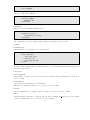
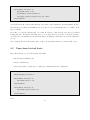
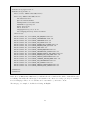
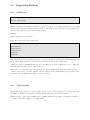
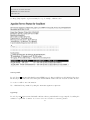
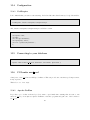
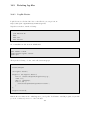
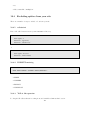
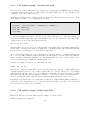
• Argument to NameVirtualHost and to VirtualHost must the exactly the same literal string, or it will
not know that you are dealing with the same address Best to use * rather than a particular address
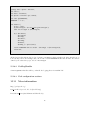
NameVirtualHost *
<VirtualHost *>
ServerName www.coopermcgregor.com
DocumentRoot /usr/local/apache/vhosts/cmi
</VirtualHost>
<VirtualHost *>
ServerName www.boxofclue.com
ServerAlias boxofclue.com clueful.com
DocumentRoot /usr/local/apache/vhosts/clue
</VirtualHost>
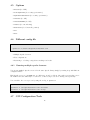
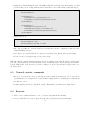
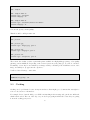
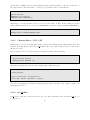
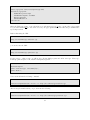
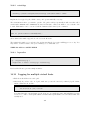
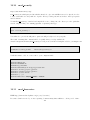
• Can specify a port:
NameVirtualHost *:443
NameVirtualHost 192.168.1.5:8080
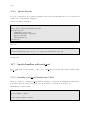
• The only real difference between name-based and IP-based (in the configuration, that is) is the
NameVirtualHost directive.
• You only need to put directives in one of these sections where they differ from the global setting
• See later section on logging for info about per-vhost logs
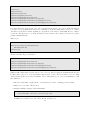
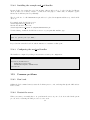
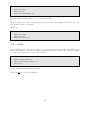
Make sure that the class understands that these vhosts are running on the same IP address, and the same
port. The only way that the server knows which vhost you want is the Host: header that gets sent with the
request. This is why old browsers (ie, pre 1996 - nothing to worry about) and telnet requests tend to get
the wrong vhost.
6.3
General caveats, comments
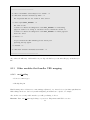
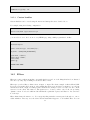
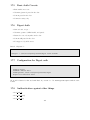
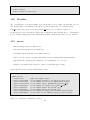
• If you set one host up as a vhost, you should probably set all hosts up that way. 50+ % of the vhost
problems that we see on #apache are because default configurations are overriding vhost configurations
• Use Listen not Port
• Consider putting each vhost config in its own file. This will save you hassle and confusion later
6.4
Exercise
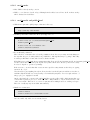
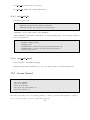
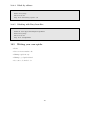
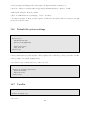
1. Add 2 or more additional names to your ”/etc/hosts” file (virtual1 and virtual2)
2. Set up a virtual host for each one (put vhosts in /usr/local/apache/vhosts/servername)
33