1
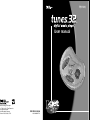
TUNES.32™ Digital Audio Player
PACKAGE CONTENTS
TUNES.32 is a compact and stylish solid-state audio player designed for crystal
clear digital audio playback of high quality music from CD’s, MP3, or WAV
digital audio data files. TUNES.32 can be used while running, cycling, rollerblading and other vigorous activities. But unlike CD’s, TUNES.32 will neither
skip nor have interruptions of music due to vibrations or sudden impact.
TUNES.32 has built-in decoders for powerful audio compression algorithm.
This means that up to 4 times more music can be stored in TUNES.32 while
retaining the same audio quality as MP3 encoded music.
•
•
•
•
•
TUNES.32 delivers higher compression ratios than MP3 with comparable or
better quality. MUZIP compressed files will have a '.MZP' file extension. Currently,
the only way to create 'MZP' files is to download an audio file to TUNES.32
using its download utility.
TUNES.32 Player
USB Cable
Headphone
Quick Start Guide
CD-ROM containing TUNES.32 drivers, Tunes.32 utility and MusicMatch
Jukebox software
PRODUCT FEATURES
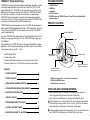
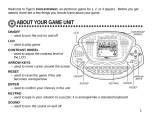
Hold Switch (ON/OFF)
Your new TUNES.32 Player comes with the Tunes.32 download utility that will
allow you to copy songs from your PC to the TUNES.32 Player through your
PC’s USB port.
Power LED
Also bundled with the TUNES.32 Player is the popular MusicMatch Jukebox
application, which lets you download songs from the Internet as well as collect
and organize music on your PC. It also:
•
•
•
•
Rips CD-Quality MP3s
Creates custom CDs
Creates radio stations based on music from your favorite artist
Connects to more than 100,000 free music tracks and videos
Volume Adjustment
(Up and Down)
Play/Stop button
USB connection to Host
supports fast download
Track Skip and Scan
(forward and reverse)
Contents:
•
PACKAGE CONTENTS
2
•
PRODUCT FEATURES
2
•
INSTALLING AND CHANGING BATTERIES
•
CD-ROM/SOFTWARE INSTALLATION (WINDOWS)
3
INSTALLING AND CHANGING BATTERIES
•
MUSIC MATCH SOFTWARE GUIDE
4
•
PREPARE A PLAY-LIST
4
• Open the battery cover on the back of the player by unscrewing the
screw fixing and sliding the cover away from the belt clip.
• Insert two AAA size batteries into the player and close the cover.
•
DOWNLOADING TRACKS TO TUNES.32
•
PLAYING & LISTENING TO MUSIC
6
•
MUSICMATCH JUKEBOX™ PLUS UPGRADE
7
2-3
4-5
• Solid State audio playback, shock and vibration-resistant
• 8 MB built-in DRAM memory
• Simple 6-button user interface
1 When the player is not running (LED is off), you can change the batteries
without losing the songs stored, within 1 minute. After that, all memory
will be cleared and any songs on the memory will be wiped.
2 To conserve battery power when the product is not in use, you should make
1
sure TUNES.32 is not playing and the Hold Switch is set to on.
2