1
User Manual
BY HOYe GROUP
Introduction:
This
solar charger features state of the art
circuitry and safe design. It is compatible with most 5V
Smart Phones and many other kinds of portable
electronic devices.
1.
2.
3.
4.
5.
6.
7.
8.
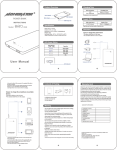
ON/OFF
DC Input
USB Output
Power Indicator Button
Power Approx. 25%
Power Approx. 50%
Power Approx. 75%
Power Approx. 100%
Note: When no lights are illuminated on the indicator, recharge immediately.
Main Specifications:
Solar Energy Transfer Efficiency 17%
Solar Panel
5V/90mA
Battery Cell Type
Polymer Lithium-ion
Cycle Life
Above 500 cycles
Capacity
3500mAh/12.95Wh
Output
DC 5V/750mA
Input
DC 5V/1A
Charging Time
Approx. 4 hours using 1A AC wall
adaptor or Approx.16-20 hours using
solar power. (Note: weak sunlight
may not charge properly)
Operation Temperature
-5°C ~+55°C (23°F~131°F)
Charging your Mobile Phone/
iPad/Tablets/ other electronics:
Important Notice: Before using your
for the first time;
please charge to 100% power with supplied USB adaptor cable.
Devices charge more quickly if
is fully charged.
1. Slide
“ON/OFF Switch” to “ON.” The
is now active and ready for output.
Press “Power Indicator Button” to show the
power level.
2. Connect the appropriate
cable to
desired digital device using the USB
output, charging begins.
3. When charging is completed slide “ON/OFF
Switch” to “OFF”.
Note: Your
comes with multiple adaptors for various
devices. Please use the correct adaptor for your device.
Recharging your
:
Recharge using any of these methods:
1. When recharging, the “DC Input” is RED.
2. Once the “DC Input” is BLUE , the charging is complete.
3. The charging time will depend on the method used.
Notice: Please recharge at least every 3 months for maintenance.
Trouble Shooting:
Problems
Possible Causes
Corrective
Actions
1. Inadequate charging time
1. Charge it 4 hours
The power indicator does not
2. The adaptor or device has
continuously using the
indicate a full charge
malfunctioned
AC adaptor
Power Indicator
illuminated
lights
not
1. No power left
1. Charge it 4 hours
2. Power indicator button has
continuously using the
malfunctioned.
AC adaptor
1.
2.
Cannot charge other devices
3.
Cannot charge device fully
1. Charge it 4 hours
Insufficient power in
continuously using the
Something
wrong
with
AC adaptor
output cable or adaptor
2. Replace output cable or
Incorrect Adaptor has been
adaptor
used
3. Use correct adaptor for
device
Insufficient power in
There is power left, but
Overcharge failsafe activated
stopped charging other device
Charge
it
continuously
AC adaptor
4
hours
using the
Slide “ON/OFF SWITCH”
TO “OFF”, to stop charge
Caution:
1.
2.
3.
4.
Do not drop, knock, disassemble or attempt to repair this product
by yourself.
Do not immerse it into water or make it wet.
Do not expose to fire.
Please read this user manual carefully before using the
. Any
damage caused by personal wrong actions will void the product
limited warranty. In no event will
or its authorized dealers
be liable for incidental, consequential damages, even if such
damages result from negligence or other fault.
Waste Electrical and Electronic Equipment Directive:
Dispose of this product with your Local Authority or recycling center.
“Reduce the size of your carbon footprint,
keep the world green and peaceful.”
-