1
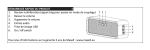
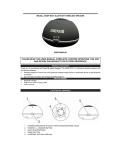
GETTING STARTED Carefully remove the unit and all the accessories from the packaging. Please verify that you have all the following accessories before recycling the gift box. Quick Start Guide Micro USB charging cable 3.5mm AUX-in cable LOCATION OF CONTROLS FRONT BACK 1. 2. 3. 4. 5. 6. PLAY/ STOP OR PICK UP/ HANG UP PREVIOUS SONG NEXT SONG VOLUME DOWN VOLUME UP LED – POWER / CHARGING / BLUETOOTH STATUS INDICATOR (RED / BLUE) 7. 3.5MM AUX IN JACK 8. CHARGING JACK(MICRO USB) 9. ON/OFF BUTTON CHARGING INSTRUCTIONS This unit operates on a built-in Lithium battery that can be recharged either using the USB port on your computer or from a USB power adaptor (not included) with a rated output of DC 5V, 500mA and up. Note: The micro USB CHARGING JACK located on this unit is only designed for charging the built- in Lithium battery. CHARGING THE BATTERY FOR FIRST TIME 1.) Charge the built-in Lithium battery a minimum of 3.5 hours prior to first use. Plug the unit into the USB port on your computer or into a USB power adaptor (not included) using the included USB cable. 2.) The LED indicator will turn red while charging and turn-off automatically when the unit is fully charged. Unplug the USB cable from the power source once the battery is fully charged. RECHARGING THE INTERNAL BATTERY After prolonged use, the internal battery will become weak and the operation may 1