1
ELECTROSTATIC DISCHARGE
SIMULATOR
Model 910
Operating Manual
11/12
IMPORTANT
SAFETY INSTRUCTIONS
(Equipment containing HV)
The equipment described in this Manual is designed and manufactured to operate within
defined design limits. Any misuse may result in electric shock or fire. To prevent the
equipment from being damaged, the following rules should be observed for installation, use
and maintenance. Read the following safety instructions before operating the instrument.
Retain these instructions in a safe place for future reference.
POWER
POWER CORD: Use only the power cord specified for this equipment and certified for
the country of use. If the power (mains) plug is replaced, follow the wiring connections
specified for the country of use. When installing or removing the power plug hold the
plug, not the cord.
The power cord provided is equipped with a 3-prong grounded plug (a plug with a
third grounding pin). This is both a safety feature to avoid electrical shock and a
requirement for correct equipment operation. If the outlet to be used does not
accommodate the 3-prong plug, either change the outlet or use a grounding adapter.
FUSES: Replace fuses only with those having the required current rating, voltage and
specified type such as normal blow, time delay, etc. DO NOT use makeshift fuses or
short the fuse holder. This could cause a shock or fire hazard or severely damage the
instrument.
POWER LINE VOLTAGE (MAINS): If the line (mains) voltage is changed or isolated by
an autotransformer the common terminal must be connected to the ground (earth)
terminal of the power source.
OPERATION
CAUTION
Equipment designed to simulate a high voltage electrostatic discharge such as the
Series 900 ESD Simulators and the Model 4046 Static Decay Meter utilize voltages up
to 30kV. The basic nature of an ESD event will result in electromagnetic radiation in
addition to the high level, short duration current pulse. Therefore, personnel with a
heart pacemaker must not operate the instrument or be in the vicinity while it is
being used.
DO NOT OPERATE WITH COVERS OR PANELS REMOVED. Voltages inside the
equipment consist of line (mains) that can be anywhere from 100-240VAC, 50/60Hz and
in some equipment, voltages as high a 30kV. In addition, equipment may contain
capacitors up to 0.035 μF charged to 30kV and capacitors up to 0.5 μF charged up 6kV.
Capacitors can retain a charge even if the equipment is turned off.
1
DO NOT OPERATE WITH SUSPECTED EQUIPMENT FAILURES. If any odor or
smoke becomes apparent turn off the equipment and unplug it immediately. Failure to
do so may result in electrical shock, fire or permanent damage to the equipment.
Contact the factory for further instructions.
DO NOT OPERATE IN WET/DAMP CONDITIONS: If water or other liquid penetrates
the equipment, unplug the power cord and contact the factory for further instructions.
Continuous use in this case may result in electrical shock, fire or permanent damage to
the equipment.
DO NOT OPERATE IN HIGH HUMIDITY: Operating the equipment in high humidity
conditions will cause deteriation in performance, system failure, or present a shock or
fire hazard. Contact the factory for further instructions.
DO NOT OPERATE IN AREAS WITH HEAVY DUST: Operating the equipment in high
dust conditions will cause deteriation in performance, system failure, or present a shock
or fire hazard. Contact the factory for further instructions.
DO NOT OPERATE IN AN EXPLOSIVE ATMOSPHERE: Operating the equipment in
the presence of flammable gases or fumes constitutes a definite safety hazard. For
equipment designed to operate in such environments the proper safety devices must be
used such as dry air or inert gas purge, intrinsic safe barriers and/or explosion-proof
enclosures.
DO NOT USE IN ANY MANNER NOT SPECIFIED OR APPROVED BY THE
MANUFACTURER: Unapproved use may result in damage to the equipment or
present an electrical shock or fire hazard.
MAINTENANCE and SERVICE
CLEANING: Keep surfaces clean and free from dust or other contaminants. Such
contaminants can have an adverse affect on system performance or result in
electrical shock or fire. To clean use a damp cloth. Let dry before use. Do not use
detergent, alcohol or antistatic cleaner as these products may have an adverse affect
on system performance.
SERVICE: Do not attempt to repair or service the instrument yourself unless instructed
by the factory to do so. Opening or removing the covers may expose you to high
voltages, charged capacitors, electric shock and other hazards. If service or
repair is required, contact the factory.
2
1.0 INTRODUCTION
The rapid advancement in the electronics industry during the past decade has
placed an ever increasing importance on the understanding of electrostatics and its
effect on electronic devices and systems. Electrostatic discharge (ESD) is a
common cause of microelectronic circuit failure. Many devices can be seriously
damaged or destroyed by an electrostatic discharge below 20 Volts. The sensitivity
to ESD of other components has also become evident through use, testing and
failure analysis. The trend in technology towards greater complexity, increased
packaging density and hence thinner dielectrics between active elements result in
parts becoming even more sensitive to ESD.
Failure mechanisms of electrical and electronic parts due to ESD typically include
thermal breakdown, metalization melt and bulk breakdown that are power
dependent; dielectric breakdown, metalization to metalization arc over, surface
breakdown and surface inversion that are voltage dependent.
ESD can also induce latent failure mechanisms in both MOS structures and bipolar
junctions in both discrete devices and microcircuits. This latent failure mechanism
results in performance degradation and eventually a failure.
Personnel are prime sources of ESD for damaging electrical and electronic parts.
Electrostatic charges generated by rubbing or separating materials are readily
transmitted to a person’s conductive sweat layer charging that person. When a
person handles or comes in close proximity to an ESD sensitive part, that part can
then be damaged from a direct discharge by touching the part or by subjecting the
part to an electrostatic field. The ESD from a human body can be reasonably
simulated for test purposes from the circuit shown in Figure 1.0-1.
Figure 1.0-1: Basic Human Body Model equivalent circuit
This circuit is specified in Mil-Std-883E, Method 3015.7 and ESD-STM 5.1 to
represent a human body discharge for ESD testing. The human body capacitance,
however, may be as high as several hundred picofarads, but more typically 50 to
3
250 pf. Studies have shown that approximately 80% of the population tested have a
capacitance of 100 pf or less. The variation in human capacitance is due to factors
such as variations in the amount and type of clothing and shoes worn by personnel
and differences in floor materials. Human body resistances can range from 100 to
100,000 ohms, but is typically between 1,000 and 5,000 ohms for actions that are
considered pertinent to holding or touching ESD sensitive parts or containers of ESD
sensitive parts. The variation in human body resistance is due to factors such as the
amount of moisture, salt and oils at the skin surface, skin contact area and pressure.
A value of 1,500 ohms provides a reasonable lower human body resistance value. In
view of the above, Mil-Std-883E specifies a Human Body Model (HBM) using 100 pf
discharged through 1,500 Ohms. For power sensitive parts, a change to a worst
case Human Body Model capacitance (i.e., greater than 100 pf) could result in
damage to ESD sensitive parts at voltage levels below those shown in Mil-Std-883E,
Appendix 1. Therefore, a component that has been classified as non-ESD sensitive
could actually become ESD sensitive under more stringent Human Body Model
conditions. For voltage sensitive ESD parts, a variation in the capacitance value in
the test circuit generally will not affect ESD sensitivity. However, a decrease in
Human Body Model resistance will increase the voltage and power delivered to the e
part that could adversely affect voltage and power sensitive ESD sensitive parts at
lower HBM voltage levels. The Human Body Model specified is considered a
reasonable test circuit for evaluating the sensitivity of ESD sensitive parts because
personnel are generally the most common source of damaging ESD.
The Model 910 Electrostatic Discharge Simulator is an instrument specifically
designed to simulate the electrostatic discharge produced by human handling and
meets all of the testing requirements specified in Mil-Std-883E, Method 3015.7,
ESD-STM 5.1, JEDEC TEST METHOD A114.A and other specifications based on
the Mil-Std-883E model.
The Machine Model (MM) as defined in ESD-STM 5.2 is “An electrostatic discharge
simulation test based on a discharge network consisting of a charged 200 picofarad
capacitor and (nominally) zero ohms of series resistance. Actual series resistance
and inductance are specified in terms of the current waveform through a shorting
wire. The simulation test approximates the electrostatic discharge from a machine.”
The Machine Model network is standard with the Model 910.
The Charged Device Model (CDM) as defined in ESD-STM 5.3 is when a
component is slowly charged to a given voltage and then discharged to ground
through one or more leads of the device. The CDM is available as an option.
Another model commonly used is the one specified in IEC61000-4-2. This model
simulates a person holding a tool when discharging to a device. It is typically used
for system ESD testing. The model (150pF/330Ω) can be added to the Model 910 as
a customized option.
The Model 910 utilizes individual plug-in resistor and capacitor networks to achieve
the required waveforms.
Figure 1.0-2 shows typical HBM, MM and IEC waveforms.
4
Human Body Model (HBM)
(100pF/1500Ω)
Machine Model (MM)
(200pF/0Ω)
IEC Hand/Tool Model
(150pF/330Ω)
Figure 1.0-2: Typical HBM, MM and IEC waveforms
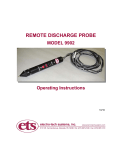
The Model 910 is available with the optional Model 9902 Remote Discharge Probe
that operates only in the LO Range (up to 2000V) for HBM, MM and CDM Models.
The Model 910 must be modified to provide the necessary signals to operate the
Probe. The Probe shown in Figure 1.0-3 can be used as a handheld device or with
the addition of remote cables, be attached to an automatic test system.
Figure 1.0-3: Model 9902 Remote Discharge Probe
2.0 EQUIPMENT DESCRIPTION
2.1
General
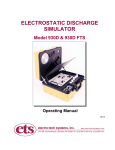
The Model 910 Electrostatic Discharge Simulator shown in Figure 2.0-1 is
designed to produce discharge pulses that meet the requirements of Mil-Std883E, Method 3015.7, and ESD-STM 5.1 for HBM and ESD-STM 5.2 for MM
ESD sensitivity testing. The pulse amplitude may be set to any level from less
than 20 Volts to 8.25kV, and may be either positive or negative. Two voltage
ranges are provided; 0 to 2kV and 0 to 10kV. A digital readout indicates the
voltage level stored in the Human Body Model (HBM) capacitor prior to
discharge. In the Low Voltage Mode (0 to 2kV), the Digital Panel Meter (DPM)
5
provides an adjustment resolution of +1V. In the High Voltage Mode the
resolution is +10V. Device testing may be performed either manually or
automatically. In the Manual mode, the user initiates each discharge pulse. In
the Automatic mode, the user selects the number of discharge pulses desired
(0-9) and the time interval between pulses (<0.5-20sec). When the
DISCHARGE button is pushed the correct number of discharge pulses is
produced. A HOLD button halts the test sequence in the Automatic mode or
prevents an unintentional discharge in the Manual mode.
Figure 2.0-1: Model 910 ESD Simulator (with optional CDM)
Indicator lights on the front panel display the mode selected, the status (ON
or OFF) of the high voltage power supply output and the charge/discharge
state of the unit. A single digit LED readout indicates the number of discharge
pulses produced in the Automatic mode and is extinguished in the Manual
mode.
Adapter modules are available for holding a wide variety of devices and
providing for their connection to the OUTPUT terminals of the Discharge
Simulator. Standard with the Model 910 is a universal holding fixture that
retains the device under test (DUT) so the minigrabber test leads can be
connected to the appropriate pin pair as shown in Figure 2.0-2. Standard test
fixtures with zero insertion force test sockets for DIP and SOIC type
packages, shown in Figure 2.0-3, are also available as accessories along with
custom designed fixtures for special applications. These test fixtures feature
programming pins for tying groups of like V, signal and ground pins together
as required in many specifications.
6
Figure 2.0-2: Standard universal DUT holding fixture
DIP-40 (.3-.6” Adj)
SOIC-16
SOIC-28
Figure 2.0-3: Socketed DUT test fixtures
A front panel accessible calibration adjustment is provided to allow the user to
calibrate the digital panel meter to correspond to the actual charge on the
capacitor. A detailed description of all controls and indicators is provided in
the following paragraphs.
2.2
Controls
All controls for operating the Discharge Simulator are located along the front
edge of the unit as shown in Figure 2.0-4. Four types of controls are used:
two position push button switches, momentary push button switches, rotary
controls, and a ten (10) position rotary switch. The status of the 2-position
push button switches are indicated by panel markings above and below each
switch. The marking above each switch defines the mode with the switch in
the up position. Accordingly, the marking below defines the state with the
switch in the down position.
Figure 2.0-4: Front panel controls
7
2.2.1 Main AC Power ON/OFF
This self-latching (push-on-push-off) switch controls the AC power
(MAINS) input to the unit. When placed in the down position, the AC
power will be ON and the front panel indicator lamps will be
illuminated.
2.2.2 High Voltage Controls
High Voltage ON/OFF: This switch (push-on-push-off) controls the
high voltage output of the Simulator. In the down position, the high
voltage output is turned on enabling the capacitor to be charged to the
level shown on the DPM. When this switch is in the OFF position (up),
the high voltage output is disabled.
High Voltage HI/LO Mode Select: This switch (push-on-push-off)
selects either the LO Voltage Range (0 to 2kV) when in the up position
or the HI Voltage Range (0 to 10K) when in the down position. The unit
will change modes only if the HIGH VOLTAGE ON/OFF switch is in the
OFF (up) position. The mode LEDs directly below the DPM shown in
Figure 2.2-2 indicate the mode selected. NOTE: If the indicator lights
indicate a mode that is different from that selected by the push buttons,
the user must turn off the high voltage. The unit will then automatically
switch to the correct mode. This is a safety feature which protects the
unit’s internal components from switching when high voltage is
present.
High Voltage POLARITY (+/-) Select: This switch (push-on-push-off)
selects the polarity of the discharge pulse that is to be generated by
the Discharge Simulator. When in the up position, a positive pulse is
produced and when down, a negative pulse. NOTE: As with the HI/LO
mode select switch, the Simulator will only respond to a change in the
setting of the POLARITY select switch when the HIGH VOLTAGE
ON/OFF switch is in the OFF position.
High Voltage COARSE and FINE Adjust: These two controls adjust
the level of the high voltage. This voltage will be near zero with both
controls fully counterclockwise and increases as each control is rotated
clockwise. The COARSE adjust control is used to set the high voltage
level close to the desired level. The FINE adjust control is used for
precise setting of this level. The adjustment range of the FINE control
is approximately 600 volts; thus, if this control is set to its mid-position
(12 o’clock) before the COARSE control is set, it will allow the output
level to be adjusted by approximately ±300 Volts about the COARSE
control setting.
8
2.2.3 Operating Mode Controls (LO and HI Ranges)
Manual Mode:
Manual/Auto Mode Select: This push-push switch, when in the MAN
(up) position, places the unit in the MANUAL mode. The AUTO mode
numeric indicator will be extinguished in this mode.
DISCHARGE Control (Manual Mode): This momentary push button
switch causes the Simulator to produce one discharge pulse each time
it is depressed. In this mode, the user should allow a minimum of about
one (1) second between discharge pulses. If the discharge button is
depressed more rapidly than once per second, an incomplete
discharge cycle may be produced.
HOLD Button: This push-push switch, when in the COUNT (up)
position, allows one discharge pulse to be produced with each
depression of the DISCHARGE button. When placed in the HOLD
(down) position, the Simulator is prevented from producing an output
discharge pulse. This button should normally be left in the HOLD
(down) position except when tests are being conducted. Using this
control in this manner will insure that output pulses are obtained only
when required and not at other times such as power up or during
changing of test samples.
Automatic Mode:
MAN/AUTO Mode Select: This push-push switch, when placed in
AUTO (down) position, places the unit in the Automatic mode. In this
mode, the AUTO Mode numeric indicator will be illuminated.
DISCHARGES Selector: This ten-position switch selects the number
of discharge pulses that will be automatically produced by the
Simulator once the DISCHARGE button is depressed. It is set before
the start of a discharge test sequence by rotating the control until the
number on the control knob flange, corresponding to the desired
number of pulses, is opposite the black pointer on the control panel.
INTERVAL Adjust: This rotary control is functional only in the
Automatic mode and determines the time interval or delay between
discharge pulses. The control is rotated clockwise to increase the time
interval from a minimum of approximately 0.5 seconds to a maximum
of 30 seconds. It should be noted that the interval setting of this control
corresponds to the approximate “cool down” period between discharge
cycles. Since each discharge cycle lasts about 0.65 seconds, the
minimum discharge period (pulse to pulse duration) is about 1.1
seconds. This timing relationship is illustrated in Figure 2.0-5.
9
Figure 2.0-5: Automatic Mode Timing Cycle
METER CAL: This calibration control is used to decrease the value of
the displayed charging voltage relative to the actual voltage stored in
the Human Body Model capacitor. This control is set at the factory and
should not be adjusted unless the instrument is being recalibrated.
Indicators: The Model 910 Electrostatic Discharge Simulator utilizes
LED indicators for all status and numeric readouts. These are located
on the vertical sloping portion of the enclosure above the control panel
as shown in Figure 2.0-6.
Figure 2.0-6: Display Panel
Status Indicators:
High Voltage Mode: Two indicators are provided to indicate which of
the two voltage modes the unit has been set for. The GREEN indicator
will be on when the unit is set for LO Voltage (0 to 2kV) while the
AMBER indicator will be on when the HI Voltage Mode has been
selected. These indicators, that display the actual mode programmed,
are controlled by the HI/LO select switch and the HIGH VOLTAGE
ON/OFF switch. When the High Voltage switch is in the ON (down)
position, changes in the setting of the HI/LO mode select switch
will be ignored by the system, and the status lights will not alter
their indication.
High Voltage ON: This single RED indicator will be illuminated when
the high voltage power has been turned on. It is a signal to the
operator that high voltage may be present depending on the setting of
the HI Voltage COARSE and FINE adjust controls.
Polarity Mode: Two indicators are provided to show which polarity has
been selected. An illuminated GREEN light indicates that the output
10
discharge pulse will be POSITIVE relative to system ground while
AMBER indicates that the pulse will be NEGATIVE. Like the High
Voltage mode indicators, the polarity may be changed via the
High Voltage +/- Polarity select switch only if the High Voltage
ON/OFF switch is in the OFF (up) position.
Charging/Discharge Indicators: Two indicators are provided to
display the Charge/Discharge status of the Simulator. When the
GREEN Charge indicator is illuminated, the internal circuits are in the
Charge mode, allowing the capacitor to be charged to the desired
voltage level. The AMBER Discharge light will flash when a discharge
cycle is taking place (the capacitor is connected to the OUTPUT
terminal).
Numeric Displays:
Charging Voltage: This 3½ digit LED display shows the actual high
voltage level and polarity applied to the capacitor. In the LO Voltage
Mode (GREEN “LO (V)” indicator on), the readout indicates the
charging voltage directly in Volts. In the HI Voltage Mode (AMBER “HI
(kV)” indicator on), a decimal point will appear on the display and the
charging voltage will be displayed in kilovolts.
In the LO (0 to 2kV) Voltage Mode, the readout displays a maximum
level of 1,999 Volts. If the operator sets the Charging Voltage to a level
above this maximum, the readout will blank out indicating an overscale
condition. This is normal and the readout will not be damaged by
settings above the +1,999V. Testing above +1,999V, requires
switching to the HI Voltage Mode.
AUTO MODE Count Indicator: This display is a single digit LED
numeric readout that displays the discharge pulse count in the
Automatic mode. In the Manual mode, this indicator is not illuminated.
When the RESET switch is depressed, the AUTO mode count indicator
will reset to zero and hold this count until the discharge cycle is started.
Once the discharge cycle is started, the AUTO mode count indicator
will automatically increase its count by one for each discharge pulse
produced. Upon reaching the count set on the DISCHARGES selector,
automatic test cycling is ended and the AUTO mode indicator will hold
the final pulse count until the RESET button is depressed.
If, during an automatic test cycle, the HOLD button is depressed, the
AUTO mode pulse counter will display the total number of discharges
produced up to the time the HOLD button was depressed. If the HOLD
button is then placed in the COUNT (up) position, and the
DISCHARGE button is depressed, the test cycle will resume and the
remaining pulses as set on the DISCHARGES control will be
produced.
11
2.2.4 Output Panel
The Output Panel, shown in Figure 2.0-7 is located on the right side of
the instrument and contains the RESISTOR, CAPACITOR, GROUND,
and CURVE TRACER output jacks. The R-C modules are easily
replaced by unplugging them from the panel.
The CURVE TRACER output is a standard banana jack that is
connected to a high voltage relay. When the system is in the Charge
mode the relay is closed connecting the CT output to the Discharge
Resistor. This connects the CT output to the pin under test: When the
system is in the Discharge mode the relay opens, thereby
disconnecting the CT output from the DUT. It again closes when the
system returns to CHARGE. This enables the user to check the DUT
both prior to and after a discharge without removing any connectors.
NOTE:
The CURVE TRACER output is not connected when shipped from the
factory. If the user wants to use this function the top cover must be
removed and the CT .040” pin must be plugged into the .040” jack
located on top of the discharge relay. DO NOT USE ABOVE 5kV.
Induced voltages may damage the Curve Tracer. User must
determine suitability before using.
Figure 2.0-7: Output Panel
2.3
Rear Panel
The rear panel is shown in Figure 2.0-8. It contains the input power module
(Mains) with fuse and a standard 0.160” (4mm) banana for ground. The
Power module accepts the standard IEC power cord.
REMOTE DISCHARGE (Optional): This feature enables the Model 910 to
have a computer or other remote trigger source to control the DISCHARGE
cycle. It can only be used in the MANUAL mode. A 5-pin Din connector is
installed for the optional remote discharge. It requires a 5V logic input with a
minimum of 1mA. The required signal is a positive pulse from 0-5V, 200msec
duration having a rise and fall time of less than 100μsec. Pin 1 of the DIN
connector is signal ground and Pin 3 is the trigger signal, Pin 4 is system
12
ground and Pin 5 controls the Optional Model 9902 trigger. In addition, a High
Voltage connector is installed near the banana jack for the Model 9902.
Remote Discharge Input
GND
Figure 2.0-8: Rear Panel
NOTE:
The Model 910 starting with Serial #358 utilizes universal switching
power supplies that operate from 90-260VAC, 50/60Hz. It will not be
necessary to change the voltage settings or the ¾ Amp Sloblo (750mA
Time Delay) fuse in the Power module.
3.0 OPERATION
3.1
Initial Set-Up
Before connecting the Simulator to the AC line (MAINS), set the controls on
the front panel to the following positions:
1. POWER ON/OFF - OFF (up)
2. HIGH VOLTAGE ON/OFF - OFF (up)
3. High Voltage COARSE and FINE adjust – both fully counterclockwise
3.1.1 Human Body and Machine Model Installation
The Model 910 ESD Simulator features plug-in components to achieve
the HBM and MM networks. The HBM consists of a total 100pF of
capacitance that is discharged through a 1500 Ohm resistor module
that also contains a wave-shaping network to obtain the specified
discharge waveform. These components are shown in Figure 3.0-1a
along with the associated test leads. The high voltage discharge relay
has an intrinsic capacitance of approximately 50pF, hence 50pF of
capacitance is added internally to obtain the specified 100pF. The
plug-in capacitor module labeled 100pF contains no additional
capacitors. It may be used to obtain other capacitance values above
100pF.
The MM consists of a total of 200pF capacitance that is discharged
through 0 Ohms to the DUT. The capacitor module labeled 200pF
contains 100pF of capacitance that adds to the 100pF already built into
13
the system. The plug-in 0Ω resistor is just a shorting bar that plugs into
the output jack. This network plus associated test leads are shown in
Figure 3.0-1b.
a. HBM discharge network
b. MM discharge network
Figure 3.0-1: HBM and MM discharge networks
3.1.2 IEC 61000-4-2 Network
This network consists of 150pF discharged through 330Ω. Both the R
and C components are connected in series within the module shown in
Figure 3.0-2. The added 50pF capacitance described in Section 3.1.1
is must removed from the discharge relay input and moved into the
individual modules. Both HBM and MM modules now include an
additional 50pF capacitance and are labeled “100pF Special” and
“200pF Special” respectively. The 0Ω MM resistor is plugged into the
OUTPUT jack to complete the network.
Figure 3.0-2: IEC 61000-4-2 RC network module and HBM &MM Special
3.1.3 Test Fixture and DUT Installation
Install the appropriate Test Fixture by pressing it gently into the four
mounting jacks located on the sloping panel
When using the Standard Universal Clamp Test Fixture shown in
Figure 3.0-3 (HBM Testing) secure the device under test (DUT) to the
holding fixture on the Test Fixture using the spring-loaded clamp.
14
Adjust the sliding post to provide the proper spring-loaded force on the
DUT. When properly adjusted, the DUT will be securely held and is
removed by sliding the spring-loaded portion of the holding fixture to
the right.
Spring-loaded
Clamp
Adjustable
Clamp
Figure 3.0-3: Universal Clamp Test Fixture (HBM)
When using one of the optional socketed DIP type DUT Test Fixtures
shown in Figure 3.0-4 move the lever up to insert the package then
move the lever down to lock the pins in place. For SOIC, flat pak and
other multi pin arrays follow the instructions supplied with the
respective test socket.
Figure 3.0-4: 40-pin DIP Socket Test Fixture (HBM)
15
3.1.4 Connecting Discharge Leads to DUT
Plug the red minigrabber test lead into the red OUTPUT jack and the
black minigrabber test lead into the black GND jack. If a curve tracer or
other test instrument is to be used to check the characteristics of the
pin pair of the DUT before and after a discharge sequence, plug the
Curve Tracer input lead into the CURVE TRACER OUTPUT banana
jack on the Model 910 Discharge Panel. For HBM use the leads with
the black tubing at the plug end. For MM use the leads without the
black tubing. Incorrect leads will result in out of spec waveforms.
Refer to Figure 3.0-1.
Connect the test lead spring-loaded minigrabber to the appropriate
leads on the DUT mounted in the Universal Test Fixture as shown in
Figure 3.0-3. Socket test fixtures use 0.080” (3mm) pin plugs. For the
best possible output waveshape, the leads should be positioned such
that they are away from one another by a minimum of ¾” (18mm) and
away from the unit’s chassis (ground). Do not reverse the test leads
when the opposite polarity is desired. Switch the HVPS to the
opposite polarity.
3.2 Initial Turn-On
Refer to Figure 2.0-4 for the location of the various controls described below.
3.2.1 Power
Turn on by placing the POWER ON/OFF switch in the ON (down)
position. The Power ON state will be indicated by illumination of the
colored status indicators. The AUTO Mode indicator may or may not
be illuminated depending on the setting of the AUTO/MAN selector
switch.
3.2.2 Charging Voltage Set-up
The Procedure described in this section is common to both the Manual
and the Automatic Mode and should be followed independent of the
mode selected.
HI/LO Voltage Select: Select the desired operating voltage by placing
the High Voltage HI/LO switch in the LO position (up) for testing below
2000V or in the HI position (down) for testing at or above 2000V to a
maximum of 8000V.
Polarity Select: Set the POLARITY switch to the desired output pulse
polarity: up for positive, down for negative.
High Voltage ON: Depress this pushbutton to turn on the high voltage.
16
High Voltage Level Adjustment: Rotate the FINE adjust control
clockwise until the pointer is in the twelve o’clock position. Rotate the
COARSE adjust control clockwise until the approximate desired
voltage level is indicated on the CHARGING VOLTAGE readout. Now
re-adjust the FINE control to trim the voltage reading to the final level.
Allow several seconds for the reading to stabilize, then, if necessary,
re-adjust the FINE control. The unit is now ready to produce the
desired output pulse.
3.2.3 MANUAL Mode
In the MANUAL mode (AUTO/MAN button in MAN (up) position), the
operator is in complete control of the number of pulse discharges and
the interval to be impressed on the DUT. To operate the Discharge
Simulator in this mode, follow the above procedure, then proceed as
described below.
3.2.4 Discharge Pulse Generation
With the COUNT/HOLD button to the COUNT (up) position, depress
the DISCHG. button once each time a high voltage discharge pulse is
required. The Amber DISCHARGE indicator will flash each time an
output pulse is produced. At least one second should be allowed
between pulses for the “cool down” period. After the DUT has been
subjected to the desired number of pulses, place the COUNT/HOLD
button in the HOLD (down) position, and turn off the high voltage
supply by placing the High Voltage ON/OFF switch in the OFF (up)
position. This last function is to ensure no discharges occur after the
test and for safety when high voltages are being used. The function
can be omitted if required.
To resume testing, turn on the High Voltage, if necessary re-adjust the
FINE control, set the COUNT/HOLD button to COUNT, and when
ready, depress the DISCHG. button.
3.2.5 AUTOMATIC Mode
In the Automatic Mode, the operator selects the number of discharge
pulses desired and the interval between pulses. Upon depression of
the RESET then the DISCHG. buttons, the Simulator proceeds to
automatically generate the selected number of pulses at the chosen
interval. The HOLD button may be used to hold the count at any time
before the selected count is reached. To operate the Automatic Mode,
follow the set up procedures in 3.1 and 3.2 then proceed as described
in the following sub-paragraphs.
AUTOMATIC Mode Selection: Set the MAN/AUTO switch to the
AUTO (down) position. The AUTO Mode numeric indicator will now be
illuminated.
17
INTERVAL Adjustment: The INTERVAL adjust control, which
provides for setting the “cool down” time interval between discharges is
an uncalibrated control, and if accurate timing is required, must be
calibrated against an external reference (e.g., digital watch, stopwatch
with sweep hand, etc.). To accurately set the INTERVAL control, turn
off the internal High Voltage Supply by setting the High Voltage
ON/OFF switch to OFF (up). Set the INTERVAL control to 9, the
COUNT/HOLD switch to COUNT then depress the RESET switch, and
when ready, depress the DISCHG Switch. Using an external timing
reference, measure the time interval between flashes of the AMBER
DISCHARGE light. Adjust the INTERVAL control until the desired “cool
down” period is obtained. (NOTE: The discharge cycle time has been
set during assembly to 0.65 seconds, hence, the “cool down” time will
be the time measured between flashes of the amber DISCHARGE light
minus 0.65 seconds. Refer to Figure 2.0-3). After calibration, turn on
the High Voltage (High Voltage ON/OFF switch to ON).
Discharge Pulse Count Setting: To select the number of discharge
pulses, rotate the DISCHARGE selector until the desired number is
opposite the point marking on the panel.
Automatic Discharge Pulse Generation: Depress the RESET button
to set the AUTO mode counter to zero. When ready to start the
automatic test sequence, momentarily depress the DISCHARGE
button. The Automatic mode timing sequence starts with the interval
delay, hence, the first discharge pulse will not occur until the
INTERVAL time has lapsed. Upon reaching the end of the first interval,
the AMBER DISCHARGE indicator will flash, the AUTO mode indicator
will advance to the count of one and the first discharge pulse will be
generated. This sequence will continue until the AUTO mode readout
displays the same number as set on the DISCHARGES selector. At
this time, the test is concluded, the Simulator automatically stops
generating output discharge pulses, and the AUTO mode readout
displays the final count of the number of discharges produced.
Nothing further will occur unless the operator wishes to repeat the test
sequence. To do this, momentarily depress the RESET button, then
depress the DISCHARGE button. The automatic discharge cycle will
be repeated
Upon completion of testing set the High Voltage switch to OFF (up)
3.2.6 Interrupting AUTO Mode Count
To stop the discharge pulses in the AUTO mode before the full count is
reached, two (2) methods may be used.
HOLD Button: If the HOLD button is depressed while automatic
testing is in progress, and the full count as set on the DISCHARGES
control has not yet been reached (AUTO mode indicator
18
DISCHARGES setting), the discharge pulses will be stopped and the
AUTO mode indicator will hold the discharge pulse count as produced
up to that point. To complete the unfinished count, set the
COUNT/HOLD button to COUNT and then depress the DISCHARGE
button. Unless the DISCHARGE button is depressed after the
COUNT/HOLD button is set to COUNT, the automatic discharge
sequence will not be resumed.
RESET Button: If the RESET button is depressed while the automatic
discharge is in progress, the AUTO mode count will immediately reset
to zero, and, upon release of the RESET button, and depression of the
DISCHARGE button, the discharge sequence will start again, from
zero.
NOTE:
THE DISCHARGE SIMULATOR IS CAPABLE OF PRODUCING
HIGH VOLTAGE OUTPUT PULSES OF UP TO 8,000 VOLTS AT A
STORED ENERGY LEVEL OF ABOUT 75x10-4 JOULES. WHEN IT
IS NECESSARY TO HANDLE THE DUT OR ANY OF THE OUTPUT
INTERCONNECT TEST LEADS, IT IS RECOMMENDED THAT THE
HIGH VOLTAGE ON/OFF SWITCH BE PLACED IN THE OFF
POSITION AND THE COUNT/HOLD BUTTON BE SET TO HOLD.
4.0 WAVEFORM VERIFICATION PROCEDURES
4.1 Human Body Model – Mil-Std 883E, Method 3015.7, ANSI/ESDSTM5.1 & JESD A114B.
These test methods require system calibration utilizing the discharge pulse
current waveform. The Human Body Model is C=100pF and R=1500 Ohms.
The waveform must be verified using both + and –4kV charging voltages. The
discharge current must be within +10% of the specified Ip value ( 2.67 Amps).
Photographs of the rise time, fall time, and peak current calibration are
required.
Figure 4.0-1 shows the waveform requirements specified in Method 3015.7
and ANSI/ESD-STM5.1.
USE THE HBM TEST LEADS WITH THE BLACK TUBING AT THE PLUG
END TO OBTAIN THE CORRECT WAVEFORM.
4.1.1 Set-Up
A high speed oscilloscope and current probe with a bandwidth of at
least 350 MHz and a visual writing speed 4 cm/nsec minimum are
required. Scopes satisfactory for this measurement are the Tektronix
Model 2467 high-speed analog oscilloscope, or the Model 7834 or
19
7934 storage oscilloscopes. Digital Storage Oscilloscopes (DSO)
should also have a minimum frequency response of 350 MHz or better
and a sampling rate 1 Gs/sec or better. Tektronix TDS 300 and 3000
series, Agilent Technologies Model DSO6102A or any other
oscilloscope that meet this criteria are satisfactory. If CDM testing is
also to be performed then a 1GHz scope should be obtained to
perform all three tests. Tektronix Models CT-1 or CT-2 current
transducers are satisfactory for detecting the current pulse.
The 50 Ohm impedance of the current probe must be matched to the
input impedance of the oscilloscope. For oscilloscopes with only a 1
MegOhm input impedance, a terminator is available to match the 50
Ohm impedance of the probe to the 1 MegOhm impedance of the
scope. Because of the very high frequencies being measured it may be
necessary to double shield the current probe.
Figure 4.0-1 is the waveform requirement.
The current pulse shall have the following characteristics:
Tr
Td
Ip
Ir
(rise time)
(decay time
(peak current)
(ringing)
2-10 nanoseconds
150 +20 nanoseconds
within +10%
The decay shall be smooth, with
ringing, break points, double time
constants or discontinuities less
than 15% Ip maximum, but not
observable 100 nanoseconds after
start of the pulse.
Figure 4.0-1: Current Waveform per Method 3015.7
To obtain this waveform place a 1.25” (31mm), 18 gauge wire through the
CT-1 sensor then connect the minigrabber leads to the wire. The current
probe (Tektronix CT-1) is polarized and is marked with a + on one side. When
20
verifying a positive discharge pulse, the OUTPUT signal from the 1.5kΩ
resistor should be connected to this side. When verifying a negative
discharge pulse, the GND connection should be connected to this side. No
changes in scope setting are necessary.
4.1.2 Calibration Procedure
Peak Current, Rise Time and Ringing at 4kV: Set the scope vertical
amplifier sensitivity to 2 Volts/Div and the time base to 5 nsec/Div. If
the CT-1 probe is used then the total current measurement range is
3.2 Amps (CT-1 Probe calibration is 5 Volts/Amp). Probes with
different calibration will necessitate using different scope vertical
amplifier settings. At a charging voltage of 4kV, the peak current, Ip,
must be 2.67 amps +10% (2.40-2.93 Amps). If using the Tektronix
Model 2067 analog scope, switch the vertical amplifier out of the CAL
position and adjust the vernier such that a discharge pulse will go from
the “0” graticule marking to the “100” graticule marking as shown in
Figure 4.04. The rise time is defined as the time for the leading edge to
rise from the 10% point to the 90% point. The specification calls for a
rise time between 2 and 10 nsec. For the Model 910 ESD Simulator
the rise time will normally fall between 2.5 and 8 nsec. The peak-topeak ringing must be less than 15% of Ip.
If using a digital scope all the calculations are performed by the scope
and displayed on the screen and printout as shown in Figure 4.0-4.
Figure 4.0-4: Rise Time and Ringing Waveform at 4kV
4.1.3 Fall Time at 4kV
Set the scope vertical amplifier sensitivity 2 Volts/Div, the same setting
as was done for the rise time measurement. Change the time base to
50 nsec/Div. The discharge pulse should resemble that shown in
Figure 4.0-5. The fall time (decay time) must be 150+20 nsec from the
100% point to the 37% point.
21
Figure 4.0-5: Discharge Pulse Fall Time Measurement at 4kV
4.1.4 Additional Information
The measurement of the current waveform can be significantly affected
by the test instrument used. Excessive ringing and poor waveform
characteristics could be a result of an incorrect test set-up or an
oscilloscope that is not adequately shielded.
The charging voltage calibration is preset at the factory. No field
adjustment should be made to the METER CAL adjustment.
The Model 910 incorporates a curve tracer output. The CURVE
TRACER output connector is connected to the output side of the
discharge relay when in the CHARGE Mode and is disconnected from
this point during the DISCHARGE cycle. This switching function is
accomplished by a high voltage relay. This relay, since it is part of the
discharge circuit, does affect the purity of the discharge waveform.
Disconnecting this relay from the discharge relay will reduce the
ringing associated with the current waveform.
ANSI/ESD-STM5.1 also requires an additional calibration waveform
using a 500Ω resistor to ground.
Other standards such as the JEDEC standards reference Method
3015.7 and/or ANSI/ESD-STM5.1. The specific standard to which
testing will be performed should be referred to for the correct
calibration of the Model 910 ESD Simulator.
4.2
Machine Model – ANSI/ESD-STM5.2
This standard requires system calibration utilizing the discharge pulse
waveform obtained from a 200pF capacitor discharged through 0 Ohms to
ground. The same oscilloscope and current transducer setup used for HBM
verification are used for the MM verification waveforms.
22
The waveform must be verified using both + and -400 Volts through both a
short circuit to ground and through a 500 Ohm resistor. Other stress levels of
100, 200 and 800 Volts may be performed using only the discharge through a
short to ground.
A photograph or printout of the waveforms is required.
Figure 4.0-6 shows the waveform requirements for the discharge through a
short to ground at 400 Volts and Figure 4.0-8 shows the waveform
requirements through the 500 Ohm resistor to ground.
The MM capacitor module is keyed so when MM testing is selected the HI
RANGE is disconnected and only the LO RANGE can be used. This allows
MM testing from less than 20 Volts to 2000 Volts.
THE LEADS WITHOUT THE BLACK TUBING AT THE PLUG END MUST
BE USED TO OBTAIN THE CORRECT MM WAVEFORM.
Figure 4.0-7: Current waveform through a short to ground
Figure 4.0-8: Current waveform through a 500 Ohm resistor to ground
23
5.0 DUT TESTING PROCEDURE
5.1
Set-Up
Set the High Voltage controls to the desired Range and Polarity. Turn the
HIGH VOLTAGE ON and adjust for the desired voltage level.
Insert the DUT into either the clamping fixture or the appropriate optional zero
insertion force Socket Test Fixture. Connect the minigrabber or to the desired
pin pairs when the clamping fixture is used.
If a Socket Test Fixture is used, follow the procedure described in Figure 5.01 on how to program the module for the desired pin group configurations. Use
the .080” plug cables to connect the socket module to the Simulator
output jacks.
5.2
Test Procedure
If manual operation is desired, select MAN mode (button up). Set the
COUNT/HOLD button to COUNT. Depress the DISCHARGE button to initiate
a discharge across the DUT. Each time the DISCHARGE button is depressed
a discharge will occur.
To reverse polarity, turn the HIGH VOLTAGE to OFF and set the
COUNT/HOLD button to HOLD (optional), depress the POLARITY button for
either + or -, then turn the HIGH VOLTAGE back on and set the
COUNT/HOLD button to COUNT. NOTE: The HIGH VOLTAGE must be
turned off before Polarity or Range can be changed.
If the AUTO Mode is desired, set the OPERATING Mode controls to AUTO
and HOLD. Select the number of discharge pulses (1-9) and cool down
interval period button to start the test sequence. These settings are typically 3
discharges at 1 second intervals. The first discharge will occur after the
INTERVAL time selected has elapsed. Each discharge will register on the
AUTO Mode display until the total number of cycles selected have been
completed.
To interrupt the test cycle, set the COUNT/HOLD button to HOLD. To resume
the test, depress the DISCHARGE button. To start a new cycle, depress the
RESET button, then depress the DISCHARGE button.
24
Figure 5.0-1: Programming IC Adapter Modules
5.3
HBM (Method 3015.7, ANSI/ESD-STM5.1 & JESD22-A114-B)
A sample of devices shall be characterized for the device ESD failure
threshold using voltage steps of 500. 1000, 2000 and 4000 Volts as a
minimum. Finer voltage steps may optionally be used to obtain a more
accurate measure of the failure voltage. Testing may begin at any voltage
step, except for devices which have demonstrated healing effects, including
those with spark gap protection, which shall be started at the lowest step.
Cumulative damage effects may be eliminated by retesting at the failure
voltage step using a new sample of devices starting at one or two voltage
steps lower than the failure threshold.
5.3.1 Control Settings
Initially select the LO Range, + Polarity and adjust the level to 500
Volts. Select the AUTO Mode and set the number of DISCHARGES to
3 and the INTERVAL (cool down period) to a minimum of 1 second.
5.3.2 Testing Procedure
Refer to the appropriate test standard being used to establish the
correct testing protocol (starting voltage, number of discharges, pin
combinations, etc).
25
5.4
MM (ANSI/ESD-STM5.2)
Machine Model testing is described in ANSI/ESD-STM5.2 that is available
from the ESD Association at 7900 Turin Road, Rome, NY 13440. This
Standard defines five component classification levels and four stress levels as
shown in Figure 5.0-2. Testing protocol and pin combinations are also
defined.
Figure 5.0-2: MM classification and stress levels
5.5
CDM (Charged Device Model) Option
The standard Model 910 is not configured to perform Charged Device Model
testing directly. However, the charging system of the Model 910 incorporates
a 400 MegOhm resistor in the charging circuit that allows an isolated device
to be charged slowly enough not to cause an ESD discharge as specified in
current CDM standards. In addition, the REMOTE output of the Model 910
provides 5V to operate an external CDM test fixture that is capable of
performing both field induced and direct charging tests.
The Charge Device Model (CDM) is a more severe test than the standard
HBM model since this event occurs when the device itself becomes charged
then when touched to ground or a lower potential causes a very fast rise time
discharge to occur as shown in Figure 5.0-3.
Charge
Touch to GND for discharge
GND
Figure 5.0-3: Basic Charge Device Model equivalent circuit
The CDM discharge is a function of the device capacitance that may be as low
as a few picofarads (the example is a 6.8pF disc) or can be as high as several
hundred picofarads (a complete assembly). This variation has a significant
affect on the severity of the discharge. Small component packages may not be
able to hold sufficient charge to meet specified discharge levels.
26
The Charged Device Model (CDM) test, as defined in standards JEDS22C101C, ANSI/ESD-STM 5.3 and AEC-Q101-005 describe a test procedure
where a component is slowly charged to a given voltage and then discharged
to ground through one of the device leads. The CDM test permits either field
induced or direct charge/discharge.
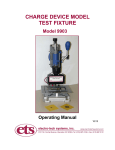
The optional Model 9903 Charge Device Test Fixture shown in Figure 5.0-4 is
a completely integrated unit that provides the means of performing both direct
charge and field induced CDM tests.
IMPRORTANT NOTE
The Model 9903 only provides the means to perform CDM testing. It does
not produce verification waveforms that meet all the requirements
specified in the test standards referenced above.
Figure 5.0-4: Model 9903 Charge Device Model Test Fixture
11/12
27
6.0 WARRANTY
Electro-Tech Systems, Inc. warrants its equipment, accessories and parts of its
manufacture to be and remain free from defects in material and workmanship for a
period of one (1) year from date of invoice. It will, at it’s discretion, either replace or
repair without charge, F.O.B. Glenside, similar equipment or a similar part to replace
any equipment or part of its manufacture which, within the above stated time, is
proved to have been defective at the time it was sold. All equipment claimed
defective must be returned properly identified to the Seller (or presented to one of its
agents for inspection). This warranty only applies to equipment operated in
accordance with Seller's operating instructions.
Seller's warranty with respect to those parts of the equipment that are purchased
from other manufacturers shall be subject only to that manufacturer's warranty.
The Seller's liability hereunder is expressly limited to repairing or replacing any parts
of the equipment manufactured by the manufacturer and found to have been
defective. The Seller shall not be liable for damage resulting or claimed to result
from any cause whatsoever.
This warranty becomes null and void should the equipment, or any part thereof, be
abused or modified by the customer of if used in any application other than that for
which it was intended. This warranty to replace or repair is the only warranty, either
expressed or implied or provided by law, and is in lieu of all other warranties. Seller
denies any other promise, guarantee, or warranty with respect to the equipment or
accessories and, in particular, as to its or their suitability for the purposes of the
buyer or its or their performance, either quantitatively or qualitatively or as to the
products that it may produce The buyer is expected to expressly waive rights to any
warranty other than that stated herein.
ETS must be notified before any equipment is returned for repair. ETS will issue an
RMA (Return Material Authorization) number for return of equipment.
Equipment should be shipped prepaid and insured in the original packaging. If the
original packaging is not available, the equipment must be packed in a sufficiently
large box (or boxes if applicable) of double wall construction with substantial packing
around all sides. The RMA number, description of the problem along with the
contact name and telephone number must be included in formal paperwork and
enclosed with the instrument. Round trip freight and related charges are the owner’s
responsibility.
WARNING:
WOODEN CRATES MUST NOT BE USED TO PACKAGE THE ELECTRONIC
UNITS. PACKAGING OF DELICATE INSTRUMENTS IN WOODEN CRATES
SUBSTANTIALLY INCREASES THE CONTENT’S SUSCEPTIBILITY TO SHOCK
DAMAGE.
ELECTRO-TECH
SYSTEMS,
INC.
WILL
NOT
ASSUME
RESPONSIBILITY FOR ADDITIONAL COST OF REPAIR DUE TO DAMAGE
INCURRED DURING SHIPMENT DUE TO POOR PACKAGING.
28