1
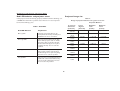
Modification of the page 25 of the User’s Guide
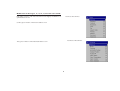
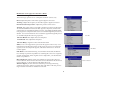
Advanced settings
The following 4 options are for commputer of HDTV sources only
Phase: adjust the phase of the video signal’s digital conversion.
Advanced
Tracking : Adjust the frequency of the video signal’s digital conversion.
Horizontal / Vertical position : Adjust the position of the source.
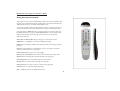
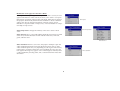
TrueLife: This option refers to Faroudja’s TrueLife processing of the image.
All standard definition interlaced video signals (composite, S-video and
component) are routed through this processor. Extended and High Definition progressive component sources are not routed though this processor by
default. You can turn TrueLife on to route these signals through the processor and then adjust the following 3 options:
True Life
Chroma Detail: This adjusts the color sharpness.
Luma Detail: This adjusts the sharpness.
Chroma Delay : aligns the Luma and Chroma Detail
CCS: (Cross Color Suppression) processes the signal to remove any color
information from the luma portion of the signal. It is On for all composite
signals, Off for all component signals, and can be turned on or off for all
S-video signals.
Film Mode
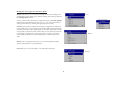
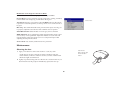
Film Mode: controls deinterlacing. 2:2/3:2 Enable If selected, the deinterlacer attempt to perform 3:2 pulldown, assuming the source was originally
created on 24fps film. If the original source is 30fps film, you should select
NTSC 2/2 pulldown.
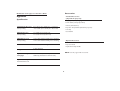
Noise Reduction: adjusts signal noise reduction. Choose Off to have no
noise reduction, choose Auto to have the software determine the amount of
noise reduction, or choose Manual and adjust the Level.
Skintone Bypass prevents the noise reduction processing from being
applied to skin tones. Images of people often look better with less processing. Available when Auto or Manual are selected.
Noise reduction
7