1
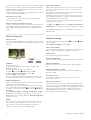
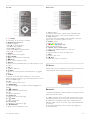
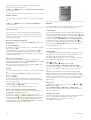
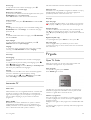
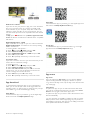
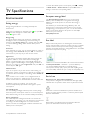
Top half
1 - A Standby
To switch the TV on or back to standby.
2 - Playback and record keys
• Play x, to playback
• Pause p, to pause playback
• Stop q, to stop playback
• Rewind !, to rewind
• Fast Forward ‹,to wind fast forward
• Record r, to record now
3 - GUIDE
To open or close the TV guide.
4 -c SOURCE
To open or close the list of connections.
5 - h Home
To open or close the home menu.
6 - L LIST
To open or close the channel list or your list of photos, music
or videos.
7 - OK key
To confirm a selection.
8 - / EXIT
To go back to your last chosen connected device, e.g. digital
receiver.
9 - b Back
To go back to the last chosen channel. To close a menu
without changing a setting. To go back to the previous Text or
Smart TV Internet page.
10 - 3D
To open or close the 3D menu.
11 - AMBILIGHT
To switch Ambilight on or off and to switch Ambilight on in
standby.
12 - f FORMAT
To open or close the Format menu.
13 - TV
To switch to Watch TV.
14 - SMART TV
To open the Smart TV start page.
15 - i INFO
To open or close Info.
16 - Arrow keys
To navigate up, down, left or right.
17 - o OPTIONS
To open or close the Options menu.
TV / Remote control
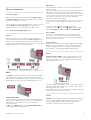
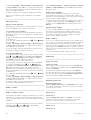
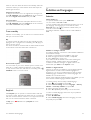
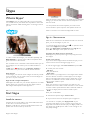
Bottom half
1 - CH-, Channel To switch to the previous channel in the channel list, the
previous page in Text or the previous chapter on a disc.
2 - CH+, Channel +
To switch to the next channel in the channel list, the next
page in Text or the next chapter on a disc.
3 - Volume - and +
To adjust the volume level.
4 - **** Colour keys
Direct selection of options.
5 - Number keys and text keypad
To select a TV channel directly or to enter text.
6 - SUBTITLE
To switch subtitles on, off or on during mute.
7 - TEXT
To open or close Text.
8 - m, Mute
To mute the sound or to restore it.
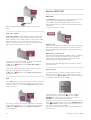
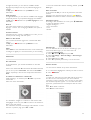
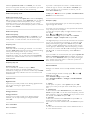
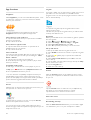
IR Sensor
Always make sure you point the remote control at the remote
control infrared sensor on the front of the TV.
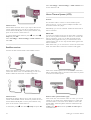
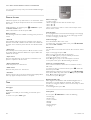
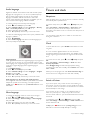
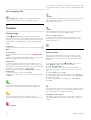
Batteries
To replace the batteries, open the battery compartment at the
back of the remote control.
1 - Slightly press the arrow on the back of the remote control
and slide the battery cover open in the direction of the arrow.
2 - Replace the old batteries with 2 type AAA-LR03-1.5V
batteries. Make sure the + and the - ends of the batteries line
up correctly.
3 - Reposition the battery cover and close it by sliding the
cover until it clicks.
21