1
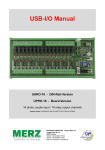
USB-I/O Handbuch
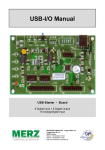
USB-Starter - Platine
8 Digitale Eingänge + 8 Digitale Ausgänge
8 Analog/Digital Eingänge
DECISION-COMPUTER Jürgen Merz e.K.
Lengericher Str. 21
49536 Lienen
Telefon +49 (0)5483-77002
Telefax +49 (0)5483-77003
http://www.decision-computer.de
Daten
Product Code:
AUSBSTARTER
USB STARTER
Features:
USTART - Platinenversion
High Speed 8051 μC Core
USB 2.0 Function Controller
Unterstützt USB ID Einstellunggen 0~14
Bus:
POWER DC+5V 0.5A vom USB-Bus
USB 2.0
Abmessungen 115mm(L) x 80mm(B) x 12mm(H)
Beschreibung:
Betriebstemperatur-Bereich 0 bis 55C.
Die USB-Starter ist eine teilbestückte USB-LAB-Platine Relative Feuchtigkeit von 0 bis 90%.
8 digitale Eingänge
8 digitale Ausgänge
Each digital I/O provides voltage range from
0V to 3.5V, where 0 to 0.4V is OFF and
2.8V to 3.4V is ON.
Support 8 analog to digital channels
Each analog to digital channels supports
10 bit 0~10V ADC input
Software/Treiber:
Englisches Handbuch mit Einstellplan, Anschlußplan und
Programmierbeispielen auf CD. Für Windows-Vista, Win-7
wird das HID Interface genutzt + Programmierbeispiele.
Linux-Treiber + Programmierbeispiele
.
Pro Lieferung erhalten Sie eine frisch gebrannte „DecisionComputer Deutschland Service CD“ mit aktuellen Treibern,
Handbüchern, Installationsanleitungen und deutschen
Zusatzinformationen.
Der Umfang ist vom Produkt abhängig!
Packungsinhalt:
USB-I/O, USB-Kabel, Software/Handbuch-CD
Sicherheitshinweis
Dieses Produkt ist nicht ausfallsicher und darf daher Anwendungen verwendet werden, wo Gefahren für Gesundheit, Leben, und Sachwerte auftreten können! Anschluß und Reparaturen sind nur
vom Fachmann zulässig.
Beim Einbau in eine Maschine oder Anlage, ist sicherzustellen, dass nach dem Einbau weiterhin
die maßgeblichen Bestimmungen, Vorschriften und Richtlinien eingehalten werden!
Diese Produkte kommen mit elektrischer Spannung in Berührung, daher müssen die gültigen
VDE-Vorschriften beachtet werden, insbesondere VDE 0100, VDE 0550/0551, VDE 0700, VDE
0711 und VDE 0860.
J1 USB Anschluss USB-B
VCC
+5 VDC (USB VBUS POWER)
D-
Data -
D+
Data +
SGND
Signal Ground
S1 Reset Taster
Systemreset bei "hängendem" USB-Modul
Pin
Signals
1
Reset SW+
2
Reset SW-
Digitale Eingänge /Ausgänge (JP3)
Pin
Signal
Description
SGND
Signal Ground
1
2
3
4
SGND
Signal Ground
5
P0D00
IN Port 0/Line 0
6
P0D01
IN Port 0/Line 1
7
P0D02
IN Port 0/Line 2
8
P0D03
IN Port 0/Line 3
9
P0D04
IN Port 0/Line 4
10
P0D05
IN Port 0/Line 5
11
P0D06
IN Port 0/Line 6
12
P0D07
IN Port 0/Line 7
13
P0D08
OUT Port 1/Line 0
14
P0D09
OUT Port 1/Line 1
15
P0D10
OUT Port 1/Line 2
16
P0D11
OUT Port 1/Line 3
17
P0D12
OUT Port 1/Line 4
18
P0D13
OUT Port 1/Line 5
19
P0D14
OUT Port 1/Line 6
20
P0D15
OUT Port 1/Line 7
21
SGND
Signal Ground
22
SGND
Signal Ground
23
+5V
+5V von der Platine (USB)
24
SGND
Signal Ground
SGND
Signal Ground
25
26
Digital I/O Spannungsbereich von 0V -3.5V
0 bis 0.4V OFF
2,8 bis 3.4V ON
Die Signal-Zuordnungen für die digitale Ein-/Ausgabe werden in der Tabelle gezeigt.
Analog/Digital-Eingänge
Pin
Signal
Description
2
SGND
Signal Ground
3
ADIN0
Analog unipolar input channel 0
4
SGND
Signal Ground
5
ADIN1
Analog unipolar input channel 1
6
SGND
Signal Ground
7
ADIN2
Analog unipolar input channel 2
8
SGND
Signal Ground
9
ADIN3
Analog unipolar input channel 3
10
SGND
Signal Ground
11
ADIN4
Analog unipolar input channel 4
12
SGND
Signal Ground
13
ADIN5
Analog unipolar input channel 5
14
SGND
Signal Ground
15
ADIN6
Analog unipolar input channel 6
16
SGND
Signal Ground
17
ADIN7
Analog unipolar input channel 7
18
SGND
Signal Ground
19
+5V
+5V Power
20
SGND
Signal Ground
1
Jeder Analog/Digitale Kanal unterstützt 10
Bits Auflösung und einen Spannungsbereich von 0 ~ 10V
Schaltplan Ausgänge - Beispiel
Schaltplan Eingänge - Beispiel
Starke elektromagnetischen Quellen wie Stromleitungen, großen Elektromotoren, Schaltern oder Schweißmaschinen können
starke elektromagnetische Interferenzen verursachen. Auch bei Video-Monitore und -Kabel sind starke Störquellen.
Wenn das Kabel durch einen Bereich mit beträchtlicher elektromagnetischer Störung geführt werden muss, sollten abgeschirmte
Leitungen mit Erdung an der Signalquelle verlegt werden.
Vermeiden Sie es Ihre Signalkabel parallel zu einer Hochspannungsleitung platzieren! Legen Sie das Signalkabel in rechten
Winkel zur Stromleitung um unerwünschte Auswirkungen zu minimieren.
Installation
Die Decision-Computer USB Geräte nutzen das HID (Human Interface Device). Da das HID zur Generic Device Class gehört ist
der Treiber im Betriebssystem integriert. Wenn ein neues HID-Gerät angeschlossen wird ist keine Treiberinstallation erforderlich.
Die Funktionen für Zugriff und Kontrolle des HID befinden sich in der Windows hid.dll im System32 Ordner.
Installationsbeispiel Windows-7
1. USB-Verbindung herstellen. USBPort mit 500 mA Leistung oder Hub
mit Netzteil nutzen.
2. USB-Eingabegerät - Gerätetreibersoftware erfolgreich installiert
3. USB-Eingabegerät - Verwendung
jetzt möglich
4. In der Systemsteuerung/Hardware erscheint
jetzt das Decision-USB-Modul
6. Der Geräte-Manager zeigt noch ein „!“. Ursache ist ein fehlender Treiber für die serielle Schnittstelle, die bei der voll bestückten
Version USB-Lab vorhanden ist. Die USB-Starter-Platine ist eine teilbestückte USB-LAB-Platine. Daher muss der Treiber ohne
vorhandenen Port installiert werden! Dieser Teil der Firmware könnte geänder werden, aber dann entfällt die Möglichkeit der
Nachbestückung auf der Platine!
VCP Treiber ( Nur für das LABKIT )
Der Virtuelle COM-Anschlusstreiber (VCP) bewirkt, daß das USB-Gerät als zusätzlicher COM-Port auf dem PC verfügbar wird.
Anwendungs-Software kann auf die gleiche Weise auf das USB-Gerät zugreifen, als ob es auf einen Standard-COM-Port zugreifen
würde. Diese Funktion ist nur im USBLABKIT implementiert.
32-bit Windows
64-bit Windows
Decision_VCP_driver_32
Vertual_COM
6. Die USB-Starter-Platine ist jetzt fertig installiert!
SOFTWARE-PROGRAMMIERUNG UNTER WINDOWS UND LINUX
Unter Windows bieten wir als Programmierhilfe eine Funktions-Bibliothek und Dll-Datei. Das Handbuch „USBDII_Manual.pdf“ und
Demo-Code in VB/VC/Delphi finden Sie auf der Decision-Studio-CD.
Linux-Anwendern bieten wir eine C-Source für den direkten Zugriff auf die USB-Geräte. Handbuch und Beispiel finden Sie unter
„Dcihid-0.5.1.tgz“.
DIAGNOSE UNTER WINDOWS
USB Test Program.exe ist ein Diagnoseprogramm zum Testen USB-Geräten unter Windows
Die USB-Test Software ist auf der Decision-Studio-CD zu finden.
Die Beispiele und Treiber werden fortlaufend weiterentwickelt. Die aktuelle Version finden Sie auch auf der Decision-ComputerMerz „Service-CD“.
Eine wichtige Informationsmationsquelle ist immer das Internet http://www.usb-industrial.com
Software-Support auf dem kurzen Weg: http://www.usb-industrial.com/support.html
USB-Industrial.com Übersicht:
Windows Support
2010/04 USBDII.dll
2.0.0.4
Watchdog Timer
This package includes Dynamic-link library which is developed by Decision Computer to communicate with the USB Series Device. It can be
included in multiple computer language (VB6, VC6, VB.NET, C# Delphi)
under Windows.
This watchdog timer is a kind of software timer that triggers a system
reset or other corrective action if the main program, due to some fault
condition. The intention is to bring the system back from the unresponsive state into normal operation. This function is new released and please
contact us to get further information.
VCP driver
( For LABKIT Only )
Virtual COM port (VCP) drivers cause the USB device to appear as
an additional COM port available to the PC. Application software can
access the USB device in the same way as it would access a standard
COM port. This function is only implemented in USBLABKIT
Linux Support
dcihid - 0.5.1
Basic function library
and demo program
2009.05.01
This package includes a c library and a demo program which is developed by Decision Computer to communicate with the USB Series Device
under Linux. It also includes a ReadMe file to demonstrate how to use it
and package‘s format is .tgz.
Firmware Update
Firmware Hex file
Download
This Package includes a driver and a software which is developed by
Decision Computer to update the newest firmware into the USB Series
Device. When new version of firmware is released, user can follow the
instructions to update the firmware.
LabVIEW Support
LabVIEW 8
LabVIEW 2009
This package includes manual and examples which demonstrate how
to connect and develop USB Series Device under LabVIEW,which is a
well-known platform and development environment for a visual programming language from NI.
ProfiLAB Support
Init Value Setting Tool
Data Acquisition and
Remote Monitoring Tool
This package includes manual and examples which demonstrate how
to connect and develop USB Series Device under ProfiLAB, which is a
well-known platform and development environment for a visual programming language from Abacom.
(For Output Channel)
The Init Value Setting Tool is a software tool to set init value for output
channel. User can use this tool to plan output channel as default high or
default low when power on.
The Data Acquisition and Remote Monitoring Tool (DARMT) is a software tool to record high/low state reports at local computer, and transmit
them to FTP site to achieve data acquisition and remote monitoring
USB per LAN oder Wireless
Die Fernbedienung von Decision-USB-Produkten per LAN oder Wireless mit einem Steuer-PC ist sehr einfach mit einem MultiPort-USB-Server oder auch einer Fritzbox möglich.
Da kein Treiber installiert werden muss, ist die Installation und Programmierung sehr einfach.
Unter Windows sind die externen USB-I/O direkt im Geräte-Manager zu sehen und lassen sich verbinden oder steuern wie im
ursprünglichen Host-PC.
Firmware-Update
1. Remove the external input signal Voltage and only support device power.
2. Use 4 little wires to connect each of two points on S2, just like the demonstration below.
3. Connect PC to the Board by USB
4. When connecting the wires, computer will treat the board as a different
device, it needs to install driver. If this is the first to use this function, please
indicate the driver install path to the Driver Folder to install the driver.
5. Open the Software USBBootloader.exe and press the Open button and indicate the hex file and then press the Download button to update firmware.
6. Disconnect from PC and remove the wires.
Schaltplan - USB-LAB - Bestückung
Die Schaltpläne sind als A4-PDF im Download zu finden:
http://www.decision-computer.de/Download/USB/download-lab.html
Schaltplan - USB-LAB - Reset-USB
Schaltplan - USB-LAB - ID-DIO-AD
Schaltplan - USB-LAB - Stromversorgung
Schaltplan - USB-LAB - RS232
Schaltplan - USB-LAB - R422/485
A.1 Copyright
Copyright DECISION COMPUTER INTERNATIONAL CO., LTD. All rights reserved. No part of
SmartLab software and manual may be produced, transmitted, transcribed, or translated into any
language or computer language, in any form or by any means, electronic, mechanical, magnetic,
optical, chemical, manual, or otherwise, without the prior written permission of DECISION
COMPUTER INTERNATIONAL CO., LTD.
Each piece of SmartLab package permits user to use SmartLab only on a single computer, a
registered user may use he program on a different computer, but may not use the program on
more than one computer at the same time.
Corporate licensing agreements allow duplication and distribution of specific number of copies
within the licensed institution. Duplication of multiple copies is not allowed except through
execution of a licensing agreement. Welcome call for details.
A.2 Warranty Information
SmartLab warrants that for a period of one year from the date of purchase (unless otherwise
specified in the warranty card) that the goods supplied will perform according to the
specifications defined in the user manual. Furthermore that the SmartLab product will be
supplied free from defects in materials and workmanship and be fully functional under normal
usage.
In the event of the failure of a SmartLab product within the specified warranty period,
SmartLab will, at its option, replace or repair the item at no additional charge. This limited
warranty does not cover damage resulting from incorrect use, electrical interference, accident, or
modification of the product.
All goods returned for warranty repair must have the serial number intact. Goods without serial
numbers attached will not be covered by the warranty.
The purchaser must pay transportation costs for goods returned. Repaired goods will be
dispatched at the expense of SmartLab.
To ensure that your SmartLab product is covered by the warranty provisions, it is necessary that
you return the Warranty card.
Under this Limited Warranty, SmartLab’s obligations will be limited to repair or replacement only,
of goods found to be defective a specified above during the warranty period. SmartLab is
not liable to the purchaser for any damages or losses of any kind, through the use of, or inability to
use, the SmartLab product.
SmartLab reserves the right to determine what
constitutes warranty repair
or replacement.
Return Authorization: It is necessary that any returned goods are clearly marked with an RA
number that has been issued by SmartLab. Goods returned without this authorization will not be
attended to.