1
USB by LAN or Wireless
The remote control of Decision USB products by LAN
or wireless with a remote-PC is very simple with a multi
port USB Server
Because no driver should be installed to the installation
and programming is very easy.
Under Windows, are the external USB I/O directly in the
Device Manager and can be connect or control such as
in the original host PC.
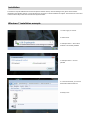
Firmware Update Manual
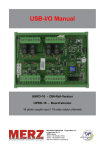
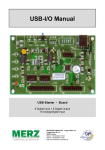
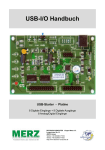
USBBootloader.exe is the tool software to update firmware into the USB SerialDevice Board developed by Decision Computer.
When you get a new version of firmware (.hex), you can follow the steps to update firmware to the board.
1. Remove the external input signal Voltage and only support device power.
2. Set Board Id 15 (All on) for Update Mode and press the Reset button.
3. Connect PC to the Board by USB
4. If this is the first to use this function, please indicate the driver install path to the Driver Folder to install the driver.
5. Open the Software USBBootloader.exe and press the Open button and indicate the hex file and then press the Download button
to update firmware.
6. Set Board Id between 0 ~ 14 and press Reset button and connect PC again.
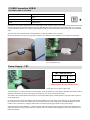
Communication JP1 - only option!
Some unused holes (2 x 5) for JP1 are located on the board. Here a serial port can be added at a special version, with an optional
expansion board, RS-232 or RS-422/RS-485. The ports are controlled via the USB. Please contact us if necessary