1
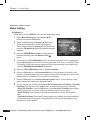
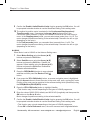
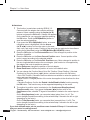
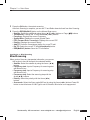
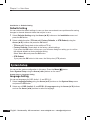
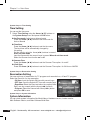
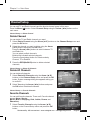
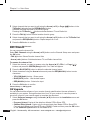
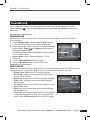
Chapter 5 >> Main Menu System Setup >> Time Setting Time Setting You can set the time zone. 1 Select Time Setting using the Arrow (▲/▼) buttons on the System Setup menu and press the OK button. Set Time mode: Selet Auto or Manual mode Press the Arrow (◄/►) buttons to set time mode for Auto or Manual Time Zone Press the Arrow (◄/►) buttons to set the time zone, The local time will be automatically changed by this setting. Set the time by using the Arrow(◄/►) buttons in case of Auto set time mode Input the figures with the numeric keys in case of Manual set time mode Select the summer time function on or off Summer Time Press the Arrow (◄/►) buttons to set the Summer Time option. for on/off. Clock Type Press the Arrow (◄/►) buttons to set the Summer Time option. for 24 Hour or AM/PM System Setup >> Reservation Setting Reservation Setting You can set timer of reservation for TV program such as switch on, off and TV program. Select the Event No. for the reservation. • ON time: Input the Switch-ON time with numeric keys • OFF time: Input the Switch-OFF time with numeric keys • Repetition:Select the Event activation time option(Once, Daily, one day a week) with the Arrow(◄/►) buttons. • Program: Select the channel with Arrow(◄/►) button and press OK to save. System Setup >> System Information System Information You can check system information like Model Name, Hardware version, Loader version, Main Software Version, and Main Software Build Date. 30 English 'LVWULEXWHG%\:6,QWHUQDWLRQDOaZZZZVLGLJLWDOFRPaVDOHV#ZVLGLJLWDOFRP