1
Row and Column Templates
Using Read-Only Mode
Removing Scrollbars Entirely
Row Selection and ActiveRow
Change the Active Row
Expand All Rows in the Grid
Scroll a Row Into View
Move (Re-position) Columns
Cell Selection and Active Cell
Prevent Editing of Certain Cells
Begin Editing a Cell When Clicked
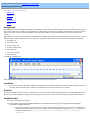
Embedding WebTextEditors
Add a Custom Editor to a Column
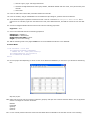
Mult-Line Cell Editing
Display One Value But Store Another with ValueLists
Value Lists that Change from Row to Row
Row-Column-Cell Handling (Non-UI)
Loop Through the Rows in a Band
Adding Rows Without Default Values
Adding Rows Without an AutoNumber Field
Return a Specific Cell's Value
Updating a Column Footer
Set Up Outlook GroupBy in Code
Using Server-Side Events
Configure the Grid with InitializeLayout
Using InitializeRow
Handling Sorting Events
Handling Paging Events
Working With ValueLists
Get the Newly Selected Item in a ValueList
Display One Value But Store Another with ValueLists
Use In-Memory Dataset for ValueList
Value Lists that Change from Row to Row
WebCombo With ValueList
WebCombo
WebCombo With ValueList
Client-Side Tasks