1
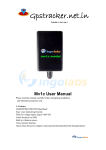
GK306
Children Safety Monitor
User Manual (Version V1.0)
1 Accessories
Charger; Battery; USB Cable; Lanyard; User Manual; Warranty Card; Screwdriver.
2 Buttons
Power
Family Number 1# / Up
Menu / OK / Unlock /
Answer (LSK)
Family Number 4# / Left
Back / Cancel / Family
(RSK)
Family Number 2# / Right
Family Number 3# / Down
3 Installation
1. Unscrew back lid; 2. Lift up the lid; 3. Insert SIM Card and Battery; 4. Cover the back lid and
tighten screw.
4 Operation
4.1 Set APN
Please send SMS command to the number of device so as to set up the APN parameter. The
device will reply “OK” automatically after setting successfully. The SMS command is as follows:
APN,APN’s name#
E.g. APN,internet#
Note: The APN of some countries have user name and password, you may need to send SMS
command as following:
APN,APN name,user name,password#
E.g. APN,internet,CLIENTE,AMENA#
4.2 Power ON / OFF
4.2.1 Power ON
Hold the Power button for 5 seconds. After power on, all the button lights will be on for 20
seconds.
4.2.2 Lock and unlock
The keyboard and screen will be locked automatically after turned on. To unlock the keyboard:
press unlock button (LSK) then press RSK. After unlock, all button lights will be on for 15 seconds.
4.2.3 Power OFF
After unlock, hold ON/ OFF button for 5 seconds, enter to password screen, input password to
turn off the device. Default password: 1234.
4.3 Make and answer calls
4.3.1 Call Family Numbers
Press Family key (RSK), enter prompt screen and use Up and Down button to choose a preset
family number to call. Or hold 1#or 2#or 3#or 4# for 3 seconds to call preset family numbers and
press RSK to cancel calling.
When it’s calling, press Up button to volume up and press Down button to volume down. 7
volume levels are optional.
When it’s dialing, hold SOS button or press RSK, the device will cancel dialing.
NOTE: When 1#or 2#or 3#or 4# is without preset number, pressing the buttons can only show:
“Family number is empty.”
4.3.2 Answer Family Calls
When preset family number calls, the device will display incoming call prompt. Press LSK key to
answer or RSK to hang up. Hold SOS key will terminate incoming call.
Hold SOS key in a call, call will be terminated.
In family profile, if incoming call is not from preset family numbers the call cannot get through.
Note: the SIM must have Caller Identification function to answer incoming call.
4.3.3 SOS Emergency calls
Hold SOS Key for 3 seconds, GPS function will be activated. Device will vibrate twice and send
SMS with LBS location “Emergency call:
http://maps.google.com/maps?q=22.581431, 113.914577”. Device will call preset SOS numbers
by cycle. Each SOS number will be called 3 times until one is responded. If GPS is located, the
device
will
send
accurate
address
information
“Emergency
call:
http://maps.google.com/maps?q=22.577101, 113.916755”. If GPS is not located in 5 minutes, the
device will not send the GPS locations information.
Note: SOS number must be preset to use this function.
5 Settings
Note:
The following functions must be operated by these steps: (1) press MENU key; (2) enter password
(1234 as default); (3) press Up or Down to select setting options.
5.1 Setting
5.1.1 Profiles Setting
(1) Profiles Family: only preset family numbers can call in.
(2) Profiles Common: any numbers can call in.
5.1.2 Hide in Class
To avoid disturbing class, device will not notify any incoming calls or SMS in Hide Period. Device
will keep records of all those incoming calls and SMS. When Hide period end, the device will
notify kids all those incoming calls and SMS.
(1) Hide status: use LSK to switch it On/Off. When it’s On, the device will not notify any incoming
calls or SMS in Hide Period.
(2) Hide period:
Class day (from Monday to Friday): 8 time intervals can be set, press Edit to set time, use Up and
Down to change the number, and use Left and Right to move the cursor.
Saturday: only set time periods for Saturday.
Sunday: only set time periods for Sunday.
5.1.3 Phone setting
(1) Time and date
a. Set time zone: Use Up or Down to select a time zone. 78 time zones can be selected, GMT
+8.00 is default.
b. Set time/ date: Press SOS key to change Time setting to Date setting. Use Up and Down to
change the number, and use Left and Right to move the cursor.
(2) Schedule power on/off:
It can be set at two time choices, the device will power on/off at the pre-set time.
(3) Language:
English/ Simplified Chinese, OK – press Up or Down to select.
(4) Wallpaper:
3 images can be selected. OK – press View –press Left and Right to select.
(5) LCD backlight:
OK – press Left and Right to select.
5.1.4 Security setting
(1) Auto keypad lock: keypad will be locked in the pre-set time interval, press OK –use Up or
Down to select Off/ 5 secs/ 30 secs. Press LSK first and press RSK to unlock keypad.
(2) Battery Low/ Power off: when the battery is low, a reminder SMS will be sent to preset SOS
numbers. Press OK – use Up or Down to switch it On/ Off. Reminder SMS “Note! Device is low
power, please recharge.”
(3) Anti-theft: OK – use Up or Down to switch it On/ Off. When this function is On, if device was
stolen or SIM card is changed, a SMS will be sent to preset SOS numbers.
(4) Change password: press OK – use 1# to enter password. Default password is 1234.
5.1.5 Restore factory settings
Restore device to factory setting and restart.
5.2 Tone setting
5.2.1 Type of Ring
Set Caller ringtone, Power on tone and Power off tone. Press OK – use Up or Down to select.
5.2.2 Volume
Press 2# to volume up and press 4# to volume down.
5.2.3 Incoming call type
Press OK – use Up or Down to select Ring only, Vib. only, Vib. and ring or Mute.
5.3 Set Family Numbers
4 family numbers can be set. Use Up or Down to choose Family Number Option – press OK –
choose one family number position –press OK – press Select to Edit.
5.3.1 From SIM card
Use Up or Down to select number from SIM card – press OK to save – press Back to quit.
Delete family numbers: select one family number – Press OK – Press Delete to delete.
5.3.2 From dialing
Select one family number – Press OK to edit – Press Select – Select from dialing. Any number
calling in 20 seconds will be saved as family number.
Note: Please insert SIM card into other cellphone to save contacts numbers, which will be
convenient to set family numbers.
5.4 Emergency Help
5.4.1 SOS Mode
There are 3 modes can be select: Phone only, Message only, Message and Phone both (default
setting). Use Up or Down to select, press OK to save.
5.4.2 Set SOS Numbers
3 SOS numbers can be set. Press Set SOS Number – Press OK – select one empty position – press
OK – Press Edit – select from family/ from SIM/ from dialing – press OK to set with prompts.
Delete SOS numbers: select one SOS number – Press OK – Press Delete – Press OK.
5.5 Location Service
5.5.1 GPRS Connect setting
(1) Close: GPRS disconnected.
(2) Always connect: GPRS is always connected.
(3) Need to connect: GPRS only connected when it is locating or getting SOS alert.
5.5.2 Timing LBS report
Set LBS report time interval, press OK– use Up or Down to select close, one minute, two minutes,
three minutes or five minutes.
5.5.3 GPS setting
(1) Work time:
School day: 8 time intervals can be set according to kids’ school hours.
Saturday and Sunday: 8 time intervals can be set, press Edit to set time – use Up and Down to
change the number – use Left and Right to move the cursor.
(2) Position reporting strategy:
a. Reported way: press SOS key to set – use Up or Down to select Regularly, Spacer and Timing or
spacer – press Select to save.
b. Timing parameter (seconds): press SOS key to set – press Up or Down to select report time
interval 20, 40, 60, 80 and 100 – press Select to save.
c. Spacer parameter (meters): press SOS key to set – use Up or Down to select report distance
interval 100, 200, 300, 400 and 500 – use Select to save.
3. Remind report:
a. GPS dark areas: press OK to switch it On/ Off. When this function is On, device will send SMS to
SOS numbers when user gets into a GPS signal blind zone.
b. Cross-border alarm: set status On/ Off and Cross-border alarm method press SOS key to set –
use Up or Down to select Into regional remind, Leave regional remind or Entry/ leave areas
remind. This function works with Fence set parameters.
c. Fence set: press OK to set Sets the current coordinate or Manual input – use Up or Down to
select latitude, Latitude value, longitude, Longitude value and Radius value (m) – press SOS key to
set – use Up to enter number – press Clear to delete number, and use Left and Right to move the
cursor – press Save.
6 Check location by SMS Commands
6.1.1 Check GPS longitude and latitude location
SOS or Family numbers can send SMS command to the device: WHERE# to get the longitude and
latitude of the device.
Replying examples of longitude and latitude SMS:
“Lat:N22.571285,Lon:E113.877115,Course:42.20,Speed:0.0740,DateTime:10-11-23 22:28:51”
6.1.2 Check GPS location web link
SOS or Family numbers can send SMS command to the device: URL# to get the google link.
Replying examples of google link SMS:
“<DateTime:10-11-23 23:42:51>http://maps.google.com/maps?q=N22.571490,E113.877103”
Note: GPS can only be located outdoor. It cannot be located indoor, or under the shade of tree, or
around tall buildings where has low GPS or even no GPS signal, while LBS can be located
anywhere with GSM signal.
7 Monitor
Monitoring function is only available for 4 family numbers and SOS number.
SMS command: Monitor#
The device will dial the number which just sent the command. The user of the specific number
can answer the phone and then enter monitoring state.
8 Appendix
8.1 Battery Safety
● Please use the original battery. The warranty will be invalid by using any other accessory. The
manufacturer will not take any responsibility if the device gets damage.
● The new battery need 2-3 days for charging full power and finishing all power to get the best
condition.
● The battery can get full charge and finish all power over and over hundreds times. When the
battery using time becomes shorter obviously, please change a new one.
● Cut off power supply if not using the charger, don’t charge the battery more than one week,
over charging will reduce the battery using time.
● Do not short-circuit the battery with metal stuff (like the key in your pocket)
● Do not bend or open the battery.
● Do not put the battery into water or fire.
● The battery should be charged at room temperature.
● The battery should never be charged at temperatures of below 0 degrees or above 45 degrees
Celsius.
8.2 Use and maintain
Children Safety Monitor is a high technology product, please use with caution. The advices below
can help you know how to use and maintain the device.
● Keep away the accessory of children’s reach.
● Keep the device dry, the water and moisture will corrosion circuit.
● Do not keep or use the device in a dusty place.
● Do not keep the device in heat, it will reduce the device using time, damage battery and plastic
accessories.
● Do not keep the device in low temperatures. When the device is transferred in high
temperature and moisture will damage circuit board.
● Do not disassemble device, non-professionals will damage the device with improper handling.
● Do not throw, tap, shake the device. It may damage the main board.
● Do not clean the mobile with detergents. Use rag to wipe it slowly with soap water.
● Do not paint any color for the device. It may affect the mobile working in normal.
● If the device get wet, please switch off immediately and take out the battery, keep it for 24
hours, then use after it gets dry.
● It is better turn down the volume and screen backlight for lasting battery standby time.
● Do not put metal parts (except specific charger interface and cable interface) with device
charger interface, avoid short circuit.
8.3 Troubleshooting
If there is trouble during using the phone, please read the solution as follow or contact service
providers.
Common
problems
Causes
Solutions
Radio waves cannot communicate
with device when it is used in a bad
signal area, like basement or space
besides tall building.
Move to a place with good signal.
Cannot talk in Call-intensive period.
Avoid call-intensive period
Phone cannot
switch on
No power
Change a new battery
Calls cannot get
through
Have not setup the family number
for that key.
Setup specific number for each key.
SIM card installed incorrectly
Check the SIM card
The sheet mental of SIM card is
dusty
Wipe with a clean wiper.
Invalid SIM card
Contact your internet service provider
Out of GSM service area
Move back to the GSM service
covered area.
Weak signal
Try again in a strong signal area
Voltage is out of charging range of
charger.
Change to the proper voltage
Use non-standard charger
Use charger that come with the
package
Poor contact
Check if the plug is in.
SIM card does not support GPRS
functions
Please contact SIM card sell service to
activate GPRS functions
Reply “not receiving data, please
try again” all the time
Please contact with your distributors
or selling services
Bad reception
Device cannot
connect to the
network
Device cannot
be charged
Cannot check
location
information
Cannot check with none preset
family numbers
Please set your phone number as
family number