1
III. Operation:
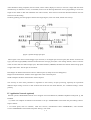
After power on, the computer can quickly enter into the system. Choose 1. RUN, press Enter to the main menu. In the
main menu, move the cursor or click the corresponding red-letter keys on the menu to do corresponding operations.
1. Documents import:
Before cutting the workpiece, 3 B directive document of the workpiece must be import to virtual disk machining
document area. The so-called virtual disk machining document area, is actually machining orders temporary storage area.
Operation as follows:
First, press F key in the main menu. Then according to the import path do the following operation:
① Import WS-C from Gallery:
Press enter, move cursor over the required document, press enter, press ESC to return.
Note: Gallery WS-C is document storage area of the system, can store up to about 300 documents. Replacement of a
higher degree of integration of storage Manifold can be expanded to about 1,200 documents. Document in Gallery can be
long-term retained, documents stored in virtual disk will automaticly remove by shutdown or press reset.
② Import from the hard drive:
Press F4, then D, to move cursor over the required documents, press F3, moved cursor to the virtual disk, press Enter, and
then press ESC to return.
③ Import from floppy disk:
Press F4, insert a floppy disk, press A, move cursor to the required document, press F3, move cursor to the virtual disk,
press enter and then press ESC to return.
Note: The use of F3 key to transform the document among gallery, hard disk and floppy disk. The system can work
properly singly using gallery WS-C, without hard or floppy disks.
④ Edit 3B command:
Sometimes need to modify 3 B command of certain segement. Methods of operation are as follows: In the main menu,
press F key, move cursor to 3 B document which needs modify, press Enter key to display 3 B command, press INSERT
key, use up, down, left and right arrow keys, PgUp and PgDn to check and modify 3B commands, when completed, press
ESC to return.
⑤ Input manually 3 B command:
Sometimes cutting some simple workpieces, such as a circle or a square, etc. Needn’t programming, directly manually
input 3 B commands, methods of operation are as follows:
In the main menu press B key, and press Enter, then input 3B command in standard format.
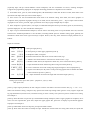
For example: B3000B4000B4000GYL2, if coordinates vale is zero, can be omitted.
For example: BBB5000GXL3. Input one command, press enter, and input nexst one, after input, press ESC to return. The
manually input command is automatically named NON. B.
⑥ Browse Gallery:
The system has a features of browse gallery, which can quickly find the necessary documents, the operation is as follows:
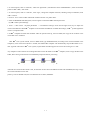
In the main menu, press Tab key, then automatically display in turn graphics from gallery and its corresponding 3 B
commands file name. Press space bar to pause, and press space bar again to continue.
2. Simulated cutting
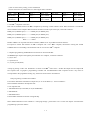
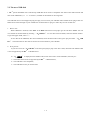
After file importing and before formal cutting, for insurance, do simulate cutting first, in order to observe if its graphics
2