1
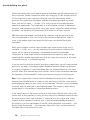
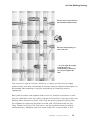
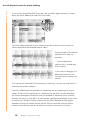
As you move the Edit Pitch tool to the end of a note, its shape changes and it
becomes the Pitch Transitions tool.
When singing or playing the violin
in particular, musicians often
glide from one note to the next.
This is called portamento.
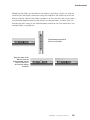
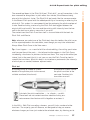
Melodyne indicates a portamento
transition by means of a blue line
linking the two notes affected. If
this ‘transition’ is deactivated,
the pitch curve from this note to
the next is ‘cut through’ and is
not adjusted when adjacent notes
are transposed.
If ever, for creative reasons or
after altering the pitch of a note,
you wish to introduce a
portamento, double-click the end
of the first of the two notes or
activate with the first note
manually the ‘Transition’
checkbox and drag the blue line
that appears linking them
upwards (for a slower
portamento) or downwards (for a
faster one).
Transitions between the adjacent
notes of an entire selection can
be created and edited
simultaneously in the same way;
first make the selection, then
create and/or edit the transition
between any pair and similar
transitions will appear throughout
the selection.
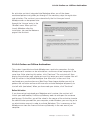
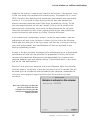
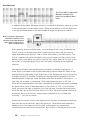
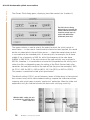
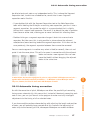
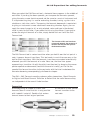
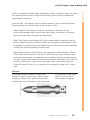
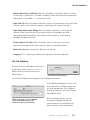
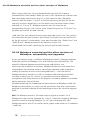
Discontinuities in the Pitch
Curve can be observed at the
end of the selected note
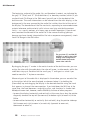
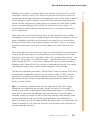
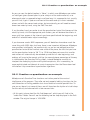
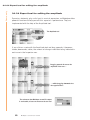
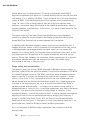
Here a smoother transition has
been achieved by
doubleclicking and dragging
with the Pitch Transition tool
Melodyne essential user manual
55
Demo only
04-02 Expert tools for pitch editing