1
Section 3 - Configuration
Outbound Filters
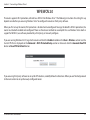
The Outbound Filter option is an advanced method of controlling data sent from the DIR-506L. With this feature you can
configure outbound data filtering rules that control data based on an IP address range. Outbound Filters can be used on
outbound packets.
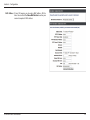
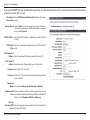
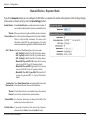
Outbound Filter: Check the Enable box to allow outbound filtering rules.
Use schedule Select from the drop-down menu how you want the rule
rule: to be scheduled and apply this schedule to existing rules.
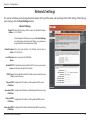
Outbound Filter This section will list any rules that are created. You may
Rules List: click the Edit icon to change the settings or enable/
disable the rule, or click the Delete icon to remove the
rule.
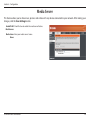
Allow/Deny all Here you decide whether to use the outbound filters to
to pass: allow or deny passage of addresses and ports that match
the filter rules you set.
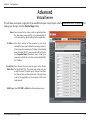
Source IP and Enter the source IP address and port. Enter 0.0.0.0 if you
Ports: do not want to specify an IP range.
Destination IP Enter the destination IP address and port. Enter 0.0.0.0 if
and Ports: you do not want to specify an IP range.
Enable: Check this box to enable the rule you are creating.
Schedule Rule #: Provide an identification number for the rule.
Add New Rule: Click the Add button to apply your settings. You must click
Save Settings at the top to save the settings.
D-Link DIR-506L User Manual
49