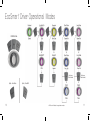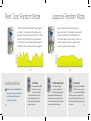
1
The EcoSmar t Driver
Mounting the Driver
TM
Wireless Indicator
SET Button
1. Plug the power supply into the driver and then
plug the power cord into the outlet (Figure A).
The driver will turn on and be in Constant Speed
Mode by default (green control dial).
LED Strip
MODE Button
OPTION/Power Button
Control Dial
Battery Backup Input
Pump Cable Slot
Figure A
2. Observe that the control dial is illuminated
green, indicating that the pump is powered
and operational (Figure B).
3. Mount the driver where it will not get wet using
the included velcro strips (Figure C).
Power Input
he driver is NOT water proof, and water
T
damage will NOT be covered under warranty.
USING
EcoSmart
8
TM
WATCH THE VIDEO:
ecote.ch/ecosmartmodes
Figure B
If the control dial is not green, check the
power cable connections.
Figure C
9