1
Molten Voltage™
Master Control MV-58
Owner’s Manual - p.2
CONNECTING
Plug in a separate or isolated 9 volt, 2.1mm, 100mA minimum, tip negative DC Power supply into
the DC9V jack (I). Avoid powering Master Control using a "daisy chained" power supply that is also
connected to audio effects.
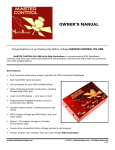
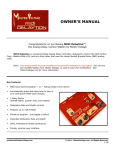
MV-58 - self-contained MIDI controller:
(A) CLOCK LED
(B) START Button
(C) Display
(D) DOWN Button
(E) UP Button
(F) TAP Button
(G) TEMPO LED
(H) SELECT Knob
(I) DC Power Jack
(J) MIDI OUT Jack
Designed with the end user in mind
The Master Control interface has been designed to make switching and storing programs as simple
as possible so the end-user can concentrate on being creative.
Programs are selected using the UP and DOWN buttons or by turning the SELECT Knob. The
selected program number is displayed on a large bright 3-segment LED display. The selected program is
engaged by pressing the START Button.
Making Master Control and all connected Molten Voltage devices save their current settings is even
easier - simply hold down the TAP Button for 2 seconds.
START Button (B)
The START Button is used to start and stop the MIDI Clock data output and to change Programs.
Each time the clock is started or stopped, a corresponding MIDI Start or MIDI Stop command is
sent. The Tempo will be reset and synchronized each time the clock is started.
Note: MIDI Start, Stop, and Clock are not channel-specific
[email protected]
© 2015 - MoltenVoltage.com - All Rights Reserved.
v 1.09