1
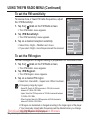
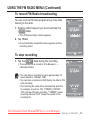
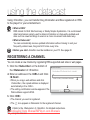
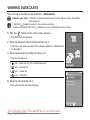
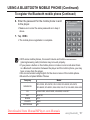
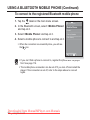
USING A BLUETOOTH MOBILE PHONE (Continued) To register the Bluetooth mobile phone (Continued) 6. Enter the password for the mobile phone to add to the player. Connect Device Enter PIN code Make sure to enter the same password as in step 4 above. 7. Tap <OK>. The mobile phone registration is complete. NOTE With some mobile phones, the search device and mobile conversation (placing/receiving calls) functions may not work properly. If you press a button on the mobile phone or make or end a call when there is a Bluetooth connection between the player and the mobile phone, you may hear a noise from the player. We recommended using English for the device name of the mobile phone. Bluetooth-compliant Mobile Phones Company SAMSUNG Model SPH-C3250, SPH-W2700, SPH-V7400, SPH-V6900, SCH-W270, SPH-B5600, SPH-B3200, SGH-X828, SGH-I718, SGH-E908, SGH-U608 LG LG-KH1000, LG-KV2400, LG-KG90, LG-KG77 SKY IM-U130 NOKIA N72 PHILIPS S900 MOTOROLA Z3 Downloaded from ManualMPlayer.com Manuals using bluetooth_ 117