1
1. Getting Started
1.1Unpacking
Unpack your device box and identify the contents. You should have:
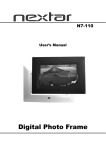
(1) Unit. Details see the photo below.
(2) Holder, to hold the device.
(3) Bracket, its main features is to fix the device on a car .
(4) Car Charger. This is the normal way of power supply to your device when use in the car/vain.
(5) AC adapter(optional), included for you to charge and work with your device even when It's
not in your vehicle. When you use the adapter, please make sure it is cooled by placing in a
ventilated area.
(6) USB data cable for connecting your device to a Windows PC
(7) Micro SD card(optional), containing map data.
(8) User Manual.
Do not expose the device to high temperatures. We recommend that you do not leave
the device in direct sunlight for long periods or in an unattended car on sunny days.
High temperatures can cause permanent damage.
Do not attempt to service the device yourself! Do not open, puncture or disassemble it.
Doing so may be dangerous and will invalidate your warranty.
1.2 Using Your Device in a Vain/car.
A stand and a car charger are supplied with your device.
1.2.1 Using the Car Bracket
Caution:
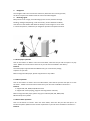
Select an appropriate location for the stand. Never place the stand where the
driver's field of vision is blocked.
If the car's windshield is tinted with a reflective coating, an external antenna
(optional) maybe be needed to route the. Antenna to the top of the car through a
window.
When closing the car window, be careful not to pinch the antenna cable (Cars with
an anti-jam window design may automatically leave adequate space as needed.).
1.2.2 Connecting the Car Charger
The car charger supplies power to your device when you are using the device in a car.
Caution: To protect your device against sudden surges in current, connect the car
charger only after the car engine has been started. Connect one end of the car
charger to the power connector of your device. Connect the other end to the
cigarette lighter in the car to power and charge your device.