1
Teledyne API Model 400A O3 Analyzer Instruction Manual, 02260, Rev. F
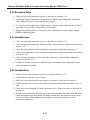
9.2.3 Excessive Noise
1. Check for leaks in the pneumatic systems as described in Section 9.3.12.
2. Confirm the Sample Temperature, Sample Pressure, Photo Lamp Temperature, and Sample
Flow readings are correct. Check and adjust as required.
3. UV Lamp may need replacement. If spare lamp is available, replace lamp and check noise. If
spare lamp is not available, consult factory for assistance.
4. Unplug lamp and plug back in. If noise goes away, change lamp or power supply, change
PROM to updated software.
9.2.4 Unstable Span
1. Check for leaks in the pneumatic systems as described in Section 9.3.12.
2. Check for proper operation of the Main Switching Valve and Ozone Scrubber as described in
Section 9.3.6.
3. Check for a dirty particulate filter and replace as necessary as described in Section 8.2.
4. Check for dirty pneumatic system components and clean or replace as necessary as described
in Section 9.3.12.
5. Check for proper adjustment of DAC and ADC electronics by performing the adjustment
procedure in Section 9.3.4.
6. Confirm the Sample Temperature, Sample Pressure, and Sample Flow readings are correct.
Check and adjust as required.
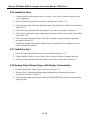
9.2.5 Unstable Zero
1. Check for leaks in the pneumatic system as described in Section 9.3.12.
2. Confirm that the Zero gas is free of Ozone.
3. Check for a dirty particulate filter and replace as necessary as described in Section 8.2.
4. Confirm that the Source Lamp is fully inserted and that the lamp hold-down thumb- screw is
tight.
5. Check for a dirty Absorption Cell and/or pneumatic lines. Clean as necessary as described in
Section 8.4.
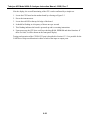
6. Disconnect the exhaust line from the optical bench (the pneumatic line at the lamp end of the
bench) and plug the port in the bench. If readings remain noisy, the problem is in one of the
electronic sections of the instrument. If readings become quiet, the problem is in the
instrument's pneumatics.
9-17