1
IV. GETTING STARTED
This section contains all the information you need to get started with the Optim 1000
instrument and its accompanying software, including how to power the instrument
on and off safely. The Optim software will already be installed on the PC.
In this part of the guide you will find information about the screen layout, the user
access levels and an overview of how the software manages data. For quick
reference, Section VII has a quick-start guide, which summarises the main steps
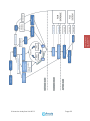
involved in making a measurement with Optim 1000. There is also a flowchart to
demonstrate the typical decisions taken by a user during the measurement process.
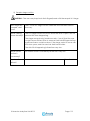
IMPORTANT - For safe operation of the instrument, the user is advised to follow
the instructions and guidelines given in this document.
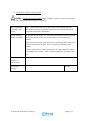
DANGER - The user should NOT remove any of the panels on the
instrument. With the instrument turned on and the side panels removed, there is a
significant risk of exposure to potentially harmful laser radiation, high voltage
electricity and hot surfaces.
The service engineers may need to remove these panels whilst operating the
instrument. They should assess the Risks associated with the Hazards, and take
appropriate action to reduce these Risks to an acceptable level.
A set of risk assessments for the user are provided in the appendix of this document.
© Avacta Analytical Ltd 2012
Page 25
CLIENT SOFTWARE
AND INSTRUMENT
HANDBOOK
Please note that the Optim Client software can only be supported on the PC
connected to the Optim 1000 and should not be installed or copied onto any other
computers.