1
2 Set Up the Machine
Specify the IP Address Settings
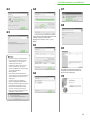
An IP address must be specified in order to enable communication between the machine and computer.
– It is recommended that the network administrator performs the following procedure.
– Before performing the following procedure, make sure that the machine is turned on and connected to a network.
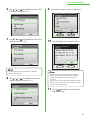
– This machine supports automatic IP addresses using DHCP, BOOTP and RARP protocols. If you use these protocols, select <Obtain
Automatically> at step 9 of the following procedure.
– This machine supports IPv6. (See “Network Settings,” in the e-Manual.)
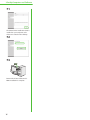
●
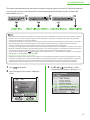
The display returns to the Standby mode:
●
The display turned OFF:
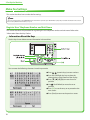
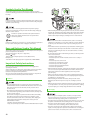
The machine may enter the Standby mode (Auto Clear function) while you are setting it up. Make the setting again from the main menu. The default setting is 2 minutes. To
change the settings, see “Introduction of the Machine” in the e-Manual.
The machine may enter the Sleep mode while you are performing setup. Press
To change the settings, see “Introduction of the Machine” in the e-Manual.
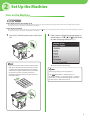
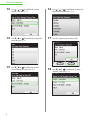
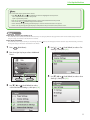
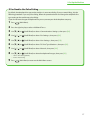
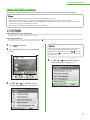
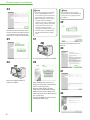
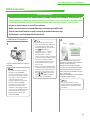
1 Press
(Main Menu).
2 Press the right Any key to select <Additional
Func.>.
(Power) to turn the display back ON and continue the setup. The default setting is 15 minutes.
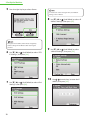
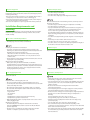
If the screen appears prompting you to enter the System
Manager ID and System Password, enter the System
Manager ID and System Password using
–
(numeric
keys), then press
(Log In/Out). For details, see “Security,”
in the e-Manual.
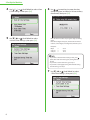
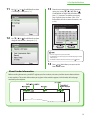
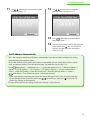
4 Use [▼], [▲] or
(Scroll Wheel) to select
<Network Settings>, then press [OK].
3 Use [▼], [▲] or
(Scroll Wheel) to select
<System Management Set.>, then press [OK].
19