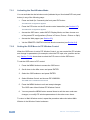
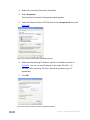
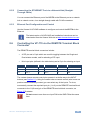
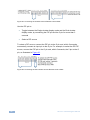
1
K R A ME R E LE CT R O N IC S L T D . USER MANUAL MODEL: VP-770 Presentation Switcher/Scaler P/N: 2900-300173 Rev 2 Contents 1 Introduction 1 2 2.1 2.2 2.3 3 3.1 3.2 3.3 3.4 Getting Started Achieving the Best Performance Safety Instructions Recycling Kramer Products Overview HDCP Compliance About the Power Connect™ Feature Using Twisted Pair Cable Defining the VP-770 Presentation Switcher/Scaler 2 2 2 3 4 6 6 7 7 4 Installing in a Rack 11 5 5.1 6 6.1 6.2 6.3 6.4 6.5 6.6 6.7 6.8 Connecting the VP-770 Wiring the TP LINE IN / LINE OUT RJ-45 Connectors The OSD Menu OSD Menu Operation Example The Input Menu The Audio Menu The Process Menu The Picture Menu The Enhance Menu The Scale Menu The Miscellaneous Menu 12 14 15 15 18 25 27 28 29 30 33 7 7.1 7.2 The Display Modes The Single Window Display Mode The Dual Window Display Mode 36 36 36 8 8.1 8.2 8.3 8.4 8.5 8.6 8.7 Controlling the VP-770 Controlling via the Front Panel Buttons Controlling via the OSD Menu Controlling via the VP-770 Web Pages Connecting to the VP-770 via RS-232 Connecting the VP-770 via the ETHERNET Port Controlling the VP-770 via the REMOTE Terminal Block Connector Controlling via the Infrared Remote Control Transmitter 41 41 42 42 43 43 45 47 9 Flash Memory Upgrade 49 10 10.1 10.2 10.3 11 11.1 11.2 11.3 Technical Specifications Default Communication Parameters Input Resolutions Output Resolutions The VP-770 RS-232 Communication Protocol The Protocol 3000 Common Operation Commands Audio/Video Communication Protocol Keystroke Codes 50 51 51 53 54 54 57 66 VP-770 – Contents i Figures Figure 1: VP-770 Presentation Switcher/Scaler Front Panel Figure 2: VP-770 Presentation Switcher/Scaler Rear Panel Figure 3: Connecting the VP-770 Presentation Switcher/Scaler Figure 4: TP PINOUT Figure 5: Input Menu Figure 6: Select the Display Mode Figure 7: changing the size of the Window Figure 8: Increasing the Width Figure 9: Increasing the Height Figure 10: Positioning the Window Figure 11: Window Customization Figure 12: H-Position Slide Bar Figure 13: Moving the PiP Window Figure 14: Audio Menu Figure 15: Set the Output Volume Level Figure 16: Process Menu Figure 17: Picture Menu Figure 18: Enhance Menu Figure 19: Scale Menu Figure 20: Misc Menu Figure 21: PC 1 superimposed over PC 1 Figure 22: Entering the IP Number in the Address Bar Figure 23: Local Area Connection Properties Window Figure 24: Internet Protocol (TCP/IP) Properties Window Figure 25: Connecting the Contact Closure Remote Control PINs Figure 26: Connecting the PIP Contact Closure Remote Control PINs Figure 27: Infrared Remote Control Transmitter ii 8 9 13 14 18 20 21 21 22 22 23 23 24 25 26 27 28 29 30 33 39 43 44 44 46 46 47 VP-770 - Contents 1 Introduction Welcome to Kramer Electronics! Since 1981, Kramer Electronics has been providing a world of unique, creative, and affordable solutions to the vast range of problems that confront video, audio, presentation, and broadcasting professionals on a daily basis. In recent years, we have redesigned and upgraded most of our line, making the best even better! Our 1,000-plus different models now appear in 11 groups that are clearly defined by function: GROUP 1: Distribution Amplifiers; GROUP 2: Switchers and Routers; GROUP 3: Control Systems; GROUP 4: Format/Standards Converters; GROUP 5: Range Extenders and Repeaters; GROUP 6: Specialty AV Products; GROUP 7: Scan Converters and Scalers; GROUP 8: Cables and Connectors; GROUP 9: Room Connectivity; GROUP 10: Accessories and Rack Adapters and GROUP 11: Sierra Video Products. Congratulations on purchasing your Kramer VP-770 Presentation Switcher/Scaler. This product, which incorporates HDMI™ technology, is ideal for: • Projection systems in conference rooms, boardrooms, auditoriums, hotels and churches, production studios, rental and staging • Any application where high quality conversion and switching of multiple and different video signals to graphical data signals is required for projection purposes VP-770 – Introduction 1 2 Getting Started We recommend that you: • Unpack the equipment carefully and save the original box and packaging materials for possible future shipment • i 2.1 Review the contents of this user manual Go to http://www.kramerelectronics.com to check for up-to-date user manuals, application programs, and to check if firmware upgrades are available (where appropriate). Achieving the Best Performance To achieve the best performance: • Use only good quality connection cables (we recommend Kramer highperformance, high-resolution cables) to avoid interference, deterioration in signal quality due to poor matching, and elevated noise levels (often associated with low quality cables) • Do not secure the cables in tight bundles or roll the slack into tight coils • Avoid interference from neighboring electrical appliances that may adversely influence signal quality • ! 2.2 This equipment is to be used only inside a building. It may only be connected to other equipment that is installed inside a building. Safety Instructions ! 2 Position your Kramer VP-770 away from moisture, excessive sunlight and dust Caution: There are no operator serviceable parts inside the unit Warning: You use only the power cord that is supplied with the unit. Do not open the unit. High voltages can cause electrical shock! Servicing by qualified personnel only. Warning: Disconnect the power and unplug the unit from the wall before installing VP-770 - Getting Started 2.3 Recycling Kramer Products 13B The Waste Electrical and Electronic Equipment (WEEE) Directive 2002/96/EC aims to reduce the amount of WEEE sent for disposal to landfill or incineration by requiring it to be collected and recycled. To comply with the WEEE Directive, Kramer Electronics has made arrangements with the European Advanced Recycling Network (EARN) and will cover any costs of treatment, recycling and recovery of waste Kramer Electronics branded equipment on arrival at the EARN facility. For details of Kramer’s recycling arrangements in your particular country go to our recycling pages at http://www.kramerelectronics.com/support/recycling/. VP-770 – Getting Started 3 3 Overview The Kramer VP-770 is a high quality presentation switcher and scaler. It accepts one of eight inputs: a component video on RCA connectors, a DisplayPort (DP) signal on a DisplayPort connector, two computer graphics signals on 15-pin HD connectors, two composite video signals on RCA connectors, and two HDMI signals on HDMI connectors. It scales the video, embeds the audio, and simultaneously outputs the signal to an HDMI output, to a computer graphics output and to a DGKat TP output, together with a digital audio output and an unbalanced stereo audio output. COMPONENT VIDEO is also known as Y, Pb, Pr, or Y, Cb, Cr or YUV; compatible with both SD and HD component The VP-770 Presentation Switcher / Scaler features: • K-Storm™ Scaling Technology - Kramer’s extremely high performance scaling technology. High-quality 3:2 and 2:2 pull down de-interlacing and full up and down scaling of computer graphics video input signals • State-of-the-art video processing technology, with the highest quality deinterlacing, noise reduction, and scaling performance for both standarddefinition and high-definition signals • K-IIT XL™ Picture-in-Picture Image Insertion Technology - Ultra stable picture−in−picture, picture−and−picture and split screen capability, or fully customizable windows’ size and position control: any source can be inserted into or positioned next to any other source and resized as desired • Ultra Fast Fade-Thru-Black (FTB™) Switching - Video switching transitions are clean and ultra-fast. The video fades to black and the new input fades from black for smooth, glitch-free switching. The output signal provides constant sync so the display never glitches • Advanced de-interlacing functions - including 3D comb filtering, film mode, diagonal correction and motion detection • Scaled Outputs - HDMI, computer graphics and a DGKat TP output simultaneously • Output Resolutions – HDTV and Computer Graphics up to 2K and 1080p/UXGA with selectable refresh rates 4 VP-770 - Overview • Multiple Aspect Ratio Selections – Follow input, follow output, best fit, letterbox, and user definable settings • Multi-Standard Video support - NTSC (3.58/4.43), PAL (M/N/60) and SECAM • Built-in Time Base Corrector - Stabilizes unstable video sources • Built-in Proc-Amp with enhanced functions such as color correction, gamma and dither • Input and output audio level adjustment • Digital (S/PDIF) and unbalanced stereo audio inputs and outputs, with microphone talkover or microphone mix • Built-in 2x10W power amplifier with speaker output connectors • Automatic detection and selection of the HDMI and DP embedded audio. The VP-770 automatically outputs the signal from the HDMI and DP embedded audio inputs or performs an analog takeover to output the respective analog audio input • Selectable Power Save modes for energy efficient usage • HDCP Compliant - The HDCP (High Definition Content Protection) license agreement allows copy-protected data on the HDMI input to pass only to the HDMI output In addition, the VP-770 Presentation Switcher / Scaler: • Includes luma keying via the PiP window • Includes advanced EDID management per input • Analyzes the EDID of a selectable Master connection to one of the outputs • Supports picture zooming both on main and PiP window from 100% to 1600%, including separate V and H sharpness control • Provides input and output colors pace control • Supports HDMI deep color for inputs and output • Features vertical keystone operation • Comes with an On-Screen Display (OSD) for easy setup and adjustment, accessible via the IR remote control and via the front-panel buttons VP-770 – Overview 5 • Has a non-volatile memory that retains the last settings used • Supports firmware upgrade via RS-232 and Ethernet Control your VP-770: • Directly, via the front panel push buttons • By RS-232 serial commands transmitted by a touch screen system, PC, or other serial controller • Remotely, from the infrared remote control transmitter • Via contact closure remote control switching • Via the Ethernet (optionally via the Web pages) The VP-770 is housed in a 19” 1U rack mountable enclosure, with rack “ears” included, and is fed from a 100-240 VAC universal switching power supply. 3.1 HDCP Compliance i If an HDMI signal is HDCP protected, it can only appear on HDMI and DGKat outputs that are connected to supported HDCP compliant displays. The VP-770 will not output a picture on a display that is not HDCP compliant as well as on the PC output; instead it will show a black screen. In the dual window display mode (see Section 7.2), even if only one of the inputs is HDCP protected, and is output to a non compliant display, it will affect the entire screen and turn it black. 3.2 About the Power Connect™ Feature The VP-770 can power the receiver on the DGKat output when the devices are within 90m (270ft) of each other. The Power Connect™ feature applies as long as the cable can carry power and the distance does not exceed 90m on standard TP cable. For longer distances, heavy gauge cable should be used (TP cable is still suitable for the video/audio transmission, but not for feeding the power at these distances). 6 VP-770 - Overview 3.3 Using Twisted Pair Cable 16B Kramer engineers have developed special twisted pair cables to best match our digital twisted pair products; the Kramer: BC-DGKat524 (CAT 5 24 AWG), the Kramer: BC-DGKat623 (CAT 6 23 AWG cable), and the Kramer: BC-DGKat7a23 (CAT 7a 23 AWG cable). These specially built cables significantly outperform regular CAT 5 / CAT 6 / CAT 7a cables. 3.4 Defining the VP-770 Presentation Switcher/Scaler 17B This section defines the VP-770. VP-770 – Overview 7 8 Figure 1: VP-770 Presentation Switcher/Scaler Front Panel # Feature 1 IR Receiver 2 IR LED 3 INPUT Selector Buttons Function Accepts IR remote commands Lights red when the unit accepts IR remote commands HDMI Press to select the HDMI input (from 1 to 2) PC Press to select the computer graphics input (from 1 to 2) 5 COMP. Press to select the component video input 6 CV Press to select the composite video input (from 1 to 2) 7 DP Press to select the Display Port input 4 8 PIP Button Toggles the dual window mode (Picture-in-Picture) function (see Section 7.2) 9 BLANK Button Press to toggle between a blank screen (blue or black screen) and the display 10 FREEZE Button 11 Navigation Buttons Press to freeze/unfreeze the output video image /- Button Press to move down the menu list (see Section 8.1.1) and to decrease numerical values. When not within the OSD menu mode, press to reduce the output volume 12 /MENU Button Press to access the OSD menu, exit the OSD menu and, when in the OSD menu, move to the previous level in the OSD screen (see Section 8.1.1) 13 /+ /VOLUME Button Press to move up the menu list values (see Section 8.1.1) and to increase numerical values. When not within the OSD menu mode, press to increase the output volume /ENTER Button Press to access sub-menu items and select from several settings (see Section 8.1.1) 14 VP-770 – Overview 15 RESET TO XGA/720P Button Press to reset the video resolution to XGA or 720p and change the deep color settings to Off on the output (see Section 6.7) 16 PANEL LOCK Button Press and hold for about 2 seconds to lock/unlock the front panel buttons Press and hold for about 2 seconds to toggle between reset to XGA and reset to 720p VP-770 – Overview Figure 2: VP-770 Presentation Switcher/Scaler Rear Panel # 17 18 Feature AUDIO IN Unbalanced Connectors Function HDMI 3.5mm Mini Jack Connect to an unbalanced audio source for audio takeover of the HDMI 1 and HDMI 2 embedded audio (see Section 6.3) PC 3.5mm Mini Jack Connect to the unbalanced audio of the computer graphics source (from 1 to 2) 19 DP 3.5mm Mini Jack Connect to the unbalanced audio source for analog audio takeover of the DisplayPort embedded audio (see Section 6.3) 20 CV (L, R) RCA Connect to the unbalanced stereo audio of the composite video source (from 1 to 2) 21 S/PDIF IN RCA Connect to the digital audio source of the component video (Y, Pb, Pr) 22 MIC IN 3.5mm Mini Jack Connect to a microphone 23 COND/DYN MIC DIP-switch Select between a condenser and a dynamic type microphone 24 S/PDIF OUT RCA Connector Connect to a digital audio acceptor 25 LINE OUT (L, R) Terminal Block Connector Connect to the L and R unbalanced stereo audio acceptor 26 REMOTE IR 3.5mm Mini Jack (opening) Covered by a cap. The 3.5mm connector at the end of the internal IR connection cable fits through this opening Connects to an external IR receiver unit for controlling the machine via an IR remote controller (instead of using the front panel IR receiver) Optional. Can be used instead of the front panel (built-in) IR receiver to remotely control the machine (only if the internal IR connection cable has been installed), see Section 8.7.1 27 ETHERNET RESET Button Press while turning power off and then on, to reset the Ethernet settings to their factory default state 28 SPKR Terminal Block Connector Connect to a balanced stereo audio acceptor (speakers) 29 VIDEO INPUT Connectors HDMI Connect to the HDMI source (from 1 to 2) PC 15-pin HD Connect to the computer graphics source (from 1 to 2) 30 9 31 Y RCA 32 PB RCA 33 PR RCA 34 CV RCA Connect to the composite video source (from 1 to 2) 35 DISPLAYPORT Connect to the DisplayPort source Connect all three connectors to the component video source 10 # 36 Feature Function PC 15-pin HD Connect to a computer graphics acceptor HDMI Connect to an HDMI acceptor DGKAT RJ-45 Connect to a DGKat receiver (for example, Kramer PT-572+) 38 VIDEO OUTPUT Connectors 39 RS-232 9-pin D-sub Port Connect to the PC or other serial controller 40 ETHERNET Connector Connects to the PC or other Controller through computer networking 41 REMOTE Terminal Block Connectors For remotely switching the inputs and PIP input via contact closure switches 42 Power Connector with Fuse AC connector, enabling power supply to the unit 43 POWER Switch Switch for turning the unit ON or OFF 37 VP-770 – Overview 4 Installing in a Rack This section provides instructions for rack mounting the unit. VP-770 - Installing in a Rack 11 5 Connecting the VP-770 ! Always switch off the power to each device before connecting it to your VP-770. After connecting your VP-770, connect its power and then switch on the power to each device. i You do not have to connect all the inputs and outputs, connect only those that are required. To connect the VP-770, as illustrated in the example in Figure 3, do the following: 1. Connect an HDMI source (for example, a DVD player) to the HDMI 1 IN VIDEO INPUT connector. Alternatively, you can connect the DVI connector on the DVD player to the HDMI connector on the VP-770 via a DVI-HDMI adapter. You can connect the audio signal via the AUDIO IN HDMI 3.5mm mini jack, or use the embedded audio 2. Connect a computer graphics source to the PC 1 IN VIDEO INPUT 15-pin HD connector. 3. Connect a component video source (for example, a component DVD player) to the COMP PR, PB and Y, VIDEO INPUT RCA connectors. 4. Connect a composite video source (for example, a composite video player) to the CV VIDEO INPUT RCA connector. 5. Connect a DisplayPort video source (for example, a computer graphics source) to the DISPLAYPORT connector. 6. Connect the audio input signals to the AUDIO IN connectors (3.5mm mini jack and RCA connectors), as required (not shown in Figure 3). 7. Connect the PC VIDEO OUTPUT 15-pin HD connector to a VGA acceptor (for example, an analog display). 8. Connect the HDMI VIDEO OUTPUT connector to an HDMI acceptor (for example, a plasma display). 9. Connect the DGKAT RJ-45 connector to a receiver (for example, the Kramer PT-572+). 12 VP-770 - Connecting the VP-770 10. Connect the SPKR Terminal Block connector to speakers (not shown in Figure 3). 11. If required, you can connect a PC and/or controller to the: RS-232 terminal block (see Section 8.4) Ethernet connector (see Section 8.5) 12. Connect the power cord (not shown in Figure 3). Figure 3: Connecting the VP-770 Presentation Switcher/Scaler VP-770 - Connecting the VP-770 13 5.1 Wiring the TP LINE IN / LINE OUT RJ-45 Connectors This section defines the TP pinout, using a straight pin-to-pin cable with RJ-45 connectors. i Note, that the cable Ground shielding must be connected / soldered to the connector shield. EIA /TIA 568B PIN 14 Figure 4: TP PINOUT Wire Color 1 Orange / White 2 Orange 3 Green / White 4 Blue 5 Blue / White 6 Green 7 Brown / White 8 Brown VP-770 - Connecting the VP-770 6 The OSD Menu The VP-770 OSD menu lets you set the operation parameters for the: • Main Window Control • PIP Window Control • Entire System Control The nature of the operation setup appears in the OSD title, as shown in the example in Section 6.1: • The title line shows the control mode (Main, PIP or Entire system) • Level 1 lists the main menu items • Level 2 includes the second hierarchy level, below level 1 • Level 3 includes the third hierarchy level, below level 2 • Function, is the selectable parameter or numerical value and can appear either under level 2 or 3 6.1 OSD Menu Operation Example In the example illustrated below, the Master Connection is set to DGKat (see Section 6.7). The table below shows function 632 (from the Protocol in Section 11.2.1): • 6 in the hundreds, represents “Scale” which is the 6th menu item in the main menu list • 3 in the tens, represents “Output” which is 3rd in the Scale menu • 2 in the units, represents “Master Connection” which is second in the Output menu Level 1 Level 2 Level 3 Level 4 (Function) Range Function Scale (6) Output (3) Master Connection (2) HDMI 0 632 DGKat 1 PC 2 SDI 3 VP-770 - The OSD Menu 15 The subtitle, below the title line shows the current level accessed (Scale in this example) After selecting Output (which is the second Level), it appears in the subtitle Once Master Connection is selected, the Title changes to “Entire System Control” indicating that the selection will affect the entire system. The subtitle shows the current, Level 3, selection and the menu list shows the function (DGKat) Note that SDI is not applicable to the VP-770 and appears transparent. If the transparency of the OSD menu is set to ON this menu item will become invisible (see Section 6.8) If the display layout includes a PiP window, you can set the OSD menu to control the main source window and the PIP window separately (by defining Window Control). General characteristics which apply to the entire system (for example, setting the volume) are changed without needing to shift control (the title line will state: Entire System Control). 16 VP-770 - The OSD Menu Note that: • A selected parameter that turns gray becomes valid immediately (there is no need to press Enter to save the changes) • Exiting the menu saves the parameter to the memory • Data is saved per window and per input (to a dedicated input + window memory), as applicable The control buttons let you control the VP-770 via the OSD menu. Press the: • MENU (or ) button to enter the menu, exit the menu, and when in the OSD menu, move to the previous level and change menu settings in the OSD screen. • ENTER (or ) button to access sub-menu items • Arrow buttons to move through the OSD menu • Up or down arrows to change settings (changes are immediate) i 6.1.1 Note that when exiting the menu, all the changes are automatically saved to the non-volatile memory. The default OSD timeout for auto exit is set to 30 seconds and can be changed (see Section 6.8). OSD Control Icons The following three icons: M, P, and E are included to indicate when functionality applies to the Main window, the PiP Window or the entire system: • M for Main Window Control • P for PiP window Control • E for Entire System Control VP-770 - The OSD Menu 17 6.2 The Input Menu Figure 5: Input Menu Setting Display Mode Function Select the display mode (see Figure 6): Single Window – single window mode operation with one channel displayed E Picture in Picture (PiP) – dual window mode operation, a smaller window superimposed over a full screen image (see Section 7.2) E Picture + Picture (PoP) – dual window mode operation, both images appear side-by-side and the aspect ratios of both images are maintained (see Section 7.2) E Split (SbS) – dual window mode operation, both images are placed side-byside with the same height (see Section 7.2) E When selecting a PiP configuration, set the Main window or the PiP window parameters via Misc -> OSD -> Window Control (see Section 6.8) Customized – Indicates that the image size is customized E After customizing the position and size of the main or PiP windows, the display mode can no longer be labeled as one of the first four categories above, and a new category “Customized” appears for indication purposes only. i Input Source Note that any change in the display mode and/or the output resolution cancels the zoom setting and window customization, and may cancel the freeze and blank settings as well. Select the input source: HDMI1, HDMI2, PC1, PC2, COMP, CV1, CV2 or DP M/P i Note that SDI is not applicable to the VP-770 and appears transparent in the OSD. The commands related to SDI in the OSD menu are therefore grayed out. If the transparency of the OSD menu is set to ON this menu item will become invisible (see Section 6.8) i 18 Note that any change in the input source may cancel the freeze and blank settings. VP-770 - The OSD Menu Setting Input Settings Function Set the: H Image Shift – to set the horizontal position of the image within the window M/P Volatile parameter V Image Shift – to set the vertical position of the image within the window M/P Volatile parameter Auto Positioning – to search the input image during the tuning process and automatically position it on the output window in a perfect fit. Set to Off to disable auto positioning Set to Normal Scan to perform a normal range image search Set to Wide Scan to perform a wide range image search M/P In the Normal/Wide Scan option, the machine automatically adjusts all the PC input video resolutions (PC 1 and PC 2). For the other inputs, the machine automatically adjusts all the input video resolutions except for HD/SD (CEA 861 standard) video resolutions HDCP Mode – to select the HDCP option for the HDMI input: either ON (the default) or OFF. Setting HDCP mode to Off on the HDMI input allows the source to transmit a non-HDCP signal if required (for example, when working with a Mac computer). EDID Select – to select the native resolution on each input to be read by the video source connected to that input: 1024x768@60, 1280x800@60, 1280x1024@60, 1366x768@60, 1440x900@60, 1400x1050@60, 1600x900@60, 1600x1200@60, 1680x1050@60, 1920x1200@60RB, 720p50, 720p60, 1080p50, 1080p60 (default), 2K50 or 2K60 i Note that when the EDID is set on the PC 1, PC 2 and DP inputs, the changes are per input and immediate. Setting the EDID on any one of the HDMI inputs affects that HDMI input immediately (the VP-770 automatically issues a hotplug) and will affect the other HDMI video source only after a hot-plug occurrence on that input. For example, if the EDID is selected for HDMI2 it will affect the HDMI2 input immediately; the HDMI1 EDID will take effect following a hot-plug. Color Space – to select the color space for the PC and HDMI inputs: RGB, YPbPr or Follow Input (default) Window Customization Select the position and the size of the selected window: H Position, H Width, V Position and V Height (see Section 6.2.1.2 and Section 6.2.1.1) M/P The value range is dynamic. The FW prevents windows from exceeding the boundaries or over-sizing. The position and size of the windows are saved to the system. The size and position of the customized window (main or PiP) remain valid even when toggling the PIP button (front panel, remote control transmitter or protocol command). The customized setup is cancelled only by explicitly selecting a preset Display Mode (see first item in this table) or if a new customized setup is created. Use the front panel + and – buttons, IR remote control transmitter or Web page to set the position and height of the Main and/or PiP windows i VP-770 - The OSD Menu The PiP window maximum horizontal active image area is 1600 pixels 19 The display mode setup, shown in Figure 6, is part of the entire system control and the selected Single Window also shows the current aspect ratio (Best Fit): Figure 6: Select the Display Mode 6.2.1 Window Customization Window customization lets you change the position and size of a selected window. Make sure that you have control over the window that requires customization (Main Window Control or PiP Window Control). If not, select it via the OSD item in the Miscellaneous menu, see Section 6.8. Note that if the VP-770 is set to the single window display mode, only the Main Window control applies. If the VP-770 is set to any of the dual window display modes, you have to select Main/PiP window control to move and/or resize the selected window. In the following examples, PiP Window Control is selected, but the same procedure applies to Main Window Control. 6.2.1.1 Changing the Size of the Main and/or PiP Window Use the H Width and V Height to change the size of the window using the + and – buttons on the front panel or remote control transmitter (as illustrated in Figure 7). 20 VP-770 - The OSD Menu Figure 7: changing the size of the Window To change the size of the window, do the following: 1. Check that window control is set as required (for example, PiP Window Control). 2. Select Window Customization (see Figure 11). 3. Select H width (an OSD slide bar appears) and press + to increase the width, or – to decrease the width, see Figure 8. The following example shows how to decrease the width of the window Figure 8: Increasing the Width 4. Select V Height (an OSD slide bar appears) and press + to increase the height, or – to decrease the height, see Figure 9. VP-770 - The OSD Menu 21 Figure 9: Increasing the Height 6.2.1.2 Moving the Position of the Main and/or PiP Window Use the H Position and V Position items in the OSD to change the position of the window using the + and – buttons on the front panel or remote control transmitter (as illustrated in Figure 10). Figure 10: Positioning the Window To move the position of the window, do the following: 1. Check that window control is set as required (for example, PiP Window Control). 22 VP-770 - The OSD Menu 2. Select Window Customization. The following Window appears: Figure 11: Window Customization 3. To move the picture to the right, select H Position. An OSD slide bar appears: Figure 12: H-Position Slide Bar 4. Press the +/- buttons to move the PiP window horizontally. Use the V Position menu item in the same way to move the PiP vertically, see Figure 13. VP-770 - The OSD Menu 23 Figure 13: Moving the PiP Window i 24 Note that the sequence in which you change the size and position of the window is insignificant, as long as you make sure that the resized image does not go beyond the window boundaries. VP-770 - The OSD Menu 6.3 The Audio Menu Figure 14: Audio Menu Setting Function Volume Set the volume level [dB], see Figure 15 E. Set the: Input Volume [dB] – to adjust the audio input level Output Volume [dB] – to adjust the audio output level The output audio level can also be set via the + and – buttons on the front panel buttons (when not in the OSD mode) and/or the IR remote control transmitter buttons (see Section 8.7) Mic Volume [dB] – to adjust the Microphone audio level Balance Set the balance [ratio] E Treble Set the treble [dB] E Bass Set the bass level [dB] E Mic Effects Set the: Mic Talkover Depth [%] – to determine the decrease of the audio level during microphone takeover (press + to further decrease the talkover audio output level; press – to lessen the talkover output audio decrease level) E Mic Talkover Trigger [dB] – to determine the microphone threshold level that triggers the audio output-level decrease E Mic Mix [dB] –set to 1 to enable the Talkover mode or set to any other value to decrease the Mic volume without changing the Line out volume level. In the Mix mode, set the Line Mix [dB] – to decrease of the line out volume level without changing the Mic volume level The microphone input can be output along with the audio output in the Talkover (default) mode or the Mix mode, separately or together. In the Talkover mode (Mic Mix is set to 1), the audio output volume level decreases when the microphone is used and it returns back to its original set level when the microphone input is inactive. In the Mix mode, the microphone input is mixed with the audio output at a set level. You can also set the Line Mix separately. VP-770 - The OSD Menu 25 Setting Embedded Function Set: Pass-through – to On to pass the digital audio input directly to the output without any processing or set to Off to process the digital audio input E i Note that this feature is disabled for the non-embedded audio inputs (PC, CV, YUV). In case the audio signal is encrypted or compressed, we recommend that you set Pass-through to On although it might not have the capacity to transmit the audio without loss. Analog Takeover – to On for the analog inputs of the HDMI and DP inputs to take over the embedded inputs; select Off to use the embedded inputs E. Analog takeover is available only if an unbalanced audio signal is connected (via the 3.5mm connecter). The embedded audio is disabled as long as the 3.5mm cable is connected to the 3.5mm mini jack Delay Set: Lip Sync delay value [msec] E Mic Delay value [msec] E Power Amplifier Set the power amplifier (SPKR) level to Off or to levels 1 to 4 E SDI Channeling This submenu item is specific for the power amplifier, on top of the general volume level i i Note that if the power amplifier overheats, a warning appears on the screen requesting to reduce the power level or volume. If overheating persists, a shutdown warning appears and the power amplifier shuts down for 30 seconds and then turns on again Note that SDI is not applicable to the VP-770 and appears transparent in the OSD. The commands related to SDI in the OSD menu are therefore grayed out. If the transparency of the OSD menu is set to ON this menu item will become invisible (see Section 6.8) Figure 15: Set the Output Volume Level 26 VP-770 - The OSD Menu 6.4 The Process Menu i The Process menu functions are available for interlaced video processing only and not for progressive scan. Figure 16: Process Menu Setting Deinterlacing Function Set the deinterlacing method to: Line Doubler – reduces the flicker and improves the quality of the image to some extent M/P Line doubler takes an interlaced scan, doubles the lines. The additional lines provide a better quality image and a brighter output Motion adaptive – to produce a brighter, smoother and higher resolution image (default) M/P Set the deinterlacing (per window) sync to: Current Field – for a long delay M/P Older Field – for a short delay M/P When selecting Older Field, diagonal correction is disabled Film Mode Set to: Off – for no pull-down M/P Follow Input – to automatically identify the required pull-down (2:2 or 3:2 pull-down) M/P 24PsF – to force 24PsF pull-down M/P Diagonal Correction Set the level of diagonal interpolation from 0 to 3. When set to the lower level, the diagonal image does not appear smooth M/P MD Sensitivity Set (from Level 1 to Level 5) M/P Select the motion detection sensitivity for filtering of interlaced images. Set a high value for video where there is generally a large amount of motion, or a low value for little motion VP-770 - The OSD Menu 27 6.5 The Picture Menu Figure 17: Picture Menu Setting Function Brightness Set the brightness level M/P Contrast Set the contrast level M/P Color Set the color level M/P Color Correction Set the blue, green and flesh color levels from 0 to 4 M/P Black Level Set the black level M/P Gamma Mode Set the gamma correction factor to Off, 0.4, 0.8, 1.2, 1.6, 2.0, 2.4 or 2.8 E The higher the value, the darker the image Dither Set the error diffusion E: Mode0: Disable error diffusion Mode1: In-frame 8:6 conversion Mode2: Intra-frame 8:6 conversion Mode3: In-frame 10:8 conversion Mode4: Intra-frame 10:8 conversion Mode5: In-frame 12:10 conversion Mode6: Intra-frame 12:10 conversion Auto Adjust Set the image color (back to its default values) and position per window (centers it correctly on the screen) M/P See Auto Positioning menu item in Section 6.8 Note that Auto Adjust is disabled when in the Freeze state 28 VP-770 - The OSD Menu 6.6 The Enhance Menu Figure 18: Enhance Menu Setting H Sharpness Function Select the horizontal sharpness level M/P V Sharpness Select the vertical sharpness level M/P Noise Reduction Set the input noise reduction levels: Mosquito NR – the higher the level, the stronger the filtering of the image M/P Combing NR – set to improve the quality of the subtitles M/P Temporal NR – the higher the level, the stronger the filtering of the image. Useful when the noise is visible to the eye M/P Block NR – as the level is set higher, the block noise is reduced and the image appears softer M/P i VP-770 - The OSD Menu Input noise reduction (except for Temporal NR) is enabled for interlaced video processing only and is inactive in the progressive scan. 29 6.7 The Scale Menu Figure 19: Scale Menu Setting Aspect Ratio Function Set (see Section 6.7.1) to: Follow Input – If the input ≤ output, display with a blank border. input > output is denied and the aspect ratio automatically changes to Follow Output M Follow Output – If the input ≤ output, scale up the picture. If the input ≥ output, scale down the picture M Best Fit – the best possible compromise between the input and the output aspect ratios M Letterbox – to compress the top and bottom edges of the input signal, but fill the width of the screen M Applies to the Single Window display mode only Overscan Set the overscan (per window) to Off, 5% or 10% M/P Output Set the: Output Resolution – to Native, 640x480@60, 640x480@75, 800x600@50, 800x600@60, 800x600@75, 1024x768@50, 1024x768@60, 1024x768@75, 1280x768@50, 1280x768@60, 1280x800@60, 1280x1024@50, 1280x1024@60, 1280x1024@75, 1360x768@60,1366x768@50, 1366x768@60, 1400x1050@50, 1400x1050@60, 1600x900@60, 1600x1200@50, 1600x1200@60, 1680x1050@60,1920x1200@60, 480i60, 480p60, 576i50, 576p50, 720p50, 720p59.94, 720p60, 1080p23.976, 1080p24, 1080p25, 1080p29.97, 1080p30, 1080p50, 1080p59.94, 1080p60, 2K50 or 2K60 E i Note that any change in the output resolution will cancel the zoom setting and window customization, and may cancel the freeze and blank settings as well Master Connection – to HDMI, DGKat or PC to determine the machine’s behavior (see Section 6.7.2) E If the native resolution is not supported by the selected Master Connection, the system searches for the best supported resolution. If the search fails (for example, if the master connection is disconnected or EDID is unreadable), the fallback resolution will be set to XGA. SDI is not applicable and appears transparent. If the transparency of the OSD menu is set to ON this menu item will become invisible (see Section 6.8) Deep Color – to Off (the default) for 8bit color depth or to Follow Output for applying deep color automatically on the HDMI/DGKat output if supported by the display 30 VP-770 - The OSD Menu Setting Output continued Function Note that Follow Output sets the Deep Color of the HDMI and the DGKat outputs independently, according to the screen connected to each output i A change in the Deep Color setting will take effect after there is a hot plug on the HDMI/DGKat output or if the user selects a new output resolution. Color Space – to RGB, YPbPr422 or YPbPr444 Zoom Position Set H Position and V Position, the horizontal and vertical zoom positions respectively, to zoom into certain areas of the image M/P Lets you “move” the zoom area (same as scanning an area with a magnifying glass) Zoom Set the zoom M/P Zooms into the center of the display. When zooming in the Freeze state, in case the input resolution is larger than the output resolution, the image may be cut-off or change its position. This can be fixed via Zoom Position (above). i 6.7.1 Note that any change in the display mode, the input source and/or the output resolution will cancel the zoom setting. Selecting the Correct Aspect Ratio You can configure the aspect ratio of any output image to fit your application. The VP-770 offers four different aspect ratio settings: Follow Input, Follow Output, Best Fit and Letterbox. Here is how each of these settings works. FOLLOW INPUT – The aspect ratio and resolution of the input video or graphics signal are both preserved (no scaling). For example, a composite video image with a 4:3 aspect ratio will appear with the same aspect ratio on a 1080p (16:9) output image, surrounded by black bars FOLLOW OUTPUT – The aspect ratio and resolution of the input signal is re-sized to precisely match the aspect ratio and resolution of the VP-770 output signal. This may result in some distortion to the input signal images BEST FIT – This setting re-sizes the video or graphics input signal to “best fit” the output resolution while maintaining the aspect ratio of the input signal. For example, a composite video signal (4:3 aspect ratio) will “best fit” to the top and bottom of a widescreen output image, resulting in black pillars on either side. LETTERBOX – This setting compresses the top and bottom edges of the input signal, but fills the width of the screen. VP-770 - The OSD Menu 31 6.7.2 Master Connection Settings The Master Connection (HDMI, DGKat or PC) is usually set to the main output display so that the optimal resolution for that display can be obtained. By setting the output resolution to Native, the VP-770 is triggered to read the EDID of the main display and change the output resolution value according to the native resolution of the display. Note that when the output resolution is set to Native: • If HDMI/DGKat is selected as the Master Connection, and a new display is connected to the Master Connection output (hot plug), the VP-770 automatically reads the EDID of that display and updates the output resolution accordingly • If it is not supported by the selected Master Connection, the system searches for the best supported resolution. If the search fails (for example, if the master connection is disconnected or EDID is unreadable), the fallback resolution will be set to XGA 32 VP-770 - The OSD Menu 6.8 The Miscellaneous Menu Figure 20: Misc Menu Setting Information Function Displays the input resolution and frequency, the output resolution and firmware versions E If the selected output is the native output resolution, it will be displayed under "Native Output:"; in case of an explicit output resolution the title will be "Output:" If the stream is encrypted, an HDCP icon appears next to the input information OSD Set: Window Control – to Main Window Control to set the OSD menu to control the Main window (letting you select the input and other parameters for the main window) or to PiP Window Control to control the PiP window (letting you select the input and other parameters for the PiP window) E H Position – to set the horizontal position of the OSD E V Position – to set the vertical position of the OSD E Transparency – to set the transparency to On or Off E Transparency Gain – to set the transparency level (once set to transparent) E Transparency Bias – to set the transparency level E Blink – to On for the selected item in the OSD to blink, or Off E Blink Period – to determine the blinking rate E Timeout – to 30 seconds before OSD timeout, 60 seconds before OSD timeout or OFF (Off means that that the OSD appears continuously) E Advanced Set: V Keystone – to set the vertical keystone level E Useful if the projector is located at an angle above or below the screen. In the OSD menu the value range shows -80 to 80. This feature is disabled on interlaced input Auto Sync Off – to turn the auto sync On/Off. When ON, 2 minutes after not detecting a valid video signal on the selected input (or both inputs in the dual window mode), the unit will disable the syncs and the audio on all the outputs, until a valid input is again detected or any keypad button is pressed to activate the machine (once restored, the buttons return to their normal function) E VP-770 - The OSD Menu 33 Setting Advanced continued Function i When using the VP-770 for audio only, we recommend that you turn this feature off Luma Keying – to set the transparency level of the PIP window (see Section 6.8.1) E Volatile parameter; screen may flicker Pause Set: Freeze – to ON to freeze the window (freezing the main window will also mute the audio output) M/P Blank – to ON to display a blank window (blanking the main window will also mute the audio output) M/P i Note that any change in the display mode, the input source and/or the output resolution may cancel the freeze and blank settings. Mute – to ON to mute the audio output E A mute icon appears on screen Disable Output – to turn the sync and audio On/Off. When ON, the unit will disable the syncs and mute the audio output until any keypad button is pressed E Once Disable Output is enabled, a countdown appears, letting you cancel the process and revert to the previous state Protocol Test Pattern Set the communication protocol to P3K or Legacy (see Section 11) E i When setting the Protocol to Legacy, some PC applications (for example, K-Upload) as well as the Web pages may not function properly. Set the Test pattern to Slide Bar (non-HDCP), Color Bar (HDCP) or Off. Each test pattern includes a sinusoid audio signal at 10dB @1kHz. We recommend that you set the Display Mode to Single Window (see Section 6.2) and set the Output Resolution to 1080p (see Section 6.7). Note that the Color Bar test pattern changes the OSD menu coloring and the following message appears on the display: “Ignore OSD Coloring” Factory Reset 34 Reset to factory default values (see Section 10.1) E Once Factory Reset is enabled, a countdown appears, letting you cancel the process and revert to the previous state VP-770 - The OSD Menu 6.8.1 The Luma Keying Feature The luma keying feature lets you display the PiP window (the key image) as semitransparent over the main window. This feature can be used to have the PiP window display a static or dynamic logo, for example, which will appear on a transparent background. To apply the luma keying feature, first set the PiP window to the desired size and location and then turn luma keying On. The PiP image will show without its background. The lower the luminance in the PIP window, the more transparent it becomes, thus letting the main window image show. The higher the luminance, the less transparent it becomes, not letting the main window show through. To use this feature we recommend that you set the PIP image as follows: use low-luminance colors for the background (the key image portion) and high-luminance colors for the logo. i For certain displays, the screen may flicker once for about a second after adding or changing the luma keying setting. Since luma keying is a volatile parameter, it may reset unexpectedly following a change in the setup. So we recommend that you activate it after completing the setup. When the luma keying feature is On, any change in the setup (either by the user or by resetting due to a setup change) may cause the screen to flicker once. The luma keying will recover automatically after resetting. VP-770 - The OSD Menu 35 7 The Display Modes The VP-770 can function in the single window display mode (the factory default setup) or the dual window display mode. 7.1 The Single Window Display Mode The single window mode shows one window on the screen. The window size can be customized, and its parameters modified via the OSD menu. 7.1.1 Activating the Single window Mode Set the VP-770 to the single window display mode in any of the following ways: • Press and hold (for 3 seconds) the illuminated front panel PIP button until the button no longer illuminates • Access the OSD menu, select INPUT>Display Mode, and then choose Single Window 7.2 • Access the Web pages (see Section 8.3) • Press the PIP window on the remote control transmitter (see Section 8.7) • Via the REMOTE CONTROL terminal block connectors (see Section 8.6) The Dual Window Display Mode The VP-770 dual window mode feature lets you show two images on one screen: the main window and the PiP window. For example, you can show a live video window on top of a graphic background, or show two images on screen of the same input channel. The PiP window appears even if no input signals are connected. In this case the PiP window appears in dark gray and the main window appears in light gray. The dual window mode appears in the following preset PiP configurations: 36 VP-770 - The Display Modes Picture-in-Picture, with a smaller PiP window superimposed over a full main window image Picture + Picture, where both images appear side-by-side and the aspect ratios of both images are maintained Split, where both images are placed side-by-side with the same height The window customization feature (see Section 6.2) lets you customize the dual window mode layout (main window and PiP window) to any size and position. i You can superimpose any input type over any or the same input. i If the HDMI signal is HDCP protected, it can appear on HDMI and DGKat outputs that are connected to supported HDCP compliant displays. However, it cannot appear on a display that is not HDCP compliant and the VP-770 will not output a picture on the VGA output. VP-770 - The Display Modes 37 7.2.1 Activating the Dual Window Mode You can activate the dual window mode (indicated by an illuminated PIP front panel button) in any of the following ways: • Press and hold (for 3 seconds) the front panel PIP button The latest PiP configuration appears • Press the PIP button on the IR remote control transmitter (see Section 8.7) The latest PiP configuration appears • Access the OSD menu, select INPUT>Display Mode, and then choose one of the preset PiP configurations (Picture in Picture, Picture + Picture or Split) 7.2.2 • Access the Web pages (see Section 8.3) • Via the REMOTE CONTROL terminal block connectors (see Section 8.6) Setting the OSD Menu to PiP Window Control When the OSD menu is set to PiP Window Control, you can control the PiP window and change its parameters (for example, select the PiP input, size, position and so on). Section 7.2.3.4 shows how to select the PiP source via the OSD menu. To set the OSD menu to PiP control: 1. Press the MENU button to access the OSD menu. 2. Scroll down to the Misc menu and press ENTER. 3. Select the OSD submenu and press ENTER. 4. Select Window Control and choose PIP WINDOW. The OSD menu controls the PiP source 5. Press the MENU button to exit and accept changes. The OSD menu title will show PiP Window Control. 6. You can press the MENU button several times to exit the menu and save changes, or modify PiP window parameters via the other menu items. To return to Main Window control, repeat the procedure above but select Main Window in the Window Control submenu. 38 VP-770 - The Display Modes 7.2.3 Selecting the PIP Source To select a PiP source you have to set the VP-770 to any of the PiP display mode configurations and then select the desired input. 7.2.3.1 Selecting the PiP Source via the Front Panel Buttons Press and hold the PIP front panel button while pressing the input button of the required PiP source. For example, to select CV 1 as the PiP source over DP as the main source, press the PIP front panel button while pressing the CV 1 front panel button. In this example, the DP button is illuminated and the CV 1 button blinks When selecting, for example, PC 1 to be both in the background and as the PiP source (see Figure 21), press the PC 1 input button while the PIP button is not selected (the button is illuminated) and then press the PIP button to enter the PiP mode. Press and hold the PIP button while pressing the PC 1 input button. In this example, the PC1 is illuminated first and then blinks after selecting it again as the PiP source Figure 21: PC 1 superimposed over PC 1 7.2.3.2 Selecting the PiP Source via the IR Remote Control Transmitter Press the PIP button on the IR transmitter (the PIP front panel button is illuminated). Press the desired PiP source button on the IR transmitter (see Section 8.7). 7.2.3.3 Selecting the PiP Source via the REMOTE Terminal Block Connector See Section 8.6. VP-770 - The Display Modes 39 7.2.3.4 Selecting the PiP Source via the OSD Menu i You can select an input source only after you set the display mode to one of the PiP configurations (see Section 7.2.1). To set the PiP source via the OSD menu, do the following: 1. Press the MENU button to access the OSD menu. 2. Scroll through the menu, and for window specific submenus check the menu title: If PiP Window Control appears, continue to step 7 If not, continue to the next step 3. Press the button to move to the Misc menu and press ENTER. 4. Select the OSD submenu and press ENTER. 5. Select Window Control and choose PiP Window Control. The OSD menu controls the PIP source 6. Press the MENU button a number of times to return to the main OSD menu (and accept changes). 7. Scroll to the Input menu and press ENTER. 8. Select Input Source and press ENTER. 9. Choose the input for the PiP window. 10. Press the MENU a few times until you exit the OSD menu (changes are saved upon exit). 40 VP-770 - The Display Modes 8 Controlling the VP-770 The VP-770 can be controlled via: 8.1 • The front panel buttons (see Section 8.1) • The OSD menu (see Section 8.2) • The Web pages (see Section 8.3) • Remote control contact closure (see Section 8.6) • The infrared remote control transmitter (see Section 8.7) Controlling via the Front Panel Buttons The VP-770 includes the following front panel buttons: • Input selector buttons for selecting the required input: HDMI (1 and 2), PC (1 and 2), COMP, CV (1 and 2) and DP (see Section 8.1.1) • PIP, BLANK and FREEZE buttons (note, these buttons illuminate when selected) 8.1.1 • MENU (left arrow), ENTER (right arrow), and up, down, arrow buttons • Output volume up and down buttons (when not in the OSD mode) • RESET TO XGA/720p and PANEL LOCK buttons Using the INPUT Front Panel buttons When selected, an INPUT front panel button behaves as follows: Selecting the: Causes the button to: Main input button Illuminate continuously PiP input button Blink (the light On period is shorter than the light Off period) Same Main input button and PiP button Blink (the light On period is longer than the light Off period) i If you want to adjust the image of a selected input in a window, press that input button again (up to 3 times) for fast tuning. Pressing that input button for the fourth time initiates full tuning of the window. VP-770 - Controlling the VP-770 41 8.2 Controlling via the OSD Menu You can change PiP Window parameters, main window parameters and entire system parameters via the OSD menu, as described in Section 6.8. 8.3 Controlling via the VP-770 Web Pages You can remotely operate the VP-770 using a Web browser via the Ethernet connection (see Section 8.5). To be able to do so, you must use a supported Web browser: For Windows 7: • Chrome version 25 • Firefox version • 15 Opera version • Internet Explorer version 9 For Microsoft version 6 and higher: Chrome or Firefox (version 3.0 and higher) • For Mac 8.3.1 • Chrome version 25 • Firefox version 20 • Opera version 12.14 • Safari 6 Connecting to the VP-770 via your Browser i Note that if the Protocol is set to Legacy (via the Miscellaneous menu, see Section 6.8), the Web pages may not function properly. Make sure that your PC is connected via a network to the VP-770 and do the following: 1. Open your Internet browser. 42 VP-770 - Controlling the VP-770 2. Enter the unit’s IP number or name in the Address bar of your browser. If you are using DHCP, you have to enter the name. The default IP number is 192.168.1.39, and may be changed by the system integrator Figure 22: Entering the IP Number in the Address Bar You can now control the machine via the Web page. 8.4 Connecting to the VP-770 via RS-232 You can connect to the VP-770 via an RS-232 connection using, for example, a PC. Note that a null-modem adapter/connection is not required. To connect to the VP-770 via RS-232, connect the RS-232 9-pin D-sub rear panel port on the VP-770 unit via a 9-wire straight cable (only pin 2 to pin 2, pin 3 to pin 3, and pin 5 to pin 5 need to be connected) to the RS-232 9-pin D-sub port on your PC. 8.5 Connecting the VP-770 via the ETHERNET Port You can connect the VP-770 via the Ethernet, using a crossover cable (see Section 8.5.1) for direct connection to the PC or a straight through cable (see Section 8.5.2) for connection via a network hub or network router. 8.5.1 Connecting the ETHERNET Port directly to a PC (Crossover Cable) You can connect the Ethernet port of the VP-770 to the Ethernet port on your PC, via a crossover cable with RJ-45 connectors. i This type of connection is recommended for identification of the factory default IP Address of the VP-770 during the initial configuration. After connecting the Ethernet port, configure your PC as follows: 1. Right-click the My Network Places icon on your desktop. 2. Select Properties. VP-770 - Controlling the VP-770 43 3. Right-click Local Area Connection Properties. 4. Select Properties. The Local Area Connection Properties window appears. 5. Select the Internet Protocol (TCP/IP) and click the Properties Button (see Figure 23). Figure 23: Local Area Connection Properties Window 6. Select Use the following IP Address, and fill in the details as shown in Figure 24. You can use any IP address in the range 192.168.1.1 to 192.168.1.255 (excluding 192.168.1.39) that is provided by your IT department. 7. Click OK. Figure 24: Internet Protocol (TCP/IP) Properties Window 44 VP-770 - Controlling the VP-770 8.5.2 Connecting the ETHERNET Port via a Network Hub (StraightThrough Cable) You can connect the Ethernet port of the VP-770 to the Ethernet port on a network hub or network router, via a straight-through cable with RJ-45 connectors. 8.5.3 Ethernet Port Configuration and Control Use the Kramer K-UPLOAD software to configure and control the VP-770 via the Ethernet. i 8.6 The latest version of K-UPLOAD and installation instructions can be downloaded from the Kramer Web site at www.kramerelectronics.com Controlling the VP-770 via the REMOTE Terminal Block Connector The REMOTE terminal block connectors include: • A PIP pin and a G pin which are used for toggling between the Single and Dual window modes, and for selecting a PiP input • Nine input pins (defined in the table below) and a G pin for selecting an input Input Source PIN# Input Source 1 PIN# HDMI 1 4 PC 2 7 PIN# CV 2 Input Source 2 HDMI 2 5 COMP. 8 DP 3 PC 1 6 CV 1 9 N/A The contact closure remote control pins operate in a similar way to the INPUT buttons (see Section 8.1). Using the contact closure remote control (also known as push-to-make momentary contact) you can select any of the inputs. To do so, momentarily connect the required input pin (1 to 8) on the REMOTE terminal block connector to the G (Ground) pin of the REMOTE terminal block connector, as Figure 25 illustrates. ! Do not connect more than one input PIN to the GND PIN at the same time. VP-770 - Controlling the VP-770 45 Figure 25: Connecting the Contact Closure Remote Control PINs Use the PIP pin to: • Toggle between the Single window display mode and the Dual window display mode, by connecting the PIP pin and the G pin for more than 3 seconds • Select a PIP source To select a PIP source, connect the PIP pin to the G pin and, within 3 seconds, momentarily connect an input pin to the G pin. For example, to select the DP PIP source, connect the PIP pin to the G pin and, within 3 seconds, the 5 pin to the G pin, as illustrated in Figure 26. Figure 26: Connecting the PIP Contact Closure Remote Control PINs 46 VP-770 - Controlling the VP-770 8.7 Controlling via the Infrared Remote Control Transmitter i This IR remote control transmitter is compatible with various Kramer machines, therefore not all its buttons are applicable to the VP-770. The table below defines only the buttons that are relevant to the VP-770; the functionality of the other buttons is marked N/A. Keys Function Toggle the power save mode ON or OFF PIP Enter the dual window mode (the latest setting), see Section 7.2 BLANK Toggle between a blank screen, black screen and the display (for both windows) FREEZE Freeze/unfreeze the output video image (for both windows) MAIN Source Inputs POWER HDMI1 Select the HDMI 1 input HDMI2 Select the HDMI 2 input DP Select the DisplayPort input PC1 Select the UXGA 1 input PC2 Select the UXGA 2 input SDI N/A CV1 Select the composite video 1 input CV2 Select the composite video 2 input YPbPr Select the component video input Press ENTER to access the menu levels (right arrow) Use the up and down arrows to adjust the numerical values and to adjust the output volume level (when not within the OSD) Enter/Exit the OSD menu and return to the previous menu level MUTE Toggle between muting (blocking out the sound) and enabling the audio output PIP Source Inputs MENU HDMI1 Select the HDMI1 input HDMI2 Select the HDMI2 input DP Select the DisplayPort input PC1 Select the UXGA 1 input PC2 Select the UXGA 2 input SDI N/A CV1 Select the composite video 1 input CV2 Select the composite video 2 input YPbPr Figure 27: Infrared Remote Control Transmitter VP-770 - Controlling the VP-770 Select the component video input LOCK Lock the front panel buttons RESET to XGA/720P Press and hold to reset to the default resolution (toggles between RESET TO XGA and 720p) 47 8.7.1 Using the IR Transmitter You can use the IR transmitter to control the machine via the built-in IR receiver on the front panel or, instead, via an optional external IR receiver (Model: C-A35M/IRR-50). The external IR receiver can be located up to 15 meters away from the machine. This distance can be extended to up to 60 meters when used with three extension cables (Model: C-A35M/A35F-50). Before using the external IR receiver, be sure to arrange for your Kramer dealer to insert the internal IR connection cable (P/N: 505-70434010-S) with the 3.5mm connector that fits into the REMOTE IR opening on the rear panel. Connect the external IR receiver to the REMOTE IR 3.5mm connector. 48 VP-770 - Controlling the VP-770 9 Flash Memory Upgrade You can upgrade the VP-770 via the Kramer K-UPLOAD software. Three types of upgrade files are available for upgrade: video core, peripherals and audio/graphics. i The latest firmware version, the Flash Memory Upgrade user guide, as well as the latest version of K-UPLOAD and installation instructions can be downloaded from the Kramer Web site at www.kramerelectronics.com Note that if the Protocol is set to Legacy (via the Miscellaneous menu, see Section 6.8), some PC applications (for example, K-Upload) may not function properly. VP-770 - Flash Memory Upgrade 49 10 Technical Specifications INPUTS: 2 HDMI (deep color) connectors 2 VGA on 15-pin HD connectors 1 component video on 3 RCA connectors 2 composite video on RCA connectors 1 DisplayPort connector 2 HDMI, 2 VGA, 1 DP, 2 CV unbalanced stereo audio on 3.5mm mini jack connectors 1 S/PDIF (for component video input) digital audio on an RCA connector 1 Mic on a 3.5mm mini jack connector OUTPUTS: 1 VGA on a 15-pin HD connector 1 HDMI (deep color)connector 1 DGKat on an RJ-45 connector 1 S/PDIF digital audio on an RCA connector 1 unbalanced stereo audio on a 3-pin terminal block connector 1 2x10W speaker amplifier balanced stereo audio on terminal block connectors COMPLIANCE WITH HDMI STANDARD: Supports HDMI (deep color) and HDCP Supports: DisplayPort 1.1a OUTPUT RESOLUTIONS: 640x480@60, 640x480@75, 800x600@50, 800x600@60, 800x600@75, 1024x768@50, 1024x768@60, 1024x768@75, 1280x768@50, 1280x768@60, 1280x800@60, 1280x1024@50, 1280x1024@60, 1280x1024@75, 1360x768p60, 1366x768@50, 1366x768@60, 1400x1050@50, 1400x1050@60, 1600x900@60, 1600x1200@50, 1600x1200@60, 1680x1050@60, 1920x1200@60, 480i60, 480p60, 576i50, 576p50, 720p50, 720p59.94, 720p60, 1080p23.976, 1080p24, 1080p25, 1080p29.97, 1080p30, 1080p50, 1080p59.94, 1080p60, 2048x1080@60Hz, 2048x1080@50Hz CONTROLS: Front panel buttons, OSD, IR remote control, RS-232 on a 9-pin D-sub connector, Ethernet, contact closure OPERATING 0° to +40°C (32° to 104°F) TEMPERATURE: STORAGE -40° to +70°C (-49° to 158°F) TEMPERATURE: HUMIDITY: 10% to 90%, RHL non-condensing POWER SOURCE: 100-240V AC, 56VA max. DIMENSIONS: 19" (W), 9.3" (D) 1U (H) rack mountable WEIGHT: 2.5kg (5.5lbs) approx. ACCESSORIES: Power cord, rack “ears”, IR remote control Specifications are subject to change without notice For the most updated resolution list, go to our Web site at http://www.kramerelectronics.com 50 VP-770 - Technical Specifications 10.1 Default Communication Parameters RS-232 Protocol 3000 (Default) Legacy Baud Rate: 115,200 9,600 Data Bits: 8 8 Stop Bits: 1 1 Parity: None None Command Format: ASCII ASCII Example (Set display mode to Picture in Picture): #Y 0,110,1<CR> >Y 0 110 1<CR> Ethernet To reset the IP settings to the factory reset values, power cycle the device while holding in the Ethernet Reset button, located on the rear panel of the unit IP Address: 192.168.1.39 Subnet mask: 255.255.000.000 Default gateway: 000.000.000.000 TCP Port #: 5000 UDP Port #: 50000 Maximum UDP Ports: 10 Maximum TCP Ports: 4 Full Factory Reset Front panel buttons 10.2 Turn power off. Turn power on again while holding the RESET TO XGA/720p front panel button. The LEDs blink. Full factory reset is complete once the LEDs cease to blink and react normally OSD Factory Reset through the Misc menu item Protocol 3000 Use “Factory” command or #Y 0,760,1<CR> Input Resolutions This section defines the input resolutions for each input 10.2.1 PC Input Resolutions PC Input Resolutions 640X480_60 800x600_75 625_P50 1280x1024_60 1400x1050_75 640x480_72 800x600_85 525_P60 1280x1024_75 1600x900_60 640x480_75 1024x768_60 720_P50 1280x1024_85 1600x1200_60 640x480_85 1024x768_70 720_P60 1360x768_60 1680x1050_60 800x600_56 1024x768_75 1280x800_60 1366x768_60 1920x1200_60RB 800x600_60 1024x768_85 1280x960_85 1440x900_60 1080_P50 800x600_72 1152x864_75 1280x768_60 1400x1050_60 1080_P60 VP-770 - Technical Specifications 51 10.2.2 DP Input Resolutions DP Input Resolutions 10.2.3 640X480_60 800x600_85 1280x800_60 1366x768_60 1920x1200_60RB 640x480_75 848x480_60 1280x960_85 1440x900_60 720_P60 640x480_85 1024x768_60 1280x768_60 1400x1050_60 1080_P60 800x600_56 1024x768_70 1280x1024_60 1400x1050_75 2K50 800x600_60 1024x768_75 1280x1024_75 1600x900_60 2K60 800x600_72 1024x768_85 1280x1024_85 1600x1200_60 800x600_75 1152x864_75 1360x768_60 1680x1050_60 YUV Input Resolutions YUV Input Resolution 10.2.4 NTSC 720_P50 1080_P30 1080_P50 PAL 720_P60 1080_P23_976 1080_P60 525_P60 1080_I50 1080_P24 1080_P100 625_P50 1080_I60 1080_P25 CV Input Resolutions NTSC and PAL 10.2.5 HDMI Input Resolutions HDMI Input Resolutions 52 NTSC 1080_I60 640x480_72 1024x768_70 PAL 1080_P23_976 640x480_75 1024x768_75 1360x768_60 1366x768_60 525_P60 1080_P24 640x480_85 1024x768_85 1440x900_60 625_P50 1080_P25 800x600_56 1152x864_75 1400x1050_60 720_P24 1080_P30 800x600_60 1280x800_60 1400x1050_75 720_P25 1080_P50 800x600_72 1280x960_85 1600x900_60 720_P30 1080_P60 800x600_75 1280x768_60 1600x1200_60 720_P50 2K50 800x600_85 1280x1024_60 1680x1050_60 720_P60 2K60 848x480_60 1280x1024_75 1920x1200_60RB 1080_I50 640X480_60 1024x768_60 1280x1024_85 VP-770 - Technical Specifications 10.3 Output Resolutions This section defines the output resolutions 10.3.1 HDMI Output Resolutions Technical Specifications of the HDMI Output Signal 10.3.2 640x480@60 1280x1024@50 1680x1050@60 1080p25 640x480@75 1280x1024@60 1920x1200@60 1080p29.97 800x600@50 1280x1024@75 480i60 1080p30 800x600@60 1360x768@60 480p60 1080p50 800x600@75 1366x768@50 576i50 1080p59.94 1024x768@50 1366x768@60 576p50 1080p60 1024x768@60 1400x1050@50 720p50 2K50 1024x768@75 1400x1050@60 720p59.94 2K60 1280x768@50 1600x900@60 720p60 1280x768@60 1600x1200@50 1080p23.976 1280x800@60 1600x1200@60 1080p24 PC Output Resolutions Technical Specifications of the PC Output Signal 640x480@60 1280x1024@75 480p60 1080p29.97 640x480@75 1360x768@60 576i50 1080p30 800x600@60 1366x768@60 576p50 1080p50 800x600@75 1400x1050@60 720p50 1080p59.94 1024x768@60 1600x900@60 720p59.94 1080p60 1024x768@75 1600x1200@60 720p60 2K50 1280x768@60 1680x1050@60 1080p23.976 2K60 1280x800@60 1920x1200@60 1080p24 1280x1024@60 480i60 1080p25 VP-770 - Technical Specifications 53 11 The VP-770 RS-232 Communication Protocol The Kramer Protocol lets you control the VP-770 from any standard terminal software (for example, the Windows® HyperTerminal Application). This section describes the: • Protocol 3000 common commands, see Section 11.1 • Audio video control commands (via protocol 3000 or Legacy Protocol), see Section 11.2 The button functions (on the front panel and remote controller), see Section • 11.3 The protocol 3000 communications protocol uses a data rate of 115200 baud, with no parity, 8 data bits, and 1 stop bit. The Legacy communication protocol uses a data rate of 9600 baud, with no parity, 8 data bits and 1 stop bit. CTS mode and XON/XOFF are set to Off. i 11.1 Note that if the Protocol is set to Legacy (via the Miscellaneous menu, see Section 6.8), some PC applications (for example, K-Upload), as well as the Web pages may not function properly. The Protocol 3000 Common Operation Commands Operation commands Command Syntax Response Lock front panel LOCK-FP LOCK-MODE LOCK-FP LOCK-MODE RESULT Get front panel locking state LOCK-FP? LOCK-FP LOCK-MODE Parameters Description: LOCK-MODE = Front panel locking state: "0" or "off" to unlock front panel buttons. "1" or "on" to lock front panel buttons. Power state POWER POWER-MODE POWER POWER-MODE RESULT Get power state POWER? POWER POWER-MODE Parameters Description: POWER-MODE = power state: "0" or "off" to enter standby mode. "1" or "on" to power up. 54 VP-770 - The VP-770 RS-232 Communication Protocol Operation commands Command Syntax Response Restart device RESET RESET OK Peripheral firmware update execute* UPGRADE UPGRADE OK Usually the firmware will upload to the device via a command such as LDFW A device reset may be needed to complete the process Video core Firmware UPGRADES UPGRADES OK update execute* Reset configuration to factory default FACTORY Set SN # FCT-SN FACTORY RESULT SN# FCT-SN SN# RESULT Audio/video common commands Command Output volume Syntax VOLUME VOLUME-PARAMETER Get output volume VOLUME? Response VOLUME VOLUMEPARAMETER RESULT VOLUME VOLUME-VALUE Parameters Description: VOLUME-PARAMETER = output volume parameters: [VALUE] either positive or negative digits (minus sign precedes negative values). “+” increase current value, “-“ decrease current value Win-customization WIN-CUST WINDOW, HPOS, WIN- CUST WINDOW, HPOS, HW , VPOS, VH HW , VPOS, VH RESULT Parameters Description: fast window customization [WINDOW] “0” for main window; “1” for PiP window [HPOS] horizontal position value [HW] horizontal width value [VPOS] vertical position value [VH] vertical height value Set dual window state PIP PIP-MODE PIP PIP-MODE RESULT Get dual window state PIP? PIP PIP-MODE Parameters Description: PIP-MODE = Dual window state: "0" or "off" for single window. "1" or "on" to for dual window. Identification commands Command Syntax Protocol Handshaking #CR Read device model MODEL? VP-770 - The VP-770 RS-232 Communication Protocol Response ~OK CRLF MODEL MACHINE_MODEL 55 Identification commands Command Syntax Read device serial number Response SN SERIAL_NUMBER SN? Read device firmware version VERSION? VERSION MAJOR .MINOR .BUILD .REVISION Read device build date BUILD-DATE? BUILD-DATE YYYY/MM/DD HH:MM:SS Read device protocol version PROT-VER? PROT-VER 3000:MAJOR .MINOR Set machine name NAME MACHINE_NAME NAME MACHINE_NAME RESULT Read machine name NAME? NAME MACHINE_NAME Reset machine name NAME-RST to factory default* NAME-RST RESULT Network settings commands Network settings commands require admin authorization Command Set IP Address Syntax Response NET-IP IP_ADDRESS NTIP NET-IP? NTIP? NET-IP IP_ADDRESS RESULT Set MAC Address FCT-MAC MAC_ADDRESS FCT-MAC MAC_ADDRESS RESULT Read MAC Address NET-MAC? NTMC? NET-MAC MAC_ADDRESS Set subnet mask NET-MASK SUBNET_MASK NTMSK NET-MASK SUBNET_MASK RESULT Read subnet mask NET-MASK? NTMSK? NET-MASK SUBNET_MASK Set gateway address NET-GATE GATEWAY_ADDRESS NTGT NET-GATE GATEWAY_ADDRESS RESULT Read subnet mask NET-GATE? NTGT? NET-GATE GATEWAY_ADDRESS Set DHCP mode NET-DHCP DHCP_MODE NTDH NET-DHCP? NTDH? NET-DHCP DHCP_MODE RESULT Read IP Address Read subnet mask NET-IP IP_ADDRESS NET-DHCP DHCP_MODE DHCP_MODE = 0 (factory default) – Don't use DHCP (Use IP set by factory or IP set command). 56 VP-770 - The VP-770 RS-232 Communication Protocol 1 – Try to use DHCP, if unavailable use IP as above. 2– Try to use DHCP, if unavailable use AUTO-IP as described here: http://support.microsoft.com/kb/q307287/ . Change protocol Ethernet port ETH-PORT PROTOCOL , PORT ETHP ETH-PORT PROTOCOL ,PORT RESULT Read protocol Ethernet port ETH-PORT? PROTOCOL ETHP? ETH-PORT PROTOCOL , PORT PROTOCOL = TCP / UDP (transport layer protocol) PORT = Ethernet port to enter protocol 3000 commands. 1-65535 = User defined port 0 - reset port to factory default (50000 for UDP, 5000 for TCP) 11.2 Load new peripheral firmware Step 1: LDFW SIZE Response 1: READY or LDFW SIZE ERR### Load new video core firmware (Slave) Step 1: LDFWS SIZE Response 1: READY or LDFWS SIZE ERR### Load new audio/graphic memory file. Step 1: LDMFS SIZE Response 1: READY or LDMFS SIZE ERR### Step 2: If ready was received, send FIRMWARE_DATA Response 2: LDFW SIZE RESULT Step 2: If ready was received, send FIRMWARE_DATA Response 2: LDFWS SIZE RESULT Step 2: If ready was received, send FIRMWARE_DATA Response 2: LDMFS SIZE RESULT P P P Audio/Video Communication Protocol The audio/video protocol commands defines all the function numbers, their valid parameters can be used with protocol 3000 or the Legacy protocol. Using the Communication Protocol with Protocol 3000 (the “Y” Command) Set Command: Type in: “Y Control_Type=0,Function,Param” Reply: “~id=01Y Control_Type=0,Function,Param OK” Set command example, set window control (721) to PiP: Send: “#y 0,721,1” Reply: “~01@Y 0,721,1 OK” VP-770 - The VP-770 RS-232 Communication Protocol 57 Get Command: Type in: “Y Control_Type=1,Function” Result: “~id=01Y Control_Type=1,Function,Param” Get command example: get window control setup (721): Send: “#y 1,721” Result: “~01@y 1,721,1” i You can add a last parameter, to be located fourth in SET or third in GET, to define a specific window. For example: Set H Sharpness value to 10 on the PiP window (1): “#y 0,510,10,1” Get H sharpness of the Main window (0): “#y 1,510,0” Using the Communication Protocol with Legacy Protocol Set Command: Type in: YControl_TypeFunctionParam[CR] Reply: ZControl_TypeFunctionParam[CR][LF] Get Command: Type in: YControl_TypeFunction[CR] Reply: ZControl_TypeFunctionParam[CR][LF] When sending a command, a blank character may precede [CR] if desired Example: Example 1: set brightness value as 32 Send: Y041032[CR] Reply: Z141032[CR][LF] Example 2: get current output resolution. (4 = SVGA) Send: Y1631[CR] Reply: Z16314[CR][LF] Character Symbols Definitions Symbol 58 Meaning Space [CR] Carriage Return, ASCII code 0x0D [LF] or > Line Feed, ASCII code 0x0A VP-770 - The VP-770 RS-232 Communication Protocol 11.2.1 Audio/Video Protocol Table You can associate a function number to its description and valid parameters intuitively by navigating the OSD menu according to the following logic: A function number is directly related to its location in the OSD menu. For example, the third menu on the OSD is Process (3 in the hundreds). The second menu item in Process is Film Mode (2 in the tens), therefore the function number for it will be 320 (3rd item on the Main Window Control and the 2nd item in the Process submenu (see also Section 6.1). When navigating in the OSD MENU you will be able to see the Film Mode valid parameters. i Note that SDI is not applicable to the VP-770 and appears transparent in the OSD. The commands related to SDI in the protocol commands table are therefore grayed out. The following table defines the protocol commands: 1st Level 2nd Level 3rd Level Input Display Mode Input Source Input Settings Range Func. Note Single Window 0 110 Picture in Picture 1 Picture + Picture 2 Single window also displays the aspect ratio in the OSD MENU Split 3 Customized 4 (read only) CV1 9 120 CV2 10 PC1 11 In case the window is inactive -1 will be returned PC2 12 HDMI1 13 HDMI2 14 COMP 15 DP 16 SDI 17 H Image Shift 20:790 131 Volatile Parameter V Image Shift 4:240 132 133 Auto Positioning HDCP Mode EDID Select 4th Level Off 0 Normal Scan 1 Wide Scan 2 On 1 Off 0 1024x768@60 0 1280x800@60 1 1280x1024@60 2 1366x768@60 3 1440x900@60 4 1400x1050@60 5 VP-770 - The VP-770 RS-232 Communication Protocol Not applicable to HD/SD video types 134 135 Applicable to input types with EDID only 59 1st Level 2nd Level 3rd Level Color Space Audio 4th Level Range 1600x900@60 6 1600x1200@60 7 1680x1050@60 8 1920x1200@60RB 9 720p50 10 720p60 11 1080p50 12 1080p60 13 2K50 14 2K60 15 RGB 0 YPbPr 1 Follow Input 2 136 Applicable to PC and HDMI inputs only The value range is dynamic. The FW prevents window overlapping and exceeding of boundaries. The PiP window value range is 0-1600 Window H Position Customization H Width 0:2048 141 0:2048 142 V Position 0:2048 143 V Height 0:2048 144 Input Volume -20:4 [dB] 211 Output Volume -80:20 [dB] 212 Mic Volume -100:12[dB] 213 Volume Balance -10:10 [Ratio] 220 Treble -18:18 [dB] 230 Bass Mic Effects Embedded Delay Power Amplifier Unavailable in audio pass-through -18:18 [dB] 240 Mic Talkover Depth 0:-100 [%] 251 Mic Talkover Trigger -100:23 [dB] 252 Mic Mix -100:1 [dB] 253 Unavailable in audio pass-through Line Mix -100:0 [dB] 254 Unavailable in audio pass-through Line mix disables talkover On 1 261 Off 0 Unavailable for analog audio On 1 262 Off 0 Unavailable in audio pass-through Pass-through Analog Takeover 60 Func. Note Lip Sync 0:90 [ms] Mic Delay 0:40 [ms] 272 Off 0 280 Power Level 1 1 Power Level 2 2 Power Level 3 3 Power Level 4 4 Unavailable in audio passthrough. Line mix disables talkover 271 VP-770 - The VP-770 RS-232 Communication Protocol 1st Level 2nd Level 3rd Level 4th Level Range Func. Note SDI Channeling Group A None 0 (read only) 291 Activate CH1 1 Activate CH2 2 Bypass 3 None 0 (read only) Activate CH1 1 Activate CH2 2 Bypass 3 None 0 (read only) Activate CH1 1 Activate CH2 2 Bypass 3 None 0 (read only) Activate CH1 1 Activate CH2 2 Bypass 3 Line Doubler 0 Motion Adaptive 1 Current Field 0 Older Field 1 Group B Group C Group D Process Deinterlacing Method 293 294 311 Volatile parameter unavailable in progressive scan 312 Unavailable in progressive scan. 320 Unavailable in progressive scan 0:3 330 Unavailable in progressive scan. Unavailable when deinterlacing sync is older field MD Sensitivity LEVEL1 0 340 LEVEL2 1 Unavailable in progressive scan LEVEL3 2 LEVEL4 3 LEVEL5 4 In the OSD menu the range appears as -80:80 Sync Film Mode Off 0 Follow Input 1 24PsF Mode 2 Diagonal Correction Picture 292 Brightness -400:400 410 Contrast 0.1:1.6 420 Color 0.1:1.6 430 Blue 0:4 441 Green 0:4 442 Flesh 0:4 443 -80:80 450 Gamma Off 0 460 Gamma 0.4 1 Gamma 0.8 2 Gamma 1.2 3 Gamma 1.6 4 Color Correction Black Level Gamma Mode VP-770 - The VP-770 RS-232 Communication Protocol 61 1st Level 2nd Level Dither 3rd Level 4th Level Range Gamma 2.0 5 Gamma 2.4 6 Gamma 2.8 7 Mode0: Disable error diffusion 0 Mode1: In-frame 8:6 conversion 1 Mode2: Intra-frame 8:6 conversion 2 Mode3: In-frame 10:8 conversion 3 Mode4: Intra-frame 10:8 conversion 4 Mode5: In-frame 12:10 conversion 5 Mode6: Intra-frame 12:10 conversion 6 Auto Adjust Func. Note 470 0:1 480 Enhance H Sharpness -10:10 510 V Sharpness -10:10 520 Mosquito NR 0:3 531 Combing NR 0:3 532 Temporal NR 0:3 533 Block NR 0:3 534 Unavailable in progressive scan Follow input 0 610 Follow Output 1 Best Fit 2 Letterbox 3 1. Single window only 2. Customization lost 3. In “Follow Input”, output must be bigger than input Off 0 5% 1 Noise Reduction Scale Aspect Ratio Overscan 10% Output 62 Video Resolution Self-clearing Unavailable in progressive scan 620 2 Native 0 640x480@60 1 640x480@75 2 800x600@50 3 800x600@60 4 800x600@75 5 1024x768@50 6 1024x768@60 7 1024x768@75 8 1280x768@50 9 1280x768@60 10 1280x800@60 11 1280x1024@50 12 1280x1024@60 13 1280x1024@75 14 1360x768p60 15 1366x768@50 16 1366x768@60 17 631 1. GET command in native mode returns the determined resolution of the master connection 2. Special OSD MENU screen, follow OSD instructions VP-770 - The VP-770 RS-232 Communication Protocol 1st Level 2nd Level 3rd Level 4th Level Range 1400x1050@50 18 1400x1050@60 19 1600x900@60 20 1600x1200@50 21 1600x1200@60 22 1680x1050@60 23 1920x1200@60 24 480i60 25 480p60 26 576i50 27 576p50 28 720p50 29 720p59.94 30 720p60 31 1080p23.976 32 1080p24 33 1080p25 34 1080p29.97 35 1080p30 36 1080p50 37 1080p59.94 38 1080p60 39 2K50 40 2K60 41 Master Connection HDMI Deep Color Color Space 1 PC 2 SDI 3 Off 0 Follow Output 1 RGB 0 YPbPr422 1 YPbPr444 2 632 633 634 Not applicable to PC output. Screen may flicker Zoom Position H Position 0:2047 641 V Position 0:2047 642 Zoom Misc 0 DGKat Func. Note Information 1.0:16.0 650 NTSC 0 710 PALM 1 PAL60 2 N443 3 NTSC_4 4 SECAM 5 PAL 6 VP-770 - The VP-770 RS-232 Communication Protocol Value range is dynamic, FW prevents zoom from exceeding the boundaries READ ONLY: In the OSD MENU - Input, Output video formats & FW version. In the protocol – Get command returns the Input 63 1st Level 64 2nd Level 3rd Level 4th Level Range PALNC 7 NTSC_8 8 N\A 9 N\A 10 N\A 11 N\A 12 N\A 13 525p60 14 625p50 15 720p60 16 720p50 17 720p24 18 720p25 19 720p30 20 1080i60 21 1080i50 22 N\A 23 1080i100 24 1080p60 25 1080p50 26 1080p30 27 1080p23_976 28 1080p24 29 1080p25 30 2K50 31 2K60 32 640X480@60 33 N\A 34 N\A 35 N\A 36 640x480@72 37 640x480@75 38 848x480@60 39 640x480@85 40 N\A 41 800x600@56 42 800x600@60 43 N\A 44 800x600@72 45 800x600@75 46 800x600@85 47 1024x768@60 48 1360x768@60 49 1280x768@60 50 1024x768@70 51 1024x768@75 52 Func. Note video format only VP-770 - The VP-770 RS-232 Communication Protocol 1st Level 2nd Level 3rd Level 4th Level 53 1024x768@85 54 1400x1050@60 55 1400x1050@75 56 1440x900@60 57 1152x864@75 58 1600x900@60 59 1280x1024@60 60 1280x1024@75 61 1280x960@85 62 1920x1200@60RB 63 1280x1024@85 64 1600x1200@60 65 1680x1050@60 66 NONE Window Control Func. Note 0XF5 or 0XFF Main Win 0 PiP Win 1 721 When in the single window mode, only Main Win is valid The value range is dynamic, FW prevents exceeding of boundaries H Position 0:2047 722 V Position 0:2047 723 ON 1 724 OFF 0 Transparency Transparency Gain Transparency Bias Blink Timeout Luma Keying 725 -400:400 726 1 727 OFF 0 0.1:1.6 728 Off 0 729 30 Sec 1 60 Sec 2 V Keystone Auto Sync Off 0.1:1.6 ON Blink Period Advanced Range 1280x800@60 -400:400 731 In the OSD menu the value range shows -80:80. Unavailable for interlaced output On 1 732 Off 0 Two idle minutes are required to trigger screen shutdown On 1 733 Off 0 Volatile parameter. Screen may flicker. Keying the PiP window VP-770 - The VP-770 RS-232 Communication Protocol 65 1st Level 2nd Level Pause 3rd Level 4th Level Range Func. Note Freeze On 1 741 Off 0 On 1 Off 0 On 1 Off 0 On 1 Off 0 Blank Mute Disable Outputs Protocol Test Pattern 743 744 Follow OSD instructions. Self-clearing. P3K 0 Legacy 1 Off 0 Slide Bar 1 Non-HDCP content sinusoid sound Color Bar 2 HDCP content sinusoid sound Factory Reset 11.3 742 750 760 0:1 770 Follow OSD instructions. Self-clearing. Keystroke Codes The keystroke codes operate in the following way: SET command third param =0, Syntax example: "#Y 0,10,0<CR>" => MENU keystroke GET command for keystrokes will return ERR The following table defines the keystroke function codes (keystroke codes that are not applicable are grayed out): Button 66 Keystroke Code Button Keystroke Code Button Keystroke Code MENU 10 CH1_VGA1 21 CH2_HDMI1 32 ENTER 11 CH1_VGA2 22 CH2_HDMI2 33 MINUS 12 CH1_HDMI1 23 CH2_YUV 34 PLUS 13 CH1_HDMI2 24 CH2_DP 35 RESET 14 CH1_YUV 25 CH2_SDI 36 PIP 15 CH1_DP 26 MUTE 37 BLANK 16 CH1_SDI 27 POWER 38 FREEZE 17 CH2_CV1 28 LEFT 39 LOCK 18 CH2_CV2 29 RIGHT 40 CH1_CV1 19 CH2_VGA1 30 DUMMY 99 CH1_CV2 20 CH2_VGA2 31 VP-770 - The VP-770 RS-232 Communication Protocol For the latest information on our products and a list of Kramer distributors, visit our Web site where updates to this user manual may be found. We welcome your questions, comments, and feedback. Web site: www.kramerelectronics.com E-mail: [email protected] ! SAFETY WARNING Disconnect the unit from the power supply before opening and servicing P/N: 2900- 300173 Rev: 2