1
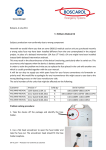
Rev. 09-2013 USMAN1000 3P -UK Rev. 04-2010 USMAN2012-IT Fig.1 Fig.2 6 3 1 5 2 7 4 Indicator lights All lights are placed on the front and display the operation of the device (see Fig1) : the autonomy of the battery (2) and the recharge state (3). The table below indicates the condition of the LEDs and the relative power of the battery: LEDS STATUS AUTONOMY VALUE LED green on >70% maximum autonomy LED yellow on 40-50% of the maximum autonomy LED red on 10-20% low battery autonomy - recharging immediately The indicator for charging ON/CHG (2), placed next to the indicators of autonomy, has two different colors: Red indicates that charging is taking place; green indicates that charging is complete. The indicator lights up whenever the device is connected for recharging. If the LED does not light up, there could be a malfunction of internal recharge circuit, lack of power (12 Vdc) or lack of connection of external cable to a power source for 12 Vdc. WARNING Always check the right connection of the cigarette lighter: the vibration of vehicles might cause its release. The continuous charging of the device does not damage the internal battery and can always enjoy maximum autonomy. It’s always necessary to recharge the battery after each use. The use of the device when the battery is discharged will destroy the internal battery. Daily checklist The operations described in this section allow the user to verify the correct functioning of the suction unit. The test should be performed at least once a day and before use in the field: Disconnect the unit from the wall bracket or from the external charging cable; place the unit on a stable surface in the upright position (e.g. on a table); switch the unit on; check the indicator lights for battery power (when the battery is fully charged, the green light will be on); turn the regulator knob clockwise to maximum; cover the patient tube (on the collection jar) with a finger or a lint free cloth; check the maximum value of the vacuum (-800mbar +/-10%) on the gauge; turn the regulator knob anti-clockwise and check the reading on the gauge. When finished, compare the results of this test with the value on the table below: Test – phase Switch the unit on. Result Remedy The indicator lights for the power and the Pump failure and/or battery completely pump motor switch are on (noise from the discharged. Recharge the battery and motor). Check the battery power. check the indicator light goes green. When the battery is fully charged the green Recharge the unit immediately. light will be on. Check the maximum vacuum. Value range between 700 and 800 mbar 7 - 24 Check that the lid on the collection jar is