1
Auto Fire Module (AFM) Reference Sheet
(see AFM User’s Manual for complete details)
System Setup and Deployment
Note: Except where noted otherwise, the term CTD refers to the SBE 19, 19plus, 19plus V2, 25, or 25plus CTD as well as the
SBE 50 Pressure Sensor.
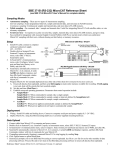
1.
Install AFM and CTD on Carousel Water Sampler (SBE 32, 32C, or 32SC).
2.
Connect AFM’s data I/O cable to computer.
3.
Set up communications and bottle fire parameters:
A. Select AFM with applicable CTD in SeatermAF’s Configure menu.
B. Configure Options dialog box appears. On Setup File tab, input/select:
• (SBE 25 only) CTD firmware version
• (SBE 19 or 25 only) Configuration (.con or .xmlcon) file
C. On Communication Setup tab, input/select:
• Com port for communication between AFM and computer
• Com port, baud rate, data bits, and parity for communication between CTD and computer (through AFM)
• Upload baud rate - selection can be made now or when ready to upload data (no effect on system operation)
• Baud rate for communication of pressure data from CTD to AFM, for close on downcast, upcast, or when stationary,
pressures are used to determine when to close bottles.
D. On Bottle Closure Logic tab, input/select:
• Closure type - on upcast, on downcast, when stationary, or on elapsed time (can record or not record CTD data)
• Upcast/downcast logic, for close on downcast or upcast
• Stationary logic, for close when stationary
E. On Bottle Closure Pressures or Times tab, input/select:
• Number of bottles to close during deployment
• Bottle closure order
• Closure pressures for closure on upcast or downcast, or closure times (elapsed minutes since AFM was armed) for
closure on elapsed time.
F.
Closure on upcast: pressures must decrease from closure 1 to last closure.
Closure on downcast: pressures must increase from closure 1 to last closure.
Closure on elapsed time: elapsed times must increase from closure to last closure.
On Upload & Header Options tab, input/select:
• Upload type, and header options - selections can be made now or when ready to upload data (no effect on system
operation)
G. On AFM Battery tab, input/select:
• Battery type in AFM
H. Click OK to overwrite existing settings.
4.
Click Connect AFM on Toolbar to communicate with AFM.
A. Set date and time for AFM with DateTime=mmddyyyyhhmmss.
B. Click Program on Toolbar to send bottle closure parameters to AFM.
5.
Click Connect CTD on Toolbar to communicate with CTD.
A. Send desired commands to CTD to change instrument setup. Send QS to put CTD in quiescent (sleep) state
(not applicable to SBE 50).
Note: If using AFM with SBE 25 and you want to close bottles on upcast, verify that SBE 25 configuration entered with
CC command is Stop CTD on upcast (y/n)? = NO.
6.
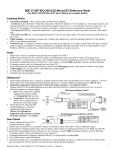
Arm AFM and deploy system:
A. Click Connect AFM on Toolbar to communicate with AFM.
B. Click Arm on Toolbar.
C. SBE 19, 19plus, 19plus V2, 25, or 25plus: Turn on CTD’s switch to start logging.
SBBE 50: SeatermAF automatically sent Start to SBE 50 to start sampling when you armed the AFM.
D. If desired, click View CTD on Toolbar to view data being transmitted from CTD to AFM, to ensure that logging has started.
E. Disconnect I/O cable from AFM and replace with dummy plug and locking sleeve.
F. Deploy system.
Reference Sheet Version #006, 07-11-12; Firmware Version 2.0d and later; SeatermAF version 2.0f and later
1
AFM Commands
•
Verify that computer is talking to AFM (shows A>), not CTD (shows S>). If not, click Connect AFM on Toolbar.
•
Input commands to AFM in upper or lower case letters (except as noted) and register commands by pressing Enter key.
•
AFM sends
•
If system does not return A> prompt after executing a command, press Enter key to get A> prompt.
•
If new command is not received within 2 hours after completion of a command, AFM returns to quiescent (sleep) state.
•
If in quiescent (sleep) state, re-establish communications by clicking Connect AFM on Toolbar to get A> prompt.
invalid command
if invalid command is entered.
Shown below are the commands used most commonly in the field. See the Manual for complete listing and
detailed descriptions.
CATEGORY
Status
COMMAND
GetSD
GetHD
GetEC
ResetEC
ds
dc
Date / Time
Testing
DateTime=
mmddyyyyhhmmss
32POn or
POn
32POff or
POff
FireN
Arm /
Disarm
Data Upload
arm
da
DD
DESCRIPTION
Get and display status data.
Get and display hardware data.
Get and display event counter data.
Reset event counter.
Display status.
Note: Some AFM firmware versions require this command to be lower case (i.e., ds).
Display bottle closure parameters.
Note: Some AFM firmware versions require this command to be lower case (i.e., dc).
Set real-time clock date (mmddyyyy) and time (hhmmss).
Turn on power to Carousel for testing, to charge storage capacitor prior to firing.
Wait 1 minute after sending command before test firing a bottle.
Turn off power to Carousel when testing is complete.
Fire bottle N (1, 2, 3, etc.)
Arm (enable) auto fire to close bottles. AFM automatically disarms after 24 hours.
Note: Some AFM firmware versions require this command to be lower case (i.e., arm).
Disarm (disable) auto fire to close bottles.
Note: Some AFM firmware versions require this command to be lower case (i.e., da).
Upload raw data from AFM (5 scans of CTD or SBE 50 data recorded in AFM memory
for each bottle fired). Use Upload button on Toolbar if will be processing data with SBE
Data Processing.
CTD Commands
•
Verify that computer is talking to CTD (shows S>), not AFM (shows A>).
If not, click Connect CTD on Toolbar.
See the instrument manual (SBE 19, 19plus, 19plus V2, 25, 25plus, or 50) for command details.
Reference Sheet Version #006, 07-11-12; Firmware Version 2.0d and later; SeatermAF version 2.0f and later
2