1
Contents
To Ensure Safe Use ....................................................................................................................... 5
Pour utiliser en toute sécurité .................................................................................................. 12
Important Notes on Handling and Use ........................................................................................... 19
Printer Unit ................................................................................................................................................................... 19
Ink Cartridges .............................................................................................................................................................. 20
Chapter 1 Introduction ...................................................................................................................... 21
1-1 Features of the Machine ..................................................................................................................................... 22
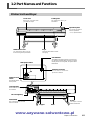
1-2 Part Names and Functions ................................................................................................................................ 23
Printer Unit and Dryer ................................................................................................................... 23
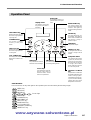
Operation Panel ............................................................................................................................ 25
Media Take-up System ................................................................................................................... 26
Chapter 2 Basic Operation ................................................................................................................ 27
2-1 Switching the Power On and Off ..................................................................................................................... 28
Switching the Power On and Off ................................................................................................... 28
The Power-saving Feature .............................................................................................................. 29
2-2 Loading and Cutting Off Media ........................................................................................................................ 30
How to Load Media ...................................................................................................................... 30
How to Cut Off Media ................................................................................................................... 35
2-3 Settings for the Media Heating System ........................................................................................................... 36
What Is the Media Heating System? .............................................................................................. 36
Making the Temperature Setting for the Media Heating System ..................................................... 36
General Guide for the Preset Temperatures ................................................................................... 37
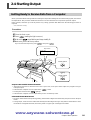
2-4 Starting Output .................................................................................................................................................... 39
Getting Ready to Receive Data from a Computer .......................................................................... 39
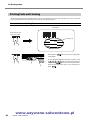
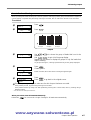
Printing Tests and Cleaning ............................................................................................................ 40
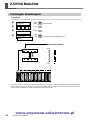
2-5 If Ink Runs Out ..................................................................................................................................................... 42
Checking for Remaining Ink .......................................................................................................... 42
If Ink Runs Out .............................................................................................................................. 43
Chapter 3 Using the Cutting Feature .............................................................................................. 45
3-1 Performing Cutting .............................................................................................................................................. 46
To Perform Cutting ......................................................................................................................... 46
Performing a Cutting Test ............................................................................................................... 47
Making the Setting for Blade Force ................................................................................................ 47
3-2 Performing Printing Followed Immediately by Cutting ............................................................................... 48
Performing Printing Followed Immediately by Cutting .................................................................. 48
3-3 Cutting Using the Crop-mark Feature ........................................................................................................... 49
How to Use the Crop-mark Feature ............................................................................................... 49
Printing with Crop Marks .............................................................................................................. 49
Performing Cutting with Automatic Crop-mark Detection ............................................................. 51
Aligning Manually and Cutting ..................................................................................................... 52
Chapter 4 Operation of the Media Take-up System ....................................................................... 55
4-1 The Take-up System ............................................................................................................................................. 56
Features of the Take-up System ...................................................................................................... 56
Operating Conditions for the Take-up System ................................................................................ 56
4-2 Using the Take-up System .................................................................................................................................. 57
How to Take Up Media ................................................................................................................. 57
How to Remove Taken-up Media .................................................................................................. 60
www.uzywane-solwentowe.pl
1