1
UM1724
User manual
STM32 Nucleo boards
Introduction
The STM32 Nucleo board (NUCLEO-F103RB, NUCLEO-L152RE, NUCLEO-F401RE,
NUCLEO-F030R8, NUCLEO-F072RB) provides an affordable and flexible way for users to
try out new ideas and build prototypes with any STM32 microcontroller lines, choosing from
the various combinations of performance, power consumption and features. The ArduinoΤΜ
connectivity support and ST Morpho headers make it easy to expand the functionality of the
Nucleo open development platform with a wide choice of specialized shields. The STM32
Nucleo board does not require any separate probe as it integrates the ST-LINK/V2-1
debugger/programmer. The STM32 Nucleo board comes with the STM32 comprehensive
software HAL library together with various packaged software examples, as well as direct
access to mbed online resources at mbed.org.
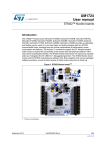
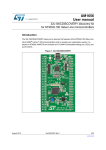
Figure 1. STM32 Nucleo board (1)
1. Picture not contractual.
February 2014
DocID025833 Rev 2
1/46
www.st.com
Contents
UM1724
Contents
1
Ordering information . . . . . . . . . . . . . . . . . . . . . . . . . . . . . . . . . . . . . . . . 6
2
Conventions . . . . . . . . . . . . . . . . . . . . . . . . . . . . . . . . . . . . . . . . . . . . . . . 7
3
Quick start . . . . . . . . . . . . . . . . . . . . . . . . . . . . . . . . . . . . . . . . . . . . . . . . . 8
3.1
Getting started . . . . . . . . . . . . . . . . . . . . . . . . . . . . . . . . . . . . . . . . . . . . . . 8
3.2
System requirements . . . . . . . . . . . . . . . . . . . . . . . . . . . . . . . . . . . . . . . . . 8
4
Features . . . . . . . . . . . . . . . . . . . . . . . . . . . . . . . . . . . . . . . . . . . . . . . . . . . 9
5
Hardware layout and configuration . . . . . . . . . . . . . . . . . . . . . . . . . . . . 10
5.1
Cutable PCB . . . . . . . . . . . . . . . . . . . . . . . . . . . . . . . . . . . . . . . . . . . . . . . 12
5.2
Embedded ST-LINK/V2-1 . . . . . . . . . . . . . . . . . . . . . . . . . . . . . . . . . . . . . 13
5.3
2/46
5.2.1
Drivers
. . . . . . . . . . . . . . . . . . . . . . . . . . . . . . . . . . . . . . . . . . . . . . . . . 14
5.2.2
ST-LINK/V2-1 firmware upgrade . . . . . . . . . . . . . . . . . . . . . . . . . . . . . . 14
5.2.3
Using the ST-LINK/V2-1 to program/debug the STM32 on board
5.2.4
Using ST-LINK/V2-1 to program/debug an external STM32 application 15
. . . . 14
Power supply and power selection . . . . . . . . . . . . . . . . . . . . . . . . . . . . . . 16
5.3.1
Power supply input from the USB connector . . . . . . . . . . . . . . . . . . . . . 16
5.3.2
External power supply inputs: VIN and EV5 . . . . . . . . . . . . . . . . . . . . . 17
5.3.3
External power supply input: + 3V3 . . . . . . . . . . . . . . . . . . . . . . . . . . . . 19
5.3.4
External power supply output . . . . . . . . . . . . . . . . . . . . . . . . . . . . . . . . 19
5.4
LEDs . . . . . . . . . . . . . . . . . . . . . . . . . . . . . . . . . . . . . . . . . . . . . . . . . . . . . 19
5.5
Push buttons . . . . . . . . . . . . . . . . . . . . . . . . . . . . . . . . . . . . . . . . . . . . . . 20
5.6
JP6 (IDD) . . . . . . . . . . . . . . . . . . . . . . . . . . . . . . . . . . . . . . . . . . . . . . . . . 20
5.7
OSC clock . . . . . . . . . . . . . . . . . . . . . . . . . . . . . . . . . . . . . . . . . . . . . . . . 21
5.7.1
OSC clock supply . . . . . . . . . . . . . . . . . . . . . . . . . . . . . . . . . . . . . . . . . 21
5.7.2
OSC 32 kHz clock supply . . . . . . . . . . . . . . . . . . . . . . . . . . . . . . . . . . . 22
5.8
USART communication . . . . . . . . . . . . . . . . . . . . . . . . . . . . . . . . . . . . . . 22
5.9
Solder bridges . . . . . . . . . . . . . . . . . . . . . . . . . . . . . . . . . . . . . . . . . . . . . 23
5.10
Extension connectors . . . . . . . . . . . . . . . . . . . . . . . . . . . . . . . . . . . . . . . . 25
5.11
Arduino connectors . . . . . . . . . . . . . . . . . . . . . . . . . . . . . . . . . . . . . . . . . . 28
5.12
STMicroelectronics Morpho connector . . . . . . . . . . . . . . . . . . . . . . . . . . 35
DocID025833 Rev 2
UM1724
Contents
6
Mechanical drawing . . . . . . . . . . . . . . . . . . . . . . . . . . . . . . . . . . . . . . . . 40
7
Electrical schematics . . . . . . . . . . . . . . . . . . . . . . . . . . . . . . . . . . . . . . . 41
8
References . . . . . . . . . . . . . . . . . . . . . . . . . . . . . . . . . . . . . . . . . . . . . . . . 45
9
Revision history . . . . . . . . . . . . . . . . . . . . . . . . . . . . . . . . . . . . . . . . . . . 45
DocID025833 Rev 2
3/46
3
List of tables
UM1724
List of tables
Table 1.
Table 2.
Table 3.
Table 4.
Table 5.
Table 6.
Table 7.
Table 8.
Table 9.
Table 10.
Table 11.
Table 12.
Table 13.
Table 14.
Table 15.
Table 16.
Table 17.
Table 18.
Table 19.
4/46
Ordering information . . . . . . . . . . . . . . . . . . . . . . . . . . . . . . . . . . . . . . . . . . . . . . . . . . . . . . . 6
ON/OFF conventions . . . . . . . . . . . . . . . . . . . . . . . . . . . . . . . . . . . . . . . . . . . . . . . . . . . . . . 7
Jumper states . . . . . . . . . . . . . . . . . . . . . . . . . . . . . . . . . . . . . . . . . . . . . . . . . . . . . . . . . . . 13
Debug connector CN4 (SWD). . . . . . . . . . . . . . . . . . . . . . . . . . . . . . . . . . . . . . . . . . . . . . . 15
JP1 configuration table . . . . . . . . . . . . . . . . . . . . . . . . . . . . . . . . . . . . . . . . . . . . . . . . . . . . 17
External power sources . . . . . . . . . . . . . . . . . . . . . . . . . . . . . . . . . . . . . . . . . . . . . . . . . . . 17
Power-related jumper . . . . . . . . . . . . . . . . . . . . . . . . . . . . . . . . . . . . . . . . . . . . . . . . . . . . . 18
+3.3V eternal power source . . . . . . . . . . . . . . . . . . . . . . . . . . . . . . . . . . . . . . . . . . . . . . . . 19
Solder bridges. . . . . . . . . . . . . . . . . . . . . . . . . . . . . . . . . . . . . . . . . . . . . . . . . . . . . . . . . . . 23
Arduino connectors on NUCLEO-F103RB . . . . . . . . . . . . . . . . . . . . . . . . . . . . . . . . . . . . . 29
Arduino connectors on NUCLEO-L152RE . . . . . . . . . . . . . . . . . . . . . . . . . . . . . . . . . . . . . 30
Arduino connectors on NUCLEO-F401RE . . . . . . . . . . . . . . . . . . . . . . . . . . . . . . . . . . . . . 32
Arduino connectors on NUCLEO-F030R8, NUCLEO-F072RB. . . . . . . . . . . . . . . . . . . . . . 33
STMicroelectronics Morpho connector on NUCLEO-F103RB . . . . . . . . . . . . . . . . . . . . . . 35
STMicroelectronics Morpho connector on NUCLEO-L152RE . . . . . . . . . . . . . . . . . . . . . . 36
STMicroelectronics Morpho connector on NUCLEO-F401RE . . . . . . . . . . . . . . . . . . . . . . 37
STMicroelectronics Morpho connector on NUCLEO-F030R8 . . . . . . . . . . . . . . . . . . . . . . 38
STMicroelectronics Morpho connector on NUCLEO-F072RB . . . . . . . . . . . . . . . . . . . . . . 39
Document revision history. . . . . . . . . . . . . . . . . . . . . . . . . . . . . . . . . . . . . . . . . . . . . . . . . . 45
DocID025833 Rev 2
UM1724
List of figures
List of figures
Figure 1.
Figure 2.
Figure 3.
Figure 4.
Figure 5.
Figure 6.
Figure 7.
Figure 8.
Figure 9.
Figure 10.
Figure 11.
Figure 12.
Figure 13.
Figure 14.
Figure 15.
Figure 16.
Figure 17.
Figure 18.
STM32 Nucleo board (1) . . . . . . . . . . . . . . . . . . . . . . . . . . . . . . . . . . . . . . . . . . . . . . . . . . . . 1
Hardware block diagram . . . . . . . . . . . . . . . . . . . . . . . . . . . . . . . . . . . . . . . . . . . . . . . . . . 10
Top layout . . . . . . . . . . . . . . . . . . . . . . . . . . . . . . . . . . . . . . . . . . . . . . . . . . . . . . . . . . . . . . 11
Bottom layout . . . . . . . . . . . . . . . . . . . . . . . . . . . . . . . . . . . . . . . . . . . . . . . . . . . . . . . . . . . 12
Typical configuration . . . . . . . . . . . . . . . . . . . . . . . . . . . . . . . . . . . . . . . . . . . . . . . . . . . . . . 13
Updating the list of drivers in Device Manager . . . . . . . . . . . . . . . . . . . . . . . . . . . . . . . . . . 14
Connecting the STM32 Nucleo board to program the on-board STM32 . . . . . . . . . . . . . . 15
Using ST-LINK/V2-1 to program the STM32 on an external application . . . . . . . . . . . . . . 16
NUCLEO-F103RB. . . . . . . . . . . . . . . . . . . . . . . . . . . . . . . . . . . . . . . . . . . . . . . . . . . . . . . . 25
NUCLEO-L152RE. . . . . . . . . . . . . . . . . . . . . . . . . . . . . . . . . . . . . . . . . . . . . . . . . . . . . . . . 26
NUCLEO-F401RE. . . . . . . . . . . . . . . . . . . . . . . . . . . . . . . . . . . . . . . . . . . . . . . . . . . . . . . . 26
NUCLEO-F030R8 . . . . . . . . . . . . . . . . . . . . . . . . . . . . . . . . . . . . . . . . . . . . . . . . . . . . . . . . 27
NUCLEO-F072RB. . . . . . . . . . . . . . . . . . . . . . . . . . . . . . . . . . . . . . . . . . . . . . . . . . . . . . . . 27
STM32 Nucleo board mechanical drawing . . . . . . . . . . . . . . . . . . . . . . . . . . . . . . . . . . . . . 40
Schematic (1/4) . . . . . . . . . . . . . . . . . . . . . . . . . . . . . . . . . . . . . . . . . . . . . . . . . . . . . . . . . 41
Schematic (2/4). . . . . . . . . . . . . . . . . . . . . . . . . . . . . . . . . . . . . . . . . . . . . . . . . . . . . . . . . . 42
Schematic (3/4) . . . . . . . . . . . . . . . . . . . . . . . . . . . . . . . . . . . . . . . . . . . . . . . . . . . . . . . . . 43
Schematic (4/4) . . . . . . . . . . . . . . . . . . . . . . . . . . . . . . . . . . . . . . . . . . . . . . . . . . . . . . . . . 44
DocID025833 Rev 2
5/46
5
Ordering information
1
UM1724
Ordering information
Table 1 lists the order codes and the respective targeted MCU.
Table 1. Ordering information
Order code
Targeted MCU
NUCLEO-F030R8
STM32F030R8T6
NUCLEO-F072RB
STM32F072RBT6
NUCLEO-F103RB
STM32F103RBT6
NUCLEO-F401RE
STM32F401RET6
NUCLEO-L152RE
STM32L152RET6
The meaning of NUCLEO-TXXXRY codification is as follows:
•
TXXX describes the STM32 MCU product line
•
R describes the pin count (R for 64 pins)
•
Y describes the code size (8 for 64K, B for 128K, E for 512K)
The order code is printed on a sticker placed at the top or bottom side of the board.
6/46
DocID025833 Rev 2
UM1724
2
Conventions
Conventions
Table 2 provides the conventions used for the ON and OFF settings in the present
document.
Table 2. ON/OFF conventions
Convention
Definition
Jumper JP1 ON
Jumper fitted
Jumper JP1 OFF
Jumper not fitted
Solder bridge SBx ON
SBx connections closed by solder or 0 ohm resistor
Solder bridge SBx OFF
SBx connections left open
We refer to “STM32 Nucleo board” and “STM32 Nucleo boards” in this document for all
information that is common to all sale types.
DocID025833 Rev 2
7/46
45
Quick start
3
UM1724
Quick start
The STM32 Nucleo board is a low-cost and easy-to-use development platform used to
quickly evaluate and start a development with an STM32 microcontroller in LQFP64
package.
Before installing and using the product, please accept the Evaluation Product License
Agreement from www.st.com/epla.
For more information on the STM32 Nucleo boards and to access the demonstration
software, visit www.st.com/stm32nucleo.
3.1
Getting started
Follow the sequence below to configure the STM32 Nucleo board and launch the demo
software:
1. Check the jumper position on the board, JP1 off, JP5 (PWR) on U5V, JP6 on (IDD),
CN2 on (NUCLEO) selected.
2. Install the Nucleo USB driver available on www.st.com, prior to connecting the board.
3. Connect the STM32 Nucleo board to a PC with a USB cable ‘type A to mini-B’ through
USB connector CN1 to power the board. The red LED LD3 (PWR) and LD1 (COM)
should light up. LD1 (COM) and green LED LD2 should blink.
4. Press button B1 (left button).
5. Observe how the blinking of the green LED LD2 changes according to clicks on button
B1.
6. The demo software and several software examples on how use the STM32 Nucleo
board features are available on www.st.com/stm32nucleo.
7. Develop your own application using the available examples.
3.2
System requirements
•
•
8/46
Windows PC (XP, Vista, 7, 8)
USB type A to Mini-B USB cable
DocID025833 Rev 2
UM1724
4
Features
Features
The STM32 Nucleo boards offer the following features:
• STM32 microcontroller with LQFP64 package
• Two types of extension resources
– Arduino Uno Revision 3 connectivity
– STMicroelectronics Morpho extension pin headers for full access to all STM32 I/Os
• mbed-enabled(a)
• On-board ST-LINK/V2-1 debugger/programmer with SWD connector
– selection-mode switch to use the kit as a standalone ST-LINK/V2-1
• Flexible board power supply
–
USB VBUS
–
External VIN (7V<VIN<12V) supply voltage from Arduino connectors or ST
Morpho connector
–
External 5V (E5V) supply voltage from ST Morpho connector
–
External +3.3V supply voltage from Arduino connector or ST Morpho connector
• Three LEDs
– USB communication (LD1), user LED (LD2), power LED (LD3)
• Two push buttons: USER and RESET
• USB re-enumeration capability: three different interfaces supported on USB
– Virtual Com port
– Mass storage
– Debug port
• Comprehensive free software HAL library including a variety of software examples
• Supported by wide choice of Integrated Development Environments (IDEs) including IAR,
Keil, GCC-based IDEs
a. See http://mbed.org/
DocID025833 Rev 2
9/46
45
Hardware layout and configuration
5
UM1724
Hardware layout and configuration
The STM32 Nucleo board is designed around the STM32 microcontrollers in a 64-pin LQFP
package.
Figure 2 shows the connections between the STM32 and its peripherals (STLINK/ V2-1,
pushbutton, LED, Arduino connectors and STMicroelectronics Morpho connector).
Figure 3 and Figure 4 show the location of these features on the STM32 Nucleo board.
Figure 2. Hardware block diagram
67/,1.SDUW
0LQL
86%
(PEHGGHG
67/,1.9
,2
670
0LFURFRQWUROOHU
,2
,2
5(6(7
,2
%
5(6(7
/('
/'
0RUSKRH[WHQVLRQKHDGHU
$UGXLQRFRQQHFWRU
0RUSKRH[WHQVLRQKHDGHU
%
86(5
$UGXLQRFRQQHFWRU
6:'
0&8SDUW
069
10/46
DocID025833 Rev 2
UM1724
Hardware layout and configuration
Figure 3. Top layout
&1
67/,1.1XFOHR
VHOHFWRU
&1
6:'FRQQHFWRU
&1
67/,1.86%
PLQL%FRQQHFWRU
/'
5HG*UHHQ/('
&20
%
5(6(7EXWWRQ
%86(5
EXWWRQ
-3,''
PHDVXUHPHQW
6%
9UHJXODWRURXWSXW
/'
5HG/('
SRZHU
/'
*UHHQ/('
&1
$UGXLQR
FRQQHFWRU
&1
$UGXLQRFRQQHFWRU
&1
670RUSKR
FRQQHFWRU
&1
$UGXLQR
FRQQHFWRU
&1
670RUSKRFRQQHFWRU
&1
$UGXLQRFRQQHFWRU
8 670
PLFURFRQWUROOHU 069
DocID025833 Rev 2
11/46
45
Hardware layout and configuration
UM1724
Figure 4. Bottom layout
4#4#
45-*/,64"35
4#4#4#4#
3&4&37&%
4#4#4#4#
%&'"6-5
4#
45-*/,480
6%
67/,1.
5(6(7
4#
45-*/,.$0
6%
86(5EXWWRQ
6%
86(5/('
6%
67/,1.0&2
.47
5.1
Cutable PCB
The STM32 Nucleo board is divided into two parts: ST-LINK part and target MCU part. The
ST-LINK part of the PCB can be cut out to reduce the board size. In this case the remaining
target MCU part can only be powered by VIN, E5V and 3.3V on STMicroelectronics Morpho
connector CN7 or VIN and 3.3V on Arduino connector CN6. It is still possible to use the STLINK part to program the main MCU using wires between CN4 and SWD signals available
on STMicroelectronics Morpho connector (SWCLK CN7 pin 15 and SWDIO CN7 pin 13).
12/46
DocID025833 Rev 2
UM1724
5.2
Hardware layout and configuration
Embedded ST-LINK/V2-1
The ST-LINK/V2-1 programming and debugging tool is integrated in the STM32 Nucleo
boards.
The ST-LINK/V2-1 makes the STM32 Nucleo boards mbed enabled.
The embedded ST-LINK/V2-1 supports only SWD for STM32 devices. For information about
debugging and programming features refer to UM1075 - ST-LINK/V2 in-circuit
debugger/programmer for STM8 and STM32, User manual, which describes in detail all the
ST-LINK/V2 features.
The changes versus ST-LINK/V2 version are listed below.
•
New features supported on ST-LINK/V2-1:
–
USB software re-enumeration
–
Virtual com port interface on USB
–
Mass storage interface on USB
–
USB power management request for more than 100 mA power on USB
•
Features not supported on ST-LINK/V2-1:
–
SWIM interface
–
Minimum supported application voltage limited to 3 V
There are two different ways to use the embedded ST-LINK/V2-1 depending on the jumper
states (see Table 3 and Figure 5):
•
Program/debug the MCU on board (Section 5.2.2),
•
Program/debug an MCU in an external application board using a cable connected to
SWD connector CN4 (Section 5.2.4).
Table 3. Jumper states
Jumper state
Description
Both CN2 jumpers ON
ST-LINK/V2-1 functions enabled for on board programming
(default)
Both CN2 jumpers OFF
ST-LINK/V2-1 functions enabled for external CN4 connector
(SWD supported)
Figure 5. Typical configuration
+DUGZDUHUHTXLUHPHQWV
86%FDEOHW\SH$WRPLQL%
FRPSXWHUZLWK:LQGRZV;39LVWDRU
'HYHORSPHQWWRROFKDLQ
,$5(:$50
.HLO0'.$50
*&&EDVHG,'(
069
DocID025833 Rev 2
13/46
45
Hardware layout and configuration
5.2.1
UM1724
Drivers
The ST-LINK/V2-1 requires a dedicated USB driver, which can be found on www.st.com for
Windows Vista, 7 and 8. On Windows XP the ST-LINK/V2-1 driver requires WinUsb to be
installed before using the ST-LINK/2-1 (either available from Microsoft website or included in
the USB driver for ST-LINK/V2 for XP).
In case the STM32 Nucleo board is connected to the PC before the driver is installed, some
Nucleo interfaces may be declared as “Unknown” in the PC device manager. In this case
the user must install the driver files (Figure 6), and from the device manager update the
driver of the connected device.
Note:
Prefer using the “USB Composite Device” handle for a full recovery.
Figure 6. Updating the list of drivers in Device Manager
5.2.2
ST-LINK/V2-1 firmware upgrade
The ST-Link/V2-1 embeds a firmware upgrade mechanism for in-situ upgrade through the
USB port. As the firmware may evolve during the life time of the ST-Link/V2-1 product (for
example new functionality, bug fixes, support for new microcontroller families), it is
recommended to visit www.st.com periodically in order to stay up-to-date with the latest
firmware version.
5.2.3
Using the ST-LINK/V2-1 to program/debug the STM32 on board
To program the STM32 on the board, plug in the two jumpers on CN2, as shown in red in
Figure 7. Do not use the CN4 connector as this could disturb the communication with the
STM32 microcontroller of the STM32 Nucleo board.
14/46
DocID025833 Rev 2
UM1724
Hardware layout and configuration
Figure 7. Connecting the STM32 Nucleo board to program the on-board STM32
&1MXPSHUV21 &16:'
FRQQHFWRU 069
5.2.4
Using ST-LINK/V2-1 to program/debug an external STM32 application
It is very easy to use the ST-LINK/V2-1 to program the STM32 on an external application.
Simply remove the two jumpers from CN2 as illustrated in Figure 8, and connect your
application to the CN4 debug connector according to Table 4.
Note:
SB12 NRST (target MCU RESET) must be OFF if you use CN4 pin 5 in your external
application.
Table 4. Debug connector CN4 (SWD)
Pin
CN4
Designation
1
VDD_TARGET
VDD from application
2
SWCLK
SWD clock
3
GND
Ground
4
SWDIO
SWD data input/output
5
NRST
RESET of target MCU
6
SWO
Reserved
DocID025833 Rev 2
15/46
45
Hardware layout and configuration
UM1724
Figure 8. Using ST-LINK/V2-1 to program the STM32 on an external application
$/KVNQFST0''
$/
48%DPOOFDUPS
.47
5.3
Power supply and power selection
The power supply is provided either by the host PC through the USB cable, or by an
external Source: VIN (7V-12V), E5V (5V) or +3V3 power supply pins on CN6 or CN7.
5.3.1
Power supply input from the USB connector
The ST-LINK/V2-1 supports USB power management allowing to request more than
100 mA current to the host PC.
All parts of the STM32 Nucleo board and shield can be powered from the ST-LINK USB
connector CN1 (U5V or VBUS). Note that only the ST-LINK part is power supplied before
the USB enumeration as the host PC only provides 100 mA to the board at that time. During
the USB enumeration, the STM32 Nucleo board requires 300 mA of current to the Host PC.
If the host is able to provide the required power, the targeted STM32 microcontroller is
powered and the red LED LD3 is turned ON, thus the STM32 Nucleo board and its shield
can consume a maximum of 300 mA current, not more. If the host is not able to provide the
required current, the targeted STM32 microcontroller and the MCU part including the
extension board are not power supplied. As a consequence the red LED LD3 remains
16/46
DocID025833 Rev 2
UM1724
Hardware layout and configuration
turned OFF. In such case it is mandatory to use an external power supply as explained in
the next chapter.
When the board is power supplied by USB (U5V) a jumper must be connected between pin
1 and pin 2 of JP5 as shown in Table 7.
JP1 is configured according to the maximum current consumption of the board when
powered by USB (U5V). JP1 jumper can be set only in case the board is powered by USB
and maximum current consumption on U5V doesn’t exceed 100mA (including an eventual
extension board or Arduino Shield). In such condition USB enumeration will always succeed
since no more than 100mA is requested to the PC. Possible configurations of JP1 are
summarized in Table 5.
Table 5. JP1 configuration table
Jumper state
Power supply
Allowed current
JP1 jumper OFF
300 mA max
USB power through CN1
JP1 jumper ON
Warning:
5.3.2
100 mA max
If the maximum current consumption of the NUCLEO and its
extension boards exceeds 300 mA, it is mandatory to power
the NUCLEO using an external power supply connected to
E5V or VIN.
External power supply inputs: VIN and EV5
The external power sources VIN and EV5 are summarized in the Table 6. When the board is
power supplied by VIN or E5V, the jumpers configuration must be the following:
Jumper on JP5 pin 2 and pin 3
Jumper removed on JP1
Table 6. External power sources
Input power
name
Connectors
pins
Voltage range
Max current
VIN
CN6 pin 8
CN7 pin 24
7 V to 12 V
800 mA
E5V
CN7 pin 6
4.75 V to
5.25 V
500 mA
Limitation
From 7 V to 12 V only and input current capability
is linked to input voltage:
800 mA input current when Vin=7 V
450 mA input current when 7 V<Vin (< or =) 9 V
250 mA input current when 9 V<Vin (< or =) 12 V
DocID025833 Rev 2
17/46
45
Hardware layout and configuration
UM1724
Table 7. Power-related jumper
Jumper
Description
(9
89
U5V (STLINK VBUS) is used as power source when JP5 is set as shown below
(Default setting)
89
VIN or E5V is used as power source when JP5 is set as shown below.
(9
JP5
Using VIN or E5V as external power supply
VIN or E5V can be used as external power supply in case the current consumption of
NUCLEO and extensions boards exceeds the allowed current on USB. In this condition it is
still possible to use the USB for communication, for programming or debugging only, but it is
mandatory to power supply the board first using VIN or E5V then connect the USB cable to
the PC. Proceeding this way ensures that the enumeration occurs thanks to the external
power source.
The following power sequence procedure must be respected:
1. Connect the jumper between pin 2 and pin 3 of JP5.
2. Check that JP1 is removed.
3. Connect the external power source to VIN or E5V.
4. Power on the external power supply 7 V< VIN < 12 V to VIN, or 5 V for E5V.
5. Check that LD3 is turned ON.
6. Connect the PC to USB connector CN1.
If this order is not respected, the board may be supplied by VBUS first then by VIN or E5V,
and the following risks may be encountered:
1. If more than 300 mA current is needed by the board, the PC may be damaged or the
current supply can be limited by the PC. As a consequence the board is not powered
correctly.
2. 300 mA is requested at enumeration (since JP1 must be OFF) so there is risk that the
request is rejected and the enumeration does not succeed if the PC cannot provide
such current. Consequently the board is not power supplied (LED LD3 remains OFF).
18/46
DocID025833 Rev 2
UM1724
5.3.3
Hardware layout and configuration
External power supply input: + 3V3
It can be of interest to use the +3V3 (CN6 pin 4 or CN7 pin 12 and pin 16) directly as power
input for instance in case the 3.3 V is provided by an extension board. When NUCLEO is
power supplied by +3V3, the ST-LINK is not powered thus the programming and debug
features are unavailable. The external power sources +3.3V is summarized in the Table 8.
Table 8. +3.3V eternal power source
Input power
name
+3V3
Connectors pins
CN6 pin 4
CN7 pin 12 and pin 16
Voltage range
3 V to 3.6 V
Limitation
Used when ST-LINK part of PCB is cut
or SB2 and SB12 OFF
Two different configurations are possible to use +3V3 to power the board:
•
ST-LINK is removed (PCB cut), or
•
SB2 (3V3 regulator) & SB12 (NRST) are OFF.
5.3.4
External power supply output
When powered by USB, VIN or E5V, the +5V (CN6 pin 5 or CN7 pin 18) can be used as
output power supply for an Arduino shield or an extension board. In this case, the maximum
current of the power source specified in Table 6 needs to be respected.
The +3.3 V (CN6 pin 4 or CN7 pin 12 & 16) can be used also as power supply output. The
current is limited by the maximum current capability of the regulator U4 (500 mA max).
5.4
LEDs
The tricolor LED (green, orange, red) LD1 (COM) provides information about ST-LINK
communication status. LD1 default color is red. LD1 turns to green to indicate that
communication is in progress between the PC and the ST-LINK/V2-1, with the following
setup:
•
Slow blinking Red/Off: at power-on before USB initialization
•
Fast blinking Red/Off: after the first correct communication between the PC and STLINK/V2-1 (enumeration)
•
Red LED On: when the initialization between the PC and ST-LINK/V2-1 is complete
•
Green LED On: after a successful target communication initialization
•
Blinking Red/Green: during communication with target
•
Green On: communication finished and successful.
•
Orange On: Communication failure
User LD2: the green LED is a user LED connected to Arduino signal D13 corresponding to
MCU I/O PA5 (pin 21) or PB13 (pin 34) depending on the STM32 target. Please refer to
Table 10 to Table 13.
•
When the I/O is HIGH value, the LED is on.
•
When the I/O is LOW, the LED is off.
LD3 PWR: the red LED indicates that the MCU part is powered and +5V power is available.
DocID025833 Rev 2
19/46
45
Hardware layout and configuration
5.5
UM1724
Push buttons
B1 USER: the user (or wake-up) button is connected to the I/O PC13 (pin 2) of the STM32
microcontroller.
B2 RESET: this push button is connected to NRST, and is used to RESET the STM32
microcontroller.
Note:
The blue and black plastic hats that are placed on the push buttons can be removed if
necessary, for example when a shield or when an application board is plugged on top of
NUCLEO. This will avoid pressure on the buttons and consequently a possible permanent
target MCU RESET.
5.6
JP6 (IDD)
Jumper JP6, labeled IDD, is used to measure the STM32 microcontroller consumption by
removing the jumper and by connecting an ammeter.
•
Jumper ON: STM32 microcontroller is powered (default).
•
Jumper OFF: an ammeter must be connected to measure the STM32 microcontroller
current. If there is no ammeter, STM32 microcontroller is not powered.
20/46
DocID025833 Rev 2
UM1724
Hardware layout and configuration
5.7
OSC clock
5.7.1
OSC clock supply
There are three ways to manage the external high-speed clock (HSE):
•
MCO from ST-LINK: from MCO of the ST-LINK MCU (U2 on schematic). This
frequency cannot be changed, it is fixed at 8 MHz and connected to PF0/PD0/PH0OSC_IN of STM32 microcontroller.
The following configuration is needed:
–
SB54, SB55 OFF
–
R35,R37 removed
–
SB16, SB50 ON
•
HSE oscillator on-board from X3 crystal (not provided): for typical frequencies and
its capacitors and resistors, please refer to STM32 microcontroller datasheet. The X3
crystal has the following characteristics: 8 MHz, 16PF, 20PPM, and DIP footprint.
•
Part number example:
9SL8000016AFXHF0
Manufacturer:
Hong Kong X'tals Limited
Website:
http://www.hongkongcrystal.com/en/index.php
The following configuration is needed:
–
SB54, SB55 OFF
–
R35, R37 soldered
–
C33, C34 soldered with 20pF capacitors
–
SB16, SB50 OFF
Oscillator from external PF0/PD0/PH0: from an external oscillator through pin 29 of
the CN7 connector.
The following configuration is needed:
–
SB55 ON
–
SB50 OFF
–
R35,R37 removed
If PF0/PD0/PH0 and PF1/PD1/PH1 are used as GPIOs instead being used as a clock:
–
SB54 and SB55 are ON,
–
R35 and R37 are removed, and
–
SB50 (MCO) is OFF (default configuration).
DocID025833 Rev 2
21/46
45
Hardware layout and configuration
5.7.2
UM1724
OSC 32 kHz clock supply
There are two ways to manage the external low-speed clock (LSE):
•
On-board oscillator (not provided): X2 crystal with the following characteristics:
32.768 kHz, 2.5PF, 20PPM, and SM308 footprint
Part number example:
ETMB32.768B125B
Manufacturer:
BEIJING JINGYUXING TECHNOLOGY Co., Ltd.
Website:
http://en.jfvny.com/
The following configuration is needed:
–
SB48, SB49 OFF
–
R34 and R36 soldered.
–
C31, C32 soldered with 10pF capacitors
Oscillator from external PC14: from external oscillator through the pin 25 of
CN7connector.
The following configuration is needed:
–
SB48, SB49 ON
–
R34 and R36 removed
If PC14 and PC15 are used as GPIOs instead of being used as clock:
–
SB48 and SB49 are ON, and
–
R34 and R36 are removed (default configuration).
5.8
USART communication
The USART interface of STM32 microcontroller on STM32 Nucleo board can be connected
to ST-LINK MCU, or STMicroelectronics Morpho connector or to Arduino connector. The
choice can be changed by setting the related solder bridges. By default the USART
communication between the target MCU and ST-LINK MCU is enabled in order to support
Virtual Com Port for mbed (SB13 and SB14 ON, SB62 and SB63 OFF). If the
communication between the target MCU and shield or extension board is required, SB62
and SB63 should be ON, SB13 and SB14 should be OFF.
22/46
DocID025833 Rev 2
UM1724
Hardware layout and configuration
5.9
Solder bridges
Table 9. Solder bridges
Bridge
State
Description
(1)
OFF
X3, C33, C34, R35 and R37 provide a clock as shown in Chapter 7: Electrical
schematics PF0/PD0/PH0, PF1/PD1/PH1 are disconnected from CN7.
ON
PF0/PD0/PH0, PF1/PD1/PH1 are connected to CN12. (R35, R37 and SB50
must not be fitted).
SB3,5,7,9 (DEFAULT)
ON
Reserved, do not modify.
SB4,6,8,10 (RESERVED)
OFF
Reserved, do not modify.
SB48,49
(X2 crystal)
OFF
X2, C31, C32, R34 and R36 deliver a 32 kHz clock. PC14, PC15 are not
connected to CN7.
ON
PC14, PC15 are only connected to CN7. Remove only R34, R36
SB17
(B1-USER)
ON
B1 push button is connected to PC13.
OFF
B1 push button is not connected to PC13.
ON
The NRST signal of the CN4 connector is connected to the NRST pin of the
STM32 MCU.
OFF
The NRST signal of the CN4 connector is not connected to the NRST pin of the
STM MCU.
ON
The SWO signal of the CN4 connector is connected to PB3.
OFF
The SWO signal is not connected.
OFF
No incidence on STM32F103C8T6 (ST-LINK MCU) NRST signal.
ON
STM32F103C8T6 (ST-LINK MCU) NRST signal is connected to GND.
OFF
USB power management is functional.
ON
USB power management is disabled.
ON
Output of voltage regulator LD39050PU33R is connected to 3.3V.
OFF
Output of voltage regulator LD39050PU33R is not connected.
ON
Green user LED LD2 is connected to D13 of Arduino signal.
OFF
Green user LED LD2 is not connected.
ON
PC1 and PC0 (ADC in) are connected to A4 and A5 (pin 5 and pin 6) on
Arduino connector CN8 and ST Morpho connector CN7. Thus SB46 and SB52
should be OFF.
OFF
PC1 and PC0 (ADC in) are disconnected to A4 and A5 (pin 5 and pin 6) on
Arduino connector CN8 and ST Morpho connectorCN7.
OFF
PB9 and PB8 (I2C) are disconnected to A4 and A5 (pin 5 and pin 6) on Arduino
connector CN8 and ST Morpho connector CN7.
ON
PB9 and PB8 (I2C) are connected to A4 and A5 (pin 5 and pin 6) on Arduino
connector CN8 and ST Morpho connector CN7 as I2C signals. Thus SB56 and
SB51 should be OFF.
SB54, SB55 (X3 crystal)(2)
SB12 (NRST)
SB15 (SWO)
SB11 (STM_RST)
SB1 (USB-5V)
SB2 (3.3 V)
SB21 (LD2-LED)
SB56,SB51 (A4 and A5)
SB46,SB52
(I2C on A4 and A5)
DocID025833 Rev 2
23/46
45
Hardware layout and configuration
UM1724
Table 9. Solder bridges (continued)
Bridge
State
Description
(1)
ON
VBAT or VLCD on STM32 MCU is connected to VDD.
OFF
VBAT or VLCD on STM32 MCU is not connected to VDD.
ON
VREF+ on STM32 MCU is connected to VDD.
OFF
VREF+ on STM32 MCU is not connected to VDD and can be provided from pin
7 of CN10
ON
PA2 and PA3 on STM32 MCU are connected to D1 and D0 (pin 7 and pin 8) on
Arduino connector CN9 and ST Morpho connector CN10 as USART signals.
Thus SB13 and SB14 should be OFF.
OFF
PA2 and PA3 on STM32 MCU are disconnected to D1 and D0 (pin 7 and pin 8)
on Arduino connector CN9 and ST Morpho connector CN10.
OFF
PA2 and PA3 on STM32F103C8T6 (ST-LINK MCU) are disconnected to PA3
and PA2 on STM32 MCU.
ON
PA2 and PA3 on STM32F103C8T6 (ST-LINK MCU) are connected to PA3 and
PA2 on STM32 MCU to have USART communication between them. Thus
SB61,SB62 and SB63 should be OFF.
OFF
MCO on STM32F103C8T6 (ST-LINK MCU) are disconnected to PF0/PD0/PH0
on STM32 MCU.
ON
MCO on STM32F103C8T6 (ST-LINK MCU) are connected to PF0/PD0/PH0 on
STM32 MCU.
SB45 (VBAT/VLCD)
SB57 (VREF+)
SB62, SB63 (USART)
SB13, SB14
(STLINK-USART)
SB16,SB50(MCO)
1. The default SBx state is shown in bold.
2. SB54 and SB55 are OFF to allow the user to choose between MCO and X3 crystal for the clock source.
All the other solder bridges present on the STM32 Nucleo board are used to configure
several IOs and power supply pins for compatibility of features and pinout with STM32 MCU
supported.
All STM32 Nucleo boards are delivered with the solder-bridges configured according to the
target MCU supported.
24/46
DocID025833 Rev 2
UM1724
5.10
Hardware layout and configuration
Extension connectors
The following figures show the signals connected by default to Arduino Uno Revision 3
connectors (CN5, CN6, CN8, CN9) and to STMicroelectronics Morpho connector (CN7 and
CN10), for each STM32 Nucleo board.
Figure 9. NUCLEO-F103RB
18&/(2)5%
&1 &1
3&
3&
9''
%227
1&
1&
3$
3$
3$
*1'
3%
3&
3&
3&
3'
3'
9%$7
3&
3&
3&
3'
(9
*1'
1&
,25()
5(6(7
9
9
*1'
*1'
9,1
1&
3$
3$
3$
3%
3&
3&
*1'
1&
,25()
5(6(7
9
9
*1'
*1'
9,1
$
$
$
$
$
$
'
'
$9''
*1'
'
'
'
'
'
'
3&
3%
3%
$9''
*1'
3$
3$
3$
3%
3&
3$
'
3$
' 3%
'
3%
'
3%
'
3%
' 3$
'
3$
'
3$
&1
&1 &1
3&
3&
3&
89
3'
3$
3$
3%
3%
*1'
3%
3%
3%
3%
3%
$*1'
3&
1&
1&
&1
$UGXLQR
DocID025833 Rev 2
0RUSKR
25/46
45
Hardware layout and configuration
UM1724
Figure 10. NUCLEO-L152RE
18&/(2/5(
&1 &1
3&
3&
9''
%227
1&
1&
3$
3$
3$
*1'
3%
3&
3&
3&
3+
3+
9/&'
3&
3&
3&
3'
(9
*1'
1&
,25()
5(6(7
9
9
*1'
*1'
9,1
1&
3$
3$
3$
3%
3&
3&
*1'
1&
,25()
5(6(7
9
9
*1'
*1'
9,1
$
$
$
$
$
$
'
'
$9''
*1'
'
'
'
'
'
'
3&
3%
3%
$9''
*1'
3$
3$
3$
3%
3&
3$
3$
'
' 3%
3%
'
3%
'
3%
'
' 3$
3$
'
3$
'
&1
&1 &1
3&
3&
3&
89
3'
3$
3$
3%
3%
*1'
3%
3%
3%
3%
3%
$*1'
3&
1&
1&
&1
$UGXLQR
0RUSKR
Figure 11. NUCLEO-F401RE
18&/(2)5(
&1 &1
3&
3&
9''
%227
1&
1&
3$
3$
3$
*1'
3%
3&
3&
3&
3+
3+
9%$7
3&
3&
3&
3'
(9
*1'
1&
,25()
5(6(7
9
9
*1'
*1'
9,1
1&
3$
3$
3$
3%
3&
3&
*1'
1&
,25()
5(6(7
9
9
*1'
*1'
9,1
$
$
$
$
$
$
'
'
$9''
*1'
'
'
'
'
'
'
3&
3%
3%
$9''
*1'
3$
3$
3$
3%
3&
3$
3$
'
' 3%
3%
'
3%
'
3%
'
' 3$
3$
'
3$
'
&1
&1
$UGXLQR
26/46
&1 &1
DocID025833 Rev 2
0RUSKR
3&
3&
3&
89
3'
3$
3$
3%
1&
*1'
3%
3%
3%
3%
3%
$*1'
3&
1&
1&
UM1724
Hardware layout and configuration
Figure 12. NUCLEO-F030R8
18&/(2)5
&1 &1
3&
3&
9''
%227
3)
3)
3$
3$
3$
*1'
3%
3&
3&
3&
3)
3)
9%$7
3&
3&
3&
3'
(9
*1'
1&
,25()
5(6(7
9
9
*1'
*1'
9,1
1&
3$
3$
3$
3%
3&
3&
3&
' 3%
' 3%
$9'' $9''
*1' *1'
' 3$
' 3$
'
3$
' 3%
' 3&
'
3$
*1'
1&
,25()
5(6(7
9
9
*1'
*1'
9,1
'
3$
' 3%
'
3%
'
3%
'
3%
' 3$
'
3$
'
3$
$
$
$
$
$
$
&1
&1 &1
3&
3&
3&
89
3'
3$
3$
3%
3%
*1'
3%
3%
3%
3%
3%
$*1'
3&
3)
3)
&1
$UGXLQR
0RUSKR
Figure 13. NUCLEO-F072RB
18&/(2)5%
&1 &1
3&
3&
9''
%227
1&
1&
3$
3$
3$
*1'
3%
3&
3&
3&
3)
3)
9%$7
3&
3&
3&
3'
(9
*1'
1&
,25()
5(6(7
9
9
*1'
*1'
9,1
1&
3$
3$
3$
3%
3&
3&
*1'
1&
,25()
5(6(7
9
9
*1'
*1'
9,1
$
$
$
$
$
$
3&
' 3%
' 3%
$9'' $9''
*1' *1'
' 3$
' 3$
3$
'
' 3%
' 3&
3$
'
3$
'
' 3%
3%
'
3%
'
3%
'
' 3$
3$
'
3$
'
&1
&1 &1
3&
3&
3&
89
3'
3$
3$
3%
3%
*1'
3%
3%
3%
3%
3%
$*1'
3&
1&
1&
&1
$UGXLQR
DocID025833 Rev 2
0RUSKR
27/46
45
Hardware layout and configuration
5.11
UM1724
Arduino connectors
CN5, CN6, CN8 and CN9 are female connectors compatible with Arduino standard. Most
shields designed for Arduino can fit to the STM32 Nucleo boards.
The Arduino connectors on STM32 Nucleo board support the Arduino Uno Revision 3.
For compatibility with Arduino Uno Revision 1, apply the following modifications:
•
SB46 and SB52 should be ON,
•
SB51 and SB56 should be OFF to connect I2C on A4 (pin 5) and A5 (pin 6 of CN8).
Caution:
The IOs of STM32 microcontroller are 3.3 V compatible instead of 5 V for Arduino Uno.
Table 10 to Table 13 show the pin assignment of each main STM32 microcontroller on
Arduino connectors.
28/46
DocID025833 Rev 2
UM1724
Hardware layout and configuration
Table 10. Arduino connectors on NUCLEO-F103RB
Connector No.
Pin No.
Pin name
MCU pin
Function
Left connectors
1
NC
-
-
2
IOREF
-
3.3V Ref
3
RESET
NRST
RESET
4
+3V3
-
3.3V input/output
5
+5V
-
5V output
6
GND
-
Ground
7
GND
-
Ground
8
VIN
-
Power input
1
A0
PA0
ADC_0
2
A1
PA1
ADC_1
3
A2
PA4
ADC_4
4
A3
PB0
ADC_8
5
A4
PC1 or PB9(1)
ADC_11 (PC1) or
I2C1_SDA (PB9)
6
A5
PC0 or PB8(1)
ADC_10 (PC0) or
I2C1_SCL (PB8)
10
D15
PB8
I2C1_SCL
9
D14
PB9
I2C1_SDA
8
AREF
-
AVDD
7
GND
-
Ground
6
D13
PA5
SPI1_SCK
5
D12
PA6
SPI1_MISO
4
D11
PA7
TIM3_CH2
SPI1_MOSI
3
D10
PB6
TIM4_CH1
SPI_CS
2
D9
PC7
TIM3_CH2
1
D8
PA9
-
CN6 power
CN8 analog
Right connectors
CN5 digital
DocID025833 Rev 2
29/46
45
Hardware layout and configuration
UM1724
Table 10. Arduino connectors on NUCLEO-F103RB (continued)
Connector No.
Pin No.
Pin name
MCU pin
Function
8
D7
PA8
-
7
D6
PB10
TIM2_CH3
6
D5
PB4
TIM3_CH1
5
D4
PB5
-
4
D3
PB3
TIM2_CH2
3
D2
PA10
-
2
D1
PA2
USART2_TX
1
D0
PA3
USART2_RX
CN9 digital
1. Please refer to Table 9: Solder bridges for detail.
Table 11. Arduino connectors on NUCLEO-L152RE
CN No.
Pin No.
Pin name
MCU pin
Function
Left connectors
1
NC
-
-
2
IOREF
-
3.3V Ref
3
RESET
NRST
RESET
4
+3V3
-
3.3V input/output
5
+5V
-
5V output
6
GND
-
Ground
7
GND
-
Ground
8
VIN
-
Power input
1
A0
PA0
ADC_IN0
2
A1
PA1
ADC_IN1
3
A2
PA4
ADC_IN4
4
A3
PB0
ADC_IN8
5
A4
PC1 or PB9(1)
ADC_IN11 (PC1) or
I2C1_SDA (PB9)
6
A5
PC0 or PB8(1)
ADC_IN10 (PC0) or
I2C1_SCL (PB8)
CN6 power
CN8 analog
30/46
DocID025833 Rev 2
UM1724
Hardware layout and configuration
Table 11. Arduino connectors on NUCLEO-L152RE (continued)
CN No.
Pin No.
Pin name
MCU pin
Function
Right connectors
10
D15
PB8
I2C1_SCL
9
D14
PB9
I2C1_SDA
8
AREF
-
AVDD
7
GND
-
Ground
6
D13
PA5
SPI1_SCK
5
D12
PA6
SPI1_MISO
4
D11
PA7
TIM11_CH1 SPI1_MOSI
3
D10
PB6
TIM4_CH1 SPI1_CS
2
D9
PC7
TIM3_CH2
1
D8
PA9
-
8
D7
PA8
-
7
D6
PB10
TIM2_CH3
6
D5
PB4
TIM3_CH1
5
D4
PB5
-
4
D3
PB3
TIM2_CH2
3
D2
PA10
-
2
D1
PA2
USART2_TX
1
D0
PA3
USART2_RX
CN5 digital
CN9 digital
1. Please refer to Table 9: Solder bridges for details.
DocID025833 Rev 2
31/46
45
Hardware layout and configuration
UM1724
Table 12. Arduino connectors on NUCLEO-F401RE
CN No.
Pin No.
Pin name
MCU pin
Function
Left connectors
1
NC
-
-
2
IOREF
-
3.3V Ref
3
RESET
NRST
RESET
4
+3V3
-
3.3V input/output
5
+5V
-
5V output
6
GND
-
Ground
7
GND
-
Ground
8
VIN
-
Power input
1
A0
PA0
ADC1_0
2
A1
PA1
ADC1_1
3
A2
PA4
ADC1_4
4
A3
PB0
ADC1_8
5
A4
PC1 or PB9(1)
ADC1_11 (PC1) or
I2C1_SDA (PB9)
6
A5
PC0 or PB8(1)
ADC1_10 (PC0) or
I2C1_SCL (PB8)
10
D15
PB8
I2C1_SCL
9
D14
PB9
I2C1_SDA
8
AREF
-
AVDD
7
GND
-
Ground
6
D13
PA5
SPI1_SCK
5
D12
PA6
SPI1_MISO
4
D11
PA7
TIM1_CH1N
SPI1_MOSI
3
D10
PB6
TIM4_CH1 SPI1_CS
2
D9
PC7
TIM3_CH2
1
D8
PA9
-
CN6 power
CN8 analog
Right connectors
CN5 digital
32/46
DocID025833 Rev 2
UM1724
Hardware layout and configuration
Table 12. Arduino connectors on NUCLEO-F401RE (continued)
CN No.
Pin No.
Pin name
MCU pin
Function
8
D7
PA8
-
7
D6
PB10
TIM2_CH3
6
D5
PB4
TIM3_CH1
5
D4
PB5
-
4
D3
PB3
TIM2_CH2
3
D2
PA10
-
2
D1
PA2
USART2_TX
1
D0
PA3
USART2_RX
CN9 digital
1. Please refer to Table 9: Solder bridges for details.
Table 13. Arduino connectors on NUCLEO-F030R8, NUCLEO-F072RB
CN No.
Pin No.
Pin name
MCU pin
Function
Left connectors
1
NC
-
-
2
IOREF
-
3.3V Ref
3
RESET
NRST
RESET
4
+3V3
-
3.3V input/output
5
+5V
-
5V output
6
GND
-
Ground
7
GND
-
Ground
8
VIN
-
Power input
1
A0
PA0
ADC_IN0
2
A1
PA1
ADC_IN1
3
A2
PA4
ADC_IN4
4
A3
PB0
ADC_IN8
5
A4
PC1 or PB9(1)
ADC_IN11 (PC1) or
I2C1_SDA (PB9)
6
A5
PC0 or PB8(1)
ADC_IN10 (PC0) or
I2C1_SCL (PB8)
CN6 power
CN8 analog
DocID025833 Rev 2
33/46
45
Hardware layout and configuration
UM1724
Table 13. Arduino connectors on NUCLEO-F030R8, NUCLEO-F072RB (continued)
CN No.
Pin No.
Pin name
MCU pin
Function
Right connectors
CN5 digital
10
D15
PB8
I2C1_SCL
9
D14
PB9
I2C1_SDA
8
AREF
-
AVDD
7
GND
-
Ground
6
D13
PA5
SPI1_SCK
5
D12
PA6
SPI1_MISO
4
D11
PA7
TIM17_CH1 SPI1_MOSI
3
D10
PB6
TIM16_CH1N
SPI1_CS
2
D9
PC7
TIM3_CH2
1
D8
PA9
-
8
D7
PA8
-
7
D6
PB10
TIM2_CH3
6
D5
PB4
TIM3_CH1
5
D4
PB5
-
4
D3
PB3
TIM2_CH2
3
D2
PA10
-
2
D1
PA2
USART2_TX
1
D0
PA3
USART2_RX
CN9 digital
1. Please refer to Table 9: Solder bridges for details.
34/46
DocID025833 Rev 2
UM1724
5.12
Hardware layout and configuration
STMicroelectronics Morpho connector
The STMicroelectronics Morpho connector consists in male pin headers (CN7 and CN10)
accessible on both sides of the board. They can be used to connect the STM32 Nucleo
board to an extension board or a prototype/wrapping board placed on top or on bottom side
of the STM32 Nucleo board. All signals and power pins of the MCU are available on
STMicroelectronics Morpho connector. This connector can also be probed by an
oscilloscope, logical analyzer or voltmeter.
Table 14 to Table 18 show the pin assignment of each main MCU on STMicroelectronics
Morpho connector.
Table 14. STMicroelectronics Morpho connector on NUCLEO-F103RB
CN7 odd pins
Pin No.
CN7 even pins
Name
Name
CN10 odd pins
Pin No.
Pin No.
CN10 even pins
Name
Name
Pin No.
1
PC10
PC11
2
1
PC9
PC8
2
3
PC12
PD2
4
3
PB8
PC6
4
5
VDD
E5V
6
5
PB9
PC5
6
7
BOOT0(1)
GND
8
7
AVDD
U5V(2)
8
9
-
-
10
9
GND
PD8
10
11
-
IOREF
12
11
PA5
PA12
12
RESET
14
13
PA6
PA11
14
(3)
13
PA13
15
PA14(3)
+3V3
16
15
PA7
PB12
16
17
PA15
+5V
18
17
PB6
PB11
18
19
GND
GND
20
19
PC7
GND
20
21
PB7
GND
22
21
PA9
PB2
22
23
PC13
VIN
24
23
PA8
PB1
24
25
PC14
-
26
25
PB10
PB15
26
27
PC15
PA0
28
27
PB4
PB14
28
29
PD0
PA1
30
29
PB5
PB13
30
31
PD1
PA4
32
31
PB3
AGND
32
33
VBAT
PB0
34
33
PA10
PC4
34
35
PC2
PC1 or
PB9(4)
36
35
PA2
-
36
37
PC3
PC0 or
PB8(4)
38
37
PA3
-
38
1. The default state of BOOT0 is 0. It can be set to 1 when a jumper is on pin5-7 of CN7
2. U5V is 5 V power from ST-LINK/V2-1 USB connector and it rises before +5 V
3. PA13 and PA14 share with SWD signals connected to ST-LINK/V2-1, it is not recommended to use them
as IO pins if ST-LINK part is not cut.
4. Please refer to Table 9: Solder bridges for detail
DocID025833 Rev 2
35/46
45
Hardware layout and configuration
UM1724
Table 15. STMicroelectronics Morpho connector on NUCLEO-L152RE
CN7 odd pins
Pin No.
CN7 even pins
Name
Name
CN10 odd pins
Pin No.
Pin No.
CN10 even pins
Name
Name
Pin No.
1
PC10
PC11
2
1
PC9
PC8
2
3
PC12
PD2
4
3
PB8
PC6
4
5
VDD
E5V
6
5
PB9
PC5
7
BOOT0(1)
GND
8
7
AVDD
U5V
9
-
-
10
9
GND
PD8
10
11
-
IOREF
12
11
PA5
PA12
12
13
PA13(3)
RESET
14
13
PA6
PA11
14
15
PA14
(3)
+3V3
16
15
PA7
PB12
16
17
PA15
+5V
18
17
PB6
PB11
18
19
GND
GND
20
19
PC7
GND
20
21
PB7
GND
22
21
PA9
PB2
22
23
PC13
VIN
24
23
PA8
PB1
24
25
PC14
-
26
25
PB10
PB15
26
27
PC15
PA0
28
27
PB4
PB14
28
29
PH0
PA1
30
29
PB5
PB13
30
31
PH1
PA4
32
31
PB3
AGND
32
33
VLCD
PB0
34
33
PA10
PC4
34
35
PC2
PC1 or
PB9(4)
36
35
PA2
-
36
37
PC3
PC0 or
PB8(4)
38
37
PA3
-
38
6
(2)
8
1. Default state of BOOT0 is 0. It can be set to 1 when a jumper is on pin5-7 of CN7.
2. U5V is 5 V power from ST-LINK/V2-1 USB connector and it rises before +5V.
3. PA13 and PA14 share with SWD signals connected to ST-LINK/V2-1, it is not recommend to use them as
IO pins if ST-LINK part is not cut.
4. Please refer to Table 9: Solder bridges for detail
36/46
DocID025833 Rev 2
UM1724
Hardware layout and configuration
Table 16. STMicroelectronics Morpho connector on NUCLEO-F401RE
CN7 odd pins
Pin No.
CN7 even pins
Name
Name
CN10 odd pins
Pin No.
Pin No.
CN10 even pins
Name
Name
Pin No.
1
PC10
PC11
2
1
PC9
PC8
2
3
PC12
PD2
4
3
PB8
PC6
4
5
VDD
E5V
6
5
PB9
PC5
7
BOOT0(1)
GND
8
7
AVDD
U5V
9
-
-
10
9
GND
PD8
10
11
-
IOREF
12
11
PA5
PA12
12
13
PA13(3)
RESET
14
13
PA6
PA11
14
15
PA14
(3)
+3V3
16
15
PA7
PB12
16
17
PA15
+5V
18
17
PB6
-
18
19
GND
GND
20
19
PC7
GND
20
21
PB7
GND
22
21
PA9
PB2
22
23
PC13
VIN
24
23
PA8
PB1
24
25
PC14
-
26
25
PB10
PB15
26
27
PC15
PA0
28
27
PB4
PB14
28
29
PH0
PA1
30
29
PB5
PB13
30
31
PH1
PA4
32
31
PB3
AGND
32
33
VBAT
PB0
34
33
PA10
PC4
34
35
PC2
PC1 or
PB9(4)
36
35
PA2
-
36
37
PC3
PC0 or
PB8(4)
38
37
PA3
-
38
6
(2)
8
1. Default state of BOOT0 is 0. It can be set to 1 when a jumper is on pin5-7 of CN7.
2. U5V is 5 V power from ST-LINK/V2-1 USB connector and it rises before +5V
3. PA13and PA14 share with SWD signals connected to ST-LINK/V2-1, it is not recommend to use them as IO
pins if ST-LINK part is not cut.
4. Please refer to Table 9: Solder bridges for detail
DocID025833 Rev 2
37/46
45
Hardware layout and configuration
UM1724
Table 17. STMicroelectronics Morpho connector on NUCLEO-F030R8
CN7 odd pins
Pin No.
CN7 even pins
Name
Name
CN10 odd pins
Pin No.
Pin No.
Name
CN10 even pins
Name
Pin No.
1
PC10
PC11
2
1
PC9
PC8
2
3
PC12
PD2
4
3
PB8
PC6
4
5
VDD
E5V
6
5
PB9
PC5
7
BOOT0(1)
GND
8
7
AVDD
U5V
9
PF6
-
10
9
GND
PD8
10
11
PF7
IOREF
12
11
PA5
PA12
12
13
PA13(3)
RESET
14
13
PA6
PA11
14
15
PA14
(3)
+3V3
16
15
PA7
PB12
16
17
PA15
+5V
18
17
PB6
PB11
18
19
GND
GND
20
19
PC7
GND
20
21
PB7
GND
22
21
PA9
PB2
22
23
PC13
VIN
24
23
PA8
PB1
24
25
PC14
-
26
25
PB10
PB15
26
27
PC15
PA0
28
27
PB4
PB14
28
29
PF0
PA1
30
29
PB5
PB13
30
31
PF1
PA4
32
31
PB3
AGND
32
33
VBAT
PB0
34
33
PA10
PC4
34
35
PC2
PC1 or
PB9(4)
36
35
PA2
PF5
36
37
PC3
PC0 or
PB8(4)
38
37
PA3
PF4
38
6
(2)
8
1. Default state of BOOT0 is 0. It can be set to 1 when a jumper is on pin5-7 of CN7.
2. U5V is 5 V power from ST-LINK/V2-1 USB connector and it rises before +5V.
3. PA13 and PA14 share with SWD signals connected to ST-LINK/V2-1, it is not recommend to use them as
IO pins if ST-LINK part is not cut.
4. Please refer to Table 9: Solder bridges for detail
38/46
DocID025833 Rev 2
UM1724
Hardware layout and configuration
Table 18. STMicroelectronics Morpho connector on NUCLEO-F072RB
CN7 odd pins
Pin No.
CN7 even pins
Name
Name
CN10 odd pins
Pin No.
Pin No.
CN10 even pins
Name
Name
Pin No.
1
PC10
PC11
2
1
PC9
PC8
2
3
PC12
PD2
4
3
PB8
PC6
4
5
VDD
E5V
6
5
PB9
PC5
7
BOOT0(1)
GND
8
7
AVDD
U5V
9
-
-
10
9
GND
PD8
10
11
-
IOREF
12
11
PA5
PA12
12
13
PA13
RESET
14
13
PA6
PA11
14
15
PA14
+3V3
16
15
PA7
PB12
16
17
PA15
+5V
18
17
PB6
PB11
18
19
GND
GND
20
19
PC7
GND
20
21
PB7
6
(2)
8
GND
22
21
PA9
PB2
22
PC13
(3)
VIN
24
23
PA8
PB1
24
25
PC14
(3)
-
26
25
PB10
PB15
26
27
PC15
PA0
28
27
PB4
PB14
28
29
PF0
PA1
30
29
PB5
PB13
30
31
PF1
PA4
32
31
PB3
AGND
32
33
VBAT
PB0
34
33
PA10
PC4
34
35
PC2
PC1 or
PB9(4)
36
35
PA2
-
36
37
PC3
PC0 or
PB8(4)
38
37
PA3
-
38
23
1. Default state of BOOT0 is 0. It can be set to 1 when a jumper is on pin5-7 of CN7.
2. U5V is 5 V power from ST-LINK/V2-1 USB connector and it rises before +5V
3. PA13 and PA14 share with SWD signals connected to ST-LINK/V2-1, it is not recommended to use them
as IO pins if ST-LINK part is not cut.
4. Please refer to Table 9: Solder bridges for detail
DocID025833 Rev 2
39/46
45
Mechanical drawing
6
UM1724
Mechanical drawing
Figure 14. STM32 Nucleo board mechanical drawing
40/46
DocID025833 Rev 2
PWR_ENn
NRST
TCK
TMS
SWO
STLK_RX
STLK_TX
MCO
R28
4K7
C16
10uF(25V)
VIN
Vout
Tab
C17
10uF
E5V
STPS2L30A
D4
NRST
TCK
TMS
SWO
USART_TX
USART_RX
MCO
PA[0..15]
PB[0..15]
PC[0..15]
PD2
PD8
PF[0..1]
PF[4..7]
BOOT0
U_MCU_64
MCU_64.SchDoc
Default: open
2
4
T2
STS7PF30L
SB1
Vin
U3
LD1117S50TR
U5V
3
1
U_ST_LINK_V2-1
ST_LINK_V2-1.SCHDOC
1
2
3
S
PA[0..15]
PB[0..15]
PC[0..15]
PD2
PD8
PF[0..1]
PF[4..7]
BOOT0
NRST
G
5
6
7
8
D
DocID025833 Rev 2
4
1
JP5
3
2
+5V
LD3
RED
R32
1K
EN
VI
U4
C20
100nF
C21
1uF_X5R_0603
1
6
GND
2
4
5
SB2
+3V3
C19
100nF
C18
1uF_X5R_0603
JP6
VDD
Reference: MB1136
Date: 12/18/2013
Size: A4
Project: NUCLEO-XXXXRX
Sheet: 1 of 4
Revision: C.1
Note: Text in italic placed on a wire doesn t correspond to net name. It just
helps to identify rapidly Arduino's signal related to this wire.
Title: TOP & POWER
NC
VO
LD39050PU33R
3
PG
GND
0
7
U_Connectors
Connectors.SchDoc
UM1724
Electrical schematics
Electrical schematics
Figure 15 to Figure 18 show the electrical schematics of the STM32 Nucleo board.
Figure 15. Schematic (1/4)
41/46
45
DocID025833 Rev 2
VDD
SB45
SB60
[N/A]
SB50
VDD
AGND
AVDD
C23
100nF
SB57
C24
100nF
SB31
SB43
SB30
SB47
BEAD
C27
100nF
VDD
F051/F030/F373:PF7 PF7
PF5
F051/F030:PF5
L1
[N/A]
R37
32
64
48
19
13
1
PF0 /PD0/PH0 5
PF1 /PD1/PH1 6
Default: open
X3
8MHz(16pF)[N/A]
R35
PF[4..7]
PF[0..1]
PD8
PD2
PC[0..15]
PB[0..15]
C29
1uF_X5R_0603
20pF[N/A]
VBAT/VLCD
C34
20pF[N/A]
C33
MCO
PF[4..7]
PF[0..1]
PD8
PD2
PC[0..15]
PB[0..15]
TMS
TCK
PD2
VSSA
NRST
BOOT0
D9
A5
A4
A2
D13
D12
D11
D7
D8
D2
C28
100nF
MCU_LQFP64
AGND
C30
100nF
AVDD
VDD
VSS/VCAP1
VDD
VSS
VDD/VUSB/VSA/PF7 VSS/VCAP2/PF6
VDD/PF5
VSS/PF4/PA3
VDDA/VREF+
VBAT/VLCD
PF0/PD0/PH0 - OSC_IN
PF1/PD1/PH1 - OSC_OUT
U5B
USART_RX
AVDD
PA2 SB63
PA3 SB62
SB61
A0
A1
31
63
47
18
54
12
7
60
PC0
PC1
PC2
PC3
PC4
PC5
PC6
PC7
PA4
PA5
PA6
PA7
PA8
PA9
PA10
PA11
PA12
PA13
PA14
PA15
PA0
PA1
8
9
10
11
24
25
37
38
14
15
16
17
20
21
22
23
41
42
43
44
45
46
49
50
SB59
SB58
SB53
SB33
SB32
C22
SB38
PD2
C25
NRST
PA3
PF4
PF6
2.2uF
39
40
51
52
53
2
3
4
26
27
28
55
56
57
58
59
61
62
29
30
33
34
35
36
A3
SB64
SB65
D3
SWO
D5
D4
D10
AVDD
PB1
SB65
Default open
D0 F373:PA3 & F303:PF4
Ceramic capacitor (Low ESR)
BOOT0
Reference: MB1136
Date: 12/20/2013
Size: A4
Project: NUCLEO-XXXXRX
Title: MCU
R33
10K
4
TD-0341 [RESET/Black]
C14
100nF
1
3
B2
2
10pF[N/A]
Sheet: 2 of 4
Revision: C.1
100
D15
D14
Ceramic capacitor (Low ESR)
D6 F373:PE8
C26
2.2uF
F373:PE9 & F401:VCAP1
SB34
F373:SD_VREF+
AVDD
PB12
SB37
F373:PB14
PB13
SB27
F373:PB15
F302:D13
PB14
SB26
VDD
F373:PD8
F302:D12
SB23
PB15
PC8
SB22
F302:D11
PC9
SB19
R30
PC10
4K7
SB18
PD8
PC11
PC12
SB17
PC13
C31
PC14 R34
[N/A]
PC15
10pF[N/A]
C15
X2
100nF
B1
32.768K[N/A]
USER (Blue)
C32
R29
R36
[N/A]
PB2
PB3
PB4
PB5
PB6
PB7
PB8
PB9
PB10 /PE8
PB11 /PE9
PB0
F051/F030/F373:PF6 & F200/F429:VCAP2
F200/F429:VCAP1
AGND
NRST
PC8
PC9
PC10
PC11
PC12
PC13
PC14 - OSC32_IN
PC15 - OSC32_OUT
2.2uF
MCU_LQFP64
PC0
PC1
PC2
PC3
PC4
PC5
PC6
PC7
PA0
PB0
PA1
PB1/VREF+
PA2
PB2
PA3/SAR_VREF+
PB3
PA4
PB4
PA5
PB5
PA6
PB6
PA7
PB7
PA8
PB8
PA9
PB9
PA10
PB10/PE8
PA11
PB11/VCAP1
PA12
PB12/SD_VREF+
PA13
PB13/PB14
PA14
PB14/PB15
PA15
PB15/PD8
U5A
1
4
USART_TX
2
3
D1
F373:SAR_VREF+ D0
SB62,SB63
Default open
2
PA[0..15]
3
1
42/46
4
PA[0..15]
Electrical schematics
UM1724
Figure 16. Schematic (2/4)
STLK_RX
2
R2
1
2
3
4
5
6
+3V3_ST_LINK
VBAT
PC13
PC14
PC15
OSCIN
OSCOUT
NRST
VSSA
VDDA
PA0
PA1
PA2
R16
R18
R17
R15
1K5
0
0
100K
STLINK_RX
1
2
3
4
5
6
7
8
9
10
11
12
U5V
CN3
5075BMR-05-SM
VCC
DD+
ID
GND
SHELL
CN1
USB ST-LINK
SB13
SB14
TX
RX
4K7
R27
AIN_1
OSC_IN
OSC_OUT
STM_RST
4K7
C3
20pF
10K[N/A]
10K
R23
8MHz(12pF)
X1
+3V3_ST_LINK
C6
+3V3
100nF
STLK_TX
SB11
R14
100K
+3V3_ST_LINK 1
C8
20pF
Board Ident: PC13=0
R3
100K
+3V3_ST_LINK
R6
JP1
2K7
USB_DM
USB_DP
T1
9013
2
+3V3_ST_LINK
JP4
T_JTCK
T_JTDO
T_JTDI
T_NRST
3
1
4K7
R4
PWR_EXT
R10
36K
R11 100 USB_RENUMn
C11
100nF
MCO
SB16 Default: open
C10
20pF[N/A]
Header 6X1
1
2
3
4
5
6
10K
R1
C4
100nF
CN12
CN11
C1
100nF
Wired on Solder Side
100
R24
+3V3_ST_LINK
T_SWDIO_IN
T_JTMS
T_JTCK
R25 100
+3V3_ST_LINK
STM_JTMS
USB_DP
USB_DM
T_SWO
LED_STLINK
+3V3_ST_LINK
Not Fitted
R26 [N/A]
R12
10K
U5V
36
35
34
33
32
31
30
29
28
27
26
25
+3V3_ST_LINK
VDD_2
VSS_2
JTMS/SWDIO
PA12
PA11
PA10
PA9
PA8
PB15
PB14
PB13
PB12
U2
STM32F103CBT6
CN4
SWD
AIN_1
C7
100nF
U5V
E5V
MCO
PWR_ENn
22
22
R13
R22
22
22
R8
R5
D3
COM
CN2
100
R20
100
R21
5
3
2
STM_JTMS
STM_JTCK
TCK
TMS
NRST
SWO
Date: 1/28/2014
4 R19
1
0
SWDIO
SWCLK
Sheet: 3 of 4
Revision: C.1
C12
100nF
C13
1uF_X5R_0603
+3V3_ST_LINK
SWD
+3V3_ST_LINK
LD_BICOLOR_CMS
_Green
Red
LD1
Reference: MB1136
Project: NUCLEO-XXXXRX
Title: STLINK/V2-1
Size: A4
SB10
SB8
SB6
SB4
SB12
C9
10nF_X7R_0603
BYPASS
Vout
LD3985M33R
INH
GND
Vin
U1
PWR
C5
100nF
3
1
SB15
T_NRST
+3V3_ST_LINK
Jumpers ON --> NUCLEO Selected
Jumpers OFF --> ST-LINK Selected
SB9
SB7
SB5
SB3
LED_STLINK
C2
1uF_X5R_0603
BAT60JFILM
BAT60JFILM
D2
T_SWO
T_NRST
T_JTMS
T_JTCK
R9 100[N/A]
BAT60JFILM
D1
T_SWO
TCK/SWCLK
TMS/SWDIO
RESERVED
R7
T_JRST
STLINK_TX
USB_RENUMn
STM_JTCK
48
47
46
45
44
43
42
41
40
39
38
37
VDD_3
VSS_3
PB9
PB8
BOOT0
PB7
PB6
PB5
PB4/JNTRST
PB3/JTDO
PA15/JTDI
JTCK/SWCLK
PA3
PA4
PA5
PA6
PA7
PB0
PB1
PB2/BOOT1
PB10
PB11
VSS_1
VDD_1
DEFAULT
2
DocID025833 Rev 2
4
13
14
15
16
17
18
19
20
21
22
23
24
1
2
3
4
E5V
UM1724
Electrical schematics
Figure 17. Schematic (3/4)
43/46
45
44/46
BOOT0
NRST
PF[4..7]
PF[0..1]
PD8
PD2
PC[0..15]
PB[0..15]
PA[0..15]
PA[0..15]
BOOT0
NRST
PF[4..7]
PF[0..1]
PD8
PD2
PC[0..15]
PB[0..15]
SB49
SB48
SB55
SB54
PC2
PC3
PB7
PC13
BOOT0
PF6
PF7
PA13
PA14
PA15
2
4
6
8
10
12
14
16
18
20
22
24
26
28
30
32
34
36
38
PA0
PA1
PA4
PB0
SB52
SB46
A0
A1
A2
A3
VIN
Green
2
DocID025833 Rev 2
PB8
PB9
Header 6X1_Female
1
2
3
4
5
6
Header 8X1_Female
CN8
1
2
3
4
5
6
7
8
CN6
Arduino
Connector
SB46,SB52
Close only for I2C on A4/A5
+5V +3V3
510
R31
MCU
1
PB6
PC7
PA9
D13
D12
D11
Header 8X1_Female
Header 10X1_Female
CN9
PA8
8
PB10 /PE8
7
PB4
6
PB5
5
PB3
4
PA10
3
PA2
2
PA3
1
10
9
8
7
6
5
4
3
2
1
SB21
CN5
Arduino Connector
PC1 SB56
PC0 SB51
A4
A5
NRST
E5V
PC11
PD2
Arduino Connector
Header 19X2
1
3
5
7
9
11
13
15
17
19
21
23
25
27
29
31
33
35
37
CN7
Morpho connector
SB42
SB41
SB40
Arduino Connector
VBAT/VLCD
PC14
PC15
PD0/PH0/ PF0
PD1/PH1/ PF1
VDD
PC10
PC12
LD2
PA5
PA6
PA7
Extension connectors
D7
D6
D5
D4
D3
D2
D1
D0
D13
D12
D11
D10
D9
D8
PB8 D15
PB9 D14
PC9
2
4
6
8
10
12
14
16
18
20
22
24
26
28
30
32
34
36
38
Header 19X2
1
3
5
7
9
11
13
15
17
19
21
23
25
27
29
31
33
35
37
CN10
Reference: MB1136
Date: 1/28/2014
Size: A4
Project: NUCLEO-XXXXRX
PC8
PC6
PC5
PB13
PA5
PC4
PF5
PF4
PB2
PB1
SB25
SB36
SB28
SB39
SB35
SB44
AGND
U5V
Sheet: 4 of 4
Revision: C.1
PD8
PA12
PA11
PB12
PB11 /PE9
Morpho connector
Title: Extension connectors
AVDD
PB13
PB14
PB15
SB20,SB24,SB29
Close only for F302
SB29
SB24
SB20
SB25,SB28,SB35
Open only for F302
PB15
PA7
PB14
PA6
Electrical schematics
UM1724
Figure 18. Schematic (4/4)
UM1724
8
References
References
1.
9
UM1075 - ST-LINK/V2 in-circuit debugger/programmer for STM8 and STM32, User
manual
Revision history
Table 19. Document revision history
Date
Revision
Changes
10-Feb-2014
1
Initial release.
13-Feb-2014
2
Updated Figure 1, Chapter 4 and Table 9.
DocID025833 Rev 2
45/46
45
UM1724
Please Read Carefully:
Information in this document is provided solely in connection with ST products. STMicroelectronics NV and its subsidiaries (“ST”) reserve the
right to make changes, corrections, modifications or improvements, to this document, and the products and services described herein at any
time, without notice.
All ST products are sold pursuant to ST’s terms and conditions of sale.
Purchasers are solely responsible for the choice, selection and use of the ST products and services described herein, and ST assumes no
liability whatsoever relating to the choice, selection or use of the ST products and services described herein.
No license, express or implied, by estoppel or otherwise, to any intellectual property rights is granted under this document. If any part of this
document refers to any third party products or services it shall not be deemed a license grant by ST for the use of such third party products
or services, or any intellectual property contained therein or considered as a warranty covering the use in any manner whatsoever of such
third party products or services or any intellectual property contained therein.
UNLESS OTHERWISE SET FORTH IN ST’S TERMS AND CONDITIONS OF SALE ST DISCLAIMS ANY EXPRESS OR IMPLIED
WARRANTY WITH RESPECT TO THE USE AND/OR SALE OF ST PRODUCTS INCLUDING WITHOUT LIMITATION IMPLIED
WARRANTIES OF MERCHANTABILITY, FITNESS FOR A PARTICULAR PURPOSE (AND THEIR EQUIVALENTS UNDER THE LAWS
OF ANY JURISDICTION), OR INFRINGEMENT OF ANY PATENT, COPYRIGHT OR OTHER INTELLECTUAL PROPERTY RIGHT.
ST PRODUCTS ARE NOT DESIGNED OR AUTHORIZED FOR USE IN: (A) SAFETY CRITICAL APPLICATIONS SUCH AS LIFE
SUPPORTING, ACTIVE IMPLANTED DEVICES OR SYSTEMS WITH PRODUCT FUNCTIONAL SAFETY REQUIREMENTS; (B)
AERONAUTIC APPLICATIONS; (C) AUTOMOTIVE APPLICATIONS OR ENVIRONMENTS, AND/OR (D) AEROSPACE APPLICATIONS
OR ENVIRONMENTS. WHERE ST PRODUCTS ARE NOT DESIGNED FOR SUCH USE, THE PURCHASER SHALL USE PRODUCTS AT
PURCHASER’S SOLE RISK, EVEN IF ST HAS BEEN INFORMED IN WRITING OF SUCH USAGE, UNLESS A PRODUCT IS
EXPRESSLY DESIGNATED BY ST AS BEING INTENDED FOR “AUTOMOTIVE, AUTOMOTIVE SAFETY OR MEDICAL” INDUSTRY
DOMAINS ACCORDING TO ST PRODUCT DESIGN SPECIFICATIONS. PRODUCTS FORMALLY ESCC, QML OR JAN QUALIFIED ARE
DEEMED SUITABLE FOR USE IN AEROSPACE BY THE CORRESPONDING GOVERNMENTAL AGENCY.
Resale of ST products with provisions different from the statements and/or technical features set forth in this document shall immediately void
any warranty granted by ST for the ST product or service described herein and shall not create or extend in any manner whatsoever, any
liability of ST.
ST and the ST logo are trademarks or registered trademarks of ST in various countries.
Information in this document supersedes and replaces all information previously supplied.
The ST logo is a registered trademark of STMicroelectronics. All other names are the property of their respective owners.
© 2014 STMicroelectronics - All rights reserved
STMicroelectronics group of companies
Australia - Belgium - Brazil - Canada - China - Czech Republic - Finland - France - Germany - Hong Kong - India - Israel - Italy - Japan Malaysia - Malta - Morocco - Philippines - Singapore - Spain - Sweden - Switzerland - United Kingdom - United States of America
www.st.com
46/46
DocID025833 Rev 2