1
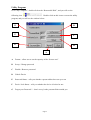
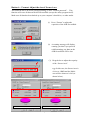
Button B – 2) Change Password
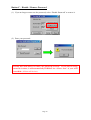
(1) If you have password already set, you can change your password here.
Click “Change Password” to change your password.
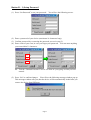
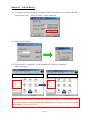
(2) Enter your old password.
(3) Enter new password of your choice.
(4) Confirm the new password by re-entering it.
(5) Change password hint if you wish.
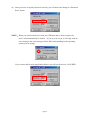
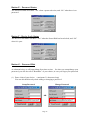
PS : (i) Password Hint is not mandatory. If you don’t want to use it or
you want to use the old hint, no action is required.
(ii) Password Hint can only be changed when entering a new password.
i.e.: Password Hint can not be changed without change of password.
2
3
4
5
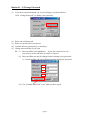
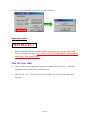
(iii) Use “Unmask Password” to see what you have typed.
Page 9