1
Controls
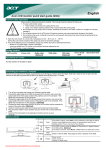
OSM (On-Screen Manager) control buttons on the front of the monitor
function as follows:
1. Basic function at pressing each key
–
SELECT
Button
+
AUTO / RESET
At No OSD
showing
Showing OSM.
Shortcut to Bright adjust
window.
Shortcut to Volume adjust
window.
At OSD showing
Go to Adjustment stage.
Cursor goes to left.
Cursor goes to right.
Go to Icon selection stage.
Adjust value decrease or
Cursor for adjust goes to left.
Adjust value increase or
Cursor for adjust goes to
right.
“Auto adjust” operate.
(Icon selection stage)
At OSD showing
(Adjustment stage)
Reset operation.
Mute off/on switch on Volume
adjustment window.
2. OSM structure
Main Menu (Icon Select)
Press
“SELECT”
key
Main Menu (Adjust)
Press
“SELECT”
key
VOLUME
MUTE
Press “SELECT” key
Example Tool:
Press “SELECT” key
Press
“SELECT” key
Press
“–” or “+”
Sub Menu (Icon Select)
Press
“–” or “+”
Press
“SELECT” key
Adjust by using
“–” or “+”
OSM TURN OFF
Sub Menu (Adjust)
English-6
Downloaded from ManualMonitor.com Manuals
%
Adjust by using
“–” or “+”