1
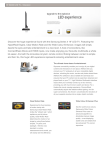
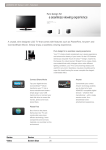
Smart Hub is your gateway into a new world of advanced
features that will change the way you watch TV.
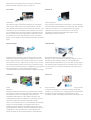
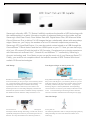
Your Video
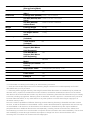
Search All
Customise your movie-going experience
Let Samsung help you take the guesswork out of choosing
what movie to watch with it’s Your Video feature. Just like
many popular online retail stores and video service sites, Your
Video serves up recommended movies based on the movies
you’ve selected in the past. That means you’ll always have a
list of movies that you’ll most likely want to watch every time
you search for a movie. After finding the movie you want to
watch, you can easily access it through Samsung’s convenient
Apps.
Now everything‘s within reach
Enjoy the ease of searching for information or content through
the convenient Search All feature on Smart Hub. With a couple
clicks of your remote, you can quickly search for content
related to the program you’re watching or even access
information and other features like VOD, Apps, Social
Networking Services, and more!
Samsung Apps
Web Browser
Unleash the true potential of your Samsung Smart TV with
Samsung’s vast, and growing library of Web-connected TV
Apps. They provide you with a quick and easy way to access
your favourite content—-without ever turning on a PC. So you
can download apps that let you access your favourite movies
and TV shows, browse through your digital photos, play games
like Texas Hold’em, or even video chat with skype*!
* data download, internet and subscription charges may apply.
Browse the Web with your Samsung Smart TV.
Benefit from the convenience of surfing the Internet on a PC,
but through your Samsung Smart TV. The Web Browser
feature has been optimised for your TV so that you can enjoy a
true Internet-surfing experience but on the big screen. So now
you can watch TV or surf the web without ever having to turn
on your PC.
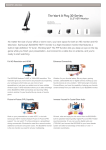
AllShare™
Social TV
Enhance your overall Samsung Smart TV experience with
AllShare**
Samsung’s AllShare™ feature is a key element in the Smart
TV equation. Just like the name sounds the AllShare™ feature
not only allows your TV to wirelessly connect with your
compatible mobile devices, it also helps to enhance your
overall Samsung Smart TV experience. That means you can
share movies, photos and music all through a single
device—your Samsung Smart TV. And because the Samsung
Smart TV is DLNA enabled, your digital content can be
seamlessly shared between compatible devices for a more
robust experience. Samsung has even optimised the network
configuration to let you easily enjoy content ranging from
movies to photos to music without having to switch devices.
Stay connected with friends and family with Samsung’s Social
TV feature. Watching TV is no longer a solitary event. With
Social TV you can share your viewing experiences with friends
and family through blogging and chatting services, like
Facebook, Twitter, and Google Talk, all while watching live TV!