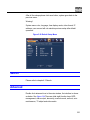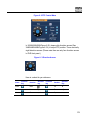
1
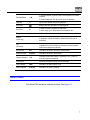
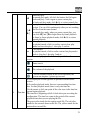
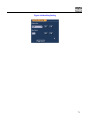
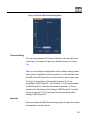
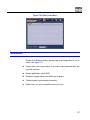
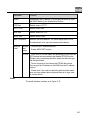
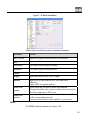
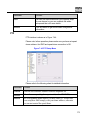
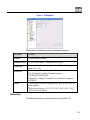
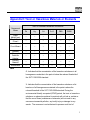
Parameter
Function
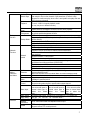
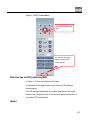
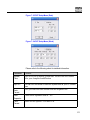
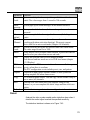
System can upload the alarm signal to the centre
(Including alarm centre.
Alarm
uploa
d
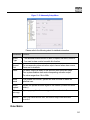
Record channel
System auto activates motion detection channel
(multiple choices) to record once alarm occurs
(working with motion detection function). Please note
you need to go to Chapter 4.4 Schedule to set motion
detection record period and go to chapter 4.2 Manual
Record to set current period as auto record.
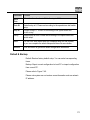
Record latch
System can delay the record for specified time after
alarm ended. The value ranges from 10s to 300s.
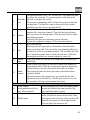
Email
If you enabled this function, System can send out
email to alert you when alarm occurs and ends.
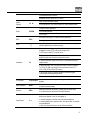
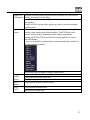
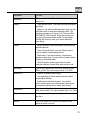
Tour
PTZ Activation
z
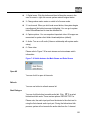
Display the selected video in local monitor window.
z
Tour interval and tour mode are set in DVR local
menu (chapter 5.3.9 Display )
z
Here you can set PTZ movement when alarm
occurs. Such as go to preset x when there is an
alarm.
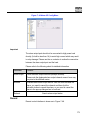
Capture
You need to input capture channel number so that
system can backup motion detection snapshot file.
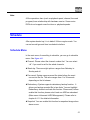
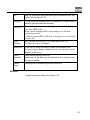
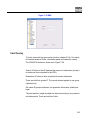
Matrix Enable
Please note this function is valid in motion detect
mode.
Check the box here to enable video matrix function.
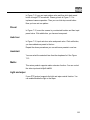
Right now system supports one-channel tour
function. System takes “first come and first serve”
principle to deal with the activated tour. System
will process the new tour when a new alarm occurs
after previous alarm ended. Otherwise it restores
the previous output status before the alarm
activation.
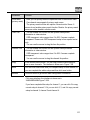
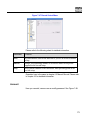
Copy
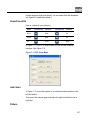
It is a shortcut menu button. You can copy current
channel setup to one or more (all) channels.
173