1
View connection details
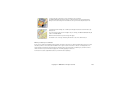
To view the details of a connection, scroll to a connection, and select Options > Details. The following is
displayed:
Name — name of the Internet access point (IAP) in use
Bearer — type of data connection: Data call or Packet data
Status — current status of the connection
Recvd. — amount of data, in bytes, received to the phone
Sent — amount of data, in bytes, sent from the phone
Duration — length of time that the connection has been open
Speed — current speed of both sending and receiving data in KB/s (kilobytes per second)
Dial-up (data call) or Access pt. (packet data) — dial-up number or or name of access point used
Shared (not displayed if the connection is not shared) — number of applications using the same connection
End connections
To end a connection, scroll to the connection, and select Options > Disconnect.
To close all currently active connections, select Options > Disconnect all.
Copyright © 2006 Nokia. All rights reserved.
122