1
User Manual
· Answer / end / callback / redial / reject / transfer function
When using your Bluetooth car kit for the first time, your cell phone must be paired
· Saves the last 10 incoming numbers
with it. Please refer to the user manual of your cell phone for specific details on
Bluetooth hands-free Car kit is specially designed for drivers to easily dial or answer a
·Supports A2DP function: can play and control music from your cell phone.
Bluetooth connectivity.
call while driving a car. It can be used on most types of cars. In order to use this
·Built-in high intelligent microphone and powerful speaker for excellent sound quality
Press the key + or - buttons to select the Pairing Mode, press the
product correctly, please read the instructions carefully before using.
·Built-in Li-ion battery
into Pairing Mode.
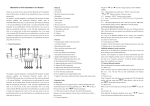
Appearance and Structure.
·USB port for software update and charge.
a. Please make sure that the Bluetooth on your mobile phone is on and opened when
·Charging indicator`
the device shows “Pairing... ”. Look for the device named ‘CAR KIT’.
·Connect automatically when power is on
b. Choose ‘CAR KIT’.
Installation:
c. Input password “0000” if requested.
Please install this device to steering wheel where the position is convenient to control
d. Choose ‘CAR KIT’ as the ‘Hands free device’ in your mobile menu, after the
but would not affect the driver’s view.
pairing connection has succeeded. The LCD screen shows connected mobile name,
Thank you for your purchase of the Bluetooth Hands-Free Car Kit. This
button to enter
which means your mobile phone has been successfully paired with this device, press
the “ESC” button to return to the Initial Settings Menu.
1. Power On/Off switch
Phone Book Mode (Matching based on the actual cell phone model)
2. MIC hole
Press the + or - buttons to select phone book mode and press
3. “ESC” button, short press to exit /Communications records.
4.
Multi-function button. Pick/Hang up a call.
5.
“-” Function button: Menu down/ decrease Volume
button to confirm.
Two options are available:
1.Please attach the device to the bracket first.
“Download phone book ”
2.Then install the Product bracket to the steering wheel.
“Clear phone book ”
6. USB port: charge
OPERATION INSTRUCTION
Press + or - buttons to select download phonebook mode, press
7. Built-in Speaker
Initial Setting
confirm, press “ESC” button to exit. If you need to delete all phone numbers, enter the
8. Steering wheel Fixed bracket
Press the “ESC” button and
9. LCD screen
Initial Setting Mode. The Initial Setting Mode includes the following sub-menus:
at the same time for 2 seconds, then enter the
Delete Phone Book mode. The screen will display “Clear all?” Press
button to
button to
delete all records. Press “ESC” button to return to the Initial Settings Menu.
10. “+” function button: Menu up/increase Volume
Language
Screen Direction
11.
Pairing Mode
Press + or - buttons to select screen direction. You can choose from Normal or Reverse
Phone Book Mode
mode. Press
Screen Displaying Direction
characters will turn 180 degrees. The device will return to Standby mode automatically
button: OK / phone book
Features
· Special bracket structure allows the unit to be attached to any position on the steering
button to confirm. Each time you press the
button, the screen
wheel for convenient operation.
Language
·DSP technology, Full duplex, CVC noise and echo suppression.
Press the + or - buttons to choose the Language sub-menu. Press the
·Super bright LCM caller name display and caller ID
enter into the Language Mode. There are 3 languages for selection: English,
1. Power On/Off
·Supports Voice dialing function (cell phone must be voice dial capable).
Simplified Chinese, and Traditional Chinese.
Slide power switch of the device to ON. The LCD will display “Car Kit .”. (Please
·Download telephone book from cell phone to Bluetooth car kit
Press the + or - buttons to choose your favorite language, press the
·Can store 250-300 phone numbers
confirm
·Support MIC mute function
Pairing Mode
press the “ESC” button to go back.
after finished.
button to
button to
Features and Operation
put power switch to the OFF position if not in use for a long time).
2. Hands-free Talking
2.1 Making a call
the following:
Under connected state, dial a telephone number by cell phone. The Bluetooth car kit,
after finding the number you wanted.
LCD display “Dialing……”. The device returns to Standby mode after the call has
After no operation for more than 5 seconds, or by pressing the
ended.
device returns to standby mode.
Ensure your Bluetooth Car Kit has enough battery power.
2.2. Answering a call
To clear the call records, turn off the power supply.
Ensure the Bluetooth Car Kit is paired with your cell phone.
Under connected state, when there is an incoming call, LCD will display the phone
5. Music mode
number or the caller’s name (name will only be displayed if added to your address
This product supports A2DP function and can play music stored in the cell phone
book). Press
button to answer the call. The device returns to Standby mode after
(“ESC” button), the
Ensure the device is within a maximum of 30 feet of the mobile phone and there
through the speaker of Bluetooth car kit.
5.1 When playing music, you can operate as follows:
the call has ended.
Ensure the Bluetooth Car Kit is switched ON.
is no interference with other electronic equipment.
2. If after checking all of those, the connection still fails
Delete other Bluetooth devices from the paired list on your cell phone.
2.3. Rejecting a call
Press
To reject an incoming call, press “ESC” button. The LCD will display “Reject”, and
Press “ESC” button to play previous music.
the device will return to Standby mode after 2 seconds.
Press
2.4. Voice Dialing (Only work with cell phones equipped with voice dialing).
Press the + button to increase volume
3. Sound distortion
Under connected state, press the + button. The LCD will display “Voice dial” and the
Press - button to decrease volume
Adjust the Volume to improve the sound effects.
phone says "Speak now". Say contact’s name as it appears in your phone book and it
5.2. Taking a call while playing music through the device
will dial the corresponding phone number.
When there is an incoming call the device will automatically switch from the music
Bluetooth version
2.1+EDR
2.5. Microphone Mute
playing mode to phone calls mode.
Bluetooth working Frequency
2.4GHZ
When communicating by Bluetooth hands free, if you do not want the other party to
5.3. To stop playing music
Receiving range of the Bluetooth device
0~32 feet
hear your voice, press the “ESC” button once, The LCD displays “MIC MUTE” and
Close the player on the phone to exit the music mode.
Talking range of the hands-free Mic
0~3 feet
the microphone will be turned off. The other party cannot hear your voice. To un-mute
Charging
Charging voltage
DC12V-24V
the device, press the “ESC” button again. The LCD will display “MIC UNMUTE” and
The product has a built-in lithium battery. The amount of charge is shown on the top
Capacity of the built-in lithium
300 mAh
the microphone will be turned back on.
right corner of the LCD. When the battery is running low, fully charge the product
Standby current
25MA
3. Viewing the phone book
otherwise it will power off automatically during use. When power is full the LCD
Stand-by time
16H
After your phone book is downloaded to the Bluetooth hands-free device, press the
charge icon will be full.
External size
98*45*22.5mm
Weight
70g
Operating temperature
-14°F-150°F
Storage temperature
-4°F~176°F
button to Play / Pause
button to play the next song
button to view the phone book. Press the + or - buttons to look through phone
book. Press
key after finding the person you want to call, to dial that number.
After no operation for more than 5 seconds, or by pressing the “ESC” button, the
device returns to standby mode.
If two cell phones are paired with the Bluetooth device, delete the device on one
of the cell phones.
Specifications
Accessories
4. View Call Records
1. USB charging cable
When in the hung up state, press the “ESC” button once. The LCD will display the
1. Take off the device from the steering wheel bracket.
phone number or name of last call. If there are no call records in the device, the LCD
2. Plug the 5PIN Mini USB to USB charging port and then insert the car charger into
will display “No Record”.
a car cigarette lighter or 12V socket.
4.1. To dial from the recent calls list
Troubleshooting
Use the + or - buttons to scroll through the recent calls list. Press
Insert the charger and charge the Bluetooth car kit to reset the Bluetooth car kit
button to dial
1. If you are unable to connect your Bluetooth Car Kit to the cell phone, please check
2. Car charger
Customer Service
If you require any assistance with your Bluetooth Hands-Free Car Kit (a.k.a.
Steering Wheel Bluetooth Speakerphone), please call 1 (877) 210-3449.