1
AK-ST7FMC User's Manual
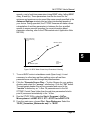
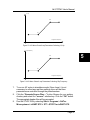
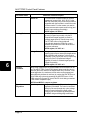
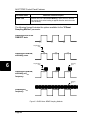
speeds, a set of real-time parameters (rising BEMF delay, falling BEMF
delay, Ki and Kp). These parameters must be fine tuned for the
minimum and maximum motor speed (the same speeds specified in the
Advanced Settings window) plus two other intermediate speeds of
your choice. During operation, the ST7FMC firmware will make a linear
extrapolation of real-time parameters in between the four specified
speeds to ensure smooth operation (for more information about
parameter collecting, refer to the STMicroelectronics’ Application Note
AN1905).
Rising B-EMF Delay,
Falling B-EMF Delay,
Ki, Kp
Maximum speed
V2
5
V1
Minimum speed
Target
Mechanical
Speed
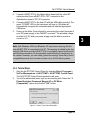
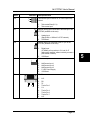
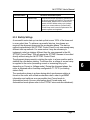
Figure 5.2: BLDC Motor Closed Loop Parameters Collecting
7.
To run a BLDC motor in standalone mode (Open Loop), it is not
necessary to collect any real-time settings, since all real-time
parameters are controlled through the potentiometers.
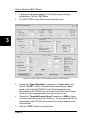
8. Click the “Generate Source Files…” button. Browse for your working
directory and select the “\source” subdirectory. Click the “OK” button.
The appropriate header files will be generated and saved in the
“\source” subdirectory as *.h files. All parameters set in the AKST7FMC Control Panel (other than the real-time parameters listed in
point 6) are saved automatically in the *.h files.
9. Run the STVD7 IDE by selecting Start > Programs > SofTec
Microsystems > inDART-STX > ST7 > STVD7 for inDART-STX.
10. From the main menu, choose File > Open Workspace. Select the
“BLDC_Sensorless_Metrowerks.wsp” or “BLDC
Page 43