1
Getting started
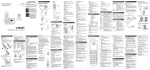
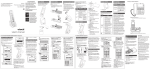
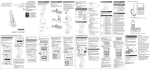
Handset layout
•
•
•
•
•
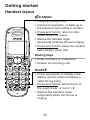
/CANCEL
Hang up during a call.
Cancel an operation, or back up to
the previous menu while in a menu.
Press and hold to return to idle
mode while in a menu.
Silence the handset ringer
temporarily while the phone is ringing.
Press and hold to erase the missed
call indicator when idle.
Dialing keys
• Enter numbers or characters.
• Answer an incoming call.
QUIET#
• Press repeatedly to display other
dialing options when reviewing a
caller ID log entry.
• Press and hold to set and turn on
the quiet mode, or turn it off.
• Silence the handset ringer
temporarily while the phone is
ringing.
15