1
Mainboard User’s Manual
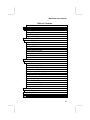
Table of Contents
Trademarks .............................................................................. I
Chapter 1......................................................................................... 1
Introduction ................................................................................. 1
Key Features ........................................................................... 2
Package Contents .................................................................... 5
Static Electricity Precautions .................................................. 6
Pre-Installation Inspection ...................................................... 6
Chapter 2......................................................................................... 7
Mainboard Installation ................................................................ 7
Mainboard Components.......................................................... 8
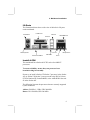
I/O Ports.................................................................................. 9
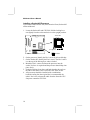
Install A CPU.......................................................................... 9
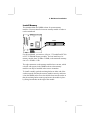
Install Memory...................................................................... 11
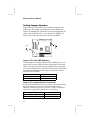
Setting Jumper Switches ....................................................... 12
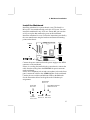
Install the Mainboard ............................................................ 13
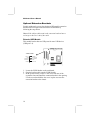
Optional Extension Brackets................................................. 14
Install Other Devices ............................................................ 16
Expansion Slots..................................................................... 18
Chapter 3....................................................................................... 19
BIOS Setup Utility .................................................................... 19
Introduction........................................................................... 19
Running the Setup Utility ..................................................... 20
Standard CMOS Setup Page ................................................. 21
Advanced Setup Page ........................................................... 22
Power Management Setup Page............................................ 23
PCI / Plug and Play Setup Page ............................................ 25
Load Optimal Settings .......................................................... 25
Load Best Performance Settings ........................................... 26
Features Setup Page .............................................................. 26
CPU PnP Setup Page ............................................................ 28
Hardware Monitor Page........................................................ 29
Change Password.................................................................. 29
Exit........................................................................................ 30
Chapter 4....................................................................................... 31
Software & Applications........................................................... 31
Folders for this Mainboard ........................................................ 31
Utility Folder......................................................................... 31
Running the Support CD-ROM ................................................. 32
III