1
3.3
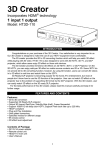
Step 2: Connect the 3D Converter Box Output to your TV
1.
Connect one end of the first HDMI Cable to the “HDMI Out” port of the 3D Converter Box.
2.
Connect the other end of this first HDMI Cable to one of the HDMI input channels on your
TV.
TV
HDMI IN
1
Converter Box
HDMI
IN
HDMI
IN
1
2
HDMI
OUT
3.
Switch on your TV and change the video source to this particular HDMI Input channel on
the TV.
4.
Note that the first Source LED lights up.
7