1
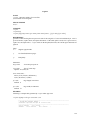
data base layout) from one GRASS system to another. The destination for the output is set by a previous
.output command (default is stdout).
.query (.q) [-m | -w] [-a | -d]
The .query command is used to retrieve records via an SQL-like request to RIM, including a user specified
"where clause." All fields for each record meeting the selection criteria are retrieved.
The optional .query command line parameters cause records whose representative points are not in the
region (-w) and/or mask (-m) to be rejected, so these conditions need not be tested in the "where clause".
See .find for a full explanation of the command line options.
After the query command line, any number of lines (each no more than 80 characters) may be entered to
define the SQL "where" clause. A .end line is required to finish the request and begin data retrieval. See
examples below.
The "distance from" clause may also be used as an additional selection criteria exactly as described in the
examples and notes for .find. It must be entered as a separate line to the query prompt.
The retrieved records may be printed at time of retrieval, rather than after the completion of the query
command by including a .print (.p) line with the same options for print format as in the .print command
(see above); e.g. .p -a to output in the "list add" format. The .print clause must be entered as a separate
line to the query prompt. This feature is most useful when working with very large databases where
retrieval time is significant. See example 2 below.
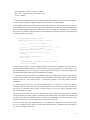
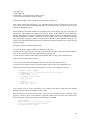
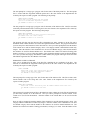
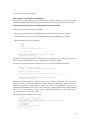
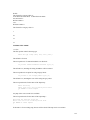
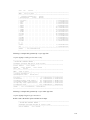
Example 1
query> where density < 20 and (date = "10/14/89"
query> or county eq "San Marcos")
query> .end
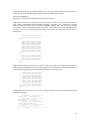
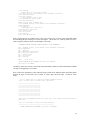
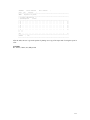
Example 2
query> where east <600000 and name like "*Jones*"
query> distance from record 12 3000
query> .print -a
query> .end
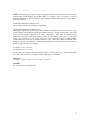
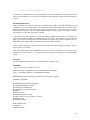
Example 3
query>.end
The where and distance from clauses are each optional. If both are omitted, only the mask and region on
the .query command line restrict the search; if mask and region are also omitted, all records will be
retrieved (Example 3). When querying for records the where clause is processed first, the current region
and mask tested (if requested), then the distance from clause is applied; a record must pass all tests to be
put on the internal query list (or appended or deleted) for output by other commands.
Notes: (Also see Notes for .find)
1. The retrieved records are stored on the internal query list in the order returned from the data base by
RIM, not necessarily in sequence number order or the order the data was loaded. A "distance from"
clause results in a final sorting by proximity to the target.
27