1
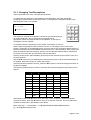
2.3.1 Level 1 Menu Options
Press the MENU button.
[Level 1 Menu]
ENABLE CONTROLS
VIEW
LED TEST
The Level 1 menu shows three options.
Use the ÏÐ buttons to select the required option. Press the button to select.
2.3.1.1 Enable Controls
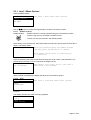
Enable controls is normally activated using the front panel key-switch.
Disable Enable
Insert the key and turn clockwise to enable controls.
The key can only be removed in the disable position.
Alternatively, to use a password, select the Enable Controls menu option and then press the button. The display shows:
Enter your password
**
Enter the password using the number buttons
and then press the button to confirm.
Each number button press is indicated by a
‘*’ character.
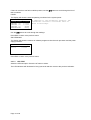
Enter the password using the number buttons and press the button. If the password is not
entered quickly enough or is not recognised, the display shows:
Enter your password
Not recognised!
The display will revert back to the Level 1
Menu after a few seconds.
When controls are enabled, the display will show the Level 2 Menu options.
2.3.1.2 View
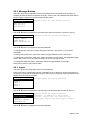
[View Menu]
FAULTS
PANEL
SW VERSIONS
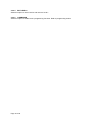
The Level 1 view menu shows three options.
FAULTS:
The display will show any faults currently registered.
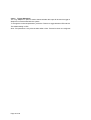
[Fault Status]
1 of 1
INPUT 8
>OPEN CIRCUIT
Page 13 of 50