1
Chapter 3: Troubleshooting
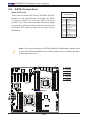
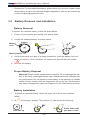
3. Insert the battery into the battery holder and push it down until you hear a
click to ensure that the battery is securely locked.
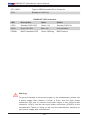
Warning: When replacing a battery, be sure to only replace it with the
same type.
3-4 Frequently Asked Questions
Question: What are the various types of memory that my motherboard can
support?
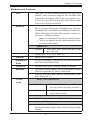
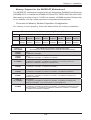
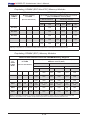
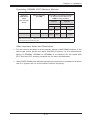
Answer: The motherboard supports Registered (RDIMM)/Load Reduced (LRDIMM)
ECC or Unbuffered (UDIMM) ECC/Non-ECC DDR3 modules. To enhance memory
performance, do not mix memory modules of different speeds and sizes. Please
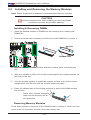
follow all memory installation instructions given on Section 2-3 in Chapter 2.
Question: How do I update my BIOS?
It is recommended that you do not upgrade your BIOS if you are not experiencing
any problems with your system. Updated BIOS files are located on our website
at http://www.supermicro.com. Please check our BIOS warning message and the
information on how to update your BIOS on our website. Select your motherboard
model and download the BIOS file to your computer. Also, check the current BIOS
revision to make sure that it is newer than your BIOS before downloading. You can
choose from the zip file and the .exe file. If you choose the zip BIOS file, please
unzip the BIOS file onto a bootable USB device. Run the batch file using the format
AMI.bat filename.rom from your bootable USB device to flash the BIOS. Then, your
system will automatically reboot.
Warning: Do not shut down or reset the system while updating the BIOS
to prevent possible system boot failure!)
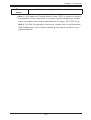
Note: The SPI BIOS chip used on this motherboard cannot be removed.
Send your motherboard back to our RMA Department at Supermicro for
repair. For BIOS Recovery instructions, please refer to the AMI BIOS
Recovery Instructions posted at http://www.supermicro.com.
Question: What's on the CD that came with my motherboard?
Answer: The supplied compact disc has quite a few drivers and programs that will
greatly enhance your system. We recommend that you review the CD and install
the applications you need. Applications on the CD include chipset drivers for the
Windows OS, security and audio drivers.
3-7