1
KELCO INDUSTRIAL SERVICES
[email protected]
248-421-9882
Portable Video Scope
LVS 2-6
User’s Manual
Page 1
KELCO INDUSTRIAL SERVICES
[email protected]
248-421-9882
The Characteristics of this Product
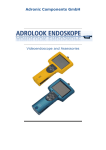
The Portable Video Scope (LVS-2) can readily inspect the various places that are difficult to see. It comes
with 3.5 inch display, has a built-in rechargeable lithium battery and two-way articulation to easily
complete inspection tasks without other external devices.
INDEX:
1.
2.
3.
4.
5.
6.
LVRS Recording Model Videoscope Button Layout……..3
Technical Index & Specifications ………………………………….4
Product Sketch Map ……………………..……………………………..5
How to Operate …………………………………………………………..6
Operating Notes & Attachments.………………………………..7
Image Capturing…………………………………………………………..8
Contents:
1 Base:
LVS-2
Charger
Video Cable
Users Manual
1PC
1PC
1PC
1PC
2 with USB case:
USB Capture Device 1PC
Drive CD
1PC
Page 2
KELCO INDUSTRIAL SERVICES
[email protected]
248-421-9882
Button layout for LVRS Model only
Page 3
KELCO INDUSTRIAL SERVICES
[email protected]
248-421-9882
Technical Index & Specifications:
ITEM
TECHNICAL INDEX
Model
LVS-2
Viewing Direction
Direct View
Field of View
95 degree
Depth of
Observation
5~200mm
Focus
Fixed
Bending Angle
2 ways: left and right 90 ~ 120
Head Size
4, 6, 8 mm
Sort of Flexible
Scope
Stainless Steel Reticulation
Plastic Hoses
Working Length
Meters
Output
NTSC Video Signal
Display
3.5 TFT LCD
Display Corner
0~90 degree
White Balance
Manual
Light Source
LED
Battery
Inside rechargeable battery
(2200MAH Lithium-ion, working time 8 hours)
AC IN100~240V DC OUT 12.6V-1A
Charger
Working
Temperature
-20 C ~ 80 C
Page 4
KELCO INDUSTRIAL SERVICES
[email protected]
248-421-9882
Product Sketch Map:
Figure 1. Sketch map of LVS-2’ parts
Figure 2. Sketch map of LVS-2’s control panel
Button Diagram
1.
2.
3.
4.
5.
6.
7.
8.
9.
C button, Check the battery’s capability
Battery’s capability low warning LED
25% of battery capability LED
50% of battery capability LED
75% of battery capability LED
Battery’s capability full LED
The White Balance Button
The decrease button for light output
The increase button for light output
Page 5
KELCO INDUSTRIAL SERVICES
[email protected]
248-421-9882
How To Operate:
1. Checks before using LVS-2
Check the insertion tube: for damage or deformity or if broken.
Check the power: turn on the power switch. Press the C button to check the battery’s charge, (charge
time is 3-4 hours)
Check the lens: Make sure the glass of lens is clean.
If you find any other abnormalities about the LVS-2, please contact [email protected].
(Before insertion for best color, point video scope at white piece of paper and push the WB or White
balance button)
2. Turn On the power (if you haven’t already)
The light output is controlled by the +/- button on the base panel
3. Articulation is controlled by your thumb on the wheel in the handle
4. Adjust View Quality By turning the display up or down
5. The LVS-2 is provided with RCA type vide output for connection to external
monitors or computers.
6. Cleaning LVS-2
After each inspection, use a cotton swab immersed with light glass cleaning liquid, carefully wipe the
dirty surface on the tube and a clean Q-tip dipped in alcohol to clean lens of the camera housing.
7. Storing the LVS-2
A. Keep the LVS-2 in case when not in use.
B. The LVS-2 storage area should be clean, dry, well-ventilated and of normal temperature. Avoid
exposure to direct sunlight, high temperature, high humidity and X-ray.
8. Repairs to LVS-2
If the LVS-2 does not work normally, please turn off the power immediately, pack well and contact
248-421-9882 or [email protected]!
* Don’t send parts separately, otherwise warranty will be voided.
**Important: Before insertion, for best color and resolution, point video scope at white piece of paper at
about ¼ in. distance push the WB or White Balance button to allow signal generator to calibrate and set
color scale automatically
Page 6
KELCO INDUSTRIAL SERVICES
[email protected]
248-421-9882
Operating Notes:
1. If the battery is low, please charge it at this time. The output voltage of charger is 12.4 V. and
the charging time is 3-4 hours, do not over charge.
2. Insert the tube slowly. If you are having difficulty with inserting, please stop. Forcing the
insertion will cause damage to the front glass of lens.
3. Please Do not point the videoscope at strong lights, this could damage the sensor chip.
4. The working environment Temperature should not be continuously higher than 80 C
5. When the machine is on for a long time, the lens will generate a lot of heat which is a normal
occurrence. Caution should be used while handling to avoid accidents.
6. For Normal Operation (ON LVRS MODEL ONLY) Motion detect settings should be off.
Attachment:
User can utilize a USB CAPTURE DEVICE to connect LVS to a PC or Laptop.
Figure 3 Connect with PC
Connect to the PC: (if using USB CAPTURE DEVICE)
Follow Instructions provided with USB capture device and CD.
After installing all software and drivers use yellow RCA cable (included) to connect to USB capture
device.
Page 7
KELCO INDUSTRIAL SERVICES
[email protected]
248-421-9882
Image Capturing
How to take snap shots: (if using LVRS video scope with SD card)
1. Turn video scope on
2. When you are ready to take a snap shot, push large circular button on top of video scope
screen. (you should notice screen will freeze for a second)
3. To Review Captured Images, Push button with “play” symbol
4. To Delete Images, Press Menu button and Select “delete Image” option and press the “OK” key
To extract Images (using LVRS model only)
1. Remove SD card from top of video scope monitor. (simply push the SD card in slightly with finger
and it should pop out)
2. Insert SD card into SD card reader (included)
3. Connect SD card Reader to Laptop Or computer
4. Your computer should automatically recognize the additional hard ware that has been inserted
into your computer
If not, go to “My computer” and you should find an additional Device that was not on your
computer previous to plugging in USB capture device
Page 8
KELCO INDUSTRIAL SERVICES
[email protected]
248-421-9882
[email protected]
8845 El Dorado
White Lake, MI 48386
248 421-9882
Page 9