1
TEST AND AJUSTMENT MANUAL
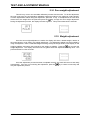
2.14. Zero weight adjustment.
This will carry out an non-reversible calibration process with the scale. To do this adjustment,
the user must have the corresponding calibrated weights according to the maximum scale capacity.
To leave adjustments without doing this adjustment, press the ‘F’ key. If the adjustment is to be done,
key to begin the zero weight adjustment.
remove all of the weight from the plate and press the
During the adjustment process, the display will show hyphens. This process lasts various seconds.
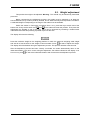
2.15. Weight adjustment.
Once the zero weight adjustment is made, the display will show a default weight, relative to
the scale capacity, to be used in the weight adjustment. This adjustment weight may be modified by
using the keyboard. Place a calibrated weight matching exactly the weight shown in the display on the
key to begin the
weighing platform and wait a few seconds for the weight to stabilize. Press the
weight adjustment. The display will show lines of hyphens while the adjustment is being done. This
process will last for a few seconds.
Once the adjustment process has been completed correctly, the scale will return to test ready
automatically. If an error occurs during the adjustment, press the
retry the adjustment process.
49-TF000EN01
6
key to return to test ready and