1
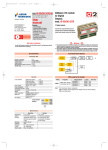
Using your Remote Control:
1
2
3
4
5
6
7
8
9
9
11
10
12
13
14
15
Note:
If the remote fails to operate the CD player please
check the conditions of the batteries and also that the
remote sensor has not been obstructed
1
Stand by – Toggles player ON and Stand
by.
2
Numeric Button – Select Tracks
3
Sound Mode – Audio Stream Selection (if
available)
4
Audio – Select between CD Layer and
SACD Layer (if available)
5
Pause – Pause and Resume
6
Stop – Stops Play, Press twice to Cancel
programmed track sequence
7
Cursor :
Left /Right - Short press will will fast
reverse / forward the track slowly, long
press will fast reverse / forward quickly.
Press PLAY to cancel the function.
Up/Down – Adjust the display brightness.
8
Play – Press to Play disc, press again to
restart the track.
9
Previous / Next - Sequential track
selection for playback and programming
track sequence.
10
REP – Repeat Track, press again to
Repeat Disc, Press again to Cancel
Repeat.
11
A/B – Repeat a track between point A to
B. Press once to register point A, press
again to register point B, press again to
cancel.
12
TIME – Toggles disc time display mode.
13
TRACK – Press to start program disc
playback sequence. Press TRACK
followed by a track number and repeat
until all tracks are programmed. Press
PLAY to start.
14
DISPLAY – Press to dim or switch off
player display.
15
SHUF – To shffle playback sequence.