1
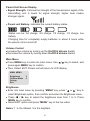
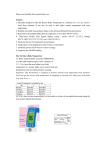
Parent Unit Screen Display
!
Signal Strength: It shows the strength of the transmission signal of the
transmitting unit. 6 levels for signal strength, higher level means
stronger signal.
!
Parent unit Battery: indicates the current battery status.
Status can be: full charge, 3/4 charge, 1/2 charge, 1/4 charge, low
battery.
Charging time for completely empty batteries is about 8 hours while
the parent unit is turned off.
Volume Control
!
Increase the volume by turning up the On/Off & Volume Switch
!
Decrease the volume by turning down On/Off & Volume Switch
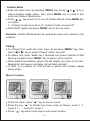
Main Menu
!
Press MENU key to enter into main menu. Use / key to select, and
press again MENU key to confirm.
!
Then, Select EXIT, Parent unit will return to LCD display.
MAIN MENU
Brightness
Outdoor Mode
Pairing
Exit
3
0
Brightness
!
Enter into main menu by pressing “MENU” key, press “ or ” key to
select Brightness option, then confirm and enter into Brightness menu.
!
Press
/
key to adjust the brightness level from 1 to 5. Press
MENU key to confirm.
!
Select EXIT option and press “MENU” key to the live video.
Notes: 1 is the darkest .5 is the brightest
8