1
5 Classes (interfaces)
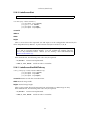
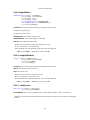
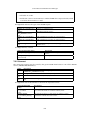
5.16.8 setSeamlessMode
void IDisplay::setSeamlessMode(
[in] boolean enabled)
enabled
Enables or disables seamless guest display rendering (seamless desktop integration) mode.
Note: Calling this method has no effect if IGuest::getFacilityStatus() with facility
Seamless does not return Active.
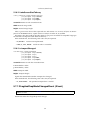
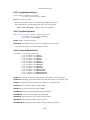
5.16.9 setVideoModeHint
void IDisplay::setVideoModeHint(
[in] unsigned long display,
[in] boolean enabled,
[in] boolean changeOrigin,
[in] long originX,
[in] long originY,
[in] unsigned long width,
[in] unsigned long height,
[in] unsigned long bitsPerPixel)
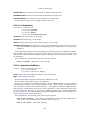
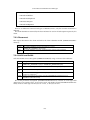
display The number of the guest display to send the hint to.
enabled True, if this guest screen is enabled, False otherwise.
changeOrigin True, if the origin of the guest screen should be changed, False otherwise.
originX The X origin of the guest screen.
originY The Y origin of the guest screen.
width
height
bitsPerPixel
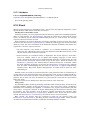
Asks VirtualBox to request the given video mode from the guest. This is just a hint and it
cannot be guaranteed that the requested resolution will be used. Guest Additions are required
for the request to be seen by guests. The caller should issue the request and wait for a resolution
change and after a timeout retry.
Specifying 0 for either width, height or bitsPerPixel parameters means that the corresponding values should be taken from the current video mode (i.e. left unchanged).
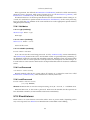
If the guest OS supports multi-monitor configuration then the display parameter specifies the
number of the guest display to send the hint to: 0 is the primary display, 1 is the first secondary
and so on. If the multi-monitor configuration is not supported, display must be 0.
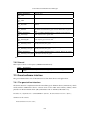
If this method fails, the following error codes may be reported:
• E_INVALIDARG: The display is not associated with any monitor.
70