1
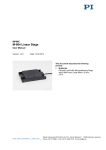
MP99E M-683 Linear Stage User Manual Version: 1.4.0 Date: 04.06.2014 This document describes the following products: M-683.2U4 PILine® High-Speed Linear Stage, 50 mm, 6N M-683.2V4 PILine® High-Speed Linear Stage, 50 mm, -6 6 N, Vacuum Compatible to 10 hPa Physik Instrumente (PI) GmbH & Co. KG · Auf der Römerstr. 1 76228 Karlsruhe, Germany Phone +49 721 4846-0 · Fax +49 721 4846-1019 · E-mail [email protected] Physik Instrumente (PI) GmbH & Co. KG is the owner of the following trademarks: PI®, PIC®, PICMA®, PILine®, PIFOC®, PiezoWalk®, NEXACT®, NEXLINE®, NanoCube®, NanoAutomation®, Picoactuator®, PInano® PI owns the following patents or patent applications for the technology field Ultrasonic Piezo Motors (PILine®): Germany: DE102004024656A1, DE102004044184B4, DE102004059429B4, DE102005010073A1, DE102005039357B4, DE102005039358A1, DE102006041017B4, DE102008012992A1, DE102008023478A1, DE102008058484A1, DE102010022812A1, DE102010047280A1, DE102010055848, DE102011075985A1, DE102011082200A1, DE102011087542B3, DE102011087542B3, DE102011087801B4, DE102011108175, DE102012201863B3, DE19522072C1, DE19938954A1 Europe: EP0789937B1 EP1210759B1, EP1267425B1, EP1581992B1, EP1656705B1, EP1747594B1, EP1812975B1, EP1861740B1, EP1915787B2, EP1938397B1, EP2095441B1, EP2130236B1, EP2153476B1, EP2164120B1, EP2258004B1, EP2608286A2 USA: US2010/0013353A1, US5872418A, US6765335B2, US6806620B1, US6806620B1, US7218031B2, US7598656B2, US7737605B2, US7795782B2, US7834518B2, US7973451B2, US8253304B2, US8344592B2, US8482185B2 Japan: JP2011514131, JP2011522506, JP3804973B2, JP4377956, JP4435695, JP4477069, JP4598128, JP4617359, JP4620115, JP4648391, JP4860862, JP4914895, JP2013539346 China: ZL200380108542.0, ZL200580015994.3, ZL200580029560.9, ZL200580036995.6, ZL200680007223.4, ZL200680030007.1, ZL200680042853.5 International patent applications: WO2009059939A2, WO2010121594A1, WO2012048691A2, WO2012113394A1, WO2012155903A1, WO2013034146A3, WO2013117189A2 © 2014 Physik Instrumente (PI) GmbH & Co. KG, Karlsruhe, Germany. The text, photographs and drawings in this manual are protected by copyright. With regard thereto, Physik Instrumente (PI) GmbH & Co. KG retains all the rights. Use of said text, photographs and drawings is permitted only in part and only upon citation of the source. Original instructions First printing: 04.06.2014 Document number: MP99E, CBo, version 1.4.0 Subject to change without notice. This manual is superseded by any new release. The latest release is available for download (p. 3) on our website. Contents 1 About this Document 1.1 1.2 1.3 1.4 1.5 1.6 2 3 Goal and Target Audience of this User Manual ...................................................1 Symbols and Typographic Conventions ...............................................................1 Definition ...............................................................................................................2 Figures ..................................................................................................................3 Other Applicable Documents ................................................................................3 Downloading Manuals ..........................................................................................3 Safety 2.1 2.2 2.3 2.4 5 Intended Use ........................................................................................................5 General Safety Instructions ..................................................................................5 Organizational Measures ......................................................................................7 Measures for Handling Vacuum-Compatible Products ........................................7 Product Description 3.1 3.2 3.3 3.4 3.5 3.6 3.7 1 9 Model Overview ....................................................................................................9 Product View.......................................................................................................10 Product Labeling .................................................................................................10 Scope of Delivery ...............................................................................................12 Suitable Controllers ............................................................................................12 Accessories ........................................................................................................13 Technical Features .............................................................................................13 3.7.1 Linear Encoder .................................................................................13 3.7.2 Limit Switches ...................................................................................14 3.7.3 Reference Point Switch ....................................................................14 4 Unpacking 15 5 Installation 17 5.1 5.2 5.3 5.4 5.5 General Notes on Installation .............................................................................17 Connecting the M683 to the Protective Earth Conductor ..................................19 Mounting the M683 on a Surface ......................................................................21 Affixing the Load to the M683............................................................................23 Setting Up a Multi-Axis System ..........................................................................25 5.5.1 General Information on Setting Up a Multi-Axis System ..................26 5.5.2 Setting Up an XY System .................................................................27 5.5.3 Setting Up a Z System ......................................................................30 5.6 5.7 6 Start-Up and Operation 6.1 6.2 7 Connecting the Vacuum Version to the Controller .............................................32 Connecting the Extension Cable ........................................................................34 General Notes on Start-Up and Operation .........................................................37 Starting Up the M683 with the C-867 Controller ...............................................41 Maintenance 7.1 7.2 7.3 37 43 General Notes on Maintenance ..........................................................................43 Performing a Maintenance Run ..........................................................................43 Cleaning the M683 ............................................................................................44 8 Troubleshooting 45 9 Customer Service 47 10 Technical Data 49 10.1 10.2 10.3 10.4 10.5 Specifications......................................................................................................49 10.1.1 Data Table ........................................................................................49 10.1.2 Limit Switch Specifications ...............................................................50 10.1.3 Reference Point Switch Specifications .............................................50 10.1.4 Maximum Ratings .............................................................................51 10.1.5 Specifications for Vacuum-Compatible Versions .............................51 Ambient Conditions and Classifications .............................................................52 Motor Power .......................................................................................................53 10.3.1 Motor Power and Operating Voltage ................................................53 10.3.2 Velocity and Dynamic Force .............................................................54 10.3.3 Motor Power and Lifetime.................................................................55 10.3.4 Influence of Downtimes on the Static Holding Force........................56 Dimensions .........................................................................................................57 Pin Assignment ...................................................................................................59 11 Old Equipment Disposal 61 12 Declaration of Conformity 63 1 About this Document 1 About this Document In this Chapter Goal and Target Audience of this User Manual ............................................................ 1 Symbols and Typographic Conventions ........................................................................ 1 Definition ........................................................................................................................ 2 Figures ........................................................................................................................... 3 Other Applicable Documents ......................................................................................... 3 Downloading Manuals ................................................................................................... 3 1.1 Goal and Target Audience of this User Manual This manual contains information on the intended use of the M683. It assumes that the reader has a fundamental understanding of basic servo systems as well as motion control concepts and applicable safety procedures. The latest versions of the user manuals are available for download (p. 3) on our website. 1.2 Symbols and Typographic Conventions The following symbols and typographic conventions are used in this user manual: CAUTION Dangerous situation If not avoided, the dangerous situation will result in minor injury. Actions to take to avoid the situation. NOTICE Dangerous situation If not avoided, the dangerous situation will result in damage to the equipment. Actions to take to avoid the situation. M-683 Linear Stage MP99E Version: 1.4.0 1 1 About this Document INFORMATION Information for easier handling, tricks, tips, etc. Symbol/Label Meaning 1. Action consisting of several steps whose sequential order must be observed 2. Action consisting of one or several steps whose sequential order is irrelevant List item p. 5 Cross-reference to page 5 RS-232 Labeling of an operating element on the product (example: socket of the RS-232 interface) Warning sign on the product which refers to detailed information in this manual. 1.3 Definition 2 Term Explanation Load capacity Maximum load capacity in the vertical direction when the stage is mounted horizontally. The contact point of the load is in the center of the platform. Linear encoder The linear encoder is an incremental sensor for capturing changes in position. Signals from the sensor are used for axis position feedback. After switching on the controller a reference point definition must be performed before absolute target positions can be commanded and reached. Version: 1.4.0 MP99E M-683 Linear Stage 1 About this Document 1.4 Figures For better understandability, the colors, proportions and degree of detail in illustrations can deviate from the actual circumstances. Photographic illustrations may also differ and must not be seen as guaranteed properties. 1.5 Other Applicable Documents The devices and software tools which are mentioned in this documentation are described in their own manuals. Description Document C-867.160 PILine® controller MS185E User Manual C-867.260 PILine® controller MS189E User Manual C-867.OE PILine® controller MS195E User Manual M-110 Microtranslation Stage MP41E User Manual PIMikroMove SM148E Software Manual PILine® stages MP121EK Short Instructions 1.6 Downloading Manuals INFORMATION If a manual is missing on our website or if there are problems in downloading: Contact our customer service department (p. 47). The current versions of the manuals are found on our website. For some products (e.g. Hexapod systems and electronics that are delivered with a CD), access to the manuals is password-protected. The password is stored on the CD. M-683 Linear Stage MP99E Version: 1.4.0 3 1 About this Document Download freely accessible manuals 1. Open the website http://www.pi-portal.ws. 2. Click Downloads. 3. Click the corresponding category (e.g. M Hexapods / Micropositioning) 4. Click the corresponding product code (e.g. M-683). 5. Click Documents. The available manuals are displayed. 6. Click the desired manual and save it on the hard disk of your PC or on a data storage medium. Download password-protected manuals 1. Carry out steps 1 to 5 of the download process for freely accessible manuals. 2. Insert the product CD in the PC drive. 3. Switch to the Manuals directory on the CD. 4. In the Manuals directory, open the Release News (file including releasenews in the file name). 5. Find the user name and password in the User login for software download section in the Release News. 6. In the User login area on the left margin in the website, enter the user name and the password in the corresponding fields. 7. Click Login. The available manuals are displayed. 8. Click the desired manual and save it on the hard disk of your PC or on a data storage medium. 4 Version: 1.4.0 MP99E M-683 Linear Stage 2 Safety 2 Safety In this Chapter Intended Use ................................................................................................................. 5 General Safety Instructions ........................................................................................... 5 Organizational Measures............................................................................................... 7 Measures for Handling Vacuum-Compatible Products ................................................. 7 2.1 Intended Use The M683 is a laboratory device as defined by DIN EN 61010-1. It is intended to be used in interior spaces and in an environment which is free of dirt, oil and lubricants. In accordance with its design and realization, the M683 is intended for single-axis positioning, adjusting and shifting of loads at different velocities in interval operation. The M683 is not intended for applications in areas in which a failure would present severe risks to human beings or the environment. The intended use of the M683 is only possible when completely mounted and connected. The M683 uses PILine® ultrasonic piezo linear motors as a drive and must be operated with a suitable controller (p. 12). The controller is not included in the scope of delivery of the M683. 2.2 General Safety Instructions The M683 is built according to state-of-the-art technology and recognized safety standards. Improper use can result in personal injury and/or damage to the M683. Only use the M683 for its intended purpose, and only use it if it is in a good working order. Read the user manual. Immediately eliminate any faults and malfunctions that are likely to affect safety. The operator is responsible for the correct installation and operation of the M683. M-683 Linear Stage MP99E Version: 1.4.0 5 2 Safety Piezomotors are driven by piezo actuators. After being disconnected from the electronics, piezo actuators can stay electrically charged for several hours. Temperature changes can also induce charges in piezo actuators. Touching charged parts of the M683 can cause slight injuries from electric shock. Do not open the M683. Do not touch the contacts in the connector of the M683. If a protective earth conductor is not or not properly connected, dangerous touch voltages can occur on the M683 in the case of malfunction or failure of the system. If touch voltages exist, touching the M683 can result in minor injuries from electric shock. Connect the M683 to a protective earth conductor (p. 19) before start-up. Do not remove the protective earth conductor during operation. If the protective earth conductor has to be removed temporarily (e. g. in the case of modifications), reconnect the M683 to the protective earth conductor before starting it up again. Mechanical forces can damage or misalign the M683. Avoid impacts that affect the M683. Do not drop the M683. Do not exceed the maximum permissible stress and load capacities according to the specifications (p. 49). 6 Version: 1.4.0 MP99E M-683 Linear Stage 2 Safety 2.3 Organizational Measures User manual Always keep this user manual available by the M683. The latest versions of the user manuals are available for download (p. 3) on our website. Add all information given by the manufacturer to the user manual, for example supplements or Technical Notes. If you pass the M683 on to other users, also turn over this user manual as well as other relevant information provided by the manufacturer. Only use the device on the basis of the complete user manual. Missing information due to an incomplete user manual can result in minor injury and property damage. Only install and operate the M683 after having read and understood this user manual. Personnel qualification The M683 may only be installed, started up, operated, maintained and cleaned by authorized and appropriately qualified personnel. 2.4 Measures for Handling Vacuum-Compatible Products When handling the vacuum version of the stage, attention must be paid to appropriate cleanliness. At PI, all parts are cleaned before assembly. During assembly and measurement, powder-free gloves are worn. Afterwards, the stage is cleaned once again by wiping and shrink-wrapped twice in vacuum-compatible film. Only touch the stage with powder-free gloves. If necessary, wipe the stage clean after unpacking. M-683 Linear Stage MP99E Version: 1.4.0 7 3 Product Description 3 Product Description In this Chapter Model Overview ............................................................................................................. 9 Product View ............................................................................................................... 10 Product Labeling .......................................................................................................... 10 Scope of Delivery ........................................................................................................ 12 Suitable Controllers ..................................................................................................... 12 Accessories ................................................................................................................. 13 Technical Features ...................................................................................................... 13 3.1 Model Overview The M683 is available in the following versions: Model Description M-683.2U4 PILine® high-speed linear stage, 50 mm, 6 N M-683.2V4 PILine® high-speed linear stage, 50 mm, 6 N, vacuum compatible to -6 10 hPa M-683 Linear Stage MP99E Version: 1.4.0 9 3 Product Description 3.2 Product View Figure 1: M-683 product view 1 Cable for connection to the controller 2 Moving platform 3 Base body x Positive direction of motion of the stage 3.3 Product Labeling Figure 2: M-683: Position of the product labeling (example view) 10 Version: 1.4.0 MP99E M-683 Linear Stage 3 Product Description Position Labeling Description A Symbol for the protective earth conductor, marks the protective earth connection of the M683 A Old equipment disposal (p. 61) B CE conformity mark C Warning sign "Observe manual!" C Manufacturer's logo C M-683.2U4 Product name (example), the places after the point refer to the model C WWW.PI.WS Manufacturer's address (website) C 114000939 Serial number (example), individual for each M683 Meaning of the places (counting from left): 1 = internal information 2 and 3 = manufacturing year 4 to 9 = consecutive numbers C M-683 Linear Stage Country of origin: Germany Country of origin MP99E Version: 1.4.0 11 3 Product Description 3.4 Scope of Delivery Item ID Components M-683.2U4 PILine® high-speed linear stage, 50 mm, 6 N or M-683.2V4 000036450 PILine® high-speed linear stage, 50 mm, 6 N, vacuum compatible to -6 10 hPa, including: C-815.VF vacuum feedthrough, Sub-D 15-pin (m/f) C815T0003 Technical Note for C-815.VF M4 screw set for protective earth, consisting of: 000026699 1 M4x8 flat-head screw with cross recess, ISO 7045 2 safety washers 2 flat washers Screw set: MP121EK K030B0420 extension cable for PILine®, MDR14 to Sub-D 15pin, 1.5 m, on the air side 6 M3x16 socket-head cap screws ISO 4762 1 Allen wrench Short instructions for PILine® stages 3.5 Suitable Controllers Order Number Description C-867.160 Piezomotor controller / driver, networkable, 1 channel, for PILine® systems C-867.260 Piezomotor controller with drive electronics, 2 channels, for PILine® systems C-867.OE OEM driver / controller card for PILine® ultrasonic motors, 1 channel To order, contact our customer service department (p. 47). 12 Version: 1.4.0 MP99E M-683 Linear Stage 3 Product Description 3.6 Accessories Order Number Description M-110.05 Adapter bracket for vertical mounting of M-110 series stages on M-683 stages 4 hex-head cap screws M3x5 (ISO 4762) Adapter box, MDR to 15-pin Sub-D, for PILine® stages with long cables M663T0015 Technical Note for adapter box M-663.AB 1 Allen wrench Extension cables for use with the M-663.AB adapter box: M-663.A01 Extension cable for PILine®, MDR to 15-pin Sub-D, 1 m M-663.A03 Extension cable for PILine®, MDR to 15-pin Sub-D, 3 m M-663.A05 Extension cable for PILine®, MDR to 15-pin Sub-D, 5 m Longer cables available on request. To order, contact our customer service department (p. 47). 3.7 Technical Features 3.7.1 Linear Encoder The M683 is equipped with an optical linear encoder. For the resolution, refer to the table in the "Specifications" section (p. 49). Optical linear encoders measure the actual position directly (direct metrology). Therefore, errors occurring in the drivetrain, such as nonlinearity, backlash or elastic deformation, cannot influence the measurement of the position. M-683 Linear Stage MP99E Version: 1.4.0 13 3 Product Description 3.7.2 Limit Switches The M683 is equipped with non-contact, Hall-effect limit switches. Each limit switch sends an overtravel signal on a dedicated line to the controller. The controller then stops the motion. If the controller does not stop the motion in time, the stage runs into the hard stop. See "Limit Switch Specifications" (p. 50) for more information. 3.7.3 Reference Point Switch The M683 is equipped with a direction-sensing reference point switch, which is located at about the midpoint of the travel range. This sensor transmits a TTL signal that indicates whether the stage is on the positive or negative side of the reference point switch. See the controller user manual and/or associated software manuals for the commands which make use of the reference point signal. For more information, see "Reference Point Switch Specifications" (p. 50). 14 Version: 1.4.0 MP99E M-683 Linear Stage 4 Unpacking 4 Unpacking INFORMATION When handling the vacuum version of the stage, attention must be paid to appropriate cleanliness. At PI, all parts are cleaned before assembly. During assembly and measurement, powder-free gloves are worn. Afterwards, the stage is cleaned once again by wiping and shrink-wrapped twice in vacuum-compatible film. Only touch the stage with powder-free gloves. If necessary, wipe the stage clean after unpacking. 1. Unpack the M683 with care. 2. Compare the contents against the items covered by the contract and against the packing list. 3. Inspect the contents for signs of damage. If parts are missing or you notice signs of damage, contact PI immediately. 4. Keep all packaging materials in case the product needs to be returned. M-683 Linear Stage MP99E Version: 1.4.0 15 5 Installation 5 Installation In this Chapter General Notes on Installation ...................................................................................... 17 Connecting the M683 to the Protective Earth Conductor ........................................... 19 Mounting the M683 on a Surface ............................................................................... 21 Affixing the Load to the M683 .................................................................................... 23 Setting Up a Multi-Axis System ................................................................................... 25 Connecting the Vacuum Version to the Controller ...................................................... 32 Connecting the Extension Cable ................................................................................. 34 5.1 General Notes on Installation CAUTION Dangerous voltage and residual charge on piezo actuators! Piezomotors are driven by piezo actuators. After being disconnected from the electronics, piezo actuators can stay electrically charged for several hours. Temperature changes can also induce charges in piezo actuators. Touching or shortcircuiting the contacts in the connector of the M683 can lead to minor injuries from electric shock. Do not touch the contacts in the connector of the M683. NOTICE Lubricants, dirt, condensation! Dirt, oil, lubricants and condensation will render the motor/drive inoperable. Ensure that the piezomotors of the M683 do not come into contact with lubricants. Keep the M683 free from dirt and condensation. M-683 Linear Stage MP99E Version: 1.4.0 17 5 Installation NOTICE Heating up of the M-683 during operation! The heat produced during operation of the M683 can affect your application. Install the M683 so that your application is not affected by the dissipating heat. NOTICE Unsuitable cables! Unsuitable cables can cause damage to the controller and can affect the performance of the M683. Only use original PI parts to connect the M683 to the controller. If you need longer cables, use the M-663.AB adapter box and an extension cable from PI (p. 34). INFORMATION For the reproducibility of the positioning to be optimal, all components must be affixed with zero-backlash. Make sure that stage and load are affixed with zero-backlash. If possible, perform a simulation of the stage motions with a mounted load or suitable calculations in order to identify collisions or unfavorable center of gravity constellations. If necessary, take suitable constructive measures to avoid collisions and instabilities in the overall system. Avoid or mark danger zones that result from the installation of the stage and the application, in accordance with the legal regulations. For more information about operational conditions, refer to the "Motor Power" section (p. 53). 18 Version: 1.4.0 MP99E M-683 Linear Stage 5 Installation 5.2 Connecting the M-683 to the Protective Earth Conductor INFORMATION The supplied M4 screw on the protective earth connection is only for protecting the thread. Use the supplied M4 screw set (p. 12) for protective earth to mount the protective earth conductor. INFORMATION Observe the applicable standards for mounting the protective earth conductor. An M4 hole is located on the M683 next to the cable exit, for connecting the protective earth conductor. In the following figure, this hole is marked with the symbol for the protective earth conductor . Figure 3: M4 threaded hole for fastening the protective earth conductor M-683 Linear Stage MP99E Version: 1.4.0 19 5 Installation Figure 4: Mounting of the protective earth conductor (profile view) 1 Base body of the M-683 2 Flat washer 3 Safety washer 4 Screw 5 Cable lug 6 Protective earth conductor Prerequisite You have read and understood the General Notes on Installation (p. 17). The M683 is not connected to the controller. Tools and accessories Suitable protective earth conductor: Cross-sectional area of the cable 2 ≥0.75 mm Supplied M4 screw set for protective earth (p. 12) for mounting a protective earth conductor Suitable screwdriver Connecting the M-683 to the protective earth conductor 1. If necessary, fasten a suitable cable lug to the protective earth conductor. 2. Fasten the cable lug of the protective earth conductor using the M4 screw on the protective earth connection of the M683 as shown in the profile view. 3. Tighten the M4 screw with a torque of 1.2 Nm to 1.5 Nm. 4. Make sure that the contact resistance at all connection points relevant for mounting the protective earth conductor is <0.1 Ω at 25 A. 20 Version: 1.4.0 MP99E M-683 Linear Stage 5 Installation 5.3 Mounting the M-683 on a Surface NOTICE Protruding screw heads! Protruding screw heads can damage the M683. Ensure that the screw heads do not protrude from counter-sunk holes so that they do not interfere with the stage motion. NOTICE Warping of the base body! Incorrect mounting can warp the base body. Warping of the base body will increase wear and reduce accuracy. Mount the M683 on an even surface. The recommended evenness of the surface is 10 µm. For applications with great temperature changes: Only fasten the M683 to surfaces that have the same or similar thermal expansion properties as the M683 (e.g. surfaces made of aluminum). INFORMATION The positive direction of motion is away from the cable exit side. M-683 Linear Stage MP99E Version: 1.4.0 21 5 Installation Figure 5: M-683: Two of four counter-sunk holes in the base body (see arrows) Prerequisite You have read and understood the General Notes on Installation (p. 17). You have provided a suitable surface (for the required position and depth of the holes for accommodating the screws, see "Dimensions", p. 57). − Four M3 holes are present. − The evenness of the surface is ≤10 µm. − For applications with great temperature changes: The surface should have the same or similar thermal expansion properties as the M683 (e.g. surface made of aluminum). You accounted for the space required for cable routing free of kinks and in accordance with regulations. The M683 is not connected to the controller. Tools and accessories 22 Mounting accessories in the scope of delivery (p. 12): − 4 M3x16 screws − Allen wrench Version: 1.4.0 MP99E M-683 Linear Stage 5 Installation Mounting the M-683 on a surface 1. Manually displace the moving platform of the M683 until two of the four counter-sunk holes in the base body are accessible (see figure). 2. Align the M683 on the surface so that the corresponding holes in the M683 and surface overlap. 3. Mount the M683 with two screws. 4. Ensure that the screw heads do not protrude from the counter-sunk mounting holes. 5. Manually displace the moving platform of the M683 until the other two counter-sunk holes in the base body are accessible. 6. Mount the M683 with two screws. 7. Ensure that the screw heads do not protrude from the counter-sunk mounting holes. 8. Check that the M683 fits on the surface without backlash. 5.4 Affixing the Load to the M-683 NOTICE Impermissibly high forces and torques! Impermissibly high forces and torques that are applied to the moving platform can damage the stage. For affixing type and mass of the load, observe the maximum permissible forces according to the specifications (p. 49). When the motion axis of the stage is oriented vertically, ensure that the installed load is lower than the holding force of the drive (see "Data Table" (p. 49) and "Influence of Downtimes on the Static Holding Force", p. 56). Avoid tilting torques at the moving platform. M-683 Linear Stage MP99E Version: 1.4.0 23 5 Installation NOTICE Screws that are too long! The M683 can be damaged by screws that are too long. Note the depth of the mounting holes in the moving platform (p. 57). Only use screws of the correct length for the respective mounting holes. INFORMATION With a vertically oriented motion axis, the M683 can reliably move a maximum load of 150 g without gravity compensation. The velocity is correspondingly reduced; see "Velocity and Dynamic Force" (p. 54). For operating M683 with a vertically oriented motion axis and load >150 g: Mount a suitable gravity compensation. Contact our customer service department (p. 47) for details on gravity compensation. Figure 6: M-683: Threaded holes for mounting a load (see arrows) 24 Version: 1.4.0 MP99E M-683 Linear Stage 5 Installation Prerequisite You have read and understood the General Notes on Installation (p. 17). You have properly mounted the M683 on a surface (p. 21). The M683 is not connected to the controller. You have prepared the load so that it can be affixed to the mounting holes on the moving platform: − The distance between the center of gravity of the load and the center of the moving platform is as small as possible in all directions. − At least three points are provided for affixing the load on the moving platform. Tools and accessories At least three M3 screws of suitable length (p. 57) Suitable tools for fastening the screws Affixing the load 1. Align the load on the M683 so that the mounting holes in the load and the moving platform overlap. 2. Affix the load with at least three screws. 3. Check that the load fits on the moving platform of the M683 without backlash. 5.5 Setting Up a Multi-Axis System The M683 can be used in multi-axis systems. Typical combinations: XY system (p. 27) as a stacked system Z system (p. 30) with micro-translation stage of the M-110 series For combination possibilities with other stages, contact our customer service department (p. 47). M-683 Linear Stage MP99E Version: 1.4.0 25 5 Installation 5.5.1 General Information on Setting Up a Multi-Axis System NOTICE Impermissibly high forces and torques! Impermissibly high forces and torques that are applied to the moving platforms of the stages in a multi-axis system can damage the stages. Include the masses of the moved stages and the mounting adapters (p. 13) in the calculation of the load to be moved. For the mounting type and mass of the load, observe the maximum permissible forces according to the specifications for the individual stages. Avoid tilting torques on the moving platforms: Make sure that the distance between the center of gravity of the load and the center of the moving platform is as small as possible in all directions for the individual stages. When the motion axis of the stage is oriented vertically, ensure that the installed load is lower than the holding force of the drive. NOTICE Screws that are too long! Screws that are inserted too deeply can damage the lower stage. Observe the depth of the mounting holes in the moving platform of the lower stage. Only use screws of the correct length for the respective mounting holes. Only install and operate the multi-axis system after you have read and understood the user manuals of all components of the multi-axis system. If you require special mounting adapters, contact our customer service department (p. 47). 26 Version: 1.4.0 MP99E M-683 Linear Stage 5 Installation 5.5.2 Setting Up an XY System Two linear positioning stages can be stacked to form an XY system as shown below: Combination of two M683 Affixing an M-110 micro-translation stage to an M683 Prerequisite You have read and understood the General Notes on Installation (p. 17). You have read and understood the general notes on setting up a multi-axis system (p. 26). Tools and accessories for combining two M-683 stages Mounting accessories in the scope of delivery (p. 12): − 4 M3x16 screws − Allen wrench Optional: 2 locating pins (Ø 2 mm H7, length: 10 mm) according to DIN EN ISO 13337 for easy alignment of the stages, not in the scope of delivery Affixing an M-683 to an M-683 Figure 7: Combination of two M-683 stages as a stacked XY system M-683 Linear Stage MP99E Version: 1.4.0 27 5 Installation Figure 8: Holes to be used for screws (white arrows) and locating pins (gray arrows) in the lower M-683 1. If you use locating pins: Introduce the locating pins into the two holes in the moving platform of the lower M683 (see gray arrows in the figure). 2. Rotate the upper M683 by 90° and position it on the lower M683. For a different orientation of the cable exit, it is possible to rotate the stage by 180°. If you use locating pins: − Make sure that the locating pins are introduced into the corresponding holes in the bottom side of the base body of the upper M683. 3. Affix the upper M683 to the lower M683 using the screws and the relevant threaded holes (see white arrows in the figure). Proceed as when mounting the stage on a surface (p. 21). 28 Version: 1.4.0 MP99E M-683 Linear Stage 5 Installation Tools and accessories for affixing the M-110 to the M-683 Screws and tools for affixing the M-110 (see M-110 User Manual) Affixing the M-110 to the M-683 Figure 9: M-683: Threaded holes for affixing the M-110 (white circles) 1. Rotate the M-110 by 90° and position it on the M683. It is possible to rotate the M-110 again by 180° for a different orientation of its cable exit. 2. Affix the M-110 to the M683 using the relevant threaded holes (see white circles in the figure) in the M683. Follow the instructions given in the M-110 User Manual. M-683 Linear Stage MP99E Version: 1.4.0 29 5 Installation 5.5.3 Setting Up a Z System To form a Z system, an M-110 microtranslation stage is affixed to an M683 using an adapter bracket. NOTICE Malfunction with unsealed threaded hole! A threaded pin is located in one of the holes of the moving platform of the M683. If the threaded pin is removed, incident light can trigger the reference point switch of the M683 and cause a malfunction. Only remove the threaded pin from the moving platform of the M683 if this is necessary for mounting an adapter bracket. After removing the threaded pin, make sure that the corresponding hole is suitably closed. INFORMATION You can also affix the adapter bracket to the M683 offset in 90° steps. 30 Version: 1.4.0 MP99E M-683 Linear Stage 5 Installation Figure 10: M-683, M-110.05 bracket and M-110 1 Threaded pin in the moving platform of the M-683 2 Cover of the spindle bearing on the M-110 Prerequisite You have read and understood the General Notes on Installation (p. 17). You have read and understood the general notes on setting up a multi-axis system (p. 26). M-683 Linear Stage MP99E Version: 1.4.0 31 5 Installation Tools and accessories M-110.05 adapter bracket and supplied screws (p. 13). Optional: Four M2x6 hex-head cap screws (not in the scope of delivery) Screws and tools for affixing the M-110 (see M-110 User Manual) Allen wrench AF 1.5 for removing the threaded pin from the moving platform of the M683 (see figure) Setting up a Z system 1. Remove the threaded pin (1) from the moving platform of the M683 (see figure). 2. Affix the M-110.05 adapter bracket to the M683 using three M3x5 hex-head cap screws (see figure). 3. Align the M-110 so that the cover of the spindle bearing (2) is on the top, see figure (the cable exit of the M-110 is then on the top as well). 4. Affix the M-110 to the adapter bracket. Use either two of the M3x6 screws supplied with the M-110 or four M2x6 screws (see figure). 5.6 Connecting the Vacuum Version to the Controller For the vacuum version of the M683, it is necessary to install a vacuum feedthrough (p. 12). Prerequisites 32 You have read and understood the General Notes on Installation (p. 17). The controller is switched off. You have connected the M683 to the protective earth conductor (p. 19). You have read and understood the C815T0003 Technical Note for the C-815.VF vacuum feedthrough. Version: 1.4.0 MP99E M-683 Linear Stage 5 Installation Tools and accessories C-815.VF vacuum feedthrough, Sub-D 15 (p. 12) Suitable tools for installing the vacuum feedthrough K030B0420 extension cable for PILine®, MDR14 to Sub-D 15, 1.5 m, on the air side (p. 12) Installing the vacuum feedthrough 1. Find the dimensions of the vacuum feedthrough in the C815T0003 Technical Note (see "shell size 2"). 2. Provide the vacuum chamber with a suitable opening. 3. Install the vacuum feedthrough so that the Sub-D 15 (f) socket is in the vacuum chamber. Connecting the vacuum version to the controller Connect the M683 ("stage"), vacuum feedthrough and controller as shown in the connection diagram below. − Observe the assignment that is given by the labeling on the sockets, connectors and cables. Figure 11: Connection of the vacuum version to the controller M-683 Linear Stage MP99E Version: 1.4.0 33 5 Installation 5.7 Connecting the Extension Cable Prerequisites You have read and understood the General Notes on Installation (p. 17). The controller is switched off. You have connected the M683 to the protective earth conductor (p. 19). For vacuum versions: The C-815.VF vacuum feedthrough is installed (p. 32). Tools and accessories M-663.AB adapter box*, MDR14 to Sub-D 15-pin, for PILine® stages with long cable Extension cable* for PILine®, MDR14 to Sub-D 15-pin, 1 to 5 m, on the air side *Not in the scope of delivery; see "Accessories" (p. 13). Connecting the extension cable Connect the M683 ("stage") and controller via the adapter box and the extension cable as shown in the respective connection diagram. − Observe the assignment that is given by the labeling on the sockets, connectors and cables. Figure 12: Connection of an extension cable to the standard version of the M-683 34 Version: 1.4.0 MP99E M-683 Linear Stage 5 Installation Figure 13: Connection of an extension cable to the vacuum version of the M-683 M-683 Linear Stage MP99E Version: 1.4.0 35 6 Start-Up and Operation 6 Start-Up and Operation In this Chapter General Notes on Start-Up and Operation .................................................................. 37 Starting Up the M683 with the C-867 Controller ........................................................ 41 6.1 General Notes on Start-Up and Operation CAUTION Risk of electric shock if the protective earth conductor is not connected! If a protective earth conductor is not or not properly connected, dangerous touch voltages can occur on the M683 in the case of malfunction or failure of the system. If touch voltages exist, touching the M683 can result in minor injuries from electric shock. Connect the M683 to a protective earth conductor (p. 19) before start-up. Do not remove the protective earth conductor during operation. If the protective earth conductor has to be removed temporarily (e. g. in the case of modifications), reconnect the M683 to the protective earth conductor before starting it up again. NOTICE Damage if an incorrect controller is connected! Connecting a stage to an unsuitable controller can cause damage to the stage or controller. Only connect a stage with PILine® ultrasonic piezomotors to a PILine® controller (p. 12). M-683 Linear Stage MP99E Version: 1.4.0 37 6 Start-Up and Operation NOTICE Operating voltage too high or incorrectly connected! Operating voltages that are too high or incorrectly connected can cause damage to the M683. Only operate the M683 with controllers/drivers and original accessories from PI. Do not exceed the operating voltage range (p. 51) for which the M683 is specified. Only operate the M683 when the operating voltage is properly connected; see "Pin Assignment" (p. 59). NOTICE Unintentional motions! When the M683 is being connected to the controller, it can carry out unintentional motions. Defective software or wrong operation of the software can also result in unintentional motions. Do not place any objects in areas where they can get caught by moving parts. Before connecting the M683, check whether a macro is defined as the start-up macro in the controller, and cancel the selection of the start-up macro if necessary. NOTICE Damage from collisions! Collisions can damage the stage, the load to be moved and the environment. 38 Make sure that no collisions are possible between the stage, the load to be moved and the environment in the motion range of the stage. Do not place any objects in areas where they can get caught by moving parts. Stop the motion immediately if a controller malfunction occurs. If possible, adapt the travel range limits of your mechanical system in the software that you use for commanding the motion. Version: 1.4.0 MP99E M-683 Linear Stage 6 Start-Up and Operation NOTICE Uncontrolled oscillation! Your application can be damaged by uncontrolled oscillation of the M683. If you encounter noise during operation: Immediately switch off the servo-control system of the affected axes. Check the settings of the servo-control parameters. NOTICE Collision of the moving platform with the hard stop! The collision of the moving platform of the M683 with the hard stop can lead to damage or considerable wear on the M683. Prevent motions in open-loop operation. If motions in open-loop operation are necessary with the C-867 controller: − Set the control value with the SMO command so that the axis moves with low velocity. − Stop the axis in time. For this purpose, use the #24, STP or HLT command, or set the control value to zero with the SMO command. Ensure that the end of the travel range is approached at low velocity. Only make changes to the velocity, acceleration, deceleration and load in small steps. Do not deactivate the limit switches in the software. Test limit switch operation at low velocities only. In the event of a malfunction of the limit switches, stop the motion immediately. NOTICE Overheating during continuous operation! The highest dynamic force and holding force are achieved at maximum motor power; however, the M683 may overheat during continuous operation. Observe the recommended motor power depending on the duty cycle and the ambient temperature (p. 55). M-683 Linear Stage MP99E Version: 1.4.0 39 6 Start-Up and Operation NOTICE Damage or considerable wear from high accelerations! High accelerations can cause damage to or considerable wear on the mechanical system. Stop the motion immediately if a controller malfunction occurs. Determine the maximum velocity for your application. Observe the information in the "Motor Power" section (p. 53). INFORMATION Although in theory the M683 operates quietly, noise levels of up to 50 dB (A) are possible during operation. The ultrasonic drive of the M683 can also generate higher noise levels at frequencies between 100 and 500 kHz. INFORMATION The positive direction of motion is away from the cable exit side. INFORMATION The repeatability of the positioning is only ensured when the reference point switch is always approached from the same side. Controllers from PI fulfill this requirement as a result of the automatic direction sensing for reference moves to the reference switch. INFORMATION For maximum force generation, a run-in procedure is necessary during the start-up of the M683 and after longer downtimes; see also "Influence of Downtimes on the Static Holding Force" (p. 56). After run-in, the M683 will generate its maximum dynamic force. For run-in, command a few motion cycles at low velocity over the entire travel range. For more information about operational conditions, refer to the "Motor Power" section (p. 53). 40 Version: 1.4.0 MP99E M-683 Linear Stage 6 Start-Up and Operation 6.2 Starting Up the M-683 with the C-867 Controller NOTICE Incorrect parameter settings! When using the software which is included in the scope of delivery of the C-867 controller, the operating parameters of the M683 can be loaded from a stage database. The stage PIStages2.dat database contains the default parameter values of your stage for performing initial test motions during start-up. Depending on the application, using the default parameter values (e. g. for P-term, I-term, D-term, acceleration and velocity) can, however, cause damage to the stage, especially when operated with heavy loads. If possible: Perform the first start-up without a load. Always install the latest version of the PIStages2.dat stage database on your PC. For start-up with a load: Before start-up, make sure that the M683 has been properly installed (p. 17). For optimum performance of the moving axis, adjust the operating parameters of the C-867 (e. g. P-term, I-term, D-term, acceleration, velocity; see C-867 User Manual). Save the new parameter values for future use in a stage database on the PC or in the non-volatile memory of the controller (see C-867 User Manual and PIMikroMove User Manual). Prerequisites You have read and understood the General Notes on Start-Up and Operation (p. 37). You have read and understood the user manual of the C-867 piezomotor controller/driver. In the case of start-up with a load: The M683 has been properly installed (p. 17). The C-867 piezomotor controller/driver and the required software have been installed. All connections on the C-867 have been established (see C-867 User Manual). M-683 Linear Stage MP99E Version: 1.4.0 41 6 Start-Up and Operation Starting up the M-683 with the C-867 controller Start up the axis (see C-867 User Manual). The start-up involves the following steps: − Selecting the stage type − Defining the reference point of the axis − Commanding initial motions in closed-loop operation for testing and for run-in of the mechanical system The description in the C-867 User Manual assumes that you perform these steps using PIMikroMove. 42 Version: 1.4.0 MP99E M-683 Linear Stage 7 Maintenance 7 Maintenance In this Chapter General Notes on Maintenance ................................................................................... 43 Performing a Maintenance Run ................................................................................... 43 Cleaning the M683 ..................................................................................................... 44 7.1 General Notes on Maintenance NOTICE Damage due to improper maintenance! Improper maintenance can result in the failure of the M683. Only loosen screws according to the instructions in this manual. Ensure that the piezomotors of the M683 do not come into contact with lubricants. 7.2 Performing a Maintenance Run Depending on the operating conditions and the period of use of the M683, the following maintenance measures are required: Maintenance run The maintenance run is performed to distribute the existing lubricant on the guidings of the M683. To evenly distribute the existing lubricant on the stage guidings, perform a maintenance run across the entire travel range after 500 hours of operation, or after 1 year at the latest. If you move the M683 continuously over a small working range (<20 % of the entire travel range) in industrial operation, perform a maintenance run across the entire travel range every 5000 motion cycles. M-683 Linear Stage MP99E Version: 1.4.0 43 7 Maintenance Lubrication Under laboratory conditions, the guidings of the M683 only need to be lubricated in exceptional cases. For continuous industrial use, the lubrication intervals must be defined individually. Do not lubricate the guidings of the M683 without consulting our customer service department (p. 47). To lubricate the guidings, follow the instructions given in the maintenance manual which you can obtain from our customer service department. Ensure that the piezomotors of the M683 do not come into contact with lubricants. 7.3 Cleaning the M-683 Prerequisites You have disconnected the stage from the controller. Cleaning the stage Do not use any organic solvents. Only when the stage is not used in vacuum: When necessary, clean the surfaces of the stage with a cloth slightly dampened with a mild cleanser or disinfectant. Only when the stage is used in vacuum: Only touch the stage with powder-free gloves. If necessary, wipe the stage clean. 44 Version: 1.4.0 MP99E M-683 Linear Stage 8 Troubleshooting 8 Troubleshooting Problem Possible Causes Solution Noise during operation Uncontrolled oscillation of the M683 Immediately switch off the servocontrol system of the affected axes. Check the settings of the servocontrol parameters. stage positions inaccurately Settling window around the target position is too large Reduce the settling window by changing the parameter values for the settling window limits on the controller. See the controller user manual (p. 3) for details. Reaching the target position takes too long Settling window around the target position is too small Enlarge the settling window by changing the parameter values for the settling window limits on the controller. See the controller user manual (p. 3) for details. Increased wear Warped base body Mount the M683 on an even surface. The recommended evenness of the surface is 10 µm. For applications with great temperature changes: Only mount the M683 on surfaces that have the same or similar thermal expansion properties as the M683 (e.g. surfaces made of aluminum). Reduced accuracy M-683 Linear Stage MP99E Version: 1.4.0 45 8 Troubleshooting Problem Possible Causes With a vertically Excessive load oriented motion axis: No or limited motion Solution Reduce the load to a maximum of 150 g. For operating M683 with a vertically oriented motion axis and load >150 g: Mount a suitable gravity compensation. Contact our customer service department (p. 47) for details on gravity compensation. If the problem that occurred with your system is not listed in the table above or cannot be solved as described, contact our customer service department (p. 47). 46 Version: 1.4.0 MP99E M-683 Linear Stage 9 Customer Service 9 Customer Service For inquiries and orders, contact your PI sales engineer or send us an e-mail ([email protected]). If you have questions concerning your system, have the following information ready: Product codes and serial numbers of all products in the system Firmware version of the controller (if present) Version of the driver or the software (if present) Operating system on the PC (if present) The latest versions of the user manuals are available for download (p. 3) on our website. M-683 Linear Stage MP99E Version: 1.4.0 47 10 Technical Data 10 Technical Data In this Chapter Specifications .............................................................................................................. 49 Ambient Conditions and Classifications ...................................................................... 52 Motor Power ................................................................................................................ 53 Dimensions .................................................................................................................. 57 Pin Assignment ............................................................................................................ 59 10.1 Specifications 10.1.1 Data Table M-683.2U4 X Unit 50 Linear encoder 0.1 0.3 mm µm µm typ. Bidirectional repeatability Unidirectional repeatability Pitch Yaw Velocity Reference point switch repeatability Mechanical properties Guiding Load capacity Push / pull force Holding force Drive properties ±1 0.2 ±150 ±50 350 ±1 µm µm µrad µrad mm/s µm typ. typ. typ. typ. max. typ. Motor type PILine® U-164 (dual motor) Optical Hall-effect Active axes Motion and positioning Travel range Integrated sensor Sensor resolution Min. incremental motion Reference point switch Limit switches M-683 Linear Stage MP99E Crossed-roller bearings 50 N 6 N 6 N Version: 1.4.0 Tolerance max. max. max. 49 10 Technical Data Miscellaneous Operating temperature range Material Dimensions Mass Cable length Connector Recommended controller M-683.2U4 Unit 0 to 50 Al (black anodized) 130 mm × 95 mm × 21 mm 0.65 1.5 MDR, 14-pin C-867 PILine® controller incl. driver °C kg m Tolerance ±5 % ±10 mm M-683.2V4: Delivery includes 1 m cable (vacuum), feedthrough and 1.5 m cable (air). Specifications for vacuum versions can differ. Ask about custom designs! 10.1.2 Limit Switch Specifications Type Magnetic (Hall-effect) sensor Supply voltage +5 V/GND, supply via the motor connector Signal output TTL level Signal logic Active high. When the limit switch is passed, the signal level changes: − − Normal motor operation: low (0 V) Limit switch reached: high (+5 V) 10.1.3 Reference Point Switch Specifications 50 Type Optical sensor Supply voltage +5 V/GND, supply via the motor connector Signal output TTL level Signal logic Direction sensing by means of different signal levels on the left and right side of the reference point switch: The signal level changes from 0 to +5 V when the reference point switch is passed. Hysteresis 0.2 to 0.4mm (when approaching from the positive or negative direction) Version: 1.4.0 MP99E M-683 Linear Stage 10 Technical Data 10.1.4 Maximum Ratings M683 stages are designed for the following parameters: Device Maximum Operating Voltage M-683.2U4 200 Vpp or 71 Vrms Operating Frequency Maximum Power Consumption 152 to 165 kHz 15 W M-683.2V4 10.1.5 Specifications for Vacuum-Compatible Versions The following vacuum-compatible components are used for the M-683.2V4: Component Material Mechanical parts Aluminum (blank), aluminum (anodized, black, matt), steel, ceramic (PIC181, AI2O3) Cables FEP; ribbon cable (FFC) from Axon Kabel GmbH Shrink tubing PVDF (Kynar) Connector ZF5-06-01 connector from Samtec Insulation KU-THE-150 Lubricant Molykote HP-300 Sealant Scotch Weld Adhesives Epo-Tek 353 ND, Delo Duopox AD895 Bakeout temperature: 80°C (176°F) Bakeout time: 3 hours M-683 Linear Stage MP99E Version: 1.4.0 51 10 Technical Data 10.2 Ambient Conditions and Classifications The following ambient conditions and classifications must be observed for the M683: Area of application For indoor use only Maximum altitude 2000 m Air pressure 1100 hPa to 0.1 hPa (corresponds to roughly 825 torr to 0.075 torr) Relative humidity Highest relative humidity 80 % for temperatures up to 31 °C Decreasing linearly to 50 % relative humidity at 40 °C 52 Operating temperature 0°C to 50°C Storage temperature -20 °C to 75 °C Transport temperature -20 °C to 75 °C Overvoltage category II Protection class I Degree of pollution 1 Degree of protection according to IEC 60529 IP20 Version: 1.4.0 MP99E M-683 Linear Stage 10 Technical Data 10.3 Motor Power 10.3.1 Motor Power and Operating Voltage The following table shows the relationship between the operating voltage and the motor power of the M683. The operating voltage is output by the C-867 controller and depends on the actual control value. The polarity sign of the control value determines the direction of motion. Motor Power Operating Voltage Corresponding Control Value on the C-867* 0% 0 Vpp 0 25 % 50 Vpp 8192 or -8192 50 % 100 Vpp 16384 or -16384 75 % 150 Vpp 24575 or -24575 100 % 200 Vpp 32767 or -32767 * Generated in closed-loop operation via the control algorithm or set in open-loop operation via the SMO command INFORMATION The control value and thus the output operating voltage are limited by the C-867 controller with the Maximum Motor Output parameter (ID 0x9). When you load the operating parameters of the M683 from the PIStages2.dat stage database, this parameter is set to a suitable value. You can check the control value of the C-867 as follows: Get the current control value with the SMO? command. Record the control value during the motion with the data recorder (as "motor output"). For further information, see the user manual of the controller (p. 12) used to operate the M683. M-683 Linear Stage MP99E Version: 1.4.0 53 10 Technical Data 10.3.2 Velocity and Dynamic Force To estimate the velocity and dynamic for of the M683 at different motor output levels, refer to the following graph. Figure 14: Velocity of the M-683 vs. dynamic force (push/pull force) at various levels of the control signal 54 Version: 1.4.0 MP99E M-683 Linear Stage 10 Technical Data 10.3.3 Motor Power and Lifetime Motor power, duty cycle and ambient temperature influence the lifetime of the stage. In order to prevent overheating and high wear, the motor power and the duty cycle should not exceed the limits given in the following graph in continuous operation. A load cycle corresponds to a positioning run and includes the acceleration, motion, deceleration as well as downtime (break). The motor should only sporadically be operated at peak power; the peak power serves as a control reserve. INFORMATION In a vacuum, there is no heat dissipation via convection. Operate the vacuum version of the M683 with a 20% lower motor power than given in the graph, or reduce the duty cycle. Figure 15: M-683: Recommended duty cycle and motor power depending on the ambient temperature M-683 Linear Stage MP99E Version: 1.4.0 55 10 Technical Data 10.3.4 Influence of Downtimes on the Static Holding Force Figure 16: Static holding force of the M-683 depending on the downtime of the motor 56 Version: 1.4.0 MP99E M-683 Linear Stage 10 Technical Data 10.4 Dimensions Dimensions in mm. Note that the decimal places are separated by a comma in the drawings. Figure 17: M-683 M-683 Linear Stage MP99E Version: 1.4.0 57 10 Technical Data Figure 18: M-110.05 adapter bracket 58 Version: 1.4.0 MP99E M-683 Linear Stage 10 Technical Data 10.5 Pin Assignment Connector: MDR14, N10214-52B2VC (3M) All models (p. 9) except for the vacuum versions are equipped with this connector. Figure 19: Front view of the MDR14 connector Pin Signal Function A1 GND 0V A2 PSWITCH Output: Positive-end limit switch, active-high A3 NSWITCH Output: Negative-end limit switch, active-high A4 REFSWITCH Output: Reference point switch A5 NC Not connected A6 VDD Input: +5 V A7 USM_P1 Input: Piezo 71 VAC (RMS) B1 USM_P2 Input: Piezo 71 VAC (RMS) B2 USM_P3 Input: Piezo 71 VAC (RMS) B3 ENCA+ Output: Encoder channel A, RS-422 B4 ENCA- Output: Encoder channel A (inverted), RS-422 B5 ENCB+ Output: Encoder channel B, RS-422 B6 ENCB- Output: Encoder channel B (inverted), RS-422 B7 NC Not connected M-683 Linear Stage MP99E Version: 1.4.0 59 10 Technical Data Connector: Sub-D 15 (m) All vacuum versions (p. 9) are equipped with this connector. Figure 20: Front view of the Sub-D 15 connector 60 Pin Signal Function 1 NC Not connected 2 USM_P1 Input: Piezo 71 VAC (RMS) 3 USM_P2 Input: Piezo 71 VAC (RMS) 4 VDD Input: +5 V 5 PSWITCH Output: Positive-end limit switch, active-high 6 GND 0V 7 ENCA- Output: Encoder channel A (inverted), RS-422 8 ENCB- Output: Encoder channel B (inverted), RS-422 9 NC Not connected 10 GND 0V 11 USM_P3 Input: Piezo 71 VAC (RMS) 12 NSWITCH Output: Negative-end limit switch, active-high 13 REFSWITCH Output: Reference point switch 14 ENCA+ Output: Encoder channel A, RS-422 15 ENCB+ Output: Encoder channel B, RS-422 Version: 1.4.0 MP99E M-683 Linear Stage 11 Old Equipment Disposal 11 Old Equipment Disposal In accordance with the applicable EU law, electrical and electronic equipment may not be disposed of with unsorted municipal wastes in the member states of the EU. When disposing of your old equipment, observe the international, national and local rules and regulations. To meet the manufacturer’s product responsibility with regard to this product, Physik Instrumente (PI) GmbH & Co. KG ensures environmentally correct disposal of old PI equipment that was first put into circulation after 13 August 2005, free of charge. If you have old PI equipment, you can send it postage-free to the following address: Physik Instrumente (PI) GmbH & Co. KG Auf der Römerstr. 1 D-76228 Karlsruhe, Germany M-683 Linear Stage MP99E Version: 1.4.0 61 12 Declaration of Conformity 12 Declaration of Conformity M-683 Linear Stage MP99E Version: 1.4.0 63