1
Features of your vehicle
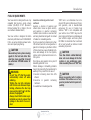
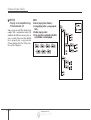
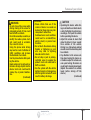
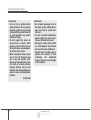
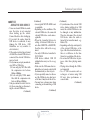
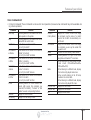
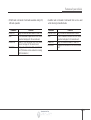
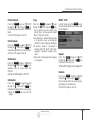
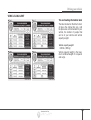
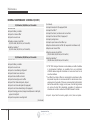
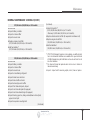
Voice Command List
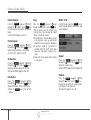
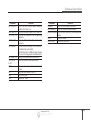
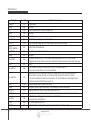
• Common Commands: These commands can be used in most operations. (However a few commands may not be available during certain operations)
Command
More Help
Help
Call<Name>
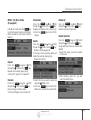
Call <Name>
on Mobile
Call <Name>
in Office
Call <Name>
at Home
Call <Name>
on Other
Phone
Favorites
Call History
Function
Provides guidance on commands that can be
used anywhere in the system.
Provides guidance on commands that can be
used within the current mode.
Calls <Name> saved in Contacts
Ex) Call “John Smith”
Calls <Name> to the number that is saved as
"Mobile" in Contacts
Ex) Call "John Smith" on Mobile
Calls <Name> to the number that is saved as
"Office" in Contacts
Ex) Call "John Smith" in Office
Calls <Name> to the number that is saved as
"Home" in Contacts
Ex) Call "John Smith" at Home
Calls <Name> to the number that is saved as
"Other" in Contacts
Ex) Call "John Smith" on Other
Provides guidance on Phone related commands. After saying this command, say
“Favorites”,“Call History”, “Contacts” or ”Dial
Number” execute corresponding functions.
Display the Favorite screen.
Displays the Call History screen.
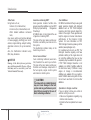
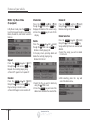
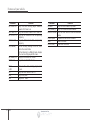
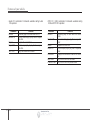
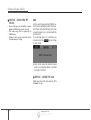
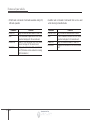
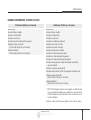
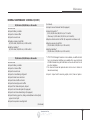
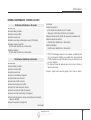
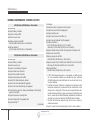
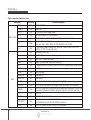
Command
Contacts
(Call by Name)
Dial Number
Redial
Tutorial
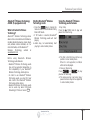
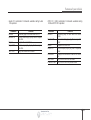
Radio
FM1(FM One)
FM2(FM Two)
AM
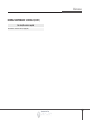
I
nf
or
mat
i
onPr
ovi
dedby:
Function
Displays the Contacts screen. After saying
this command, say the name of a contact
saved in the Contacts to automatically connect the call.
Display the Dial number screen. After saying
this command, you can say the number that
you want to call.
Connects the most recently called number.
Provide guidance on how to use voice
recognition and Bluetooth® connections.
• When listening to the radio, displays the next
radio screen. (FM1➟ FM2➟ AM➟ XM1➟
XM2➟XM3➟FM1)
• When listening to a different mode, displays
the most recently played radio screen.
• When currently listening to the FM radio,
maintains the current state.
• When listening to a different mode, displays
the most recently played FM screen.
Displays the FM1 screen.
Displays the FM2 screen.
Displays the AM screen.
4 149